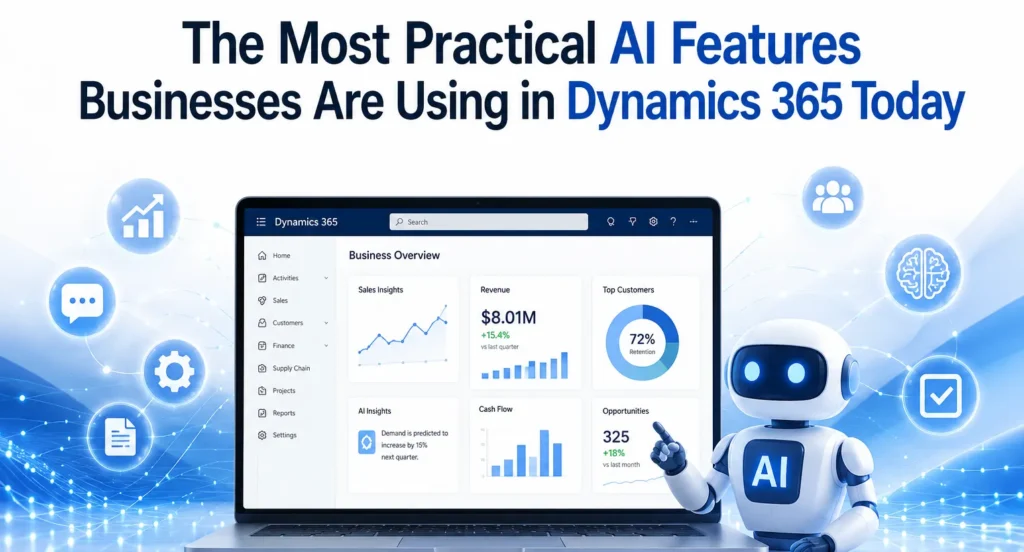
Artificial Intelligence (AI) has evolved from being a futuristic concept into a practical business tool that delivers measurable value. Organizations across manufacturing, retail, finance, healthcare, logistics, and professional services are no longer experimenting with AI—they are integrating it into their daily operations to improve productivity, automate repetitive tasks, and make faster business decisions.
One platform leading this transformation is Microsoft Dynamics 365. With built-in AI capabilities and Microsoft Copilot, Dynamics 365 helps businesses simplify complex processes without requiring advanced technical expertise. Whether it’s generating financial reports, predicting customer demand, automating customer service responses, or improving inventory planning, AI is making enterprise resource planning (ERP) and customer relationship management (CRM) smarter than ever.
Businesses working with an experienced Microsoft Dynamics 365 partner can implement these AI capabilities effectively, ensuring they align with organizational goals while maximizing return on investment.
Why AI Matters in Dynamics 365
Traditional ERP systems were designed primarily to store and process business data. Modern Dynamics 365 solutions go much further by interpreting data, identifying patterns, and providing intelligent recommendations.
Instead of manually analysing thousands of transactions or customer interactions, AI can instantly highlight trends, detect anomalies, and recommend actions. This allows employees to focus on strategic work rather than repetitive administrative tasks.
As organizations continue their digital transformation journey, AI has become one of the biggest competitive advantages available within the Microsoft ecosystem.
Microsoft Copilot: The Everyday AI Assistant
Microsoft Copilot is perhaps the most practical AI feature currently available across Dynamics 365 applications. Rather than replacing employees, Copilot assists them by automating routine work.
Users can create reports, summarize meetings, draft emails, generate customer responses, and analyse business data using simple natural language prompts.
For finance teams, Copilot helps generate financial summaries and variance analyses. Sales teams receive AI-generated customer insights, while customer service agents can quickly access suggested solutions based on previous support cases.
Within Microsoft Dynamics 365 Business Central, Copilot simplifies accounting tasks, purchasing processes, inventory management, and financial reporting, making ERP more accessible for users without technical expertise.
AI-Powered Financial Management
Finance departments spend countless hours reconciling accounts, preparing reports, reviewing invoices, and forecasting cash flow. AI dramatically reduces this workload.
Dynamics 365 can automatically:
- Detect unusual financial transactions
- Predict cash flow trends
- Suggest payment schedules
- Automate invoice matching
- Generate financial summaries
Instead of spending days preparing month-end reports, finance teams can focus on analysing business performance and identifying growth opportunities.
Organizations using professional Microsoft Dynamics 365 Support Services also benefit from continuous optimization as Microsoft regularly introduces new AI capabilities and enhancements.
Intelligent Demand Forecasting
Inventory planning has traditionally relied on historical sales and manual estimates. AI transforms this process by analysing multiple variables simultaneously.
Dynamics 365 evaluates:
- Historical sales patterns
- Seasonal trends
- Market demand
- Customer buying behaviour
- Supply chain disruptions
The result is more accurate inventory forecasting, helping businesses reduce excess stock while avoiding costly stock shortages.
Manufacturers and retailers especially benefit from AI-driven forecasting because it improves procurement decisions and production planning.
Smarter Customer Service
Customer expectations continue to rise, and businesses must deliver faster, more personalized support.
AI within Dynamics 365 Customer Service enables organizations to:
- Automatically categorize support tickets
- Recommend solutions based on previous cases
- Route requests to the correct department
- Generate suggested responses
- Analyse customer sentiment
Support agents spend less time searching for information and more time resolving customer issues.
Companies implementing these capabilities through experienced MS Dynamics 365 Implementation services often see improvements in customer satisfaction while reducing service costs.
Sales Intelligence That Improves Conversions
Sales professionals often struggle to identify which opportunities deserve immediate attention.
Dynamics 365 Sales uses AI to prioritize leads based on customer behaviour, purchasing history, communication frequency, and engagement levels.
Sales representatives receive recommendations such as:
- Which customers are most likely to purchase
- When to follow up
- Which opportunities require attention
- Suggested next actions
Instead of relying solely on instinct, sales teams can make data-driven decisions that improve conversion rates and increase revenue.
AI in Supply Chain Management
Supply chain disruptions have become increasingly common. AI helps businesses anticipate potential issues before they become serious problems.
Dynamics 365 Supply Chain Management uses AI to:
- Predict delivery delays
- Identify supplier risks
- Recommend inventory transfers
- Monitor warehouse efficiency
- Improve logistics planning
These predictive capabilities help organizations maintain business continuity while reducing operational costs.
Businesses planning D365 migration services from legacy ERP systems often prioritize these AI-enabled supply chain features because they deliver immediate operational improvements.
Automated Business Insights
One of AI’s greatest strengths is transforming raw data into actionable insights.
Executives no longer need to wait for manually prepared reports. Instead, AI continuously monitors business performance and alerts decision-makers about significant changes.
Examples include:
- Unexpected revenue changes
- Declining product performance
- Increasing operational costs
- Customer churn risks
- Cash flow concerns
This proactive approach enables faster decision-making and more effective strategic planning.
AI-Driven Purchasing and Procurement
Procurement teams benefit from AI through improved supplier analysis and purchasing recommendations.
Dynamics 365 can evaluate supplier performance, compare historical pricing, identify purchasing trends, and recommend optimal reorder quantities.
This reduces procurement costs while improving supplier relationships and ensuring consistent product availability.
Document Automation
Businesses process thousands of documents every year, including invoices, purchase orders, contracts, receipts, and shipping documents.
AI helps automate document processing by:
- Extracting important information
- Matching invoices to purchase orders
- Identifying missing fields
- Reducing manual data entry
- Improving processing accuracy
This significantly reduces administrative work while minimizing human error.
Predictive Maintenance
Manufacturing companies using Dynamics 365 can leverage AI for predictive maintenance.
Instead of repairing equipment after failure, AI analyses machine data to predict maintenance requirements before breakdowns occur.
Benefits include reduced downtime, lower maintenance costs, longer equipment life, and improved production efficiency.
Why Expert Implementation Matters
Although Dynamics 365 includes powerful AI capabilities, achieving successful outcomes requires proper planning, customization, and integration.
Working with experienced Microsoft Dynamics consulting services ensures businesses configure AI features according to their industry requirements, business processes, and long-term objectives.
Professional consultants also help organizations integrate Microsoft 365, Power Platform, Azure AI, and other Microsoft technologies to create a connected digital ecosystem.
Preparing for the Future
Microsoft continues investing heavily in AI innovation across Dynamics 365. As Copilot evolves, businesses can expect even greater automation, more accurate predictions, and deeper business insights.
Organizations that begin adopting AI today will be better positioned to respond to changing customer expectations, market conditions, and competitive pressures.
Whether improving finance, supply chain, customer service, or sales, practical AI within Dynamics 365 is already delivering measurable business value across industries.
Companies that embrace these capabilities with the guidance of a trusted implementation partner can achieve higher productivity, smarter decision-making, and sustainable long-term growth.
Conclusion
AI is no longer an optional technology for forward-thinking organizations. It has become a practical tool that improves efficiency, enhances customer experiences, and supports better business decisions every day. Microsoft Dynamics 365 combines enterprise-grade ERP and CRM functionality with intelligent AI features that simplify operations and unlock valuable insights.
From Microsoft Copilot and predictive analytics to intelligent forecasting and automated document processing, Dynamics 365 provides businesses with the tools they need to remain competitive in an increasingly digital marketplace. By partnering with an experienced Microsoft Dynamics 365 partner, organizations can successfully implement these AI capabilities and maximize the value of their ERP investment.
Frequently Asked Questions (FAQs)
Q1. What AI features are available in Microsoft Dynamics 365?
Ans: Microsoft Dynamics 365 includes Microsoft Copilot, predictive analytics, intelligent forecasting, automated reporting, AI-powered customer service, sales insights, document automation, and demand forecasting.
Q2. How does Microsoft Copilot improve productivity?
Ans: Copilot helps employees draft emails, generate reports, summarize meetings, analyse business data, automate repetitive tasks, and provide intelligent recommendations using natural language prompts.
Q3. Is AI available in Microsoft Dynamics 365 Business Central?
Ans: Yes. Microsoft Dynamics 365 Business Central includes AI-powered capabilities such as financial forecasting, inventory optimization, intelligent purchasing, automated reporting, and Microsoft Copilot assistance.
4. Why should businesses work with a Microsoft Dynamics 365 partner?
Ans: A qualified Microsoft Dynamics 365 partner ensures proper implementation, customization, user training, system integration, and long-term optimization of AI features.
Q5. What industries benefit the most from AI in Dynamics 365?
Ans: Manufacturing, retail, distribution, healthcare, finance, logistics, professional services, and eCommerce businesses all benefit significantly from AI-powered automation and business intelligence.
Q6. Can AI reduce manual work in ERP systems?
Ans: Yes. AI automates repetitive tasks such as invoice processing, report generation, forecasting, customer support, procurement, and document management, allowing employees to focus on higher-value activities.
Q7. Do businesses need support after implementing Dynamics 365 AI features?
Ans: Absolutely. Ongoing Microsoft Dynamics 365 Support Services help businesses maintain system performance, adopt new AI capabilities, resolve issues quickly, and continuously improve their ERP environment.
Q8. Is migrating to Dynamics 365 necessary to use modern AI capabilities?
Ans: In most cases, yes. Businesses using older ERP platforms often choose D365 migration services to access Microsoft’s latest AI innovations, cloud scalability, enhanced security, and continuous feature updates.