Microsoft Dynamics 365

why-logistics-companies-are-investing-in-ai-driven-erp-solution

Why Logistics Companies Are Investing in AI-Driven ERP Solutions

The logistics industry is going through a major digital transformation. Rising customer expectations, supply chain disruptions, increasing fuel costs, and the need for real-time visibility are pushing logistics companies to modernize their operations. Traditional ERP systems are no longer enough to manage the growing complexity of transportation, warehousing, inventory, and customer service. This is why many businesses are now investing in AI-driven ERP solutions powered by platforms like Microsoft Dynamics 365 Business Central and other intelligent enterprise applications. AI-driven ERP systems combine automation, predictive analytics, machine learning, and real-time data insights to help logistics companies improve operational efficiency and make smarter business decisions. Organizations that rely on a reliable Microsoft ecosystem and a trusted Microsoft Dynamics 365 Partner are gaining a competitive advantage through digital transformation. The Growing Challenges in the Logistics Industry Logistics companies operate in a highly dynamic environment. They face multiple operational challenges every day, including delayed shipments, fluctuating demand, warehouse inefficiencies, inventory inaccuracies, and rising transportation costs. Managing these processes manually or with outdated systems can lead to operational bottlenecks and poor customer experiences. Modern logistics companies also need better visibility across their supply chains. Customers now expect real-time shipment tracking, faster deliveries, and proactive communication. At the same time, businesses must control costs while maintaining service quality. AI-driven ERP solutions address these challenges by integrating intelligent technologies into core business operations. This is one reason why organizations are increasingly investing in Microsoft Dynamics 365 Business Central and advanced ERP platforms supported by professional Microsoft Dynamics consulting service providers. What Is an AI-Driven ERP Solution? An AI-driven ERP solution is an enterprise resource planning system enhanced with artificial intelligence capabilities. These systems can analyze large amounts of business data, identify patterns, automate repetitive tasks, and provide predictive insights for decision-making. Unlike traditional ERP systems, AI-powered ERP platforms can: Solutions such as Microsoft Dynamics 365 Business Central help logistics companies streamline operations while improving agility and scalability. Why Logistics Companies Are Choosing AI-Driven ERP Solutions 1. Improved Supply Chain Visibility One of the biggest reasons logistics companies are investing in AI-driven ERP systems is the need for complete supply chain visibility. Logistics managers need accurate real-time information about inventory, shipments, suppliers, and warehouse operations. AI-enabled ERP systems collect and process data from multiple sources to provide centralized visibility across the organization. This allows businesses to monitor shipments in real time, identify delays early, and make faster operational decisions. A reliable Microsoft Dynamics 365 partner can help organizations implement dashboards and analytics tools that improve operational transparency. 2. Predictive Demand Forecasting Demand fluctuations can create serious operational challenges in logistics. Overstocking increases storage costs, while understocking leads to delays and customer dissatisfaction. AI-driven ERP platforms use historical data, market trends, and customer behavior to predict future demand more accurately. This helps logistics companies optimize inventory levels and improve warehouse planning. Businesses investing in MS Dynamics 365 implementation services often gain access to advanced forecasting tools that reduce waste and improve profitability. 3. Route Optimization and Transportation Efficiency Transportation costs are one of the largest expenses for logistics companies. AI-powered ERP systems can optimize delivery routes by analyzing traffic conditions, weather data, fuel consumption, and delivery schedules. Smart route optimization helps companies: Companies leveraging Microsoft Dynamics Consulting Services can integrate AI capabilities that improve transportation planning and fleet management. 4. Warehouse Automation and Inventory Management Warehouse operations are becoming increasingly complex due to growing order volumes and customer expectations. AI-driven ERP systems automate many warehouse processes, including inventory tracking, order picking, and stock replenishment. These intelligent systems reduce manual errors and improve operational efficiency. Real-time inventory visibility also helps businesses avoid stock shortages and excess inventory. With the support of Microsoft Dynamics 365 Support Services, logistics companies can maintain smooth warehouse operations and quickly resolve technical issues. 5. Better Customer Experience Customer expectations in the logistics industry have changed significantly. Businesses now expect accurate delivery timelines, real-time shipment tracking, and fast issue resolution. AI-powered ERP systems improve customer experiences by providing better communication, predictive delivery estimates, and automated customer service workflows. Chatbots and AI-based support tools can handle customer inquiries more efficiently. Organizations using Microsoft Dynamics 365 Business Central can create customer-centric logistics operations that improve satisfaction and loyalty. 6. Reduced Operational Costs Cost reduction is one of the biggest advantages of AI-driven ERP systems. Automation minimizes manual work, improves productivity, and reduces errors across operations. AI also helps businesses identify inefficiencies in supply chain processes, inventory management, and transportation operations. These insights allow logistics companies to optimize resources and reduce unnecessary expenses. A trusted Microsoft Dynamics 365 Partner can help organizations maximize ERP ROI through customized implementation strategies. 7. Faster and Smarter Decision-Making Traditional reporting methods often provide delayed or incomplete information. AI-powered ERP systems deliver real-time analytics and predictive insights that support faster decision-making. Managers can quickly analyze operational performance, identify risks, and respond to changing business conditions. This agility is especially important in the logistics industry, where delays and disruptions can impact customer relationships and profitability. Companies investing in Microsoft Dynamics consulting services gain access to data-driven business intelligence tools that support long-term growth. The Role of Microsoft Dynamics 365 in Logistics Transformation Microsoft Dynamics 365 Business Central has become one of the most popular ERP platforms for logistics and supply chain companies. The platform offers integrated capabilities for finance, inventory management, warehousing, purchasing, sales, and customer service. When combined with AI technologies, the platform provides powerful automation and analytics features that help logistics businesses improve operational performance. Key benefits include the following: Working with an experienced Microsoft Dynamics 365 Partner ensures successful ERP deployment and customization based on business needs. Why Cloud-Based ERP Is Important for Logistics Companies Cloud ERP solutions are becoming increasingly important in logistics because they provide flexibility, scalability, and remote accessibility. Logistics operations often involve multiple warehouses, transportation hubs, and teams working across different locations. Cloud-based AI ERP systems enable employees to access real-time data from anywhere. This improves collaboration and operational responsiveness. Cloud ERP platforms also reduce infrastructure costs

Why Logistics Companies Are Investing in AI-Driven ERP Solutions Read More »

How AI in Dynamics 365 is Transforming Logistics-Operations

How AI in Dynamics 365 is Transforming Logistics Operations

The logistics industry is evolving rapidly as businesses face increasing pressure to deliver goods faster, reduce operational costs, and improve supply chain visibility. Traditional logistics systems often struggle to manage growing operational complexity, which is why many organizations are now investing in AI-powered ERP solutions. One of the most effective platforms helping businesses modernize logistics operations is Microsoft Dynamics 365. AI capabilities within Microsoft Dynamics 365 Business Central are transforming how logistics companies manage inventory, transportation, warehousing, customer service, and demand forecasting. By combining automation, predictive analytics, and real-time business intelligence, organizations can make smarter decisions while improving operational efficiency. This article explores how AI in Dynamics 365 is reshaping logistics operations and why businesses are increasingly working with a trusted Microsoft Dynamics 365 partner to implement and optimize these intelligent solutions. The Growing Role of AI in Logistics The logistics industry handles a massive amount of operational data every day. Managing deliveries, supplier coordination, warehouse operations, and customer expectations manually can create delays, errors, and rising operational costs. AI helps solve these challenges by automating repetitive tasks and delivering predictive insights that improve decision-making. Modern logistics companies are using AI-powered ERP systems to streamline operations, reduce human error, and gain complete visibility into their supply chains. AI can analyze historical trends, monitor real-time operations, and identify patterns that help businesses respond faster to changing market conditions. As competition increases, companies are relying on advanced ERP platforms and experienced Microsoft Dynamics consulting service providers to build smarter and more scalable logistics processes. What is AI in Dynamics 365? AI in Dynamics 365 combines machine learning, automation, cloud technology, and advanced analytics to help businesses improve operational performance. These intelligent capabilities are integrated across finance, supply chain, inventory management, customer service, and warehouse operations. Within Microsoft Dynamics 365 Business Central, AI helps logistics businesses forecast demand, automate workflows, improve shipment planning, and optimize inventory management. Instead of relying on manual reporting and reactive processes, organizations can use real-time insights to make proactive business decisions. AI also improves collaboration between departments by centralizing operational data into a single connected system. This creates better transparency across the supply chain and helps logistics teams respond quickly to disruptions. Predictive Demand Forecasting Demand forecasting is one of the most important functions in logistics operations. Inaccurate forecasting can lead to inventory shortages, overstocking, delayed deliveries, and unnecessary operational expenses. AI-powered forecasting tools in Dynamics 365 analyze historical sales trends, customer purchasing behavior, seasonal demand patterns, and market conditions to generate more accurate forecasts. This allows logistics businesses to maintain optimal stock levels while reducing waste and storage costs. Companies working with experienced MS Dynamics 365 implementation service providers can customize forecasting models according to their business requirements and industry-specific operational needs. Improved forecasting also helps businesses strengthen supplier relationships because procurement teams can plan inventory requirements more effectively. This results in smoother operations and improved customer satisfaction. Intelligent Inventory Management Inventory management becomes far more efficient when AI is integrated into ERP systems. AI-powered inventory tools within Dynamics 365 provide real-time visibility into stock levels, warehouse movement, and replenishment requirements. Instead of manually tracking inventory, businesses can automate stock monitoring and receive alerts when inventory reaches predefined thresholds. AI also identifies slow-moving products, reduces excess inventory, and improves order fulfillment accuracy. For logistics companies managing large warehouses or multiple distribution centers, this level of automation significantly improves operational efficiency. With the help of Microsoft Dynamics 365 Business Central, businesses can reduce carrying costs while improving delivery performance. Route Optimization and Fleet Efficiency Transportation costs are one of the largest operational expenses for logistics companies. Fuel consumption, delivery delays, and inefficient route planning can directly impact profitability. AI in Dynamics 365 helps businesses optimize delivery routes by analyzing traffic conditions, weather data, fuel usage, and delivery schedules in real time. This allows logistics companies to select the most efficient routes and improve delivery performance. Better route optimization reduces transportation costs while helping businesses improve customer satisfaction through faster and more reliable deliveries. AI also helps organizations improve fleet utilization and reduce vehicle downtime. Companies implementing intelligent transportation workflows through professional MS Dynamics 365 implementation services can achieve significant operational savings over time. Real-Time Supply Chain Visibility Supply chain disruptions have become increasingly common due to global economic uncertainty, labor shortages, transportation delays, and changing customer demands. Businesses now require complete real-time visibility into their operations to manage these challenges effectively. AI-powered dashboards in Dynamics 365 provide logistics companies with real-time monitoring of inventory movement, supplier performance, shipment status, and warehouse activities. Managers can identify bottlenecks quickly and make informed decisions before problems escalate. This level of visibility allows organizations to become more proactive instead of reactive. Businesses working with a reliable Microsoft Dynamics 365 partner can configure customized dashboards and reporting tools that align with their operational goals and KPIs. Warehouse Automation Warehouse operations involve multiple repetitive tasks that consume time and increase the risk of human error. AI-powered warehouse automation in Dynamics 365 helps businesses improve efficiency by automating processes such as inventory tracking, barcode scanning, picking, packing, and shipment scheduling. AI also helps optimize warehouse space utilization by analyzing product movement patterns and storage requirements. This improves operational productivity while reducing delays in order fulfillment. As logistics operations continue to scale, warehouse automation becomes essential for maintaining accuracy and operational efficiency. Businesses leveraging Microsoft Dynamics 365 Support Services can continuously optimize warehouse performance and adapt workflows based on operational changes. Predictive Maintenance for Fleet Vehicles Unexpected vehicle breakdowns can disrupt logistics operations and lead to missed delivery deadlines. AI-driven predictive maintenance capabilities within Dynamics 365 help businesses monitor vehicle performance and identify maintenance issues before failures occur. By analyzing engine performance, fuel usage, maintenance history, and sensor data, AI can predict when maintenance is required. This proactive approach reduces downtime, lowers repair costs, and improves fleet reliability. Predictive maintenance also helps logistics companies extend vehicle lifespan and maintain consistent delivery schedules. This creates a more dependable transportation network while improving overall operational efficiency. Enhanced

How AI in Dynamics 365 is Transforming Logistics Operations Read More »

common-dynamics-365-issues-and-how-support-teams-fix-them

Common Dynamics 365 Issues and How Support Teams Fix Them

Modern businesses depend on Microsoft Dynamics 365 to manage operations, customer relationships, finance, and supply chains in one unified ecosystem. While the platform offers powerful capabilities, organizations often face technical and operational challenges that can impact productivity. The difference between struggling with these issues and turning them into opportunities lies in having the right support strategy. In this guide, we’ll explore the most common Dynamics 365 issues and how expert teams resolve them efficiently. 1. System Performance and Slow Response One of the most frequent complaints users have is slow system performance. This can affect reporting, transaction processing, and overall user experience. Why it happen: How support teams fix it: Experts analyze system performance using diagnostic tools, optimize database queries, and streamline customizations. In many cases, businesses working with a Microsoft Dynamics 365 partner in Texas, USA, benefit from proactive monitoring that prevents these issues before they escalate. 2. Integration Issues with External Systems Dynamics 365 is often connected with CRM platforms, eCommerce tools, and third-party applications. When integrations fail, it can disrupt workflows and create data silos. Common causes: Resolution: Support specialists implement secure APIs, use middleware solutions, and perform regular testing. Providers offering Microsoft Dynamics consulting services in Texas, USA, ensure that integrations remain stable and scalable. 3. Data Migration Challenges Migrating data from legacy systems or older ERP platforms can be complex. Errors during this process may lead to data loss or duplication. Key issues: How experts handle it: Teams providing D365 migration services in Texas, USA, typically start with data audits, followed by cleansing and validation. Automated tools and post-migration testing ensure accuracy and reliability. 4. Low User Adoption Even the most advanced system fails if employees don’t use it effectively. Many organizations struggle with user adoption after implementation. Signs of poor adoption: Fix: Support teams conduct role-based training, simplify interfaces, and provide ongoing assistance. Companies using Microsoft Dynamics 365 Business Central in Texas, USA, often see improved adoption when workflows are tailored to user needs. 5. Customization and Update Conflicts Customization is essential for aligning the platform with business processes. However, excessive or poorly managed modifications can create problems during updates. Causes: Solution: Professionals delivering MS Dynamics 365 implementation services in Texas, USA, follow best practices such as using extensions instead of altering core code. They also test updates in sandbox environments to avoid disruptions. 6. Security and Compliance Risks With sensitive business data stored in the system, security is a top concern. Common risks: How support teams mitigate risks: They implement role-based access, enable multi-factor authentication, and conduct regular audits. Reliable Microsoft Dynamics 365 support services in Texas, USA, also ensure compliance with industry standards. 7. Reporting and Analytics Limitations Businesses rely on accurate insights for decision-making. Poor reporting setups can lead to delays or incorrect data interpretation. Issues include: Fix: Support teams optimize reporting frameworks and integrate tools like Microsoft Power BI to deliver actionable insights. 8. Licensing and Cost Optimization Many organizations overspend due to inefficient license management. Challenges: Solution: A trusted Microsoft Dynamics 365 partner in Texas, USA, conducts license audits and aligns subscriptions with actual business needs, helping reduce unnecessary costs. 9. Workflow and Automation Failures Automation is a major advantage of Dynamics 365, but poorly configured workflows can lead to operational issues. Causes: Resolution: Support teams debug workflows, optimize logic, and continuously monitor automation processes to ensure consistency. 10. Lack of Ongoing Support and Maintenance Without continuous monitoring, systems can become outdated and inefficient over time. Solution: Businesses benefit from ongoing support that includes: Organizations leveraging Microsoft Dynamics 365 support services in Texas, USA, often experience improved system stability and long-term efficiency. Why Professional Support Matters Working with experienced experts provides long-term advantages beyond just fixing issues. Key benefits: A reliable Microsoft Dynamics 365 partner in Texas, USA, not only solves problems but also helps businesses scale effectively. Conclusion Microsoft Dynamics 365 is a robust platform that can transform business operations, but it requires proper management to deliver its full value. From performance bottlenecks to integration challenges and user adoption issues, these problems are common—but solvable. By working with experts offering services such as: Businesses can ensure smooth operations and sustained growth without disruptions. FAQs Q1. What are the most common Dynamics 365 problems? Ans: Performance issues, integration errors, data migration challenges, and low user adoption are among the most common problems. Q2. How can I improve system performance? Ans: Optimizing databases, reducing unnecessary customizations, and using expert support services can significantly improve performance. Q3. Why is migration to Dynamics 365 complex? Ans: It involves handling large datasets, ensuring accuracy, and maintaining data integrity, which requires specialized tools and expertise. Q4. How do consultants help with integration? Ans: They design scalable integration frameworks, configure APIs, and ensure consistent data flow between systems. Q5. Is customization recommended? Ans: Yes, but it should follow best practices to avoid issues during system updates. Q6. How important is ongoing support? Ans: Continuous support ensures system stability, security, and performance optimization over time. Q7. Can Dynamics 365 scale with business growth? Ans: Yes, it is highly scalable and can adapt to changing business needs across industries. Q8. What tools enhance reporting in Dynamics 365? Ans: Tools like Microsoft Power BI provide advanced analytics and real-time insights.

Common Dynamics 365 Issues and How Support Teams Fix Them Read More »

10-powerful-copilot-features-in-business-central

What Microsoft Didn’t Highlight: 10 Powerful Copilot Features in Business Central

In the rapidly evolving world of ERP systems, artificial intelligence is no longer a futuristic concept—it’s a present-day competitive advantage. With the introduction of Copilot in Microsoft Dynamics 365 Business Central, Microsoft has embedded AI directly into everyday business workflows. While official announcements showcase a handful of capabilities, many powerful features remain underutilized or overlooked. For organizations working with a Microsoft Dynamics 365 partner in Texas, USA, or leveraging Microsoft Dynamics consulting services in Texas, USA, understanding these hidden capabilities can unlock significant operational efficiency and ROI. This SEO-optimized guide explores 10 powerful Copilot features in Business Central, along with practical use cases, benefits, and strategic insights—without keyword stuffing and with a natural content flow. Understanding Copilot in Business Central Copilot is an AI-powered assistant designed to: Unlike traditional ERP tools, Copilot allows users to interact with the system conversationally, making it easier for both technical and non-technical users. Businesses partnering with Microsoft Dynamics 365 implementation partners or a Dynamics implementation partner can maximize the value of these capabilities through proper configuration and customization. 1. AI-Powered Product Description Generation Creating product descriptions manually can be time-consuming, especially for businesses managing large inventories. Copilot simplifies this by generating high-quality descriptions based on product attributes. Key Benefits: For companies using Microsoft Dynamics 365 Business Central in Texas, USA, this feature significantly reduces content creation efforts while improving online visibility. 2. Natural Language Data Queries Copilot allows users to ask questions in plain English instead of building complex reports. Example: Why It Matters: Organizations working with a Microsoft CRM partner or Dynamics 365 customer engagement partner can integrate these insights across departments. 3. Automated Bank Reconciliation Financial processes are often repetitive and error-prone. Copilot assists by: Business Impact: This is particularly beneficial when supported by Microsoft Dynamics 365 Support Services in Texas, USA. 4. AI-Driven Forecasting and Predictions Copilot uses historical data and AI models to predict the following: Advantages: Companies leveraging D365 migration services in Texas, USA, can take full advantage of these predictive capabilities after moving to cloud-based systems. 5. Chat-Based ERP Navigation One of the most user-friendly features is conversational navigation. Instead of navigating menus, users can simply type: Benefits: Businesses using MS Dynamics 365 implementation services in Texas, USA, often see faster onboarding due to this feature. 6. Intelligent Document Processing Copilot can read and process documents such as invoices and receipts. Capabilities: Outcomes: 7. Sales Order Automation Copilot can transform emails into actionable sales processes. What It Can Do: Result: End-to-end automation of sales workflows improves efficiency and customer experience. This is especially valuable for organizations working with top Microsoft Dynamics partners. 8. AI-Powered Summarization Copilot can summarize large datasets, reports, and communications. Use Cases: Benefits: 9. Unified AI Across ERP and CRM Copilot is not limited to ERP—it extends across the broader Microsoft Dynamics 365 ecosystem. Integration Areas: Businesses working with a partner dynamics expert or a Microsoft AX partner can unify ERP and CRM workflows for better efficiency. 10. Custom AI Agents for Workflow Automation One of the most advanced yet underutilized features is the ability to create custom AI agents. Capabilities: Why It Matters: Organizations collaborating with Microsoft Dynamics partners can build tailored AI solutions that align with specific business needs. Why These Features Matter for Your Business Implementing Copilot effectively can transform how businesses operate. Whether you’re working with a Microsoft Dynamics 365 partner in Texas, USA, or exploring Microsoft Dynamics consulting services in Texas, USA, these features deliver measurable value. Key Benefits: The Role of the Right Implementation Partner Choosing the right partner is critical to success. A reliable dynamics implementation partner or Microsoft Dynamics 365 implementation partners can help: Businesses that collaborate with top Microsoft Dynamics partners gain a competitive edge through expert guidance and optimized solutions. Common Challenges and How to Overcome Them 1. Lack of Proper Implementation: Solution: Work with experienced partners and consultants 2. Resistance to Change Solution: Provide user training and change management 3. Poor Data Quality Solution: Clean and structure data before implementation 4. Underutilization of Features Solution: Continuously explore and adopt new capabilities Future of Copilot in Business Central AI is evolving rapidly, and Copilot is expected to become even more powerful. Future Trends: Businesses that invest early will be better positioned to leverage these advancements. Conclusion Copilot in Microsoft Dynamics 365 Business Central is far more powerful than what Microsoft initially highlighted. From AI-driven automation to predictive analytics and intelligent workflows, it is redefining how modern businesses operate. However, success depends on how effectively these features are implemented and utilized. Partnering with the right experts—whether for Microsoft Dynamics 365 Support Services in texas usa or implementation—can significantly impact outcomes. By embracing these hidden capabilities, businesses can drive efficiency, innovation, and long-term growth. FAQs Q1. What is Copilot in Business Central? Ans: Copilot is an AI-powered assistant that helps automate tasks, generate insights, and improve productivity within Business Central. Q2. Is Copilot available in all versions of Business Central? Ans: Copilot is primarily available in the cloud version of Business Central and continues to expand with updates. Q3. How does Copilot improve business efficiency? Ans: It automates repetitive tasks, provides real-time insights, and enhances decision-making capabilities. Q4. Do I need a partner for implementation? Ans: While not mandatory, working with a Dynamics implementation partner ensures better customization and ROI. Q5. Which industries benefit most from Copilot? Ans: Retail, manufacturing, finance, and service industries benefit significantly from automation and AI insights. Q6. Is Copilot secure? Ans: Yes, it follows Microsoft’s enterprise-grade security and compliance standards. Q7. Can Copilot integrate with CRM systems? Ans: Yes, it integrates seamlessly with Dynamics 365 CRM modules, enabling unified business operations. Q8. What is the future of Copilot? Ans: Copilot will continue evolving with advanced AI capabilities, automation, and deeper business integration.

What Microsoft Didn’t Highlight: 10 Powerful Copilot Features in Business Central Read More »

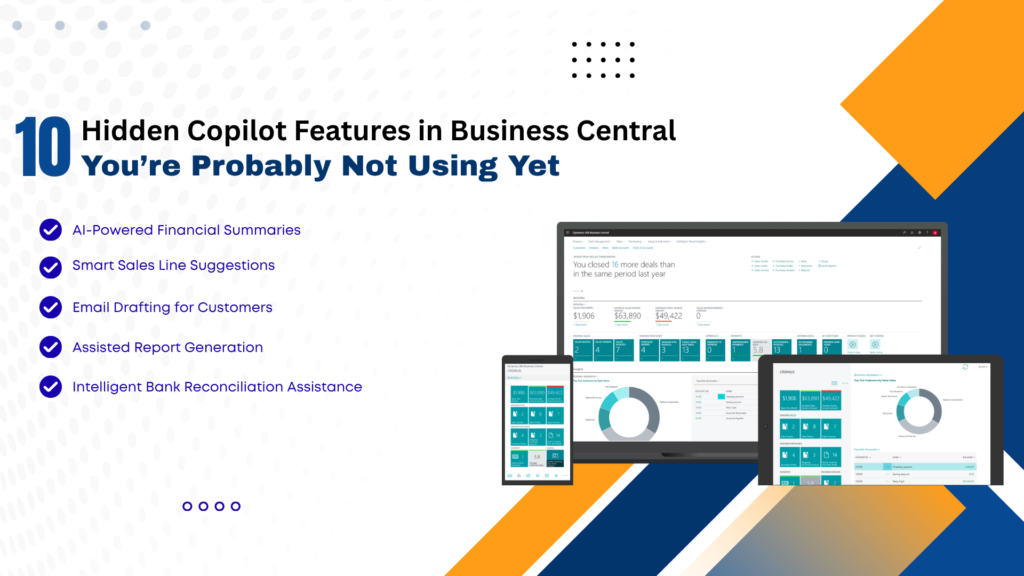
ten-hidden-copilot-features-in-business-central-youre-probably-not-using-yet

10 Hidden Copilot Features in Business Central You’re Probably Not Using Yet

In today’s fast-evolving digital landscape, businesses are constantly seeking smarter ways to streamline operations, reduce manual work, and improve decision-making. With the integration of AI-powered tools like Copilot in Microsoft Dynamics 365 Business Central, organizations now have access to intelligent automation that goes far beyond traditional ERP capabilities. While many users are aware of basic Copilot functionalities, several powerful features remain underutilized. These hidden capabilities can significantly enhance productivity, improve accuracy, and transform how businesses operate. In this comprehensive guide, we’ll uncover 10 hidden Copilot features in Business Central that you’re probably not using yet—and explain how partnering with a Microsoft Dynamics 365 partner in Texas, USA, or leveraging Microsoft Dynamics consulting services in Texas, USA, can help you unlock their full potential. What is Copilot in Business Central? Copilot is an AI-powered assistant embedded within Business Central that uses natural language processing and machine learning to assist users with tasks such as data entry, reporting, forecasting, and decision-making. It enables users to: With proper implementation through MS Dynamics 365 implementation services in Texas, USA, businesses can maximize Copilot’s capabilities and drive real value. 1. AI-Powered Product Description Generation One of the most overlooked features is Copilot’s ability to generate product descriptions automatically. How it helps: This is especially beneficial for e-commerce and retail businesses using Microsoft Dynamics 365 Business Central in Texas, USA. 2. Intelligent Sales Line Suggestions Copilot can analyze historical sales data and suggest relevant products during order creation. Benefits: Businesses working with Microsoft Dynamics consulting services in Texas, USA, can fine-tune these suggestions for better accuracy. 3. Automated Email Drafting Copilot can generate professional email drafts directly within Business Central. Use cases: This reduces manual effort and ensures consistent communication. 4. Natural Language Data Queries Instead of running complex reports, users can simply ask questions like the following: Copilot converts these queries into actionable insights. Advantages: 5. Smart Financial Forecasting Copilot leverages AI to predict financial trends based on historical data. Key benefits: Organizations using Microsoft Dynamics 365 Support Services in Texas, USA, can continuously refine forecasting models. 6. Automated Data Entry and Cleanup Manual data entry is one of the most time-consuming ERP tasks. Copilot automates this process by: Result: 7. AI-Assisted Inventory Management Copilot helps businesses optimize inventory by analyzing demand patterns and stock levels. Features include: When combined with D365 migration services in Texas, USA, businesses can modernize their inventory systems and gain better control. 8. Report Summarization Instead of going through lengthy reports, Copilot can summarize key insights in seconds. Benefits: This is particularly useful for leadership teams who need quick insights. 9. Guided User Assistance Copilot acts as a built-in assistant, guiding users through complex workflows. Examples: This reduces training time and improves user adoption—especially when implemented via MS Dynamics 365 implementation services in Texas, USA. 10. AI-Driven Demand Forecasting One of the most powerful yet underused features is AI-driven demand forecasting. Capabilities: Businesses partnering with a Microsoft Dynamics 365 partner in Texas, USA, can customize forecasting models for industry-specific needs. Why Businesses Are Not Using These Features Despite their benefits, many organizations fail to utilize these features due to: This is where Microsoft Dynamics Consulting Services in Texas, USA, play a crucial role in bridging the gap. The Role of Implementation and Support To fully leverage Copilot features, businesses must focus on the following: 1. Proper Implementation Using MS Dynamics 365 implementation services in Texas, USA, ensures the following: 2. Ongoing Support With Microsoft Dynamics 365 Support Services in Texas, USA, businesses can: 3. Migration to Modern Systems Legacy systems often limit AI capabilities.D365 migration services in Texas, USA, help businesses: Business Benefits of Using Copilot 1. Increased Productivity: Automation reduces manual work and speeds up operations. 2. Better Decision-Making: AI insights enable data-driven strategies. 3. Cost Savings: Reduced errors and improved efficiency, lowering operational costs. 4. Enhanced Customer Experience: Faster responses and personalized interactions improve satisfaction. 5. Competitive Advantage: Businesses using AI-powered ERP systems stay ahead of competitors. Real-World Impact A mid-sized distribution company in Texas implemented Copilot with the help of a Microsoft Dynamics 365 partner in Texas, USA, and achieved the following: This demonstrates the transformative power of hidden Copilot features when properly utilized. Best Practices to Maximize Copilot FAQs: Hidden Copilot Features in Business Central Q1. What is Copilot in Business Central? Ans: Copilot is an AI-powered assistant in Microsoft Dynamics 365 Business Central that automates tasks, generates insights, and improves productivity. Q2. Are Copilot features available by default? Ans: Some features are enabled by default, but many require proper configuration through MS Dynamics 365 implementation services in Texas, USA. Q3. Can Copilot improve sales performance? Ans: Yes, features like intelligent sales suggestions and automated communication can significantly boost sales efficiency. Q4. Is Copilot suitable for small businesses? Ans: Absolutely. Businesses using Microsoft Dynamics 365 Business Central in Texas, USA, can benefit from scalable AI features tailored for SMBs. Q5. How can I enable advanced Copilot features? Ans: You can work with a Microsoft Dynamics 365 partner in Texas, USA, or use Microsoft Dynamics consulting services there to unlock advanced capabilities. Q6. Does Copilot help in financial management? Ans: Yes, it provides forecasting, reporting, and financial insights that improve budgeting and cash flow management. Q7. What role does migration play in using Copilot? Ans: Modern ERP systems are required for AI features. D365 migration services in Texas, USA, help businesses upgrade and enable Copilot functionalities. Q8. Is ongoing support necessary? Ans: Yes, Microsoft Dynamics 365 Support Services in Texas, USA, ensure smooth operation and continuous optimization. Conclusion Copilot in Microsoft Dynamics 365 Business Central is more than just an AI assistant—it’s a game-changer for modern businesses. While many organizations use basic features, the hidden capabilities discussed in this article can unlock unprecedented efficiency, accuracy, and growth. From AI-driven forecasting and automated data entry to intelligent sales suggestions and report summarization, these features can transform your ERP experience. However, to fully realize these benefits, businesses must invest in proper implementation, migration, and ongoing support. By partnering

10 Hidden Copilot Features in Business Central You’re Probably Not Using Yet Read More »

connected-factories-using-d365-to-optimize-production-efficiency

Connected Factories: Using D365 to Optimize Production Efficiency

Microsoft Dynamics 365 (D365) transforms traditional factories into connected, intelligent operations by integrating ERP, real-time data analytics, and AI-driven insights. This article explores how D365 optimizes production efficiency, highlights key services like Microsoft Dynamics 365 partner in Texas USA, and addresses common implementation needs for manufacturers. The Rise of Connected Factories Connected factories leverage IoT sensors, cloud computing, and unified data platforms to create seamless production environments. D365 serves as the backbone, uniting supply chain management, finance, and operations into a single ecosystem. Manufacturers using D365 report up to 30% gains in production efficiency through real-time visibility into assets and workflows. By synchronizing physical machines with digital twins, downtime is reduced significantly, enabling predictive maintenance. This shift empowers Texas-based factories to compete globally, especially with localized Microsoft Dynamics 365 Business Central in Texas, USA deployments tailored for regional compliance and scalability. D365’s Core Modules for Manufacturing D365 Supply Chain Management handles production planning, inventory, and quality control with advanced tools like mixed reality guides. Business Central offers a lightweight ERP for small to mid-sized factories, focusing on affordability and quick setup. Key features include bills of materials (BOMs), routings, and production orders that automate scheduling. Integration with Power BI provides dashboards for monitoring KPIs like overall equipment effectiveness (OEE). For Texas manufacturers, Microsoft Dynamics 365 Support Services in Texas, USA ensure 24/7 uptime, critical for high-volume sectors like aerospace and automotive. Optimizing Production with Real-Time Asset Management D365 creates a ‘connected factory’ by streaming IoT data from machines to the cloud, enabling proactive issue resolution. Streamlined asset management tracks equipment health, preventing breakdowns before they impact output. Factories gain visibility into maintenance schedules, spare parts inventory, and performance trends. This reduces unplanned downtime by 20-50%, directly boosting throughput. Microsoft Dynamics 365 partners in Texas, USA, firms specialize in customizing these features for local industries, integrating with legacy PLC systems common in Texas oil and manufacturing hubs. Streamlining Supply Chain and Inventory D365 unifies procurement, warehousing, and production, minimizing stockouts and overstock. Demand forecasting powered by AI analyzes historical data and market trends for precise planning. Warehouse management tools support RFID and barcode scanning for real-time inventory accuracy. This connectivity extends to suppliers, fostering collaborative planning. In Texas, MS Dynamics 365 Implementation services in Texas USA accelerate these integrations, often completing projects in 3-6 months for mid-sized operations. Enhancing Quality Control and Compliance Production efficiency hinges on quality. D365’s quality management module automates inspections, non-conformance tracking, and corrective actions. Integration with Dynamics 365 Guides uses mixed reality for worker training, reducing errors. Compliance reporting for FDA, ISO, or Texas-specific regulations becomes automated, with audit trails embedded in every transaction. This ensures factories meet stringent standards without manual overhead. D365 migration services in Texas USA help legacy users transition smoothly, preserving data integrity during upgrades. AI and Predictive Analytics in Action Copilot in D365 applies generative AI to suggest optimizations, like rerouting production based on machine learning predictions. Sales and operations planning (S&OP) aligns forecasts with capacity in real-time. For connected factories, this means adaptive scheduling that responds to disruptions like supply delays. Texas consultants excel in embedding these AI tools into custom workflows. Microsoft Dynamics consulting services in Texas USA often bundle AI training, ensuring teams maximize tools like Customer Insights for demand sensing. Cost Savings and ROI Metrics Implementing D365 yields measurable ROI: 15-25% inventory reduction, 10-20% faster cycle times, and lower operational costs. Cloud scalability eliminates CapEx on hardware, with pay-as-you-go licensing. Texas manufacturers benefit from a regional Microsoft Dynamics 365 partner in Texas, USA, and incentives, including subsidies for digital transformation initiatives. Metric Pre-D365 Average Post-D365 Improvement Downtime 10-15% of shifts Reduced by 40% ​ Inventory Costs $500K/year 25% lower Production Speed Baseline 20% faster OEE Score 75% Up to 90% Texas-Specific D365 Ecosystem Texas hosts a robust network of certified partners specializing in manufacturing. Microsoft Dynamics 365 Business Central in Texas USA is popular for its mid-market fit, supporting discrete and process manufacturing. Firms offer end-to-end services, from initial audits to post-go-live optimization. Proximity reduces travel costs and enables on-site support. Microsoft Dynamics 365 Support Services in Texas USA include managed services for peak seasons, vital for energy and food processing sectors. Implementation Roadmap Successful D365 rollout follows phases: assessment, design, build, test, deploy, and optimize. MS Dynamics 365 Implementation services in Texas USA streamline this, leveraging local expertise for faster value realization. Case Studies: Texas Manufacturers A Houston discrete manufacturer adopted D365 Supply Chain, cutting lead times by 35% via connected factory IoT integrations. Another in Dallas used Business Central for mixed-mode production, achieving 28% efficiency gains. These successes highlight D365 migration services in Texas, USA, where partners handle complex data transfers from SAP or older ERPs. Microsoft Dynamics consulting services in Texas, USA, provided the roadmap, including custom Power Automate flows for approvals. Challenges and Mitigation Strategies Common hurdles include change resistance and integration complexity. Address with phased adoption and executive sponsorship. Data quality issues pre-migration require cleansing tools. Texas partners offer pre-implementation audits to de-risk projects. Ongoing Microsoft Dynamics 365 Support Services in Texas USA provide helpdesk and proactive monitoring. Future-Proofing with Extensibility D365’s low-code platform allows custom apps via Power Platform. Fabric integration brings advanced analytics for GenAI-driven insights. Texas factories are preparing for Industry 5.0 by extending D365 to edge devices to ensure long-term scalability. Related FAQs Q1. What is a connected factory in D365?Ans: A connected factory uses D365 to link IoT devices, ERP data, and AI for real-time optimization, reducing downtime and enhancing visibility.​ Q2. How does Microsoft Dynamics 365 Business Central support manufacturing?Ans: It handles BOMs, routings, production orders, and integrates with Power BI for insights, ideal for mid-sized Texas operations.​ Q3. Differences between D365 and Microsoft 365?Ans: D365 focuses on ERP/CRM, like Finance and Sales; Microsoft 365 is productivity tools like Office apps. They integrate seamlessly via Azure.​ Q4. What services do Microsoft Dynamics 365 partners in Texas USA offer?Ans: Implementation, migration, support, consulting, and custom development for local compliance and efficiency.​ Q5. How long does D365 implementation

Connected Factories: Using D365 to Optimize Production Efficiency Read More »

from-reactive-to-predictive-the-future-of-erp-managed-services

From Reactive to Predictive: The Future of ERP Managed Services

In today’s hyper-competitive digital economy, businesses can no longer afford to operate in a reactive mode. Waiting for systems to fail before fixing them is not just outdated—it’s expensive. Enterprise Resource Planning (ERP) has evolved far beyond back-office automation. With intelligent tools like Microsoft Dynamics 365, ERP managed services are shifting from reactive support to predictive intelligence. Organizations across industries are now embracing predictive ERP managed services to minimize downtime, optimize performance, and unlock real-time business insights. Especially for businesses looking for a microsoft dynamics 365 partner in texas usa, the shift to predictive services is becoming a strategic necessity rather than a technical upgrade. Let’s explore how ERP managed services are evolving—and why forward-thinking businesses are making the move now. The Traditional Reactive ERP Model: A Costly Approach For years, ERP support operated on a “break-fix” model. Something failed. The IT team responded. Business operations suffered in the meantime. This reactive approach often leads to: While reactive ERP support may appear cost-effective initially, hidden costs accumulate quickly. Missed sales, delayed supply chains, and frustrated employees can significantly impact profitability. What Does Predictive ERP Managed Services Mean? Predictive ERP managed services leverage AI, automation, real-time monitoring, and analytics to detect potential issues before they impact operations. With solutions like Microsoft Dynamics 365 Business Central, organizations can: Instead of reacting to problems, businesses anticipate and prevent them. Why Predictive ERP Is the Future 1. Reduced Downtime Downtime is one of the biggest risks to modern enterprises. Predictive monitoring tools continuously track system performance and alert teams before failures occur. 2. Enhanced Security Cyber threats are growing in sophistication. Predictive ERP systems analyze unusual activity patterns and flag security risks before breaches happen. 3. Smarter Decision-Making With built-in analytics and AI-driven insights, businesses gain access to actionable data that supports faster and more accurate decision-making. 4. Improved ROI Predictive services reduce emergency interventions and costly disruptions. Over time, this significantly improves ERP ROI. The Role of a Microsoft Dynamics 365 Partner in Texas USA Choosing the right microsoft dynamics 365 partner in texas usa is critical for transitioning from reactive to predictive ERP services. A reliable partner provides: Local expertise in Texas ensures compliance with regional regulations, faster response times, and personalized support tailored to your business environment. Microsoft Dynamics 365 Business Central in Texas USA: Driving Intelligent Operations Businesses implementing microsoft dynamics 365 business central in texas usa are gaining access to cloud-powered intelligence that supports predictive management. Key capabilities include: This cloud-based ERP solution integrates seamlessly with other Microsoft tools, enabling data-driven operations across departments. Microsoft Dynamics 365 Support Services in Texas USA Ongoing support is where predictive ERP truly shines. With comprehensive Microsoft Dynamics 365 Support Services in texas usa, businesses benefit from: Instead of waiting for system failures, support teams actively monitor and optimize your ERP environment. MS Dynamics 365 Implementation Services in Texas USA Successful ERP transformation begins with a strategic implementation approach. Professional MS Dynamics 365 Implementation services in texas usa ensure: A predictive mindset starts at implementation. When systems are architected for scalability and automation from day one, long-term performance improves dramatically. D365 Migration Services in Texas USA: Moving to the Cloud Legacy systems limit predictive capabilities. Modern businesses are investing in D365 migration services in texas usa to move from on-premise or outdated ERP systems to cloud-based platforms. Cloud migration enables: Migration is not just a technical change—it’s a strategic shift toward future-ready operations. Microsoft Dynamics Consulting Services in Texas USA Transitioning to predictive ERP requires expertise beyond technical support. Businesses benefit from professional microsoft dynamics consulting services in texas usa to: Consultants help organizations unlock the full potential of predictive capabilities within Dynamics 365. Key Technologies Powering Predictive ERP Predictive ERP managed services rely on advanced technologies such as: Artificial Intelligence (AI) : AI algorithms analyze historical data to forecast future outcomes, detect anomalies, and optimize processes. Machine Learning : Systems continuously improve by learning from operational data patterns. Cloud Computing : Cloud platforms provide scalability, flexibility, and continuous updates. Advanced Analytics: Real-time dashboards transform raw data into actionable insights. Industry Benefits of Predictive ERP Managed Services Manufacturing : Predictive maintenance reduces equipment downtime and optimizes production schedules. Retail: Demand forecasting improves inventory planning and customer satisfaction. Healthcare : Real-time compliance monitoring enhances patient data security. Financial Services : Risk management becomes proactive rather than reactive. Measuring Success: KPIs for Predictive ERP Organizations transitioning to predictive ERP should monitor: Improved metrics confirm the effectiveness of predictive managed services. Challenges in Moving from Reactive to Predictive Despite its advantages, transformation can present challenges: Partnering with an experienced Dynamics 365 provider helps overcome these barriers efficiently. The Financial Impact of Predictive ERP Reactive ERP support often results in hidden losses. Predictive ERP, however, creates measurable financial benefits: The long-term savings typically outweigh the initial investment in predictive services. Building a Predictive ERP Strategy To successfully transition: Working with a trusted partner in Texas ensures structured and strategic transformation. Why Businesses in Texas Are Accelerating ERP Modernization Texas is home to rapidly growing industries, including technology, manufacturing, healthcare, and retail. These sectors demand scalable and intelligent ERP systems. Businesses searching for a microsoft dynamics 365 partner in texas usa are prioritizing predictive managed services to remain competitive and future-ready. Conclusion: The Future Is Predictive, Not Reactive ERP managed services are no longer just about fixing problems—they’re about preventing them. The evolution from reactive to predictive represents a fundamental shift in how businesses operate. With solutions like Microsoft Dynamics 365 and expert Microsoft Dynamics 365 Support Services in texas usa, companies can: Organizations that embrace predictive ERP today will lead their industries tomorrow. Frequently Asked Questions (FAQs) Q 1. What is predictive ERP managed services? Ans: Predictive ERP managed services use AI, monitoring tools, and analytics to prevent system issues before they impact operations. Q 2. Why should I choose a microsoft dynamics 365 partner in texas usa? Ans: A local partner offers faster response times, regional expertise, compliance understanding, and personalized support tailored to your

From Reactive to Predictive: The Future of ERP Managed Services Read More »

why-choosing-the-right-d365-partner-determines-project-success

Why Choosing the Right D365 Partner Determines Project Success

Digital transformation is no longer optional—it’s survival. Businesses across industries are moving toward intelligent ERP and CRM platformse to stay competitive, agile, and data-driven. At the center of this transformation stands Microsoft Dynamics 365, a powerful cloud-based business application platform designed to unify finance, operations, sales, supply chain, and customer engagement. But here’s the truth most companies realize too late: The success of your Dynamics 365 project depends less on the software—and more on the partner you choose. If you’re searching for a microsoft dynamics 365 partner in texas usa or evaluating MS Dynamics 365 implementation services in texas usa, this article will help you understand why the right partner makes all the difference. Understanding Microsoft Dynamics 365: More Than Just an ERP Microsoft Dynamics 365 is not just another ERP system. It’s a comprehensive ecosystem that integrates seamlessly with tools like Microsoft 365, Power BI, and Microsoft Azure. From finance and operations to customer service and supply chain, it offers modular solutions tailored to industry needs. However, its flexibility and customization capabilities require deep technical expertise and strategic planning. That’s where a trusted microsoft dynamics consulting services in texas usa provider becomes essential. Why the Right D365 Partner Matters More Than You Think 1. Strategy Before Technology A skilled partner doesn’t start with features—they start with your business goals. The right microsoft dynamics 365 partner in texas usa will conduct a detailed assessment of your processes, challenges, growth plans, and compliance requirements. They align the technology roadmap with your business objectives to ensure measurable ROI. Choosing the wrong partner? You risk misaligned modules, unnecessary customization, and budget overruns. 2. Industry-Specific Expertise Texas has a diverse business ecosystem—manufacturing, oil & gas, retail, healthcare, distribution, and more. An experienced partner offering microsoft dynamics 365 business central in texas usa understands local industry regulations, tax structures, and operational nuances. For example: Without domain expertise, your ERP may technically work—but strategically fail. 3. Seamless Implementation Determines Adoption Let’s talk about MS Dynamics 365 Implementation services in texas usa. Implementation is where most projects succeed—or collapse. It involves: A qualified partner follows structured methodologies like Agile or Sure Step to minimize disruption. They ensure your team is trained, confident, and ready to adopt the new system. Poor implementation leads to: 4. Business Central: The Smart Choice for Growing Companies Many mid-sized companies in Texas are choosing Dynamics 365 Business Central to modernize their operations. If you’re searching for microsoft dynamics 365 business central in texas usa, you’re likely looking for: But Business Central isn’t “plug and play.” A knowledgeable partner customizes it to match your workflows, ensuring you don’t have to change your business to fit the software. 5. Migration: The Most Sensitive Phase Upgrading from legacy systems like NAV or on-premise ERP requires careful planning. That’s why D365 migration services in texas usa are critical. Migration involves: A seasoned partner ensures your transition to Dynamics 365 is smooth, secure, and minimally disruptive. A poorly managed migration can result in: 6. Ongoing Support Defines Long-Term Success ERP success doesn’t end at go-live. It begins there. Reliable Microsoft Dynamics 365 Support Services in texas usa ensure: Business needs evolve. Regulations change. Markets shift. Your partner must provide long-term support and proactive optimization. Without strong support, even the best implementation can deteriorate over time. Key Qualities to Look for in a Microsoft Dynamics 365 Partner in Texas USA ✔ Certified Microsoft Experts :Ensure the partner is officially certified and recognized within the Microsoft ecosystem. ✔ Proven Track Record : Request case studies and client references from Texas-based businesses. ✔ Local Presence : A local microsoft dynamics 365 partner in texas usa understands regional compliance requirements and offers on-site support when needed. ✔ Industry Experience: Look for vertical-specific knowledge relevant to your business sector. ✔ Transparent Pricing & Methodology : Avoid hidden costs. A reliable partner clearly defines scope, timelines, and deliverables. Risks of Choosing the Wrong Partner Let’s be clear—choosing the wrong partner can cost more than just money. ❌ Budget Overruns ❌ Project Delays ❌ Incomplete Functionality ❌ Low User Adoption ❌ Security Vulnerabilities ERP failures often stem from poor implementation, not poor software. Why Texas Businesses Need Specialized Dynamics 365 Consulting Services Texas is home to a rapidly growing business economy. From Houston’s energy sector to Dallas-Fort Worth’s logistics and Austin’s tech ecosystem, companies require scalable and secure ERP solutions. A strong microsoft dynamics consulting services in texas usa provider helps organizations: They don’t just implement software—they build digital transformation strategies. The Role of Cloud and Security in D365 Projects Modern ERP solutions run in the cloud. Dynamics 365 leverages Microsoft Azure to ensure: A competent partner ensures: Security isn’t optional—it’s mandatory. Cost vs Value: The Real Investment Many organizations focus solely on pricing when selecting a partner. But ERP is not a short-term expense—it’s a long-term strategic investment. The right MS Dynamics 365 Implementation services in texas usa provider delivers: Cheaper isn’t always better. Expertise pays for itself. Real-World Scenario: Success vs Failure Company A: Chose a low-cost vendor without industry experience. Result? 8-month delay, data issues, frustrated employees. Company B : Partnered with an experienced microsoft dynamics 365 partner in texas usa. Result? On-time go-live, 30% operational efficiency improvement within 6 months. The difference? The partner. Future-Proofing Your Business with the Right Partner Technology evolves. Microsoft continuously updates Dynamics 365 with AI, automation, and analytics enhancements. A forward-thinking Microsoft Dynamics 365 Support Services in texas usa provider ensures: Your ERP should grow with you—not limit you. Conclusion: Your Partner Is Your Project’s Backbone Choosing the right microsoft dynamics 365 partner in texas usa determines whether your ERP project becomes a growth engine—or an expensive mistake. From microsoft dynamics 365 business central in texas usa to D365 migration services in texas usa, the expertise, strategy, and support of your partner define your return on investment. When selecting a partner, ask yourself: Because in the world of ERP, success is not about the software—it’s about who implements it. Frequently Asked Questions (FAQs) Q1.

Why Choosing the Right D365 Partner Determines Project Success Read More »

retail-analytics-with-ls-central-turning-data-into-decisions

Retail Analytics with LS Central: Turning Data into Decisions

In today’s hyper-competitive retail environment, data is no longer just a by product of transactions—it is a strategic asset. Retailers that can capture, analyze, and act on data in real time gain a decisive edge in customer experience, inventory optimization, pricing strategy, and profitability. This is where Retail Analytics with LS Central, powered by Microsoft Dynamics 365 Business Central, plays a transformative role. LS Central combines Point of Sale (POS), ERP, inventory, customer management, and analytics into a single, unified platform. When deployed by an experienced Microsoft Dynamics 365 partner in Texas, USA, LS Central enables retailers to turn raw data into actionable insights that drive smarter decisions and sustainable growth. This article explores how LS Central empowers retailers with advanced analytics, the role of Microsoft Dynamics 365 Business Central, and why partnering with the right Dynamics experts in Texas is critical for success. Understanding Retail Analytics in the Modern Retail Landscape Retail analytics refers to the process of collecting, analyzing, and interpreting data from multiple retail touchpoints—stores, POS systems, eCommerce platforms, supply chains, and customer interactions. The goal is simple: make better decisions faster. Traditional retail systems often operate in silos. Sales data lives in one system, inventory in another, and customer data in a third. This fragmentation leads to delayed insights, manual reporting, and reactive decision-making. With LS Central integrated into Microsoft Dynamics 365 Business Central, retailers gain a single source of truth. Every transaction, return, stock movement, and customer interaction is captured in real time—creating a powerful analytics foundation. What Is LS Central and Why It Matters for Retail Analytics LS Central is an industry-specific retail solution built on Microsoft Dynamics 365 Business Central. It is designed for retailers, restaurants, and hospitality businesses that need end-to-end operational visibility. Core Capabilities of LS Central Because LS Central runs natively on Business Central, analytics are not bolted on—they are embedded into daily operations. Retailers can analyze data at store level, regional level, or enterprise level without complex integrations. For organizations working with a trusted Microsoft Dynamics 365 Business Central partner in Texas, USA, LS Central becomes a powerful decision-making engine rather than just a retail system. Turning Retail Data into Actionable Insights 1. Sales Performance Analytics LS Central provides deep visibility into sales data across channels and locations. Retailers can analyze: These insights allow retailers to quickly identify best-selling products, underperforming SKUs, and revenue opportunities. With guidance from Microsoft Dynamics consulting services in Texas, USA, businesses can customize dashboards that align with strategic goals. 2. Inventory Analytics and Demand Forecasting Inventory is one of the biggest cost centers in retail. Overstocking ties up capital, while stockouts lead to lost sales and unhappy customers. LS Central delivers advanced inventory analytics, including: By leveraging these insights, retailers can reduce carrying costs, improve availability, and optimize supply chains. Many organizations rely on Microsoft Dynamics 365 Support Services in Texas, USA to continuously fine-tune inventory analytics as their business scales. 3. Customer Behavior and Loyalty Analytics Modern retail success depends on understanding customer behavior. LS Central captures rich customer data directly at the POS and across digital channels. Retailers can analyze: These insights help retailers design personalized promotions, targeted marketing campaigns, and loyalty rewards that increase retention and lifetime value. When implemented through MS Dynamics 365 Implementation services in Texas, USA, customer analytics become a competitive differentiator rather than an afterthought. 4. Pricing and Promotion Effectiveness Pricing decisions are no longer guesswork. LS Central enables retailers to measure the real impact of pricing strategies and promotions. Analytics reveal: Retailers working with a Microsoft Dynamics 365 partner in Texas, USA can use these insights to create data-driven pricing models that balance competitiveness and profitability. 5. Store and Workforce Performance Analytics LS Central goes beyond sales and inventory—it also delivers operational analytics. Retailers can track: These insights help managers optimize staffing, improve store layouts, and enhance customer service. With ongoing Microsoft Dynamics 365 Support Services in Texas, USA, businesses can continuously refine KPIs and reports to match evolving retail strategies. The Power of Microsoft Dynamics 365 Business Central in Retail Analytics At the heart of LS Central lies Microsoft Dynamics 365 Business Central, a modern cloud ERP designed for scalability and intelligence. Why Business Central Is Ideal for Retail Analytics Retailers using Microsoft Dynamics 365 Business Central in Texas, USA benefit from enterprise-grade analytics without the complexity of traditional ERP systems. When combined with LS Central, Business Central delivers a unified analytics ecosystem. Enhancing Analytics with Power BI Integration One of the most powerful advantages of LS Central is its native integration with Microsoft Power BI. Retailers can transform raw data into interactive dashboards and visual reports. Power BI enables: With expert Microsoft Dynamics consulting services in Texas, USA, retailers can design custom Power BI dashboards that align with business objectives and leadership needs. Migration and Analytics Transformation with D365 Many retailers still rely on legacy POS and ERP systems that limit analytics capabilities. Migrating to LS Central and Business Central unlocks modern, data-driven retail operations. Through D365 migration services in Texas, USA, businesses can: A structured migration strategy ensures minimal disruption while maximizing analytics value from day one. Why Choose a Microsoft Dynamics 365 Partner in Texas, USA Implementing LS Central is not just a technical project—it is a business transformation. The right partner makes all the difference. A certified Microsoft Dynamics 365 partner in Texas, USA provides: From initial assessment to post-go-live optimization, experienced MS Dynamics 365 Implementation services in Texas, USA ensure retailers fully leverage analytics capabilities. Ongoing Support and Continuous Improvement Retail analytics is not a one-time setup. As markets change and customer expectations evolve, analytics must adapt. With reliable Microsoft Dynamics 365 Support Services in Texas, USA, retailers can: Continuous support ensures analytics remain aligned with business goals over the long term. The Future of Retail Analytics with LS Central As AI, machine learning, and predictive analytics become more accessible, LS Central is well-positioned to support the next generation of retail intelligence. Future-ready capabilities include: Retailers investing today in

Retail Analytics with LS Central: Turning Data into Decisions Read More »

Why ERP Projects Succeed with the Right Offshore Dynamics Talent

Why ERP Projects Succeed with the Right Offshore Dynamics Talent

In today’s rapidly evolving digital economy, implementing or upgrading an ERP system like Microsoft Dynamics 365 can be a transformative move for businesses aiming to modernize processes, enhance visibility, and drive growth. But despite the promise of powerful functionality and advanced business intelligence, ERP projects often face challenges—timeline slippage, budget overruns, scope creep, and a lack of internal skillsets. This is exactly why ERP projects succeed with the right offshore Dynamics talent, as experienced offshore professionals bring the specialized expertise, scalability, and cost efficiency needed to mitigate risks and ensure successful ERP implementations. One of the key differentiators in determining whether an ERP initiative succeeds or stalls is the quality and strategic alignment of the talent working on it. In particular, organizations are increasingly leveraging offshore Dynamics talent to accelerate implementation, lower costs, and access specialized expertise. When done right, this approach can dramatically improve outcomes. This article explores why ERP projects succeed with the right offshore Microsoft Dynamics talent — from technical delivery and cost optimization to long-term support and business adaptability. It also includes actionable insights and answers to common questions related to offshore Dynamics expertise. Understanding the Dynamics of ERP Success Before diving into offshore resourcing, it’s important to understand why ERP initiatives fail or succeed in the first place. ERP projects are inherently complex because they: Even the best technology, like Microsoft Dynamics 365, can struggle to deliver value if the implementation lacks strategic guidance, skilled resources, and ongoing support. This is where the right talent, especially when augmented offshore, plays a critical role. Why Offshore Dynamics Talent Matters 1. Access to Specialized Skills Not all organizations have in-house expertise in Microsoft Dynamics 365 or its related modules like Business Central, Finance & Operations, and Power Platform integrations. Hiring such skills locally — especially in markets like Texas or elsewhere in the US — can be expensive and time-consuming. By partnering with offshore talent experienced in: …companies can bring specialized expertise into their projects without the overhead of a large local team. Offshore professionals often bring deep domain experience across multiple industries, versions of Dynamics, and integration scenarios. This not only accelerates implementation but also improves alignment with business goals. 2. Cost Efficiency Without Compromising Quality One of the most tangible benefits of offshore talent is cost optimization. Offshore resourcing models allow businesses to: When organizations are able to strategically blend onshore leadership (e.g., PMs, business stakeholders in Texas) with offshore execution teams, they often achieve more value per dollar spent — without sacrificing quality or control. 3. Faster Delivery and Scalability ERP implementations can be long and resource-intensive. Offshore teams provide the ability to quickly scale technical capacity without long recruitment cycles. This is especially crucial during peak phases such as: With the right offshore talent, project timelines shrink because teams can work in parallel — offshore teams can handle development, testing, and documentation while onshore teams focus on process alignment, governance, and stakeholder engagement. 4. Round-the-Clock Productivity Time zone differences can be an advantage when managed properly. Offshore teams can continue work cycles while onshore resources are offline, ensuring progress is made continuously. This “follow-the-sun” model boosts productivity, accelerates issue resolution, and improves responsiveness during critical periods. 5. Proven Frameworks and Best Practices Experienced offshore Dynamics professionals bring tested methodologies and frameworks that help: These professionals often have exposure to multiple industries and ERP landscapes, enabling them to provide insights or solutions that internal teams may overlook. How to Maximize Offshore Dynamics Success Having offshore talent can deliver big advantages — but only when engagement is structured thoughtfully. Here’s how organizations can achieve the best results: 1. Define Clear Governance and Expectations ERP success starts with clarity. Core elements include: Onshore leadership — including technical leads or project managers — should remain accountable for governance, while offshore teams drive execution within the defined framework. 2. Align Offshore and Onshore Teams Early Integration between onshore business stakeholders and offshore technical specialists should begin early. Regular workshops, knowledge transfer sessions, and shared documentation help bridge cultural and technical gaps. This alignment ensures that offshore resources truly understand business needs — not just functional requirements. 3. Prioritize Knowledge Transfer ERP systems are long-term assets — so technical knowledge should not remain siloed. Organizations must invest in knowledge transfer to internal teams, regardless of where work is executed. This strengthens resilience, reduces reliance on specific vendors, and improves organizational agility. 4. Leverage Hybrid Delivery Models A hybrid model — where strategic planning and architecture stay onshore while detailed development, configuration, and testing are executed offshore — often yields optimal results: This balance fosters efficiency, accountability, and partnership. 5. Leverage a Trusted Microsoft Dynamics Partner Engaging a reputable partner experienced in delivering global implementations — especially within the context of US markets like Texas — provides additional assurance. A Microsoft Dynamics 365 partner in Texas, USA, with offshore delivery capabilities, bridges business familiarity with global talent. Whether it’s D365 migration services in Texas, USA, or Microsoft Dynamics 365 Support Services in Texas, USA, a credible partner ensures alignment with industry standards and continuous improvement. Key Areas Offshore Dynamics Talent Can Support Here are specific areas where offshore Dynamics expertise adds significant value: 1. Implementation and Configuration Relevant service keywords: 2. Data Migration and Integration Migrating data from legacy systems — whether Dynamics AX, GP, or other ERPs — requires precision, transformation rules, and validation processes. Offshore teams with data expertise can: Relevant service keyword: 3. Custom Development and Extensions While standard functionality often meets most business requirements, some organizations require custom extensions or integrations with: Offshore development specialists handle custom code, APIs, and platform extensions. 4. Support and Optimization Post-go-live support is critical for user adoption and business continuity. Offshore talent — supported by onshore coordination — delivers: Relevant service keyword: 5. Training and Change Management Technical deployment is only part of success. Effective training and change programs drive adoption. Offshore instructional designers and trainers deliver documentation, workshops, and user training modules tailored to business roles. Real Business

Why ERP Projects Succeed with the Right Offshore Dynamics Talent Read More »