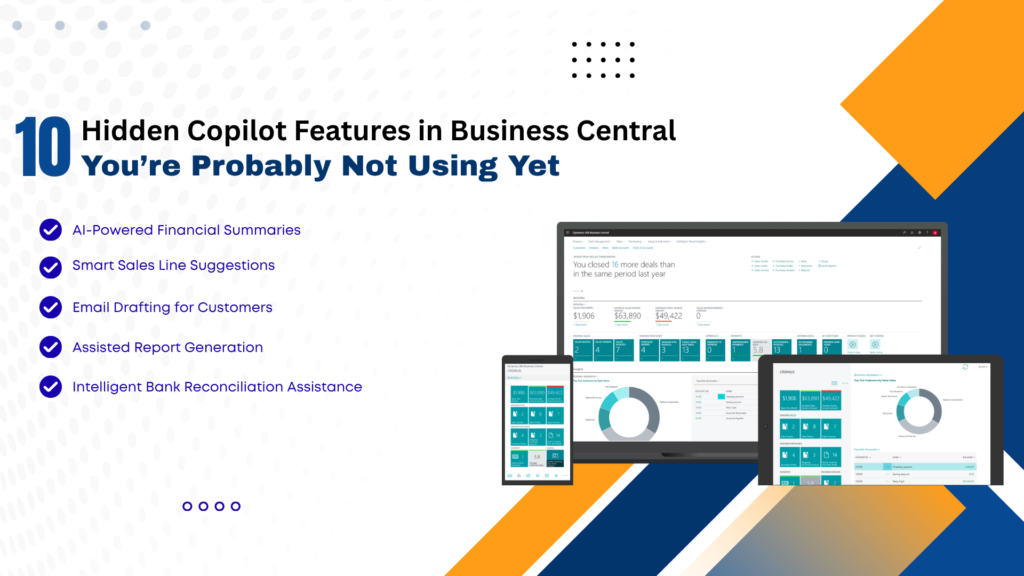
In today’s fast-evolving digital landscape, businesses are constantly seeking smarter ways to streamline operations, reduce manual work, and improve decision-making. With the integration of AI-powered tools like Copilot in Microsoft Dynamics 365 Business Central, organizations now have access to intelligent automation that goes far beyond traditional ERP capabilities.
While many users are aware of basic Copilot functionalities, several powerful features remain underutilized. These hidden capabilities can significantly enhance productivity, improve accuracy, and transform how businesses operate.
In this comprehensive guide, we’ll uncover 10 hidden Copilot features in Business Central that you’re probably not using yet—and explain how partnering with a Microsoft Dynamics 365 partner in Texas, USA, or leveraging Microsoft Dynamics consulting services in Texas, USA, can help you unlock their full potential.
What is Copilot in Business Central?
Copilot is an AI-powered assistant embedded within Business Central that uses natural language processing and machine learning to assist users with tasks such as data entry, reporting, forecasting, and decision-making.
It enables users to:
- Automate repetitive tasks
- Generate insights from data
- Improve operational efficiency
- Reduce human errors
With proper implementation through MS Dynamics 365 implementation services in Texas, USA, businesses can maximize Copilot’s capabilities and drive real value.
1. AI-Powered Product Description Generation
One of the most overlooked features is Copilot’s ability to generate product descriptions automatically.
How it helps:
- Creates SEO-friendly descriptions instantly
- Maintains consistency across product catalogs
- Saves hours of manual work
This is especially beneficial for e-commerce and retail businesses using Microsoft Dynamics 365 Business Central in Texas, USA.
2. Intelligent Sales Line Suggestions
Copilot can analyze historical sales data and suggest relevant products during order creation.
Benefits:
- Boosts cross-selling and upselling
- Improves sales efficiency
- Enhances customer experience
Businesses working with Microsoft Dynamics consulting services in Texas, USA, can fine-tune these suggestions for better accuracy.
3. Automated Email Drafting
Copilot can generate professional email drafts directly within Business Central.
Use cases:
- Customer follow-ups
- Invoice reminders
- Order confirmations
This reduces manual effort and ensures consistent communication.
4. Natural Language Data Queries
Instead of running complex reports, users can simply ask questions like the following:
- “Show me sales trends for last quarter.”
- “Which products have the highest demand?”
Copilot converts these queries into actionable insights.
Advantages:
- No technical expertise required
- Faster decision-making
- Real-time insights
5. Smart Financial Forecasting
Copilot leverages AI to predict financial trends based on historical data.
Key benefits:
- Improved budgeting accuracy
- Better cash flow management
- Reduced financial risks
Organizations using Microsoft Dynamics 365 Support Services in Texas, USA, can continuously refine forecasting models.
6. Automated Data Entry and Cleanup
Manual data entry is one of the most time-consuming ERP tasks. Copilot automates this process by:
- Extracting data from documents
- Auto-filling fields
- Identifying inconsistencies
Result:
- Reduced errors
- Increased efficiency
- Faster processing times
7. AI-Assisted Inventory Management
Copilot helps businesses optimize inventory by analyzing demand patterns and stock levels.
Features include:
- Stock replenishment suggestions
- Demand forecasting insights
- Inventory optimization
When combined with D365 migration services in Texas, USA, businesses can modernize their inventory systems and gain better control.
8. Report Summarization
Instead of going through lengthy reports, Copilot can summarize key insights in seconds.
Benefits:
- Saves time
- Highlights critical data points
- Improves executive decision-making
This is particularly useful for leadership teams who need quick insights.
9. Guided User Assistance
Copilot acts as a built-in assistant, guiding users through complex workflows.
Examples:
- Setting up financial modules
- Configuring workflows
- Navigating system features
This reduces training time and improves user adoption—especially when implemented via MS Dynamics 365 implementation services in Texas, USA.
10. AI-Driven Demand Forecasting
One of the most powerful yet underused features is AI-driven demand forecasting.
Capabilities:
- Predicts future demand
- Identifies trends and seasonality
- Supports supply chain planning
Businesses partnering with a Microsoft Dynamics 365 partner in Texas, USA, can customize forecasting models for industry-specific needs.
Why Businesses Are Not Using These Features
Despite their benefits, many organizations fail to utilize these features due to:
- Lack of awareness
- Poor implementation
- Limited training
- Outdated systems
This is where Microsoft Dynamics Consulting Services in Texas, USA, play a crucial role in bridging the gap.
The Role of Implementation and Support
To fully leverage Copilot features, businesses must focus on the following:
1. Proper Implementation
Using MS Dynamics 365 implementation services in Texas, USA, ensures the following:
- Seamless deployment
- Correct configuration
- Minimal disruption
2. Ongoing Support
With Microsoft Dynamics 365 Support Services in Texas, USA, businesses can:
- Resolve issues quickly
- Optimize system performance
- Stay updated with new features
3. Migration to Modern Systems
Legacy systems often limit AI capabilities.
D365 migration services in Texas, USA, help businesses:
- Upgrade to modern ERP
- Enable AI functionalities
- Improve scalability
Business Benefits of Using Copilot
1. Increased Productivity: Automation reduces manual work and speeds up operations.
2. Better Decision-Making: AI insights enable data-driven strategies.
3. Cost Savings: Reduced errors and improved efficiency, lowering operational costs.
4. Enhanced Customer Experience: Faster responses and personalized interactions improve satisfaction.
5. Competitive Advantage: Businesses using AI-powered ERP systems stay ahead of competitors.
Real-World Impact
A mid-sized distribution company in Texas implemented Copilot with the help of a Microsoft Dynamics 365 partner in Texas, USA, and achieved the following:
- 40% reduction in manual data entry
- 25% improvement in forecasting accuracy
- 30% faster report generation
This demonstrates the transformative power of hidden Copilot features when properly utilized.
Best Practices to Maximize Copilot
- Train employees regularly
- Customize features based on business needs
- Monitor performance metrics
- Continuously update the system
- Work with experienced consultants
FAQs: Hidden Copilot Features in Business Central
Q1. What is Copilot in Business Central?
Ans: Copilot is an AI-powered assistant in Microsoft Dynamics 365 Business Central that automates tasks, generates insights, and improves productivity.
Q2. Are Copilot features available by default?
Ans: Some features are enabled by default, but many require proper configuration through MS Dynamics 365 implementation services in Texas, USA.
Q3. Can Copilot improve sales performance?
Ans: Yes, features like intelligent sales suggestions and automated communication can significantly boost sales efficiency.
Q4. Is Copilot suitable for small businesses?
Ans: Absolutely. Businesses using Microsoft Dynamics 365 Business Central in Texas, USA, can benefit from scalable AI features tailored for SMBs.
Q5. How can I enable advanced Copilot features?
Ans: You can work with a Microsoft Dynamics 365 partner in Texas, USA, or use Microsoft Dynamics consulting services there to unlock advanced capabilities.
Q6. Does Copilot help in financial management?
Ans: Yes, it provides forecasting, reporting, and financial insights that improve budgeting and cash flow management.
Q7. What role does migration play in using Copilot?
Ans: Modern ERP systems are required for AI features. D365 migration services in Texas, USA, help businesses upgrade and enable Copilot functionalities.
Q8. Is ongoing support necessary?
Ans: Yes, Microsoft Dynamics 365 Support Services in Texas, USA, ensure smooth operation and continuous optimization.
Conclusion
Copilot in Microsoft Dynamics 365 Business Central is more than just an AI assistant—it’s a game-changer for modern businesses. While many organizations use basic features, the hidden capabilities discussed in this article can unlock unprecedented efficiency, accuracy, and growth.
From AI-driven forecasting and automated data entry to intelligent sales suggestions and report summarization, these features can transform your ERP experience. However, to fully realize these benefits, businesses must invest in proper implementation, migration, and ongoing support.
By partnering with a Microsoft Dynamics 365 partner in Texas, USA, leveraging Microsoft Dynamics consulting services in Texas, USA, and utilizing Microsoft Dynamics 365 support services in Texas, USA, organizations can stay ahead in a competitive market and fully harness the power of AI-driven ERP systems.