Business Central Implementation

real-use-cases-of-copilot-in-busness-central-that-are-saving-hours-every-wek

Real Use Cases of Copilot in Business Central That Are Saving Hours Every Week

In today’s fast-paced business environment, organizations are constantly searching for ways to improve efficiency, reduce manual workload, and make smarter decisions. This is where Microsoft Dynamics 365 Business Central, combined with AI-powered Copilot, is transforming operations across industries. From finance to supply chain, Copilot is helping businesses automate repetitive tasks and unlock productivity like never before. For companies working with a Microsoft Dynamics 365 partner in texas usa or leveraging Microsoft Dynamics 365 Support Services in Texas, USA, Copilot is becoming a game-changer. It’s not just a feature—it’s a productivity engine that is saving teams hours every week. In this article, we will explore real-world use cases of Copilot in Business Central and how it is delivering measurable value. What is Copilot in Business Central? Copilot is an AI-powered assistant embedded within Microsoft Dynamics 365 Business Central. It uses advanced natural language processing and machine learning to assist users with tasks such as the following: Businesses working with Microsoft Dynamics implementation partners or Microsoft Business Central partners are increasingly adopting Copilot to streamline operations and enhance productivity. Why Businesses in Texas Are Rapidly Adopting Copilot Organizations leveraging Microsoft Dynamics 365 Business Central in Texas, USA, are under pressure to: With support from a Microsoft Dynamics 365 partner, companies are integrating Copilot into their workflows to achieve these goals more quickly. 10 Real Use Cases of Copilot in Business Central 1. Automated Financial Reporting Finance teams often spend hours preparing reports. Copilot simplifies this process by: Instead of manually compiling reports, users can ask Copilot: “Show me this month’s revenue trends and expense breakdown.” This is especially valuable for businesses using Microsoft Dynamics 365 Services and Dynamics 365 Technical Support to maintain financial accuracy. 2. Intelligent Data Entry Automation Manual data entry is time-consuming and error-prone. Copilot helps by: Companies using MS Dynamics 365 implementation services in texas usa are seeing a significant reduction in administrative workload. 3. Faster Invoice Processing Accounts payable teams can save hours each week with Copilot: This automation improves accuracy and speeds up payment cycles, especially for organizations using D365 migration services in Texas, USA, transitioning from legacy systems. 4. Smart Inventory Management Copilot helps businesses optimize inventory levels by: For companies working with Microsoft Dynamics consulting services in Texas, USA, this ensures better stock control and reduced wastage. 5. AI-Powered Sales Insights Sales teams benefit from Copilot through the following: With the help of Technical Resources for Business Central, businesses can leverage these insights to improve conversion rates. 6. Enhanced Customer Communication Copilot assists in generating: This is especially useful for companies utilizing functional resources for D365 F&O to streamline customer engagement processes. 7. Simplified Bank Reconciliation Bank reconciliation can be complex and time-consuming. Copilot simplifies it by: Businesses using Microsoft Dynamics 365 Support Services in Texas, USA, can ensure financial accuracy with minimal effort. 8. Automated Product Descriptions For eCommerce and retail businesses, Copilot can: This is a major advantage for organizations leveraging Microsoft Dynamics 365 Business Central for digital commerce. 9. Real-Time Business Insights Copilot enables decision-makers to: For example: “What are the top-performing products this quarter?” This capability is widely used by companies working with Microsoft Dynamics 365 partners in texas usa to improve strategic planning. 10. Streamlined Project Management Copilot supports project teams by: Organizations using Microsoft Dynamics 365 Services can ensure projects stay on track without manual monitoring. How Copilot Saves Hours Every Week Here’s how businesses are experiencing time savings: Reduced Manual Work Faster Decision-Making Improved Workflow Efficiency Role of Implementation and Support Partners To fully leverage Copilot, businesses rely on: Companies in Texas benefit greatly from: These partners ensure smooth deployment and maximum ROI. Benefits of Copilot for Different Industries Manufacturing Retail Services With the help of Functional Resources for D365 F&O, businesses can tailor Copilot to industry-specific needs. Future of Copilot in Business Central Copilot is continuously evolving, with future capabilities expected to include: Businesses investing in D365 migration services in texas usa today are positioning themselves for long-term success. Best Practices for Using Copilot Effectively To maximize the value of Copilot: FAQs Q1. What is Copilot in Microsoft Dynamics 365 Business Central? Ans: Copilot is an AI-powered assistant that helps automate tasks, generate insights, and improve productivity within Business Central. Q2. How does Copilot save time for businesses? Ans: It reduces manual work by automating data entry, reporting, and analysis, saving hours every week. Q3. Is Copilot suitable for small businesses? Ans: Yes, businesses of all sizes can benefit from Copilot, especially those using Microsoft Dynamics 365 Business Central. Q4. Do I need a partner to implement Copilot? Ans: Working with a Microsoft Dynamics 365 partner in texas usa or other certified partners ensures smooth implementation and customization. Q5. Can Copilot improve financial management? Ans: Yes, it automates reporting, reconciliation, and forecasting, improving financial accuracy. Q6. How does Copilot help in inventory management? Ans: It predicts demand, suggests reorder levels, and identifies slow-moving stock. Q7. What industries benefit most from Copilot? Ans: Manufacturing, retail, and service industries benefit significantly from its automation and insights. Q8. Is Copilot available with all Business Central plans? Copilot features are being rolled out progressively, and availability may depend on your subscription and region. Conclusion Copilot in Microsoft Dynamics 365 Business Central is not just a technological upgrade—it’s a productivity revolution. Automating repetitive tasks and providing intelligent insights, it enables businesses to operate more efficiently and make better decisions. Organizations working with a Microsoft Dynamics 365 partner, leveraging Microsoft Dynamics 365 Support Services in Texas, USA, or investing in MS Dynamics 365 implementation services in texas usa are already experiencing the benefits. As AI continues to evolve, Copilot will play an even bigger role in shaping the future of ERP systems—helping businesses save time, reduce costs, and stay ahead of the competition.

Real Use Cases of Copilot in Business Central That Are Saving Hours Every Week Read More »
7-game-changing-copilot-capabilities-in-busness-central-that-most-teams-overlook

7 Game-Changing Copilot Capabilities in Business Central That Most Teams Overlook

Artificial intelligence is redefining how modern ERP systems operate, and one of the most impactful innovations is Copilot in Microsoft Dynamics 365 Business Central. While many businesses already use Business Central to manage finance, operations, and supply chains, many still underutilize its AI-powered Copilot capabilities. Instead of simply automating tasks, Copilot acts as a strategic assistant, helping organizations make smarter decisions, streamline workflows, and uncover insights hidden within their data. In this article, we’ll explore seven powerful Copilot capabilities that are often overlooked—and how businesses working with a reliable Microsoft Dynamics partner in Texas can take full advantage of them. 1. AI-Driven Financial Forecasting Traditional financial forecasting relies heavily on historical data and manual calculations. Copilot enhances this process by introducing predictive intelligence. It analyzes patterns, detects anomalies, and generates forecasts that help finance teams anticipate future outcomes more accurately. Why it matters: Organizations using Microsoft Dynamics 365 Business Central in Texas, USA, can leverage this feature to stay ahead in financial planning. 2. Instant Report Generation with Natural Language Creating reports manually can take hours. With Copilot, users can type what they need—just like asking a question. For example: Copilot instantly delivers structured reports with clear insights. Key advantages: This is especially useful for businesses relying on Microsoft Dynamics 365 support services in Texas, USA, to streamline operations. 3. Smart Data Entry and Journal Automation Manual data entry is not only time-consuming but also prone to errors. Copilot simplifies this by automating repetitive accounting tasks. It can: Business impact: Companies implementing ERP systems through MS Dynamics 365 implementation services in Texas, USA, often see immediate productivity gains from this feature. 4. Intelligent Sales and Customer Insights Copilot goes beyond finance—it helps sales teams understand customer behavior and make better decisions. By analyzing transaction history and engagement patterns, it can recommend: Why this matters: Businesses leveraging Microsoft Dynamics consulting services in Texas, USA, can use these insights to create more personalized strategies. 5. Natural Language Data Exploration One of Copilot’s most powerful capabilities is the ability to interact with data using everyday language. Instead of navigating complex dashboards, users can simply ask: Benefits: This feature becomes particularly valuable for organizations undergoing ERP upgrades through D365 migration services in Texas, USA, as it simplifies the transition for users. 6. AI-Powered Inventory Optimization Ans: Inventory management can be complex, especially for growing businesses. Copilot introduces predictive intelligence to help maintain optimal stock levels. It can: Results: For companies using Microsoft Dynamics 365 Business Central in Texas, USA, this capability can significantly enhance operational performance. 7. Workflow Automation and Process Optimization Copilot continuously analyzes business processes and suggests ways to improve them. It can: Impact: Working with an experienced Microsoft Dynamics partner in Texas ensures these workflows are configured correctly for maximum benefit. Why These Features Are Often Overlooked Despite their value, many businesses don’t fully utilize Copilot. Common reasons include: This highlights the importance of working with experts who provide Microsoft Dynamics 365 support services in Texas, USA, to ensure continuous optimization. How to Maximize Copilot in Business Central To unlock the full potential of Copilot, businesses should focus on a strategic approach: Best practices: Partnering with providers offering Microsoft Dynamics consulting services in Texas, USA, can help ensure long-term success. The Importance of Implementation and Migration A successful ERP journey starts with proper implementation and migration. Implementation ensures: Migration helps: Businesses adopting solutions through MS Dynamics 365 implementation services in Texas, USA, and D365 migration services in Texas, USA, are better positioned to leverage AI capabilities like Copilot. The Future of AI in Business Central Copilot is just the beginning. As AI continues to evolve, ERP systems will become more intelligent and autonomous. What to expect: Organizations working with a trusted Microsoft Dynamics partner in Texas will be able to stay ahead of these innovations. Conclusion Copilot in Microsoft Dynamics 365 Business Central is transforming how businesses interact with their ERP systems. From financial forecasting to workflow automation, its capabilities go far beyond basic assistance. However, the real value lies in how effectively these features are implemented and used. By focusing on training, optimization, and expert guidance, businesses can unlock significant efficiency gains and competitive advantages. FAQs Q1. What is Copilot in Business Central? Ans: Copilot is an AI-powered assistant within Microsoft Dynamics 365 Business Central that helps automate tasks, generate insights, and improve decision-making. Q2. How does Copilot benefit businesses? Ans: It enhances productivity, reduces manual work, and provides real-time insights for better decision-making. Q3. Is Copilot suitable for small and mid-sized businesses? Ans: Yes, it is designed to help SMBs improve efficiency without requiring advanced technical expertise. Q4. Do I need a partner to implement Business Central? Ans: While not mandatory, working with an experienced Microsoft Dynamics partner ensures proper setup, customization, and support. Q5. Can Copilot improve financial management? Ans: Yes, it provides predictive insights, automates reporting, and enhances financial accuracy.

7 Game-Changing Copilot Capabilities in Business Central That Most Teams Overlook Read More »

ten-hidden-copilot-features-in-business-central-youre-probably-not-using-yet

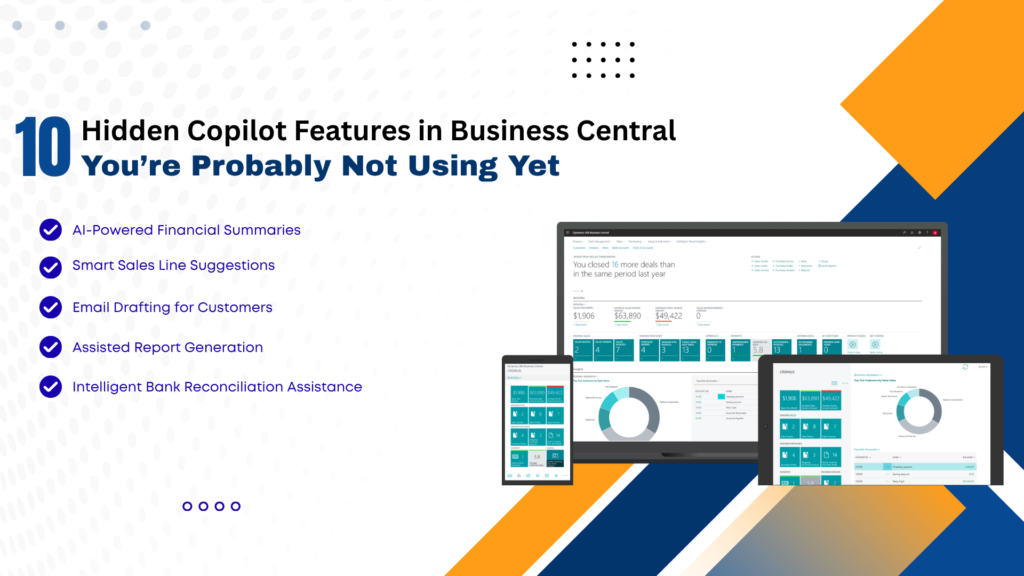
10 Hidden Copilot Features in Business Central You’re Probably Not Using Yet

In today’s fast-evolving digital landscape, businesses are constantly seeking smarter ways to streamline operations, reduce manual work, and improve decision-making. With the integration of AI-powered tools like Copilot in Microsoft Dynamics 365 Business Central, organizations now have access to intelligent automation that goes far beyond traditional ERP capabilities. While many users are aware of basic Copilot functionalities, several powerful features remain underutilized. These hidden capabilities can significantly enhance productivity, improve accuracy, and transform how businesses operate. In this comprehensive guide, we’ll uncover 10 hidden Copilot features in Business Central that you’re probably not using yet—and explain how partnering with a Microsoft Dynamics 365 partner in Texas, USA, or leveraging Microsoft Dynamics consulting services in Texas, USA, can help you unlock their full potential. What is Copilot in Business Central? Copilot is an AI-powered assistant embedded within Business Central that uses natural language processing and machine learning to assist users with tasks such as data entry, reporting, forecasting, and decision-making. It enables users to: With proper implementation through MS Dynamics 365 implementation services in Texas, USA, businesses can maximize Copilot’s capabilities and drive real value. 1. AI-Powered Product Description Generation One of the most overlooked features is Copilot’s ability to generate product descriptions automatically. How it helps: This is especially beneficial for e-commerce and retail businesses using Microsoft Dynamics 365 Business Central in Texas, USA. 2. Intelligent Sales Line Suggestions Copilot can analyze historical sales data and suggest relevant products during order creation. Benefits: Businesses working with Microsoft Dynamics consulting services in Texas, USA, can fine-tune these suggestions for better accuracy. 3. Automated Email Drafting Copilot can generate professional email drafts directly within Business Central. Use cases: This reduces manual effort and ensures consistent communication. 4. Natural Language Data Queries Instead of running complex reports, users can simply ask questions like the following: Copilot converts these queries into actionable insights. Advantages: 5. Smart Financial Forecasting Copilot leverages AI to predict financial trends based on historical data. Key benefits: Organizations using Microsoft Dynamics 365 Support Services in Texas, USA, can continuously refine forecasting models. 6. Automated Data Entry and Cleanup Manual data entry is one of the most time-consuming ERP tasks. Copilot automates this process by: Result: 7. AI-Assisted Inventory Management Copilot helps businesses optimize inventory by analyzing demand patterns and stock levels. Features include: When combined with D365 migration services in Texas, USA, businesses can modernize their inventory systems and gain better control. 8. Report Summarization Instead of going through lengthy reports, Copilot can summarize key insights in seconds. Benefits: This is particularly useful for leadership teams who need quick insights. 9. Guided User Assistance Copilot acts as a built-in assistant, guiding users through complex workflows. Examples: This reduces training time and improves user adoption—especially when implemented via MS Dynamics 365 implementation services in Texas, USA. 10. AI-Driven Demand Forecasting One of the most powerful yet underused features is AI-driven demand forecasting. Capabilities: Businesses partnering with a Microsoft Dynamics 365 partner in Texas, USA, can customize forecasting models for industry-specific needs. Why Businesses Are Not Using These Features Despite their benefits, many organizations fail to utilize these features due to: This is where Microsoft Dynamics Consulting Services in Texas, USA, play a crucial role in bridging the gap. The Role of Implementation and Support To fully leverage Copilot features, businesses must focus on the following: 1. Proper Implementation Using MS Dynamics 365 implementation services in Texas, USA, ensures the following: 2. Ongoing Support With Microsoft Dynamics 365 Support Services in Texas, USA, businesses can: 3. Migration to Modern Systems Legacy systems often limit AI capabilities.D365 migration services in Texas, USA, help businesses: Business Benefits of Using Copilot 1. Increased Productivity: Automation reduces manual work and speeds up operations. 2. Better Decision-Making: AI insights enable data-driven strategies. 3. Cost Savings: Reduced errors and improved efficiency, lowering operational costs. 4. Enhanced Customer Experience: Faster responses and personalized interactions improve satisfaction. 5. Competitive Advantage: Businesses using AI-powered ERP systems stay ahead of competitors. Real-World Impact A mid-sized distribution company in Texas implemented Copilot with the help of a Microsoft Dynamics 365 partner in Texas, USA, and achieved the following: This demonstrates the transformative power of hidden Copilot features when properly utilized. Best Practices to Maximize Copilot FAQs: Hidden Copilot Features in Business Central Q1. What is Copilot in Business Central? Ans: Copilot is an AI-powered assistant in Microsoft Dynamics 365 Business Central that automates tasks, generates insights, and improves productivity. Q2. Are Copilot features available by default? Ans: Some features are enabled by default, but many require proper configuration through MS Dynamics 365 implementation services in Texas, USA. Q3. Can Copilot improve sales performance? Ans: Yes, features like intelligent sales suggestions and automated communication can significantly boost sales efficiency. Q4. Is Copilot suitable for small businesses? Ans: Absolutely. Businesses using Microsoft Dynamics 365 Business Central in Texas, USA, can benefit from scalable AI features tailored for SMBs. Q5. How can I enable advanced Copilot features? Ans: You can work with a Microsoft Dynamics 365 partner in Texas, USA, or use Microsoft Dynamics consulting services there to unlock advanced capabilities. Q6. Does Copilot help in financial management? Ans: Yes, it provides forecasting, reporting, and financial insights that improve budgeting and cash flow management. Q7. What role does migration play in using Copilot? Ans: Modern ERP systems are required for AI features. D365 migration services in Texas, USA, help businesses upgrade and enable Copilot functionalities. Q8. Is ongoing support necessary? Ans: Yes, Microsoft Dynamics 365 Support Services in Texas, USA, ensure smooth operation and continuous optimization. Conclusion Copilot in Microsoft Dynamics 365 Business Central is more than just an AI assistant—it’s a game-changer for modern businesses. While many organizations use basic features, the hidden capabilities discussed in this article can unlock unprecedented efficiency, accuracy, and growth. From AI-driven forecasting and automated data entry to intelligent sales suggestions and report summarization, these features can transform your ERP experience. However, to fully realize these benefits, businesses must invest in proper implementation, migration, and ongoing support. By partnering

10 Hidden Copilot Features in Business Central You’re Probably Not Using Yet Read More »

Managed-Services-Reduce-ERP-TCO

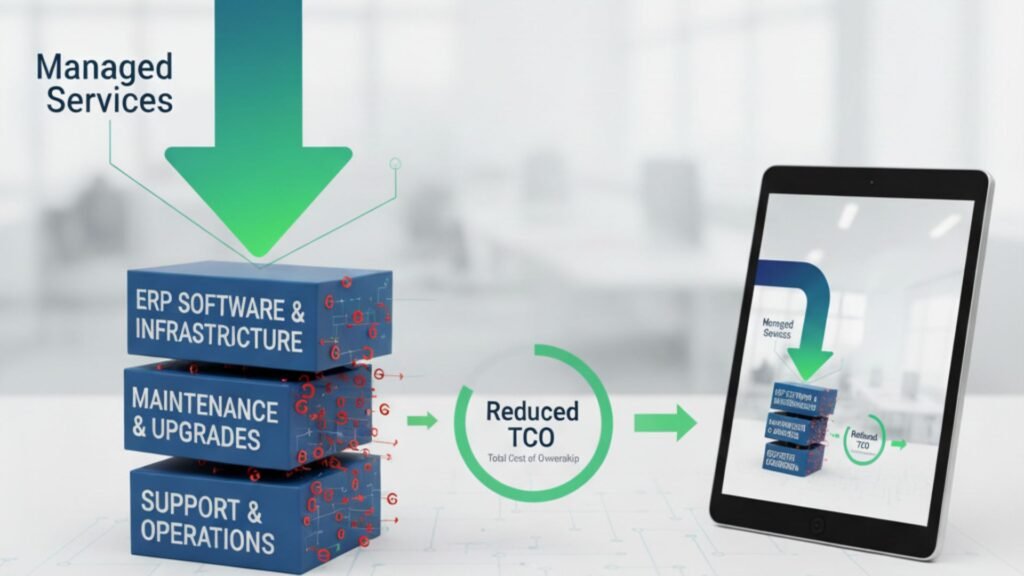
How Our Managed Services Reduce ERP TCO for USA & Canadian Companies

In today’s competitive market, businesses in the USA and Canada are constantly looking for ways to optimize operations, reduce costs, and improve performance. Enterprise Resource Planning (ERP) systems like Microsoft Dynamics 365 play a pivotal role in achieving these goals. However, one of the most overlooked factors in ERP success is the total cost of ownership (TCO). The initial investment in ERP software is just the beginning. Ongoing support, upgrades, integration, staff training, and downtime costs can significantly increase TCO if not managed properly. That’s where managed services come into play. By partnering with a trusted Microsoft Dynamics 365 partner in USA and Canada, companies can unlock predictable costs, improved efficiency, and long-term ROI. In this article, we’ll explore how our managed services help businesses reduce ERP TCO while ensuring reliability, scalability, and compliance. Understanding ERP TCO Before we dive into cost reduction strategies, let’s clarify what ERP TCO (Total Cost of Ownership) includes. It covers: Without structured support, these expenses can spiral out of control. Managed services provide a proactive approach to keep ERP costs predictable and aligned with business outcomes. How Managed Services Reduce ERP TCO 1. Proactive Monitoring & Issue Resolution Unplanned downtime is one of the biggest hidden ERP costs. A single hour of downtime in industries like manufacturing, retail, or hospitality can cost thousands of dollars. With our Microsoft Dynamics 365 Support Services in USA and Canada, we proactively monitor your ERP environment 24/7. This reduces operational disruptions, leading to lower indirect ERP costs. 2. Predictable Cost Structure Traditional ERP support is reactive, often involving costly emergency fixes. Our managed services replace this uncertainty with predictable, subscription-based pricing models. Instead of unpredictable bills for system outages or upgrade delays, businesses benefit from: For companies seeking ERP Implementation Services in USA and Canada, predictable costs make budgeting easier and more reliable. 3. Optimized ERP Performance ERP systems require regular optimization to align with changing business needs. Our managed services ensure Dynamics 365 runs at peak efficiency by: An optimized ERP reduces processing times, improves employee productivity, and lowers operational costs over time. 4. Scalable Support for Growing Businesses As businesses expand across the USA and Canada, their ERP requirements evolve. Without proper planning, scaling can lead to expensive re-implementations. By partnering with a trusted Microsoft Dynamics 365 partner in USA and Canada, companies benefit from: Scalable ERP support avoids costly system overhauls and keeps TCO under control. 5. Improved Security & Compliance Cybersecurity breaches and compliance penalties can drastically increase ERP costs. Our Microsoft Dynamics 365 Support Services in USA and Canada include: Stronger security reduces risk exposure and eliminates unexpected compliance costs. 6. Faster Upgrades & Migration ERP upgrades and migrations are often time-consuming and expensive if mishandled. We specialize in ERP Migration Services in USA and Canada, ensuring a smooth transition from legacy systems to Microsoft Dynamics 365. Key benefits include: Our approach significantly reduces the time and cost associated with upgrades and migrations. 7. Enhanced User Training & Adoption Poor adoption is another hidden driver of high ERP TCO. Many organizations underestimate the cost of retraining employees or handling productivity losses due to lack of knowledge. As part of our managed services, we provide: This maximizes ERP utilization and ensures companies get the full return on their Dynamics 365 investment. Why Choose Us as Your Microsoft Dynamics 365 Partner in USA and Canada Choosing the right partner is critical for reducing ERP TCO. We go beyond traditional support by delivering: With us as your Microsoft Dynamics 365 partner in USA and Canada, you don’t just get technical support—you get a strategic partner committed to driving long-term value. Business Impact: How Managed Services Lower ERP TCO Let’s break down the tangible benefits: Cost Driver Without Managed Services With Managed Services Downtime High, unpredictable Minimal due to proactive monitoring Support Costs Unplanned, reactive Predictable monthly/annual plans Upgrades & Migrations Expensive, high-risk Streamlined, automated, faster Security & Compliance Reactive, risk-prone Continuous audits, reduced fines User Adoption Poor, retraining needed Strong training support Scalability Costly re-implementations Flexible, cloud-ready growth The result? A significantly lower ERP TCO and a higher ROI on your Dynamics 365 investment. Conclusion ERP systems like Microsoft Dynamics 365 are essential for modern enterprises, but without proper management, the total cost of ownership can escalate quickly. Our managed services offer a structured, proactive, and scalable approach that keeps ERP costs predictable and controlled. Whether you are considering ERP Implementation Services in USA and Canada, planning a migration, or seeking ongoing Microsoft Dynamics 365 Support Services in USA and Canada, partnering with us ensures you achieve maximum value at the lowest possible TCO. If you’re ready to transform ERP from a cost center into a growth enabler, it’s time to work with a Microsoft Dynamics 365 partner in USA and Canada who understands your challenges and delivers solutions tailored to your business.

How Our Managed Services Reduce ERP TCO for USA & Canadian Companies Read More »

benefits-of-migrating-from-GPNAV-to-business-central

Top 7 Benefits of Migrating from GP/NAV to Business Central

In the rapidly evolving world of business technology, staying ahead of the curve is essential. Legacy ERP systems like Microsoft Dynamics GP and NAV have served businesses well for years. However, with changing operational needs, cloud-based solutions like Microsoft Dynamics 365 Business Central in Austin Texas USA offer unmatched efficiency, scalability, and intelligence. If your organization is considering a digital transformation, a NAV to Microsoft Dynamics 365 Business Central upgrade in Austin Texas USA or a Dynamics GP to Dynamics 365 Business Central upgrade in Austin Texas USA could be the strategic move you need. Let’s explore the top 7 benefits of making this migration and why partnering with a reliable Microsoft Dynamics partner in Austin Texas USA is crucial for success. Cloud-Based Flexibility with Microsoft Dynamics 365 Business Central in Austin Texas USA One of the most compelling reasons to move from GP or NAV to Business Central is the cloud-native architecture of the latter. Microsoft Dynamics 365 Business Central is designed to provide secure, anytime-anywhere access to data, making it an ideal choice for businesses with remote teams, multiple locations, or flexible work environments. This cloud-first approach means there’s no need for expensive on-site servers or maintenance. You also get automatic updates, secure backups, and high system availability—critical for today’s always-on businesses. Whether it’s a NAV to Microsoft Dynamics 365 Business Central upgrade in Austin Texas USA or transitioning from GP, Business Central ensures your team stays connected and productive at all times. 2. Seamless Integration with Microsoft Ecosystem Microsoft Dynamics 365 Business Central integrates naturally with tools you already use—like Outlook, Excel, SharePoint, and Teams. It also connects with Microsoft Power Platform (Power BI, Power Automate, Power Apps) for automation, data visualization, and custom applications. These integrations allow users to work smarter, not harder. For instance, you can create sales quotes directly from Outlook or view business reports within Teams—streamlining operations across departments. A Dynamics GP to Dynamics 365 Business Central upgrade in Austin Texas USA enhances collaboration and efficiency by connecting your ERP with the rest of the Microsoft ecosystem. 3. Improved User Experience and Productivity The user interface in Business Central is modern, intuitive, and designed around user roles. Whether you’re in finance, operations, or sales, your dashboard will be tailored to your specific tasks, helping reduce the learning curve and increasing productivity. Users moving from NAV or GP often report a significant improvement in navigation and usability. Combined with AI-powered suggestions and advanced search capabilities, Business Central makes it easier for users to find information and complete tasks quickly. Upgrading with the help of a Microsoft Dynamics partner in Austin Texas USA ensures a smooth transition and effective user training, maximizing adoption. 4. Advanced Reporting and Business Intelligence In the world of modern business, data-driven decision-making is non-negotiable. Business Central provides powerful built-in analytics and integrates with Power BI to deliver real-time dashboards and predictive insights. Instead of relying on outdated reports or exporting data manually, you get actionable insights at your fingertips. These tools help you analyze trends, forecast revenue, track KPIs, and respond to market changes faster. A NAV to Microsoft Dynamics 365 Business Central upgrade in Austin Texas USA is not just about better software—it’s about better decisions through smarter data. 5. Scalability and Customization As your business grows, so do your needs. Business Central is built to scale. Whether you’re adding users, expanding to new markets, or launching new business lines, the system can grow with you. Moreover, Business Central supports a wide range of third-party extensions and industry-specific solutions from Microsoft AppSource. You can tailor the ERP to your specific workflows without heavy custom development. A Dynamics GP to Dynamics 365 Business Central upgrade in Austin Texas USA allows businesses to future-proof their ERP system with flexible scaling and customization options. 6. Enhanced Security and Compliance Microsoft invests over $1 billion annually in cybersecurity, and Business Central benefits from this enterprise-grade protection. The platform includes built-in encryption, access control, and compliance features to meet global regulatory standards like GDPR. For businesses in regulated industries or those handling sensitive data, this level of security is vital. It also reduces the burden on internal IT teams who no longer need to manage complex security configurations manually. With the guidance of a Microsoft Dynamics partner in Austin Texas USA, you can ensure your upgrade aligns with both industry regulations and internal security policies. 7. Lower Total Cost of Ownership (TCO) One of the biggest advantages of migrating to Business Central is the long-term cost savings. Unlike GP and NAV, which require significant investment in hardware, support, and manual updates, Business Central offers a subscription-based model that includes hosting, maintenance, and updates. This predictable cost structure makes budgeting easier and reduces the total cost of ownership. Plus, Microsoft continually adds new features without requiring additional licenses or installations. A NAV to Microsoft Dynamics 365 Business Central upgrade in Austin Texas USA can significantly reduce overhead costs while delivering more value. Why Work with a Microsoft Dynamics Partner in Austin Texas USA? While the benefits of migrating are clear, the process itself requires strategic planning, data migration, system configuration, and user training. This is where working with an experienced Microsoft Dynamics partner in Austin Texas USA becomes essential. A certified partner brings in-depth knowledge of both legacy systems and Business Central. They can assess your current setup, recommend best practices, handle data migration securely, and ensure a smooth rollout. Most importantly, they help you avoid common pitfalls and maximize ROI. Final Thoughts The shift from Dynamics GP or NAV to Business Central isn’t just a technology upgrade—it’s a business transformation. With cloud-based flexibility, real-time insights, enhanced security, and seamless integrations, Microsoft Dynamics 365 Business Central in Austin Texas USA empowers organizations to work smarter and scale faster. Whether you’re considering a NAV to Microsoft Dynamics 365 Business Central upgrade in Austin Texas USA or a Dynamics GP to Dynamics 365 Business Central upgrade in Austin Texas USA, the time to act is now.

Top 7 Benefits of Migrating from GP/NAV to Business Central Read More »