Future-Proofing Your Business with a D365 F&O Upgrade
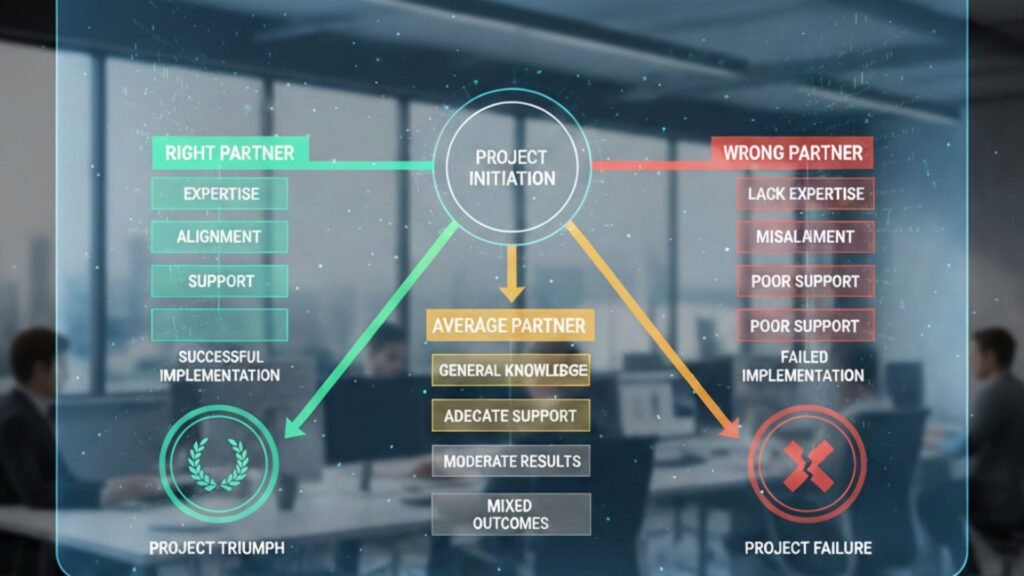
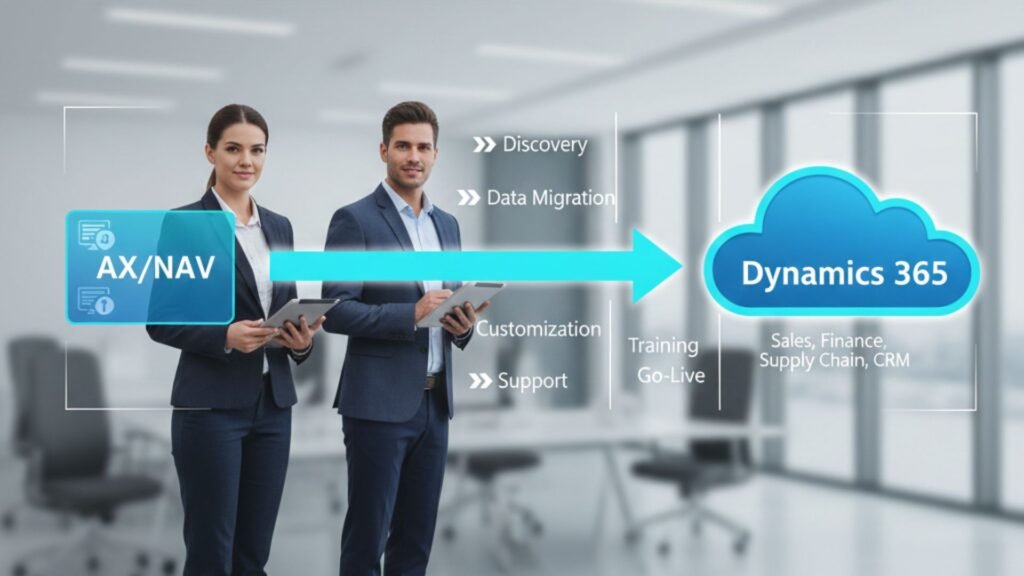
In today’s rapidly evolving digital economy, businesses in Texas are under increasing pressure to modernize their ERP systems. Legacy platforms can no longer keep up with growing operational complexity, regulatory changes, and customer expectations. That’s where upgrading to Microsoft Dynamics 365 Finance & Operations (D365 F&O) becomes a strategic advantage. Whether you are working with a microsoft dynamics 365 partner in texas usa or planning your digital transformation roadmap, upgrading to D365 Finance & Operations is more than a technical shift — it is a long-term investment in scalability, agility, and innovation. This comprehensive guide explores why a D365 F&O upgrade is critical, its key benefits, implementation strategies, and how businesses can future-proof operations with the right approach. Understanding D365 Finance & Operations Microsoft Dynamics 365 Finance and Microsoft Dynamics 365 Supply Chain Management (formerly part of Dynamics 365 Finance & Operations) are enterprise-grade ERP solutions designed for medium to large organizations. Built on Microsoft’s cloud ecosystem, they provide advanced capabilities for: Unlike traditional ERP systems, D365 F&O is cloud-first, AI-powered, and continuously updated — ensuring your system never becomes outdated. Why Texas Businesses Need to Upgrade Texas is home to thriving industries including manufacturing, oil & gas, retail, healthcare, logistics, and professional services. These industries face: An outdated ERP system limits visibility and slows decision-making. Upgrading with D365 migration services in texas usa ensures organizations remain competitive and compliant while scaling efficiently. Key Benefits of a D365 F&O Upgrade 1. Cloud-Based Scalability One of the biggest advantages of D365 F&O is its cloud infrastructure. Powered by Microsoft Azure, it enables: With support from Microsoft Dynamics 365 Support Services in texas usa, businesses can maintain optimal system performance while focusing on growth. 2. Advanced Financial Management D365 Finance provides: For CFOs in Texas-based enterprises, this means improved transparency and faster strategic decisions. 3. Intelligent Supply Chain Optimization Supply chain volatility is a major challenge across industries. D365 Supply Chain Management helps by offering: Organizations leveraging MS Dynamics 365 Implementation services in texas usa can integrate end-to-end supply chain visibility to prevent costly disruptions. 4. Data-Driven Decision Making D365 F&O integrates seamlessly with: These integrations allow executives to: Data becomes actionable rather than static. 5. Enhanced Compliance and Security Texas industries such as healthcare, energy, and finance require strict compliance. D365 F&O offers: Cloud security from Microsoft ensures enterprise-grade protection against cyber threats. 6. Improved Operational Efficiency Automation reduces manual workloads across departments: Businesses working with a microsoft dynamics consulting services in texas usa provider can tailor automation processes to match industry-specific requirements. Signs Your Business Needs a D365 F&O Upgrade You should consider upgrading if: If your organization is still running legacy Dynamics AX or on-premise ERP systems, now is the time to evaluate a cloud transition. D365 F&O vs. Business Central: What’s the Difference? Many companies explore both Finance & Operations and Business Central. Microsoft Dynamics 365 Business Central is ideal for small to mid-sized businesses, while D365 Finance & Operations is better suited for: Organizations looking for microsoft dynamics 365 business central in texas usa often transition to F&O when their operations expand beyond mid-market limitations. The Upgrade Process: Step-by-Step 1. Assessment & Planning Partnering with a reliable microsoft dynamics 365 partner in texas usa ensures a strategic roadmap aligned with business goals. 2. Data Migration Strategy Data cleansing and preparation are critical. A structured migration plan ensures: Professional D365 migration services in texas usa help avoid data inconsistencies. 3. System Configuration & Customization Tailoring D365 F&O to match industry-specific workflows ensures maximum efficiency. Customization areas include: 4. Testing & Validation Before going live: This phase prevents post-implementation disruptions. 5. Training & Support Change management is key. Employees must: Ongoing Microsoft Dynamics 365 Support Services in texas usa ensure long-term system success. Industry-Specific Advantages in Texas Manufacturing Oil & Gas Retail & Distribution Professional Services ROI of a D365 F&O Upgrade Businesses often see ROI through: A strategic upgrade pays off within 12–24 months for many enterprises. Common Upgrade Challenges (And How to Overcome Them) 1. Resistance to Change Solution: Structured training and leadership alignment. 2. Data Complexity Solution: Early data cleansing and migration audits. 3. Budget Constraints Solution: Phased implementation strategy. 4. Integration Issues Solution: Work with experienced consultants specializing in microsoft dynamics consulting services in texas usa. Future Trends in D365 F&O Upgrading ensures you stay aligned with Microsoft’s innovation roadmap. Why Choose the Right Partner in Texas? Selecting the right partner ensures: A trusted microsoft dynamics 365 partner in texas usa brings local expertise, regulatory knowledge, and industry best practices. Conclusion Future-proofing your business is not about reacting to change — it’s about preparing for it. A D365 F&O upgrade empowers Texas enterprises to operate with agility, insight, and resilience. From finance automation to intelligent supply chains, the benefits extend far beyond software modernization. With expert MS Dynamics 365 Implementation services in texas usa, structured D365 migration services in texas usa, and ongoing Microsoft Dynamics 365 Support Services in texas usa, organizations can confidently scale and innovate. The future belongs to businesses that adapt. Upgrading to D365 Finance & Operations is your step toward sustainable growth. Frequently Asked Questions (FAQs) Q1. How long does a D365 F&O upgrade take? Ans: Implementation timelines vary depending on business complexity. Typically, mid-to-large enterprises require 6–12 months for a complete upgrade. Q2. Is D365 F&O suitable for mid-sized businesses? While designed for larger enterprises, growing mid-sized businesses with complex operations may also benefit. Smaller organizations often start with Business Central. 3. What is the difference between implementation and migration services? Ans: Implementation focuses on deploying a new system. Migration services involve transferring data and processes from a legacy ERP to D365 F&O. Q4. How secure is D365 Finance & Operations? Ans: It runs on Microsoft Azure, offering enterprise-grade security, compliance certifications, encryption, and continuous monitoring. Q5. Can D365 F&O integrate with third-party applications? Ans: Yes. It supports APIs and integrates seamlessly with Microsoft tools and third-party platforms. Q6. What industries benefit most from upgrading? Ans: Manufacturing, distribution, oil
Future-Proofing Your Business with a D365 F&O Upgrade Read More »