D365 F&O

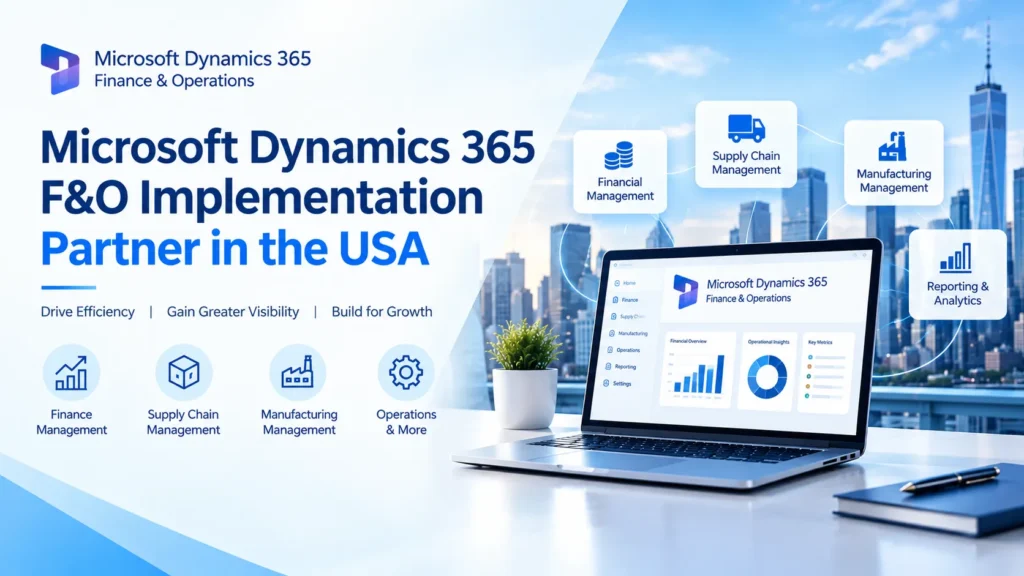
Microsoft Dynamics 365 Finance and Operations Partner in the USA

Microsoft Dynamics 365 Finance and Operations Partner in the USA

Microsoft Dynamics 365 Finance and Operations (F&O) is the enterprise-grade ERP platform powering finance, supply chain, and manufacturing operations for mid-market and large organizations across the United States. But the software itself is only half the equation—the success of any Dynamics 365 F&O implementation depends heavily on the partner delivering it. With hundreds of Microsoft partners operating in the US, finding the right Dynamics 365 Finance and Operations partner requires understanding what actually separates a strong implementation team from an average one. This guide breaks down what a Dynamics 365 F&O partner does, the top firms operating in the US market, and how to evaluate the right fit for your organization. What Does a Dynamics 365 F&O Partner Do? A Dynamics 365 Finance and Operations partner manages the full implementation lifecycle: requirements gathering, system configuration, data migration from legacy ERP systems, custom development, third-party integrations, user training, and post-go-live support. For most mid-market and enterprise organizations, a certified partner isn’t optional — F&O’s depth and configurability make expert guidance essential to avoiding costly missteps. Beyond initial deployment, partners typically provide ongoing managed services: performance optimization, new module rollouts, upgrade management, and troubleshooting as the platform’s twice-yearly release cycle introduces new features. Top Microsoft Dynamics 365 F&O Partners in the USA Itransition is frequently ranked among the top Dynamics 365 Finance partners in the US, offering full-cycle services from strategic consulting through implementation, migration, and ongoing support, with delivery aligned to Microsoft’s Success by Design methodology. RSM US brings a consulting, tax, and assurance background to Dynamics 365 Finance implementations, positioning it well for mid-market organizations that want ERP transformation tied closely to broader financial advisory work. Avanade, a large Microsoft-centric systems integrator, is known for scaled, repeatable delivery frameworks suited to complex, multi-site enterprise Dynamics 365 Finance and Supply Chain Management deployments. Hitachi Solutions is a long-standing Microsoft partner with a broad business applications portfolio, including deep Dynamics 365 Finance and Supply Chain Management implementation experience across multiple industries. Sikich, founded in 1982, provides Dynamics 365 Finance implementation as part of a wider IT services practice for mid-to-large businesses, and participates in Microsoft’s Dynamics 365 FastTrack program. Quisitive focuses on finance-led transformation work—consolidation, financial controls, and operating efficiency—paired with ongoing optimization support after go-live. Armanino combines accounting and advisory services with Dynamics 365 implementation, making it a strong fit for organizations in regulated industries that need ERP tightly aligned with financial reporting and compliance. Alithya, with over 30 years of consulting experience, offers full-service Dynamics 365 Finance, Sales, and HR implementations with particular strength in healthcare and public sector engagements. Dynamics Square operates as a Microsoft Solutions Partner for Business Applications with more than 500 implementations across the US, UK, Canada, and Australia, spanning Business Central, Finance & Operations, Sales, and Customer Service. Clients First serves small and mid-sized enterprises in distribution, equipment rental, field services, and agriculture with Dynamics 365 implementation and support. How to Choose the Right Dynamics 365 F&O Partner Verify the current Microsoft designation. The old Gold and Silver partner tiers were retired in 2022, replaced by Solutions Partner Designations. Confirm a firm currently holds the Business Applications designation rather than relying on outdated Gold Partner branding. Prioritize industry-specific experience. Manufacturing, distribution, retail, healthcare, and professional services all have distinct F&O configuration needs. A partner with proven experience in your specific industry will implement faster and avoid more costly rework than a generalist. Assess migration expertise if you’re switching platforms. Organizations moving off Dynamics GP, AX, NAV, or QuickBooks need a partner with specific migration experience, not just fresh-implementation experience — the data mapping and legacy customization challenges are meaningfully different. Ask about delivery methodology. Some partners use phased rollouts; others favor agile or fixed-scope models. Make sure the approach matches your organization’s risk tolerance, internal resourcing, and timeline expectations. Confirm post-go-live support. Implementation is only the beginning. Ask specifically how the partner handles Dynamics 365’s biannual release updates, ongoing optimization, and day-to-day support response times. Get a clear, itemized cost estimate. Mid-market Dynamics 365 F&O implementations typically range from moderate to high six-figure investments depending on modules, user count, customization, and integration complexity, with most projects taking roughly 3–9 months. A credible partner should be able to break this down clearly rather than quoting a single bundled figure. Final Thoughts The US Dynamics 365 F&O partner market is deep and increasingly specialized, which means most organizations have several credible options regardless of industry or company size. The differentiator isn’t which firm has the biggest name — it’s which one has verifiable experience with your industry, your scale of complexity, and (if applicable) your specific legacy migration path. Requesting industry references, confirming current Microsoft designations, and getting a transparent, itemized proposal are the fastest ways to separate a strong fit from a risky one. Frequently Asked Questions Q1. What’s the difference between Dynamics 365 F&O and Business Central? Ans: F&O is the enterprise-tier ERP built for large, complex, or multi-entity organizations, while Business Central targets small and mid-sized businesses with simpler finance and operations needs. Many partners specialize in one or the other rather than both equally. Q2. How much does a Dynamics 365 F&O implementation cost? Ans: Costs vary by scope, but mid-market implementations typically fall in the moderate-to-high six-figure range, factoring in licensing, configuration, data migration, integrations, and training. Q3. How long does a typical implementation take? Ans: Most mid-sized Dynamics 365 F&O implementations take roughly 3–9 months, though larger, multi-entity, or heavily customized projects can take longer. Q4. Do I need a different partner if I’m migrating from another ERP? Ans: It helps significantly. Partners with specific experience migrating from GP, AX, NAV, or QuickBooks understand the legacy data mapping and customization challenges that a fresh-implementation-only partner may not. Q5. Is “Microsoft Gold Partner” still a valid credential? Ans: No—Microsoft retired Gold and Silver tiers in 2022 in favor of Solutions Partner Designations. Look for a current Business Applications designation instead.

Microsoft Dynamics 365 Finance and Operations Partner in the USA Read More »

how-predictive-analytics-in-d365-F&O-helps-businesses-avoid-supply-chain-disruptions

How Predictive Analytics in D365 F&O Helps Businesses Avoid Supply Chain Disruptions

Supply chain disruptions have become one of the biggest challenges for businesses across manufacturing, retail, distribution, and logistics. From unexpected supplier delays and transportation bottlenecks to fluctuating customer demand and global market uncertainties, organisations need more than traditional planning tools to stay competitive. This is where predictive analytics in Microsoft Dynamics 365 Finance & Operations (D365 F&O) makes a significant difference. labor By combining historical business data, artificial intelligence (AI), and machine learning, D365 F&O helps organizations predict future trends, identify potential risks, and make informed decisions before problems impact operations. Instead of reacting to supply chain disruptions after they occur, businesses can proactively manage inventory, production, procurement, and logistics. Whether you are working with a Microsoft Dynamics 365 partner to implement a new ERP solution or upgrading your existing system, predictive analytics can become a key driver of operational resilience and business growth. Understanding Predictive Analytics in D365 F&O Predictive analytics uses data, statistical models, and AI algorithms to forecast future outcomes based on historical and real-time information. Within Microsoft Dynamics 365 Finance & Operations, predictive analytics continuously analyses operational data to detect patterns that may affect business performance. The platform collects information from multiple business functions, including Instead of relying solely on manual reports or spreadsheets, decision-makers receive intelligent recommendations that improve planning and reduce uncertainty. Why Supply Chain Disruptions Are Increasing Modern supply chains are more connected than ever before, making them vulnerable to a wide range of disruptions. Common challenges include supplier shortages, transportation delays, inflation, labour shortages, changing customer expectations, and sudden demand fluctuations. Without predictive insights, companies often experience: Predictive analytics enables organisations to identify these risks early and respond before they become costly problems. How D365 F&O Predicts Supply Chain Risks Microsoft Dynamics 365 Finance & Operations combines AI-powered forecasting with real-time business intelligence to improve supply chain visibility. Demand Forecasting Accurate demand forecasting is essential for maintaining the right inventory levels. D365 F&O analyses historical sales, seasonal trends, promotional activities, and customer purchasing patterns to forecast future demand more accurately. This helps businesses: Instead of guessing future demand, businesses can make data-driven decisions with greater confidence. Intelligent Inventory Management Inventory is one of the largest investments for many organisations. Too much inventory increases storage costs, while too little inventory leads to lost sales. Predictive analytics continuously evaluates inventory levels by considering: The system recommends optimal replenishment quantities, helping organisations maintain healthy inventory without tying up unnecessary capital. Supplier Performance Analysis Reliable suppliers are essential for a stable supply chain. D365 F&O monitors supplier performance using historical delivery data, quality records, purchase history, and lead times. Businesses can quickly identify suppliers that consistently deliver late or fail to meet quality standards. This enables procurement teams to: Production Planning Optimization Manufacturing companies frequently struggle with balancing production schedules against changing customer demand. Predictive analytics evaluates production capacity, material availability, workforce scheduling, and customer orders to optimise manufacturing operations. Benefits include: Manufacturers can adjust production schedules before disruptions impact customers. Real-Time Business Intelligence Traditional ERP reports often provide information after problems have already occurred. Predictive analytics in D365 F&O works differently by continuously monitoring operational data. Managers receive alerts when the system detects: Early visibility enables businesses to take corrective action immediately rather than reacting after financial losses occur. AI-Powered Procurement Decisions Procurement teams often face uncertainty when selecting suppliers or scheduling purchases. Using predictive analytics, D365 F&O evaluates: These insights support smarter procurement decisions that reduce costs and improve supply continuity. Better Collaboration Across Departments Supply chain success depends on collaboration between procurement, finance, warehouse, manufacturing, and sales teams. Because D365 F&O centralises business data, every department works with the same real-time information. This improves communication, speeds up decision-making, and eliminates data silos that often lead to operational delays. Business Benefits of Predictive Analytics in D365 F&O Organisations implementing predictive analytics typically experience measurable improvements across their operations, including: These benefits become even greater when businesses partner with experienced consultants for implementation and optimization. Why Choose a Microsoft Dynamics 365 Partner? Implementing predictive analytics successfully requires more than installing software. A trusted Microsoft Dynamics 365 partner understands your business processes and configures the platform to deliver maximum value. An experienced partner can help with: Working with specialists reduces implementation risks and accelerates return on investment. The Role of Microsoft Dynamics 365 Support Services Even after implementation, businesses require continuous optimisation and system support. Professional Microsoft Dynamics 365 Support Services ensure your ERP environment remains secure, updated, and aligned with changing business requirements. Support services typically include: Continuous support helps organisations maximise the long-term value of predictive analytics. Importance of MS Dynamics 365 Implementation Services Successful ERP projects depend on proper planning and execution. Professional MS Dynamics 365 implementation services help businesses deploy D365 F&O efficiently while minimizing disruption to daily operations. Implementation experts assist with: A structured implementation approach ensures predictive analytics delivers accurate and reliable business insights. When to Consider D365 Migration Services Many organisations continue using legacy ERP systems that cannot provide AI-powered forecasting capabilities. Modern D365 migration services help businesses transition from older ERP platforms to Microsoft Dynamics 365 Finance & Operations with minimal downtime. Migration enables companies to benefit from: Upgrading also prepares businesses for future digital transformation initiatives. Why Microsoft Dynamics Consulting Services Matter Every organisation has unique operational requirements. Professional Microsoft Dynamics consulting services help businesses customise D365 F&O according to industry-specific needs and long-term growth objectives. Consultants evaluate existing business processes, identify improvement opportunities, and recommend best practices for leveraging predictive analytics effectively. Their expertise ensures organisations gain maximum value from Microsoft Dynamics 365 while reducing implementation complexity. Conclusion Supply chain disruptions are no longer rare events—they are an ongoing business reality. Companies that rely solely on historical reporting often struggle to respond quickly enough to minimise operational risks. Predictive analytics in Microsoft Dynamics 365 Finance & Operations transforms supply chain management by providing AI-powered forecasting, intelligent inventory planning, supplier performance analysis, and real-time operational insights. These capabilities enable organisations to make proactive decisions, reduce costs,

How Predictive Analytics in D365 F&O Helps Businesses Avoid Supply Chain Disruptions Read More »

future-proofing-your-business-with-a-d365-f-o-upgrade

Future-Proofing Your Business with a D365 F&O Upgrade

In today’s rapidly evolving digital economy, businesses in Texas are under increasing pressure to modernize their ERP systems. Legacy platforms can no longer keep up with growing operational complexity, regulatory changes, and customer expectations. That’s where upgrading to Microsoft Dynamics 365 Finance & Operations (D365 F&O) becomes a strategic advantage. Whether you are working with a microsoft dynamics 365 partner in texas usa or planning your digital transformation roadmap, upgrading to D365 Finance & Operations is more than a technical shift — it is a long-term investment in scalability, agility, and innovation. This comprehensive guide explores why a D365 F&O upgrade is critical, its key benefits, implementation strategies, and how businesses can future-proof operations with the right approach. Understanding D365 Finance & Operations Microsoft Dynamics 365 Finance and Microsoft Dynamics 365 Supply Chain Management (formerly part of Dynamics 365 Finance & Operations) are enterprise-grade ERP solutions designed for medium to large organizations. Built on Microsoft’s cloud ecosystem, they provide advanced capabilities for: Unlike traditional ERP systems, D365 F&O is cloud-first, AI-powered, and continuously updated — ensuring your system never becomes outdated. Why Texas Businesses Need to Upgrade Texas is home to thriving industries including manufacturing, oil & gas, retail, healthcare, logistics, and professional services. These industries face: An outdated ERP system limits visibility and slows decision-making. Upgrading with D365 migration services in texas usa ensures organizations remain competitive and compliant while scaling efficiently. Key Benefits of a D365 F&O Upgrade 1. Cloud-Based Scalability One of the biggest advantages of D365 F&O is its cloud infrastructure. Powered by Microsoft Azure, it enables: With support from Microsoft Dynamics 365 Support Services in texas usa, businesses can maintain optimal system performance while focusing on growth. 2. Advanced Financial Management D365 Finance provides: For CFOs in Texas-based enterprises, this means improved transparency and faster strategic decisions. 3. Intelligent Supply Chain Optimization Supply chain volatility is a major challenge across industries. D365 Supply Chain Management helps by offering: Organizations leveraging MS Dynamics 365 Implementation services in texas usa can integrate end-to-end supply chain visibility to prevent costly disruptions. 4. Data-Driven Decision Making D365 F&O integrates seamlessly with: These integrations allow executives to: Data becomes actionable rather than static. 5. Enhanced Compliance and Security Texas industries such as healthcare, energy, and finance require strict compliance. D365 F&O offers: Cloud security from Microsoft ensures enterprise-grade protection against cyber threats. 6. Improved Operational Efficiency Automation reduces manual workloads across departments: Businesses working with a microsoft dynamics consulting services in texas usa provider can tailor automation processes to match industry-specific requirements. Signs Your Business Needs a D365 F&O Upgrade You should consider upgrading if: If your organization is still running legacy Dynamics AX or on-premise ERP systems, now is the time to evaluate a cloud transition. D365 F&O vs. Business Central: What’s the Difference? Many companies explore both Finance & Operations and Business Central. Microsoft Dynamics 365 Business Central is ideal for small to mid-sized businesses, while D365 Finance & Operations is better suited for: Organizations looking for microsoft dynamics 365 business central in texas usa often transition to F&O when their operations expand beyond mid-market limitations. The Upgrade Process: Step-by-Step 1. Assessment & Planning Partnering with a reliable microsoft dynamics 365 partner in texas usa ensures a strategic roadmap aligned with business goals. 2. Data Migration Strategy Data cleansing and preparation are critical. A structured migration plan ensures: Professional D365 migration services in texas usa help avoid data inconsistencies. 3. System Configuration & Customization Tailoring D365 F&O to match industry-specific workflows ensures maximum efficiency. Customization areas include: 4. Testing & Validation Before going live: This phase prevents post-implementation disruptions. 5. Training & Support Change management is key. Employees must: Ongoing Microsoft Dynamics 365 Support Services in texas usa ensure long-term system success. Industry-Specific Advantages in Texas Manufacturing Oil & Gas Retail & Distribution Professional Services ROI of a D365 F&O Upgrade Businesses often see ROI through: A strategic upgrade pays off within 12–24 months for many enterprises. Common Upgrade Challenges (And How to Overcome Them) 1. Resistance to Change Solution: Structured training and leadership alignment. 2. Data Complexity Solution: Early data cleansing and migration audits. 3. Budget Constraints Solution: Phased implementation strategy. 4. Integration Issues Solution: Work with experienced consultants specializing in microsoft dynamics consulting services in texas usa. Future Trends in D365 F&O Upgrading ensures you stay aligned with Microsoft’s innovation roadmap. Why Choose the Right Partner in Texas? Selecting the right partner ensures: A trusted microsoft dynamics 365 partner in texas usa brings local expertise, regulatory knowledge, and industry best practices. Conclusion Future-proofing your business is not about reacting to change — it’s about preparing for it. A D365 F&O upgrade empowers Texas enterprises to operate with agility, insight, and resilience. From finance automation to intelligent supply chains, the benefits extend far beyond software modernization. With expert MS Dynamics 365 Implementation services in texas usa, structured D365 migration services in texas usa, and ongoing Microsoft Dynamics 365 Support Services in texas usa, organizations can confidently scale and innovate. The future belongs to businesses that adapt. Upgrading to D365 Finance & Operations is your step toward sustainable growth. Frequently Asked Questions (FAQs) Q1. How long does a D365 F&O upgrade take? Ans: Implementation timelines vary depending on business complexity. Typically, mid-to-large enterprises require 6–12 months for a complete upgrade. Q2. Is D365 F&O suitable for mid-sized businesses? While designed for larger enterprises, growing mid-sized businesses with complex operations may also benefit. Smaller organizations often start with Business Central. 3. What is the difference between implementation and migration services? Ans: Implementation focuses on deploying a new system. Migration services involve transferring data and processes from a legacy ERP to D365 F&O. Q4. How secure is D365 Finance & Operations? Ans: It runs on Microsoft Azure, offering enterprise-grade security, compliance certifications, encryption, and continuous monitoring. Q5. Can D365 F&O integrate with third-party applications? Ans: Yes. It supports APIs and integrates seamlessly with Microsoft tools and third-party platforms. Q6. What industries benefit most from upgrading? Ans: Manufacturing, distribution, oil

Future-Proofing Your Business with a D365 F&O Upgrade Read More »

global-enterprises-navigate-regulatory-compliance-challenges

How Can Global Enterprises Navigate Regulatory Compliance Challenges with Modern ERP?

In today’s globalised business landscape, regulatory compliance has evolved into a dynamic and increasingly complex challenge for enterprises operating across multiple countries and jurisdictions. Whether it’s data privacy rules like GDPR, financial reporting standards such as IFRS, industry-specific regulations like FDA or SOC, or state-level tax policies in the United States—enterprises must stay ahead of compliance changes while ensuring operational efficiency. This is where modern ERP systems like Microsoft Dynamics 365 play a pivotal role. With built-in compliance frameworks, automated workflows, auditing capabilities, and advanced data visibility, Dynamics 365 empowers global enterprises to navigate regulatory risks with confidence. For organisations in the U.S.—especially those seeking a Microsoft Dynamics 365 partner in Texas, USA—leveraging a modern ERP is not just strategic but essential for sustainable growth. This article explores in depth how global organisations can use modern ERP solutions to stay compliant, minimise risk, and streamline global operations. We will also examine how localised Dynamics 365 partners can support enterprise-wide compliance initiatives. Understanding the Compliance Challenges Faced by Global Enterprises Global businesses operate across borders, manage vast data ecosystems, and deal with complex transaction flows. This exposes them to multiple layers of compliance expectations, including: Data Security & Privacy Regulations Managing secure data access, encryption, retention, and audit trails becomes difficult without robust systems. Taxation and Financial Reporting Compliance Every country—and often individual states—implements unique: Global entities must align accounting with regulations such as: Industry-Specific Compliance Regulated industries face even stricter rules: Cross-Border Logistics & Trade Compliance International import/export rules involve: Lack of Visibility Across Decentralised Systems Legacy systems behave like separate islands—making compliance reporting and audit readiness difficult. How Modern ERP Systems Solve Compliance Challenges Modern ERP platforms, especially Microsoft Dynamics 365, are purposely designed to simplify regulatory compliance through automation, standardisation, and real-time data intelligence. Here’s how: Built-In Compliance Frameworks Dynamics 365 includes pre-configured industry and region-specific compliance functionalities such as: These features reduce dependency on manual processes and improve accuracy. Unified Data Management for Transparency One of the strongest benefits of Dynamics 365 is centralised data management. This ensures: This helps organisations avoid fines, penalties, or discrepancies in reporting. Continuous Regulatory Updates Microsoft constantly updates Dynamics 365 to reflect: Companies leveraging Microsoft Dynamics 365 Support Services in Texas, USA can implement updates faster with minimal disruption. Automated Workflow & Document Controls Automation minimises human error while improving compliance consistency: These features help organisations monitor processes in real time. Role-Based Access & Advanced Security Modern ERPs offer: This prevents unauthorized access to financial or personal data. Why Dynamics 365 Is the Ideal ERP for Global Compliance As one of the most comprehensive cloud ERP solutions, Dynamics 365 offers both depth and flexibility. For enterprises navigating complex regulatory environments, it is unmatched. Localisation for Country-Specific Compliance Dynamics 365 Finance and Business Central include localisation packs covering: Whether you operate in Europe, Asia, or North America, compliance becomes seamless. Scalability for Global Expansion New international entities can be added quickly with templates.This reduces implementation time and accelerates compliance readiness. Real-Time Analytics for Compliance Reporting Power BI and AI-driven insights allow enterprises to: Seamless Integration with Microsoft Cloud (Azure) Azure provides: This provides a robust base for compliance-sensitive operations. The Role of Microsoft Dynamics Partners in Texas, USA Enterprises in the U.S. increasingly turn to local partners because regulations vary not only by industry but also by state. A Microsoft Dynamics 365 partner in Texas, USA supports organisations by: Local expertise helps businesses reduce compliance risks and accelerate deployment. Additionally, partners provide: Key Compliance Features in Dynamics 365 Below are core features that differentiate Dynamics 365 as a compliance-ready ERP system: Audit Trails & Traceability Track: This makes audits seamless. Regulatory Reporting Automation Dynamics 365 automates: Data Retention Policies You can configure: Compliance Dashboards Real-time dashboards help: Best Practices for Navigating Compliance with Modern ERP Centralise Compliance Data Avoid fragmented data; unify all processes within the ERP system. Standardise Workflows Globally Define standard templates for: Adopt Automated Governance Tools Let automation handle repetitive compliance tasks. Train Teams on Compliance Best Practices Knowledge gaps are a major source of compliance failures. Work with Certified Dynamics Partners Especially for U.S. organisations, a Microsoft Dynamics 365 partner in Texas, USA can guide regulatory alignment effectively. Future of Compliance with AI-Enabled ERPs AI and machine learning are redefining global compliance by: Dynamics 365 AI tools will soon automate entire compliance ecosystems for enterprises. FAQs Q 1. What compliance challenges do global enterprises face? Ans: They face data privacy laws, multi-country tax regulations, industry-specific standards, and cross-border trade laws. Q 2. How does a modern ERP help with compliance? Ans: It automates workflows, manages data centrally, provides audit trails, and ensures standardisation across global operations. Q 3. Why is Microsoft Dynamics 365 ideal for global compliance? Ans: Because it offers localisation, security, automation, AI tools, and continuous regulatory updates. Q 4. What role does a Microsoft Dynamics 365 partner in Texas, USA play? Ans: They help businesses implement, configure, and maintain Dynamics 365 based on Texas-specific and U.S. federal regulations. Q 5. How does Dynamics 365 support financial compliance? Ans: Through IFRS/GAAP reporting templates, automated reconciliations, tax management, and audit history tracking. Q 6. Can Dynamics 365 handle GDPR compliance? Ans: Yes, it includes data classification, retention policies, consent management, and encryption tools. Q 7. How does Dynamics 365 improve audit readiness? Ans: With complete traceability, automated logs, real-time dashboards, and compliance reporting. Q 8. Are cloud ERPs secure for compliance-sensitive industries? Ans: Yes. Azure (hosting platform for D365) is certified for multiple global security standards such as ISO, SOC, and FedRAMP. Q 9. What industries benefit most from compliance-ready ERPs? Ans: Healthcare, finance, retail, manufacturing, logistics, and government contractors. Q 10. Does Dynamics 365 Business Central support U.S. tax regulations? Ans: Yes, especially when implemented by a Microsoft Dynamics 365 Business Central partner in Texas, USA.

How Can Global Enterprises Navigate Regulatory Compliance Challenges with Modern ERP? Read More »

optimizing-production-with-dynamics-365

Automotive & Hi-Tech Manufacturing: Optimizing Production with Dynamics 365

The automotive and hi-tech manufacturing industries are undergoing massive transformation driven by rapid technological innovation, digital supply chains, smart factories, and shifting customer expectations. Manufacturers today must respond faster, produce efficiently, maintain quality, and innovate continuously—while also dealing with global disruptions, labor skill shortages, and pressure to reduce operational costs. In this highly complex environment, Microsoft Dynamics 365 emerges as a powerful platform that connects operations, supply chains, production, quality management, asset maintenance, and customer engagement—all within a unified, cloud-based ecosystem. Automotive and hi-tech manufacturers across the world are adopting Dynamics 365 to achieve better agility, production precision, and real-time decision-making. For companies looking to deploy, optimize, or migrate their ERP, choosing the right experts matters. Businesses searching for a trusted Microsoft Dynamics 365 partner in Texas, USA, can significantly improve their implementation success and operational outcomes. This article provides a deep dive into how Dynamics 365 optimizes production for automotive and hi-tech manufacturing, the key capabilities, benefits, and why manufacturers across Texas and beyond prefer it for digital transformation. The Manufacturing Landscape: Challenges Driving ERP Transformation Automotive and hi-tech manufacturing operate in some of the most competitive and innovation-driven sectors. Complex supply networks, precision engineering, compliance requirements, and razor-thin margins demand a smarter, integrated operational system. Key Challenges Faced: 1. Complex Global Supply Chains: Manufacturers must manage multi-tier suppliers, component shortages, logistics delays, and forecasting inaccuracies. 2. Increasing Customization and Demand Variability: Customers demand personalized configurations, rapid delivery, and transparent updates. 3. High Production Costs and Inefficiencies: Unplanned machine downtime, inefficient scheduling, and manual processes cause delays and cost escalations. 4. Need for Predictive and Real-Time Insights: Legacy systems often lack real-time production visibility and predictive analytics. 5. Compliance and Quality Standards: Automotive and hi-tech sectors require strict adherence to ISO, IATF, and other regulatory standards. Given these demands, manufacturers turning to Microsoft Dynamics 365 Business Central in Texas, USA, and D365 Finance & Supply Chain Management are witnessing faster, more streamlined operations with complete visibility across production systems. Why Dynamics 365 Is a Game Changer for Automotive & Hi-Tech Manufacturing Microsoft Dynamics 365 is built to support complex, high-volume, and engineering-driven manufacturing environments. It integrates IoT, AI, supply chain intelligence, advanced planning, quality management, and after-sales service into one unified environment. Key Reasons D365 Stands Out: For companies opting for MS Dynamics 365 Implementation services in Texas, USA, the platform sets the foundation for a smart, future-ready manufacturing ecosystem. Optimizing Production with Dynamics 365: Deep-Dive into Capabilities Below is a detailed look at how Dynamics 365 transforms the production lifecycle for automotive & hi-tech manufacturing. 3.1. Real-Time Production Planning & Scheduling Efficiency in manufacturing begins with optimized planning. Dynamics 365 provides: ✔ Master Planning (MRP/MPS) ✔ AI-enhanced Scheduling: Automatically aligns workforce, machines, and raw materials to reduce production bottlenecks. 3.2. Smart Shop Floor Management Dynamics 365 connects directly with machinery, IoT sensors, and production tools. Key Capabilities: Manufacturers can reduce downtime, boost efficiency, and maintain consistency. 3.3. Predictive Maintenance with IoT & AI Equipment failures can cost millions in downtime. Dynamics 365 provides: ✔ Predictive maintenance: AI identifies failures before they occur. ✔ IoT-based monitoring: Sensors track temperature, vibration, and performance metrics. ✔ Automated maintenance scheduling: Improves asset uptime and reduces unplanned breakdowns. This is especially valuable for automotive component manufacturers operating high-precision machinery. Quality Management System (QMS) Integration Quality is non-negotiable in automotive and hi-tech manufacturing.D365 supports: With enhanced quality workflows, businesses reduce rework and customer complaints. Supply Chain Visibility & Collaboration Dynamics 365 Supply Chain Management gives: ✔ End-to-end visibility of materials ✔ Vendor performance tracking ✔ Transportation & warehouse automation ✔ Demand forecasting & replenishment planning Manufacturers gain agility to respond to supplier delays and market fluctuations—crucial for semiconductor, chip, and automotive electronics production. Product Lifecycle Management (PLM) Integration For innovation-centric industries like hi-tech, PLM integration ensures: Manufacturers reduce time-to-market and avoid production errors. Better Costing, Profitability & Financial Visibility D365 Finance integrates deeply with production operations, giving: Decision-makers gain full clarity on financial health. Enhanced After-Sales & Service Management For automotive OEMs and hi-tech equipment manufacturers, customer service is as important as production. Dynamics 365 enables: This improves customer retention and reduces service costs. Benefits of Using Dynamics 365 for Automotive & Hi-Tech Manufacturing 1. Improved Production Efficiency: Through automation, real-time visibility, and smart scheduling. 2. Reduced Operational Costs: Predictive maintenance, fewer errors, and better resource utilization lower costs. 3. Faster Time-to-Market: PLM and engineering integrations ensure smoother product launches. 4. Higher Product Quality: End-to-end quality management reduces defects. 5. Stronger Supply Chain Resilience: AI-powered planning improves forecasting and inventory availability. 6. Enhanced Customer Experience: Integrated sales, service, and manufacturing deliver better customer satisfaction. 7. Scalability for Global Operations: Perfect for companies expanding to new plants, suppliers, and regions. Why Texas Manufacturers Prefer Dynamics 365 Texas is home to major automotive and high-tech manufacturing hubs, such as: These industries need an ERP that scales fast, integrates deeply, and provides real-time insights. This is why many organizations seek a trusted Microsoft Dynamics 365 partner in Texas, USA, to help them implement modern ERP solutions tailored to their sector. Role of Local Expertise in Successful ERP Transformation Choosing the right partner for your ERP project determines: Businesses benefit from: ✔ Microsoft Dynamics 365 Support Services in Texas, USA: For ongoing support, troubleshooting, and enhancements. ✔ MS Dynamics 365 Implementation Services in Texas, USA: For seamless, industry-aligned ERP deployment. ✔ D365 Migration Services in Texas, USA: For upgrading from GP, NAV, AX, or legacy systems to Dynamics 365. A local partner brings regional market insights, faster onsite availability, and better collaboration. The Future of Automotive & Hi-Tech Manufacturing with Dynamics 365 The next decade of manufacturing will rely heavily on the following: Dynamics 365 already supports these innovations through its integration with Microsoft Azure, Power Apps, IoT Hub, and AI Builder. Manufacturers that embrace D365 today will be the leaders of tomorrow. Conclusion Automotive and hi-tech manufacturers face constant pressure to innovate, deliver faster, and operate efficiently. Dynamics 365 provides a modern, intelligent, cloud-powered solution that

Automotive & Hi-Tech Manufacturing: Optimizing Production with Dynamics 365 Read More »

migrate-from-microsoft-dynamics-NAV

How to Migrate from Microsoft Dynamics NAV or GP to Microsoft Dynamics 365 Business Central Successfully

Migrating from Microsoft Dynamics NAV or Microsoft Dynamics GP to Microsoft Dynamics 365 Business Central is one of the most impactful digital transformation steps a business can take. As organizations grow, their ERP needs expand—requiring better scalability, automation, cloud connectivity, and integration with modern tools like AI, analytics, and mobility solutions. Business Central is built to meet those needs. However, successful migration requires a structured approach, careful planning, and expert execution. This article outlines everything you need to know to ensure a smooth transition—from assessing your current system to going live on Business Central. 1. Understanding Why Companies Are Migrating to Business Central Before exploring the migration process, it’s important to understand why businesses are modernizing their ERP systems. Key Reasons for Migration Business Central offers a unified platform with strong financials, supply chain, CRM, inventory, manufacturing, service management, and project features. 2. Pre-Migration Assessment: The Foundation of Success A successful migration starts with a detailed evaluation of your current ERP environment. What to Assess Business Impact Assessment Ask key questions: This helps create a roadmap tailored to your business needs. 3. Choosing the Right Migration Approach There are three main migration approaches. Your choice depends on business complexity, timeline, and data requirements. A. Upgrade (Technical Migration) This approach upgrades NAV/GP to the latest version and moves data into Business Central. Best for: Pros: Cons: B. Re-implementation A clean installation of Business Central, followed by importing essential data. Best for: Pros: Cons: C. Hybrid Approach Combination of upgrade + selective reimplementation. Best for: Pros: 4. Preparing Your Data for Migration Data is the backbone of your ERP system. Preparing high-quality data ensures accuracy and enhances system performance. Key Data Preparation Steps Decide What Data to Migrate You can migrate: Migrating fewer unnecessary records results in faster system performance. 5. Mapping Your Processes to Business Central Even though NAV, GP, and Business Central share similar foundations, Business Central offers more modern workflows. Process Mapping Includes Leverage Business Central’s New Capabilities A trained Business Central consultant can help redesign workflows to maximize system efficiency. 6. Handling Customizations and Extensions NAV and GP customizations often rely on C/AL or Dexterity code. Business Central uses modern AL extensions, which are cloud-friendly and upgrade-safe. Steps for Migration of Custom Features Tip: Business Central’s AppSource marketplace offers plug-and-play apps reducing the need for heavy customization. 7. Migrating Integrations to Business Central Modern businesses use tools like: Business Central supports integrations through: Your migration partner must ensure all integrations are updated and tested. 8. Setting Up Security, Roles, and Permissions Role-based security is essential for compliance and productivity. Key Role-Level Setup Migrating roles correctly ensures smooth user onboarding and prevents operational issues. 9. User Training & Change Management Successful migration depends heavily on user adoption. Training Approach Change Management Well-trained users reduce support tickets and increase productivity. 10. Testing the New Business Central System Testing is one of the most important steps. Types of Testing Required Testing ensures your Business Central environment is ready for real operations. 11. Go-Live Preparation and Strategy Going live requires careful coordination with all stakeholders. Go-Live Checklist Many companies prefer going live at: This simplifies financial reconciliation. 12. Post-Go-Live Support and Optimization The journey doesn’t end after going live. Continuous support strengthens system performance. Post-Go-Live Activities A structured support plan ensures long-term success. 13. Why Working with the Right Partner Matters Migrating from NAV or GP to Business Central is a strategic move—and choosing an experienced Microsoft Dynamics partner ensures success. The right partner helps with: Trident Information System, for example, specializes in NAV/GP to Business Central migration, offering a proven methodology and certified consultants to ensure a smooth transition. Conclusion Migrating from Microsoft Dynamics NAV or GP to Business Central is not just a technical upgrade—it’s an opportunity to modernize your business, automate workflows, improve reporting, and integrate seamlessly with the Microsoft cloud ecosystem. By following a structured approach—assessment, planning, data preparation, customization migration, integration setup, testing, and training—you can ensure a successful migration that empowers your business for the future.

How to Migrate from Microsoft Dynamics NAV or GP to Microsoft Dynamics 365 Business Central Successfully Read More »

power-of-integration

The Power of Integration: Connecting ERP, CRM, and BI for Unified Growth

In today’s fast-paced business environment, companies can no longer afford to operate in silos. Every department — from finance and operations to sales and customer service — contributes to a common goal: growth. Yet, without unified systems, data becomes fragmented, processes become inefficient, and decision-making suffers. That’s where the integration of ERP (Enterprise Resource Planning), CRM (Customer Relationship Management), and BI (Business Intelligence) comes into play. When these three powerful systems work together, businesses can achieve unparalleled visibility, agility, and strategic growth. This article explores how connecting ERP, CRM, and BI systems can transform your business operations, drive customer satisfaction, and create a foundation for sustainable growth. 1. Understanding the Core Systems Before exploring their integration, let’s understand what each system does and how it contributes to business success. a. ERP (Enterprise Resource Planning) ERP systems are the backbone of organizational operations. They integrate core functions like finance, inventory, procurement, supply chain, production, and human resources into a single platform. Key capabilities: ERP ensures that every internal process runs smoothly and efficiently, reducing duplication of efforts and increasing productivity. b. CRM (Customer Relationship Management) CRM systems focus on managing relationships with customers and prospects. They capture data from sales, marketing, and customer service interactions to improve engagement, loyalty, and retention. Key capabilities: In essence, a CRM keeps your customers at the heart of your business—ensuring that every interaction is meaningful and data-driven. c. BI (Business Intelligence) Business intelligence tools turn raw data into actionable insights. BI systems consolidate information from ERP, CRM, and other data sources to provide analytics, dashboards, and reports. Key capabilities: BI helps leaders make informed decisions by providing a clear view of what’s happening—and what might happen next. 2. The Power of Integration: Why It Matters Individually, ERP, CRM, and BI are powerful tools. But when integrated, they create a unified ecosystem where data flows seamlessly across departments. This integration eliminates data silos, enhances collaboration, and enables end-to-end visibility—from customer acquisition to final delivery and post-sales service. a. Unified Data Source When ERP and CRM data are combined and analyzed through BI tools, you get a single source of truth. Finance teams see how sales performance affects cash flow; marketing understands how customer service impacts retention. This connected ecosystem helps everyone make decisions based on consistent, accurate information. b. Enhanced Collaboration Integration breaks down departmental barriers. For example: This alignment ensures that every department works toward shared business goals. c. Improved Customer Experience CRM data tells you who your customers are, while ERP data shows what they’ve purchased and when. When these systems are integrated, you gain a 360° customer view. This enables: The result? Stronger customer relationships and higher lifetime value. d. Real-Time Insights for Decision-Making Business Intelligence acts as the analytical layer connecting ERP and CRM. With BI, organizations can monitor KPIs like sales performance, cash flow, customer retention, and supply chain efficiency in real-time. Instead of reacting to issues, leaders can predict trends and make data-driven decisions that improve profitability and operational efficiency. e. Automation and Efficiency Integration eliminates manual data entry and reduces the risk of errors. Sales teams no longer need to re-enter customer details into the ERP system — the data automatically syncs. Finance departments can automate invoicing and payment tracking linked to CRM sales data. This automation boosts efficiency, reduces costs, and accelerates workflows across the enterprise. 3. Key Benefits of Integrating ERP, CRM, and BI 1. End-to-End Visibility: From lead generation to order delivery, integration provides visibility across the entire business cycle. Leaders can identify bottlenecks, forecast demand, and make strategic adjustments faster. 2. Improved Forecasting and Planning: BI tools leverage ERP and CRM data to forecast sales, inventory needs, and financial performance. This enables better planning and resource allocation. 3. Enhanced Data Accuracy: Integration ensures consistent data across all systems. For example, when customer contact details are updated in CRM, the ERP system automatically reflects the changes—ensuring accuracy everywhere. 4. Streamlined Sales and Finance Alignment: When sales and finance systems work together, billing, invoicing, and revenue recognition become seamless. This accelerates cash flow and reduces disputes. 5. Customer Retention and Upselling: With insights from CRM and ERP, businesses can identify loyal customers, predict churn, and tailor offerings. BI analytics can highlight cross-selling and upselling opportunities. 6. Reduced Operational Costs: Automation and data consistency reduce administrative overhead. Teams spend less time reconciling data and more time innovating. 7. Competitive Advantage: Unified systems empower businesses to act swiftly and intelligently, giving them an edge over competitors still operating in fragmented systems. 4. How Integration Works: Technical Overview Integrating ERP, CRM, and BI can be achieved through several methods: a. API-Based Integration: Modern ERP and CRM platforms, such as Microsoft Dynamics 365, use APIs (Application Programming Interfaces) to allow real-time data exchange between systems. b. Middleware or Integration Platforms: Middleware tools like Microsoft Power Automate or Azure Data Factory facilitate seamless data synchronization between ERP, CRM, and BI. c. Native Integration in Unified Platforms: Solutions like Microsoft Dynamics 365 combine ERP and CRM capabilities natively. When paired with Power BI, it provides an all-in-one intelligent business platform. This unified Microsoft ecosystem minimizes complexity, enhances security, and ensures that data moves freely across modules. 5. Real-World Example: Microsoft Dynamics 365 + Power BI Let’s consider how Microsoft Dynamics 365 demonstrates the power of integration. For example: This interconnected system empowers leaders with insights that drive growth, reduce costs, and improve efficiency. 6. Common Challenges in Integration While the benefits are clear, integration projects can present challenges if not planned properly. 1. Data Silos and Quality Issues: Legacy systems often hold unstructured or outdated data. Cleaning and consolidating this data is crucial for successful integration. 2. Change Management: Employees accustomed to old workflows may resist change. Providing adequate training and support ensures smoother adoption. 3. Technical Complexity: Integrating multiple systems may require skilled resources to configure APIs, manage middleware, and ensure data security. 4. Cost and Time: Implementation costs vary depending on system size and complexity. Partnering with experienced ERP and

The Power of Integration: Connecting ERP, CRM, and BI for Unified Growth Read More »

food-company

Food and Beverage Companies Transform Traceability and Recalls with Microsoft Dynamics 365

In the food and beverage (F&B) industry, precision, quality control, and compliance aren’t just operational goals — they’re survival factors. When a recall or contamination occurs, companies must act swiftly to identify the source, track affected batches, and ensure consumer safety. Modern technology plays a central role in this process, and Microsoft Dynamics 365 has become a trusted ally for many F&B manufacturers seeking total supply chain visibility and compliance management. From ingredient sourcing to distribution, Dynamics 365 delivers powerful capabilities for traceability, recall management, and quality assurance. Let’s explore how the platform empowers food and beverage companies to enhance their operations — and why working with an experienced Microsoft Dynamics 365 partner in Texas, USA, can make all the difference. 1. The Importance of Traceability and Recall Management in Food & Beverage Food and beverage businesses operate in one of the most highly regulated industries in the world. Agencies like the FDA (Food and Drug Administration) and USDA (United States Department of Agriculture) enforce stringent regulations for labeling, traceability, and product safety. A single labeling error, contamination event, or supplier issue can result in: To mitigate these risks, companies need real-time visibility across their entire supply chain. This includes knowing where raw materials come from, where they go, and how they’re processed at every stage. Manual systems and spreadsheets simply cannot manage this complexity anymore. That’s where Microsoft Dynamics 365 provides a complete, unified ERP platform designed for end-to-end transparency. 2. How Dynamics 365 Strengthens Traceability a. End-to-End Ingredient Tracking With Dynamics 365 Supply Chain Management, every ingredient can be traced from the supplier to the shelf. Each item receives a unique batch or lot number, enabling companies to track: This level of visibility ensures that if contamination or quality issues arise, affected batches can be quickly identified and isolated without halting entire operations. b. Real-Time Data Synchronization Unlike legacy ERP systems that work in silos, Dynamics 365 integrates financials, supply chain, production, and quality management into one unified platform. Real-time data flows allow manufacturers to: Companies leveraging Microsoft Dynamics 365 consulting services in Texas, USA can also customize these workflows to fit their specific traceability requirements — ensuring compliance with both local and international standards. c. Integration with IoT and AI Microsoft’s cloud-first approach means Dynamics 365 integrates seamlessly with IoT sensors and AI analytics. For example: This predictive approach transforms traditional quality assurance into proactive management — a key advantage in minimizing recall risks. 3. Efficient Recall Management with Dynamics 365 Even with the best preventive measures, recalls can still occur. Dynamics 365 provides robust features to execute recalls efficiently while minimizing disruption. a. Rapid Identification of Affected Batches When a potential issue is detected, the system allows for instant identification of all affected products — including where they were shipped and which customers received them. This is crucial for reducing the impact of recalls and maintaining compliance with FDA reporting requirements. b. Automated Notifications and Documentation Dynamics 365 automates critical recall steps such as: These workflows ensure that recalls are executed faster, with full audit trails, reducing administrative burden. c. Post-Recall Analysis After a recall, Dynamics 365 enables companies to perform root-cause analysis by reviewing the data trail. They can analyze supplier performance, production logs, and inspection results to prevent similar issues in the future. Engaging a Microsoft Dynamics 365 partner in Texas, USA, helps businesses set up these analytical dashboards and automate preventive actions based on recall data. 4. Quality and Compliance Made Easy a. Built-in Quality Control Quality checkpoints can be embedded throughout the production lifecycle — from receiving raw materials to final packaging. Dynamics 365 Business Central or Dynamics 365 Supply Chain Management enables automatic holds on items that fail inspection, preventing defective products from reaching consumers. b. Regulatory Compliance Dynamics 365 supports compliance with multiple global food safety standards, including: By maintaining complete digital records and audit trails, the system helps ensure smooth compliance audits and reporting. c. Allergen and Label Management For food producers, managing allergen information and accurate labeling is non-negotiable. Dynamics 365 streamlines this by linking ingredient data directly with packaging and labeling workflows — ensuring correct labeling, fewer errors, and full transparency. 5. Benefits of Using Microsoft Dynamics 365 for the F&B Industry a. Unified Data and Visibility With Dynamics 365, food manufacturers can unify operations — from production to finance — into a single, cloud-based solution. This eliminates data silos and provides real-time visibility into every process. b. Improved Operational Efficiency Automating manual processes like tracking, inspections, and reporting reduces human error and accelerates production cycles. c. Enhanced Consumer Trust Consumers today demand transparency. Having a digital trail of every ingredient and production step fosters trust and strengthens brand reputation. d. Better Collaboration Across Departments Because Dynamics 365 integrates with tools like Microsoft Teams and Power BI, teams can collaborate seamlessly, share dashboards, and make quick, informed decisions. e. Scalable and Flexible Platform As your business grows, Dynamics 365 scales effortlessly — supporting multiple locations, warehouses, and international operations without compromising performance. 6. How ERP Migration Services in Texas, USA, Help You Transition to Dynamics 365 For many F&B companies still using outdated systems like NAV, GP, or AX, migrating to Dynamics 365 is not just a technology upgrade — it’s a strategic move toward modernization. Expert ERP Migration Services in Texas, USA, ensure a smooth transition by: Working with a trusted Microsoft Dynamics 365 partner in Texas, USA, ensures your migration project is executed efficiently, meeting both operational and compliance goals. 7. The Role of ERP Consulting Services in Texas, USA ERP consulting is vital for ensuring your system supports your business model. ERP Consulting Services in Texas, USA, can help you: Consultants with food industry expertise can also guide you on best practices for FDA compliance and sustainability initiatives. 8. Continuous Optimization with Microsoft Dynamics 365 Support Services in Texas, USA Once your Dynamics 365 system is live, ongoing support becomes essential to keep operations running smoothly. Reliable Microsoft Dynamics 365 Support Services in

Food and Beverage Companies Transform Traceability and Recalls with Microsoft Dynamics 365 Read More »

support-services

24/7 Support for Dynamics 365 Finance & Operations – Is It Worth It?

In today’s fast-paced business world, downtime is not an option — especially for organizations running mission-critical operations on Microsoft Dynamics 365 Finance & Operations (D365 F&O). From managing supply chains to automating financial reporting, D365 F&O plays a pivotal role in helping enterprises maintain agility and control. But what happens when something goes wrong after business hours? That’s where 24/7 support for Dynamics 365 Finance & Operations becomes a true differentiator. Around-the-clock support ensures that your system stays up and running, no matter the time zone, workload, or complexity of the issue. Whether it’s resolving performance issues, applying patches, or managing an AX to D365 F&O upgrade in USA, continuous support can make all the difference. In this article, we’ll explore what 24/7 D365 F&O support entails, why it’s so valuable, and how partnering with a Microsoft Dynamics 365 partner in Texas USA can keep your business operations uninterrupted and compliant. The Growing Need for 24/7 ERP Support Modern enterprises operate in a connected, globalized environment. Manufacturing, logistics, retail, and finance sectors often work across different time zones. When operations run 24 hours a day, your ERP system must too. Imagine your D365 F&O instance going down during a weekend shipment or an end-of-month financial close. Without instant support, delays could cascade into lost revenue, compliance issues, or missed opportunities. This is why businesses are investing in 24/7 Microsoft Dynamics 365 support to guarantee continuous uptime and quick resolution of issues. For organizations in the U.S., especially those relying on Microsoft Dynamics 365 partner in Texas USA, having local yet round-the-clock assistance ensures problems are handled before they affect productivity or profitability. Understanding Microsoft Dynamics 365 Finance & Operations Dynamics 365 Finance & Operations (F&O) is Microsoft’s enterprise-level ERP solution designed for large and mid-sized businesses. It unifies financials, supply chain, manufacturing, and operations into one intelligent platform. With AI-driven analytics, process automation, and global scalability, D365 F&O helps companies streamline their operations, make data-driven decisions, and remain compliant across markets. However, as powerful as it is, D365 F&O requires regular updates, security patches, integrations, and performance optimization. This ongoing maintenance demands expert attention — and that’s where D365 F&O implementation partners in USA come into play. They provide not only implementation expertise but also continuous post-deployment support. What Does 24/7 D365 F&O Support Include? Comprehensive, round-the-clock Dynamics 365 support covers multiple areas, ensuring stability, compliance, and peak performance. Typical support offerings include: For companies undergoing an AX to D365 Finance & Operations Upgrade in USA, 24/7 support also ensures seamless transition and post-upgrade stabilization. AX to D365 F&O Upgrade in USA – Why Support Is Critical Many organizations that once relied on Microsoft Dynamics AX are now migrating to Dynamics 365 Finance & Operations. This AX to D365 F&O Upgrade in USA is not a simple software change; it’s a complete digital transformation. It involves rethinking business processes, data models, integrations, and compliance mechanisms. During and after the upgrade, 24/7 support becomes essential to: By partnering with experienced D365 F&O implementation partners in USA, businesses can reduce upgrade risks and achieve faster adoption while maintaining operational continuity. Why Choose a Microsoft Dynamics 365 Partner in Texas USA for 24/7 Support Choosing a local, certified Microsoft Dynamics 365 partner in Texas USA provides significant advantages for businesses looking for continuous system support and strategic guidance. Here’s why: 1. Local Expertise, Global Coverage Partners based in Texas offer local time zone support but also collaborate globally to provide 24/7 coverage. You get real-time support without delays, ensuring system uptime and smooth operation across all business hours. 2. Proactive Monitoring These partners deploy advanced monitoring tools that detect potential issues before they impact users. From CPU performance and SQL optimization to integration errors, proactive monitoring keeps your D365 F&O healthy. 3. Regulatory and Localization Support Businesses operating in the U.S. must comply with GAAP, tax, and regional reporting standards. Local partners are well-versed in these requirements and configure D365 F&O accordingly. 4. Upgrade & Migration Expertise For companies undergoing an AX to D365 F&O upgrade in Texas USA, local partners bring technical know-how and industry experience to ensure smooth migration, validation, and training. 5. Cost-Effective, Scalable Service Plans Top Microsoft D365 F&O implementation partners in USA offer flexible support models — from pay-as-you-go to managed service contracts — ensuring you get 24/7 assistance within your budget. Benefits of 24/7 Dynamics 365 F&O Support Let’s explore the tangible benefits businesses gain from round-the-clock ERP support: 1. Minimized Downtime Continuous monitoring and rapid issue resolution minimize system disruptions. Even minor delays in ERP systems can impact production, payroll, or customer delivery schedules — 24/7 support keeps your operations running. 2. Enhanced Security and Compliance Cyber threats and data breaches don’t follow business hours. With continuous support, your ERP is monitored for vulnerabilities, ensuring patches and updates are applied promptly. This is crucial for compliance with SOX, GDPR, and industry-specific regulations. 3. Improved System Performance Support teams regularly review performance logs, optimize database queries, and ensure integrations with CRM, Power BI, or supply chain systems are functioning at optimal efficiency. 4. Faster Resolution with Expert Teams Certified D365 F&O experts are available at all times, meaning your issues are handled by professionals familiar with your system architecture, configuration, and business processes. 5. Peace of Mind for IT Teams In-house IT staff often juggle multiple responsibilities. Outsourcing support to Microsoft Dynamics 365 partner in Texas USA allows internal teams to focus on innovation and business strategy rather than firefighting. The Role of Microsoft D365 F&O Implementation Partners in USA Beyond technical support, Microsoft D365 F&O implementation partners in USA play a strategic role in helping businesses achieve long-term ERP success. Their responsibilities extend across the entire ERP lifecycle: These partners bring a mix of technical expertise, industry knowledge, and Microsoft certification, ensuring your investment in Dynamics 365 delivers measurable returns. The Hidden Costs of Not Having 24/7 Support Many companies assume that ERP support during business hours is enough — until a system issue strikes

24/7 Support for Dynamics 365 Finance & Operations – Is It Worth It? Read More »

cloud-vs-on-premises-erp

Cloud vs. On-Premises ERP: What’s Best for Your Business

In today’s fast-changing business environment, Enterprise Resource Planning (ERP) systems have become the backbone of modern organizations. They help integrate finance, operations, supply chain, HR, and customer management into a single system that provides real-time insights and supports better decision-making. But when it comes to deploying ERP software, companies often face a crucial decision: Cloud ERP or On-Premises ERP? Each option has its advantages, challenges, and suitability depending on the size of your business, industry needs, and long-term strategy. This article provides an in-depth comparison between cloud and on-premises ERP, helping you decide what’s best for your organization. We’ll also highlight how a trusted Microsoft Dynamics 365 partner in Texas, USA, can guide you through this journey. What is ERP, and why is deployment important? An ERP system streamlines business processes by integrating core functions like accounting, manufacturing, sales, procurement, and inventory management into one central system. Deployment—whether cloud-based or on-premises—determines how the ERP is installed, managed, and accessed. Choosing between the two impacts cost, flexibility, scalability, and security. Cloud ERP: An Overview Cloud ERP solutions like Microsoft Dynamics 365 Business Central are hosted on the vendor’s cloud infrastructure (e.g., Microsoft Azure). Businesses access them via web browsers or mobile apps, paying for usage through a subscription model. Advantages of Cloud ERP Challenges of Cloud ERP On-Premises ERP: An Overview With on-premises ERP, the system is installed on servers owned and maintained by your organization. Advantages of On-Premises ERP Challenges of On-Premises ERP Comparing Cloud vs. On-Premises ERP Criteria Cloud ERP (e.g., Business Central) On-Premises ERP Cost Lower upfront, subscription-based Higher upfront, ongoing maintenance Scalability Highly scalable Limited, requires hardware upgrades Deployment Time Fast (weeks to months) Longer (months to over a year) Customization Moderate, through extensions Deep customization possible Security Cloud-provider managed, high compliance Managed internally, depends on IT team Access Anywhere, any device Local network, unless configured remotely Updates Automatic, regular Manual may require downtime Which Option is Best for Your Business? The choice depends on your company’s needs, size, and budget: Why Microsoft Dynamics 365 Business Central is the Right Choice Microsoft Dynamics 365 Business Central is one of the most popular cloud ERP solutions, offering: Partnering with a trusted Dynamics 365 Business Central partner in Texas, USA, ensures smooth implementation, tailored configurations, and ongoing support. The Role of Microsoft Dynamics 365 Partners in Texas, USA Selecting the right ERP system is only half the battle—the other half is successful implementation. A reliable Microsoft Dynamics 365 partner in Texas, USA, provides the following: ERP Implementation Best Practices Cloud ERP in Texas: Growing Adoption In Texas, industries like oil & gas, manufacturing, retail, and healthcare are rapidly adopting cloud-based ERP systems. Companies want agility, cost savings, and resilience—especially after the challenges of global supply chain disruptions. With Microsoft Dynamics 365 Support Services in Texas, USA, businesses gain local expertise backed by Microsoft’s global infrastructure. FAQs Q1. Which is more cost-effective: cloud ERP or on-premises ERP?Ans: Cloud ERP usually has lower upfront costs and predictable subscription fees, while on-premises requires a high initial investment but may be cheaper in the very long run for large enterprises. Q2. Can Microsoft Dynamics 365 Business Central be deployed on-premises?Ans: Yes, Business Central offers both cloud and on-premises deployment, giving businesses flexibility. Q3. How secure is cloud ERP?Ans: With Microsoft Azure hosting, Cloud ERP comes with enterprise-grade security, encryption, and compliance certifications. Q 4. How long does ERP implementation take?Ans: Cloud ERP, like Business Central, can be implemented in 3–6 months, while on-premises systems may take 9–12 months or longer. Q 5. Why choose a Dynamics 365 partner in Texas, USA?Ans: A local partner provides industry expertise, personalized support, and faster response times tailored to Texas-based businesses. Conclusion Deciding between cloud ERP and on-premises ERP depends on your business’s size, budget, and future goals. Cloud ERP offers flexibility, lower upfront costs, and faster deployment—ideal for growing companies that value agility. On-premises ERP offers greater control and customization but comes with higher costs and longer setup times. For many businesses in Texas, Microsoft Dynamics 365 Business Central provides the perfect balance of functionality, scalability, and affordability. Working with a trusted Microsoft Dynamics 365 partner in Texas, USA, ensures that you get the right deployment model, seamless implementation, and reliable ongoing support. Whether you’re considering cloud or on-premises ERP, the key is to align your choice with your business strategy—and with the right partner, you can transform operations, boost productivity, and position your business for long-term success.

Cloud vs. On-Premises ERP: What’s Best for Your Business Read More »