
microsoft-d365-f-and-o-partner-in-the-usa

Microsoft D365 F&O Partner in the USA: Why Trident Info Corp Is the Trusted Choice

A Microsoft D365 F&O partner in the USA is a Microsoft-recognized consulting firm that implements, migrates, supports, and optimizes Dynamics 365 Finance & Operations for enterprises. Trident Info Corp is one such partner—a Microsoft Solutions Partner with 25+ years of ERP experience, 200+ certified consultants, and 250+ completed engagements across the USA, Canada, Australia, India, the UAE, and Africa. What Is Microsoft Dynamics 365 Finance & Operations (D365 F&O)? Dynamics 365 Finance & Operations (D365 F&O) is Microsoft’s cloud ERP platform built for mid-size to large enterprises that need deep financial control, complex manufacturing, multi-entity operations, or global supply chain management. It combines Dynamics 365 Finance and Dynamics 365 Supply Chain Management into one connected system covering financial management, manufacturing, inventory, procurement, and human resources. Unlike Dynamics 365 Business Central, which is designed for small and mid-sized businesses, D365 F&O is engineered for organizations with multi-country entities, high transaction volumes, and industry-specific compliance requirements—making the choice of implementation partner especially consequential. Why Do US Businesses Need a Certified D365 F&O Partner? D365 F&O is not a self-service platform. Successful rollouts depend on structured discovery, correct module configuration, clean data migration, and post-go-live support — work that a certified partner is trained and audited by Microsoft to deliver. A certified D365 F&O partner reduces implementation risk in three concrete ways: they hold Microsoft-verified technical competencies, they carry direct accountability for project outcomes under Microsoft’s partner program, and they bring repeatable, tested implementation methodologies instead of trial-and-error configuration. For US businesses running legacy Dynamics AX systems or evaluating F&O for the first time, partner selection is typically the single largest determinant of project success or failure. What Makes Trident Info Corp a Leading D365 F&O Partner in the USA? Trident Info Corp. (Trident Information Systems Corp.) has delivered Microsoft Dynamics ERP and CRM projects for over 25 years, with a US-based practice supporting retail, manufacturing, hospitality, transportation, logistics, financial services, and ITES organizations. Credential / Metric Detail Industry experience 25+ years in ERP implementation and IT consulting Certified consultants 200+ dedicated Dynamics 365 professionals Completed engagements 250+ successful client projects Microsoft status Microsoft Solutions Partner (Business Applications) Other partnerships LS Retail Diamond Partner, IBM Gold Partner, HCL Software Partner Global presence USA, Canada, Australia, India, UAE, Africa Cost advantage Clients can save up to 35% on D365 project costs. This combination of Microsoft-verified status, decades of ERP delivery, and a global delivery bench is what qualifies Trident Info Corp as a Microsoft D365 F&O partner in the USA capable of supporting both greenfield implementations and legacy AX migrations. What D365 F&O Services Does Trident Info Corp. Offer? Trident Info Corp supports the full D365 F&O lifecycle rather than a single phase of the project: How Does an AX to D365 F&O Upgrade Work? Businesses still running Dynamics AX 2012 face rising support costs and shrinking vendor investment in the on-premises platform. An AX to D365 F&O upgrade migrates existing code, configurations, and data into the current cloud application rather than requiring a from-scratch rebuild. Trident Info Corp’s upgrade path includes legacy code assessment, data migration and validation, and post-migration support to help teams adapt to the new system quickly — a service explicitly offered as part of its US practice. How Much Does a D365 F&O Implementation Cost With a US Partner? D365 F&O project costs vary by scope, number of legal entities, integrations, and customization depth, so th ere is no single fixed price across the market. What differentiates partners is cost efficiency: Trident Info Corp states clients can save up to 35% on D365 project costs through its dedicated support and resource augmentation model, compared with staffing an equivalent project through a larger, higher-overhead systems integrator. Trident Info Corp vs. Typical D365 F&O Partners: How to Evaluate Evaluation Criteria Why It Matters Trident Info Corp Microsoft partner status Confirms verified technical competency Microsoft Solutions Partner Years in Dynamics ERP Indicates depth of implementation pattern library 25+ years F&O + Business Central coverage Ensures right-fit platform recommendation Both platforms supported AX legacy migration experience Critical for existing AX 2012 customers Dedicated AX-to-F&O upgrade path Delivery model flexibility Affects cost and speed Dedicated, shared, and augmented staffing options Geographic delivery footprint Enables follow-the-sun support USA, Canada, Australia, India, UAE, Africa When comparing D365 F&O partners in the USA, businesses should ask each candidate the same questions: which Microsoft competencies they hold, how many F&O go-lives they’ve completed, whether they support legacy AX migration, and what post-go-live support model they offer. Frequently Asked Questions Q1. What is a Microsoft D365 F&O partner? Ans: A Microsoft D365 F&O partner is a Microsoft-recognized consulting firm authorized to implement, migrate, customize, and support Dynamics 365 Finance & Operations for client organizations, typically holding verified Microsoft Solutions Partner status. Q2. Is Trident Info Corp a Microsoft-certified partner in the USA? Ans: Yes. Trident Info Corp is recognized as a Microsoft Solutions Partner for Business Applications, alongside credentials as an LS Retail Diamond Partner, IBM Gold Partner, and HCL Software Partner, with a dedicated US practice. Q3. Does Trident Info Corp support migration from Dynamics AX to D365 F&O? Ans: Yes. Trident Info Corp offers a dedicated AX to D365 F&O upgrade service covering legacy code assessment, cloud transition, data migration and validation, and post-migration support. Q4. What industries does Trident Info Corp serve in the USA? Ans: Trident Info Corp serves retail, manufacturing, hospitality, transportation, logistics, financial services, and ITES organizations across the USA and other regions where it operates. Q5. How is D365 F&O different from D365 Business Central? Ans: D365 F&O targets large, multi-entity enterprises with complex financial, manufacturing, and supply chain needs, while Business Central is built for small and mid-sized businesses needing a simpler, faster-to-deploy ERP. Trident Info Corp implements both, which allows it to recommend the platform that actually fits a client’s scale rather than defaulting to one product. Q6. Can a D365 F&O partner reduce implementation costs? Ans: Yes, partner choice directly affects cost. Trident Info Corp advises that clients

Microsoft D365 F&O Partner in the USA: Why Trident Info Corp Is the Trusted Choice Read More »
microsoft-dynamics-365-staffing-services-in-the-usa

Microsoft Dynamics 365 Staffing Services in the USA: The Complete 2026 Guide

Microsoft Dynamics 365 staffing services connect US companies with pre-vetted, certified Dynamics 365 professionals—functional consultants, developers, solution architects, and project managers—on a contract, contract-to-hire, or dedicated offshore/onsite basis. Instead of running a 6-to-10-week internal recruitment cycle, businesses use a staffing partner like Trident Info Corp to fill Dynamics 365 roles in days to a few weeks, at a lower fully loaded cost than direct hiring. This guide explains what these services include, why demand for them is rising in 2026, how they compare to traditional hiring, and how Trident Info Corp structures its staffing engagements for US clients. What Are Microsoft Dynamics 365 Staffing Services? Microsoft Dynamics 365 staffing services are a form of IT staff augmentation focused specifically on Microsoft’s ERP and CRM platform—covering Dynamics 365 Finance & Operations (F&O), Business Central, Customer Engagement (CRM), Power Platform, and related Azure integrations. A staffing partner maintains a bench of certified Dynamics 365 talent and places individual specialists or full delivery pods inside a client’s project team, under the client’s direction, for the duration of an implementation, migration, or support engagement. Unlike a systems integrator that owns the entire project, a staffing partner supplies the people—the client (or its existing implementation partner) retains project ownership and control. Typical engagement formats include: Why US Businesses Need Dynamics 365 Staffing in 2026 Demand for Dynamics 365 staffing has accelerated because platform growth is outpacing the supply of qualified professionals. The global Microsoft Dynamics market is projected to grow from roughly $11.4 billion in 2025 to $12.7 billion in 2026 and toward $18.9 billion by 2030—a sustained double-digit CAGR driven by cloud ERP adoption and AI-powered process automation. North America holds the largest regional share of that market, at around 42% of global revenue. That growth is colliding with a documented skills shortage: Bottom line: waiting on a traditional hire for a Dynamics 365 role now routinely means a stalled go-live date. Staffing services exist to remove that bottleneck by tapping a pre-vetted bench instead of starting recruitment from zero. Key Dynamics 365 Roles You Can Staff Role What They Do Typical Engagement Dynamics 365 F&O Functional Consultant Configures finance, supply chain, or manufacturing modules to business requirements Contract / dedicated Business Central Developer Builds AL extensions, customizations, and integrations Contract / offshore pod D365 CRM/CE Consultant Configures Sales, Customer Service, and Marketing modules Contract / hybrid Solution Architect Designs the end-to-end technical architecture and integration strategy Project-based, senior contract Power Platform Developer Builds Power Apps, Power Automate flows, and Power BI reporting Contract / offshore Data Migration Specialist Maps and migrates data from legacy ERP (AX, GP, NAV) into Dynamics 365 Short-term, project-based Dynamics 365 Support/Admin Handles post–go-live tickets, patches, and system health Dedicated or shared support Project Manager Runs implementation timelines, budget, and stakeholder communication Full engagement duration Staff Augmentation vs. Full-Time Hiring vs. Project Outsourcing Choosing the right staffing model depends on how long you need the skill set and how much delivery control you want to retain. Factor Staff Augmentation Full-Time Direct Hire Fully Outsourced Project Time to start Days to 2-3 weeks 6-10+ weeks Varies by SOW Cost structure Hourly/monthly rate, no benefits overhead Salary + benefits + overhead (~1.25-1.4x base) Fixed bid or milestone-based Project control The client directs the work. The client directs the work. The vendor directs the work. Best for Skill gaps, surge capacity, hard-to-fill roles Long-term, core team roles Turnkey delivery with less internal oversight Flexibility to scale down High Low (layoffs, severance) Contractual Most US companies staffing Dynamics 365 roles today use staff augmentation because it fills a specific, time-bound skills gap—a Business Central developer for a 6-month migration, for example — without the fixed cost of a permanent hire once the project ends. How Trident Info Corp’s Dynamics 365 Staffing Model Works Trident Info Corp is a Microsoft Dynamics 365 Solution Partner with more than 26 years of ERP and CRM consulting experience, serving Retail, Hospitality, Telecom, Aviation, Logistics, Manufacturing, and Banking & Financial Services clients across the USA. The company runs Dynamics 365 staffing as a structured, four-step process: Clients report saving up to 35-40% on project cost versus building an equivalent in-house team, primarily by avoiding full-time overhead for roles that are only needed for the length of a project. Industries Trident Info Corp Staffs For Why Choose Trident Info Corp for Dynamics 365 Staffing in the USA? Frequently Asked Questions Q1. What are Microsoft Dynamics 365 staffing services? Ans: Microsoft Dynamics 365 staffing services provide businesses with certified Dynamics 365 consultants, developers, and architects on a contract or dedicated basis, so companies can fill project roles without running a full internal recruitment cycle. Q2. How fast can a staffing partner place a Dynamics 365 resource? Ans: Most staffing partners, including Trident Info Corp, can shortlist and onboard a Dynamics 365 resource within days to a few weeks, compared with 6-10+ weeks for a typical direct hire. Q3. How much can staff augmentation save versus hiring full-time? Ans: Businesses typically save up to 35-40% on project cost by using staff augmentation instead of a full-time hire, since staffing avoids benefits, payroll tax, and other overhead tied to permanent employment. Q4. What Dynamics 365 roles can be staffed? Ans: Common staffed roles include functional consultants, business central and F&O developers, power platform developers, solution architects, data migration specialists, support/admin resources, and project managers. Q5. Does Trident Info Corp offer offshore Dynamics 365 staffing? Ans: Yes. Trident Info Corp provides both onshore and offshore/dedicated staff augmentation models for Microsoft Dynamics 365, LS Retail, Azure, SharePoint, and related technologies. Q6. Is staff augmentation better than outsourcing the whole project? Ans: It depends on control needs. Staff augmentation keeps project direction with the client and works best for filling specific skill gaps; full outsourcing hands delivery control to the vendor and suits companies that want a turnkey result with less internal oversight.

Microsoft Dynamics 365 Staffing Services in the USA: The Complete 2026 Guide Read More »

microsoft-dynamics-365-business-central-partner-in-the-usa

Microsoft Dynamics 365 Business Central Partner in the USA

Choosing the right Microsoft Dynamics 365 Business Central partner in the USA is one of the most important decisions a growing company can make. Business Central is a powerful, all-in-one business management solution that connects finance, sales, service, and operations — but its real value only shows up when it’s implemented, configured, and supported by a team that understands both the platform and your industry. For businesses across the Lone Star State, working with a microsoft dynamics 365 partner in texas usa means getting local expertise combined with the scale and reliability of a national implementation team. This article breaks down what to look for in a Dynamics 365 partner, why Texas businesses in particular benefit from local consulting relationships, and how the right support, implementation, and migration services can shape long-term ROI. Why Texas Businesses Are Turning to Dynamics 365 Business Central Texas is home to one of the fastest-growing business ecosystems in the country — from Austin’s tech corridor to Houston’s energy and logistics sector, Dallas-Fort Worth’s manufacturing base, and San Antonio’s healthcare and services economy. As these companies scale, spreadsheets and disconnected legacy systems start to break down. That’s where microsoft dynamics 365 business central in texas usa comes in: a cloud-based ERP that unifies accounting, inventory, supply chain, project management, and reporting into a single platform. A local implementation partner brings more than technical know-how. They understand Texas-specific considerations like multi-state tax compliance, industry regulations common in oil & gas or manufacturing, and the operational realities of businesses that are scaling quickly but still need lean, cost-effective systems. What a Dynamics 365 Business Central Partner Actually Does A qualified partner is involved at every stage of your ERP journey, not just the initial sale. Typical engagement includes: Microsoft Dynamics 365 Support Services in Texas, USA Implementation is just the beginning. Once Business Central is live, ongoing Microsoft Dynamics 365 Support Services in Texas, USA, ensure the system continues to perform as your business evolves. Good support partners typically offer: Reliable support reduces downtime, protects data integrity, and ensures your team is always working with a system that reflects current best practices — not outdated configurations from years ago. MS Dynamics 365 Implementation Services in Texas, USA A successful rollout depends heavily on the quality of the implementation. MS Dynamics 365 implementation services in the USA typically follow a structured methodology, often based on Microsoft’s Sure Step or a partner’s proprietary framework, broken into phases: Businesses that skip proper discovery or rush deployment often end up with systems that don’t match how they actually operate — which is why partner experience matters as much as technical certification. D365 Migration Services in Texas, USA Many Texas businesses are migrating from older platforms — Dynamics GP, Dynamics NAV, QuickBooks, or even Dynamics 365 Finance and Operations — to Business Central. D365 migration services in texas usa need to account for: Migration is often underestimated in complexity. A partner with proven migration methodology and experience in your specific source system can significantly reduce risk and timeline overruns. Microsoft Dynamics Consulting Services in Texas, USA Beyond implementation and migration, ongoing Microsoft Dynamics consulting services in Texas, USA, help businesses get more value from their investment over time. Consulting engagements often cover: A trusted consulting partner acts less like a vendor and more like an extension of your internal IT and finance teams — proactively identifying opportunities rather than just responding to support tickets. Top Microsoft Dynamics 365 Business Central Partners Serving Texas, USA While there are many capable implementation firms in the market, a handful of partners consistently stand out for their certifications, delivery track record, and presence across the USA — including Texas. Here are five worth evaluating: 1. Trident Information Systems Trident Information Systems is a Microsoft Gold-certified Dynamics 365 partner with over 25 years of ERP experience and 250+ completed Dynamics 365 engagements globally, including a dedicated presence serving businesses in Austin and across Texas, USA. Trident offers full-lifecycle Business Central services — implementation, support, migration (including NAV/GP-to-Business Central upgrades), and resource augmentation — backed by a bench of 170+ certified functional and technical consultants. Their combination of deep platform expertise, industry-specific experience (manufacturing, distribution, retail, and more), and flexible engagement models makes them a strong choice for Texas businesses looking for a partner who can support the full journey from planning through post-go-live optimization. 2. Velosio Velosio is a large, national Microsoft Solutions Partner with broad experience across Business Central, Dynamics 365 Finance & Operations, and the wider Microsoft Cloud stack. They’re a good fit for mid-market and larger organisations that want a partner with significant scale and cross-product expertise. 3. ArcherPoint ArcherPoint has long specialized in Dynamics NAV and Business Central implementations, with particular strength in manufacturing and distribution. Their focus on a single product line means deep, specialized platform knowledge. 4. Western Computer Western Computer is a long-standing Microsoft Dynamics partner known for implementation work across Business Central and Dynamics 365 Finance & Operations, with experience serving retail, distribution, and professional services clients nationally. 5. MetaOption MetaOption is frequently cited among top Business Central partners for its practical, business-focused implementation approach, migration expertise (from NAV, GP, and QuickBooks), and industry-specific extensions for manufacturing, distribution, and warehouse management. When comparing these (or any) partners for a Texas-based implementation, ask about their specific experience in your industry, their approach to data migration, and what post-go-live support actually looks like — not just what’s promised during the sales process. How to Choose the Right Partner When evaluating a Dynamics 365 Business Central partner in Texas, consider: The cheapest quote isn’t always the best value. Look for a partner who asks detailed questions about your business before proposing a solution, rather than pushing a one-size-fits-all package. Final Thoughts Whether you’re implementing Business Central for the first time, migrating from a legacy ERP, or simply looking for better ongoing support, partnering with an experienced Texas-based Dynamics 365 provider can make the difference between a system that merely functions and

Microsoft Dynamics 365 Business Central Partner in the USA Read More »

why-ai-is-making-erp-migration-faster-safer-and-more-accurate

Why AI Is Making ERP Migration Faster, Safer, and More Accurate

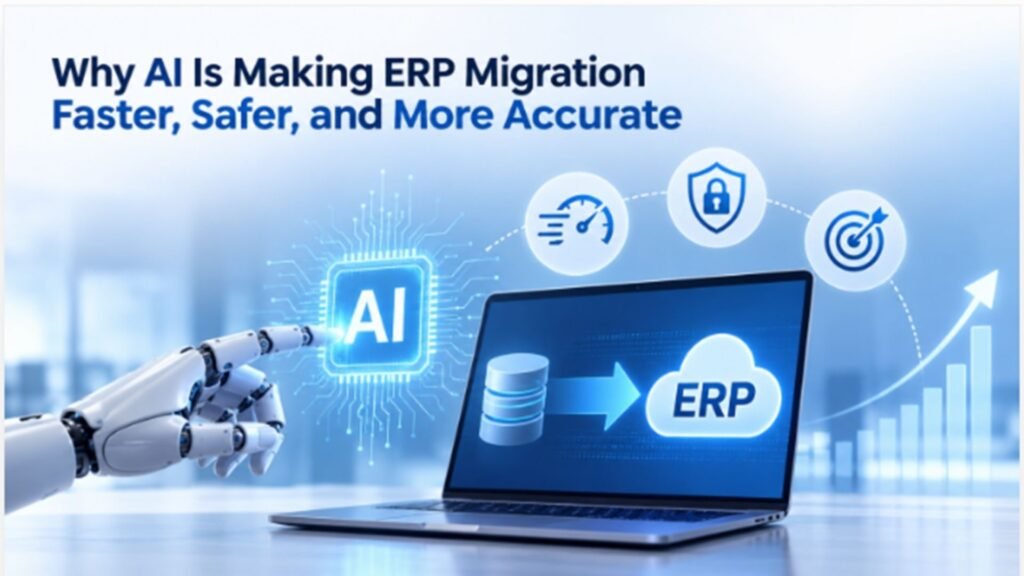
ERP migration has traditionally been one of the most complex technology projects for growing businesses. Moving financial data, customer records, inventory information, supply chain processes, historical transactions, and operational workflows f rom a legacy ERP system to a modern platform requires careful planning and execution. Even a small error during migration can result in data inconsistencies, business disruption, or unexpected costs. Artificial intelligence (AI) is changing this process. By combining AI, automation, machine learning, and advanced nced analytics with modern ERP platforms such as Microsoft Dynamics 365, businesses can make ERP migration faster, safer, and more accurate. For companies in Texas, working with an experienced Microsoft Dynamics 365 partner in Texas, USA, can provide the expertise needed to combine AI-driven migration capabilities with proven ERP implementation methodologies. From data assessment and cleansing to validation and post-migration optimization, AI can help organizations reduce migration risks while improving the overall transformation experience. What Is AI-Powered ERP Migration? AI-powered ERP migration uses artificial intelligence and automation to analyze, classify, clean, transform, validate, and migrate business data between ERP systems. Traditional migration often depends heavily on manual data mapping and spreadsheet-based processes. Teams may spend weeks reviewing thousands or millions of records to identify duplicate, incomplete, outdated, or incorrectly formatted information. AI can automate many of these activities. It can identify patterns in existing data, detect anomalies, recommend data mappings, highlight potential errors, and support automated validation before information is transferred to the new ERP environment. This makes AI particularly valuable when businesses are migrating from older ERP platforms to Microsoft Dynamics 365 Business Central or Dynamics 365 Finance and Operations. How AI Makes ERP Migration Faster One of the biggest advantages of AI in ERP migration is speed. Manual migration activities can consume significant time because teams must analyse data, determine relationships between fields, clean records, and perform repeated validation. AI-powered tools can accelerate these activities by processing large datasets rapidly and identifying patterns that would take human teams considerably longer to discover. For example, AI can analyse customer records from a legacy system and identify duplicate entries, incomplete addresses, inconsistent naming conventions, or outdated information. Instead of manually reviewing every record, migration teams can focus their attention on exceptions and high-risk data. Automation can also accelerate repetitive migration tasks such as data extraction, transformation, field mapping, validation, and reporting. Businesses considering D365 migration services in Texas, USA, can therefore use AI to reduce the amount of manual effort required during migration while maintaining appropriate human oversight. AI Improves Data Accuracy During Migration Data accuracy is one of the most important factors in ERP migration. Moving inaccurate information from an old system into a new ERP simply transfers the problem rather than solving it. AI can help identify inconsistencies before migration begins. Machine learning algorithms can analyse historical patterns and identify unusual records. For example, AI may flag duplicate customer accounts, unusual inventory quantities, inconsistent supplier information, or financial records that do not follow expected patterns. AI can also support intelligent data mapping. When field names or structures differ between legacy and new ERP systems, AI can analyse relationships and recommend how data should be mapped. Human experts can then review these recommendations and approve the appropriate mappings before migration. This combination of AI automation and human validation can significantly improve data quality. AI Makes ERP Migration Safer ERP migration involves sensitive financial and operational information. Businesses must protect data throughout the migration process and ensure that information is transferred correctly. AI can contribute to migration security by monitoring data processes, identifying unusual activity, detecting anomalies, and supporting automated validation. AI-driven monitoring can help migration teams identify unexpected changes in data volumes, unusual transaction patterns, or potential inconsistencies during migration testing. However, AI should not operate independently. A secure ERP migration requires appropriate access controls, encryption, backup strategies, testing procedures, audit trails, and expert oversight. Experienced Microsoft Dynamics 365 Support Services in Texas, USA, can help businesses maintain a secure and reliable ERP environment before, during, and after migration. AI-Powered Data Cleansing Data cleansing is often one of the most time-consuming parts of ERP migration. Legacy systems may contain years of accumulated information, including duplicate customer records, inactive suppliers, incomplete product information, outdated addresses, inconsistent units of measurement, and incorrectly formatted financial data. AI can analyse this information and recommend which records should be merged, corrected, archived, or reviewed. For example, if the same customer appears under several slightly different names, AI can recognize similarities and identify potential duplicates. Migration teams can then validate those recommendations before making changes. This approach improves data quality while reducing the manual workload involved in preparing data for migration. AI Supports Intelligent Data Mapping Every ERP system has its own database structure, terminology, fields, workflows, and business logic. This makes data mapping a critical stage of migration. AI can compare the structures of legacy and target systems and identify potential relationships between fields. For example, an AI system may identify that a legacy field containing customer credit information corresponds to a specific customer credit-related field in the target ERP system. Instead of relying entirely on manual mapping, consultants can use AI-generated recommendations as a starting point and validate them against business requirements. This can shorten the mapping process and reduce the possibility of human error. AI Improves Testing and Validation Testing is essential before an ERP migration goes live. Organizations need to confirm that migrated information is complete, accurate, and usable. AI can support automated validation by comparing source and target datasets, identifying missing records, checking totals, detecting unusual differences, and highlighting transactions that require additional review. For financial migration, validation may include comparing account balances, transaction totals, tax information, and historical financial data. For supply chain operations, AI can help validate inventory quantities, product information, warehouse data, purchase orders, and supplier records. These capabilities can help organizations identify migration problems earlier rather than discovering them after go-live. AI and Microsoft Dynamics 365 Business Central Microsoft Dynamics 365 Business Central is a popular cloud ERP solution

Why AI Is Making ERP Migration Faster, Safer, and More Accurate Read More »

Microsoft Dynamics 365 Finance and Operations Partner in the USA

Microsoft Dynamics 365 Finance and Operations Partner in the USA

Microsoft Dynamics 365 Finance and Operations (F&O) is the enterprise-grade ERP platform powering finance, supply chain, and manufacturing operations for mid-market and large organizations across the United States. But the software itself is only half the equation—the success of any Dynamics 365 F&O implementation depends heavily on the partner delivering it. With hundreds of Microsoft partners operating in the US, finding the right Dynamics 365 Finance and Operations partner requires understanding what actually separates a strong implementation team from an average one. This guide breaks down what a Dynamics 365 F&O partner does, the top firms operating in the US market, and how to evaluate the right fit for your organization. What Does a Dynamics 365 F&O Partner Do? A Dynamics 365 Finance and Operations partner manages the full implementation lifecycle: requirements gathering, system configuration, data migration from legacy ERP systems, custom development, third-party integrations, user training, and post-go-live support. For most mid-market and enterprise organizations, a certified partner isn’t optional — F&O’s depth and configurability make expert guidance essential to avoiding costly missteps. Beyond initial deployment, partners typically provide ongoing managed services: performance optimization, new module rollouts, upgrade management, and troubleshooting as the platform’s twice-yearly release cycle introduces new features. Top Microsoft Dynamics 365 F&O Partners in the USA Itransition is frequently ranked among the top Dynamics 365 Finance partners in the US, offering full-cycle services from strategic consulting through implementation, migration, and ongoing support, with delivery aligned to Microsoft’s Success by Design methodology. RSM US brings a consulting, tax, and assurance background to Dynamics 365 Finance implementations, positioning it well for mid-market organizations that want ERP transformation tied closely to broader financial advisory work. Avanade, a large Microsoft-centric systems integrator, is known for scaled, repeatable delivery frameworks suited to complex, multi-site enterprise Dynamics 365 Finance and Supply Chain Management deployments. Hitachi Solutions is a long-standing Microsoft partner with a broad business applications portfolio, including deep Dynamics 365 Finance and Supply Chain Management implementation experience across multiple industries. Sikich, founded in 1982, provides Dynamics 365 Finance implementation as part of a wider IT services practice for mid-to-large businesses, and participates in Microsoft’s Dynamics 365 FastTrack program. Quisitive focuses on finance-led transformation work—consolidation, financial controls, and operating efficiency—paired with ongoing optimization support after go-live. Armanino combines accounting and advisory services with Dynamics 365 implementation, making it a strong fit for organizations in regulated industries that need ERP tightly aligned with financial reporting and compliance. Alithya, with over 30 years of consulting experience, offers full-service Dynamics 365 Finance, Sales, and HR implementations with particular strength in healthcare and public sector engagements. Dynamics Square operates as a Microsoft Solutions Partner for Business Applications with more than 500 implementations across the US, UK, Canada, and Australia, spanning Business Central, Finance & Operations, Sales, and Customer Service. Clients First serves small and mid-sized enterprises in distribution, equipment rental, field services, and agriculture with Dynamics 365 implementation and support. How to Choose the Right Dynamics 365 F&O Partner Verify the current Microsoft designation. The old Gold and Silver partner tiers were retired in 2022, replaced by Solutions Partner Designations. Confirm a firm currently holds the Business Applications designation rather than relying on outdated Gold Partner branding. Prioritize industry-specific experience. Manufacturing, distribution, retail, healthcare, and professional services all have distinct F&O configuration needs. A partner with proven experience in your specific industry will implement faster and avoid more costly rework than a generalist. Assess migration expertise if you’re switching platforms. Organizations moving off Dynamics GP, AX, NAV, or QuickBooks need a partner with specific migration experience, not just fresh-implementation experience — the data mapping and legacy customization challenges are meaningfully different. Ask about delivery methodology. Some partners use phased rollouts; others favor agile or fixed-scope models. Make sure the approach matches your organization’s risk tolerance, internal resourcing, and timeline expectations. Confirm post-go-live support. Implementation is only the beginning. Ask specifically how the partner handles Dynamics 365’s biannual release updates, ongoing optimization, and day-to-day support response times. Get a clear, itemized cost estimate. Mid-market Dynamics 365 F&O implementations typically range from moderate to high six-figure investments depending on modules, user count, customization, and integration complexity, with most projects taking roughly 3–9 months. A credible partner should be able to break this down clearly rather than quoting a single bundled figure. Final Thoughts The US Dynamics 365 F&O partner market is deep and increasingly specialized, which means most organizations have several credible options regardless of industry or company size. The differentiator isn’t which firm has the biggest name — it’s which one has verifiable experience with your industry, your scale of complexity, and (if applicable) your specific legacy migration path. Requesting industry references, confirming current Microsoft designations, and getting a transparent, itemized proposal are the fastest ways to separate a strong fit from a risky one. Frequently Asked Questions Q1. What’s the difference between Dynamics 365 F&O and Business Central? Ans: F&O is the enterprise-tier ERP built for large, complex, or multi-entity organizations, while Business Central targets small and mid-sized businesses with simpler finance and operations needs. Many partners specialize in one or the other rather than both equally. Q2. How much does a Dynamics 365 F&O implementation cost? Ans: Costs vary by scope, but mid-market implementations typically fall in the moderate-to-high six-figure range, factoring in licensing, configuration, data migration, integrations, and training. Q3. How long does a typical implementation take? Ans: Most mid-sized Dynamics 365 F&O implementations take roughly 3–9 months, though larger, multi-entity, or heavily customized projects can take longer. Q4. Do I need a different partner if I’m migrating from another ERP? Ans: It helps significantly. Partners with specific experience migrating from GP, AX, NAV, or QuickBooks understand the legacy data mapping and customization challenges that a fresh-implementation-only partner may not. Q5. Is “Microsoft Gold Partner” still a valid credential? Ans: No—Microsoft retired Gold and Silver tiers in 2022 in favor of Solutions Partner Designations. Look for a current Business Applications designation instead.

Microsoft Dynamics 365 Finance and Operations Partner in the USA Read More »

industry-4-0-and-erp-the-next-generation-of-smart-factories

Industry 4.0 and ERP: The Next Generation of Smart Factories

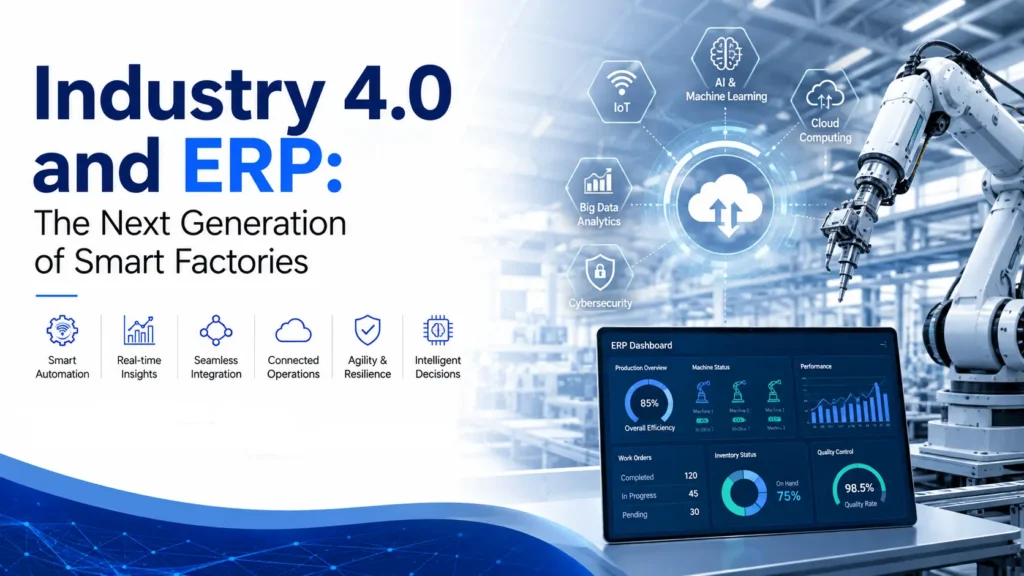
The manufacturing industry is undergoing a major transformation as businesses embrace Industry 4.0, the fourth industrial revolution driven by artificial intelligence (AI), the Internet of Things (IoT), cloud computing, robotics, big data, and automation. Modern factories are no longer dependent on manual processes and disconnected systems. Instead, they rely on intelligent technologies that provide real-time visibility, predictive insights, and seamless communication across production, inventory, supply chains, and finance. At the heart of every smart factory is a powerful Enterprise Resource Planning (ERP) system. Microsoft Dynamics 365 Business Central enables manufacturers to connect every aspect of their operations into one integrated platform, helping them improve efficiency, reduce costs, and make data-driven decisions. By partnering with an experienced Microsoft Dynamics 365 partner, businesses can successfully implement an ERP solution that supports digital transformation and prepares them for the future of manufacturing. Understanding Industry 4.0 Industry 4.0 refers to the integration of digital technologies into manufacturing processes to create intelligent, connected, and highly automated production environments. Unlike traditional factories, smart factories continuously collect and analyze data from machines, sensors, and business applications to optimize operations in real time. Modern manufacturers use Industry 4.0 technologies to monitor equipment performance, automate repetitive tasks, improve product quality, predict maintenance requirements, and respond quickly to market changes. This connected ecosystem allows businesses to become more agile while improving productivity and customer satisfaction. However, these advanced technologies require a centralized platform that can manage business data efficiently. This is where ERP systems become essential. Why ERP Is the Foundation of Smart Factories A smart factory generates enormous amounts of operational data every day. Without a centralized ERP solution, this information often remains scattered across different departments, making it difficult to gain meaningful insights. Microsoft Dynamics 365 Business Central acts as the digital backbone of Industry 4.0 by connecting finance, production, inventory, procurement, warehouse management, and customer information into a single cloud-based system. This unified approach enables manufacturers to monitor business performance in real time and make informed decisions based on accurate data. With ERP integrated into factory operations, organizations can automate workflows, improve collaboration between departments, and eliminate manual data entry, creating a more efficient manufacturing environment. How Microsoft Dynamics 365 Business Central Supports Smart Manufacturing Modern manufacturing requires more than inventory management and accounting software. Businesses need intelligent ERP capabilities that support automation, analytics, and operational excellence. Microsoft Dynamics 365 Business Central provides manufacturers with features such as production planning, inventory management, supply chain visibility, financial management, purchasing, warehouse operations, and business intelligence. Combined with Microsoft Copilot and AI-powered analytics, Business Central helps organizations forecast demand, optimize inventory, reduce production delays, and improve resource utilization. Real-time dashboards allow decision-makers to monitor key performance indicators across the entire manufacturing process, enabling faster responses to operational challenges. Key Benefits of ERP in Industry 4.0 Implementing an ERP system as part of an Industry 4.0 strategy delivers measurable improvements across manufacturing operations. Some of the most significant benefits include: These capabilities enable manufacturers to improve productivity while maintaining flexibility in an increasingly competitive market. AI and Automation in Smart Factories Artificial intelligence is becoming a key component of Industry 4.0. AI-powered ERP systems analyze historical and real-time data to identify trends, predict equipment failures, optimize production schedules, and improve quality control. Microsoft Copilot further enhances Business Central by helping employees generate reports, summarize operational data, answer business questions, and automate routine administrative tasks. Instead of manually compiling information, managers receive actionable insights instantly, allowing them to focus on strategic decision-making. Automation also reduces repetitive manual processes such as purchase order creation, invoice processing, inventory updates, and production scheduling, resulting in faster operations and lower operational costs. The Importance of Professional ERP Implementation Successfully implementing an ERP solution requires careful planning, business process analysis, and technical expertise. Every manufacturing organization has unique operational requirements, making professional implementation services essential. Experienced MS Dynamics 365 implementation services help manufacturers configure Business Central to align with their production processes, migrate business data, integrate factory systems, and train employees. A structured implementation approach minimizes disruption while ensuring users quickly adopt the new system. Working with a trusted Microsoft Dynamics 365 partner also provides access to industry best practices and ongoing technical guidance throughout the implementation journey. Why Microsoft Dynamics 365 Support Services Matter Digital transformation does not end after ERP implementation. Continuous system optimization and technical support are essential for maintaining operational performance. Professional Microsoft Dynamics 365 Support Services help manufacturers manage software updates, troubleshoot issues, optimize workflows, and ensure system security. Ongoing support allows businesses to adapt their ERP environment as operational requirements evolve, maximizing long-term return on investment. Reliable support also helps minimize downtime, ensuring production processes continue without interruption. Upgrading Legacy Systems with D365 Migration Services Many manufacturers still rely on outdated ERP platforms that lack modern AI capabilities and cloud functionality. These legacy systems often limit scalability and reduce operational efficiency. Professional D365 migration services help organizations transition from older ERP systems such as Dynamics NAV, Dynamics GP, or other legacy solutions to Microsoft Dynamics 365 Business Central. The migration process includes data cleansing, validation, configuration, testing, and employee training, ensuring a smooth transition with minimal business disruption. Moving to a cloud-based ERP platform allows manufacturers to take advantage of continuous Microsoft updates, advanced analytics, and future AI innovations. The Role of Microsoft Dynamics Consulting Services Every manufacturing business has different production workflows, compliance requirements, and growth objectives. This makes expert Microsoft Dynamics consulting services invaluable during digital transformation initiatives. Consultants evaluate existing business processes, identify improvement opportunities, and develop ERP strategies that align with organizational goals. They also help manufacturers implement automation, optimize reporting, improve supply chain visibility, and integrate Industry 4.0 technologies into daily operations. With expert consulting, businesses can maximize the value of their ERP investment while preparing for future technological advancements. Conclusion Industry 4.0 is redefining manufacturing by combining automation, artificial intelligence, IoT, and real-time analytics to create smarter and more efficient factories. However, these technologies require a robust ERP platform capable of managing complex business

Industry 4.0 and ERP: The Next Generation of Smart Factories Read More »

the-most-practical-ai-features-businesses-are-using-in-dynamics-365-today

The Most Practical AI Features Businesses Are Using in Dynamics 365 Today

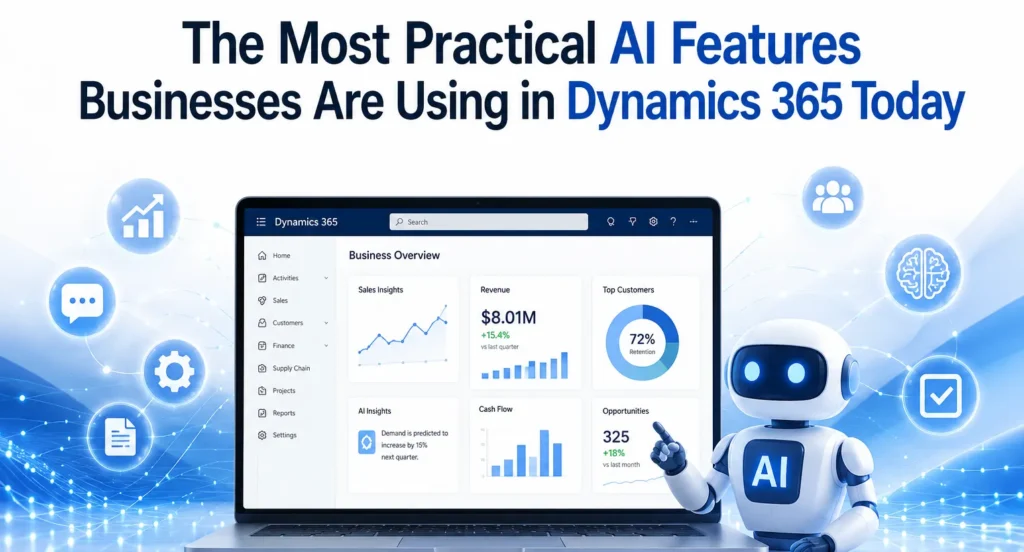
Artificial Intelligence (AI) has evolved from being a futuristic concept into a practical business tool that delivers measurable value. Organizations across manufacturing, retail, finance, healthcare, logistics, and professional services are no longer experimenting with AI—they are integrating it into their daily operations to improve productivity, automate repetitive tasks, and make faster business decisions. One platform leading this transformation is Microsoft Dynamics 365. With built-in AI capabilities and Microsoft Copilot, Dynamics 365 helps businesses simplify complex processes without requiring advanced technical expertise. Whether it’s generating financial reports, predicting customer demand, automating customer service responses, or improving inventory planning, AI is making enterprise resource planning (ERP) and customer relationship management (CRM) smarter than ever. Businesses working with an experienced Microsoft Dynamics 365 partner can implement these AI capabilities effectively, ensuring they align with organizational goals while maximizing return on investment. Why AI Matters in Dynamics 365 Traditional ERP systems were designed primarily to store and process business data. Modern Dynamics 365 solutions go much further by interpreting data, identifying patterns, and providing intelligent recommendations. Instead of manually analysing thousands of transactions or customer interactions, AI can instantly highlight trends, detect anomalies, and recommend actions. This allows employees to focus on strategic work rather than repetitive administrative tasks. As organizations continue their digital transformation journey, AI has become one of the biggest competitive advantages available within the Microsoft ecosystem. Microsoft Copilot: The Everyday AI Assistant Microsoft Copilot is perhaps the most practical AI feature currently available across Dynamics 365 applications. Rather than replacing employees, Copilot assists them by automating routine work. Users can create reports, summarize meetings, draft emails, generate customer responses, and analyse business data using simple natural language prompts. For finance teams, Copilot helps generate financial summaries and variance analyses. Sales teams receive AI-generated customer insights, while customer service agents can quickly access suggested solutions based on previous support cases. Within Microsoft Dynamics 365 Business Central, Copilot simplifies accounting tasks, purchasing processes, inventory management, and financial reporting, making ERP more accessible for users without technical expertise. AI-Powered Financial Management Finance departments spend countless hours reconciling accounts, preparing reports, reviewing invoices, and forecasting cash flow. AI dramatically reduces this workload. Dynamics 365 can automatically: Instead of spending days preparing month-end reports, finance teams can focus on analysing business performance and identifying growth opportunities. Organizations using professional Microsoft Dynamics 365 Support Services also benefit from continuous optimization as Microsoft regularly introduces new AI capabilities and enhancements. Intelligent Demand Forecasting Inventory planning has traditionally relied on historical sales and manual estimates. AI transforms this process by analysing multiple variables simultaneously. Dynamics 365 evaluates: The result is more accurate inventory forecasting, helping businesses reduce excess stock while avoiding costly stock shortages. Manufacturers and retailers especially benefit from AI-driven forecasting because it improves procurement decisions and production planning. Smarter Customer Service Customer expectations continue to rise, and businesses must deliver faster, more personalized support. AI within Dynamics 365 Customer Service enables organizations to: Support agents spend less time searching for information and more time resolving customer issues. Companies implementing these capabilities through experienced MS Dynamics 365 Implementation services often see improvements in customer satisfaction while reducing service costs. Sales Intelligence That Improves Conversions Sales professionals often struggle to identify which opportunities deserve immediate attention. Dynamics 365 Sales uses AI to prioritize leads based on customer behaviour, purchasing history, communication frequency, and engagement levels. Sales representatives receive recommendations such as: Instead of relying solely on instinct, sales teams can make data-driven decisions that improve conversion rates and increase revenue. AI in Supply Chain Management Supply chain disruptions have become increasingly common. AI helps businesses anticipate potential issues before they become serious problems. Dynamics 365 Supply Chain Management uses AI to: These predictive capabilities help organizations maintain business continuity while reducing operational costs. Businesses planning D365 migration services from legacy ERP systems often prioritize these AI-enabled supply chain features because they deliver immediate operational improvements. Automated Business Insights One of AI’s greatest strengths is transforming raw data into actionable insights. Executives no longer need to wait for manually prepared reports. Instead, AI continuously monitors business performance and alerts decision-makers about significant changes. Examples include: This proactive approach enables faster decision-making and more effective strategic planning. AI-Driven Purchasing and Procurement Procurement teams benefit from AI through improved supplier analysis and purchasing recommendations. Dynamics 365 can evaluate supplier performance, compare historical pricing, identify purchasing trends, and recommend optimal reorder quantities. This reduces procurement costs while improving supplier relationships and ensuring consistent product availability. Document Automation Businesses process thousands of documents every year, including invoices, purchase orders, contracts, receipts, and shipping documents. AI helps automate document processing by: This significantly reduces administrative work while minimizing human error. Predictive Maintenance Manufacturing companies using Dynamics 365 can leverage AI for predictive maintenance. Instead of repairing equipment after failure, AI analyses machine data to predict maintenance requirements before breakdowns occur. Benefits include reduced downtime, lower maintenance costs, longer equipment life, and improved production efficiency. Why Expert Implementation Matters Although Dynamics 365 includes powerful AI capabilities, achieving successful outcomes requires proper planning, customization, and integration. Working with experienced Microsoft Dynamics consulting services ensures businesses configure AI features according to their industry requirements, business processes, and long-term objectives. Professional consultants also help organizations integrate Microsoft 365, Power Platform, Azure AI, and other Microsoft technologies to create a connected digital ecosystem. Preparing for the Future Microsoft continues investing heavily in AI innovation across Dynamics 365. As Copilot evolves, businesses can expect even greater automation, more accurate predictions, and deeper business insights. Organizations that begin adopting AI today will be better positioned to respond to changing customer expectations, market conditions, and competitive pressures. Whether improving finance, supply chain, customer service, or sales, practical AI within Dynamics 365 is already delivering measurable business value across industries. Companies that embrace these capabilities with the guidance of a trusted implementation partner can achieve higher productivity, smarter decision-making, and sustainable long-term growth. Conclusion AI is no longer an optional technology for forward-thinking organizations. It has become a practical tool that improves

The Most Practical AI Features Businesses Are Using in Dynamics 365 Today Read More »

ax-to-dynamics-365-f-and-migration-costs-timeline-and-strategy

AX to Dynamics 365 F&O Migration: Costs, Timeline & Strategy

Businesses using Microsoft Dynamics AX have benefited from a reliable ERP system for many years. However, as technology evolves and organisations increasingly adopt cloud-first strategies, many are choosing to migrate to Microsoft Dynamics 365 Finance & Operations (Dynamics 365 F&O). This modern ERP solution provides greater flexibility, enhanced security, AI-powered capabilities, and continuous updates that help businesses stay competitive in an increasingly digital world. Migrating from Dynamics AX is more than simply upgrading software. It is an opportunity to modernise business processes, improve operational efficiency, and create a scalable platform that supports long-term growth. Whether you are planning your first ERP migration or evaluating your options, understanding the costs, timeline, and implementation strategy is essential for a successful transition. Why Upgrade from Dynamics AX to Dynamics 365 F&O? Microsoft Dynamics AX was designed for on-premises environments and has served thousands of organisations worldwide. However, maintaining legacy infrastructure, managing customisations, and handling manual upgrades have become increasingly expensive and time-consuming. Dynamics 365 F&O addresses these challenges with a cloud-based architecture that delivers continuous innovation and better performance. The platform offers advanced financial management, intelligent supply chain capabilities, automated workflows, real-time reporting, and seamless integration with Microsoft 365, Power Platform, and Azure services. Businesses also gain access to AI-driven insights that support faster and more informed decision-making. Working with an experienced Microsoft Dynamics 365 partner helps organisations make the transition smoothly while reducing risks associated with complex ERP migrations. Understanding the Cost of Migration One of the first questions businesses ask is, “How much does an AX to Dynamics 365 F&O migration cost?” There is no fixed answer because every organisation’s ERP environment is different. The overall investment depends on several factors, including the size of the business, the complexity of existing processes, and the amount of customisation required. Organisations running older versions such as Dynamics AX 2009 or AX 2012 often require additional planning because these systems typically contain outdated customisations, legacy integrations, and inconsistent data. Businesses with multiple locations, international operations, or high transaction volumes may also require more extensive implementation efforts. Another important cost factor is data migration. Customer records, vendor information, inventory data, financial transactions, and historical reports all need to be reviewed and validated before being transferred into the new system. The cleaner the existing data, the smoother and more cost-effective the migration process becomes. Training employees and preparing them for the new system should also be included in the overall project budget. Investing in user adoption ensures employees can quickly take advantage of the platform’s new features and capabilities. Typical Migration Timeline The duration of an AX to Dynamics 365 F&O migration depends on project complexity. Small businesses with straightforward business processes can often complete migration within a few months, while large enterprises with multiple legal entities and extensive integrations require a longer implementation schedule. A standard migration project generally includes assessment, solution design, system configuration, data migration, testing, user training, and go-live support. Each phase requires careful planning to minimise disruption to daily business operations. Rather than rushing implementation, organisations should focus on completing each stage thoroughly. Proper testing and user acceptance significantly reduce the likelihood of issues after deployment and contribute to a smoother transition. Building an Effective Migration Strategy A successful migration starts with a detailed assessment of the existing Dynamics AX environment. This involves reviewing current business processes, identifying customisations, evaluating integrations, and understanding reporting requirements. The goal is not simply to recreate the existing system but to identify opportunities for improvement. Once the assessment is complete, organisations can begin designing their future ERP environment. During this phase, business requirements are aligned with the capabilities available in Dynamics 365 F&O. Many businesses also evaluate Microsoft Dynamics 365 Business Central for smaller subsidiaries or regional offices while using Dynamics 365 F&O for enterprise-wide operations. This combination allows organisations to build a connected Microsoft ecosystem that supports different business needs. Data preparation is another critical step. Before migration begins, duplicate records should be removed, outdated information archived, and financial data validated. Clean and accurate data reduces migration errors and improves system performance after deployment. Testing plays a crucial role throughout the implementation process. Every workflow, integration, and report should be validated before the new system goes live. User acceptance testing allows employees to become familiar with the new environment while identifying any remaining issues. Common Migration Challenges Although every migration project is unique, organisations often encounter similar challenges. Legacy customisations are among the most common obstacles. Many Dynamics AX systems have been modified over several years to meet specific business requirements. During migration, these customisations should be carefully evaluated to determine whether they are still necessary or whether standard Dynamics 365 functionality can achieve the same outcome. Data quality is another common concern. Incomplete customer records, duplicate vendors, inconsistent product information, and outdated financial data can slow implementation and increase project costs. Beginning data cleansing early in the project significantly improves migration success. Employee adoption also deserves careful attention. Even the most advanced ERP solution will not deliver its full value if users are uncomfortable with the new system. Providing comprehensive training and communicating the benefits of the migration helps employees embrace new processes more confidently. Best Practices for a Successful Migration Organizations that experience successful ERP migrations typically follow a structured approach rather than treating migration as a simple technical upgrade. They establish clear business objectives, involve key stakeholders throughout the project, and prioritise business process improvements over replicating outdated workflows. While every implementation is different, several practices consistently contribute to success: Following these principles helps organisations reduce implementation risks while maximizing the return on their ERP investment. Benefits After Migrating to Dynamics 365 F&O Businesses that successfully migrate to Dynamics 365 F&O often experience improvements across finance, operations, manufacturing, procurement, and supply chain management. Real-time dashboards provide better visibility into business performance, allowing leaders to make faster and more informed decisions. Automation reduces repetitive manual tasks, enabling employees to focus on higher-value activities. Continuous Microsoft updates ensure the ERP platform remains

AX to Dynamics 365 F&O Migration: Costs, Timeline & Strategy Read More »

microsoft-dynamics-365-business-central-the-foundation-for-ai-driven-business-success

Microsoft Dynamics 365 Business Central: The Foundation for AI-Driven Business Success

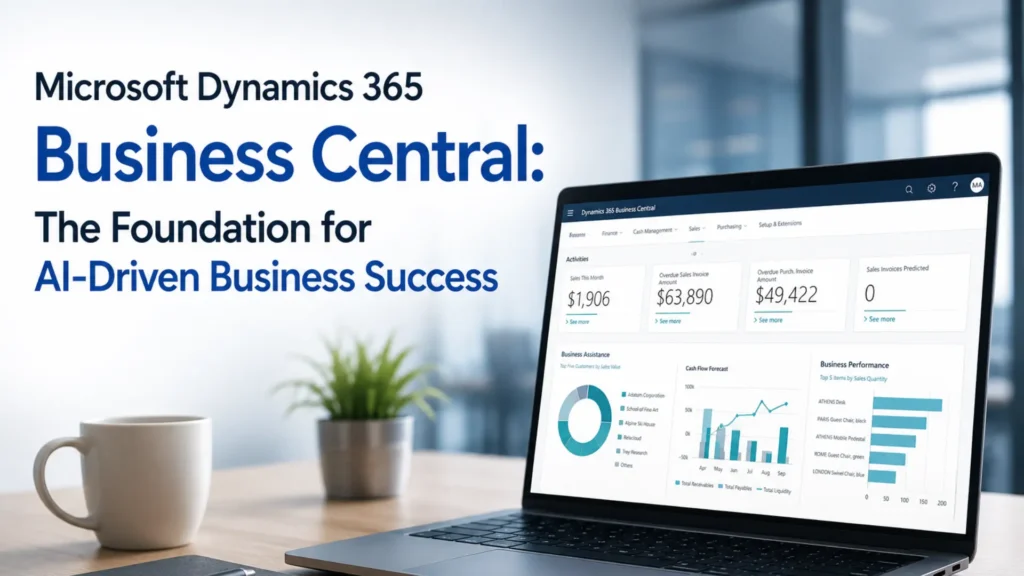
Artificial Intelligence (AI) is no longer a futuristic concept—it has become an essential driver of business growth, innovation, and operational efficiency. Organizations across industries are investing in AI technologies to automate processes, improve decision-making, and deliver exceptional customer experiences. However, the success of AI depends on one critical factor: access to accurate, centralized, and real-time business data. This is where Microsoft Dynamics 365 Business Central plays a vital role. As Microsoft’s comprehensive cloud-based ERP solution, Business Central provides businesses with a unified platform to manage finance, sales, purchasing, inventory, operations, and customer information. When combined with Microsoft’s AI capabilities, including Copilot and advanced analytics, it becomes the foundation for smarter business decisions and sustainable growth. Whether you are a growing business looking to modernize operations or an established enterprise planning digital transformation, working with an experienced Microsoft Dynamics 365 partner can help you unlock the full potential of Business Central and AI-driven business solutions. Why AI Needs a Modern ERP Platform Artificial intelligence relies on high-quality business data to generate meaningful insights. Unfortunately, many organizations still use disconnected systems where financial data, inventory records, customer information, and operational reports are stored separately. This makes it difficult for AI to provide accurate recommendations. Microsoft Dynamics 365 Business Central eliminates these silos by bringing all business functions together in a single cloud platform. With centralized data, businesses can leverage AI to identify trends, forecast demand, optimize inventory, and improve financial planning. Instead of spending hours compiling reports from multiple systems, decision-makers gain instant access to reliable insights that help them respond quickly to changing market conditions. Key AI Capabilities in Microsoft Dynamics 365 Business Central Microsoft continues to enhance Business Central with intelligent features that improve productivity and simplify business operations. These AI-powered capabilities help organizations automate routine tasks while enabling employees to focus on strategic activities. Some of the most valuable AI-driven features include: These capabilities help businesses make informed decisions while reducing manual work and operational costs. How Business Central Improves Business Performance One of the biggest advantages of Business Central is its ability to connect every department within a single ERP system. Finance teams gain better visibility into cash flow and profitability, sales teams can track customer interactions more effectively, and inventory managers can monitor stock levels in real time. This connected approach improves collaboration across departments and enables AI to generate more accurate business insights. Business Central also integrates seamlessly with Microsoft applications such as Microsoft 365, Teams, Outlook, Excel, and Power BI. Employees can access business information directly from the tools they already use every day, improving efficiency and reducing the need to switch between multiple applications. For organizations embracing AI, this integration creates a powerful digital ecosystem where data flows automatically across business processes, allowing teams to work faster and make smarter decisions. Microsoft Copilot: Bringing AI into Everyday Work Microsoft Copilot is transforming the way businesses interact with ERP systems. Rather than manually searching for reports or entering repetitive information, users can ask questions in natural language and receive instant responses based on real-time business data. For example, finance managers can quickly generate financial summaries, sales teams can create product descriptions, and business leaders can analyze operational performance without spending hours preparing reports. Copilot reduces administrative workloads while helping employees focus on activities that create greater value for the organization. As Microsoft continues to invest in AI innovation, Copilot will become an even more powerful assistant within Microsoft Dynamics 365 Business Central, making everyday business operations more efficient and intelligent. The Importance of Professional Implementation and Support Implementing an ERP solution involves much more than installing software. Every organization has unique business processes, reporting requirements, and operational goals. Choosing the right Microsoft Dynamics 365 partner ensures your Business Central implementation is tailored to your specific needs. Professional MS Dynamics 365 implementation services help businesses configure the system correctly, migrate existing data, integrate third-party applications, train employees, and support a smooth go-live process. A well-planned implementation minimizes business disruption and helps organizations achieve faster returns on their ERP investment. After deployment, ongoing Microsoft Dynamics 365 support services play an equally important role. Regular updates, technical assistance, performance optimization, and user support ensure that the system continues to deliver maximum value as business requirements evolve. Why D365 Migration Services Matter Many organizations still rely on outdated ERP systems that limit business growth and make AI adoption difficult. Upgrading to Business Central enables businesses to take advantage of cloud technology, automation, and advanced analytics. Professional D365 migration services help organizations move securely from legacy systems such as Microsoft Dynamics NAV, Dynamics GP, or other ERP platforms. The migration process typically includes data cleansing, system configuration, testing, and user training to ensure a seamless transition with minimal downtime. Migrating to Business Central also provides businesses with a scalable platform that supports future innovation and continuous Microsoft updates without the complexity of maintaining legacy infrastructure. The Value of Microsoft Dynamics Consulting Services Every organization has different goals, challenges, and growth strategies. This is why expert Microsoft Dynamics consulting services are essential for maximizing the benefits of Business Central. Experienced consultants evaluate existing business processes, identify improvement opportunities, and recommend solutions that align with organizational objectives. Consulting services also help businesses adopt AI strategically by identifying automation opportunities, improving reporting capabilities, and ensuring the ERP system supports long-term business growth. With expert guidance, organizations can make better technology investments and accelerate their digital transformation journey. Benefits of Using Microsoft Dynamics 365 Business Central Businesses implementing Business Central often experience measurable improvements across their operations. Some of the key benefits include: These advantages help organizations improve efficiency, reduce costs, and remain competitive in an increasingly digital marketplace. Conclusion Artificial intelligence is transforming the future of business, but its success depends on having the right technology foundation. Microsoft Dynamics 365 Business Central provides that foundation by bringing together financial management, operations, inventory, sales, and customer information into a single intelligent ERP platform. Combined with Microsoft Copilot and advanced AI capabilities, Business Central

Microsoft Dynamics 365 Business Central: The Foundation for AI-Driven Business Success Read More »

how-predictive-analytics-in-d365-F&O-helps-businesses-avoid-supply-chain-disruptions

How Predictive Analytics in D365 F&O Helps Businesses Avoid Supply Chain Disruptions

Supply chain disruptions have become one of the biggest challenges for businesses across manufacturing, retail, distribution, and logistics. From unexpected supplier delays and transportation bottlenecks to fluctuating customer demand and global market uncertainties, organisations need more than traditional planning tools to stay competitive. This is where predictive analytics in Microsoft Dynamics 365 Finance & Operations (D365 F&O) makes a significant difference. labor By combining historical business data, artificial intelligence (AI), and machine learning, D365 F&O helps organizations predict future trends, identify potential risks, and make informed decisions before problems impact operations. Instead of reacting to supply chain disruptions after they occur, businesses can proactively manage inventory, production, procurement, and logistics. Whether you are working with a Microsoft Dynamics 365 partner to implement a new ERP solution or upgrading your existing system, predictive analytics can become a key driver of operational resilience and business growth. Understanding Predictive Analytics in D365 F&O Predictive analytics uses data, statistical models, and AI algorithms to forecast future outcomes based on historical and real-time information. Within Microsoft Dynamics 365 Finance & Operations, predictive analytics continuously analyses operational data to detect patterns that may affect business performance. The platform collects information from multiple business functions, including Instead of relying solely on manual reports or spreadsheets, decision-makers receive intelligent recommendations that improve planning and reduce uncertainty. Why Supply Chain Disruptions Are Increasing Modern supply chains are more connected than ever before, making them vulnerable to a wide range of disruptions. Common challenges include supplier shortages, transportation delays, inflation, labour shortages, changing customer expectations, and sudden demand fluctuations. Without predictive insights, companies often experience: Predictive analytics enables organisations to identify these risks early and respond before they become costly problems. How D365 F&O Predicts Supply Chain Risks Microsoft Dynamics 365 Finance & Operations combines AI-powered forecasting with real-time business intelligence to improve supply chain visibility. Demand Forecasting Accurate demand forecasting is essential for maintaining the right inventory levels. D365 F&O analyses historical sales, seasonal trends, promotional activities, and customer purchasing patterns to forecast future demand more accurately. This helps businesses: Instead of guessing future demand, businesses can make data-driven decisions with greater confidence. Intelligent Inventory Management Inventory is one of the largest investments for many organisations. Too much inventory increases storage costs, while too little inventory leads to lost sales. Predictive analytics continuously evaluates inventory levels by considering: The system recommends optimal replenishment quantities, helping organisations maintain healthy inventory without tying up unnecessary capital. Supplier Performance Analysis Reliable suppliers are essential for a stable supply chain. D365 F&O monitors supplier performance using historical delivery data, quality records, purchase history, and lead times. Businesses can quickly identify suppliers that consistently deliver late or fail to meet quality standards. This enables procurement teams to: Production Planning Optimization Manufacturing companies frequently struggle with balancing production schedules against changing customer demand. Predictive analytics evaluates production capacity, material availability, workforce scheduling, and customer orders to optimise manufacturing operations. Benefits include: Manufacturers can adjust production schedules before disruptions impact customers. Real-Time Business Intelligence Traditional ERP reports often provide information after problems have already occurred. Predictive analytics in D365 F&O works differently by continuously monitoring operational data. Managers receive alerts when the system detects: Early visibility enables businesses to take corrective action immediately rather than reacting after financial losses occur. AI-Powered Procurement Decisions Procurement teams often face uncertainty when selecting suppliers or scheduling purchases. Using predictive analytics, D365 F&O evaluates: These insights support smarter procurement decisions that reduce costs and improve supply continuity. Better Collaboration Across Departments Supply chain success depends on collaboration between procurement, finance, warehouse, manufacturing, and sales teams. Because D365 F&O centralises business data, every department works with the same real-time information. This improves communication, speeds up decision-making, and eliminates data silos that often lead to operational delays. Business Benefits of Predictive Analytics in D365 F&O Organisations implementing predictive analytics typically experience measurable improvements across their operations, including: These benefits become even greater when businesses partner with experienced consultants for implementation and optimization. Why Choose a Microsoft Dynamics 365 Partner? Implementing predictive analytics successfully requires more than installing software. A trusted Microsoft Dynamics 365 partner understands your business processes and configures the platform to deliver maximum value. An experienced partner can help with: Working with specialists reduces implementation risks and accelerates return on investment. The Role of Microsoft Dynamics 365 Support Services Even after implementation, businesses require continuous optimisation and system support. Professional Microsoft Dynamics 365 Support Services ensure your ERP environment remains secure, updated, and aligned with changing business requirements. Support services typically include: Continuous support helps organisations maximise the long-term value of predictive analytics. Importance of MS Dynamics 365 Implementation Services Successful ERP projects depend on proper planning and execution. Professional MS Dynamics 365 implementation services help businesses deploy D365 F&O efficiently while minimizing disruption to daily operations. Implementation experts assist with: A structured implementation approach ensures predictive analytics delivers accurate and reliable business insights. When to Consider D365 Migration Services Many organisations continue using legacy ERP systems that cannot provide AI-powered forecasting capabilities. Modern D365 migration services help businesses transition from older ERP platforms to Microsoft Dynamics 365 Finance & Operations with minimal downtime. Migration enables companies to benefit from: Upgrading also prepares businesses for future digital transformation initiatives. Why Microsoft Dynamics Consulting Services Matter Every organisation has unique operational requirements. Professional Microsoft Dynamics consulting services help businesses customise D365 F&O according to industry-specific needs and long-term growth objectives. Consultants evaluate existing business processes, identify improvement opportunities, and recommend best practices for leveraging predictive analytics effectively. Their expertise ensures organisations gain maximum value from Microsoft Dynamics 365 while reducing implementation complexity. Conclusion Supply chain disruptions are no longer rare events—they are an ongoing business reality. Companies that rely solely on historical reporting often struggle to respond quickly enough to minimise operational risks. Predictive analytics in Microsoft Dynamics 365 Finance & Operations transforms supply chain management by providing AI-powered forecasting, intelligent inventory planning, supplier performance analysis, and real-time operational insights. These capabilities enable organisations to make proactive decisions, reduce costs,

How Predictive Analytics in D365 F&O Helps Businesses Avoid Supply Chain Disruptions Read More »