microsoft dynamics crm partners list

How AI in Dynamics 365 is Transforming Logistics-Operations

How AI in Dynamics 365 is Transforming Logistics Operations

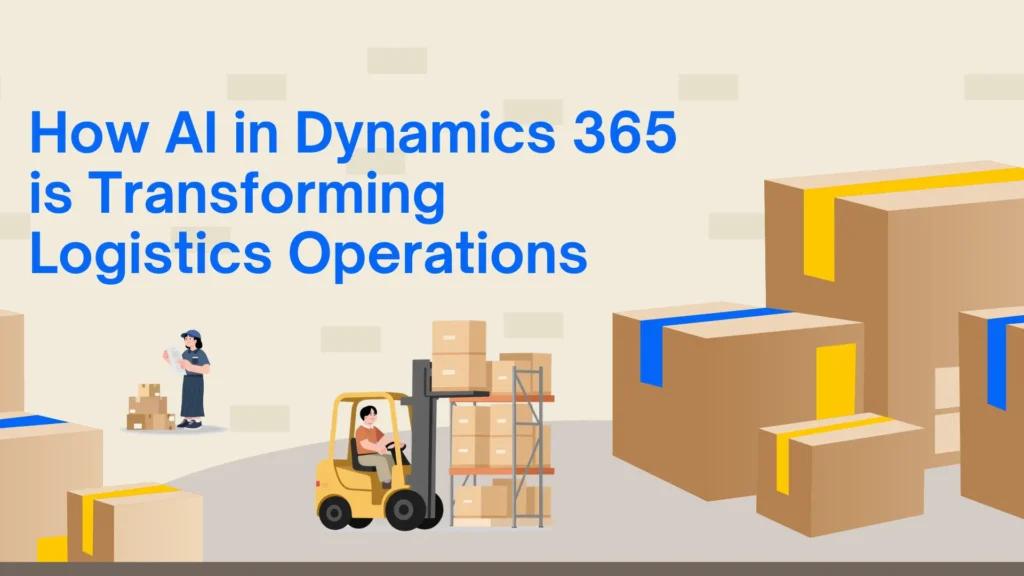
The logistics industry is evolving rapidly as businesses face increasing pressure to deliver goods faster, reduce operational costs, and improve supply chain visibility. Traditional logistics systems often struggle to manage growing operational complexity, which is why many organizations are now investing in AI-powered ERP solutions. One of the most effective platforms helping businesses modernize logistics operations is Microsoft Dynamics 365. AI capabilities within Microsoft Dynamics 365 Business Central are transforming how logistics companies manage inventory, transportation, warehousing, customer service, and demand forecasting. By combining automation, predictive analytics, and real-time business intelligence, organizations can make smarter decisions while improving operational efficiency. This article explores how AI in Dynamics 365 is reshaping logistics operations and why businesses are increasingly working with a trusted Microsoft Dynamics 365 partner to implement and optimize these intelligent solutions. The Growing Role of AI in Logistics The logistics industry handles a massive amount of operational data every day. Managing deliveries, supplier coordination, warehouse operations, and customer expectations manually can create delays, errors, and rising operational costs. AI helps solve these challenges by automating repetitive tasks and delivering predictive insights that improve decision-making. Modern logistics companies are using AI-powered ERP systems to streamline operations, reduce human error, and gain complete visibility into their supply chains. AI can analyze historical trends, monitor real-time operations, and identify patterns that help businesses respond faster to changing market conditions. As competition increases, companies are relying on advanced ERP platforms and experienced Microsoft Dynamics consulting service providers to build smarter and more scalable logistics processes. What is AI in Dynamics 365? AI in Dynamics 365 combines machine learning, automation, cloud technology, and advanced analytics to help businesses improve operational performance. These intelligent capabilities are integrated across finance, supply chain, inventory management, customer service, and warehouse operations. Within Microsoft Dynamics 365 Business Central, AI helps logistics businesses forecast demand, automate workflows, improve shipment planning, and optimize inventory management. Instead of relying on manual reporting and reactive processes, organizations can use real-time insights to make proactive business decisions. AI also improves collaboration between departments by centralizing operational data into a single connected system. This creates better transparency across the supply chain and helps logistics teams respond quickly to disruptions. Predictive Demand Forecasting Demand forecasting is one of the most important functions in logistics operations. Inaccurate forecasting can lead to inventory shortages, overstocking, delayed deliveries, and unnecessary operational expenses. AI-powered forecasting tools in Dynamics 365 analyze historical sales trends, customer purchasing behavior, seasonal demand patterns, and market conditions to generate more accurate forecasts. This allows logistics businesses to maintain optimal stock levels while reducing waste and storage costs. Companies working with experienced MS Dynamics 365 implementation service providers can customize forecasting models according to their business requirements and industry-specific operational needs. Improved forecasting also helps businesses strengthen supplier relationships because procurement teams can plan inventory requirements more effectively. This results in smoother operations and improved customer satisfaction. Intelligent Inventory Management Inventory management becomes far more efficient when AI is integrated into ERP systems. AI-powered inventory tools within Dynamics 365 provide real-time visibility into stock levels, warehouse movement, and replenishment requirements. Instead of manually tracking inventory, businesses can automate stock monitoring and receive alerts when inventory reaches predefined thresholds. AI also identifies slow-moving products, reduces excess inventory, and improves order fulfillment accuracy. For logistics companies managing large warehouses or multiple distribution centers, this level of automation significantly improves operational efficiency. With the help of Microsoft Dynamics 365 Business Central, businesses can reduce carrying costs while improving delivery performance. Route Optimization and Fleet Efficiency Transportation costs are one of the largest operational expenses for logistics companies. Fuel consumption, delivery delays, and inefficient route planning can directly impact profitability. AI in Dynamics 365 helps businesses optimize delivery routes by analyzing traffic conditions, weather data, fuel usage, and delivery schedules in real time. This allows logistics companies to select the most efficient routes and improve delivery performance. Better route optimization reduces transportation costs while helping businesses improve customer satisfaction through faster and more reliable deliveries. AI also helps organizations improve fleet utilization and reduce vehicle downtime. Companies implementing intelligent transportation workflows through professional MS Dynamics 365 implementation services can achieve significant operational savings over time. Real-Time Supply Chain Visibility Supply chain disruptions have become increasingly common due to global economic uncertainty, labor shortages, transportation delays, and changing customer demands. Businesses now require complete real-time visibility into their operations to manage these challenges effectively. AI-powered dashboards in Dynamics 365 provide logistics companies with real-time monitoring of inventory movement, supplier performance, shipment status, and warehouse activities. Managers can identify bottlenecks quickly and make informed decisions before problems escalate. This level of visibility allows organizations to become more proactive instead of reactive. Businesses working with a reliable Microsoft Dynamics 365 partner can configure customized dashboards and reporting tools that align with their operational goals and KPIs. Warehouse Automation Warehouse operations involve multiple repetitive tasks that consume time and increase the risk of human error. AI-powered warehouse automation in Dynamics 365 helps businesses improve efficiency by automating processes such as inventory tracking, barcode scanning, picking, packing, and shipment scheduling. AI also helps optimize warehouse space utilization by analyzing product movement patterns and storage requirements. This improves operational productivity while reducing delays in order fulfillment. As logistics operations continue to scale, warehouse automation becomes essential for maintaining accuracy and operational efficiency. Businesses leveraging Microsoft Dynamics 365 Support Services can continuously optimize warehouse performance and adapt workflows based on operational changes. Predictive Maintenance for Fleet Vehicles Unexpected vehicle breakdowns can disrupt logistics operations and lead to missed delivery deadlines. AI-driven predictive maintenance capabilities within Dynamics 365 help businesses monitor vehicle performance and identify maintenance issues before failures occur. By analyzing engine performance, fuel usage, maintenance history, and sensor data, AI can predict when maintenance is required. This proactive approach reduces downtime, lowers repair costs, and improves fleet reliability. Predictive maintenance also helps logistics companies extend vehicle lifespan and maintain consistent delivery schedules. This creates a more dependable transportation network while improving overall operational efficiency. Enhanced

How AI in Dynamics 365 is Transforming Logistics Operations Read More »
top-challenges-in-erp-implementation-and-how-to-overcome-them

Top Challenges in ERP Implementation and How to Overcome Them

Implementing an Enterprise Resource Planning (ERP) system is a major step toward digital transformation. It helps businesses unify operations, improve efficiency, and gain real-time insights across departments. However, ERP implementation is not just a technical upgrade—it’s a strategic shift that impacts people, processes, and technology. Solutions like Microsoft Dynamics 365 have made ERP more flexible and scalable, but organizations still face several challenges during implementation. Whether you’re planning a new deployment or upgrading an existing system, understanding these challenges can help you avoid costly mistakes. In this blog, we explore the most common ERP implementation challenges and how to overcome them effectively. 1. Unclear Business Goals One of the most common reasons ERP projects fail is the lack of clearly defined objectives. Without a clear vision, businesses struggle to measure success or align the system with their operational needs. How to overcome it:Start by identifying your business goals—whether it’s improving reporting, reducing costs, or enhancing productivity. Define KPIs and ensure your ERP solution supports these objectives. Working with an experienced Microsoft Dynamics 365 partner in Texas, USA, can help you create a structured implementation roadmap. 2. Resistance to Change ERP systems often require employees to adopt new workflows and processes. This can lead to resistance, especially if users are not properly trained or informed. How to overcome it:Focus on change management from the beginning. Communicate the benefits of the new system clearly and involve employees in the implementation process. Provide hands-on training and continuous support to ease the transition. Businesses that invest in Microsoft Dynamics 365 Support Services in Texas, USA, often achieve better adoption rates. 3. Poor Planning and Budget Issues ERP implementations can quickly exceed budgets if not planned carefully. Hidden costs, scope changes, and delays can impact the overall success of the project. How to overcome it:Create a detailed project plan that includes timelines, budgets, and milestones. Break the implementation into phases and allocate contingency funds. Choosing reliable MS Dynamics 365 implementation services in Texas, USA, can help minimize risks and keep your project on track. 4. Data Migration Challenges Migrating data from legacy systems to a new ERP platform is often complex. Poor data quality or incomplete migration can lead to inaccurate reporting and operational issues. How to overcome it:Before migration, audit and clean your data. Remove duplicates, standardize formats, and ensure consistency. Using expert D365 migration services in texas usa can make the process smoother and more accurate. 5. Lack of Skilled Resources ERP implementation requires specialized knowledge, which many organizations may not have in-house. How to overcome it:Consider hiring experienced consultants or using resource augmentation services. Partnering with experts in Microsoft Dynamics consulting services in texas usa ensures that your implementation is handled efficiently and professionally. 6. Over-Customization While customization can make ERP systems more tailored, excessive modifications can increase complexity and maintenance costs. How to overcome it:Use standard features wherever possible and customize only when necessary. Solutions like Microsoft Dynamics 365 Business Central in Texas, USA, offer built-in functionalities that meet most business needs without heavy customization. 7. Integration Issues ERP systems need to integrate with existing tools like CRM, HR software, and third-party applications. Poor integration can create data silos. How to overcome it:Identify integration requirements early in the project. Use APIs and middleware to ensure seamless connectivity. Thorough testing is essential to ensure smooth data flow across systems. 8. Unrealistic Timelines: Many organizations underestimate the time required for ERP implementation, leading to rushed deployments and errors. How to overcome it:Set realistic timelines based on project scope and complexity. Use a phased approach and allow enough time for testing, training, and adjustments. 9. Inadequate Testing: Skipping testing or rushing through it can result in system failures after go-live. How to overcome it:Conduct multiple testing phases, including user acceptance testing. Simulate real business scenarios and involve end-users to ensure the system works as expected. 10. Lack of Post-Implementation Support: ERP implementation doesn’t end at go-live. Without ongoing support, businesses may struggle to resolve issues or optimize performance. How to overcome it:Invest in continuous support and maintenance. Regular updates, monitoring, and training ensure your ERP system continues to deliver value over time. Final Thoughts ERP implementation is a transformative journey that requires careful planning, the right expertise, and a clear strategy. While challenges are inevitable, they can be effectively managed with the right approach. By working with experienced professionals and leveraging reliable services, businesses can ensure a smooth transition and maximize the benefits of their ERP investment. A well-implemented ERP system not only improves efficiency but also sets the foundation for long-term growth and innovation. FAQs Q1. What is the biggest challenge in ERP implementation? Ans: The biggest challenge is usually a lack of clear goals and poor planning, which can lead to delays and budget overruns. Q2. How long does ERP implementation take? Ans: It depends on the size and complexity of the business, but most projects take several months to a year. Q3. Why is data migration important? Ans: Data migration ensures that all existing business information is accurately transferred to the new system without errors. Q4. Can small businesses benefit from ERP? Ans: Yes, modern ERP solutions are scalable and help small businesses improve efficiency and manage growth. Q5. What is the role of ERP support services? Ans: Support services help maintain system performance, resolve issues, and ensure continuous improvement after implementation.

Top Challenges in ERP Implementation and How to Overcome Them Read More »

10-powerful-copilot-features-in-business-central

What Microsoft Didn’t Highlight: 10 Powerful Copilot Features in Business Central

In the rapidly evolving world of ERP systems, artificial intelligence is no longer a futuristic concept—it’s a present-day competitive advantage. With the introduction of Copilot in Microsoft Dynamics 365 Business Central, Microsoft has embedded AI directly into everyday business workflows. While official announcements showcase a handful of capabilities, many powerful features remain underutilized or overlooked. For organizations working with a Microsoft Dynamics 365 partner in Texas, USA, or leveraging Microsoft Dynamics consulting services in Texas, USA, understanding these hidden capabilities can unlock significant operational efficiency and ROI. This SEO-optimized guide explores 10 powerful Copilot features in Business Central, along with practical use cases, benefits, and strategic insights—without keyword stuffing and with a natural content flow. Understanding Copilot in Business Central Copilot is an AI-powered assistant designed to: Unlike traditional ERP tools, Copilot allows users to interact with the system conversationally, making it easier for both technical and non-technical users. Businesses partnering with Microsoft Dynamics 365 implementation partners or a Dynamics implementation partner can maximize the value of these capabilities through proper configuration and customization. 1. AI-Powered Product Description Generation Creating product descriptions manually can be time-consuming, especially for businesses managing large inventories. Copilot simplifies this by generating high-quality descriptions based on product attributes. Key Benefits: For companies using Microsoft Dynamics 365 Business Central in Texas, USA, this feature significantly reduces content creation efforts while improving online visibility. 2. Natural Language Data Queries Copilot allows users to ask questions in plain English instead of building complex reports. Example: Why It Matters: Organizations working with a Microsoft CRM partner or Dynamics 365 customer engagement partner can integrate these insights across departments. 3. Automated Bank Reconciliation Financial processes are often repetitive and error-prone. Copilot assists by: Business Impact: This is particularly beneficial when supported by Microsoft Dynamics 365 Support Services in Texas, USA. 4. AI-Driven Forecasting and Predictions Copilot uses historical data and AI models to predict the following: Advantages: Companies leveraging D365 migration services in Texas, USA, can take full advantage of these predictive capabilities after moving to cloud-based systems. 5. Chat-Based ERP Navigation One of the most user-friendly features is conversational navigation. Instead of navigating menus, users can simply type: Benefits: Businesses using MS Dynamics 365 implementation services in Texas, USA, often see faster onboarding due to this feature. 6. Intelligent Document Processing Copilot can read and process documents such as invoices and receipts. Capabilities: Outcomes: 7. Sales Order Automation Copilot can transform emails into actionable sales processes. What It Can Do: Result: End-to-end automation of sales workflows improves efficiency and customer experience. This is especially valuable for organizations working with top Microsoft Dynamics partners. 8. AI-Powered Summarization Copilot can summarize large datasets, reports, and communications. Use Cases: Benefits: 9. Unified AI Across ERP and CRM Copilot is not limited to ERP—it extends across the broader Microsoft Dynamics 365 ecosystem. Integration Areas: Businesses working with a partner dynamics expert or a Microsoft AX partner can unify ERP and CRM workflows for better efficiency. 10. Custom AI Agents for Workflow Automation One of the most advanced yet underutilized features is the ability to create custom AI agents. Capabilities: Why It Matters: Organizations collaborating with Microsoft Dynamics partners can build tailored AI solutions that align with specific business needs. Why These Features Matter for Your Business Implementing Copilot effectively can transform how businesses operate. Whether you’re working with a Microsoft Dynamics 365 partner in Texas, USA, or exploring Microsoft Dynamics consulting services in Texas, USA, these features deliver measurable value. Key Benefits: The Role of the Right Implementation Partner Choosing the right partner is critical to success. A reliable dynamics implementation partner or Microsoft Dynamics 365 implementation partners can help: Businesses that collaborate with top Microsoft Dynamics partners gain a competitive edge through expert guidance and optimized solutions. Common Challenges and How to Overcome Them 1. Lack of Proper Implementation: Solution: Work with experienced partners and consultants 2. Resistance to Change Solution: Provide user training and change management 3. Poor Data Quality Solution: Clean and structure data before implementation 4. Underutilization of Features Solution: Continuously explore and adopt new capabilities Future of Copilot in Business Central AI is evolving rapidly, and Copilot is expected to become even more powerful. Future Trends: Businesses that invest early will be better positioned to leverage these advancements. Conclusion Copilot in Microsoft Dynamics 365 Business Central is far more powerful than what Microsoft initially highlighted. From AI-driven automation to predictive analytics and intelligent workflows, it is redefining how modern businesses operate. However, success depends on how effectively these features are implemented and utilized. Partnering with the right experts—whether for Microsoft Dynamics 365 Support Services in texas usa or implementation—can significantly impact outcomes. By embracing these hidden capabilities, businesses can drive efficiency, innovation, and long-term growth. FAQs Q1. What is Copilot in Business Central? Ans: Copilot is an AI-powered assistant that helps automate tasks, generate insights, and improve productivity within Business Central. Q2. Is Copilot available in all versions of Business Central? Ans: Copilot is primarily available in the cloud version of Business Central and continues to expand with updates. Q3. How does Copilot improve business efficiency? Ans: It automates repetitive tasks, provides real-time insights, and enhances decision-making capabilities. Q4. Do I need a partner for implementation? Ans: While not mandatory, working with a Dynamics implementation partner ensures better customization and ROI. Q5. Which industries benefit most from Copilot? Ans: Retail, manufacturing, finance, and service industries benefit significantly from automation and AI insights. Q6. Is Copilot secure? Ans: Yes, it follows Microsoft’s enterprise-grade security and compliance standards. Q7. Can Copilot integrate with CRM systems? Ans: Yes, it integrates seamlessly with Dynamics 365 CRM modules, enabling unified business operations. Q8. What is the future of Copilot? Ans: Copilot will continue evolving with advanced AI capabilities, automation, and deeper business integration.

What Microsoft Didn’t Highlight: 10 Powerful Copilot Features in Business Central Read More »

7-game-changing-copilot-capabilities-in-busness-central-that-most-teams-overlook

7 Game-Changing Copilot Capabilities in Business Central That Most Teams Overlook

Artificial intelligence is redefining how modern ERP systems operate, and one of the most impactful innovations is Copilot in Microsoft Dynamics 365 Business Central. While many businesses already use Business Central to manage finance, operations, and supply chains, many still underutilize its AI-powered Copilot capabilities. Instead of simply automating tasks, Copilot acts as a strategic assistant, helping organizations make smarter decisions, streamline workflows, and uncover insights hidden within their data. In this article, we’ll explore seven powerful Copilot capabilities that are often overlooked—and how businesses working with a reliable Microsoft Dynamics partner in Texas can take full advantage of them. 1. AI-Driven Financial Forecasting Traditional financial forecasting relies heavily on historical data and manual calculations. Copilot enhances this process by introducing predictive intelligence. It analyzes patterns, detects anomalies, and generates forecasts that help finance teams anticipate future outcomes more accurately. Why it matters: Organizations using Microsoft Dynamics 365 Business Central in Texas, USA, can leverage this feature to stay ahead in financial planning. 2. Instant Report Generation with Natural Language Creating reports manually can take hours. With Copilot, users can type what they need—just like asking a question. For example: Copilot instantly delivers structured reports with clear insights. Key advantages: This is especially useful for businesses relying on Microsoft Dynamics 365 support services in Texas, USA, to streamline operations. 3. Smart Data Entry and Journal Automation Manual data entry is not only time-consuming but also prone to errors. Copilot simplifies this by automating repetitive accounting tasks. It can: Business impact: Companies implementing ERP systems through MS Dynamics 365 implementation services in Texas, USA, often see immediate productivity gains from this feature. 4. Intelligent Sales and Customer Insights Copilot goes beyond finance—it helps sales teams understand customer behavior and make better decisions. By analyzing transaction history and engagement patterns, it can recommend: Why this matters: Businesses leveraging Microsoft Dynamics consulting services in Texas, USA, can use these insights to create more personalized strategies. 5. Natural Language Data Exploration One of Copilot’s most powerful capabilities is the ability to interact with data using everyday language. Instead of navigating complex dashboards, users can simply ask: Benefits: This feature becomes particularly valuable for organizations undergoing ERP upgrades through D365 migration services in Texas, USA, as it simplifies the transition for users. 6. AI-Powered Inventory Optimization Ans: Inventory management can be complex, especially for growing businesses. Copilot introduces predictive intelligence to help maintain optimal stock levels. It can: Results: For companies using Microsoft Dynamics 365 Business Central in Texas, USA, this capability can significantly enhance operational performance. 7. Workflow Automation and Process Optimization Copilot continuously analyzes business processes and suggests ways to improve them. It can: Impact: Working with an experienced Microsoft Dynamics partner in Texas ensures these workflows are configured correctly for maximum benefit. Why These Features Are Often Overlooked Despite their value, many businesses don’t fully utilize Copilot. Common reasons include: This highlights the importance of working with experts who provide Microsoft Dynamics 365 support services in Texas, USA, to ensure continuous optimization. How to Maximize Copilot in Business Central To unlock the full potential of Copilot, businesses should focus on a strategic approach: Best practices: Partnering with providers offering Microsoft Dynamics consulting services in Texas, USA, can help ensure long-term success. The Importance of Implementation and Migration A successful ERP journey starts with proper implementation and migration. Implementation ensures: Migration helps: Businesses adopting solutions through MS Dynamics 365 implementation services in Texas, USA, and D365 migration services in Texas, USA, are better positioned to leverage AI capabilities like Copilot. The Future of AI in Business Central Copilot is just the beginning. As AI continues to evolve, ERP systems will become more intelligent and autonomous. What to expect: Organizations working with a trusted Microsoft Dynamics partner in Texas will be able to stay ahead of these innovations. Conclusion Copilot in Microsoft Dynamics 365 Business Central is transforming how businesses interact with their ERP systems. From financial forecasting to workflow automation, its capabilities go far beyond basic assistance. However, the real value lies in how effectively these features are implemented and used. By focusing on training, optimization, and expert guidance, businesses can unlock significant efficiency gains and competitive advantages. FAQs Q1. What is Copilot in Business Central? Ans: Copilot is an AI-powered assistant within Microsoft Dynamics 365 Business Central that helps automate tasks, generate insights, and improve decision-making. Q2. How does Copilot benefit businesses? Ans: It enhances productivity, reduces manual work, and provides real-time insights for better decision-making. Q3. Is Copilot suitable for small and mid-sized businesses? Ans: Yes, it is designed to help SMBs improve efficiency without requiring advanced technical expertise. Q4. Do I need a partner to implement Business Central? Ans: While not mandatory, working with an experienced Microsoft Dynamics partner ensures proper setup, customization, and support. Q5. Can Copilot improve financial management? Ans: Yes, it provides predictive insights, automates reporting, and enhances financial accuracy.

7 Game-Changing Copilot Capabilities in Business Central That Most Teams Overlook Read More »

how-demand-forecasting-in-d365-f-o-is-reshaping-the-automotive-supply-chain

How Demand Forecasting in D365 F&O is Reshaping the Automotive Supply Chain

In today’s fast-evolving automotive industry, supply chain efficiency is no longer optional—it’s a competitive necessity. With fluctuating customer demand, global disruptions, and complex supplier networks, manufacturers need intelligent systems that go beyond traditional planning. This case study explores how a mid-sized automotive components manufacturer transformed its supply chain using Microsoft Dynamics 365 Finance & Operations (D365 F&O), leveraging advanced demand forecasting capabilities to drive efficiency, accuracy, and growth. Client Overview The client is a rapidly growing automotive parts manufacturer supplying OEMs and aftermarket distributors. With operations across multiple regions, the company faced increasing pressure to optimize inventory, reduce lead times, and improve service levels. Business Challenges Before implementing D365 F&O, the company struggled with: Solution Implemented To address these challenges, the company implemented Microsoft Dynamics 365 Finance & Operations with a strong focus on demand forecasting and supply chain optimization. Key Features Deployed Implementation Approach The implementation followed a structured and phased approach: Results & Business Impact: After implementing D365 F&O, the company achieved significant improvements: 1. Improved Forecast Accuracy 2. Optimized Inventory Management 3. Faster Decision-Making 4. Enhanced Supplier Collaboration 5. Increased Customer Satisfaction Key Use Case: Handling Seasonal Demand One of the biggest breakthroughs came during peak seasonal demand. Previously, the company either overproduced or faced shortages. With D365 F&O: This resulted in zero stockouts during peak season—a first for the company. Why Demand Forecasting Matters in Automotive Supply Chains The automotive sector is uniquely complex due to: By leveraging advanced forecasting in Microsoft Dynamics 365 Finance & Operations, businesses can: Lessons Learned From this transformation, several key insights emerged: Conclusion Demand forecasting is no longer just a planning tool—it’s a strategic enabler. This case study demonstrates how implementing Microsoft Dynamics 365 Finance & Operations can revolutionize automotive supply chains by improving accuracy, agility, and efficiency. Organizations that embrace intelligent forecasting are better equipped to navigate uncertainty, meet customer expectations, and achieve sustainable growth. FAQs Q1. What makes D365 F&O demand forecasting different from traditional methods?Ans: It uses AI and machine learning to analyze multiple variables, providing more accurate and dynamic forecasts. Q2. Can demand forecasting reduce inventory costs?Ans: Yes, by aligning stock levels with actual demand, it minimizes overstocking and stockouts. Q3. Is D365 F&O suitable for mid-sized automotive companies?Ans: Absolutely. It is scalable and can be tailored to meet the needs of growing businesses. Q4. How long does it take to implement demand forecasting in D365 F&O?Ans: Typically, it depends on data readiness and customization needs, but most implementations range from a few months to a year.

How Demand Forecasting in D365 F&O is Reshaping the Automotive Supply Chain Read More »

7-emerging-erp-trends-every-business-should-watch-in-2026

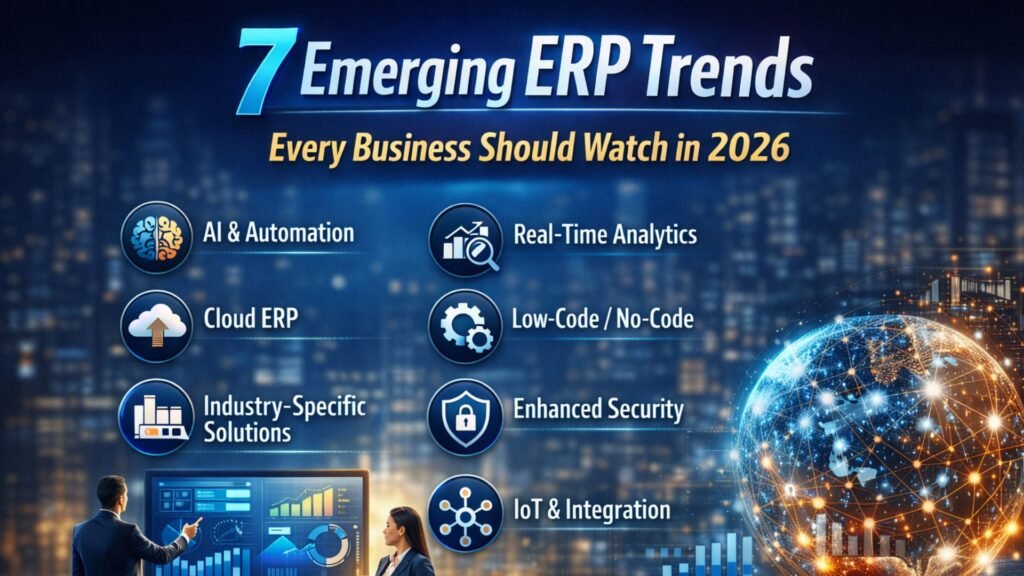
7 Emerging ERP Trends Every Business Should Watch in 2026

In 2026, Enterprise Resource Planning (ERP) systems are no longer just back-office tools—they are becoming intelligent, cloud-powered, and data-driven platforms that drive strategic decision-making. Businesses across industries are rapidly adopting modern ERP solutions like Microsoft Dynamics 365 to stay competitive, agile, and future-ready. If your organization is planning digital transformation or looking for a reliable Microsoft Dynamics 365 partner in Texas, USA, understanding these trends is crucial. This article explores the top 7 ERP trends shaping 2026, along with their business impact and why companies are investing heavily in solutions like Microsoft Dynamics 365 Business Central in Texas, USA. 1. AI-Driven and Autonomous ERP Systems Artificial Intelligence (AI) is the most transformative ERP trend in 2026. Modern ERP platforms are embedding AI capabilities that go beyond automation. Key Capabilities: ERP systems are evolving from reactive tools to proactive systems, helping businesses anticipate problems before they occur. According to recent insights, AI-driven ERP allows companies to automate workflows and improve decision-making significantly. Business Impact: Companies leveraging Microsoft Dynamics 365 Support Services in Texas, USA, are already benefiting from AI-powered insights that improve operational efficiency and reduce human error. 2. Cloud-First ERP Adoption Cloud ERP is no longer optional—it is the standard. Businesses are moving away from legacy on-premise systems toward scalable, cloud-based platforms. Why Cloud ERP is Dominating: Studies show that the majority of ERP deployments are now cloud or hybrid rather than traditional on-premise systems. Business Impact: Organizations adopting MS Dynamics 365 implementation services in Texas, USA, benefit from flexibility, scalability, and seamless updates. 3. Industry-Specific ERP Solutions One-size-fits-all ERP systems are fading. Businesses now prefer industry-specific ERP solutions tailored to their needs. Examples: Industry-focused ERP reduces customization costs and accelerates implementation. Business Impact: Companies working with Microsoft Dynamics consulting services in Texas, USA, can deploy tailored ERP solutions faster with better ROI. 4. Real-Time Data and Advanced Analytics In 2026, data is the backbone of decision-making. ERP systems are integrating advanced analytics and real-time dashboards. Key Features: Businesses can now make data-driven decisions instantly, improving agility and competitiveness. Business Impact: With D365 migration services in Texas, USA, companies can upgrade legacy systems to real-time analytics platforms that deliver actionable insights. 5. Low-Code/No-Code ERP Customization Customization used to be expensive and time-consuming. Now, low-code and no-code platforms are transforming ERP development. Benefits: This trend empowers business users to modify workflows without deep technical expertise. Business Impact: Organizations using Microsoft Dynamics 365 Business Central in Texas, USA, can quickly adapt ERP systems to changing business needs. 6. Enhanced Cybersecurity and Compliance With increasing cloud adoption, cybersecurity has become a top priority. Key Security Trends: ERP systems must comply with global regulations like GDPR and data protection laws. Business Impact: Businesses relying on Microsoft Dynamics 365 Support Services in Texas, USA, benefit from robust security frameworks that protect sensitive data. 7. ERP Integration with Emerging Technologies (IoT, AI, and Automation) ERP systems are now integrating with emerging technologies like IoT, machine learning, and automation tools. Examples: These integrations create a connected ecosystem, enabling smarter operations and improved efficiency. Business Impact: Companies adopting Microsoft Dynamics consulting services in Texas, USA, can leverage these integrations to optimize business processes and drive innovation. Why Microsoft Dynamics 365 is Leading ERP Innovation Microsoft Dynamics 365 is at the forefront of these trends, offering: Businesses partnering with a Microsoft Dynamics 365 partner in Texas, USA, gain access to advanced ERP capabilities that align with modern business needs. How to Prepare for ERP Trends in 2026 To stay competitive, businesses should: 1. Invest in Cloud ERP: Upgrade legacy systems with D365 migration services in Texas, USA. 2. Focus on AI and Automation: Adopt ERP systems that support intelligent automation. 3. Choose the Right Partner: Work with experienced providers offering MS Dynamics 365 implementation services in Texas, USA. 4. Prioritize Security: Ensure your ERP system meets compliance and security standards. 5. Enable Data-Driven Decision Making: Leverage real-time analytics for better business outcomes. Conclusion ERP systems in 2026 are smarter, faster, and more connected than ever before. From AI-driven automation to cloud-first architectures, these trends are reshaping how businesses operate. Organizations that embrace these innovations—especially through solutions like Microsoft Dynamics 365 Business Central in Texas, USA—will gain a competitive edge in efficiency, scalability, and decision-making. Partnering with the right Microsoft Dynamics 365 partner in Texas, USA, ensures a smooth transition and long-term success in this rapidly evolving ERP landscape. FAQs Q1. What are the key ERP trends in 2026? Ans: The major trends include AI-driven ERP, cloud adoption, real-time analytics, industry-specific solutions, low-code customization, enhanced cybersecurity, and integration with emerging technologies. Q2. Why is cloud ERP important in 2026? Ans: Cloud ERP offers scalability, flexibility, cost efficiency, and real-time access to data, making it essential for modern businesses. Q3. How does AI improve ERP systems? Ans: AI enhances ERP by automating processes, predicting trends, detecting anomalies, and providing actionable insights. Q4. What is the role of Microsoft Dynamics 365 in ERP trends? Ans: Microsoft Dynamics 365 leads ERP innovation with AI capabilities, cloud integration, and industry-specific solutions. Q5. How can businesses choose the right ERP partner? Ans: Businesses should look for experience, industry expertise, and services like Microsoft Dynamics 365 Support Services in Texas, USA, and MS Dynamics 365 Implementation Services in Texas, USA. Q6. What are the benefits of ERP migration? Ans: ERP migration improves system performance, enables real-time analytics, enhances security, and supports scalability. Q7. Is ERP suitable for small businesses? Ans: Yes, modern cloud ERP solutions like Microsoft Dynamics 365 Business Central in Texas, USA, are designed for businesses of all sizes. Q8. What industries benefit most from ERP in 2026? Ans: Manufacturing, retail, healthcare, logistics, and finance are among the top industries benefiting from ERP systems.

7 Emerging ERP Trends Every Business Should Watch in 2026 Read More »

data-migration-done-right-avoiding-pitfalls-during-your-erp-upgrade

Data Migration Done Right: Avoiding Pitfalls During Your ERP Upgrade

Upgrading your ERP system is a critical step toward modernizing your business operations, improving efficiency, and gaining real-time insights. However, one of the most complex and high-risk aspects of any ERP upgrade is data migration. Whether you’re transitioning from a legacy system or upgrading within the same ecosystem, poor data migration can derail your entire project. For organizations planning to adopt Microsoft Dynamics 365, particularly in regions like Texas, ensuring a smooth migration process is essential. Businesses often rely on a trusted Microsoft Dynamics 365 partner in Texas, USA, to guide them through this journey. In this comprehensive guide, we will explore the importance of data migration, common pitfalls, and best practices to ensure a seamless ERP upgrade. Understanding Data Migration in ERP Upgrades Data migration is the process of transferring data from your existing systems into a new ERP platform, such as Microsoft Dynamics 365 Business Central or Dynamics 365 Finance & Operations. This process includes: Organizations investing in Microsoft Dynamics 365 Business Central in Texas, USA, often underestimate the complexity of migration, assuming it is just a technical step rather than a strategic process. Why Data Migration Matters Data is the backbone of your ERP system. Poor data quality leads to: Engaging experts offering Microsoft Dynamics 365 Support Services in Texas, USA, ensures your data remains accurate, consistent, and usable throughout the transition. Common Data Migration Pitfalls 1. Lack of a Clear Migration Strategy Many businesses jump into ERP upgrades without a defined migration plan. Without proper planning: Working with professionals providing MS Dynamics 365 Implementation services in Texas, USA, helps define a structured roadmap. 2. Poor Data Quality Migrating outdated, duplicate, or incorrect data is a major mistake. Common issues include: Before migration, data must be cleaned and standardized—something experienced teams offering D365 migration services in Texas, USA prioritize. 3. Underestimating Data Complexity ERP systems store vast amounts of interconnected data: Failing to map relationships correctly can break workflows in the new system. This is where Microsoft Dynamics consulting services in Texas, USA, play a vital role. 4. Insufficient Testing Skipping testing phases can lead to: Testing should include: 5. Lack of Stakeholder Involvement Data migration is not just an IT task. Business users must be involved to: 6. Ignoring Compliance and Security Sensitive data must be handled securely during migration. Risks include: A trusted Microsoft Dynamics 365 partner in Texas, USA, ensures compliance with data protection standards. 7. No Backup or Rollback Plan If something goes wrong during migration, you need a fallback. Without backups: Best Practices for Successful Data Migration 1. Define Clear Objectives Start by identifying: This reduces clutter and improves system performance. 2. Conduct Data Audit and Cleansing Before migration: Organizations leveraging Microsoft Dynamics 365 Support Services in Texas, USA, often perform multiple rounds of data cleansing. 3. Choose the Right Migration Approach There are different migration strategies: The right approach depends on your business size and complexity. 4. Use Automated Tools Modern ERP platforms offer migration tools that: Professionals offering D365 migration services in Texas, USA, utilize advanced tools for efficient data transfer. 5. Ensure Proper Data Mapping Data mapping defines how old data aligns with the new system structure. This includes: Incorrect mapping is one of the leading causes of migration failure. 6. Perform Multiple Testing Cycles Testing should not be a one-time activity. Best practices include: 7. Train Your Team User adoption is critical. Training ensures: Working with experts in MS Dynamics 365 Implementation services in Texas, USA, ensures proper user training. 8. Monitor Post-Migration Performance After go-live: Role of Microsoft Dynamics 365 in Data Migration Microsoft Dynamics 365 offers robust capabilities for data migration, including: Organizations adopting Microsoft Dynamics 365 Business Central in Texas, USA, benefit from streamlined migration processes and improved data visibility. Why Partner with Experts? ERP migration is not a DIY project. Partnering with specialists offering Microsoft Dynamics consulting services in Texas, USA, provides: A reliable Microsoft Dynamics 365 partner in Texas, USA, ensures your migration is efficient, secure, and aligned with your business goals. Real-World Example Consider a manufacturing company upgrading to Dynamics 365. Without proper data migration: After engaging experts providing D365 migration services in Texas, USA, they: Result: A successful ERP upgrade with improved efficiency and accuracy. Key Benefits of Proper Data Migration When done right, data migration offers: Frequently Asked Questions (FAQs) Q1. What is data migration in ERP? Ans: Data migration is the process of transferring data from a legacy system to a new ERP system like Microsoft Dynamics 365 while ensuring accuracy and integrity. Q2. Why is data cleansing important before migration? Ans: Data cleansing removes duplicates, errors, and inconsistencies, ensuring that only high-quality data is migrated. Q3. How long does ERP data migration take? Ans: The timeline depends on: It can range from a few weeks to several months. Q4. What are the risks of poor data migration? Ans: Risks include: Q5. Should I migrate all legacy data? Not necessarily. It’s best to: Q6. What tools are used for Dynamics 365 data migration? Ans: Common tools include: Q7. How can I ensure data accuracy after migration? By: Q8. Why hire a Microsoft Dynamics 365 partner? Ans: A Microsoft Dynamics 365 partner in Texas, USA, brings expertise, reduces risks, and ensures a smooth migration process. Q9. What is the cost of data migration services? Ans: Costs vary based on: Working with providers offering Microsoft Dynamics 365 Support Services in Texas, USA, helps optimize costs. Q10. Can data migration be automated? Ans: Yes, modern tools and services enable automation, improving speed and accuracy. Conclusion Data migration is the foundation of a successful ERP upgrade. Ignoring its complexity can lead to costly mistakes, operational disruptions, and failed implementations. However, with proper planning, the right tools, and expert guidance, you can ensure a seamless transition. Businesses investing in Microsoft Dynamics 365 Business Central in Texas, USA, or leveraging MS Dynamics 365 Implementation services in Texas, USA, must prioritize data migration as a strategic initiative—not just a technical task. By partnering with experienced

Data Migration Done Right: Avoiding Pitfalls During Your ERP Upgrade Read More »

why-unified-retail-erp-is-the-key-to-omnichannel-success

Why Unified Retail ERP Is the Key to Omnichannel Success

In today’s retail landscape, customers don’t think in channels. They browse online, compare prices on mobile, visit physical stores, and expect home delivery or curbside pickup—without friction. Retailers, however, often struggle because their systems don’t talk to each other. Separate POS, inventory, finance, eCommerce, and CRM platforms create data silos, delays, and costly mistakes. This is where a unified retail ERP becomes a game-changer. A modern solution like Microsoft Dynamics 365 Business Central brings all retail operations into one connected platform. From inventory and supply chain to finance and customer engagement, everything works in sync. For retailers looking to scale in competitive markets like Texas, partnering with a trusted Microsoft Dynamics 365 expert can make all the difference. Let’s explore why unified retail ERP is the backbone of omnichannel success—and how the right strategy, implementation, and support can transform your retail business. Understanding Omnichannel Retail in 2026 Omnichannel retail means delivering a seamless customer experience across all touchpoints—online stores, marketplaces, social commerce, brick-and-mortar outlets, and mobile apps. Customers expect: Without a unified ERP, managing these expectations becomes chaotic. Disconnected systems lead to stockouts, overselling, delayed reporting, and frustrated customers. The Core Problem: Fragmented Retail Systems Many retailers still operate on: This fragmentation causes: Retailers often try to “patch” systems together, but integrations without a centralized ERP create complexity rather than clarity. What Is a Unified Retail ERP? A unified retail ERP integrates: All departments operate on a single source of truth. Data updates in real time, ensuring that online orders immediately reflect inventory levels in stores and warehouses. This is especially powerful with Microsoft Dynamics 365 Business Central in Texas USA, where retailers are scaling rapidly and require enterprise-level performance with mid-market flexibility. Why Unified ERP Drives Omnichannel Success 1. Real-Time Inventory Visibility Customers hate seeing “In Stock” online only to find it unavailable at checkout. Unified ERP ensures accurate stock updates across: Retailers can enable buy-online-pickup-in-store (BOPIS) without risk of stock errors. 2. Centralized Financial Control Retail margins are thin. Without real-time financial tracking, profitability suffers. A unified ERP gives: Retailers working with a Microsoft Dynamics 365 partner in Texas USA gain localized expertise, ensuring compliance with state and federal regulations. 3. Faster Order Processing Orders from eCommerce, POS, and marketplaces flow into one system. Automated workflows reduce manual intervention and errors. This improves: 4. Smarter Demand Forecasting Data-driven forecasting helps retailers: Advanced analytics inside Dynamics 365 enable retailers to make proactive decisions instead of reactive ones. The Texas Retail Opportunity Texas is one of the fastest-growing retail markets in the United States. With expanding eCommerce penetration and strong brick-and-mortar presence, businesses must adopt scalable technology. Retailers searching for: are actively investing in digital transformation to stay competitive. Implementation: Turning Strategy into Execution Technology alone does not guarantee success. Proper implementation is critical. Step 1: Business Process Assessment A certified Microsoft Dynamics 365 partner in Texas USA evaluates: Step 2: System Design & Customization ERP is configured to match retail operations: Step 3: Data Migration Legacy data from outdated systems is securely transferred. This is where D365 migration services in Texas USA play a vital role in preventing data loss and downtime. Step 4: Training & Go-Live Teams receive hands-on training to ensure smooth adoption. A phased rollout reduces risk. The Importance of Ongoing Support Even the best ERP requires continuous optimization. Retailers benefit from: Support ensures that your ERP evolves with your business rather than becoming outdated. Migration from Legacy Systems Many retailers still operate on: Migrating to Dynamics 365 Business Central provides: Professional D365 migration services in Texas USA ensure minimal disruption during transition. Unified ERP and Customer Experience Omnichannel success is ultimately about customer experience. With unified ERP, retailers can: Customers receive consistent service whether shopping online or in-store. Data-Driven Retail Growth Modern ERP integrates analytics tools that provide: Retailers no longer rely on guesswork. Decisions are backed by real-time data. Scalability for Multi-Location Retailers As retailers expand across Texas and beyond, they require: Unified ERP ensures growth without operational chaos. Security and Compliance Retailers handle sensitive data: Cloud-based Dynamics 365 offers: Working with experienced Microsoft Dynamics consulting services in Texas USA ensures security best practices are implemented correctly. Cost Savings Through Automation Manual processes cost time and money. ERP automation reduces: Automation improves operational efficiency and increases profitability. Retail Use Case Example Imagine a retailer with: Before ERP: After implementing Microsoft Dynamics 365 Business Central: That’s the power of unified ERP. Why Choosing the Right Partner Matters Technology success depends on expertise. A certified Microsoft Dynamics 365 partner in Texas USA provides: The right partner ensures your ERP investment delivers measurable ROI. Future of Omnichannel Retail Retail in 2026 and beyond will be driven by: Unified ERP acts as the foundation for all future innovation. Without it, retailers remain stuck in fragmented operations. Final Thoughts Omnichannel success is not about being present on multiple platforms—it’s about delivering a unified experience across all of them. A unified retail ERP like Microsoft Dynamics 365 Business Central connects finance, operations, inventory, and customer data into one intelligent system. Retailers in Texas looking for: should prioritize working with an experienced Microsoft Dynamics 365 partner in Texas USA to ensure seamless deployment and long-term success.

Why Unified Retail ERP Is the Key to Omnichannel Success Read More »

why-choosing-the-right-d365-partner-determines-project-success

Why Choosing the Right D365 Partner Determines Project Success

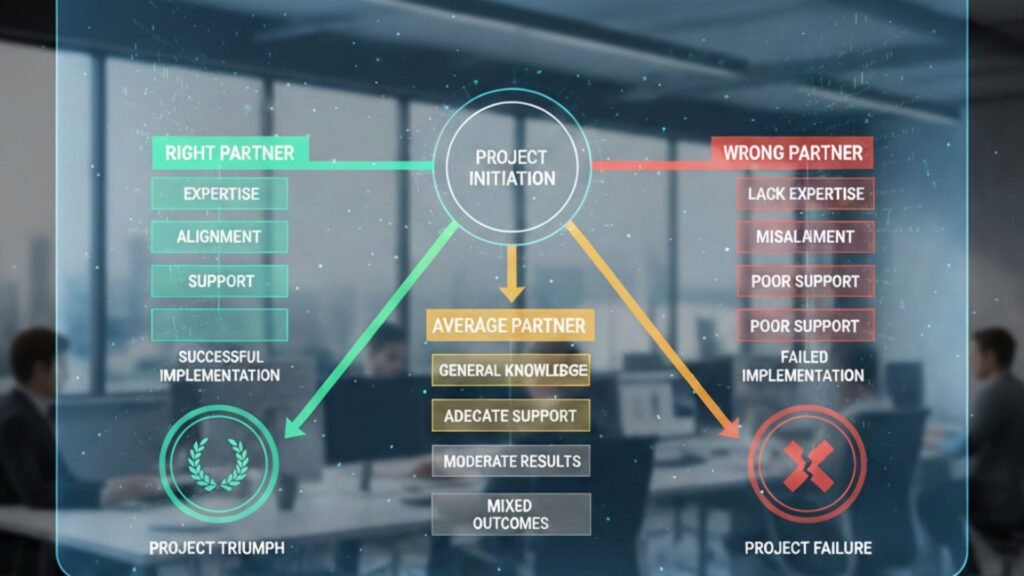
Digital transformation is no longer optional—it’s survival. Businesses across industries are moving toward intelligent ERP and CRM platformse to stay competitive, agile, and data-driven. At the center of this transformation stands Microsoft Dynamics 365, a powerful cloud-based business application platform designed to unify finance, operations, sales, supply chain, and customer engagement. But here’s the truth most companies realize too late: The success of your Dynamics 365 project depends less on the software—and more on the partner you choose. If you’re searching for a microsoft dynamics 365 partner in texas usa or evaluating MS Dynamics 365 implementation services in texas usa, this article will help you understand why the right partner makes all the difference. Understanding Microsoft Dynamics 365: More Than Just an ERP Microsoft Dynamics 365 is not just another ERP system. It’s a comprehensive ecosystem that integrates seamlessly with tools like Microsoft 365, Power BI, and Microsoft Azure. From finance and operations to customer service and supply chain, it offers modular solutions tailored to industry needs. However, its flexibility and customization capabilities require deep technical expertise and strategic planning. That’s where a trusted microsoft dynamics consulting services in texas usa provider becomes essential. Why the Right D365 Partner Matters More Than You Think 1. Strategy Before Technology A skilled partner doesn’t start with features—they start with your business goals. The right microsoft dynamics 365 partner in texas usa will conduct a detailed assessment of your processes, challenges, growth plans, and compliance requirements. They align the technology roadmap with your business objectives to ensure measurable ROI. Choosing the wrong partner? You risk misaligned modules, unnecessary customization, and budget overruns. 2. Industry-Specific Expertise Texas has a diverse business ecosystem—manufacturing, oil & gas, retail, healthcare, distribution, and more. An experienced partner offering microsoft dynamics 365 business central in texas usa understands local industry regulations, tax structures, and operational nuances. For example: Without domain expertise, your ERP may technically work—but strategically fail. 3. Seamless Implementation Determines Adoption Let’s talk about MS Dynamics 365 Implementation services in texas usa. Implementation is where most projects succeed—or collapse. It involves: A qualified partner follows structured methodologies like Agile or Sure Step to minimize disruption. They ensure your team is trained, confident, and ready to adopt the new system. Poor implementation leads to: 4. Business Central: The Smart Choice for Growing Companies Many mid-sized companies in Texas are choosing Dynamics 365 Business Central to modernize their operations. If you’re searching for microsoft dynamics 365 business central in texas usa, you’re likely looking for: But Business Central isn’t “plug and play.” A knowledgeable partner customizes it to match your workflows, ensuring you don’t have to change your business to fit the software. 5. Migration: The Most Sensitive Phase Upgrading from legacy systems like NAV or on-premise ERP requires careful planning. That’s why D365 migration services in texas usa are critical. Migration involves: A seasoned partner ensures your transition to Dynamics 365 is smooth, secure, and minimally disruptive. A poorly managed migration can result in: 6. Ongoing Support Defines Long-Term Success ERP success doesn’t end at go-live. It begins there. Reliable Microsoft Dynamics 365 Support Services in texas usa ensure: Business needs evolve. Regulations change. Markets shift. Your partner must provide long-term support and proactive optimization. Without strong support, even the best implementation can deteriorate over time. Key Qualities to Look for in a Microsoft Dynamics 365 Partner in Texas USA ✔ Certified Microsoft Experts :Ensure the partner is officially certified and recognized within the Microsoft ecosystem. ✔ Proven Track Record : Request case studies and client references from Texas-based businesses. ✔ Local Presence : A local microsoft dynamics 365 partner in texas usa understands regional compliance requirements and offers on-site support when needed. ✔ Industry Experience: Look for vertical-specific knowledge relevant to your business sector. ✔ Transparent Pricing & Methodology : Avoid hidden costs. A reliable partner clearly defines scope, timelines, and deliverables. Risks of Choosing the Wrong Partner Let’s be clear—choosing the wrong partner can cost more than just money. ❌ Budget Overruns ❌ Project Delays ❌ Incomplete Functionality ❌ Low User Adoption ❌ Security Vulnerabilities ERP failures often stem from poor implementation, not poor software. Why Texas Businesses Need Specialized Dynamics 365 Consulting Services Texas is home to a rapidly growing business economy. From Houston’s energy sector to Dallas-Fort Worth’s logistics and Austin’s tech ecosystem, companies require scalable and secure ERP solutions. A strong microsoft dynamics consulting services in texas usa provider helps organizations: They don’t just implement software—they build digital transformation strategies. The Role of Cloud and Security in D365 Projects Modern ERP solutions run in the cloud. Dynamics 365 leverages Microsoft Azure to ensure: A competent partner ensures: Security isn’t optional—it’s mandatory. Cost vs Value: The Real Investment Many organizations focus solely on pricing when selecting a partner. But ERP is not a short-term expense—it’s a long-term strategic investment. The right MS Dynamics 365 Implementation services in texas usa provider delivers: Cheaper isn’t always better. Expertise pays for itself. Real-World Scenario: Success vs Failure Company A: Chose a low-cost vendor without industry experience. Result? 8-month delay, data issues, frustrated employees. Company B : Partnered with an experienced microsoft dynamics 365 partner in texas usa. Result? On-time go-live, 30% operational efficiency improvement within 6 months. The difference? The partner. Future-Proofing Your Business with the Right Partner Technology evolves. Microsoft continuously updates Dynamics 365 with AI, automation, and analytics enhancements. A forward-thinking Microsoft Dynamics 365 Support Services in texas usa provider ensures: Your ERP should grow with you—not limit you. Conclusion: Your Partner Is Your Project’s Backbone Choosing the right microsoft dynamics 365 partner in texas usa determines whether your ERP project becomes a growth engine—or an expensive mistake. From microsoft dynamics 365 business central in texas usa to D365 migration services in texas usa, the expertise, strategy, and support of your partner define your return on investment. When selecting a partner, ask yourself: Because in the world of ERP, success is not about the software—it’s about who implements it. Frequently Asked Questions (FAQs) Q1.

Why Choosing the Right D365 Partner Determines Project Success Read More »

247 ERP Monitoring Why Your Business Can’t Afford Downtime

24/7 ERP Monitoring: Why Your Business Can’t Afford Downtime

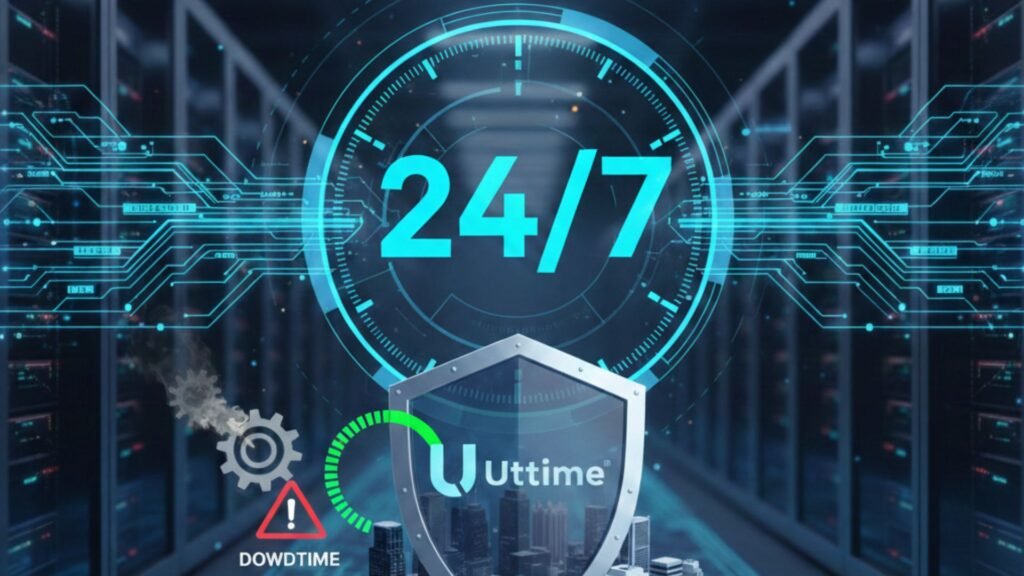
In today’s hyper-connected business environment, downtime is no longer a minor inconvenience—it’s a direct threat to revenue, productivity, customer trust, and long-term growth. Whether you operate in manufacturing, retail, distribution, healthcare, or professional services, your ERP system is the backbone of daily operations. From finance and inventory to supply chain and customer service, every process depends on seamless system performance. That’s why 24/7 ERP monitoring has become a business necessity rather than a luxury. For organizations leveraging Microsoft Dynamics solutions, especially those working with a trusted microsoft dynamics 365 partner in texas usa, proactive ERP monitoring ensures business continuity, security, and performance optimization around the clock. This article explores why downtime is so costly, how continuous monitoring protects your business, and why partnering with experts offering Microsoft Dynamics 365 Support Services in texas usa is critical for long-term success. The True Cost of ERP Downtime Many businesses underestimate the real impact of ERP downtime. The costs go far beyond IT inconvenience. 1. Revenue Loss If your ERP system goes down: For manufacturers and distributors using microsoft dynamics 365 business central in texas usa, even a few hours of downtime can delay shipments and impact customer satisfaction. 2. Productivity Decline When ERP systems fail: Teams spend more time fixing problems than focusing on strategic tasks. 3. Customer Experience Damage Customers expect: System outages damage credibility and may drive customers toward competitors. 4. Compliance & Data Risks ERP systems manage sensitive financial and operational data. Downtime or system instability can: This is where reliable Microsoft Dynamics 365 Support Services in texas usa become essential. Why 24/7 ERP Monitoring Matters Traditional IT support models are reactive—issues are addressed only after they occur. In contrast, 24/7 monitoring is proactive. Here’s how it transforms ERP management: 1. Real-Time System Monitoring Continuous monitoring tracks: Potential bottlenecks are detected before they escalate into system failures. 2. Early Issue Detection Proactive monitoring tools can identify: Working with a microsoft dynamics 365 partner in texas usa ensures that alerts are handled immediately by certified experts. 3. Reduced Downtime When issues are identified early: This is particularly important for companies that rely on MS Dynamics 365 Implementation services in texas usa to manage large-scale operations. 4. Enhanced Security ERP systems are prime targets for cyberattacks. Continuous monitoring enables: Security is not optional—it’s mandatory. The Role of Microsoft Dynamics 365 in Modern Businesses Microsoft Dynamics 365 has become one of the most powerful ERP platforms globally. Businesses in Texas and across the USA increasingly rely on: Organizations using microsoft dynamics 365 business central in texas usa benefit from cloud flexibility, scalability, and real-time insights. However, even cloud systems require ongoing monitoring and optimization. Cloud does not mean “self-managing.” A trusted provider offering microsoft dynamics consulting services in texas usa ensures your system performs at peak efficiency 24/7. Key Components of 24/7 ERP Monitoring 1. Infrastructure Monitoring 2. Application Performance Monitoring (APM) 3. Integration Monitoring Modern ERP systems integrate with: Monitoring ensures APIs and integrations function without interruption. 4. Database Monitoring ERP systems rely heavily on databases. Continuous checks prevent: 5. Security Monitoring Companies investing in D365 migration services in texas usa especially need enhanced monitoring during and after migration. Why Businesses in Texas Need Proactive ERP Support Texas is home to: High-volume operations mean ERP systems process thousands of transactions daily. Any downtime can result in significant operational disruption. A reliable microsoft dynamics 365 partner in texas usa understands regional business demands and provides localized support with global expertise. ERP Monitoring During Migration ERP migration is a high-risk phase. Organizations upgrading legacy systems must ensure continuous monitoring during transition. Companies utilizing D365 migration services in texas usa benefit from: Without proactive monitoring, post-migration performance issues can compromise user adoption. How 24/7 Monitoring Improves ROI ERP systems are major investments. Continuous monitoring helps maximize ROI by: Organizations working with MS Dynamics 365 Implementation services in texas usa gain long-term value through structured monitoring strategies. Reactive Support vs Proactive Monitoring Reactive Support 24/7 Monitoring Fix after failure Prevent before failure Longer downtime Minimal disruption Higher repair costs Predictable maintenance Frustrated users Confident workforce Modern businesses can no longer afford reactive-only IT models. Industries That Cannot Afford ERP Downtime Manufacturing: Production halts when ERP fails. Retail : POS and inventory systems rely on ERP data. Healthcare: Patient records and billing systems depend on uptime. Distribution: Logistics and warehouse operations require real-time visibility. Companies using microsoft dynamics 365 business central in texas usa in these industries require constant performance assurance. Key Benefits of Partnering with an Expert A certified microsoft dynamics 365 partner in texas usa provides: Additionally, microsoft dynamics consulting services in texas usa offer strategic improvements, not just technical fixes. Disaster Recovery & Business Continuity ERP downtime can result from: 24/7 monitoring integrates with disaster recovery strategies: Companies using Microsoft Dynamics 365 Support Services in texas usa benefit from structured business continuity frameworks. Signs Your Business Needs 24/7 ERP Monitoring If your organization recently adopted D365 migration services in texas usa, post-go-live monitoring is critical. Future of ERP Monitoring: AI & Predictive Analytics Advanced monitoring solutions now use AI to: Businesses leveraging microsoft dynamics consulting services in texas usa gain access to intelligent performance management tools. Building a Monitoring Strategy A strong ERP monitoring framework includes: Partnering with experts offering MS Dynamics 365 Implementation services in texas usa ensures your monitoring strategy aligns with business goals. Conclusion ERP downtime is not just an IT issue—it’s a business risk. In an always-on economy, customers expect uninterrupted service, real-time information, and operational reliability. Organizations using microsoft dynamics 365 business central in texa usa must prioritize 24/7 ERP monitoring to protect revenue, ensure compliance, and maintain competitive advantage. By partnering with a trusted microsoft dynamics 365 partner in texas usa that delivers comprehensive Microsoft Dynamics 365 Support Services in texas usa, businesses can move from reactive troubleshooting to proactive optimization. In a world where every minute counts, continuous monitoring is not optional—it’s essential. Frequently Asked Questions (FAQs) Q 1. What is 24/7 ERP monitoring? Ans:

24/7 ERP Monitoring: Why Your Business Can’t Afford Downtime Read More »