microsoft dynamics support partners

top-challenges-in-erp-implementation-and-how-to-overcome-them

Top Challenges in ERP Implementation and How to Overcome Them

Implementing an Enterprise Resource Planning (ERP) system is a major step toward digital transformation. It helps businesses unify operations, improve efficiency, and gain real-time insights across departments. However, ERP implementation is not just a technical upgrade—it’s a strategic shift that impacts people, processes, and technology. Solutions like Microsoft Dynamics 365 have made ERP more flexible and scalable, but organizations still face several challenges during implementation. Whether you’re planning a new deployment or upgrading an existing system, understanding these challenges can help you avoid costly mistakes. In this blog, we explore the most common ERP implementation challenges and how to overcome them effectively. 1. Unclear Business Goals One of the most common reasons ERP projects fail is the lack of clearly defined objectives. Without a clear vision, businesses struggle to measure success or align the system with their operational needs. How to overcome it:Start by identifying your business goals—whether it’s improving reporting, reducing costs, or enhancing productivity. Define KPIs and ensure your ERP solution supports these objectives. Working with an experienced Microsoft Dynamics 365 partner in Texas, USA, can help you create a structured implementation roadmap. 2. Resistance to Change ERP systems often require employees to adopt new workflows and processes. This can lead to resistance, especially if users are not properly trained or informed. How to overcome it:Focus on change management from the beginning. Communicate the benefits of the new system clearly and involve employees in the implementation process. Provide hands-on training and continuous support to ease the transition. Businesses that invest in Microsoft Dynamics 365 Support Services in Texas, USA, often achieve better adoption rates. 3. Poor Planning and Budget Issues ERP implementations can quickly exceed budgets if not planned carefully. Hidden costs, scope changes, and delays can impact the overall success of the project. How to overcome it:Create a detailed project plan that includes timelines, budgets, and milestones. Break the implementation into phases and allocate contingency funds. Choosing reliable MS Dynamics 365 implementation services in Texas, USA, can help minimize risks and keep your project on track. 4. Data Migration Challenges Migrating data from legacy systems to a new ERP platform is often complex. Poor data quality or incomplete migration can lead to inaccurate reporting and operational issues. How to overcome it:Before migration, audit and clean your data. Remove duplicates, standardize formats, and ensure consistency. Using expert D365 migration services in texas usa can make the process smoother and more accurate. 5. Lack of Skilled Resources ERP implementation requires specialized knowledge, which many organizations may not have in-house. How to overcome it:Consider hiring experienced consultants or using resource augmentation services. Partnering with experts in Microsoft Dynamics consulting services in texas usa ensures that your implementation is handled efficiently and professionally. 6. Over-Customization While customization can make ERP systems more tailored, excessive modifications can increase complexity and maintenance costs. How to overcome it:Use standard features wherever possible and customize only when necessary. Solutions like Microsoft Dynamics 365 Business Central in Texas, USA, offer built-in functionalities that meet most business needs without heavy customization. 7. Integration Issues ERP systems need to integrate with existing tools like CRM, HR software, and third-party applications. Poor integration can create data silos. How to overcome it:Identify integration requirements early in the project. Use APIs and middleware to ensure seamless connectivity. Thorough testing is essential to ensure smooth data flow across systems. 8. Unrealistic Timelines: Many organizations underestimate the time required for ERP implementation, leading to rushed deployments and errors. How to overcome it:Set realistic timelines based on project scope and complexity. Use a phased approach and allow enough time for testing, training, and adjustments. 9. Inadequate Testing: Skipping testing or rushing through it can result in system failures after go-live. How to overcome it:Conduct multiple testing phases, including user acceptance testing. Simulate real business scenarios and involve end-users to ensure the system works as expected. 10. Lack of Post-Implementation Support: ERP implementation doesn’t end at go-live. Without ongoing support, businesses may struggle to resolve issues or optimize performance. How to overcome it:Invest in continuous support and maintenance. Regular updates, monitoring, and training ensure your ERP system continues to deliver value over time. Final Thoughts ERP implementation is a transformative journey that requires careful planning, the right expertise, and a clear strategy. While challenges are inevitable, they can be effectively managed with the right approach. By working with experienced professionals and leveraging reliable services, businesses can ensure a smooth transition and maximize the benefits of their ERP investment. A well-implemented ERP system not only improves efficiency but also sets the foundation for long-term growth and innovation. FAQs Q1. What is the biggest challenge in ERP implementation? Ans: The biggest challenge is usually a lack of clear goals and poor planning, which can lead to delays and budget overruns. Q2. How long does ERP implementation take? Ans: It depends on the size and complexity of the business, but most projects take several months to a year. Q3. Why is data migration important? Ans: Data migration ensures that all existing business information is accurately transferred to the new system without errors. Q4. Can small businesses benefit from ERP? Ans: Yes, modern ERP solutions are scalable and help small businesses improve efficiency and manage growth. Q5. What is the role of ERP support services? Ans: Support services help maintain system performance, resolve issues, and ensure continuous improvement after implementation.

Top Challenges in ERP Implementation and How to Overcome Them Read More »

10-powerful-copilot-features-in-business-central

What Microsoft Didn’t Highlight: 10 Powerful Copilot Features in Business Central

In the rapidly evolving world of ERP systems, artificial intelligence is no longer a futuristic concept—it’s a present-day competitive advantage. With the introduction of Copilot in Microsoft Dynamics 365 Business Central, Microsoft has embedded AI directly into everyday business workflows. While official announcements showcase a handful of capabilities, many powerful features remain underutilized or overlooked. For organizations working with a Microsoft Dynamics 365 partner in Texas, USA, or leveraging Microsoft Dynamics consulting services in Texas, USA, understanding these hidden capabilities can unlock significant operational efficiency and ROI. This SEO-optimized guide explores 10 powerful Copilot features in Business Central, along with practical use cases, benefits, and strategic insights—without keyword stuffing and with a natural content flow. Understanding Copilot in Business Central Copilot is an AI-powered assistant designed to: Unlike traditional ERP tools, Copilot allows users to interact with the system conversationally, making it easier for both technical and non-technical users. Businesses partnering with Microsoft Dynamics 365 implementation partners or a Dynamics implementation partner can maximize the value of these capabilities through proper configuration and customization. 1. AI-Powered Product Description Generation Creating product descriptions manually can be time-consuming, especially for businesses managing large inventories. Copilot simplifies this by generating high-quality descriptions based on product attributes. Key Benefits: For companies using Microsoft Dynamics 365 Business Central in Texas, USA, this feature significantly reduces content creation efforts while improving online visibility. 2. Natural Language Data Queries Copilot allows users to ask questions in plain English instead of building complex reports. Example: Why It Matters: Organizations working with a Microsoft CRM partner or Dynamics 365 customer engagement partner can integrate these insights across departments. 3. Automated Bank Reconciliation Financial processes are often repetitive and error-prone. Copilot assists by: Business Impact: This is particularly beneficial when supported by Microsoft Dynamics 365 Support Services in Texas, USA. 4. AI-Driven Forecasting and Predictions Copilot uses historical data and AI models to predict the following: Advantages: Companies leveraging D365 migration services in Texas, USA, can take full advantage of these predictive capabilities after moving to cloud-based systems. 5. Chat-Based ERP Navigation One of the most user-friendly features is conversational navigation. Instead of navigating menus, users can simply type: Benefits: Businesses using MS Dynamics 365 implementation services in Texas, USA, often see faster onboarding due to this feature. 6. Intelligent Document Processing Copilot can read and process documents such as invoices and receipts. Capabilities: Outcomes: 7. Sales Order Automation Copilot can transform emails into actionable sales processes. What It Can Do: Result: End-to-end automation of sales workflows improves efficiency and customer experience. This is especially valuable for organizations working with top Microsoft Dynamics partners. 8. AI-Powered Summarization Copilot can summarize large datasets, reports, and communications. Use Cases: Benefits: 9. Unified AI Across ERP and CRM Copilot is not limited to ERP—it extends across the broader Microsoft Dynamics 365 ecosystem. Integration Areas: Businesses working with a partner dynamics expert or a Microsoft AX partner can unify ERP and CRM workflows for better efficiency. 10. Custom AI Agents for Workflow Automation One of the most advanced yet underutilized features is the ability to create custom AI agents. Capabilities: Why It Matters: Organizations collaborating with Microsoft Dynamics partners can build tailored AI solutions that align with specific business needs. Why These Features Matter for Your Business Implementing Copilot effectively can transform how businesses operate. Whether you’re working with a Microsoft Dynamics 365 partner in Texas, USA, or exploring Microsoft Dynamics consulting services in Texas, USA, these features deliver measurable value. Key Benefits: The Role of the Right Implementation Partner Choosing the right partner is critical to success. A reliable dynamics implementation partner or Microsoft Dynamics 365 implementation partners can help: Businesses that collaborate with top Microsoft Dynamics partners gain a competitive edge through expert guidance and optimized solutions. Common Challenges and How to Overcome Them 1. Lack of Proper Implementation: Solution: Work with experienced partners and consultants 2. Resistance to Change Solution: Provide user training and change management 3. Poor Data Quality Solution: Clean and structure data before implementation 4. Underutilization of Features Solution: Continuously explore and adopt new capabilities Future of Copilot in Business Central AI is evolving rapidly, and Copilot is expected to become even more powerful. Future Trends: Businesses that invest early will be better positioned to leverage these advancements. Conclusion Copilot in Microsoft Dynamics 365 Business Central is far more powerful than what Microsoft initially highlighted. From AI-driven automation to predictive analytics and intelligent workflows, it is redefining how modern businesses operate. However, success depends on how effectively these features are implemented and utilized. Partnering with the right experts—whether for Microsoft Dynamics 365 Support Services in texas usa or implementation—can significantly impact outcomes. By embracing these hidden capabilities, businesses can drive efficiency, innovation, and long-term growth. FAQs Q1. What is Copilot in Business Central? Ans: Copilot is an AI-powered assistant that helps automate tasks, generate insights, and improve productivity within Business Central. Q2. Is Copilot available in all versions of Business Central? Ans: Copilot is primarily available in the cloud version of Business Central and continues to expand with updates. Q3. How does Copilot improve business efficiency? Ans: It automates repetitive tasks, provides real-time insights, and enhances decision-making capabilities. Q4. Do I need a partner for implementation? Ans: While not mandatory, working with a Dynamics implementation partner ensures better customization and ROI. Q5. Which industries benefit most from Copilot? Ans: Retail, manufacturing, finance, and service industries benefit significantly from automation and AI insights. Q6. Is Copilot secure? Ans: Yes, it follows Microsoft’s enterprise-grade security and compliance standards. Q7. Can Copilot integrate with CRM systems? Ans: Yes, it integrates seamlessly with Dynamics 365 CRM modules, enabling unified business operations. Q8. What is the future of Copilot? Ans: Copilot will continue evolving with advanced AI capabilities, automation, and deeper business integration.

What Microsoft Didn’t Highlight: 10 Powerful Copilot Features in Business Central Read More »

7-emerging-erp-trends-every-business-should-watch-in-2026

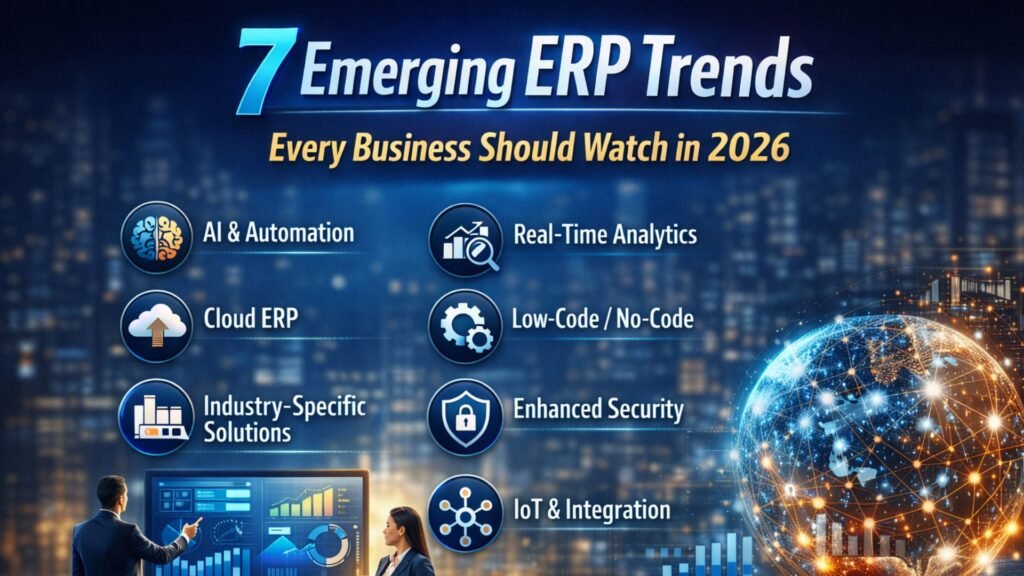
7 Emerging ERP Trends Every Business Should Watch in 2026

In 2026, Enterprise Resource Planning (ERP) systems are no longer just back-office tools—they are becoming intelligent, cloud-powered, and data-driven platforms that drive strategic decision-making. Businesses across industries are rapidly adopting modern ERP solutions like Microsoft Dynamics 365 to stay competitive, agile, and future-ready. If your organization is planning digital transformation or looking for a reliable Microsoft Dynamics 365 partner in Texas, USA, understanding these trends is crucial. This article explores the top 7 ERP trends shaping 2026, along with their business impact and why companies are investing heavily in solutions like Microsoft Dynamics 365 Business Central in Texas, USA. 1. AI-Driven and Autonomous ERP Systems Artificial Intelligence (AI) is the most transformative ERP trend in 2026. Modern ERP platforms are embedding AI capabilities that go beyond automation. Key Capabilities: ERP systems are evolving from reactive tools to proactive systems, helping businesses anticipate problems before they occur. According to recent insights, AI-driven ERP allows companies to automate workflows and improve decision-making significantly. Business Impact: Companies leveraging Microsoft Dynamics 365 Support Services in Texas, USA, are already benefiting from AI-powered insights that improve operational efficiency and reduce human error. 2. Cloud-First ERP Adoption Cloud ERP is no longer optional—it is the standard. Businesses are moving away from legacy on-premise systems toward scalable, cloud-based platforms. Why Cloud ERP is Dominating: Studies show that the majority of ERP deployments are now cloud or hybrid rather than traditional on-premise systems. Business Impact: Organizations adopting MS Dynamics 365 implementation services in Texas, USA, benefit from flexibility, scalability, and seamless updates. 3. Industry-Specific ERP Solutions One-size-fits-all ERP systems are fading. Businesses now prefer industry-specific ERP solutions tailored to their needs. Examples: Industry-focused ERP reduces customization costs and accelerates implementation. Business Impact: Companies working with Microsoft Dynamics consulting services in Texas, USA, can deploy tailored ERP solutions faster with better ROI. 4. Real-Time Data and Advanced Analytics In 2026, data is the backbone of decision-making. ERP systems are integrating advanced analytics and real-time dashboards. Key Features: Businesses can now make data-driven decisions instantly, improving agility and competitiveness. Business Impact: With D365 migration services in Texas, USA, companies can upgrade legacy systems to real-time analytics platforms that deliver actionable insights. 5. Low-Code/No-Code ERP Customization Customization used to be expensive and time-consuming. Now, low-code and no-code platforms are transforming ERP development. Benefits: This trend empowers business users to modify workflows without deep technical expertise. Business Impact: Organizations using Microsoft Dynamics 365 Business Central in Texas, USA, can quickly adapt ERP systems to changing business needs. 6. Enhanced Cybersecurity and Compliance With increasing cloud adoption, cybersecurity has become a top priority. Key Security Trends: ERP systems must comply with global regulations like GDPR and data protection laws. Business Impact: Businesses relying on Microsoft Dynamics 365 Support Services in Texas, USA, benefit from robust security frameworks that protect sensitive data. 7. ERP Integration with Emerging Technologies (IoT, AI, and Automation) ERP systems are now integrating with emerging technologies like IoT, machine learning, and automation tools. Examples: These integrations create a connected ecosystem, enabling smarter operations and improved efficiency. Business Impact: Companies adopting Microsoft Dynamics consulting services in Texas, USA, can leverage these integrations to optimize business processes and drive innovation. Why Microsoft Dynamics 365 is Leading ERP Innovation Microsoft Dynamics 365 is at the forefront of these trends, offering: Businesses partnering with a Microsoft Dynamics 365 partner in Texas, USA, gain access to advanced ERP capabilities that align with modern business needs. How to Prepare for ERP Trends in 2026 To stay competitive, businesses should: 1. Invest in Cloud ERP: Upgrade legacy systems with D365 migration services in Texas, USA. 2. Focus on AI and Automation: Adopt ERP systems that support intelligent automation. 3. Choose the Right Partner: Work with experienced providers offering MS Dynamics 365 implementation services in Texas, USA. 4. Prioritize Security: Ensure your ERP system meets compliance and security standards. 5. Enable Data-Driven Decision Making: Leverage real-time analytics for better business outcomes. Conclusion ERP systems in 2026 are smarter, faster, and more connected than ever before. From AI-driven automation to cloud-first architectures, these trends are reshaping how businesses operate. Organizations that embrace these innovations—especially through solutions like Microsoft Dynamics 365 Business Central in Texas, USA—will gain a competitive edge in efficiency, scalability, and decision-making. Partnering with the right Microsoft Dynamics 365 partner in Texas, USA, ensures a smooth transition and long-term success in this rapidly evolving ERP landscape. FAQs Q1. What are the key ERP trends in 2026? Ans: The major trends include AI-driven ERP, cloud adoption, real-time analytics, industry-specific solutions, low-code customization, enhanced cybersecurity, and integration with emerging technologies. Q2. Why is cloud ERP important in 2026? Ans: Cloud ERP offers scalability, flexibility, cost efficiency, and real-time access to data, making it essential for modern businesses. Q3. How does AI improve ERP systems? Ans: AI enhances ERP by automating processes, predicting trends, detecting anomalies, and providing actionable insights. Q4. What is the role of Microsoft Dynamics 365 in ERP trends? Ans: Microsoft Dynamics 365 leads ERP innovation with AI capabilities, cloud integration, and industry-specific solutions. Q5. How can businesses choose the right ERP partner? Ans: Businesses should look for experience, industry expertise, and services like Microsoft Dynamics 365 Support Services in Texas, USA, and MS Dynamics 365 Implementation Services in Texas, USA. Q6. What are the benefits of ERP migration? Ans: ERP migration improves system performance, enables real-time analytics, enhances security, and supports scalability. Q7. Is ERP suitable for small businesses? Ans: Yes, modern cloud ERP solutions like Microsoft Dynamics 365 Business Central in Texas, USA, are designed for businesses of all sizes. Q8. What industries benefit most from ERP in 2026? Ans: Manufacturing, retail, healthcare, logistics, and finance are among the top industries benefiting from ERP systems.

7 Emerging ERP Trends Every Business Should Watch in 2026 Read More »

why-manufacturers-trust-business-central-for-supply-chain-optimization

Why Manufacturers Trust Business Central for Supply Chain Optimization

In today’s highly competitive manufacturing landscape, supply chain efficiency is no longer optional—it is a strategic necessity. Manufacturers must manage fluctuating demand, rising operational costs, supplier disruptions, and increasing customer expectations, all while maintaining profitability. This growing complexity explains why manufacturers trust Business Central for supply chain optimization, as many organizations are turning to Microsoft Dynamics 365 Business Central as a modern, scalable ERP solution that delivers end-to-end supply chain visibility and control. Across the United States—and particularly in Texas—manufacturers are partnering with a trusted Microsoft Dynamics 365 partner in Texas, USA to transform their operations, streamline processes, and optimize supply chains. This growing shift highlights why manufacturers trust Business Central for supply chain optimization, as Dynamics 365 Business Central has become the ERP of choice for manufacturers seeking greater visibility and control. This article explores how it enhances supply chain performance and why working with experienced Microsoft Dynamics consulting services in Texas, USA, is essential for long-term success. The Growing Supply Chain Challenges Faced by Manufacturers Manufacturers today operate in an environment shaped by global sourcing, volatile markets, and digital disruption. Traditional ERP systems often fail to provide the agility and real-time insights needed to respond quickly. Common supply chain challenges include: Legacy ERP systems struggle to adapt to these realities. As a result, manufacturers are increasingly migrating to cloud-based solutions like Dynamics 365 Business Central, supported by expert D365 migration services in Texas, USA. What Is Microsoft Dynamics 365 Business Central? Microsoft Dynamics 365 Business Central is a comprehensive, cloud-based ERP solution designed for small to mid-sized businesses and growing enterprises. It unifies finance, supply chain, manufacturing, sales, and customer relationship management (CRM) into a single platform. Often referred to as Dynamics 365 Business Central, Business Central, or Dynamics 365 BC, it is part of the broader Microsoft Dynamics 365 ecosystem, seamlessly integrating with tools like Microsoft Dynamics 365 CRM, Microsoft 365, Power BI, and Azure. For manufacturers, Business Central delivers: Why Manufacturers Trust Business Central for Supply Chain Optimization 1. End-to-End Supply Chain Visibility One of the biggest reasons manufacturers trust Dynamics 365 Business Central is its ability to provide complete visibility across the supply chain. From procurement and inventory to production and fulfillment, every process is connected. With real-time dashboards and analytics, manufacturers can: A trusted Microsoft Dynamics 365 Business Central partner in Texas, USA, ensures that dashboards and reports are customized to manufacturing KPIs. 2. Intelligent Inventory Management Inventory optimization is critical for manufacturers aiming to reduce carrying costs while avoiding stockouts. Business Central uses intelligent planning tools to help manufacturers maintain the right inventory levels. Key benefits include: By working with Microsoft Dynamics 365 Support Services in Texas, USA, manufacturers can continuously refine inventory strategies as business needs evolve. 3. Demand Forecasting and Production Planning Accurate demand forecasting is essential for efficient supply chain operations. Dynamics Microsoft solutions use historical data and predictive insights to help manufacturers align production with actual demand. Business Central supports: Manufacturers partnering with experienced MS Dynamics 365 Implementation services in Texas, USA, can configure these features to match complex production environments. 4. Seamless Procurement and Supplier Management Procurement inefficiencies can disrupt the entire supply chain. Microsoft Dynamics ERP partner solutions streamline purchasing by automating vendor selection, approvals, and order tracking. With Business Central, manufacturers can: A certified Microsoft Dynamics 365 partner ensures procurement workflows align with industry best practices. 5. Integrated Manufacturing and Shop Floor Control Unlike disconnected systems, Dynamics 365 Business Central integrates supply chain operations directly with manufacturing processes. Capabilities include: Manufacturers working with Microsoft Dynamics implementation partners gain tailored configurations that support discrete, process, or mixed-mode manufacturing. 6. Built-In Financial and Cost Control Supply chain optimization is incomplete without financial alignment. Business Central links inventory movements, procurement, and production directly to finance. This enables manufacturers to: A reliable Microsoft ERP partner helps manufacturers leverage these insights for strategic planning. Why Texas Manufacturers Prefer Dynamics 365 Business Central Texas is home to a diverse manufacturing ecosystem, including automotive, electronics, oil & gas, food processing, and industrial equipment. These industries require scalable and flexible ERP solutions. Manufacturers in Texas benefit from: By choosing Microsoft Dynamics 365 Business Central in Texas, USA, organizations gain both global technology and local expertise. The Role of Microsoft Dynamics Consulting Services in Texas, USA ERP success depends not only on software but also on strategy, implementation, and ongoing optimization. Microsoft Dynamics consulting services in Texas USA play a critical role in ensuring manufacturers realize maximum ROI. Consulting services include: Experienced consultants ensure that Dynamics 365, MS Dynamics, and Dynamics CRM capabilities are aligned with manufacturing goals. Smooth Transitions with D365 Migration Services in Texas USA Many manufacturers are moving from legacy systems or older Microsoft ERP solutions to Dynamics 365 Business Central. A poorly planned migration can disrupt operations—but expert D365 migration services in Texas, USA, minimize risk. Migration services cover: Certified Microsoft Dynamics partners list providers ensure secure and seamless transitions. Business Central and CRM: A Unified View of Customers Supply chain efficiency is closely linked to customer satisfaction. Microsoft Dynamics 365 CRM integrates seamlessly with Business Central, giving manufacturers a 360-degree view of customers. Benefits include: This integration strengthens both supply chain and customer experience strategies. Why Choose a Microsoft Dynamics 365 Partner in Texas, USA? Choosing the right partner is as important as choosing the right ERP. A trusted Dynamics 365 partner, Business Central partner, or Microsoft Dynamics ERP partner brings industry knowledge, technical expertise, and ongoing support. Key advantages include: Leading Microsoft Dynamics implementation partners help manufacturers stay competitive in a rapidly changing market. Future-Ready Supply Chains with Dynamics 365 With continuous updates, AI-driven insights, and cloud scalability, Microsoft Dynamics 365 Business Central prepares manufacturers for the future. Key innovations include: Manufacturers partnering with a reliable Dynamics 365 Business Central partner gain a future-proof ERP platform. Frequently Asked Questions (FAQs) Q1. Why is Business Central ideal for manufacturers? Ans: Business Central integrates supply chain, manufacturing, finance, and CRM into one system, providing real-time visibility, automation, and scalability. Q2.

Why Manufacturers Trust Business Central for Supply Chain Optimization Read More »

Choosing the Right Microsoft Dynamics Support

Choosing the Right Microsoft Dynamics Support: Shared, Dedicated, or Incident-Based?

Microsoft Dynamics is a robust suite of tools designed to streamline enterprise resource planning (ERP) and customer relationship management (CRM). To maintain its performance and ensure efficiency, choosing the right Microsoft Dynamics support model is essential. Businesses can select from three primary options: Shared Support, Dedicated Support, or Incident-Based Support. Each model serves different needs, making it crucial to understand their benefits and ideal use cases. Shared Support Shared Support involves a support team assisting multiple clients. This model is cost-effective and suitable for businesses with straight forward needs. Key Benefits: Best for: Small to medium-sized businesses needing occasional support without high costs. Dedicated Support Dedicated Support provides exclusive assistance with a team of professionals assigned solely to your business. Key Benefits: Best for: Medium to large businesses with complex systems requiring constant attention and minimal downtime. Incident-Based Support Incident-Based Support works on a pay-per-incident basis. Businesses pay only when they need assistance. Key Benefits: Best for: Small businesses with minimal issues or organizations needing backup support. How to Choose the Right Model When selecting a support model, consider the following factors: Conclusion Choosing the right Microsoft Dynamics support model—Shared, Dedicated, or Incident-Based—depends on your business needs, budget, and resources. Shared support is affordable and ideal for occasional issues, dedicated support ensures personalized and proactive assistance, and incident-based support provides flexibility for minimal requirements. By evaluating your business requirements carefully, you can select a support model that keeps your Microsoft Dynamics environment running smoothly and efficiently.

Choosing the Right Microsoft Dynamics Support: Shared, Dedicated, or Incident-Based? Read More »

license-based-erp

Subscription vs. License-Based ERP: Which Is Better for Long-Term Growth?

In today’s fast-evolving digital economy, Enterprise Resource Planning (ERP) systems are the backbone of business operations — integrating finance, supply chain, manufacturing, sales, and human resources into one unified platform. But when it comes to adopting an ERP, one question keeps business leaders and IT managers debating: Should you choose a subscription-based (cloud) ERP or a license-based (on-premises) ERP? This question isn’t just about pricing models; it’s about long-term scalability, innovation, and total cost of ownership (TCO). As more businesses move toward cloud-based solutions like Microsoft Dynamics 365, it’s important to understand what each model offers — and which one aligns best with your growth strategy. In this article, we’ll explore the key differences between subscription and license-based ERP models, their advantages and drawbacks, the financial and operational impacts, and how to choose the right option for long-term success. Understanding ERP Deployment and Licensing Models Before diving into comparisons, let’s clarify what these two models mean in practice. 1. License-Based ERP (Perpetual License) A license-based ERP involves purchasing a software license outright, which gives your company the right to use the software indefinitely. Traditionally, this model is paired with on-premises deployment, where the software is installed on your own servers, and your internal IT team (or a partner) manages the infrastructure, upgrades, and security. Key Characteristics: Examples: Microsoft Dynamics AX, SAP ECC, Oracle E-Business Suite (legacy editions) 2. Subscription-Based ERP A subscription-based ERP operates under a pay-as-you-go model. You pay a recurring monthly or annual fee to access the software, which is typically hosted in the cloud by the vendor or a managed partner. Key Characteristics: Examples: Microsoft Dynamics 365 Business Central, Oracle NetSuite, SAP S/4HANA Cloud Key Differences Between Subscription and License-Based ERP Factor Subscription-Based ERP (SaaS) License-Based ERP (Perpetual) Cost Structure Monthly/annual OPEX One-time CAPEX + maintenance Deployment Cloud-hosted On-premises or private cloud Scalability Easily scalable up or down Limited by hardware and licenses Upgrades Automatic, frequent updates Manual upgrades; costly & disruptive Security & Compliance Managed by vendor (enterprise-grade) Managed internally Customization Limited but configurable Deep customization possible Integration with Modern Tools Native integration with cloud apps, AI, Power BI May require manual integrations Access & Mobility Accessible anywhere, anytime Typically on-premises access TCO (Total Cost of Ownership) Lower over time for SMBs and mid-market Potentially lower for large enterprises over 10+ years Deep Dive: Advantages and Drawbacks of Each Model Subscription-Based ERP – The Modern Approach Advantages: Drawbacks: License-Based ERP – The Traditional Powerhouse Advantages: Drawbacks: Total Cost of Ownership (TCO) Comparison When evaluating ERP options, cost must be viewed beyond licensing alone. Here’s how both models typically compare across time: Cost Element Subscription ERP (Cloud) License ERP (On-Premises) License Monthly/annual subscription One-time perpetual license Infrastructure Included in subscription Requires servers, network, backup Maintenance Included Annual support fee (15–25%) Upgrades Included automatically Paid upgrades (every 5–7 years) IT Staff Minimal Dedicated internal team required Security Managed by vendor Managed in-house Scalability On-demand Hardware-dependent Long-Term Cost (10 yrs) Potentially higher for very large users Potentially lower after break-even point Insight:For small and mid-sized businesses (SMBs), subscription ERP typically offers lower TCO and higher agility. For large enterprises with established IT infrastructure and predictable operations, license-based ERP may eventually become more cost-efficient — provided they manage it effectively. The Future is Cloud – Here’s Why Over the past decade, the ERP landscape has undergone a massive transformation. According to industry reports, more than 80% of new ERP implementations today are cloud-based. Microsoft, SAP, and Oracle are all transitioning customers from their legacy on-premises products to modern SaaS platforms. Here’s why cloud subscription models are dominating: Which Model Is Right for You? The decision depends on your size, industry, IT maturity, budget, and growth objectives. Here’s a practical framework: Choose Subscription-Based ERP (Cloud) Choose License-Based ERP (On-Premises) : Hybrid ERP: The Best of Both Worlds Many companies are now adopting hybrid ERP models, combining the stability of on-premises systems with the flexibility of cloud applications. For instance, a manufacturer may run core financials and operations in Dynamics 365 Finance (cloud) while maintaining on-premises systems for shop-floor control or legacy integrations. The hybrid model provides a balanced approach to innovation and control. Benefits of Hybrid ERP: Drawbacks: Nevertheless, hybrid ERP serves as a strategic bridge for organizations transitioning from legacy systems toward full digital transformation. Microsoft Dynamics 365: A Real-World Example Microsoft Dynamics 365 offers flexible licensing options — subscription-based SaaS as the default model and on-premises deployment for specific industries and compliance needs. Why it stands out: For businesses aiming for long-term growth, Dynamics 365’s cloud-first model enables agility, innovation, and scalability while maintaining enterprise-grade security and compliance. The Strategic View: Long-Term Growth Implications When evaluating ERP models for long-term growth, think beyond immediate costs — focus on strategic flexibility, innovation velocity, and business resilience. Growth Factor Subscription (Cloud) License (On-Prem) Innovation Continuous delivery, AI-first Limited upgrades Scalability Dynamic scaling Hardware-dependent Agility Rapid deployment & updates Slow change cycles Cost Control Predictable, flexible High upfront, low variable Security Vendor-managed enterprise-grade Internal responsibility Long-Term ROI High for fast-growing firms High for stable enterprises Future Readiness Built for digital transformation May require modernization later In essence, subscription-based ERP is the better choice for most growing organizations. It offers agility, lower barriers to entry, and constant innovation — all essential in an economy defined by rapid technological change. License-based ERP still has relevance for specific industries and large enterprises needing full control, but even these organizations are gradually adopting hybrid or cloud-first strategies. Conclusion Both subscription-based and license-based ERP models have their place in today’s business landscape. However, when it comes to long-term growth, the balance increasingly tilts toward the subscription (cloud) model. Subscription ERP: License ERP: For most businesses aiming to future-proof their operations, cloud ERP platforms like Microsoft Dynamics 365 represent the smarter, more sustainable path forward. As the world continues to shift toward AI-driven, data-centric operations, flexibility and continuous innovation will define success — and subscription-based ERP models are designed precisely for that. Frequently Asked Questions (FAQs) Q

Subscription vs. License-Based ERP: Which Is Better for Long-Term Growth? Read More »

challenges-in-renewable-energy-manufacturing

Top Challenges in Renewable Energy Manufacturing & How ERP Solves Them

The renewable energy sector stands at the forefront of global efforts to combat climate change and transition to sustainable power sources. However, manufacturers in this industry face a unique set of challenges that can hinder growth and operational efficiency. Enterprise Resource Planning (ERP) systems, particularly Microsoft Dynamics 365, offer comprehensive solutions to address these obstacles. Key Challenges in Renewable Energy Manufacturing 1. Complex and Global Supply Chains Renewable energy manufacturing often involves intricate supply chains that span multiple countries. Managing suppliers, logistics, and inventory across diverse regions can lead to delays, increased costs, and quality control issues. The complexity is further exacerbated by the need to source specialized components like solar panels, wind turbine blades, and battery storage systems. 2. Regulatory Compliance and Sustainability Reporting Manufacturers must navigate a labyrinth of local, national, and international regulations concerning environmental standards, emissions, and sustainability practices. Failing to comply can result in hefty fines, project delays, and reputational damage. Moreover, the pressure to provide transparent sustainability reports is intensifying, requiring robust data management systems. 3. High Capital Costs and Long ROI Cycles The capital-intensive nature of renewable energy projects means that manufacturers often face extended periods before realizing returns on investment. This financial strain can impede the ability to scale operations, invest in research and development, or adopt new technologies. 4. Rapid Technological Advancements The renewable energy sector is characterized by swift technological innovations. Manufacturers must continuously adapt to new materials, production techniques, and energy storage solutions to remain competitive. This rapid pace can lead to challenges in workforce training, equipment upgrades, and process optimization. 5. Skilled Labor Shortages A significant barrier to growth in renewable energy manufacturing is the shortage of skilled labor. The industry requires specialized knowledge in areas such as solar panel installation, wind turbine maintenance, and battery technology. However, the current workforce often lacks the necessary training, leading to inefficiencies and increased operational costs. How Microsoft Dynamics 365 ERP Addresses These Challenges 1. Streamlining Supply Chain Management Microsoft Dynamics 365 offers integrated modules that provide real-time visibility into supply chain operations. Features like demand forecasting, supplier management, and inventory optimization help manufacturers mitigate risks associated with global sourcing. For instance, Dynamics 365 enables proactive identification of supply chain disruptions, allowing for timely interventions. 2. Ensuring Regulatory Compliance and Sustainability The ERP system includes built-in tools for tracking and reporting on environmental metrics, emissions, and compliance with industry standards. By automating data collection and reporting processes, Dynamics 365 reduces the risk of human error and ensures timely submission of compliance documents. Additionally, integration with Microsoft Sustainability Manager leverages AI to analyze energy consumption patterns and recommend efficiency improvements. 3. Optimizing Financial Management Dynamics 365 Finance provides advanced budgeting, forecasting, and financial analysis tools tailored for the renewable energy sector. These capabilities enable manufacturers to manage cash flow effectively, assess project viability, and make informed investment decisions. The system’s scalability ensures that financial operations can grow in tandem with the business. 4. Facilitating Technological Adaptation The platform’s modular architecture allows manufacturers to adopt new technologies and processes without disrupting existing operations. For example, Dynamics 365 can integrate with Internet of Things (IoT) devices to monitor equipment performance in real-time, facilitating predictive maintenance and reducing downtime. This adaptability ensures that manufacturers can swiftly respond to technological advancements. 5. Addressing Skilled Labor Challenges Dynamics 365 includes Human Resources modules that assist in workforce planning, training, and development. By identifying skill gaps and providing tools for employee development, the ERP system helps manufacturers build a more competent and adaptable workforce. Additionally, integration with Microsoft 365 tools supports collaborative learning and knowledge sharing among employees. Selecting a Microsoft Dynamics 365 Partner in the USA Implementing Microsoft Dynamics 365 requires expertise to ensure alignment with business objectives and seamless integration into existing workflows. Choosing the right partner is crucial for a successful deployment. In the USA, several certified Microsoft Dynamics 365 partners specialize in the renewable energy sector: KUMAVISION: Specializes in ERP solutions for energy project developers, offering industry-specific functionalities for project management and financial oversight Ellipse Solutions: Offers tailored solutions for solar, wind, and geothermal energy projects, focusing on site development, construction, and maintenance. Dynamics Square: Provides end-to-end ERP implementation services, including consulting, customization, and support, with a strong track record in the energy industry. Conclusion The renewable energy manufacturing industry faces multifaceted challenges that require integrated solutions. Microsoft Dynamics 365 ERP provides a robust platform to streamline operations, ensure compliance, optimize financial management, facilitate technological adaptation, and address workforce development. By partnering with experienced ERP consultants, manufacturers can leverage these capabilities to enhance efficiency, reduce costs, and drive sustainable growth in the renewable energy sector. For organizations seeking to implement or upgrade their ERP systems, engaging with a certified Microsoft Dynamics 365 partner in the USA is a strategic step towards achieving operational excellence and long-term success.

Top Challenges in Renewable Energy Manufacturing & How ERP Solves Them Read More »

microsoft-erp-support

What’s Included in a World-Class Microsoft ERP Support SLA

In today’s fast-paced business environment, ERP downtime is more than just a technical inconvenience—it’s a direct hit to productivity, revenue, and customer satisfaction. For organizations running Microsoft Dynamics 365, Business Central, Finance & Operations, or older versions like GP, NAV, or AX, having a robust support framework isn’t optional—it’s mission-critical. That’s where a world-class Microsoft ERP Support SLA (Service Level Agreement) comes in. A powerful SLA defines not only response times, but also responsibility, transparency, accountability, and strategic value. Whether your provider is an in-house team or an external Microsoft Dynamics Partner in USA, understanding what’s included in a high-quality ERP support agreement can help you make smarter IT decisions. In this article, we’ll break down: What Is an ERP Support SLA and Why Does It Matter? An ERP Support SLA is a contractual agreement between your organization and your support provider defining how quickly and effectively issues will be resolved. It sets expectations on: Without an SLA, support becomes arbitrary and reactive. But with a structured SLA, your Microsoft ERP environment remains secure, optimized, and evolving with your business needs. Core Components of a World-Class Microsoft ERP Support SLA Let’s explore the key elements you should expect from premium ERP Support Services in USA or any leading Microsoft Dynamics Partner in USA. 1. Clearly Defined Support Tiers & Issue Categories Every ERP issue is not equal. A simple “How do I update a record?” query should not receive the same priority as a financial posting failure during month-end closing. A good SLA includes: Priority Level Example Issue Expected Response Time P1 – Critical System down, data corruption, failed transactions < 1 Hour P2 – High Major feature not functioning but workarounds exist < 4 Hours P3 – Medium Performance lag or integration interruption < 1 Business Day P4 – Low User queries or enhancement requests < 2 Business Days Leading Microsoft Dynamics Consultancy Services in USA follow ITIL-aligned ticketing structures to ensure fair prioritization across departments. 2. Guaranteed Response & Resolution Timelines Response time is when your support provider acknowledges the issue—resolution time is when they actually fix it. A world-class SLA clearly commits to both. ✅ Example Commitment from Top ERP Support Services in USA: If your provider only mentions “response time,” they may leave you waiting for actual fixes. Always insist on both. 3. 24/7 Support Availability (If Needed) If your operations span multiple time zones or include eCommerce, logistics, or manufacturing workflows, round-the-clock support is non-negotiable. A future-ready SLA includes: Many Microsoft Dynamics Partners in USA offer follow-the-sun support models to ensure continuous availability. 4. Proactive System Monitoring & Preventive Maintenance Reactive support alone is outdated. World-class SLAs now include: ✔ Automated health checks✔ Patch & update management✔ Integration monitoring✔ Security audits and threat response Rather than waiting for something to break, leading Microsoft Dynamics Consultancy Services in USA actively prevent incidents before they impact business. 5. Functional & Technical Support (Not Just Bug Fixing) True ERP optimization requires more than resolving technical errors. Your SLA should also cover: Not all ERP Implementation Services in USA provide functional consulting under support—double-check before signing. 6. Dedicated Account Manager & Escalation Matrix Fast issue resolution requires accountability. Your SLA must include: This structure ensures transparency and continuous improvement rather than transactional support. 7. Customization & Change Request Management Most organizations customize Microsoft ERP at some level. Therefore, the SLA must define: Top-tier Microsoft Dynamics Partners in USA often provide bundled enhancement hours with premium SLA tiers. 8. SLA Penalties & Performance Reporting A strong SLA includes measurable KPIs like: You should receive monthly or quarterly performance reports. Some elite providers even include penalty clauses if SLA targets are consistently missed. 9. Strategic Advisory & Roadmap Planning A world-class SLA goes beyond break-fix services. It helps future-proof your ERP investment by including: The best Microsoft Dynamics Consultancy Services in USA operate as long-term partners—not just support vendors. Comparing Support Options: In-House vs. Microsoft Dynamics Partner in USA Criteria In-House IT Team External Microsoft Dynamics Partner in USA Cost High (recruitment, training, infrastructure) Scalable and subscription-based Expertise Limited to internal exposure Cross-industry best practices Scalability Challenging during peak loads On-demand resource expansion Upgrades & Innovation Slow adoption Faster access to new features Most mid-sized and enterprise businesses choose hybrid or fully outsourced ERP support models for efficiency and flexibility. How ERP Implementation Services in USA Bundle Support with Deployment Smart organizations negotiate support before the implementation begins. Many ERP Implementation Services in USA offer tiered support extensions such as: Be cautious: Some low-cost implementers provide minimal support post-launch, forcing businesses to scramble later. Always demand official SLA documentation before signing any implementation contract. Q 1: What is the difference between response time and resolution time in an ERP SLA?Ans: Response time is how quickly the support team acknowledges your issue, while resolution time is how long it takes to fix or mitigate the problem. Q2: Do all Microsoft ERP SLAs include proactive monitoring?Ans: Not necessarily. World-class SLAs include automated health checks, patch management, and preventive measures, while basic SLAs may only offer reactive support. Q3: Can an ERP support SLA cover functional consulting?Ans: Yes. Premium Microsoft Dynamics Consultancy Services in USA include functional support like workflow assistance, user training, and business process optimization. Qns4: Are SLAs only for critical issues?Ans: No. SLAs categorize issues by priority (Critical, High, Medium, Low), ensuring response times and resolution expectations for all types of incidents. Q5: How do SLAs help during ERP upgrades or migrations?Ans: SLAs often include support for system upgrades, migrations, and new feature adoption, ensuring minimal downtime and smoother transitions. Q6: What happens if the provider fails to meet SLA commitments?Ans: Many top-tier ERP Support Services in USA include penalties, credits, or corrective action plans if SLA targets are consistently missed. Q7: Is 24/7 support necessary for all businesses?Ans: Not always. If your operations are limited to one region and normal business hours, extended hours may be optional. Global operations or critical systems usually require 24/7 coverage. Final Thoughts A

What’s Included in a World-Class Microsoft ERP Support SLA Read More »

zero-downtime-erp-migration-to-the-cloud

How to Plan a Zero-Downtime ERP Migration to the Cloud

In today’s competitive digital economy, businesses cannot afford extended downtime when upgrading or migrating their enterprise resource planning (ERP) systems. Organizations in Canada and the USA are increasingly turning to cloud-based ERP solutions like Microsoft Dynamics 365 Business Central to modernize operations, improve scalability, and reduce IT overhead. However, a poorly executed migration can disrupt business continuity, leading to lost revenue, frustrated customers, and operational bottlenecks. That’s why zero-downtime ERP migration has become the gold standard. It ensures businesses transition smoothly to the cloud without halting day-to-day operations. Achieving this requires careful planning, the right technology stack, and experienced partners offering ERP Migration Services in Canada and USA. This article explores strategies, best practices, and considerations for planning a seamless migration, with insights on how a Microsoft Dynamics 365 Partner in Canada and USA can support the journey. Why Zero-Downtime ERP Migration Matters Downtime during ERP migration is not just an inconvenience—it can result in: A zero-downtime migration strategy enables organizations to transition seamlessly while keeping all core systems fully functional. Key Steps to Planning a Zero-Downtime ERP Migration 1. Define Clear Migration Objectives Before moving ERP workloads to the cloud, organizations must define objectives such as: Engaging a Microsoft Dynamics 365 Partner in Canada and USA ensures these objectives align with technical capabilities and business outcomes. 2. Choose the Right ERP System For most businesses, Microsoft Dynamics 365 Business Central offers the right balance of flexibility, cost-effectiveness, and cloud-native features. As a Dynamics 365 Business Central Partner in Canada and USA, certified consultants can help evaluate modules for finance, supply chain, retail, or manufacturing. 3. Conduct a Comprehensive System Audit Migrating without understanding your current ERP environment is risky. Conduct an audit to evaluate: Specialized ERP Consulting Services in Canada and USA provide detailed readiness assessments and gap analyses to streamline planning. 4. Select the Right Migration Strategy There are several strategies for ERP migration: For zero downtime, the hybrid or phased approach is most common, ensuring no interruptions in daily business processes. 5. Data Preparation and Migration Data migration is often the most complex element. Businesses should: Working with a Microsoft Dynamics 365 Partner in Canada and USA ensures access to advanced migration tools that support continuous data synchronization, avoiding downtime. 6. Implement a Phased Cutover Approach Instead of a “big bang” migration, organizations should: ERP Implementation Services in Canada and USA provide structured roadmaps for phased cutovers, minimizing risks. 7. Ensure Strong Integration with Other Systems Modern ERP doesn’t function in isolation—it must integrate with CRM, HR, e-commerce, and analytics platforms. Ensuring APIs and middleware are ready in advance avoids post-migration disruptions. 8. Plan for User Training and Change Management Technology is only part of the equation—employee adoption drives success. Offer role-based training sessions and create super-user groups to ease adoption. Experienced ERP Consulting Services in Canada and USA include change management strategies in their engagements. 9. Continuous Monitoring and Support Even after migration, continuous monitoring is critical. Performance analytics, system health dashboards, and proactive support reduce risks. Partnering with a Microsoft Dynamics 365 Partner in Canada and USA ensures access to 24/7 support and ongoing optimization. Role of Microsoft Dynamics 365 Partner in Canada and USA Migrating ERP without expert guidance can be overwhelming. Certified partners provide: Benefits of Zero-Downtime Cloud ERP Migration Common Challenges and How to Overcome Them Real-World Example A mid-sized manufacturer in Ontario migrated from NAV to Dynamics 365 Business Central with the help of a Microsoft Dynamics 365 Partner in Canada. By using a phased cutover approach and continuous data replication, they achieved zero downtime, ensuring uninterrupted production schedules. Similarly, a U.S.-based retail chain worked with a Microsoft Dynamics 365 Partner in USA to move from on-premises ERP to Dynamics 365 Business Central. The hybrid migration minimized risks and provided real-time insights into inventory across multiple locations. FAQs on Zero-Downtime ERP Migration Q1. What is zero-downtime ERP migration?Ans: Zero-downtime ERP migration refers to transitioning to a new ERP system without interrupting ongoing business operations. Businesses in Canada and the USA often achieve this with the support of ERP Migration Services in Canada and USA. Q2. How does Microsoft Dynamics 365 Business Central support zero-downtime migration?Ans: Dynamics 365 Business Central provides cloud-native architecture, real-time data synchronization, and flexible modules. A Dynamics 365 Business Central Partner in Canada and USA ensures businesses leverage these features for smooth transitions. Q3. Why should I choose a Microsoft Dynamics 365 Partner in Canada and USA for migration?Ans: Certified partners bring technical expertise, proven methodologies, and industry-specific best practices, ensuring successful ERP implementation without downtime. Q4. What is the difference between ERP Migration Services and ERP Implementation Services in Canada and USA? Q5. How do ERP Consulting Services in Canada and USA help in migration?Ans: ERP consulting services provide readiness assessments, compliance audits, process mapping, and change management strategies to ensure seamless migration. Q6. How long does an ERP migration take?Ans: The timeline varies depending on data volume, complexity, and migration strategy. With the right partner, businesses can significantly reduce timelines while maintaining zero downtime. Q7. What industries benefit most from zero-downtime ERP migration?Ans: Manufacturing, retail, distribution, healthcare, and financial services are particularly reliant on uninterrupted operations, making zero-downtime migration essential. Conclusion Migrating to a cloud-based ERP like Microsoft Dynamics 365 Business Central is no longer optional—it’s a strategic necessity for businesses in Canada and the USA. However, the risk of downtime makes planning essential. By defining objectives, auditing existing systems, preparing data, and adopting phased cutover strategies, organizations can ensure seamless transitions. Partnering with a Microsoft Dynamics 365 Partner in Canada and USA provides access to advanced ERP Migration Services, ERP Implementation Services, and ERP Consulting Services in Canada and USA. With the right expertise, businesses can modernize their ERP systems, reduce risks, and gain the agility to compete in today’s fast-paced markets—all without a minute of lost productivity.

How to Plan a Zero-Downtime ERP Migration to the Cloud Read More »

saas-concept

How Our Managed Services Reduce ERP TCO for US & Canadian Companies

Enterprise Resource Planning (ERP) systems are powerful tools that help organizations streamline operations, improve decision-making, and drive growth. However, managing an ERP system—whether Microsoft Dynamics 365, SAP, Oracle, or another platform—often comes with a hefty price tag. From licensing and infrastructure to upgrades, customizations, and support, many companies in the US and Canada struggle to keep their Total Cost of Ownership (TCO) under control. This is where ERP Managed Services can transform the game. By outsourcing day-to-day management, monitoring, and optimization to a trusted provider, businesses reduce IT overhead, improve efficiency, and extend the value of their ERP investment. In this article, we’ll explore how managed services reduce ERP TCO, what benefits they deliver, and why US and Canadian companies should consider this strategic approach. Understanding ERP Total Cost of Ownership (TCO) ERP TCO goes beyond the initial implementation costs. It includes: Without proper planning, these costs quickly spiral, making ERP feel more like a burden than a business enabler. How Managed Services Reduce ERP TCO 1. Optimized Licensing and Usage Many companies overpay for licenses they don’t fully use. Managed service providers (MSPs) perform license audits, identify underutilized subscriptions, and recommend right-sizing strategies. By aligning licenses with actual business needs, companies in the US and Canada save significantly on recurring costs. 2. Reduced Infrastructure Expenses Cloud-based ERP hosting through a managed service model eliminates the need for heavy on-premises hardware investments. Providers offer scalable cloud infrastructure, ensuring companies pay only for the resources they need while avoiding unnecessary infrastructure maintenance costs. 3. Proactive Monitoring and Maintenance Unplanned downtime can be costly. Managed services provide 24/7 monitoring and preventive maintenance, reducing disruptions and ensuring system stability. By resolving issues before they become critical, businesses avoid revenue losses and productivity declines. 4. Streamlined Upgrades and Patches ERP systems evolve constantly, but upgrades can be resource-intensive. MSPs handle regular updates, patches, and compliance requirements, keeping your ERP environment secure and current without requiring internal IT teams to spend long hours managing upgrades. 5. Access to Expert Resources Without Hiring Costs Hiring skilled ERP consultants in USA, especially in the US and Canadian markets where IT salaries are high. With managed services, companies gain access to a pool of certified ERP experts—covering functional, technical, and integration areas—at a fraction of the cost. 6. Enhanced Security and Compliance Managed service providers bring advanced security tools and compliance frameworks tailored to regional regulations like GDPR, HIPAA, or Canadian data privacy laws. This reduces the risk of fines, penalties, or costly breaches. 7. Scalability and Flexibility Business needs change—mergers, acquisitions, new market entries. Managed services allow companies to scale ERP environments up or down without massive reinvestments. This flexibility keeps costs predictable and aligned with actual growth. 8. Improved User Productivity By providing helpdesk support, user training, and troubleshooting, MSPs ensure employees spend less time struggling with ERP issues and more time focusing on business outcomes. Higher productivity translates to measurable cost savings. Why US and Canadian Companies Benefit Most Companies in the US and Canada often operate across multiple states, provinces, or even countries. This creates complexities in compliance, taxation, and supply chain processes. ERP managed services address these regional challenges by: With high labor costs in North America, outsourcing ERP management helps companies control budgets without sacrificing performance. Case Example: Reducing ERP TCO with Managed Services A mid-sized manufacturing company in Ontario relied on Microsoft Dynamics 365 Finance & Operations but struggled with escalating IT costs. They faced: By partnering with a managed services provider, the company: Result: A 35% overall reduction in ERP TCO within the first year. Additional Business Benefits Beyond Cost Savings While TCO reduction is the most obvious advantage, managed services also provide: Choosing the Right Managed Services Provider When selecting a provider in the US or Canada, businesses should look for: FAQs About ERP Managed Services and TCO Q 1. What is the average cost savings from ERP managed services?Ans: Most companies see 20–40% savings in TCO within the first 12–18 months, depending on system complexity and scope. Q 2. Can small and mid-sized businesses benefit from ERP managed services?Ans: Absolutely. SMEs often benefit even more, since they typically lack the in-house expertise required for ERP management. Q 3. Do managed services replace my internal IT team?Ans: Not necessarily. They complement your IT staff, allowing them to focus on innovation while the provider handles ERP administration. Q 4. How do managed services improve ERP security?Ans: Providers implement advanced security monitoring, regular patches, and compliance checks, reducing the risk of breaches and penalties. Q 5. Is ERP managed services only for cloud systems?Ans: No. Managed services support both on-premises and cloud ERP environments, or hybrid models, depending on your business needs. Conclusion Managing an ERP system in-house can quickly escalate costs, drain resources, and distract from strategic priorities. For companies in the US and Canada, partnering with an ERP managed services provider is a smart way to reduce TCO, improve system reliability, and unlock innovation. By optimizing licensing, infrastructure, and operations, managed services deliver not only cost efficiency but also the agility businesses need to stay competitive. Whether you’re running Microsoft Dynamics 365, SAP, or another ERP, the managed services model ensures you get the most value from your investment while maintaining financial control.

How Our Managed Services Reduce ERP TCO for US & Canadian Companies Read More »