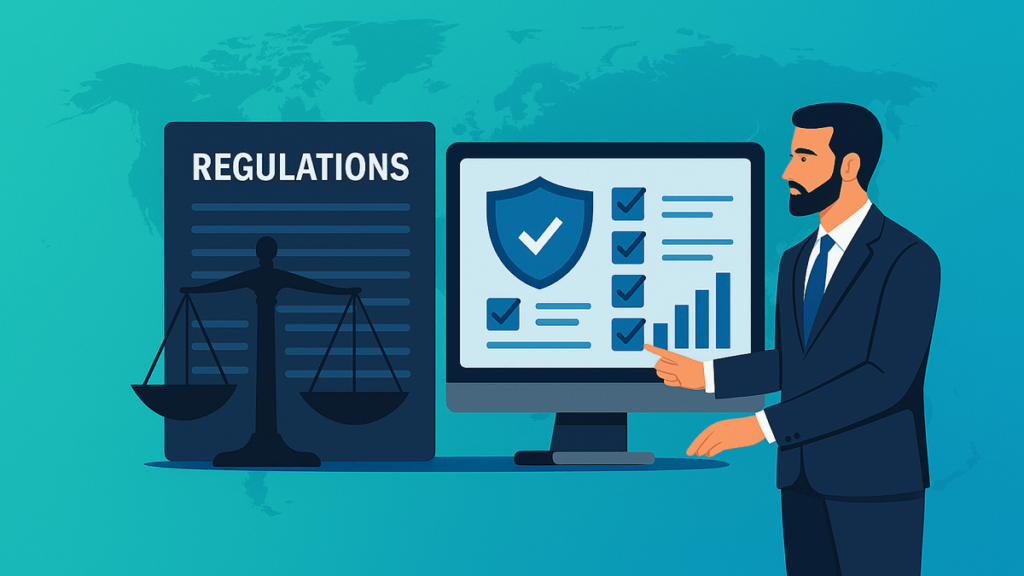
In today’s globalised business landscape, regulatory compliance has evolved into a dynamic and increasingly complex challenge for enterprises operating across multiple countries and jurisdictions. Whether it’s data privacy rules like GDPR, financial reporting standards such as IFRS, industry-specific regulations like FDA or SOC, or state-level tax policies in the United States—enterprises must stay ahead of compliance changes while ensuring operational efficiency.
This is where modern ERP systems like Microsoft Dynamics 365 play a pivotal role. With built-in compliance frameworks, automated workflows, auditing capabilities, and advanced data visibility, Dynamics 365 empowers global enterprises to navigate regulatory risks with confidence. For organisations in the U.S.—especially those seeking a Microsoft Dynamics 365 partner in Texas, USA—leveraging a modern ERP is not just strategic but essential for sustainable growth.
This article explores in depth how global organisations can use modern ERP solutions to stay compliant, minimise risk, and streamline global operations. We will also examine how localised Dynamics 365 partners can support enterprise-wide compliance initiatives.
Understanding the Compliance Challenges Faced by Global Enterprises
Global businesses operate across borders, manage vast data ecosystems, and deal with complex transaction flows. This exposes them to multiple layers of compliance expectations, including:
Data Security & Privacy Regulations
- GDPR (Europe)
- CCPA (California)
- HIPAA (Healthcare sector)
- SOC 1 & SOC 2
- Federal and state-specific data protection policies
Managing secure data access, encryption, retention, and audit trails becomes difficult without robust systems.
Taxation and Financial Reporting Compliance
Every country—and often individual states—implements unique:
- Tax structures
- Reporting frameworks
- Document archiving rules
- Revenue recognition standards
Global entities must align accounting with regulations such as:
- GAAP
- IFRS
- Local statutory compliance laws
Industry-Specific Compliance
Regulated industries face even stricter rules:
- Manufacturing – OSHA, ISO standards, quality control regulations
- Healthcare – FDA, HIPAA
- Retail – PCI-DSS for payment security
- Finance – Anti-Money Laundering (AML), fraud monitoring
Cross-Border Logistics & Trade Compliance
International import/export rules involve:
- Tariffs
- Customs duties
- Restricted goods classification
- Documentation controls
Lack of Visibility Across Decentralised Systems
Legacy systems behave like separate islands—making compliance reporting and audit readiness difficult.
How Modern ERP Systems Solve Compliance Challenges
Modern ERP platforms, especially Microsoft Dynamics 365, are purposely designed to simplify regulatory compliance through automation, standardisation, and real-time data intelligence. Here’s how:
Built-In Compliance Frameworks
Dynamics 365 includes pre-configured industry and region-specific compliance functionalities such as:
- GDPR compliance tools
- Automated data classification
- Audit trails
- Financial reporting templates aligned with IFRS/GAAP
- Security role-based access controls
These features reduce dependency on manual processes and improve accuracy.
Unified Data Management for Transparency
One of the strongest benefits of Dynamics 365 is centralised data management. This ensures:
- Consistent reporting across global operations
- Single source of truth for audits
- Automated reconciliation
- Controlled access to sensitive information
This helps organisations avoid fines, penalties, or discrepancies in reporting.
Continuous Regulatory Updates
Microsoft constantly updates Dynamics 365 to reflect:
- Global tax rule changes
- Compliance framework updates
- Currency regulations
- Industry-specific audit requirements
Companies leveraging Microsoft Dynamics 365 Support Services in Texas, USA can implement updates faster with minimal disruption.
Automated Workflow & Document Controls
Automation minimises human error while improving compliance consistency:
- Automated approval workflows
- Built-in document tracking
- Version controls
- Audit log generation
- Risk alerts for suspicious transactions
These features help organisations monitor processes in real time.
Role-Based Access & Advanced Security
Modern ERPs offer:
- Multi-factor authentication
- Data encryption
- Role-based access controls
- Compliance-based permissions
- Secure cloud hosting (Azure)
This prevents unauthorized access to financial or personal data.
Why Dynamics 365 Is the Ideal ERP for Global Compliance
As one of the most comprehensive cloud ERP solutions, Dynamics 365 offers both depth and flexibility. For enterprises navigating complex regulatory environments, it is unmatched.
Localisation for Country-Specific Compliance
Dynamics 365 Finance and Business Central include localisation packs covering:
- Tax rules
- Statutory reporting
- Legal requirements
- Currency handling
- Invoice formatting
Whether you operate in Europe, Asia, or North America, compliance becomes seamless.
Scalability for Global Expansion
New international entities can be added quickly with templates.
This reduces implementation time and accelerates compliance readiness.
Real-Time Analytics for Compliance Reporting
Power BI and AI-driven insights allow enterprises to:
- Detect risks early
- Analyse audit reports
- Monitor financial discrepancies
- Forecast compliance gaps
Seamless Integration with Microsoft Cloud (Azure)
Azure provides:
- 99.9% uptime
- Compliance certifications (ISO, SOC, GDPR, FedRAMP)
- AI-based threat monitoring
This provides a robust base for compliance-sensitive operations.
The Role of Microsoft Dynamics Partners in Texas, USA
Enterprises in the U.S. increasingly turn to local partners because regulations vary not only by industry but also by state. A Microsoft Dynamics 365 partner in Texas, USA supports organisations by:
- Implementing localisation for Texas-specific tax rules
- Providing custom compliance configurations
- Offering MS Dynamics 365 Implementation Services in Texas, USA
- Supporting continuous updates
- Managing system audits
- Ensuring smooth change management
Local expertise helps businesses reduce compliance risks and accelerate deployment.
Additionally, partners provide:
- D365 migration services in Texas, USA for companies upgrading from NAV, GP, or AX
- Microsoft Dynamics consulting services in Texas, USA for long-term compliance strategy
Key Compliance Features in Dynamics 365
Below are core features that differentiate Dynamics 365 as a compliance-ready ERP system:
Audit Trails & Traceability
Track:
- User actions
- Data updates
- Approval flows
- Workflow history
This makes audits seamless.
Regulatory Reporting Automation
Dynamics 365 automates:
- Financial statements
- Statutory accounting
- E-invoicing
- Tax reports
- Customs documentation
Data Retention Policies
You can configure:
- Automatic data lifecycle management
- Data purging schedules
- Archival processes
Compliance Dashboards
Real-time dashboards help:
- Identify compliance risks
- Track anomalies
- Ensure transaction accuracy
Best Practices for Navigating Compliance with Modern ERP
Centralise Compliance Data
Avoid fragmented data; unify all processes within the ERP system.
Standardise Workflows Globally
Define standard templates for:
- Approvals
- Audits
- Risk reporting
Adopt Automated Governance Tools
Let automation handle repetitive compliance tasks.
Train Teams on Compliance Best Practices
Knowledge gaps are a major source of compliance failures.
Work with Certified Dynamics Partners
Especially for U.S. organisations, a Microsoft Dynamics 365 partner in Texas, USA can guide regulatory alignment effectively.
Future of Compliance with AI-Enabled ERPs
AI and machine learning are redefining global compliance by:
- Predicting risks
- Automatically detecting anomalies
- Performing intelligent document scanning
- Reducing manual workload
Dynamics 365 AI tools will soon automate entire compliance ecosystems for enterprises.
FAQs
Q 1. What compliance challenges do global enterprises face?
Ans: They face data privacy laws, multi-country tax regulations, industry-specific standards, and cross-border trade laws.
Q 2. How does a modern ERP help with compliance?
Ans: It automates workflows, manages data centrally, provides audit trails, and ensures standardisation across global operations.
Q 3. Why is Microsoft Dynamics 365 ideal for global compliance?
Ans: Because it offers localisation, security, automation, AI tools, and continuous regulatory updates.
Q 4. What role does a Microsoft Dynamics 365 partner in Texas, USA play?
Ans: They help businesses implement, configure, and maintain Dynamics 365 based on Texas-specific and U.S. federal regulations.
Q 5. How does Dynamics 365 support financial compliance?
Ans: Through IFRS/GAAP reporting templates, automated reconciliations, tax management, and audit history tracking.
Q 6. Can Dynamics 365 handle GDPR compliance?
Ans: Yes, it includes data classification, retention policies, consent management, and encryption tools.
Q 7. How does Dynamics 365 improve audit readiness?
Ans: With complete traceability, automated logs, real-time dashboards, and compliance reporting.
Q 8. Are cloud ERPs secure for compliance-sensitive industries?
Ans: Yes. Azure (hosting platform for D365) is certified for multiple global security standards such as ISO, SOC, and FedRAMP.
Q 9. What industries benefit most from compliance-ready ERPs?
Ans: Healthcare, finance, retail, manufacturing, logistics, and government contractors.
Q 10. Does Dynamics 365 Business Central support U.S. tax regulations?
Ans: Yes, especially when implemented by a Microsoft Dynamics 365 Business Central partner in Texas, USA.