Complete Guide to Migrating from Dynamics NAV to Business Central
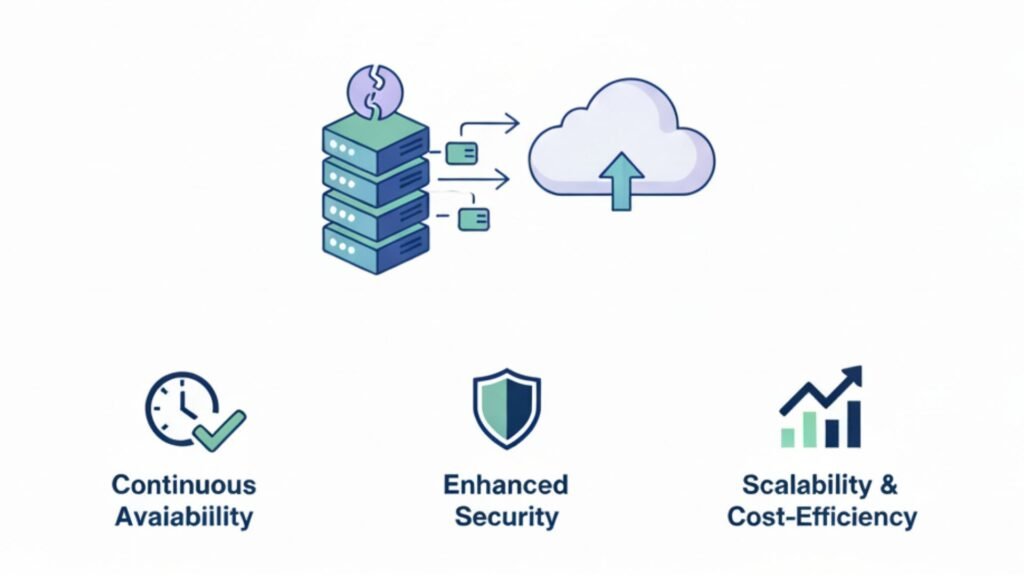
In today’s fast-evolving digital landscape, businesses relying on legacy ERP systems are increasingly shifting toward modern, cloud-based solutions. One of the most significant transitions happening globally is the migration from Microsoft Dynamics NAV to Microsoft Dynamics 365 Business Central. Why Businesses Are Moving from Dynamics NAV to Business Central Microsoft has officially shifted its focus to cloud-first solutions under Microsoft Dynamics 365. While Dynamics NAV served businesses well for years, it lacks the agility and scalability modern organizations need. Key Reasons for Migration Businesses working with a Microsoft Dynamics 365 partner in Texas, USA, often accelerate this transition with minimal disruption and maximum ROI. What is Microsoft Dynamics 365 Business Central? Microsoft Dynamics 365 Business Central is a next-generation, all-in-one ERP solution designed for small to mid-sized businesses. It combines finance, operations, sales, and customer service into a unified platform. Core Features Companies leveraging Microsoft Dynamics 365 Business Central in Texas, USA, gain a competitive advantage through automation and real-time decision-making. NAV vs Business Central: Key Differences Feature Dynamics NAV Business Central Deployment On-premise Cloud & Hybrid Updates Manual Automatic Scalability Limited Highly scalable Integration Basic Advanced (Power Platform, AI) User Experience Traditional Modern & intuitive Benefits of Migrating to Business Central 1. Cloud-Based Flexibility: Access your ERP system anytime, anywhere. 2. Lower IT Costs: No need for expensive infrastructure or maintenance. 3. Enhanced Productivity: Automation reduces manual tasks and errors. 4. Real-Time Insights: Built-in analytics improve decision-making. 5. Seamless Integration: Connect easily with Microsoft ecosystem tools. Businesses opting for D365 migration services in Texas, USA, often report faster ROI and improved operational efficiency. Challenges in NAV to Business Central Migration Migration isn’t without hurdles. Common challenges include: This is why partnering with experts offering Microsoft Dynamics 365 support services in Texas, USA, is essential for smooth execution. Step-by-Step Migration Process 1. Assessment & Planning 2. Choose the Right Migration Strategy A reliable Microsoft Dynamics consulting services provider in Texas, USA, helps determine the best approach. 3. Data Migration 4. Customization & Integration 5. Testing Phase 6. Go-Live & Support Engaging MS Dynamics 365 implementation services in Texas, USA, ensures a seamless go-live experience. Cost of Migration Migration costs vary depending on the following: Estimated Cost Breakdown Working with a trusted Microsoft Dynamics 365 partner in Texas, USA, helps optimize costs and avoid hidden expenses. Best Practices for Successful Migration Plan Early: Start planning at least 6–12 months. Clean Your Data: Remove redundant or outdated data before migration. Choose the Right Partner: A certified partner ensures efficiency and compliance. Train Your Team: User adoption is critical for success. Test Thoroughly: Never skip testing phases. How Migration Improves Business Performance After migrating to Business Central, companies typically experience: Organizations leveraging Microsoft Dynamics 365 Support Services in Texas, USA, also benefit from continuous system optimization. Industry Use Cases Manufacturing Retail Services Why Choose a Dynamics Partner in Texas? Working with a local Microsoft Dynamics 365 partner in Texas, USA, offers the following: Future of ERP: Why Business Central is the Right Choice The future of ERP lies in the following: Microsoft Dynamics 365 continues to lead innovation, making Business Central a future-proof investment. Frequently Asked Questions (FAQs) Q1. What is the difference between Dynamics NAV and Business Central? Ans: Dynamics NAV is an on-premise ERP, while Business Central is a cloud-based, modern ERP with advanced capabilities. Q2. How long does migration take? Ans: Typically, 3 to 12 months, depending on complexity and data size. Q3. Is data migration safe? Ans: Yes, when handled by experts offering D365 migration services in Texas, USA, data integrity and security are ensured. Q4. What are the costs involved? Ans: Costs depend on customization, data volume, and implementation scope. Q5. Can I keep my NAV customizations? Ans: Some can be migrated, but many require redevelopment in Business Central. Q6. Do I need training after migration? Ans: Yes, user training is essential for smooth adoption. Q7. Why choose Business Central over other ERPs? Ans: It offers seamless Microsoft integration, scalability, and cost efficiency. Q8. What support is available after migration? Ans: Ongoing Microsoft Dynamics 365 support services in Texas, USA, ensure system stability and updates. Conclusion Migrating from Microsoft Dynamics NAV to Microsoft Dynamics 365 Business Central is no longer just an upgrade—it’s a strategic move toward digital transformation. With the right approach, tools, and expert guidance from a trusted Microsoft Dynamics 365 partner in Texas, USA, businesses can unlock new levels of efficiency, scalability, and innovation. Whether you’re planning a simple upgrade or a complete ERP transformation, investing in MS Dynamics 365 implementation services in Texas, USA, and Microsoft Dynamics consulting services in Texas, USA, ensures long-term success.
Complete Guide to Migrating from Dynamics NAV to Business Central Read More »