
D365 Migration

migrate-from-microsoft-dynamics-NAV

How to Migrate from Microsoft Dynamics NAV or GP to Microsoft Dynamics 365 Business Central Successfully

Migrating from Microsoft Dynamics NAV or Microsoft Dynamics GP to Microsoft Dynamics 365 Business Central is one of the most impactful digital transformation steps a business can take. As organizations grow, their ERP needs expand—requiring better scalability, automation, cloud connectivity, and integration with modern tools like AI, analytics, and mobility solutions. Business Central is built to meet those needs. However, successful migration requires a structured approach, careful planning, and expert execution. This article outlines everything you need to know to ensure a smooth transition—from assessing your current system to going live on Business Central. 1. Understanding Why Companies Are Migrating to Business Central Before exploring the migration process, it’s important to understand why businesses are modernizing their ERP systems. Key Reasons for Migration Business Central offers a unified platform with strong financials, supply chain, CRM, inventory, manufacturing, service management, and project features. 2. Pre-Migration Assessment: The Foundation of Success A successful migration starts with a detailed evaluation of your current ERP environment. What to Assess Business Impact Assessment Ask key questions: This helps create a roadmap tailored to your business needs. 3. Choosing the Right Migration Approach There are three main migration approaches. Your choice depends on business complexity, timeline, and data requirements. A. Upgrade (Technical Migration) This approach upgrades NAV/GP to the latest version and moves data into Business Central. Best for: Pros: Cons: B. Re-implementation A clean installation of Business Central, followed by importing essential data. Best for: Pros: Cons: C. Hybrid Approach Combination of upgrade + selective reimplementation. Best for: Pros: 4. Preparing Your Data for Migration Data is the backbone of your ERP system. Preparing high-quality data ensures accuracy and enhances system performance. Key Data Preparation Steps Decide What Data to Migrate You can migrate: Migrating fewer unnecessary records results in faster system performance. 5. Mapping Your Processes to Business Central Even though NAV, GP, and Business Central share similar foundations, Business Central offers more modern workflows. Process Mapping Includes Leverage Business Central’s New Capabilities A trained Business Central consultant can help redesign workflows to maximize system efficiency. 6. Handling Customizations and Extensions NAV and GP customizations often rely on C/AL or Dexterity code. Business Central uses modern AL extensions, which are cloud-friendly and upgrade-safe. Steps for Migration of Custom Features Tip: Business Central’s AppSource marketplace offers plug-and-play apps reducing the need for heavy customization. 7. Migrating Integrations to Business Central Modern businesses use tools like: Business Central supports integrations through: Your migration partner must ensure all integrations are updated and tested. 8. Setting Up Security, Roles, and Permissions Role-based security is essential for compliance and productivity. Key Role-Level Setup Migrating roles correctly ensures smooth user onboarding and prevents operational issues. 9. User Training & Change Management Successful migration depends heavily on user adoption. Training Approach Change Management Well-trained users reduce support tickets and increase productivity. 10. Testing the New Business Central System Testing is one of the most important steps. Types of Testing Required Testing ensures your Business Central environment is ready for real operations. 11. Go-Live Preparation and Strategy Going live requires careful coordination with all stakeholders. Go-Live Checklist Many companies prefer going live at: This simplifies financial reconciliation. 12. Post-Go-Live Support and Optimization The journey doesn’t end after going live. Continuous support strengthens system performance. Post-Go-Live Activities A structured support plan ensures long-term success. 13. Why Working with the Right Partner Matters Migrating from NAV or GP to Business Central is a strategic move—and choosing an experienced Microsoft Dynamics partner ensures success. The right partner helps with: Trident Information System, for example, specializes in NAV/GP to Business Central migration, offering a proven methodology and certified consultants to ensure a smooth transition. Conclusion Migrating from Microsoft Dynamics NAV or GP to Business Central is not just a technical upgrade—it’s an opportunity to modernize your business, automate workflows, improve reporting, and integrate seamlessly with the Microsoft cloud ecosystem. By following a structured approach—assessment, planning, data preparation, customization migration, integration setup, testing, and training—you can ensure a successful migration that empowers your business for the future.

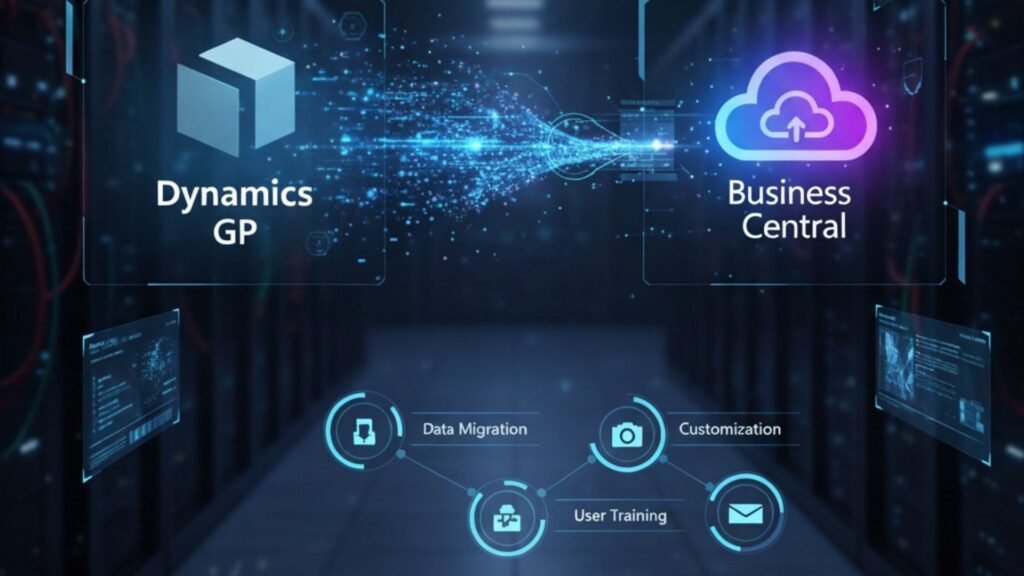
How to Migrate from Microsoft Dynamics NAV or GP to Microsoft Dynamics 365 Business Central Successfully Read More »

saas-concept

How Our Managed Services Reduce ERP TCO for US & Canadian Companies

Enterprise Resource Planning (ERP) systems are powerful tools that help organizations streamline operations, improve decision-making, and drive growth. However, managing an ERP system—whether Microsoft Dynamics 365, SAP, Oracle, or another platform—often comes with a hefty price tag. From licensing and infrastructure to upgrades, customizations, and support, many companies in the US and Canada struggle to keep their Total Cost of Ownership (TCO) under control. This is where ERP Managed Services can transform the game. By outsourcing day-to-day management, monitoring, and optimization to a trusted provider, businesses reduce IT overhead, improve efficiency, and extend the value of their ERP investment. In this article, we’ll explore how managed services reduce ERP TCO, what benefits they deliver, and why US and Canadian companies should consider this strategic approach. Understanding ERP Total Cost of Ownership (TCO) ERP TCO goes beyond the initial implementation costs. It includes: Without proper planning, these costs quickly spiral, making ERP feel more like a burden than a business enabler. How Managed Services Reduce ERP TCO 1. Optimized Licensing and Usage Many companies overpay for licenses they don’t fully use. Managed service providers (MSPs) perform license audits, identify underutilized subscriptions, and recommend right-sizing strategies. By aligning licenses with actual business needs, companies in the US and Canada save significantly on recurring costs. 2. Reduced Infrastructure Expenses Cloud-based ERP hosting through a managed service model eliminates the need for heavy on-premises hardware investments. Providers offer scalable cloud infrastructure, ensuring companies pay only for the resources they need while avoiding unnecessary infrastructure maintenance costs. 3. Proactive Monitoring and Maintenance Unplanned downtime can be costly. Managed services provide 24/7 monitoring and preventive maintenance, reducing disruptions and ensuring system stability. By resolving issues before they become critical, businesses avoid revenue losses and productivity declines. 4. Streamlined Upgrades and Patches ERP systems evolve constantly, but upgrades can be resource-intensive. MSPs handle regular updates, patches, and compliance requirements, keeping your ERP environment secure and current without requiring internal IT teams to spend long hours managing upgrades. 5. Access to Expert Resources Without Hiring Costs Hiring skilled ERP consultants in USA, especially in the US and Canadian markets where IT salaries are high. With managed services, companies gain access to a pool of certified ERP experts—covering functional, technical, and integration areas—at a fraction of the cost. 6. Enhanced Security and Compliance Managed service providers bring advanced security tools and compliance frameworks tailored to regional regulations like GDPR, HIPAA, or Canadian data privacy laws. This reduces the risk of fines, penalties, or costly breaches. 7. Scalability and Flexibility Business needs change—mergers, acquisitions, new market entries. Managed services allow companies to scale ERP environments up or down without massive reinvestments. This flexibility keeps costs predictable and aligned with actual growth. 8. Improved User Productivity By providing helpdesk support, user training, and troubleshooting, MSPs ensure employees spend less time struggling with ERP issues and more time focusing on business outcomes. Higher productivity translates to measurable cost savings. Why US and Canadian Companies Benefit Most Companies in the US and Canada often operate across multiple states, provinces, or even countries. This creates complexities in compliance, taxation, and supply chain processes. ERP managed services address these regional challenges by: With high labor costs in North America, outsourcing ERP management helps companies control budgets without sacrificing performance. Case Example: Reducing ERP TCO with Managed Services A mid-sized manufacturing company in Ontario relied on Microsoft Dynamics 365 Finance & Operations but struggled with escalating IT costs. They faced: By partnering with a managed services provider, the company: Result: A 35% overall reduction in ERP TCO within the first year. Additional Business Benefits Beyond Cost Savings While TCO reduction is the most obvious advantage, managed services also provide: Choosing the Right Managed Services Provider When selecting a provider in the US or Canada, businesses should look for: FAQs About ERP Managed Services and TCO Q 1. What is the average cost savings from ERP managed services?Ans: Most companies see 20–40% savings in TCO within the first 12–18 months, depending on system complexity and scope. Q 2. Can small and mid-sized businesses benefit from ERP managed services?Ans: Absolutely. SMEs often benefit even more, since they typically lack the in-house expertise required for ERP management. Q 3. Do managed services replace my internal IT team?Ans: Not necessarily. They complement your IT staff, allowing them to focus on innovation while the provider handles ERP administration. Q 4. How do managed services improve ERP security?Ans: Providers implement advanced security monitoring, regular patches, and compliance checks, reducing the risk of breaches and penalties. Q 5. Is ERP managed services only for cloud systems?Ans: No. Managed services support both on-premises and cloud ERP environments, or hybrid models, depending on your business needs. Conclusion Managing an ERP system in-house can quickly escalate costs, drain resources, and distract from strategic priorities. For companies in the US and Canada, partnering with an ERP managed services provider is a smart way to reduce TCO, improve system reliability, and unlock innovation. By optimizing licensing, infrastructure, and operations, managed services deliver not only cost efficiency but also the agility businesses need to stay competitive. Whether you’re running Microsoft Dynamics 365, SAP, or another ERP, the managed services model ensures you get the most value from your investment while maintaining financial control.

How Our Managed Services Reduce ERP TCO for US & Canadian Companies Read More »

5-Step Roadmap to Migrate Dynamics GP to Business Central

Migrating from Microsoft Dynamics GP to Business Central is more than a software upgrade—it’s a strategic move toward cloud-based efficiency, modern business processes, and future-ready operations. For companies in Canada and the USA, making this transition offers a chance to enhance flexibility, scalability, and integration with the full Microsoft ecosystem. Whether you’re planning to migrate Dynamics GP to Business Central in Canada and the USA or considering a broader transformation, working with experienced Microsoft D365 F&O implementation partners in Canada and the USA can help ensure your migration is smooth, cost-effective, and risk-free. In this article, we’ll explore a 5-step roadmap to upgrade Dynamics GP to Business Central in Canada and the USA, as well as provide important tips for businesses transitioning from NAV to the Microsoft Dynamics 365 Business Central upgrade in Canada and the USA. Why Businesses Are Moving from Dynamics GP to Business Central Microsoft Dynamics GP has served thousands of organizations for decades, but its architecture and deployment model no longer match today’s fast-paced, cloud-first business environment. Microsoft’s innovation focus is now on Dynamics 365 Business Central, which offers: This makes it a natural choice for organizations looking to upgrade Dynamics GP to Business Central in Canada and the USA. The 5-Step Roadmap to a Successful GP-to-BC Migration Step 1: Assess and Plan Every successful migration begins with a detailed assessment. This involves: For companies also considering a NAV to Microsoft Dynamics 365 Business Central upgrade in Canada and the USA, this step ensures a clear understanding of both technical requirements and business objectives. Pro Tip: Partner with experienced Microsoft D365 F&O implementation partners in Canada and the USA to perform a migration readiness check. Step 2: Clean and Prepare Your Data Migrating outdated or inaccurate data can cause problems in your new ERP environment. A thorough data cleanup ensures only relevant, accurate, and properly formatted data moves to Business Central. Key tasks include: If you plan to migrate Dynamics GP to Business Central in Canada and USA, this step is critical for ensuring a smooth and error-free transition. Step 3: Choose the Right Migration Tools and Method Microsoft provides specialized tools for GP-to-BC migrations, including: You’ll need to decide between: For NAV to Microsoft Dynamics 365 Business Central upgrades in Canada and the USA, similar tools and methods apply, but NAV migrations often require additional mapping for custom modules. Step 4: Configure and Test Business Central Once data migration is planned, your Business Central environment needs to be set up and tested. This includes: Before going live, conduct User Acceptance Testing (UAT) to ensure processes run as expected and reports deliver accurate results. Pro Tip: Your Microsoft D365 F&O implementation partners in Canada and the USA can create a sandbox environment for testing before full deployment. Step 5: Go Live and Optimize With testing complete and your team trained, it’s time to go live. However, migration doesn’t end at deployment—ongoing optimization is key. Post-migration steps include: If you’re making the jump from Dynamics GP to Business Central in Canada and the USA, continuous monitoring ensures your investment delivers long-term value. Additional Considerations for NAV to Business Central Upgrades For businesses still on Microsoft Dynamics NAV, the migration path is slightly different from GP: Engaging a partner skilled in NAV to Microsoft Dynamics 365 Business Central upgrades in Canada and the USA can help streamline the process. Benefits of Migrating to Business Central Why Work with a Microsoft D365 Partner The complexity of ERP migration demands specialized expertise. Experienced Microsoft D365 F&O implementation partners in Canada and the USA bring: Whether you’re planning to migrate Dynamics GP to Business Central in Canada and the USA or upgrade from NAV, the right partner ensures a seamless transition. Conclusion Migrating from Dynamics GP—or even NAV—to Business Central is a strategic move that positions your business for greater agility, efficiency, and innovation. By following this 5-step roadmap and working with skilled Microsoft D365 F&O implementation partners in Canada and the USA, you can reduce risks, avoid downtime, and unlock the full potential of Microsoft’s modern ERP platform. Whether your goal is to upgrade Dynamics GP to Business Central in Canada and the USA or embark on a NAV to Microsoft Dynamics 365 Business Central upgrade in Canada and the USA, careful planning, expert guidance, and a structured approach will set you up for long-term success. FAQs 1. How long does it take to migrate from Dynamics GP to Business Central?Ans: Migration timelines vary based on data volume, complexity, and business requirements. Small to medium businesses often complete the process in 2–4 months. 2. Can we keep historical data during migration?Ans: Yes. Businesses can choose to migrate all historical data or only the most recent records for efficiency. 3. What happens to my GP licenses after migration?Ans: Once you move to Business Central, your GP licenses will no longer be required, though you may maintain GP access for historical reference. 4. Is it possible to migrate from NAV directly to Business Central cloud?Ans: Yes. The process may require reworking customizations, but experienced Microsoft D365 F&O implementation partners in Canada and the USA can make it seamless. 5. Do I need to retrain my team for Business Central?Ans: Yes. While there are similarities, Business Central offers many new capabilities, and user training ensures faster adoption.

5-Step Roadmap to Migrate Dynamics GP to Business Central Read More »