Business Central Implementation Partner in USA

ERP-downtime-costs

How Proactive Monitoring Can Save Thousands in ERP Downtime Costs

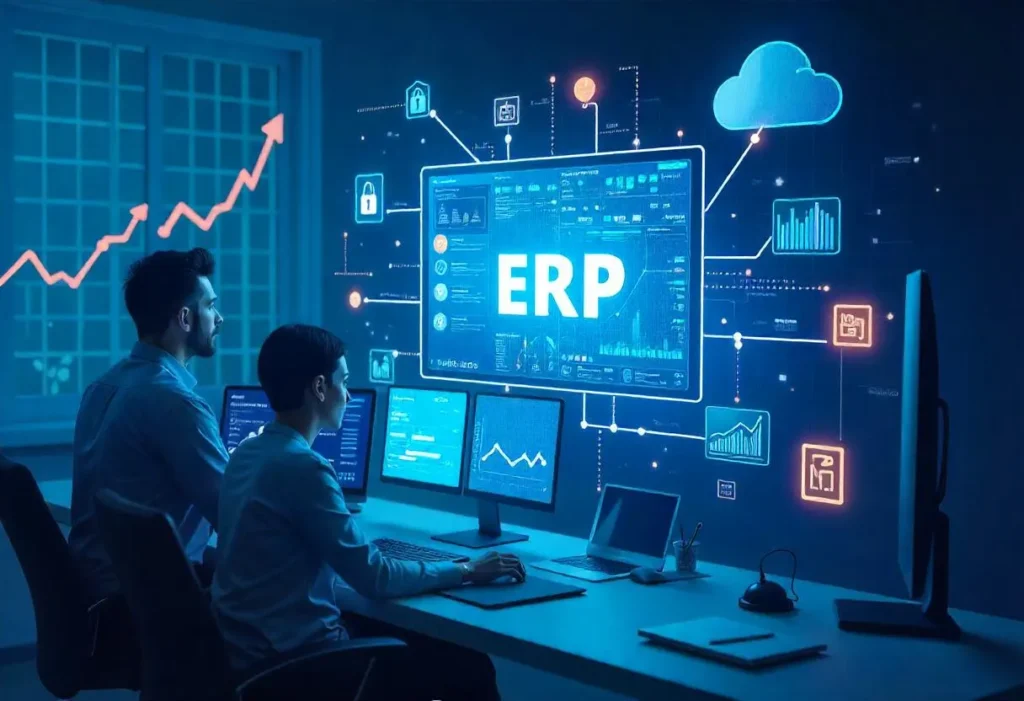
In today’s fast-paced, tech-driven business environment, enterprise resource planning (ERP) systems play a critical role in managing core operations — from finance and supply chain to manufacturing and customer service. Any disruption to these systems, even momentarily, can lead to significant productivity losses, missed orders, compliance risks, and reputational damage. Downtime is no longer just an IT issue — it’s a business emergency. That’s where proactive ERP monitoring becomes a game-changer. By identifying and addressing problems before they escalate, organizations can avoid costly disruptions, protect data integrity, and maximize ROI. The True Cost of ERP Downtime ERP systems are the backbone of many organizations, particularly those using platforms like Microsoft Dynamics 365, SAP, or Oracle. According to industry reports, ERP downtime can cost companies an average of $5,600 per minute, depending on the size of the business and the nature of the disruption. Downtime Costs Include: These issues are even more critical in sectors like manufacturing, logistics, and retail, where real-time data and continuous operations are essential. What Is Proactive ERP Monitoring? Proactive monitoring refers to the real-time observation and analysis of ERP system performance, security, and integrations to detect anomalies before they cause system failures. Rather than reacting to incidents after they happen, proactive monitoring enables businesses to: Why It Matters More Than Ever 1. Increased System Complexity: Modern ERP systems like Dynamics 365 are cloud-based, modular, and heavily integrated with third-party tools. As complexity increases, so does the risk of unnoticed failures. 2. Cybersecurity Risks: With cyberattacks on the rise, real-time monitoring can catch unauthorized access attempts or unusual system behaviors before data breaches occur. 3. Remote Work and Global Access: Companies now have employees, partners, and customers accessing ERP systems across time zones. Any downtime can affect users across multiple geographies. Key Components of Proactive ERP Monitoring Here’s what a robust ERP monitoring strategy should include: Performance Monitoring Tracks system speed, CPU usage, memory, response times, and transaction loads to ensure optimal performance. Integration Health Checks Monitors real-time communication between ERP modules and other business systems like CRMs, e-commerce platforms, or financial software. User Activity Tracking Logs user sessions, login anomalies, or unauthorized data exports to prevent insider threats. Data Integrity Checks Ensures that records (invoices, inventory, orders) are accurate, up-to-date, and synced correctly across modules. Automated Alerts and Reports Get notified immediately if the system is slowing down, errors occur, or abnormal activities are detected. The Role of AI & Machine Learning in Monitoring Modern ERP monitoring tools use AI and machine learning to detect patterns and predict failures. For instance: Predictive analytics allows businesses to take preventive action — before a failure disrupts operations. Real-World Cost Savings: A Quick Example Let’s assume a manufacturing company experiences ERP downtimes per year, each lasting 2 hours. With an average cost of $20,000 per hour, that’s $120,000 lost annually. Now imagine they invest in proactive monitoring at $1,000/month. If monitoring helps prevent even one outage, the $12,000 yearly investment pays for itself tenfold. How Microsoft Dynamics 365 Supports Proactive Monitoring If you’re using Microsoft Dynamics 365, the platform offers several built-in and third-party tools for real-time system monitoring: For more advanced needs, many organizations partner with a Microsoft Dynamics 365 Partner to implement custom monitoring dashboards and 24/7 support. Benefits of Proactive ERP Monitoring Benefit Description Cost Savings Avoid emergency repair costs, lost revenue, and productivity losses Better Decision Making Access to real-time performance insights Enhanced Security Detect and respond to threats before damage is done Improved Performance Resolve bottlenecks and optimize workflows continuously Business Continuity Keep operations running smoothly with minimal disruption Scalable Support Easily manage multi-location or multi-module ERP setups Best Practices for Implementing Proactive ERP Monitoring Frequently Asked Questions (FAQs) Q 1: What is the difference between reactive and proactive ERP support? Ans: Reactive support responds after an issue has occurred. Proactive support monitors and resolves potential issues before they impact your system or users. Q 2: Is proactive ERP monitoring only for large enterprises? Ans: No. Mid-size and even small businesses benefit greatly, especially if their operations rely heavily on ERP systems for daily functioning. Q 3: Can I monitor Dynamics 365 performance without third-party tools? Ans: Yes, Microsoft offers built-in tools like Azure Monitor and Lifecycle Services (LCS), but third-party tools or a support partner can offer more detailed insights. Q 4: What kind of ROI can I expect from proactive ERP monitoring? Ans: Companies often save tens of thousands annually by avoiding downtime, reducing IT support costs, and increasing system longevity. Conclusion ERP systems are mission-critical. Yet many businesses still rely on break-fix approaches to maintain them. That’s no longer enough. By shifting to proactive ERP monitoring, companies can prevent disruptions, reduce long-term IT costs, enhance performance, and gain peace of mind knowing their operations are running smoothly. Whether you’re using Microsoft Dynamics 365, SAP, or another platform — the cost of downtime is too high to ignore. Now’s the time to move from reactive firefighting to proactive strategy.

How Proactive Monitoring Can Save Thousands in ERP Downtime Costs Read More »
erp-support

From Reactive to Predictive: Transforming ERP Support with Managed Services

In today’s fast-paced digital economy, businesses can no longer afford to wait until something breaks before they fix it. That old, reactive approach to enterprise IT especially ERP systems is giving way to something more powerful, intelligent, and future-ready: predictive ERP support through managed services. As ERP systems like Microsoft Dynamics 365 Business Central become the backbone of operations for organizations in Texas and across the USA, ensuring consistent performance and strategic alignment is more important than ever. Forward-thinking businesses are turning to ERP support services in Texas, USA to help them shift from reactive to predictive maintenance, driving continuous improvement, operational resilience, and long-term growth. What is Predictive ERP Support? Predictive ERP support uses proactive monitoring, real-time analytics, AI, and automation to detect issues before they become business disruptions. It’s a strategic, data-driven approach that enables businesses to anticipate failures, optimize system performance, and align ERP capabilities with future business needs. Unlike traditional support models that focus on fixing problems after they occur, predictive ERP support helps businesses: This transformation is best achieved through managed services, offered by expert partners who specialize in Microsoft Dynamics 365 and other ERP systems. The Problem with Reactive ERP Support Historically, ERP support was centered on break-fix models: when a user encountered an error or performance issue, IT would step in to resolve it. This approach had multiple limitations: For businesses using platforms like Microsoft Dynamics 365 Business Central, these issues can lead to lost productivity, compliance risks, and missed growth opportunities. Managed ERP Services: The Smart Solution Managed ERP services offer a proactive and strategic alternative to traditional support. Whether you’re seeking help from a Microsoft Dynamics 365 partner in Texas, USA, or planning an ERP migration in the USA, managed services provide: 1. 24/7 System Monitoring Constant tracking of system performance, integrations, and user activity ensures that issues are identified and resolved before users even notice them. 2. Automated Updates and Patch Management Your MS Dynamics 365 Partner in Texas can handle upgrades, security patches, and feature rollouts without disrupting business operations. 3. Performance Optimization Managed service providers (MSPs) analyze usage patterns and system metrics to recommend improvements that enhance efficiency and reduce costs. 4. Security and Compliance Managed services include regular audits, threat detection, data backup, and disaster recovery planning essential for compliance and risk management. 5. Strategic Consulting and Roadmapping A trusted Dynamics 365 Business Central Partner in Texas can align your ERP system with your business strategy, offering insights into new features, modules, and third-party integrations. Benefits of Moving from Reactive to Predictive ERP Support Minimize Downtime: Predictive support ensures continuous uptime by preventing issues before they become critical, allowing smoother business operations. Improve ROI: When your ERP system is fine-tuned and supported proactively, you get more value from your initial investment, whether you’ve completed an ERP migration in the USA recently or have been using the platform for years. Boost User Satisfaction: With fewer interruptions, faster load times, and better training, employees can focus on delivering value, not fighting tech issues. Strengthen Cybersecurity: Proactive threat detection and secure configurations significantly reduce your exposure to breaches and data loss. Scale with Confidence: Managed services help scale ERP functionalities as your business grows, without the need for expensive in-house infrastructure or staffing. Why Texas Businesses Are Embracing Managed ERP Services Texas is a hub for manufacturing, logistics, healthcare, and technology all sectors that rely heavily on efficient ERP systems. Partnering with a Microsoft Dynamics 365 Partner in Texas, USA, gives organizations access to local expertise, faster support, and solutions tailored to regional business needs. Moreover, many organizations that previously relied on outdated systems like GP or NAV are now leveraging ERP migration services in the USA to transition to Dynamics 365 Business Central. A managed service model helps ensure a smooth transition, robust post-migration support, and long-term performance optimization. Choosing the Right ERP Support Partner Not all ERP support providers are created equal. Look for a Dynamics 365 Business Central Partner in Texas that offers: Real-World Example Consider a Texas-based logistics company that migrated from Dynamics NAV to Dynamics 365 Business Central. Initially, they relied on internal IT to handle support, but frequent performance issues and a lack of visibility hindered growth. After switching to a managed service model, the company saw: Now, with predictive insights, they can plan better, scale faster, and stay competitive. Conclusion The shift from reactive to predictive ERP support is more than a trend it’s a necessary evolution. Businesses that embrace this transformation with the help of a trusted MS Dynamics 365 partner in Texas, USA, or a reliable ERP support service provider in Texas, USA, gain a powerful edge. Managed services turn ERP support into a strategic asset. Whether you’re upgrading your system, expanding operations, or planning your digital transformation journey, investing in predictive, proactive ERP support is a decision that pays off in uptime, performance, and peace of mind. Frequently Asked Questions (FAQs) Q. 1. What is predictive ERP support? Ans: Predictive ERP support uses real-time monitoring, analytics, and AI to detect potential issues before they impact system performance. It ensures proactive maintenance and business continuity. Q. 2. Why should I choose a Microsoft Dynamics 365 partner in Texas? Ans: A local Dynamics 365 partner understands the specific needs of Texas-based businesses, offers faster response times, and provides industry-specific support and customization. Q. 3. What’s included in managed ERP services? Ans: Managed services typically include 24/7 monitoring, issue resolution, patch and update management, performance optimization, security auditing, user training, and strategic consulting. Q. 4. How does ERP support help after migration? Ans: Post-migration support ensures your system is fully optimized, employees are trained, integrations work smoothly, and any unforeseen issues are handled efficiently. Q. 5. Can managed ERP services help with compliance? Ans: Yes. Providers offer regular security updates, audits, and documentation to help you meet industry-specific compliance standards like HIPAA, GDPR, or SOX.

From Reactive to Predictive: Transforming ERP Support with Managed Services Read More »

How Food & Beverage Companies Use ERP to Ensure FDA Compliance

The food and beverage industry operates in a highly regulated environment, where compliance with the Food and Drug Administration (FDA) standards is non-negotiable. From farm to fork, companies must ensure safety, traceability, and quality to protect consumers and maintain brand reputation. Enterprise Resource Planning (ERP) systems have emerged as indispensable tools for achieving these goals, streamlining operations, and ensuring compliance. This article explores how food and beverage companies leverage ERP systems to meet FDA requirements, with a focus on ERP implementation and consulting services in Texas, USA, particularly for the hospitality and food industry. The Importance of FDA Compliance in the Food & Beverage Industry The FDA (Food & Drug Administration) enforces stringent regulations, such as the Food Safety Modernization Act (FSMA), Hazard Analysis and Critical Control Points (HACCP), and Current Good Manufacturing Practices (CGMP), to ensure food safety. Non-compliance can lead to costly recalls, legal penalties, and reputational damage. ERP systems provide a centralized platform to manage compliance, offering real-time data, automation, and traceability to meet these standards. How ERP Systems Facilitate FDA Compliance ERP systems integrate different types of business processes—production, inventory, supply chain, and quality control—into a single platform, enabling food and beverage companies to address FDA requirements efficiently. Below are key ways ERP systems ensure compliance: ERP Implementation and Consulting Services in Texas, USA Texas is a hub for the food and beverage industry, with a growing demand for ERP solutions tailored to hospitality and manufacturing. ERP implementation and consulting services in Texas, USA, play a critical role in helping businesses adopt these systems effectively. Companies like Trident Info Corp offer specialized expertise to ensure seamless ERP deployment. ERP for Hospitality & Food Industry in Texas, USA The hospitality and food industry in Texas faces unique challenges, such as managing perishable inventory, fluctuating consumer demand, and strict compliance requirements. ERP systems designed for this sector address these issues while enhancing customer service and profitability. ERP Implementation & Migration Services in Texas, USA ERP implementation and migration services in Texas, USA, are tailored to minimize disruptions and maximize ROI. Whether upgrading from legacy systems or adopting ERP for the first time, businesses benefit from expert guidance. Microsoft Dynamics 365 CRM Consultant in Texas, USA Microsoft Dynamics 365 CRM consultants in Texas, USA, enhance ERP systems by integrating customer relationship management capabilities. This is particularly valuable for food and beverage companies aiming to improve customer loyalty and service. Why Choose Trident for ERP Services? Trident Info Corp stands out as a leading provider of ERP implementation and consulting services in Texas, USA, offering tailored solutions for the food and beverage industry. Here’s why businesses choose Trident: Frequently Asked Questions (FAQs) Ques 1. How does an ERP system help with FDA compliance?Ans: ERP systems ensure FDA compliance by providing end-to-end traceability, automating quality checks, managing recipes, and generating audit-ready reports. They help track ingredients, prevent food fraud, and maintain accurate labeling. Ques 2. What are the benefits of ERP for the hospitality industry in Texas?Ans: ERP systems streamline inventory management, integrate with POS systems, and support dynamic scheduling, reducing waste and ensuring compliance while enhancing customer service. Ques 3. How long does ERP implementation take?Ans: ERP implementation typically takes 6–12 months, depending on the complexity of the business and the scope of customization. A phased approach can minimize disruptions. Ques 4. What is the cost of ERP implementation in Texas, USA?Ans: Costs vary based on the ERP system, customization, and business size, ranging from $75,000 to $750,000 for small to medium-sized businesses. Contact Trident Info Corp for a detailed quote. Ques 5. Why should I choose a Microsoft Dynamics 365 CRM consultant?Ans: A Dynamics 365 CRM consultant enhances ERP systems by centralizing customer data, improving service, and supporting compliance through accurate order tracking and personalized marketing. Conclusion ERP systems are transformative for food and beverage companies, ensuring FDA compliance while driving efficiency and profitability. In Texas, USA, businesses benefit from specialized ERP implementation and consulting services, tailored for the hospitality and food industry. With expertise in Microsoft Dynamics 365 and a commitment to client success, Trident Info Corp is the ideal partner for navigating the complexities of ERP adoption. By leveraging ERP, Texas-based companies can stay compliant, competitive, and ready for growth in a dynamic market.

How Food & Beverage Companies Use ERP to Ensure FDA Compliance Read More »

How Retailers Are Using Microsoft ERP to Drive Customer Loyalty

In a fast-evolving retail landscape, earning and retaining customer loyalty is no longer just about offering discounts or loyalty points. Customers today demand consistent, personalized, and seamless experiences across online and offline platforms. To meet these expectations and stand out in a competitive market, forward-thinking retailers are turning to Microsoft ERP solutions, especially Microsoft Dynamics 365, to build stronger customer relationships and long-term loyalty. Let’s explore how retailers are using Microsoft ERP to drive deeper engagement, operational efficiency, and customer satisfaction. The Importance of Customer Loyalty in Retail Customer acquisition costs have skyrocketed in recent years, making retention and loyalty a more sustainable strategy for long-term growth. Loyal customers not only spend more but also serve as brand advocates through reviews and referrals. To drive loyalty, retailers must: Microsoft Dynamics 365 ERP helps retailers achieve all of the above by unifying data and automating key business processes. 1. Centralized Customer Data for Personalized Engagement Microsoft ERP connects data from sales, service, e-commerce, social media, and customer interactions to create a 360-degree customer profile. With tools like Dynamics 365 Customer Insights, retailers can segment audiences based on buying behavior, location, preferences, and lifetime value. This enables: When customers feel understood, they’re more likely to remain loyal. 2. Real-Time Inventory Management Builds Trust Retailers using Microsoft ERP enjoy real-time inventory visibility across all locations. This means accurate stock levels, faster replenishment, and fewer out-of-stock issues. Benefits include: Trust in inventory reliability plays a key role in building customer confidence and encouraging repeat purchases. 3. Unified Omnichannel Shopping Experience Microsoft ERP allows for seamless integration between online, mobile, and in-store channels, helping retailers offer a consistent omnichannel experience. Examples include: These features give customers the flexibility and convenience they expect, which directly supports loyalty and satisfaction. 4. Smart Marketing and Loyalty Campaigns Dynamics 365 Marketing integrates with ERP to automate loyalty programs and marketing campaigns based on customer behavior and lifecycle stage. You can create: These strategies drive repeat business and build emotional connections with your brand. 5. Predictive Analytics and AI-Powered Recommendations Microsoft ERP includes AI-driven analytics that help retailers forecast trends, identify churn risks, and personalize future customer interactions. Key features: With proactive strategies powered by AI, businesses can retain more customers and optimize loyalty program ROI. 6. Better Customer Service with Integrated Support Tools With Dynamics 365 Customer Service, all customer touchpoints—from chatbots to call centers—are connected to one centralized system. This ensures quick and personalized resolution of issues. Highlights include: Happy, supported customers are more likely to become long-term loyal customers. 7. Empowered Employees Create Better Experiences Equipping store associates and customer service teams with real-time data through Microsoft ERP enables them to offer faster, smarter service. For instance: Well-informed employees directly contribute to a positive customer journey. Real-World Impact Several global retail brands have adopted Microsoft Dynamics 365 to enhance loyalty: These cases show how ERP isn’t just about backend automation—it’s a key driver of customer experience and loyalty. Frequently Asked Questions (FAQs) Q1: What is Microsoft ERP for retail? Ans: Microsoft ERP, specifically Microsoft Dynamics 365, is a cloud-based enterprise resource planning solution that integrates finance, operations, sales, customer service, inventory, and marketing into one unified system for retailers. Q2: How does Microsoft Dynamics 365 improve customer loyalty? Ans: It provides personalized marketing, real-time inventory management, seamless omnichannel experiences, and AI-powered insights—all of which help build strong, consistent relationships with customers. Q3: Can Microsoft ERP help with loyalty programs? Ans: Yes. Dynamics 365 integrates marketing and customer data to run personalized and automated loyalty campaigns, including rewards, points systems, and re-engagement efforts. Q4: Is Microsoft ERP suitable for small and mid-sized retailers? Ans: Absolutely. Microsoft offers flexible ERP modules that can scale with your business, whether you’re a local retailer or an international chain. Q5: How long does it take to implement Microsoft Dynamics 365 in retail? Ans: Implementation time depends on the size and complexity of your business, but typically ranges from a few weeks (for basic setups) to several months (for full integrations). Conclusion Retailers that want to retain their customer base must deliver more than just products; they need to provide smart, connected, and personalized experiences. With Microsoft Dynamics 365 ERP, retailers can unify data, automate operations, and deliver consistent customer interactions that build loyalty at every touchpoint.

How Retailers Are Using Microsoft ERP to Drive Customer Loyalty Read More »

usa-manufacturers-are-upgrading-to-dynamics-365

Why U.S. Manufacturers Are Upgrading to Dynamics 365

In the fast-paced, competitive world of manufacturing, staying ahead means continuously evolving and embracing new technology. U.S. manufacturers are increasingly turning to Microsoft Dynamics 365 to streamline operations, boost productivity, and drive growth. As digital transformation becomes essential rather than optional, solutions like Dynamics 365 are helping manufacturers simplify processes, reduce costs, and gain real-time insights across their operations. In this article, we’ll explore the key reasons why manufacturers in the United States—especially in tech-forward states like Texas—are upgrading to Microsoft Dynamics 365, and how the right partner can make all the difference in your implementation journey. The Manufacturing Landscape Is Changing Manufacturing in the U.S. is undergoing a major shift driven by supply chain challenges, labor shortages, customer demand for personalization, and the need for sustainability. These pressures require systems that are agile, connected, and scalable. Legacy ERP systems no longer offer the flexibility or speed today’s manufacturers need. That’s why more companies are transitioning to cloud-based ERP and CRM platforms like Microsoft Dynamics 365, which offer modularity, automation, and seamless integration across departments. What is Microsoft Dynamics 365? Microsoft Dynamics 365 is a suite of intelligent business applications that combines ERP and CRM capabilities into one unified platform. It includes solutions for finance, supply chain, sales, customer service, field service, and more. One of its most popular modules for manufacturers is Dynamics 365 Business Central, which offers end-to-end business management for small and mid-sized enterprises. With cloud deployment, real-time analytics powered by AI, and integration with Microsoft tools like Office 365, Power BI, and Azure, Dynamics 365 helps manufacturers become more agile and data-driven. Top Reasons Manufacturers Are Upgrading 1. Streamlined Operations and Efficiency Manufacturers deal with complex workflows across procurement, production, inventory, logistics, and finance. Dynamics 365 centralizes these processes, automates routine tasks, and provides real-time visibility into operations. This leads to: For instance, a manufacturer can use real-time sales and inventory data from Dynamics 365 to adjust production schedules and avoid overstocking or shortages. 2. Scalability and Flexibility Traditional ERP systems often lack the flexibility needed for growing manufacturers. Dynamics 365 is built in the cloud, allowing businesses to scale up or down based on current needs. Whether you’re adding a new product line, expanding to a new market, or onboarding remote employees, the system adapts easily. 3. Improved Customer Experience Customer expectations are evolving. With Dynamics 365, manufacturers can connect sales, marketing, and service teams to deliver more personalized experiences. The CRM functionality helps businesses track customer interactions, forecast demand, and respond faster to inquiries or complaints. 4. Advanced Analytics and AI Integration Modern manufacturers want more than just data—they want actionable insights. Dynamics 365 uses built-in AI and Power BI to provide dashboards, forecasts, and anomaly detection. This supports better decision-making and helps predict maintenance needs, optimize resource usage, and minimize downtime. 5. Seamless Integration with Microsoft Ecosystem One of the strongest advantages of Dynamics 365 is its deep integration with tools you already use—such as Microsoft Teams, Outlook, Excel, and SharePoint. This creates a unified work environment that enhances productivity and encourages cross-team collaboration. Why Work with a Microsoft Dynamics Partner in the USA? Choosing the right implementation partner is as important as choosing the right software. A certified Microsoft Dynamics partner in the USA offers local knowledge, industry experience, and ongoing support. They help manufacturers plan, customize, and deploy Dynamics 365 in a way that aligns with their goals. Texas, a hub for advanced manufacturing, has become a hotspot for Dynamics 365 adoption. Businesses in the region are increasingly partnering with trusted experts to drive transformation. Microsoft Dynamics 365 Support Services in Texas, USA Implementation is just the beginning. To get long-term value from your system, you need responsive and reliable support. That’s where Microsoft Dynamics 365 Support Services in Texas, USA, play a vital role. Support services include: A local support team ensures faster response times and a better understanding of your business context, which is critical for manufacturing environments that rely on real-time system performance. Finding the Right Dynamics 365 Business Central Partner in Texas If you’re a mid-sized manufacturer looking for a robust ERP, Microsoft Dynamics 365 Business Central is an ideal fit. But successful deployment depends on partnering with experts who understand your unique needs. Microsoft Dynamics 365 Business Central partners in Texas, USA, specialize in: They work closely with your teams to ensure a smooth transition from legacy systems and offer training so users can get the most out of the platform. Why Choose Trident Information Systems? For over 25 years, Trident Information Systems has been at the forefront of ERP implementation and IT consulting, helping businesses across industries achieve digital transformation. As a trusted Microsoft Dynamics Gold Partner & LS Retail Diamond Partner, we have consistently delivered innovative, scalable, and industry-specific solutions tailored to business needs. ✅ Microsoft Dynamics 365 Partner – Business Applications✅ LS Retail Diamond Partnership Proficiency✅ 200+ expert consultants ensuring successful ERP implementations.✅ 250+ customer engagements, delivering transformative business solutions.✅ 5 country presence, enabling global service delivery with local expertise✅ Our Location: UK | USA | UAE | INDIA | NIGERIA✅ Strong Industry Expertise in Manufacturing, Retail, Transportation, Oil & Gas Stream, Financial Institutions & Healthcare Conclusion As the U.S. manufacturing sector embraces Industry 4.0 and digital transformation, tools like Microsoft Dynamics 365 are no longer optional—they are essential. From streamlining operations and reducing costs to enhancing customer experiences and providing real-time insights, Dynamics 365 is empowering manufacturers to operate smarter and scale faster. Whether you’re based in Texas or anywhere across the U.S., partnering with a certified Microsoft Dynamics provider ensures you get expert guidance, reliable support, and a solution tailored to your business.

Why U.S. Manufacturers Are Upgrading to Dynamics 365 Read More »

benefits-of-migrating-from-GPNAV-to-business-central

Top 7 Benefits of Migrating from GP/NAV to Business Central

In the rapidly evolving world of business technology, staying ahead of the curve is essential. Legacy ERP systems like Microsoft Dynamics GP and NAV have served businesses well for years. However, with changing operational needs, cloud-based solutions like Microsoft Dynamics 365 Business Central in Austin Texas USA offer unmatched efficiency, scalability, and intelligence. If your organization is considering a digital transformation, a NAV to Microsoft Dynamics 365 Business Central upgrade in Austin Texas USA or a Dynamics GP to Dynamics 365 Business Central upgrade in Austin Texas USA could be the strategic move you need. Let’s explore the top 7 benefits of making this migration and why partnering with a reliable Microsoft Dynamics partner in Austin Texas USA is crucial for success. Cloud-Based Flexibility with Microsoft Dynamics 365 Business Central in Austin Texas USA One of the most compelling reasons to move from GP or NAV to Business Central is the cloud-native architecture of the latter. Microsoft Dynamics 365 Business Central is designed to provide secure, anytime-anywhere access to data, making it an ideal choice for businesses with remote teams, multiple locations, or flexible work environments. This cloud-first approach means there’s no need for expensive on-site servers or maintenance. You also get automatic updates, secure backups, and high system availability—critical for today’s always-on businesses. Whether it’s a NAV to Microsoft Dynamics 365 Business Central upgrade in Austin Texas USA or transitioning from GP, Business Central ensures your team stays connected and productive at all times. 2. Seamless Integration with Microsoft Ecosystem Microsoft Dynamics 365 Business Central integrates naturally with tools you already use—like Outlook, Excel, SharePoint, and Teams. It also connects with Microsoft Power Platform (Power BI, Power Automate, Power Apps) for automation, data visualization, and custom applications. These integrations allow users to work smarter, not harder. For instance, you can create sales quotes directly from Outlook or view business reports within Teams—streamlining operations across departments. A Dynamics GP to Dynamics 365 Business Central upgrade in Austin Texas USA enhances collaboration and efficiency by connecting your ERP with the rest of the Microsoft ecosystem. 3. Improved User Experience and Productivity The user interface in Business Central is modern, intuitive, and designed around user roles. Whether you’re in finance, operations, or sales, your dashboard will be tailored to your specific tasks, helping reduce the learning curve and increasing productivity. Users moving from NAV or GP often report a significant improvement in navigation and usability. Combined with AI-powered suggestions and advanced search capabilities, Business Central makes it easier for users to find information and complete tasks quickly. Upgrading with the help of a Microsoft Dynamics partner in Austin Texas USA ensures a smooth transition and effective user training, maximizing adoption. 4. Advanced Reporting and Business Intelligence In the world of modern business, data-driven decision-making is non-negotiable. Business Central provides powerful built-in analytics and integrates with Power BI to deliver real-time dashboards and predictive insights. Instead of relying on outdated reports or exporting data manually, you get actionable insights at your fingertips. These tools help you analyze trends, forecast revenue, track KPIs, and respond to market changes faster. A NAV to Microsoft Dynamics 365 Business Central upgrade in Austin Texas USA is not just about better software—it’s about better decisions through smarter data. 5. Scalability and Customization As your business grows, so do your needs. Business Central is built to scale. Whether you’re adding users, expanding to new markets, or launching new business lines, the system can grow with you. Moreover, Business Central supports a wide range of third-party extensions and industry-specific solutions from Microsoft AppSource. You can tailor the ERP to your specific workflows without heavy custom development. A Dynamics GP to Dynamics 365 Business Central upgrade in Austin Texas USA allows businesses to future-proof their ERP system with flexible scaling and customization options. 6. Enhanced Security and Compliance Microsoft invests over $1 billion annually in cybersecurity, and Business Central benefits from this enterprise-grade protection. The platform includes built-in encryption, access control, and compliance features to meet global regulatory standards like GDPR. For businesses in regulated industries or those handling sensitive data, this level of security is vital. It also reduces the burden on internal IT teams who no longer need to manage complex security configurations manually. With the guidance of a Microsoft Dynamics partner in Austin Texas USA, you can ensure your upgrade aligns with both industry regulations and internal security policies. 7. Lower Total Cost of Ownership (TCO) One of the biggest advantages of migrating to Business Central is the long-term cost savings. Unlike GP and NAV, which require significant investment in hardware, support, and manual updates, Business Central offers a subscription-based model that includes hosting, maintenance, and updates. This predictable cost structure makes budgeting easier and reduces the total cost of ownership. Plus, Microsoft continually adds new features without requiring additional licenses or installations. A NAV to Microsoft Dynamics 365 Business Central upgrade in Austin Texas USA can significantly reduce overhead costs while delivering more value. Why Work with a Microsoft Dynamics Partner in Austin Texas USA? While the benefits of migrating are clear, the process itself requires strategic planning, data migration, system configuration, and user training. This is where working with an experienced Microsoft Dynamics partner in Austin Texas USA becomes essential. A certified partner brings in-depth knowledge of both legacy systems and Business Central. They can assess your current setup, recommend best practices, handle data migration securely, and ensure a smooth rollout. Most importantly, they help you avoid common pitfalls and maximize ROI. Final Thoughts The shift from Dynamics GP or NAV to Business Central isn’t just a technology upgrade—it’s a business transformation. With cloud-based flexibility, real-time insights, enhanced security, and seamless integrations, Microsoft Dynamics 365 Business Central in Austin Texas USA empowers organizations to work smarter and scale faster. Whether you’re considering a NAV to Microsoft Dynamics 365 Business Central upgrade in Austin Texas USA or a Dynamics GP to Dynamics 365 Business Central upgrade in Austin Texas USA, the time to act is now.

Top 7 Benefits of Migrating from GP/NAV to Business Central Read More »

Microsoft Dynamics offshore support

Unlock Business Efficiency with Microsoft Dynamics Offshore Support Services

Introduction In today’s fast-paced business environment, companies must continuously adapt to stay ahead of the competition. One of the most effective ways to streamline operations, reduce costs, and enhance productivity is by leveraging Microsoft Dynamics offshore support services. These services provide expert assistance, ensuring businesses can maximize their ERP and CRM solutions without the high expenses of in-house teams. This article explores how offshore support for Microsoft Dynamics can unlock efficiency, improve performance, and drive growth for businesses of all sizes. What Are Microsoft Dynamics Offshore Support Services? Microsoft Dynamics offshore support services involve outsourcing technical and functional support to a remote team of experts. These professionals help businesses manage, maintain, and optimize their Dynamics 365, AX, NAV, and CRM solutions. By working with an offshore support team, businesses can access skilled professionals at lower costs while ensuring their ERP and CRM systems run smoothly. Key Benefits of Microsoft Dynamics Offshore Support Services 1. Cost Savings Hiring and maintaining an in-house team for Microsoft Dynamics can be expensive. Offshore support services allow businesses to cut costs significantly by paying only for the services they need without the overhead expenses of full-time employees. 2. Access to Expert Talent Offshore teams consist of certified Microsoft Dynamics professionals with extensive experience in handling different modules and customizations. This expertise ensures that businesses get top-tier support for their systems. 3. 24/7 Support and Faster Issue Resolution Many offshore service providers operate in different time zones, ensuring round-the-clock support. This helps businesses resolve technical issues quickly, reducing downtime and ensuring smooth operations. 4. Scalability and Flexibility Offshore support services allow businesses to scale up or down based on their needs. Whether you need full-time assistance or occasional support, offshore teams can adapt to meet your requirements. 5. Enhanced Security and Compliance Leading offshore service providers follow strict security protocols and compliance guidelines to protect business data. This ensures that sensitive information remains secure while leveraging external expertise. How Microsoft Dynamics Offshore Support Services Improve Efficiency 1. Streamlined Business Processes Expert offshore support teams help businesses optimize workflows, automate tasks, and integrate systems, leading to greater efficiency and productivity. 2. Customized Solutions Offshore professionals can tailor Microsoft Dynamics solutions to meet the unique needs of a business, ensuring seamless integration with existing processes. 3. Proactive System Monitoring Continuous monitoring and maintenance help prevent potential issues before they arise, minimizing disruptions and enhancing overall performance. 4. Regular Updates and Upgrades Offshore teams ensure that businesses stay up-to-date with the latest Microsoft Dynamics features and security patches, reducing risks and improving system performance. Choosing the Right Offshore Support Partner 1. Experience and Expertise Look for a provider with a proven track record and expertise in Microsoft Dynamics solutions. 2. Communication and Availability Ensure that the offshore team offers clear communication channels and round-the-clock availability. 3. Security and Compliance Verify that the provider follows industry-standard security protocols to protect sensitive business data. 4. Customization Capabilities Choose a team that can tailor solutions to meet your specific business needs. Conclusion Microsoft Dynamics offshore support services offer businesses a cost-effective and efficient way to manage, maintain, and optimize their ERP and CRM systems. With benefits like cost savings, expert support, 24/7 availability, and enhanced security, offshore support is an ideal solution for businesses looking to improve their operations and drive growth. By choosing the right offshore support partner, companies can unlock new levels of efficiency, boost productivity, and stay ahead of the competition in today’s digital landscape. FAQs 1. What services do Microsoft Dynamics offshore support providers offer? Offshore support teams offer services such as system maintenance, troubleshooting, customization, integration, data migration, and security management. 2. How does offshore support reduce costs? By outsourcing Microsoft Dynamics support, businesses avoid hiring full-time employees, saving on salaries, training, and infrastructure costs. 3. Can offshore teams provide 24/7 support? Yes, many offshore providers operate in multiple time zones, ensuring round-the-clock support for businesses. 4. Is Microsoft Dynamics offshore support secure? Reputable offshore support providers follow strict security measures and compliance regulations to protect business data. 5. How do I choose the right offshore support provider? Look for experience, expertise, clear communication, security compliance, and customization capabilities when selecting an offshore support partner. Explore our latest updates and connect with us on LinkedIn – follow our company page now!

Unlock Business Efficiency with Microsoft Dynamics Offshore Support Services Read More »

support for Microsoft Dynamics

Why T&M Basis Support for Microsoft Dynamics Offers Cost-Effective Flexibility

In today’s fast-paced business world, organizations need scalable and cost-effective support solutions for their enterprise software. Support for Microsoft Dynamics, a leading ERP and CRM platform, requires ongoing maintenance, updates, and enhancements to ensure optimal performance. One of the most flexible and budget-friendly ways to manage this support is through a Time and Materials (T&M) basis model. This blog explores why T&M support is an excellent choice for businesses looking to maximize efficiency while controlling costs. Understanding T&M Basis Support for Microsoft Dynamics The Time and Materials (T&M) model is a pay-as-you-go support structure where businesses only pay for the actual hours worked and materials used. Unlike fixed-price contracts, which require long-term commitments and predefined scopes, T&M support provides real-time adaptability based on immediate needs. This approach is particularly beneficial for Microsoft Dynamics users who require on-demand assistance without overcommitting to long-term costs. Key Benefits of T&M Basis Support for Microsoft Dynamics 1. Cost-Effective and Transparent Billing T&M support eliminates unnecessary overhead by ensuring that businesses pay only for the exact work done. This transparency allows organizations to track their spending and adjust budgets accordingly. With detailed invoices reflecting actual labor and materials, there are no hidden fees or unexpected charges. 2. Flexibility and Scalability One of the greatest advantages of T&M support is its ability to scale based on business requirements. Whether it’s minor troubleshooting, system enhancements, or major upgrades, businesses can allocate resources as needed. This flexibility is particularly valuable for growing enterprises that require dynamic solutions to keep up with evolving demands. 3. Faster Response and Problem Resolution Under a T&M model, businesses can quickly access expert support whenever issues arise. Unlike fixed-price contracts that often involve lengthy approval processes, T&M support allows for immediate action, minimizing downtime and maintaining productivity. 4. No Long-Term Commitments Businesses are not locked into rigid, long-term agreements. With T&M support, organizations have the freedom to scale support hours up or down as needed, making it an ideal choice for companies with fluctuating workloads or seasonal demands. 5. Access to Expert Resources Microsoft Dynamics requires specialized expertise, and T&M support ensures access to skilled professionals on demand. Companies can leverage a team of experienced consultants, developers, and analysts without hiring full-time employees, thereby reducing operational costs. When Should Businesses Choose T&M Support? For Short-Term or One-Time Projects: Businesses that require quick fixes, customizations, or integrations without a long-term contract can benefit from T&M support. For Unpredictable Workloads: Companies experiencing fluctuating demands can use T&M support to manage varying workloads efficiently. For Cost-Conscious Decision-Making: Organizations that want to maintain control over their budgets and avoid unnecessary spending prefer the T&M model. For Ongoing System Enhancements: Businesses looking to continuously improve their Microsoft Dynamics platform without committing to a full-time team find T&M support ideal. Conclusion The Time and Materials (T&M) basis support for Microsoft Dynamics offers businesses an ideal combination of cost-effectiveness, flexibility, and efficiency. By only paying for actual work performed, companies can better manage their IT budgets while ensuring they have access to expert assistance when needed. Whether your business requires occasional troubleshooting or continuous enhancements, T&M support provides the adaptability needed to stay competitive in today’s digital landscape. FAQs 1. How does T&M support differ from a fixed-price contract? T&M support charges for actual work completed and materials used, whereas a fixed-price contract sets a predetermined cost regardless of actual time spent. T&M provides more flexibility, while fixed-price contracts offer predictable costs. 2. Is T&M support suitable for small businesses? Yes, T&M support is ideal for small businesses as it allows them to control costs, access expert resources, and pay only for necessary services without committing to long-term contracts. 3. How do I track the costs of T&M support? Detailed invoices outline the hours worked, services performed, and any additional costs, ensuring complete transparency and helping businesses manage budgets effectively. 4. Can I switch from a fixed-price contract to T&M support? Yes, many businesses transition from fixed-price contracts to T&M support to gain more flexibility and cost control over their Microsoft Dynamics maintenance and enhancements. 5. What types of services are covered under T&M support? T&M support covers troubleshooting, system upgrades, custom development, integration, consulting, and general maintenance, tailored to the business’s needs. By leveraging T&M basis support for Microsoft Dynamics, businesses can enjoy a more efficient, cost-effective, and scalable approach to managing their ERP and CRM systems. If you’re looking for expert support without the constraints of fixed pricing, this model is the perfect fit for your company. Explore our latest updates and connect with us on LinkedIn – follow our company page now!

Why T&M Basis Support for Microsoft Dynamics Offers Cost-Effective Flexibility Read More »

Microsoft Dynamics 365 Implementation Services Success

How Offshore Staffing Enhances Your Microsoft Dynamics Implementation Success

Introduction In today’s competitive business environment, companies are constantly looking for ways to optimize their operations and reduce costs while ensuring efficiency and scalability. Microsoft Dynamics is a robust enterprise resource planning (ERP) and customer relationship management (CRM) solution that businesses use to streamline their processes. However, implementing Microsoft Dynamics successfully can be complex and resource-intensive. This is where offshore staffing comes into play, offering a cost-effective and efficient approach to hiring skilled professionals who can ensure the seamless deployment and operation of Microsoft Dynamics solutions. How Offshore Staffing Enhances Your Microsoft Dynamics Implementation Success is a critical question that many businesses consider when planning their ERP and CRM strategies. Moreover, leveraging Microsoft Dynamics 365 Implementation services ensures that businesses receive top-tier support in executing their transformation strategies effectively. In this article, we will explore how offshore staffing can significantly enhance the success of your Microsoft Dynamics 365 Implementation services. From reducing costs to ensuring access to top-tier talent, we will discuss why outsourcing this process might be the best strategy for your business. How Offshore Staffing Enhances Your Microsoft Dynamics 365 Implementation Services Offshore staffing is the practice of hiring skilled professionals from overseas locations to work remotely on projects. It allows businesses to tap into a global talent pool without the high costs associated with onshore hiring. For Microsoft Dynamics 365 Implementation services, offshore professionals can handle various tasks such as: Customization and configuration Data migration and integration User training and support Post-implementation maintenance Leveraging offshore teams can provide flexibility and expertise while reducing overall project costs. 1. Cost Savings Without Compromising Quality One of the most significant advantages of offshore staffing is cost-effectiveness. Hiring onshore Microsoft Dynamics specialists can be expensive, especially in regions where IT talent comes at a premium. By outsourcing these roles to offshore professionals, companies can save on salaries, office space, and other overhead costs. However, lower costs do not mean lower quality. Offshore professionals are often highly skilled and experienced, providing the same level of expertise at a fraction of the cost. 2. Access to a Global Talent Pool Finding the right talent for a Microsoft Dynamics 365 Implementation services project can be challenging. Offshore staffing opens doors to a vast pool of skilled experts who specialize in Microsoft Dynamics applications. Whether you need a Dynamics 365 consultant, a functional expert, or a technical developer, offshore staffing ensures that you have access to the best professionals from around the world. This approach eliminates geographical barriers and allows businesses to choose from a broader spectrum of professionals, increasing the chances of successful implementation. 3. Faster Project Completion with 24/7 Productivity By utilizing offshore teams in different time zones, companies can achieve round-the-clock productivity. While onshore teams rest, offshore professionals continue working, ensuring faster completion of projects. This 24/7 workflow minimizes downtime, accelerates implementation, and keeps projects on track. For Microsoft Dynamics 365 Implementation services, this means faster customization, deployment, and troubleshooting—leading to reduced time-to-market and quicker ROI. 4. Expertise in Microsoft Dynamics 365 Customization and Integration Microsoft Dynamics 365 is not a one-size-fits-all solution; it requires customization and integration to meet specific business needs. Offshore teams bring specialized expertise in configuring Microsoft Dynamics 365 modules, integrating third-party applications, and developing custom functionalities. Their in-depth knowledge ensures that the ERP/CRM solution aligns seamlessly with business workflows, maximizing efficiency and productivity. 5. Scalability and Flexibility Business needs evolve, and so do staffing requirements. Offshore staffing provides the scalability to expand or reduce your workforce based on project demands. Whether you need additional developers for a major Microsoft Dynamics 365 upgrade or support specialists post-implementation, offshore teams offer the flexibility to adjust staffing levels as needed. This adaptability ensures businesses do not bear unnecessary long-term staffing costs while maintaining agility in IT operations. 6. Risk Mitigation and Business Continuity A well-structured offshore staffing strategy enhances business continuity by ensuring critical operations are not affected by local disruptions. Companies that rely solely on onshore staff may face risks such as employee turnover, economic fluctuations, or local market challenges. With an offshore team in place, businesses maintain operational stability, reducing the risk of project delays and implementation failures. 7. Improved Customer Support and End-User Training Successful Microsoft Dynamics 365 Implementation services do not end with deployment; ongoing support and training are crucial for user adoption. Offshore staffing allows businesses to provide cost-effective customer support, ensuring users receive timely assistance with minimal downtime. Additionally, offshore professionals can create training documentation, conduct virtual workshops, and offer remote troubleshooting, enabling smooth user onboarding and continuous improvement. 8. Compliance and Data Security Considerations When outsourcing IT services, data security and compliance are valid concerns. Reputable offshore staffing providers implement strict security measures and adhere to international compliance standards. Businesses should conduct due diligence when selecting an offshore partner, ensuring they comply with industry best practices and data protection laws to mitigate risks. 9. Choosing the Right Offshore Staffing Partner Selecting the right offshore staffing provider is essential for success. Here are key factors to consider: Proven experience in Microsoft Dynamics 365 Implementation services Strong technical expertise and certifications Clear communication and project management processes Data security and compliance measures Client testimonials and case studies A reliable offshore partner will streamline Microsoft Dynamics 365 implementation and contribute to long-term business success. Conclusion Offshore staffing is a game-changer for businesses looking to implement Microsoft Dynamics 365 successfully. From reducing costs to accelerating project timelines, offshore professionals bring expertise, scalability, and efficiency to the process. By leveraging a skilled offshore team, companies can ensure a seamless Microsoft Dynamics 365 Implementation, improved business operations, and a significant competitive edge in the market. Thinking about offshore staffing for your Microsoft Dynamics 365 project? Partnering with the right offshore team can make all the difference in achieving long-term success.  (FAQs) 1. What is offshore staffing in Microsoft Dynamics 365 Implementation services? Offshore staffing involves hiring remote professionals from overseas locations to assist with Microsoft Dynamics 365 implementation, customization, and support. 2. How does offshore staffing reduce costs?

How Offshore Staffing Enhances Your Microsoft Dynamics Implementation Success Read More »

Microsoft Dynamics Support

Pay Only for What You Need: The Benefits of Incident-Based Microsoft Dynamics Support

Introduction When managing a business, every penny counts. Investing in enterprise software like Microsoft Dynamics can be costly, and ongoing support expenses can quickly add up. However, incident-based support offers a cost-effective alternative that allows businesses to pay only when assistance is needed. This approach eliminates unnecessary monthly subscriptions while ensuring expert support is available when required. In this article, we will explore the key benefits of incident-based Microsoft Dynamics support and why it might be the perfect solution for your business. What Is Incident-Based Microsoft Dynamics Support? Incident-based support is a pay-as-you-go model where businesses pay only for specific support requests rather than committing to a long-term contract. This approach is ideal for organizations that do not require constant support but still want access to expert assistance when facing challenges with Microsoft Dynamics. Key Benefits of Incident-Based Support 1. Cost Efficiency One of the most significant advantages of incident-based support is cost savings. Instead of paying a fixed monthly or yearly fee, businesses only pay for the support they actually need. This prevents unnecessary expenses and allows companies to allocate their budgets more efficiently. 2. No Long-Term Commitments With incident-based support, businesses are not locked into long-term contracts. This flexibility ensures that organizations can scale their support needs based on their actual requirements rather than being forced into a one-size-fits-all subscription. 3. Access to Expert Help When Needed Microsoft Dynamics can be complex, and unexpected issues can arise at any time. Incident-based support provides access to experienced professionals who can resolve issues quickly and effectively without the need for ongoing retainers. 4. Scalability for Growing Businesses Businesses experiencing rapid growth may not always require full-time support. Incident-based support allows companies to scale their support needs as they expand, ensuring that they only pay for what is necessary at each stage of growth. 5. Quick Resolution of Issues When facing a technical problem, businesses need fast solutions to minimize downtime. Incident-based support providers typically offer on-demand assistance, ensuring that businesses receive timely resolutions without waiting for scheduled maintenance visits. 6. No Hidden Costs Many subscription-based support models include hidden fees for services that businesses may not even use. Incident-based support eliminates these unnecessary expenses by providing transparent pricing for each support incident. 7. Ideal for Small and Medium-Sized Businesses (SMBs) Small and medium-sized businesses often have limited IT budgets and do not require continuous support. Incident-based support is an ideal solution for SMBs looking to minimize costs while still receiving professional assistance when needed. 8. Flexible Support Options Different businesses have unique requirements, and incident-based support offers flexibility in choosing the type of assistance needed. Whether it’s troubleshooting, system updates, or data migration, companies can request support based on their specific issues. 9. Increased Productivity Without the burden of long-term contracts or unnecessary support expenses, businesses can focus more on core operations. Employees can work efficiently, knowing that expert support is available if and when issues arise. 10. Better ROI on Microsoft Dynamics Investment Since businesses only pay for essential support, they can maximize their return on investment (ROI) in Microsoft Dynamics. Instead of spending money on unnecessary services, they can direct funds toward other areas of business growth. Conclusion Incident-based Microsoft Dynamics support is a smart, cost-effective solution for businesses that want expert assistance without committing to expensive long-term contracts. It offers flexibility, cost savings, scalability, and quick issue resolution, making it an ideal choice for both small and large businesses. By choosing to pay only for what you need, your organization can ensure seamless operations while maintaining financial efficiency.  (FAQs) 1. Who should consider incident-based Microsoft Dynamics support? Businesses that do not require constant technical assistance but still need expert help for occasional issues should consider this support model. 2. How does incident-based support differ from a support subscription? A subscription-based support model requires businesses to pay a fixed monthly or annual fee, while incident-based support follows a pay-per-use approach, ensuring businesses only pay for needed assistance. 3. What types of issues can incident-based support resolve? Incident-based support can address a variety of Microsoft Dynamics issues, including bug fixes, troubleshooting, performance optimization, system updates, and data migration. 4. Is incident-based support available 24/7? Availability depends on the service provider. Some providers offer 24/7 emergency support, while others operate during business hours. 5. Can I switch to a subscription model later? Yes, if a business finds that it requires frequent support, it can switch to a subscription-based model for more cost-effective assistance. 6. How quickly can I receive help with incident-based support? Most providers offer on-demand support, ensuring that businesses receive assistance as soon as possible, often within a few hours of raising a request. By choosing incident-based Microsoft Dynamics support, businesses can enjoy flexibility, lower costs, and expert assistance when needed—all while keeping their operations running smoothly. Explore our latest updates and connect with us on LinkedIn – follow our company page now!

Pay Only for What You Need: The Benefits of Incident-Based Microsoft Dynamics Support Read More »