ms dynamics partners

why-unified-retail-erp-is-the-key-to-omnichannel-success

Why Unified Retail ERP Is the Key to Omnichannel Success

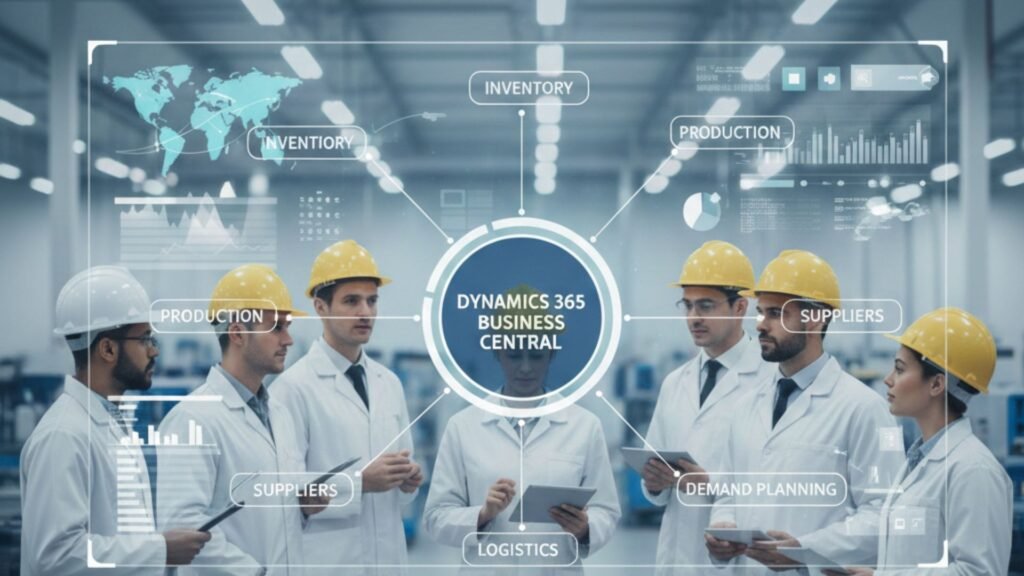
In today’s retail landscape, customers don’t think in channels. They browse online, compare prices on mobile, visit physical stores, and expect home delivery or curbside pickup—without friction. Retailers, however, often struggle because their systems don’t talk to each other. Separate POS, inventory, finance, eCommerce, and CRM platforms create data silos, delays, and costly mistakes. This is where a unified retail ERP becomes a game-changer. A modern solution like Microsoft Dynamics 365 Business Central brings all retail operations into one connected platform. From inventory and supply chain to finance and customer engagement, everything works in sync. For retailers looking to scale in competitive markets like Texas, partnering with a trusted Microsoft Dynamics 365 expert can make all the difference. Let’s explore why unified retail ERP is the backbone of omnichannel success—and how the right strategy, implementation, and support can transform your retail business. Understanding Omnichannel Retail in 2026 Omnichannel retail means delivering a seamless customer experience across all touchpoints—online stores, marketplaces, social commerce, brick-and-mortar outlets, and mobile apps. Customers expect: Without a unified ERP, managing these expectations becomes chaotic. Disconnected systems lead to stockouts, overselling, delayed reporting, and frustrated customers. The Core Problem: Fragmented Retail Systems Many retailers still operate on: This fragmentation causes: Retailers often try to “patch” systems together, but integrations without a centralized ERP create complexity rather than clarity. What Is a Unified Retail ERP? A unified retail ERP integrates: All departments operate on a single source of truth. Data updates in real time, ensuring that online orders immediately reflect inventory levels in stores and warehouses. This is especially powerful with Microsoft Dynamics 365 Business Central in Texas USA, where retailers are scaling rapidly and require enterprise-level performance with mid-market flexibility. Why Unified ERP Drives Omnichannel Success 1. Real-Time Inventory Visibility Customers hate seeing “In Stock” online only to find it unavailable at checkout. Unified ERP ensures accurate stock updates across: Retailers can enable buy-online-pickup-in-store (BOPIS) without risk of stock errors. 2. Centralized Financial Control Retail margins are thin. Without real-time financial tracking, profitability suffers. A unified ERP gives: Retailers working with a Microsoft Dynamics 365 partner in Texas USA gain localized expertise, ensuring compliance with state and federal regulations. 3. Faster Order Processing Orders from eCommerce, POS, and marketplaces flow into one system. Automated workflows reduce manual intervention and errors. This improves: 4. Smarter Demand Forecasting Data-driven forecasting helps retailers: Advanced analytics inside Dynamics 365 enable retailers to make proactive decisions instead of reactive ones. The Texas Retail Opportunity Texas is one of the fastest-growing retail markets in the United States. With expanding eCommerce penetration and strong brick-and-mortar presence, businesses must adopt scalable technology. Retailers searching for: are actively investing in digital transformation to stay competitive. Implementation: Turning Strategy into Execution Technology alone does not guarantee success. Proper implementation is critical. Step 1: Business Process Assessment A certified Microsoft Dynamics 365 partner in Texas USA evaluates: Step 2: System Design & Customization ERP is configured to match retail operations: Step 3: Data Migration Legacy data from outdated systems is securely transferred. This is where D365 migration services in Texas USA play a vital role in preventing data loss and downtime. Step 4: Training & Go-Live Teams receive hands-on training to ensure smooth adoption. A phased rollout reduces risk. The Importance of Ongoing Support Even the best ERP requires continuous optimization. Retailers benefit from: Support ensures that your ERP evolves with your business rather than becoming outdated. Migration from Legacy Systems Many retailers still operate on: Migrating to Dynamics 365 Business Central provides: Professional D365 migration services in Texas USA ensure minimal disruption during transition. Unified ERP and Customer Experience Omnichannel success is ultimately about customer experience. With unified ERP, retailers can: Customers receive consistent service whether shopping online or in-store. Data-Driven Retail Growth Modern ERP integrates analytics tools that provide: Retailers no longer rely on guesswork. Decisions are backed by real-time data. Scalability for Multi-Location Retailers As retailers expand across Texas and beyond, they require: Unified ERP ensures growth without operational chaos. Security and Compliance Retailers handle sensitive data: Cloud-based Dynamics 365 offers: Working with experienced Microsoft Dynamics consulting services in Texas USA ensures security best practices are implemented correctly. Cost Savings Through Automation Manual processes cost time and money. ERP automation reduces: Automation improves operational efficiency and increases profitability. Retail Use Case Example Imagine a retailer with: Before ERP: After implementing Microsoft Dynamics 365 Business Central: That’s the power of unified ERP. Why Choosing the Right Partner Matters Technology success depends on expertise. A certified Microsoft Dynamics 365 partner in Texas USA provides: The right partner ensures your ERP investment delivers measurable ROI. Future of Omnichannel Retail Retail in 2026 and beyond will be driven by: Unified ERP acts as the foundation for all future innovation. Without it, retailers remain stuck in fragmented operations. Final Thoughts Omnichannel success is not about being present on multiple platforms—it’s about delivering a unified experience across all of them. A unified retail ERP like Microsoft Dynamics 365 Business Central connects finance, operations, inventory, and customer data into one intelligent system. Retailers in Texas looking for: should prioritize working with an experienced Microsoft Dynamics 365 partner in Texas USA to ensure seamless deployment and long-term success.

Why Unified Retail ERP Is the Key to Omnichannel Success Read More »
why-choosing-the-right-d365-partner-determines-project-success

Why Choosing the Right D365 Partner Determines Project Success

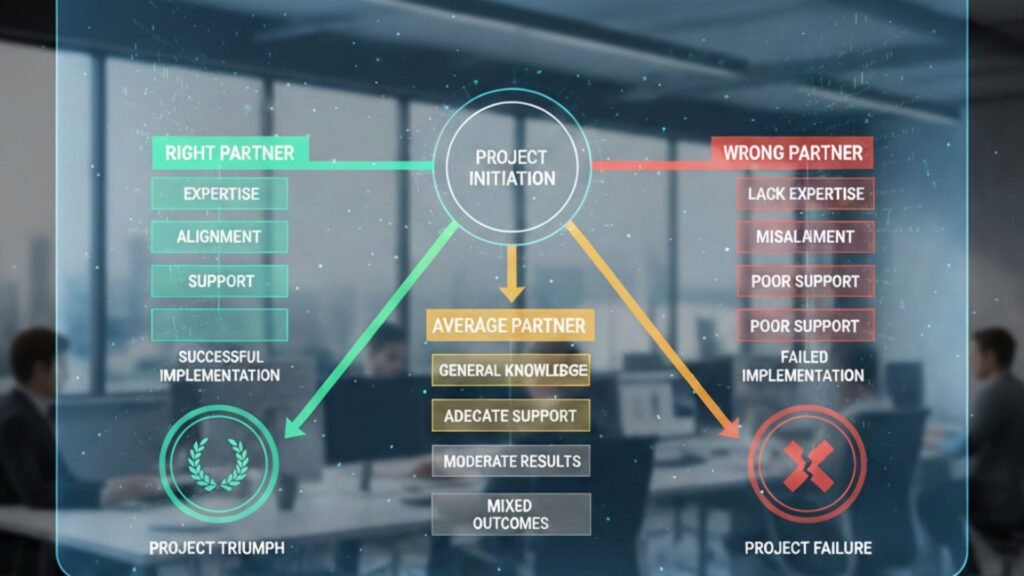
Digital transformation is no longer optional—it’s survival. Businesses across industries are moving toward intelligent ERP and CRM platformse to stay competitive, agile, and data-driven. At the center of this transformation stands Microsoft Dynamics 365, a powerful cloud-based business application platform designed to unify finance, operations, sales, supply chain, and customer engagement. But here’s the truth most companies realize too late: The success of your Dynamics 365 project depends less on the software—and more on the partner you choose. If you’re searching for a microsoft dynamics 365 partner in texas usa or evaluating MS Dynamics 365 implementation services in texas usa, this article will help you understand why the right partner makes all the difference. Understanding Microsoft Dynamics 365: More Than Just an ERP Microsoft Dynamics 365 is not just another ERP system. It’s a comprehensive ecosystem that integrates seamlessly with tools like Microsoft 365, Power BI, and Microsoft Azure. From finance and operations to customer service and supply chain, it offers modular solutions tailored to industry needs. However, its flexibility and customization capabilities require deep technical expertise and strategic planning. That’s where a trusted microsoft dynamics consulting services in texas usa provider becomes essential. Why the Right D365 Partner Matters More Than You Think 1. Strategy Before Technology A skilled partner doesn’t start with features—they start with your business goals. The right microsoft dynamics 365 partner in texas usa will conduct a detailed assessment of your processes, challenges, growth plans, and compliance requirements. They align the technology roadmap with your business objectives to ensure measurable ROI. Choosing the wrong partner? You risk misaligned modules, unnecessary customization, and budget overruns. 2. Industry-Specific Expertise Texas has a diverse business ecosystem—manufacturing, oil & gas, retail, healthcare, distribution, and more. An experienced partner offering microsoft dynamics 365 business central in texas usa understands local industry regulations, tax structures, and operational nuances. For example: Without domain expertise, your ERP may technically work—but strategically fail. 3. Seamless Implementation Determines Adoption Let’s talk about MS Dynamics 365 Implementation services in texas usa. Implementation is where most projects succeed—or collapse. It involves: A qualified partner follows structured methodologies like Agile or Sure Step to minimize disruption. They ensure your team is trained, confident, and ready to adopt the new system. Poor implementation leads to: 4. Business Central: The Smart Choice for Growing Companies Many mid-sized companies in Texas are choosing Dynamics 365 Business Central to modernize their operations. If you’re searching for microsoft dynamics 365 business central in texas usa, you’re likely looking for: But Business Central isn’t “plug and play.” A knowledgeable partner customizes it to match your workflows, ensuring you don’t have to change your business to fit the software. 5. Migration: The Most Sensitive Phase Upgrading from legacy systems like NAV or on-premise ERP requires careful planning. That’s why D365 migration services in texas usa are critical. Migration involves: A seasoned partner ensures your transition to Dynamics 365 is smooth, secure, and minimally disruptive. A poorly managed migration can result in: 6. Ongoing Support Defines Long-Term Success ERP success doesn’t end at go-live. It begins there. Reliable Microsoft Dynamics 365 Support Services in texas usa ensure: Business needs evolve. Regulations change. Markets shift. Your partner must provide long-term support and proactive optimization. Without strong support, even the best implementation can deteriorate over time. Key Qualities to Look for in a Microsoft Dynamics 365 Partner in Texas USA ✔ Certified Microsoft Experts :Ensure the partner is officially certified and recognized within the Microsoft ecosystem. ✔ Proven Track Record : Request case studies and client references from Texas-based businesses. ✔ Local Presence : A local microsoft dynamics 365 partner in texas usa understands regional compliance requirements and offers on-site support when needed. ✔ Industry Experience: Look for vertical-specific knowledge relevant to your business sector. ✔ Transparent Pricing & Methodology : Avoid hidden costs. A reliable partner clearly defines scope, timelines, and deliverables. Risks of Choosing the Wrong Partner Let’s be clear—choosing the wrong partner can cost more than just money. ❌ Budget Overruns ❌ Project Delays ❌ Incomplete Functionality ❌ Low User Adoption ❌ Security Vulnerabilities ERP failures often stem from poor implementation, not poor software. Why Texas Businesses Need Specialized Dynamics 365 Consulting Services Texas is home to a rapidly growing business economy. From Houston’s energy sector to Dallas-Fort Worth’s logistics and Austin’s tech ecosystem, companies require scalable and secure ERP solutions. A strong microsoft dynamics consulting services in texas usa provider helps organizations: They don’t just implement software—they build digital transformation strategies. The Role of Cloud and Security in D365 Projects Modern ERP solutions run in the cloud. Dynamics 365 leverages Microsoft Azure to ensure: A competent partner ensures: Security isn’t optional—it’s mandatory. Cost vs Value: The Real Investment Many organizations focus solely on pricing when selecting a partner. But ERP is not a short-term expense—it’s a long-term strategic investment. The right MS Dynamics 365 Implementation services in texas usa provider delivers: Cheaper isn’t always better. Expertise pays for itself. Real-World Scenario: Success vs Failure Company A: Chose a low-cost vendor without industry experience. Result? 8-month delay, data issues, frustrated employees. Company B : Partnered with an experienced microsoft dynamics 365 partner in texas usa. Result? On-time go-live, 30% operational efficiency improvement within 6 months. The difference? The partner. Future-Proofing Your Business with the Right Partner Technology evolves. Microsoft continuously updates Dynamics 365 with AI, automation, and analytics enhancements. A forward-thinking Microsoft Dynamics 365 Support Services in texas usa provider ensures: Your ERP should grow with you—not limit you. Conclusion: Your Partner Is Your Project’s Backbone Choosing the right microsoft dynamics 365 partner in texas usa determines whether your ERP project becomes a growth engine—or an expensive mistake. From microsoft dynamics 365 business central in texas usa to D365 migration services in texas usa, the expertise, strategy, and support of your partner define your return on investment. When selecting a partner, ask yourself: Because in the world of ERP, success is not about the software—it’s about who implements it. Frequently Asked Questions (FAQs) Q1.

Why Choosing the Right D365 Partner Determines Project Success Read More »

247 ERP Monitoring Why Your Business Can’t Afford Downtime

24/7 ERP Monitoring: Why Your Business Can’t Afford Downtime

In today’s hyper-connected business environment, downtime is no longer a minor inconvenience—it’s a direct threat to revenue, productivity, customer trust, and long-term growth. Whether you operate in manufacturing, retail, distribution, healthcare, or professional services, your ERP system is the backbone of daily operations. From finance and inventory to supply chain and customer service, every process depends on seamless system performance. That’s why 24/7 ERP monitoring has become a business necessity rather than a luxury. For organizations leveraging Microsoft Dynamics solutions, especially those working with a trusted microsoft dynamics 365 partner in texas usa, proactive ERP monitoring ensures business continuity, security, and performance optimization around the clock. This article explores why downtime is so costly, how continuous monitoring protects your business, and why partnering with experts offering Microsoft Dynamics 365 Support Services in texas usa is critical for long-term success. The True Cost of ERP Downtime Many businesses underestimate the real impact of ERP downtime. The costs go far beyond IT inconvenience. 1. Revenue Loss If your ERP system goes down: For manufacturers and distributors using microsoft dynamics 365 business central in texas usa, even a few hours of downtime can delay shipments and impact customer satisfaction. 2. Productivity Decline When ERP systems fail: Teams spend more time fixing problems than focusing on strategic tasks. 3. Customer Experience Damage Customers expect: System outages damage credibility and may drive customers toward competitors. 4. Compliance & Data Risks ERP systems manage sensitive financial and operational data. Downtime or system instability can: This is where reliable Microsoft Dynamics 365 Support Services in texas usa become essential. Why 24/7 ERP Monitoring Matters Traditional IT support models are reactive—issues are addressed only after they occur. In contrast, 24/7 monitoring is proactive. Here’s how it transforms ERP management: 1. Real-Time System Monitoring Continuous monitoring tracks: Potential bottlenecks are detected before they escalate into system failures. 2. Early Issue Detection Proactive monitoring tools can identify: Working with a microsoft dynamics 365 partner in texas usa ensures that alerts are handled immediately by certified experts. 3. Reduced Downtime When issues are identified early: This is particularly important for companies that rely on MS Dynamics 365 Implementation services in texas usa to manage large-scale operations. 4. Enhanced Security ERP systems are prime targets for cyberattacks. Continuous monitoring enables: Security is not optional—it’s mandatory. The Role of Microsoft Dynamics 365 in Modern Businesses Microsoft Dynamics 365 has become one of the most powerful ERP platforms globally. Businesses in Texas and across the USA increasingly rely on: Organizations using microsoft dynamics 365 business central in texas usa benefit from cloud flexibility, scalability, and real-time insights. However, even cloud systems require ongoing monitoring and optimization. Cloud does not mean “self-managing.” A trusted provider offering microsoft dynamics consulting services in texas usa ensures your system performs at peak efficiency 24/7. Key Components of 24/7 ERP Monitoring 1. Infrastructure Monitoring 2. Application Performance Monitoring (APM) 3. Integration Monitoring Modern ERP systems integrate with: Monitoring ensures APIs and integrations function without interruption. 4. Database Monitoring ERP systems rely heavily on databases. Continuous checks prevent: 5. Security Monitoring Companies investing in D365 migration services in texas usa especially need enhanced monitoring during and after migration. Why Businesses in Texas Need Proactive ERP Support Texas is home to: High-volume operations mean ERP systems process thousands of transactions daily. Any downtime can result in significant operational disruption. A reliable microsoft dynamics 365 partner in texas usa understands regional business demands and provides localized support with global expertise. ERP Monitoring During Migration ERP migration is a high-risk phase. Organizations upgrading legacy systems must ensure continuous monitoring during transition. Companies utilizing D365 migration services in texas usa benefit from: Without proactive monitoring, post-migration performance issues can compromise user adoption. How 24/7 Monitoring Improves ROI ERP systems are major investments. Continuous monitoring helps maximize ROI by: Organizations working with MS Dynamics 365 Implementation services in texas usa gain long-term value through structured monitoring strategies. Reactive Support vs Proactive Monitoring Reactive Support 24/7 Monitoring Fix after failure Prevent before failure Longer downtime Minimal disruption Higher repair costs Predictable maintenance Frustrated users Confident workforce Modern businesses can no longer afford reactive-only IT models. Industries That Cannot Afford ERP Downtime Manufacturing: Production halts when ERP fails. Retail : POS and inventory systems rely on ERP data. Healthcare: Patient records and billing systems depend on uptime. Distribution: Logistics and warehouse operations require real-time visibility. Companies using microsoft dynamics 365 business central in texas usa in these industries require constant performance assurance. Key Benefits of Partnering with an Expert A certified microsoft dynamics 365 partner in texas usa provides: Additionally, microsoft dynamics consulting services in texas usa offer strategic improvements, not just technical fixes. Disaster Recovery & Business Continuity ERP downtime can result from: 24/7 monitoring integrates with disaster recovery strategies: Companies using Microsoft Dynamics 365 Support Services in texas usa benefit from structured business continuity frameworks. Signs Your Business Needs 24/7 ERP Monitoring If your organization recently adopted D365 migration services in texas usa, post-go-live monitoring is critical. Future of ERP Monitoring: AI & Predictive Analytics Advanced monitoring solutions now use AI to: Businesses leveraging microsoft dynamics consulting services in texas usa gain access to intelligent performance management tools. Building a Monitoring Strategy A strong ERP monitoring framework includes: Partnering with experts offering MS Dynamics 365 Implementation services in texas usa ensures your monitoring strategy aligns with business goals. Conclusion ERP downtime is not just an IT issue—it’s a business risk. In an always-on economy, customers expect uninterrupted service, real-time information, and operational reliability. Organizations using microsoft dynamics 365 business central in texa usa must prioritize 24/7 ERP monitoring to protect revenue, ensure compliance, and maintain competitive advantage. By partnering with a trusted microsoft dynamics 365 partner in texas usa that delivers comprehensive Microsoft Dynamics 365 Support Services in texas usa, businesses can move from reactive troubleshooting to proactive optimization. In a world where every minute counts, continuous monitoring is not optional—it’s essential. Frequently Asked Questions (FAQs) Q 1. What is 24/7 ERP monitoring? Ans:

24/7 ERP Monitoring: Why Your Business Can’t Afford Downtime Read More »

why-manufacturers-trust-business-central-for-supply-chain-optimization

Why Manufacturers Trust Business Central for Supply Chain Optimization

In today’s highly competitive manufacturing landscape, supply chain efficiency is no longer optional—it is a strategic necessity. Manufacturers must manage fluctuating demand, rising operational costs, supplier disruptions, and increasing customer expectations, all while maintaining profitability. This growing complexity explains why manufacturers trust Business Central for supply chain optimization, as many organizations are turning to Microsoft Dynamics 365 Business Central as a modern, scalable ERP solution that delivers end-to-end supply chain visibility and control. Across the United States—and particularly in Texas—manufacturers are partnering with a trusted Microsoft Dynamics 365 partner in Texas USA to transform their operations, streamline processes, and optimize supply chains. This growing shift highlights why manufacturers trust Business Central for supply chain optimization, as Dynamics 365 Business Central has become the ERP of choice for manufacturers seeking greater visibility and control. This article explores how it enhances supply chain performance and why working with experienced Microsoft Dynamics consulting services in Texas USA is essential for long-term success. The Growing Supply Chain Challenges Faced by Manufacturers Manufacturers today operate in an environment shaped by global sourcing, volatile markets, and digital disruption. Traditional ERP systems often fail to provide the agility and real-time insights needed to respond quickly. Common supply chain challenges include: Legacy ERP systems struggle to adapt to these realities. As a result, manufacturers are increasingly migrating to cloud-based solutions like Dynamics 365 Business Central, supported by expert D365 migration services in Texas USA. What Is Microsoft Dynamics 365 Business Central? Microsoft Dynamics 365 Business Central is a comprehensive, cloud-based ERP solution designed for small to mid-sized businesses and growing enterprises. It unifies finance, supply chain, manufacturing, sales, and customer relationship management (CRM) into a single platform. Often referred to as Dynamics 365 Business Central, Business Central, or Dynamics 365 BC, it is part of the broader Microsoft Dynamics 365 ecosystem, seamlessly integrating with tools like Microsoft Dynamics 365 CRM, Microsoft 365, Power BI, and Azure. For manufacturers, Business Central delivers: Why Manufacturers Trust Business Central for Supply Chain Optimization 1. End-to-End Supply Chain Visibility One of the biggest reasons manufacturers trust Dynamics 365 Business Central is its ability to provide complete visibility across the supply chain. From procurement and inventory to production and fulfillment, every process is connected. With real-time dashboards and analytics, manufacturers can: A trusted Microsoft Dynamics 365 Business Central partner in Texas USA ensures that dashboards and reports are customized to manufacturing KPIs. 2. Intelligent Inventory Management Inventory optimization is critical for manufacturers aiming to reduce carrying costs while avoiding stockouts. Business Central uses intelligent planning tools to help manufacturers maintain the right inventory levels. Key benefits include: By working with Microsoft Dynamics 365 Support Services in Texas USA, manufacturers can continuously refine inventory strategies as business needs evolve. 3. Demand Forecasting and Production Planning Accurate demand forecasting is essential for efficient supply chain operations. Dynamics Microsoft solutions use historical data and predictive insights to help manufacturers align production with actual demand. Business Central supports: Manufacturers partnering with experienced MS Dynamics 365 Implementation services in Texas USA can configure these features to match complex production environments. 4. Seamless Procurement and Supplier Management Procurement inefficiencies can disrupt the entire supply chain. Microsoft Dynamics ERP partner solutions streamline purchasing by automating vendor selection, approvals, and order tracking. With Business Central, manufacturers can: A certified Microsoft Dynamics 365 partner ensures procurement workflows align with industry best practices. 5. Integrated Manufacturing and Shop Floor Control Unlike disconnected systems, Dynamics 365 Business Central integrates supply chain operations directly with manufacturing processes. Capabilities include: Manufacturers working with Microsoft Dynamics implementation partners gain tailored configurations that support discrete, process, or mixed-mode manufacturing. 6. Built-In Financial and Cost Control Supply chain optimization is incomplete without financial alignment. Business Central links inventory movements, procurement, and production directly to finance. This enables manufacturers to: A reliable Microsoft ERP partner helps manufacturers leverage these insights for strategic planning. Why Texas Manufacturers Prefer Dynamics 365 Business Central Texas is home to a diverse manufacturing ecosystem, including automotive, electronics, oil & gas, food processing, and industrial equipment. These industries require scalable and flexible ERP solutions. Manufacturers in Texas benefit from: By choosing Microsoft Dynamics 365 Business Central in Texas USA, organizations gain both global technology and local expertise. The Role of Microsoft Dynamics Consulting Services in Texas USA ERP success depends not only on software but also on strategy, implementation, and ongoing optimization. Microsoft Dynamics consulting services in Texas USA play a critical role in ensuring manufacturers realize maximum ROI. Consulting services include: Experienced consultants ensure that Dynamics 365, MS Dynamics, and Dynamics CRM capabilities are aligned with manufacturing goals. Smooth Transitions with D365 Migration Services in Texas USA Many manufacturers are moving from legacy systems or older Microsoft ERP solutions to Dynamics 365 Business Central. A poorly planned migration can disrupt operations—but expert D365 migration services in Texas USA minimize risk. Migration services cover: Certified Microsoft Dynamics partners list providers ensure secure and seamless transitions. Business Central and CRM: A Unified View of Customers Supply chain efficiency is closely linked to customer satisfaction. Microsoft Dynamics 365 CRM integrates seamlessly with Business Central, giving manufacturers a 360-degree view of customers. Benefits include: This integration strengthens both supply chain and customer experience strategies. Why Choose a Microsoft Dynamics 365 Partner in Texas USA? Choosing the right partner is as important as choosing the right ERP. A trusted Dynamics 365 partner, Business Central partner, or Microsoft Dynamics ERP partner brings industry knowledge, technical expertise, and ongoing support. Key advantages include: Leading Microsoft Dynamics implementation partners help manufacturers stay competitive in a rapidly changing market. Future-Ready Supply Chains with Dynamics 365 With continuous updates, AI-driven insights, and cloud scalability, Microsoft Dynamics 365 Business Central prepares manufacturers for the future. Key innovations include: Manufacturers partnering with a reliable Dynamics 365 Business Central partner gain a future-proof ERP platform. Frequently Asked Questions (FAQs) Q1. Why is Business Central ideal for manufacturers? Ans: Business Central integrates supply chain, manufacturing, finance, and CRM into one system, providing real-time visibility, automation, and scalability. Q2.

Why Manufacturers Trust Business Central for Supply Chain Optimization Read More »

retail-analytics-with-ls-central-turning-data-into-decisions

Retail Analytics with LS Central: Turning Data into Decisions

In today’s hyper-competitive retail environment, data is no longer just a by product of transactions—it is a strategic asset. Retailers that can capture, analyze, and act on data in real time gain a decisive edge in customer experience, inventory optimization, pricing strategy, and profitability. This is where Retail Analytics with LS Central, powered by Microsoft Dynamics 365 Business Central, plays a transformative role. LS Central combines Point of Sale (POS), ERP, inventory, customer management, and analytics into a single, unified platform. When deployed by an experienced Microsoft Dynamics 365 partner in Texas, USA, LS Central enables retailers to turn raw data into actionable insights that drive smarter decisions and sustainable growth. This article explores how LS Central empowers retailers with advanced analytics, the role of Microsoft Dynamics 365 Business Central, and why partnering with the right Dynamics experts in Texas is critical for success. Understanding Retail Analytics in the Modern Retail Landscape Retail analytics refers to the process of collecting, analyzing, and interpreting data from multiple retail touchpoints—stores, POS systems, eCommerce platforms, supply chains, and customer interactions. The goal is simple: make better decisions faster. Traditional retail systems often operate in silos. Sales data lives in one system, inventory in another, and customer data in a third. This fragmentation leads to delayed insights, manual reporting, and reactive decision-making. With LS Central integrated into Microsoft Dynamics 365 Business Central, retailers gain a single source of truth. Every transaction, return, stock movement, and customer interaction is captured in real time—creating a powerful analytics foundation. What Is LS Central and Why It Matters for Retail Analytics LS Central is an industry-specific retail solution built on Microsoft Dynamics 365 Business Central. It is designed for retailers, restaurants, and hospitality businesses that need end-to-end operational visibility. Core Capabilities of LS Central Because LS Central runs natively on Business Central, analytics are not bolted on—they are embedded into daily operations. Retailers can analyze data at store level, regional level, or enterprise level without complex integrations. For organizations working with a trusted Microsoft Dynamics 365 Business Central partner in Texas, USA, LS Central becomes a powerful decision-making engine rather than just a retail system. Turning Retail Data into Actionable Insights 1. Sales Performance Analytics LS Central provides deep visibility into sales data across channels and locations. Retailers can analyze: These insights allow retailers to quickly identify best-selling products, underperforming SKUs, and revenue opportunities. With guidance from Microsoft Dynamics consulting services in Texas, USA, businesses can customize dashboards that align with strategic goals. 2. Inventory Analytics and Demand Forecasting Inventory is one of the biggest cost centers in retail. Overstocking ties up capital, while stockouts lead to lost sales and unhappy customers. LS Central delivers advanced inventory analytics, including: By leveraging these insights, retailers can reduce carrying costs, improve availability, and optimize supply chains. Many organizations rely on Microsoft Dynamics 365 Support Services in Texas, USA to continuously fine-tune inventory analytics as their business scales. 3. Customer Behavior and Loyalty Analytics Modern retail success depends on understanding customer behavior. LS Central captures rich customer data directly at the POS and across digital channels. Retailers can analyze: These insights help retailers design personalized promotions, targeted marketing campaigns, and loyalty rewards that increase retention and lifetime value. When implemented through MS Dynamics 365 Implementation services in Texas, USA, customer analytics become a competitive differentiator rather than an afterthought. 4. Pricing and Promotion Effectiveness Pricing decisions are no longer guesswork. LS Central enables retailers to measure the real impact of pricing strategies and promotions. Analytics reveal: Retailers working with a Microsoft Dynamics 365 partner in Texas, USA can use these insights to create data-driven pricing models that balance competitiveness and profitability. 5. Store and Workforce Performance Analytics LS Central goes beyond sales and inventory—it also delivers operational analytics. Retailers can track: These insights help managers optimize staffing, improve store layouts, and enhance customer service. With ongoing Microsoft Dynamics 365 Support Services in Texas, USA, businesses can continuously refine KPIs and reports to match evolving retail strategies. The Power of Microsoft Dynamics 365 Business Central in Retail Analytics At the heart of LS Central lies Microsoft Dynamics 365 Business Central, a modern cloud ERP designed for scalability and intelligence. Why Business Central Is Ideal for Retail Analytics Retailers using Microsoft Dynamics 365 Business Central in Texas, USA benefit from enterprise-grade analytics without the complexity of traditional ERP systems. When combined with LS Central, Business Central delivers a unified analytics ecosystem. Enhancing Analytics with Power BI Integration One of the most powerful advantages of LS Central is its native integration with Microsoft Power BI. Retailers can transform raw data into interactive dashboards and visual reports. Power BI enables: With expert Microsoft Dynamics consulting services in Texas, USA, retailers can design custom Power BI dashboards that align with business objectives and leadership needs. Migration and Analytics Transformation with D365 Many retailers still rely on legacy POS and ERP systems that limit analytics capabilities. Migrating to LS Central and Business Central unlocks modern, data-driven retail operations. Through D365 migration services in Texas, USA, businesses can: A structured migration strategy ensures minimal disruption while maximizing analytics value from day one. Why Choose a Microsoft Dynamics 365 Partner in Texas, USA Implementing LS Central is not just a technical project—it is a business transformation. The right partner makes all the difference. A certified Microsoft Dynamics 365 partner in Texas, USA provides: From initial assessment to post-go-live optimization, experienced MS Dynamics 365 Implementation services in Texas, USA ensure retailers fully leverage analytics capabilities. Ongoing Support and Continuous Improvement Retail analytics is not a one-time setup. As markets change and customer expectations evolve, analytics must adapt. With reliable Microsoft Dynamics 365 Support Services in Texas, USA, retailers can: Continuous support ensures analytics remain aligned with business goals over the long term. The Future of Retail Analytics with LS Central As AI, machine learning, and predictive analytics become more accessible, LS Central is well-positioned to support the next generation of retail intelligence. Future-ready capabilities include: Retailers investing today in

Retail Analytics with LS Central: Turning Data into Decisions Read More »

Choosing the Right Microsoft Dynamics Support

Choosing the Right Microsoft Dynamics Support: Shared, Dedicated, or Incident-Based?

Microsoft Dynamics is a robust suite of tools designed to streamline enterprise resource planning (ERP) and customer relationship management (CRM). To maintain its performance and ensure efficiency, choosing the right Microsoft Dynamics support model is essential. Businesses can select from three primary options: Shared Support, Dedicated Support, or Incident-Based Support. Each model serves different needs, making it crucial to understand their benefits and ideal use cases. Shared Support Shared Support involves a support team assisting multiple clients. This model is cost-effective and suitable for businesses with straightforward needs. Key Benefits: Best for: Small to medium-sized businesses needing occasional support without high costs. Dedicated Support Dedicated Support provides exclusive assistance with a team or professional assigned solely to your business. Key Benefits: Best for: Medium to large businesses with complex systems requiring constant attention and minimal downtime. Incident-Based Support Incident-Based Support works on a pay-per-incident basis. Businesses pay only when they need assistance. Key Benefits: Best for: Small businesses with minimal issues or organizations needing backup support. How to Choose the Right Model When selecting a support model, consider the following factors: Conclusion Choosing the right Microsoft Dynamics support model—Shared, Dedicated, or Incident-Based—depends on your business needs, budget, and resources. Shared support is affordable and ideal for occasional issues, dedicated support ensures personalized and proactive assistance, and incident-based support provides flexibility for minimal requirements. By evaluating your business requirements carefully, you can select a support model that keeps your Microsoft Dynamics environment running smoothly and efficiently.

Choosing the Right Microsoft Dynamics Support: Shared, Dedicated, or Incident-Based? Read More »

migrate-from-microsoft-dynamics-NAV

How to Migrate from Microsoft Dynamics NAV or GP to Microsoft Dynamics 365 Business Central Successfully

Migrating from Microsoft Dynamics NAV or Microsoft Dynamics GP to Microsoft Dynamics 365 Business Central is one of the most impactful digital transformation steps a business can take. As organizations grow, their ERP needs expand—requiring better scalability, automation, cloud connectivity, and integration with modern tools like AI, analytics, and mobility solutions. Business Central is built to meet those needs. However, successful migration requires a structured approach, careful planning, and expert execution. This article outlines everything you need to know to ensure a smooth transition—from assessing your current system to going live on Business Central. 1. Understanding Why Companies Are Migrating to Business Central Before exploring the migration process, it’s important to understand why businesses are modernizing their ERP systems. Key Reasons for Migration Business Central offers a unified platform with strong financials, supply chain, CRM, inventory, manufacturing, service management, and project features. 2. Pre-Migration Assessment: The Foundation of Success A successful migration starts with a detailed evaluation of your current ERP environment. What to Assess Business Impact Assessment Ask key questions: This helps create a roadmap tailored to your business needs. 3. Choosing the Right Migration Approach There are three main migration approaches. Your choice depends on business complexity, timeline, and data requirements. A. Upgrade (Technical Migration) This approach upgrades NAV/GP to the latest version and moves data into Business Central. Best for: Pros: Cons: B. Re-implementation A clean installation of Business Central, followed by importing essential data. Best for: Pros: Cons: C. Hybrid Approach Combination of upgrade + selective reimplementation. Best for: Pros: 4. Preparing Your Data for Migration Data is the backbone of your ERP system. Preparing high-quality data ensures accuracy and enhances system performance. Key Data Preparation Steps Decide What Data to Migrate You can migrate: Migrating fewer unnecessary records results in faster system performance. 5. Mapping Your Processes to Business Central Even though NAV, GP, and Business Central share similar foundations, Business Central offers more modern workflows. Process Mapping Includes Leverage Business Central’s New Capabilities A trained Business Central consultant can help redesign workflows to maximize system efficiency. 6. Handling Customizations and Extensions NAV and GP customizations often rely on C/AL or Dexterity code. Business Central uses modern AL extensions, which are cloud-friendly and upgrade-safe. Steps for Migration of Custom Features Tip: Business Central’s AppSource marketplace offers plug-and-play apps reducing the need for heavy customization. 7. Migrating Integrations to Business Central Modern businesses use tools like: Business Central supports integrations through: Your migration partner must ensure all integrations are updated and tested. 8. Setting Up Security, Roles, and Permissions Role-based security is essential for compliance and productivity. Key Role-Level Setup Migrating roles correctly ensures smooth user onboarding and prevents operational issues. 9. User Training & Change Management Successful migration depends heavily on user adoption. Training Approach Change Management Well-trained users reduce support tickets and increase productivity. 10. Testing the New Business Central System Testing is one of the most important steps. Types of Testing Required Testing ensures your Business Central environment is ready for real operations. 11. Go-Live Preparation and Strategy Going live requires careful coordination with all stakeholders. Go-Live Checklist Many companies prefer going live at: This simplifies financial reconciliation. 12. Post-Go-Live Support and Optimization The journey doesn’t end after going live. Continuous support strengthens system performance. Post-Go-Live Activities A structured support plan ensures long-term success. 13. Why Working with the Right Partner Matters Migrating from NAV or GP to Business Central is a strategic move—and choosing an experienced Microsoft Dynamics partner ensures success. The right partner helps with: Trident Information System, for example, specializes in NAV/GP to Business Central migration, offering a proven methodology and certified consultants to ensure a smooth transition. Conclusion Migrating from Microsoft Dynamics NAV or GP to Business Central is not just a technical upgrade—it’s an opportunity to modernize your business, automate workflows, improve reporting, and integrate seamlessly with the Microsoft cloud ecosystem. By following a structured approach—assessment, planning, data preparation, customization migration, integration setup, testing, and training—you can ensure a successful migration that empowers your business for the future.

How to Migrate from Microsoft Dynamics NAV or GP to Microsoft Dynamics 365 Business Central Successfully Read More »

ls-central-enables-unified-commerce-for-modern-retailers

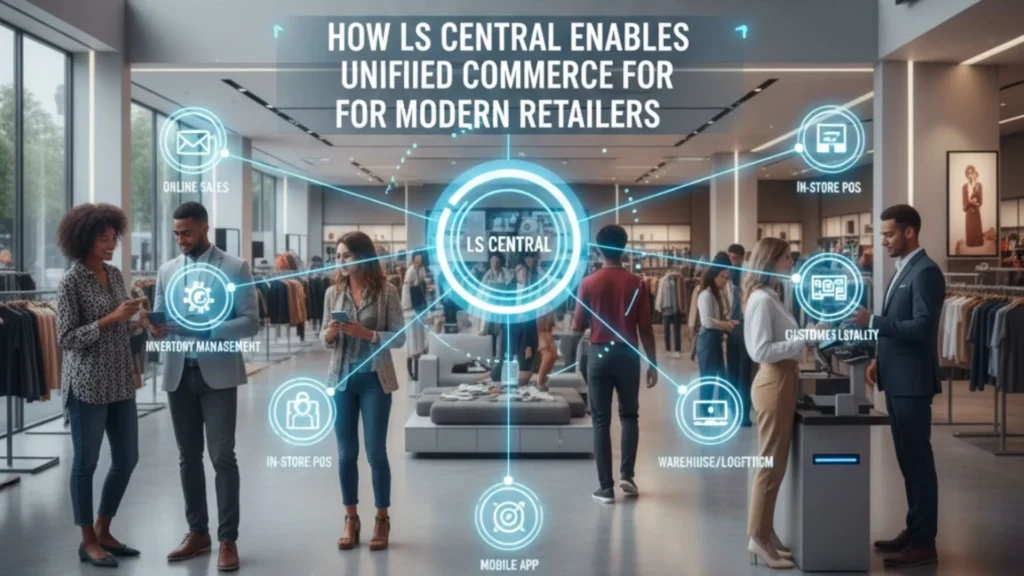
How LS Central Enables Unified Commerce for Modern Retailers

Retail is undergoing a massive transformation. The days when customers relied only on physical stores are long gone. Today’s shoppers browse online, compare prices on mobile, check stock availability on websites, visit stores to try products, and expect fast, flexible fulfillment options. They want a unified, seamless experience across every touchpoint. To meet these elevated expectations, retailers need unified commerce—a modern approach that connects all channels, systems, and data into one centralized platform. LS Central, built on Microsoft Dynamics 365 Business Central, has emerged as one of the most powerful unified commerce solutions for retailers of all sizes. For businesses working with a Microsoft Dynamics 365 Partner in Texas, USA, LS Central provides end-to-end retail management, real-time inventory visibility, integrated POS, and complete operational control. Paired with Microsoft Dynamics 365 Business Central in Texas, USA, it offers financials, supply chain, sales, procurement, warehousing, and retail operations inside a single ecosystem. This comprehensive article explains how LS Central enables unified commerce, why it’s essential for modern retail, and how businesses can leverage D365 services such as Microsoft Dynamics 365 Support Services in Texas, USA, MS Dynamics 365 Implementation Services in Texas, USA, and D365 Migration Services in Texas, USA to deploy LS Central successfully 1. The Shift From Omnichannel to Unified Commerce Omnichannel retail was once the gold standard because it allowed customers to shop across multiple channels. But retailers soon realized that omnichannel still created fragmented systems and data silos. Unified commerce goes a step further by consolidating every piece of data — inventory, orders, payments, promotions, and customer profiles — into one platform. This shift is driven by growing customer demands such as: Unified commerce eliminates channel-based barriers so customers enjoy a fluid, uninterrupted shopping journey. 2. What Is LS Central? LS Central is an all-in-one retail ERP solution built on Microsoft Dynamics 365 Business Central. It connects every part of a retail business, including: Instead of juggling multiple systems, retailers manage their entire operation from one unified platform. This results in improved accuracy, faster decision-making, lower costs, and a superior customer experience. 3. Why LS Central Is Critical for Modern Retailers Today’s retail operations face multiple challenges: LS Central solves all these issues by giving retailers a single version of the truth. Whether a shopper is browsing online or scanning a product in-store, they receive consistent and accurate information. Retailers working with a Microsoft Dynamics 365 Partner in Texas, USA gain access to tailored LS Central implementations that meet their business processes, workflows, and industry requirements. 4. How LS Central Enables Unified Commerce Below are the core capabilities that empower LS Central to unify retail operations end-to-end. 1. Unified POS That Works Everywhere LS Central offers a powerful POS system that supports: Every POS terminal is connected to the central database. This ensures: Retailers especially benefit from cloud-enabled POS systems that continue running even when offline. 2. Complete Inventory Visibility Across All Channels Inventory mistakes are costly. Customers expect accurate availability before they drive to a store or make an online purchase. LS Central provides: With Microsoft Dynamics 365 Business Central in Texas, USA, retailers also gain access to powerful warehouse and supply chain capabilities. Together, this ensures: 3. Seamless Omnichannel Order Fulfillment Retailers can offer modern fulfillment experiences such as: Order routing is automated based on: This leads to faster delivery, higher customer satisfaction, and optimized inventory usage. 4. Intelligent Customer Insights & Personalization LS Central includes built-in CRM features that store rich customer profiles, including: This unified profile enables: Whether a customer buys online or in-store, their benefits and history travel with them. 5. Powerful E-Commerce Integration Modern retailers operate across physical and digital channels, and LS Central seamlessly integrates with major e-commerce platforms like: Benefits include: As online sales continue to grow, this integration ensures flawless channel synchronization. 6. Centralized Financials and Reporting Because LS Central is built on Business Central, it provides: Retailers gain a complete understanding of performance across stores, channels, and product categories. 7. Scalable Architecture for Retail Growth Whether a retailer has 5 locations or 500, LS Central scales effortlessly. Cloud deployment ensures: With the support of Microsoft Dynamics 365 Support Services in Texas, USA, retailers ensure smooth daily operations and system optimization. 5. Benefits of LS Central for Retailers 1. True Unified Commerce A single platform for POS, ERP, inventory, CRM, e-commerce, supply chain, and financials. 2. Greater Customer Satisfaction Real-time information, personalized promotions, and flexible fulfillment. 3. Higher Sales & Conversions Better product availability + targeted offers = more purchases. 4. Lower Operational Costs No need for multiple systems or costly integrations. 5. Faster Decision-Making Access to real-time insights across the entire retail ecosystem. 6. Future-Ready Retail Cloud systems, AI insights, mobile POS, and smart forecasting ensure longevity. 6. LS Central Implementation Strategy Working with a qualified Microsoft Dynamics 365 Partner in Texas, USA ensures a structured and smooth deployment journey. Step 1: Discovery & Process Assessment Partners analyze: Step 2: Solution Blueprint LS Central is mapped to business needs, including store setup, pricing, promotions, fulfillment rules, and merchandising. Step 3: Customization Custom modules, dashboards, or POS workflows are developed if required. Step 4: Data Migration Handled via D365 Migration Services in Texas, USA, ensuring accurate transfer of: Step 5: User Training Staff receive hands-on training for: Step 6: Go-Live Stores begin operations on LS Central with support from MS Dynamics 365 Implementation Services in Texas, USA. Step 7: Post-Go-Live Support Ongoing assistance is provided through Microsoft Dynamics 365 Support Services in Texas, USA. 7. Why Retailers in Texas Prefer LS Central + Dynamics 365 Retail in Texas is growing rapidly, and businesses require scalable, modern systems. LS Central is preferred because it provides: With the help of a trusted Microsoft partner, Texas retailers build strong, future-ready operations that support growth. FAQs Q 1. What is LS Central used for in retail? Ans: LS Central is used to manage POS, inventory, merchandising, loyalty, e-commerce, financials, and store operations on a single platform. Q 2. How does LS Central

How LS Central Enables Unified Commerce for Modern Retailers Read More »

food-company

Food and Beverage Companies Transform Traceability and Recalls with Microsoft Dynamics 365

In the food and beverage (F&B) industry, precision, quality control, and compliance aren’t just operational goals — they’re survival factors. When a recall or contamination occurs, companies must act swiftly to identify the source, track affected batches, and ensure consumer safety. Modern technology plays a central role in this process, and Microsoft Dynamics 365 has become a trusted ally for many F&B manufacturers seeking total supply chain visibility and compliance management. From ingredient sourcing to distribution, Dynamics 365 delivers powerful capabilities for traceability, recall management, and quality assurance. Let’s explore how the platform empowers food and beverage companies to enhance their operations — and why working with an experienced Microsoft Dynamics 365 partner in Texas, USA, can make all the difference. 1. The Importance of Traceability and Recall Management in Food & Beverage Food and beverage businesses operate in one of the most highly regulated industries in the world. Agencies like the FDA (Food and Drug Administration) and USDA (United States Department of Agriculture) enforce stringent regulations for labeling, traceability, and product safety. A single labeling error, contamination event, or supplier issue can result in: To mitigate these risks, companies need real-time visibility across their entire supply chain. This includes knowing where raw materials come from, where they go, and how they’re processed at every stage. Manual systems and spreadsheets simply cannot manage this complexity anymore. That’s where Microsoft Dynamics 365 provides a complete, unified ERP platform designed for end-to-end transparency. 2. How Dynamics 365 Strengthens Traceability a. End-to-End Ingredient Tracking With Dynamics 365 Supply Chain Management, every ingredient can be traced from the supplier to the shelf. Each item receives a unique batch or lot number, enabling companies to track: This level of visibility ensures that if contamination or quality issues arise, affected batches can be quickly identified and isolated without halting entire operations. b. Real-Time Data Synchronization Unlike legacy ERP systems that work in silos, Dynamics 365 integrates financials, supply chain, production, and quality management into one unified platform. Real-time data flows allow manufacturers to: Companies leveraging Microsoft Dynamics 365 consulting services in Texas, USA can also customize these workflows to fit their specific traceability requirements — ensuring compliance with both local and international standards. c. Integration with IoT and AI Microsoft’s cloud-first approach means Dynamics 365 integrates seamlessly with IoT sensors and AI analytics. For example: This predictive approach transforms traditional quality assurance into proactive management — a key advantage in minimizing recall risks. 3. Efficient Recall Management with Dynamics 365 Even with the best preventive measures, recalls can still occur. Dynamics 365 provides robust features to execute recalls efficiently while minimizing disruption. a. Rapid Identification of Affected Batches When a potential issue is detected, the system allows for instant identification of all affected products — including where they were shipped and which customers received them. This is crucial for reducing the impact of recalls and maintaining compliance with FDA reporting requirements. b. Automated Notifications and Documentation Dynamics 365 automates critical recall steps such as: These workflows ensure that recalls are executed faster, with full audit trails, reducing administrative burden. c. Post-Recall Analysis After a recall, Dynamics 365 enables companies to perform root-cause analysis by reviewing the data trail. They can analyze supplier performance, production logs, and inspection results to prevent similar issues in the future. Engaging a Microsoft Dynamics 365 partner in Texas, USA, helps businesses set up these analytical dashboards and automate preventive actions based on recall data. 4. Quality and Compliance Made Easy a. Built-in Quality Control Quality checkpoints can be embedded throughout the production lifecycle — from receiving raw materials to final packaging. Dynamics 365 Business Central or Dynamics 365 Supply Chain Management enables automatic holds on items that fail inspection, preventing defective products from reaching consumers. b. Regulatory Compliance Dynamics 365 supports compliance with multiple global food safety standards, including: By maintaining complete digital records and audit trails, the system helps ensure smooth compliance audits and reporting. c. Allergen and Label Management For food producers, managing allergen information and accurate labeling is non-negotiable. Dynamics 365 streamlines this by linking ingredient data directly with packaging and labeling workflows — ensuring correct labeling, fewer errors, and full transparency. 5. Benefits of Using Microsoft Dynamics 365 for the F&B Industry a. Unified Data and Visibility With Dynamics 365, food manufacturers can unify operations — from production to finance — into a single, cloud-based solution. This eliminates data silos and provides real-time visibility into every process. b. Improved Operational Efficiency Automating manual processes like tracking, inspections, and reporting reduces human error and accelerates production cycles. c. Enhanced Consumer Trust Consumers today demand transparency. Having a digital trail of every ingredient and production step fosters trust and strengthens brand reputation. d. Better Collaboration Across Departments Because Dynamics 365 integrates with tools like Microsoft Teams and Power BI, teams can collaborate seamlessly, share dashboards, and make quick, informed decisions. e. Scalable and Flexible Platform As your business grows, Dynamics 365 scales effortlessly — supporting multiple locations, warehouses, and international operations without compromising performance. 6. How ERP Migration Services in Texas, USA, Help You Transition to Dynamics 365 For many F&B companies still using outdated systems like NAV, GP, or AX, migrating to Dynamics 365 is not just a technology upgrade — it’s a strategic move toward modernization. Expert ERP Migration Services in Texas, USA, ensure a smooth transition by: Working with a trusted Microsoft Dynamics 365 partner in Texas, USA, ensures your migration project is executed efficiently, meeting both operational and compliance goals. 7. The Role of ERP Consulting Services in Texas, USA ERP consulting is vital for ensuring your system supports your business model. ERP Consulting Services in Texas, USA, can help you: Consultants with food industry expertise can also guide you on best practices for FDA compliance and sustainability initiatives. 8. Continuous Optimization with Microsoft Dynamics 365 Support Services in Texas, USA Once your Dynamics 365 system is live, ongoing support becomes essential to keep operations running smoothly. Reliable Microsoft Dynamics 365 Support Services in

Food and Beverage Companies Transform Traceability and Recalls with Microsoft Dynamics 365 Read More »

challenges-in-renewable-energy-manufacturing

Top Challenges in Renewable Energy Manufacturing & How ERP Solves Them

The renewable energy sector stands at the forefront of global efforts to combat climate change and transition to sustainable power sources. However, manufacturers in this industry face a unique set of challenges that can hinder growth and operational efficiency. Enterprise Resource Planning (ERP) systems, particularly Microsoft Dynamics 365, offer comprehensive solutions to address these obstacles. Key Challenges in Renewable Energy Manufacturing 1. Complex and Global Supply Chains Renewable energy manufacturing often involves intricate supply chains that span multiple countries. Managing suppliers, logistics, and inventory across diverse regions can lead to delays, increased costs, and quality control issues. The complexity is further exacerbated by the need to source specialized components like solar panels, wind turbine blades, and battery storage systems. 2. Regulatory Compliance and Sustainability Reporting Manufacturers must navigate a labyrinth of local, national, and international regulations concerning environmental standards, emissions, and sustainability practices. Failing to comply can result in hefty fines, project delays, and reputational damage. Moreover, the pressure to provide transparent sustainability reports is intensifying, requiring robust data management systems. 3. High Capital Costs and Long ROI Cycles The capital-intensive nature of renewable energy projects means that manufacturers often face extended periods before realizing returns on investment. This financial strain can impede the ability to scale operations, invest in research and development, or adopt new technologies. 4. Rapid Technological Advancements The renewable energy sector is characterized by swift technological innovations. Manufacturers must continuously adapt to new materials, production techniques, and energy storage solutions to remain competitive. This rapid pace can lead to challenges in workforce training, equipment upgrades, and process optimization. 5. Skilled Labor Shortages A significant barrier to growth in renewable energy manufacturing is the shortage of skilled labor. The industry requires specialized knowledge in areas such as solar panel installation, wind turbine maintenance, and battery technology. However, the current workforce often lacks the necessary training, leading to inefficiencies and increased operational costs. How Microsoft Dynamics 365 ERP Addresses These Challenges 1. Streamlining Supply Chain Management Microsoft Dynamics 365 offers integrated modules that provide real-time visibility into supply chain operations. Features like demand forecasting, supplier management, and inventory optimization help manufacturers mitigate risks associated with global sourcing. For instance, Dynamics 365 enables proactive identification of supply chain disruptions, allowing for timely interventions. 2. Ensuring Regulatory Compliance and Sustainability The ERP system includes built-in tools for tracking and reporting on environmental metrics, emissions, and compliance with industry standards. By automating data collection and reporting processes, Dynamics 365 reduces the risk of human error and ensures timely submission of compliance documents. Additionally, integration with Microsoft Sustainability Manager leverages AI to analyze energy consumption patterns and recommend efficiency improvements. 3. Optimizing Financial Management Dynamics 365 Finance provides advanced budgeting, forecasting, and financial analysis tools tailored for the renewable energy sector. These capabilities enable manufacturers to manage cash flow effectively, assess project viability, and make informed investment decisions. The system’s scalability ensures that financial operations can grow in tandem with the business. 4. Facilitating Technological Adaptation The platform’s modular architecture allows manufacturers to adopt new technologies and processes without disrupting existing operations. For example, Dynamics 365 can integrate with Internet of Things (IoT) devices to monitor equipment performance in real-time, facilitating predictive maintenance and reducing downtime. This adaptability ensures that manufacturers can swiftly respond to technological advancements. 5. Addressing Skilled Labor Challenges Dynamics 365 includes Human Resources modules that assist in workforce planning, training, and development. By identifying skill gaps and providing tools for employee development, the ERP system helps manufacturers build a more competent and adaptable workforce. Additionally, integration with Microsoft 365 tools supports collaborative learning and knowledge sharing among employees. Selecting a Microsoft Dynamics 365 Partner in the USA Implementing Microsoft Dynamics 365 requires expertise to ensure alignment with business objectives and seamless integration into existing workflows. Choosing the right partner is crucial for a successful deployment. In the USA, several certified Microsoft Dynamics 365 partners specialize in the renewable energy sector: KUMAVISION: Specializes in ERP solutions for energy project developers, offering industry-specific functionalities for project management and financial oversight Ellipse Solutions: Offers tailored solutions for solar, wind, and geothermal energy projects, focusing on site development, construction, and maintenance. Dynamics Square: Provides end-to-end ERP implementation services, including consulting, customization, and support, with a strong track record in the energy industry. Conclusion The renewable energy manufacturing industry faces multifaceted challenges that require integrated solutions. Microsoft Dynamics 365 ERP provides a robust platform to streamline operations, ensure compliance, optimize financial management, facilitate technological adaptation, and address workforce development. By partnering with experienced ERP consultants, manufacturers can leverage these capabilities to enhance efficiency, reduce costs, and drive sustainable growth in the renewable energy sector. For organizations seeking to implement or upgrade their ERP systems, engaging with a certified Microsoft Dynamics 365 partner in the USA is a strategic step towards achieving operational excellence and long-term success.

Top Challenges in Renewable Energy Manufacturing & How ERP Solves Them Read More »