Trident Information Systems

the-most-practical-ai-features-businesses-are-using-in-dynamics-365-today

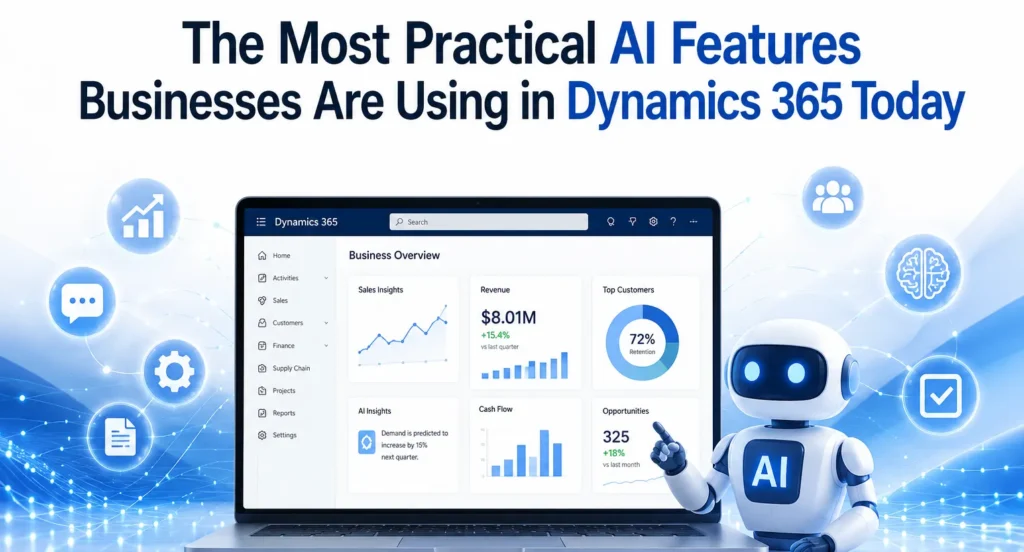
The Most Practical AI Features Businesses Are Using in Dynamics 365 Today

Artificial Intelligence (AI) has evolved from being a futuristic concept into a practical business tool that delivers measurable value. Organizations across manufacturing, retail, finance, healthcare, logistics, and professional services are no longer experimenting with AI—they are integrating it into their daily operations to improve productivity, automate repetitive tasks, and make faster business decisions. One platform leading this transformation is Microsoft Dynamics 365. With built-in AI capabilities and Microsoft Copilot, Dynamics 365 helps businesses simplify complex processes without requiring advanced technical expertise. Whether it’s generating financial reports, predicting customer demand, automating customer service responses, or improving inventory planning, AI is making enterprise resource planning (ERP) and customer relationship management (CRM) smarter than ever. Businesses working with an experienced Microsoft Dynamics 365 partner can implement these AI capabilities effectively, ensuring they align with organizational goals while maximizing return on investment. Why AI Matters in Dynamics 365 Traditional ERP systems were designed primarily to store and process business data. Modern Dynamics 365 solutions go much further by interpreting data, identifying patterns, and providing intelligent recommendations. Instead of manually analysing thousands of transactions or customer interactions, AI can instantly highlight trends, detect anomalies, and recommend actions. This allows employees to focus on strategic work rather than repetitive administrative tasks. As organizations continue their digital transformation journey, AI has become one of the biggest competitive advantages available within the Microsoft ecosystem. Microsoft Copilot: The Everyday AI Assistant Microsoft Copilot is perhaps the most practical AI feature currently available across Dynamics 365 applications. Rather than replacing employees, Copilot assists them by automating routine work. Users can create reports, summarize meetings, draft emails, generate customer responses, and analyse business data using simple natural language prompts. For finance teams, Copilot helps generate financial summaries and variance analyses. Sales teams receive AI-generated customer insights, while customer service agents can quickly access suggested solutions based on previous support cases. Within Microsoft Dynamics 365 Business Central, Copilot simplifies accounting tasks, purchasing processes, inventory management, and financial reporting, making ERP more accessible for users without technical expertise. AI-Powered Financial Management Finance departments spend countless hours reconciling accounts, preparing reports, reviewing invoices, and forecasting cash flow. AI dramatically reduces this workload. Dynamics 365 can automatically: Instead of spending days preparing month-end reports, finance teams can focus on analysing business performance and identifying growth opportunities. Organizations using professional Microsoft Dynamics 365 Support Services also benefit from continuous optimization as Microsoft regularly introduces new AI capabilities and enhancements. Intelligent Demand Forecasting Inventory planning has traditionally relied on historical sales and manual estimates. AI transforms this process by analysing multiple variables simultaneously. Dynamics 365 evaluates: The result is more accurate inventory forecasting, helping businesses reduce excess stock while avoiding costly stock shortages. Manufacturers and retailers especially benefit from AI-driven forecasting because it improves procurement decisions and production planning. Smarter Customer Service Customer expectations continue to rise, and businesses must deliver faster, more personalized support. AI within Dynamics 365 Customer Service enables organizations to: Support agents spend less time searching for information and more time resolving customer issues. Companies implementing these capabilities through experienced MS Dynamics 365 Implementation services often see improvements in customer satisfaction while reducing service costs. Sales Intelligence That Improves Conversions Sales professionals often struggle to identify which opportunities deserve immediate attention. Dynamics 365 Sales uses AI to prioritize leads based on customer behaviour, purchasing history, communication frequency, and engagement levels. Sales representatives receive recommendations such as: Instead of relying solely on instinct, sales teams can make data-driven decisions that improve conversion rates and increase revenue. AI in Supply Chain Management Supply chain disruptions have become increasingly common. AI helps businesses anticipate potential issues before they become serious problems. Dynamics 365 Supply Chain Management uses AI to: These predictive capabilities help organizations maintain business continuity while reducing operational costs. Businesses planning D365 migration services from legacy ERP systems often prioritize these AI-enabled supply chain features because they deliver immediate operational improvements. Automated Business Insights One of AI’s greatest strengths is transforming raw data into actionable insights. Executives no longer need to wait for manually prepared reports. Instead, AI continuously monitors business performance and alerts decision-makers about significant changes. Examples include: This proactive approach enables faster decision-making and more effective strategic planning. AI-Driven Purchasing and Procurement Procurement teams benefit from AI through improved supplier analysis and purchasing recommendations. Dynamics 365 can evaluate supplier performance, compare historical pricing, identify purchasing trends, and recommend optimal reorder quantities. This reduces procurement costs while improving supplier relationships and ensuring consistent product availability. Document Automation Businesses process thousands of documents every year, including invoices, purchase orders, contracts, receipts, and shipping documents. AI helps automate document processing by: This significantly reduces administrative work while minimizing human error. Predictive Maintenance Manufacturing companies using Dynamics 365 can leverage AI for predictive maintenance. Instead of repairing equipment after failure, AI analyses machine data to predict maintenance requirements before breakdowns occur. Benefits include reduced downtime, lower maintenance costs, longer equipment life, and improved production efficiency. Why Expert Implementation Matters Although Dynamics 365 includes powerful AI capabilities, achieving successful outcomes requires proper planning, customization, and integration. Working with experienced Microsoft Dynamics consulting services ensures businesses configure AI features according to their industry requirements, business processes, and long-term objectives. Professional consultants also help organizations integrate Microsoft 365, Power Platform, Azure AI, and other Microsoft technologies to create a connected digital ecosystem. Preparing for the Future Microsoft continues investing heavily in AI innovation across Dynamics 365. As Copilot evolves, businesses can expect even greater automation, more accurate predictions, and deeper business insights. Organizations that begin adopting AI today will be better positioned to respond to changing customer expectations, market conditions, and competitive pressures. Whether improving finance, supply chain, customer service, or sales, practical AI within Dynamics 365 is already delivering measurable business value across industries. Companies that embrace these capabilities with the guidance of a trusted implementation partner can achieve higher productivity, smarter decision-making, and sustainable long-term growth. Conclusion AI is no longer an optional technology for forward-thinking organizations. It has become a practical tool that improves

The Most Practical AI Features Businesses Are Using in Dynamics 365 Today Read More »
ax-to-dynamics-365-f-and-migration-costs-timeline-and-strategy

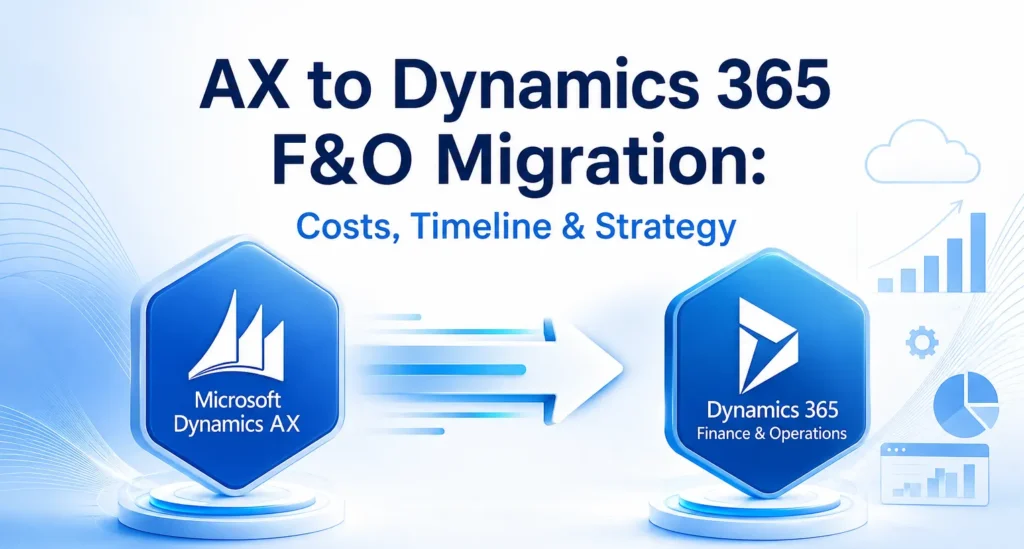
AX to Dynamics 365 F&O Migration: Costs, Timeline & Strategy

Businesses using Microsoft Dynamics AX have benefited from a reliable ERP system for many years. However, as technology evolves and organisations increasingly adopt cloud-first strategies, many are choosing to migrate to Microsoft Dynamics 365 Finance & Operations (Dynamics 365 F&O). This modern ERP solution provides greater flexibility, enhanced security, AI-powered capabilities, and continuous updates that help businesses stay competitive in an increasingly digital world. Migrating from Dynamics AX is more than simply upgrading software. It is an opportunity to modernise business processes, improve operational efficiency, and create a scalable platform that supports long-term growth. Whether you are planning your first ERP migration or evaluating your options, understanding the costs, timeline, and implementation strategy is essential for a successful transition. Why Upgrade from Dynamics AX to Dynamics 365 F&O? Microsoft Dynamics AX was designed for on-premises environments and has served thousands of organisations worldwide. However, maintaining legacy infrastructure, managing customisations, and handling manual upgrades have become increasingly expensive and time-consuming. Dynamics 365 F&O addresses these challenges with a cloud-based architecture that delivers continuous innovation and better performance. The platform offers advanced financial management, intelligent supply chain capabilities, automated workflows, real-time reporting, and seamless integration with Microsoft 365, Power Platform, and Azure services. Businesses also gain access to AI-driven insights that support faster and more informed decision-making. Working with an experienced Microsoft Dynamics 365 partner helps organisations make the transition smoothly while reducing risks associated with complex ERP migrations. Understanding the Cost of Migration One of the first questions businesses ask is, “How much does an AX to Dynamics 365 F&O migration cost?” There is no fixed answer because every organisation’s ERP environment is different. The overall investment depends on several factors, including the size of the business, the complexity of existing processes, and the amount of customisation required. Organisations running older versions such as Dynamics AX 2009 or AX 2012 often require additional planning because these systems typically contain outdated customisations, legacy integrations, and inconsistent data. Businesses with multiple locations, international operations, or high transaction volumes may also require more extensive implementation efforts. Another important cost factor is data migration. Customer records, vendor information, inventory data, financial transactions, and historical reports all need to be reviewed and validated before being transferred into the new system. The cleaner the existing data, the smoother and more cost-effective the migration process becomes. Training employees and preparing them for the new system should also be included in the overall project budget. Investing in user adoption ensures employees can quickly take advantage of the platform’s new features and capabilities. Typical Migration Timeline The duration of an AX to Dynamics 365 F&O migration depends on project complexity. Small businesses with straightforward business processes can often complete migration within a few months, while large enterprises with multiple legal entities and extensive integrations require a longer implementation schedule. A standard migration project generally includes assessment, solution design, system configuration, data migration, testing, user training, and go-live support. Each phase requires careful planning to minimise disruption to daily business operations. Rather than rushing implementation, organisations should focus on completing each stage thoroughly. Proper testing and user acceptance significantly reduce the likelihood of issues after deployment and contribute to a smoother transition. Building an Effective Migration Strategy A successful migration starts with a detailed assessment of the existing Dynamics AX environment. This involves reviewing current business processes, identifying customisations, evaluating integrations, and understanding reporting requirements. The goal is not simply to recreate the existing system but to identify opportunities for improvement. Once the assessment is complete, organisations can begin designing their future ERP environment. During this phase, business requirements are aligned with the capabilities available in Dynamics 365 F&O. Many businesses also evaluate Microsoft Dynamics 365 Business Central for smaller subsidiaries or regional offices while using Dynamics 365 F&O for enterprise-wide operations. This combination allows organisations to build a connected Microsoft ecosystem that supports different business needs. Data preparation is another critical step. Before migration begins, duplicate records should be removed, outdated information archived, and financial data validated. Clean and accurate data reduces migration errors and improves system performance after deployment. Testing plays a crucial role throughout the implementation process. Every workflow, integration, and report should be validated before the new system goes live. User acceptance testing allows employees to become familiar with the new environment while identifying any remaining issues. Common Migration Challenges Although every migration project is unique, organisations often encounter similar challenges. Legacy customisations are among the most common obstacles. Many Dynamics AX systems have been modified over several years to meet specific business requirements. During migration, these customisations should be carefully evaluated to determine whether they are still necessary or whether standard Dynamics 365 functionality can achieve the same outcome. Data quality is another common concern. Incomplete customer records, duplicate vendors, inconsistent product information, and outdated financial data can slow implementation and increase project costs. Beginning data cleansing early in the project significantly improves migration success. Employee adoption also deserves careful attention. Even the most advanced ERP solution will not deliver its full value if users are uncomfortable with the new system. Providing comprehensive training and communicating the benefits of the migration helps employees embrace new processes more confidently. Best Practices for a Successful Migration Organizations that experience successful ERP migrations typically follow a structured approach rather than treating migration as a simple technical upgrade. They establish clear business objectives, involve key stakeholders throughout the project, and prioritise business process improvements over replicating outdated workflows. While every implementation is different, several practices consistently contribute to success: Following these principles helps organisations reduce implementation risks while maximizing the return on their ERP investment. Benefits After Migrating to Dynamics 365 F&O Businesses that successfully migrate to Dynamics 365 F&O often experience improvements across finance, operations, manufacturing, procurement, and supply chain management. Real-time dashboards provide better visibility into business performance, allowing leaders to make faster and more informed decisions. Automation reduces repetitive manual tasks, enabling employees to focus on higher-value activities. Continuous Microsoft updates ensure the ERP platform remains

AX to Dynamics 365 F&O Migration: Costs, Timeline & Strategy Read More »

microsoft-dynamics-365-business-central-the-foundation-for-ai-driven-business-success

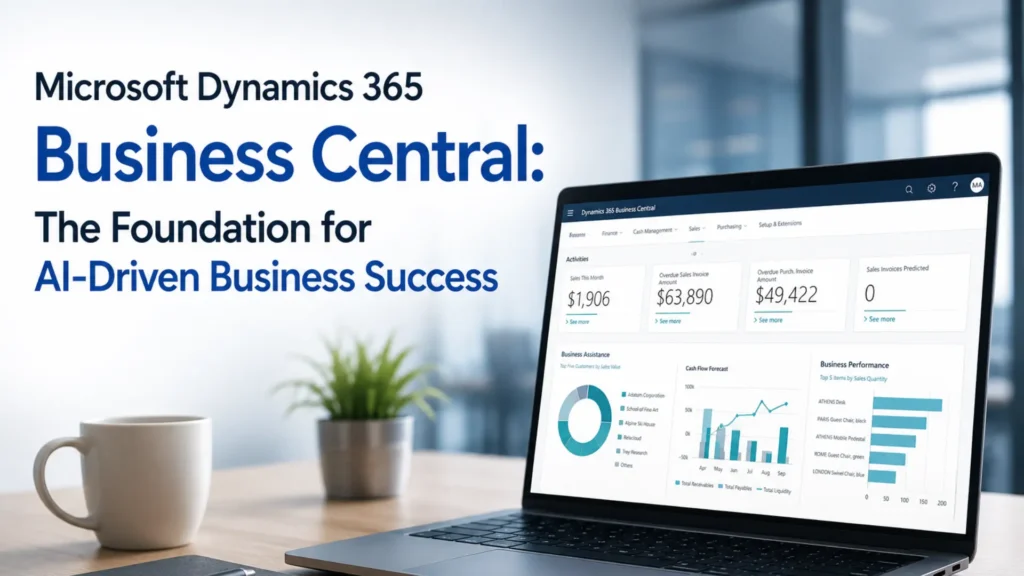
Microsoft Dynamics 365 Business Central: The Foundation for AI-Driven Business Success

Artificial Intelligence (AI) is no longer a futuristic concept—it has become an essential driver of business growth, innovation, and operational efficiency. Organizations across industries are investing in AI technologies to automate processes, improve decision-making, and deliver exceptional customer experiences. However, the success of AI depends on one critical factor: access to accurate, centralized, and real-time business data. This is where Microsoft Dynamics 365 Business Central plays a vital role. As Microsoft’s comprehensive cloud-based ERP solution, Business Central provides businesses with a unified platform to manage finance, sales, purchasing, inventory, operations, and customer information. When combined with Microsoft’s AI capabilities, including Copilot and advanced analytics, it becomes the foundation for smarter business decisions and sustainable growth. Whether you are a growing business looking to modernize operations or an established enterprise planning digital transformation, working with an experienced Microsoft Dynamics 365 partner can help you unlock the full potential of Business Central and AI-driven business solutions. Why AI Needs a Modern ERP Platform Artificial intelligence relies on high-quality business data to generate meaningful insights. Unfortunately, many organizations still use disconnected systems where financial data, inventory records, customer information, and operational reports are stored separately. This makes it difficult for AI to provide accurate recommendations. Microsoft Dynamics 365 Business Central eliminates these silos by bringing all business functions together in a single cloud platform. With centralized data, businesses can leverage AI to identify trends, forecast demand, optimize inventory, and improve financial planning. Instead of spending hours compiling reports from multiple systems, decision-makers gain instant access to reliable insights that help them respond quickly to changing market conditions. Key AI Capabilities in Microsoft Dynamics 365 Business Central Microsoft continues to enhance Business Central with intelligent features that improve productivity and simplify business operations. These AI-powered capabilities help organizations automate routine tasks while enabling employees to focus on strategic activities. Some of the most valuable AI-driven features include: These capabilities help businesses make informed decisions while reducing manual work and operational costs. How Business Central Improves Business Performance One of the biggest advantages of Business Central is its ability to connect every department within a single ERP system. Finance teams gain better visibility into cash flow and profitability, sales teams can track customer interactions more effectively, and inventory managers can monitor stock levels in real time. This connected approach improves collaboration across departments and enables AI to generate more accurate business insights. Business Central also integrates seamlessly with Microsoft applications such as Microsoft 365, Teams, Outlook, Excel, and Power BI. Employees can access business information directly from the tools they already use every day, improving efficiency and reducing the need to switch between multiple applications. For organizations embracing AI, this integration creates a powerful digital ecosystem where data flows automatically across business processes, allowing teams to work faster and make smarter decisions. Microsoft Copilot: Bringing AI into Everyday Work Microsoft Copilot is transforming the way businesses interact with ERP systems. Rather than manually searching for reports or entering repetitive information, users can ask questions in natural language and receive instant responses based on real-time business data. For example, finance managers can quickly generate financial summaries, sales teams can create product descriptions, and business leaders can analyze operational performance without spending hours preparing reports. Copilot reduces administrative workloads while helping employees focus on activities that create greater value for the organization. As Microsoft continues to invest in AI innovation, Copilot will become an even more powerful assistant within Microsoft Dynamics 365 Business Central, making everyday business operations more efficient and intelligent. The Importance of Professional Implementation and Support Implementing an ERP solution involves much more than installing software. Every organization has unique business processes, reporting requirements, and operational goals. Choosing the right Microsoft Dynamics 365 partner ensures your Business Central implementation is tailored to your specific needs. Professional MS Dynamics 365 implementation services help businesses configure the system correctly, migrate existing data, integrate third-party applications, train employees, and support a smooth go-live process. A well-planned implementation minimizes business disruption and helps organizations achieve faster returns on their ERP investment. After deployment, ongoing Microsoft Dynamics 365 support services play an equally important role. Regular updates, technical assistance, performance optimization, and user support ensure that the system continues to deliver maximum value as business requirements evolve. Why D365 Migration Services Matter Many organizations still rely on outdated ERP systems that limit business growth and make AI adoption difficult. Upgrading to Business Central enables businesses to take advantage of cloud technology, automation, and advanced analytics. Professional D365 migration services help organizations move securely from legacy systems such as Microsoft Dynamics NAV, Dynamics GP, or other ERP platforms. The migration process typically includes data cleansing, system configuration, testing, and user training to ensure a seamless transition with minimal downtime. Migrating to Business Central also provides businesses with a scalable platform that supports future innovation and continuous Microsoft updates without the complexity of maintaining legacy infrastructure. The Value of Microsoft Dynamics Consulting Services Every organization has different goals, challenges, and growth strategies. This is why expert Microsoft Dynamics consulting services are essential for maximizing the benefits of Business Central. Experienced consultants evaluate existing business processes, identify improvement opportunities, and recommend solutions that align with organizational objectives. Consulting services also help businesses adopt AI strategically by identifying automation opportunities, improving reporting capabilities, and ensuring the ERP system supports long-term business growth. With expert guidance, organizations can make better technology investments and accelerate their digital transformation journey. Benefits of Using Microsoft Dynamics 365 Business Central Businesses implementing Business Central often experience measurable improvements across their operations. Some of the key benefits include: These advantages help organizations improve efficiency, reduce costs, and remain competitive in an increasingly digital marketplace. Conclusion Artificial intelligence is transforming the future of business, but its success depends on having the right technology foundation. Microsoft Dynamics 365 Business Central provides that foundation by bringing together financial management, operations, inventory, sales, and customer information into a single intelligent ERP platform. Combined with Microsoft Copilot and advanced AI capabilities, Business Central

Microsoft Dynamics 365 Business Central: The Foundation for AI-Driven Business Success Read More »

how-predictive-analytics-in-d365-F&O-helps-businesses-avoid-supply-chain-disruptions

How Predictive Analytics in D365 F&O Helps Businesses Avoid Supply Chain Disruptions

Supply chain disruptions have become one of the biggest challenges for businesses across manufacturing, retail, distribution, and logistics. From unexpected supplier delays and transportation bottlenecks to fluctuating customer demand and global market uncertainties, organisations need more than traditional planning tools to stay competitive. This is where predictive analytics in Microsoft Dynamics 365 Finance & Operations (D365 F&O) makes a significant difference. labor By combining historical business data, artificial intelligence (AI), and machine learning, D365 F&O helps organizations predict future trends, identify potential risks, and make informed decisions before problems impact operations. Instead of reacting to supply chain disruptions after they occur, businesses can proactively manage inventory, production, procurement, and logistics. Whether you are working with a Microsoft Dynamics 365 partner to implement a new ERP solution or upgrading your existing system, predictive analytics can become a key driver of operational resilience and business growth. Understanding Predictive Analytics in D365 F&O Predictive analytics uses data, statistical models, and AI algorithms to forecast future outcomes based on historical and real-time information. Within Microsoft Dynamics 365 Finance & Operations, predictive analytics continuously analyses operational data to detect patterns that may affect business performance. The platform collects information from multiple business functions, including Instead of relying solely on manual reports or spreadsheets, decision-makers receive intelligent recommendations that improve planning and reduce uncertainty. Why Supply Chain Disruptions Are Increasing Modern supply chains are more connected than ever before, making them vulnerable to a wide range of disruptions. Common challenges include supplier shortages, transportation delays, inflation, labour shortages, changing customer expectations, and sudden demand fluctuations. Without predictive insights, companies often experience: Predictive analytics enables organisations to identify these risks early and respond before they become costly problems. How D365 F&O Predicts Supply Chain Risks Microsoft Dynamics 365 Finance & Operations combines AI-powered forecasting with real-time business intelligence to improve supply chain visibility. Demand Forecasting Accurate demand forecasting is essential for maintaining the right inventory levels. D365 F&O analyses historical sales, seasonal trends, promotional activities, and customer purchasing patterns to forecast future demand more accurately. This helps businesses: Instead of guessing future demand, businesses can make data-driven decisions with greater confidence. Intelligent Inventory Management Inventory is one of the largest investments for many organisations. Too much inventory increases storage costs, while too little inventory leads to lost sales. Predictive analytics continuously evaluates inventory levels by considering: The system recommends optimal replenishment quantities, helping organisations maintain healthy inventory without tying up unnecessary capital. Supplier Performance Analysis Reliable suppliers are essential for a stable supply chain. D365 F&O monitors supplier performance using historical delivery data, quality records, purchase history, and lead times. Businesses can quickly identify suppliers that consistently deliver late or fail to meet quality standards. This enables procurement teams to: Production Planning Optimization Manufacturing companies frequently struggle with balancing production schedules against changing customer demand. Predictive analytics evaluates production capacity, material availability, workforce scheduling, and customer orders to optimise manufacturing operations. Benefits include: Manufacturers can adjust production schedules before disruptions impact customers. Real-Time Business Intelligence Traditional ERP reports often provide information after problems have already occurred. Predictive analytics in D365 F&O works differently by continuously monitoring operational data. Managers receive alerts when the system detects: Early visibility enables businesses to take corrective action immediately rather than reacting after financial losses occur. AI-Powered Procurement Decisions Procurement teams often face uncertainty when selecting suppliers or scheduling purchases. Using predictive analytics, D365 F&O evaluates: These insights support smarter procurement decisions that reduce costs and improve supply continuity. Better Collaboration Across Departments Supply chain success depends on collaboration between procurement, finance, warehouse, manufacturing, and sales teams. Because D365 F&O centralises business data, every department works with the same real-time information. This improves communication, speeds up decision-making, and eliminates data silos that often lead to operational delays. Business Benefits of Predictive Analytics in D365 F&O Organisations implementing predictive analytics typically experience measurable improvements across their operations, including: These benefits become even greater when businesses partner with experienced consultants for implementation and optimization. Why Choose a Microsoft Dynamics 365 Partner? Implementing predictive analytics successfully requires more than installing software. A trusted Microsoft Dynamics 365 partner understands your business processes and configures the platform to deliver maximum value. An experienced partner can help with: Working with specialists reduces implementation risks and accelerates return on investment. The Role of Microsoft Dynamics 365 Support Services Even after implementation, businesses require continuous optimisation and system support. Professional Microsoft Dynamics 365 Support Services ensure your ERP environment remains secure, updated, and aligned with changing business requirements. Support services typically include: Continuous support helps organisations maximise the long-term value of predictive analytics. Importance of MS Dynamics 365 Implementation Services Successful ERP projects depend on proper planning and execution. Professional MS Dynamics 365 implementation services help businesses deploy D365 F&O efficiently while minimizing disruption to daily operations. Implementation experts assist with: A structured implementation approach ensures predictive analytics delivers accurate and reliable business insights. When to Consider D365 Migration Services Many organisations continue using legacy ERP systems that cannot provide AI-powered forecasting capabilities. Modern D365 migration services help businesses transition from older ERP platforms to Microsoft Dynamics 365 Finance & Operations with minimal downtime. Migration enables companies to benefit from: Upgrading also prepares businesses for future digital transformation initiatives. Why Microsoft Dynamics Consulting Services Matter Every organisation has unique operational requirements. Professional Microsoft Dynamics consulting services help businesses customise D365 F&O according to industry-specific needs and long-term growth objectives. Consultants evaluate existing business processes, identify improvement opportunities, and recommend best practices for leveraging predictive analytics effectively. Their expertise ensures organisations gain maximum value from Microsoft Dynamics 365 while reducing implementation complexity. Conclusion Supply chain disruptions are no longer rare events—they are an ongoing business reality. Companies that rely solely on historical reporting often struggle to respond quickly enough to minimise operational risks. Predictive analytics in Microsoft Dynamics 365 Finance & Operations transforms supply chain management by providing AI-powered forecasting, intelligent inventory planning, supplier performance analysis, and real-time operational insights. These capabilities enable organisations to make proactive decisions, reduce costs,

How Predictive Analytics in D365 F&O Helps Businesses Avoid Supply Chain Disruptions Read More »

how-do-erp-implementation-services-work-for-small-and-large-businesses

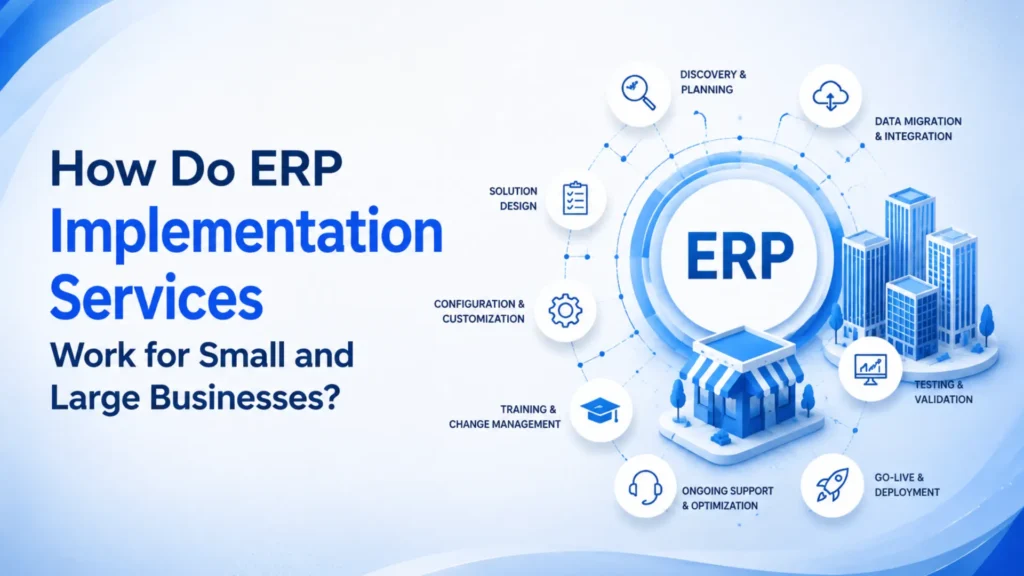
How Do ERP Implementation Services Work for Small and Large Businesses?

In today’s fast-moving business environment, organisations need more than standalone software to manage operations efficiently. They require a unified platform that connects finance, sales, purchasing, inventory, customer service, manufacturing, and reporting in real time. This is where ERP implementation services play a vital role. Whether you are a growing small business or a large enterprise operating across multiple locations, implementing the right ERP solution can streamline processes, improve productivity, and support long-term growth. Businesses across industries are increasingly choosing Microsoft Dynamics 365 Business Central because it offers a scalable, cloud-based ERP platform that adapts to changing business requirements. Working with an experienced Microsoft Dynamics 365 partner ensures that your ERP implementation is planned, configured, and deployed successfully while reducing project risks and maximising return on investment. What Are ERP Implementation Services? ERP implementation services involve the complete process of planning, deploying, configuring, testing, and launching an enterprise resource planning system. Rather than simply installing software, implementation includes analysing business processes, defining workflows, migrating historical data, integrating existing applications, training employees, and providing ongoing support after deployment. Professional MS Dynamics 365 implementation services ensure that the ERP solution aligns with business goals instead of forcing organisations to change their operations around the software. A structured implementation approach minimises disruption while helping businesses achieve faster adoption and measurable improvements. How ERP Implementation Works for Small Businesses Small businesses often face challenges such as limited budgets, manual processes, disconnected systems, and resource constraints. A successful ERP implementation focuses on solving these issues without introducing unnecessary complexity. For smaller organisations, implementation typically begins with understanding current business processes and identifying areas where automation can improve efficiency. Finance, inventory management, purchasing, sales, and customer relationship management are usually the first modules deployed. Because Microsoft Dynamics 365 Business Central is highly scalable, businesses can start with essential features and gradually expand functionality as they grow. This phased approach keeps implementation costs manageable while allowing organisations to realise benefits quickly. An experienced Microsoft Dynamics consulting services provider helps small businesses configure the system according to their industry requirements, reducing implementation time and ensuring the software supports future growth. ERP Implementation for Large Enterprises Large organisations usually have more complex requirements involving multiple departments, business units, locations, and international operations. ERP implementation for these businesses requires detailed planning, governance, and integration with numerous existing systems. Implementation often includes advanced financial management, manufacturing, warehouse management, supply chain planning, project management, business intelligence, and compliance reporting. Enterprise implementations also involve extensive data migration, custom workflows, security configuration, and integration with CRM platforms, eCommerce solutions, payroll systems, and third-party applications. Working with experienced Microsoft Dynamics Gold partners enables large organisations to manage complex ERP projects while following Microsoft best practices. Their expertise helps reduce implementation risks, improve user adoption, and ensure business continuity throughout the deployment process. Key Stages of ERP Implementation Although every organisation has unique requirements, successful ERP implementation generally follows a structured methodology. The first stage focuses on business discovery and requirement analysis. Consultants work closely with stakeholders to understand current challenges, define project objectives, and identify opportunities for process improvement. The next phase involves solution design, where workflows, user roles, integrations, and system architecture are planned according to business requirements. Configuration and customisation follow, ensuring the ERP platform reflects the organisation’s operational processes while avoiding unnecessary complexity. Data migration is another critical stage. Historical customer records, financial data, inventory information, vendors, and operational transactions are securely transferred into the new ERP environment using reliable D365 migration services. Testing is then carried out to validate workflows, reports, integrations, and business processes before the system goes live. Comprehensive user training helps employees understand the new platform and increases adoption across the organisation. Finally, after deployment, organisations benefit from ongoing Microsoft Dynamics 365 support services, ensuring system performance, security updates, issue resolution, and continuous optimisation. Why Microsoft Dynamics 365 Business Central Is a Preferred ERP Solution Many organisations choose Microsoft Dynamics 365 Business Central because it combines flexibility, scalability, and cloud technology in a single business management platform. The solution enables businesses to manage finance, supply chain, inventory, purchasing, sales, warehousing, manufacturing, and reporting from one integrated system. Since it is built on Microsoft’s cloud platform, users can securely access business information from virtually anywhere while benefiting from automatic updates and continuous innovation. Business Central also integrates seamlessly with Microsoft 365, Power BI, Teams, Power Platform, and other Microsoft applications, helping organisations improve collaboration and make data-driven decisions. The Importance of Choosing the Right Microsoft Dynamics 365 Partner Selecting the right Microsoft Dynamics 365 partner can significantly influence the success of an ERP implementation project. An experienced implementation partner provides technical expertise, industry knowledge, project management, user training, and long-term support. The best implementation partners begin by understanding business objectives rather than simply deploying software. They recommend practical solutions that improve operational efficiency while preparing organisations for future expansion. A trusted partner also delivers comprehensive Microsoft Dynamics consulting services, helping businesses optimise workflows, improve reporting, automate manual tasks, and maximise the value of their ERP investment. Ongoing Support After ERP Implementation ERP implementation does not end once the system goes live. Businesses require continuous monitoring, maintenance, optimisation, and user assistance to ensure the platform continues delivering value. Reliable Microsoft Dynamics 365 support services include system health monitoring, issue resolution, performance optimisation, security management, feature enhancements, user assistance, and Microsoft update management. As organisations grow, they may also require additional modules, integrations, or workflow improvements. Continuous support ensures the ERP system evolves alongside changing business needs. Benefits of Professional ERP Implementation Services Organisations that invest in professional ERP implementation experience significant operational improvements. Some of the most important benefits include: These benefits become even greater when implementation is supported by experienced Microsoft Dynamics gold partners with proven expertise in ERP transformation projects. Conclusion ERP implementation is a strategic investment that helps businesses improve efficiency, increase visibility, and support sustainable growth. While small businesses benefit from streamlined operations and automation, large enterprises gain greater control over complex processes, multiple locations, and

How Do ERP Implementation Services Work for Small and Large Businesses? Read More »

what-most-businesses-expect-from-a-modern-microsoft-dynamics-365-support-partner

What Most Businesses Expect from a Modern Microsoft Dynamics 365 Support Partner

In today’s fast-changing digital economy, businesses expect much more from their technology providers than they did just a few years ago. Enterprise Resource Planning (ERP) and Customer Relationship Management (CRM) platforms have become the foundation of business operations, helping organisations streamline processes, improve decision-making, and deliver better customer experiences. However, the success of these platforms depends not only on the software itself but also on the expertise of the partner implementing and supporting it. A reliable Microsoft Dynamics 365 partner plays a crucial role in helping organisations maximise the value of their ERP investment. Whether a company is implementing Microsoft Dynamics 365 Business Central, upgrading from a legacy system, or optimising an existing environment, businesses expect their technology partner to provide strategic guidance, proactive support, and continuous innovation. As Microsoft continues to introduce AI-powered capabilities, automation, and cloud-based solutions, organisations increasingly look for partners who understand both technology and business processes. This article explores what modern businesses truly expect from a Dynamics 365 support partner and why selecting the right partner is essential for sustainable growth. The Modern Role of a Microsoft Dynamics 365 Partner The role of a Microsoft Dynamics 365 partner has evolved significantly over the years. Earlier, businesses primarily looked for technical experts who could install software and resolve occasional issues. Today, organisations expect their partner to become a trusted advisor capable of improving business performance through technology. A modern Dynamics 365 partner begins by understanding an organisation’s operational challenges, growth plans, and long-term objectives. Rather than recommending generic solutions, they design ERP strategies that align with business goals. This consultative approach enables companies to improve efficiency while ensuring their technology investments continue delivering value as the organisation grows. Businesses also expect their partner to stay updated with Microsoft’s latest innovations, ensuring they can benefit from new capabilities without unnecessary delays or disruptions. Why Microsoft Dynamics 365 Business Central Continues to Grow in Popularity One of Microsoft’s most successful ERP platforms is Microsoft Dynamics 365 Business Central. It has become the preferred choice for small and medium-sized businesses as well as growing enterprises seeking a modern, cloud-based ERP solution. Business Central integrates financial management, sales, purchasing, inventory, manufacturing, warehouse management, customer service, and project management into a single platform. Because all business information is centralised, decision-makers gain real-time visibility across departments, allowing them to respond quickly to changing market conditions. The platform also integrates seamlessly with Microsoft applications such as Microsoft 365, Teams, Power BI, and Power Automate. This connected ecosystem improves collaboration while reducing manual work and duplicate data entry. A modern support partner helps organisations unlock these capabilities by configuring Business Central according to their specific business processes rather than relying on default settings. Businesses Expect Strategic Guidance Instead of Technical Assistance Modern organisations no longer want a support provider that simply responds when something breaks. They expect strategic guidance throughout the ERP lifecycle. An experienced partner regularly evaluates business processes, identifies improvement opportunities, and recommends new features introduced by Microsoft. This proactive approach enables businesses to remain competitive while continuously improving operational efficiency. Instead of focusing only on resolving technical issues, today’s support partners help organisations optimise workflows, automate repetitive tasks, improve reporting, and increase employee productivity. This long-term partnership creates greater business value than traditional break-fix support models. The Importance of Microsoft Dynamics 365 Support Services Reliable Microsoft Dynamics 365 support services remain one of the most important expectations businesses have when selecting a technology partner. Even the most advanced ERP systems require continuous monitoring, maintenance, and optimisation to perform at their best. Organisations expect quick issue resolution, timely Microsoft updates, performance optimisation, and proactive monitoring to minimise disruptions. They also want support teams that understand their business processes, allowing them to resolve issues efficiently without lengthy explanations. Effective support services help companies reduce downtime, improve system reliability, and ensure employees remain productive throughout the year. Beyond resolving technical issues, ongoing support also includes user guidance, security monitoring, system health checks, and recommendations for future improvements. Successful Projects Begin with Expert Implementation. A successful ERP journey starts with professional MS Dynamics 365 implementation services. Businesses understand that implementation quality directly impacts long-term return on investment. Rather than rushing into deployment, experienced implementation partners spend time understanding business processes, existing challenges, and organisational goals. They develop a structured implementation strategy that minimises risks while ensuring every department is prepared for the transition. During implementation, businesses typically expect their partner to deliver: A well-planned implementation significantly reduces costly errors while encouraging faster user adoption across the organisation. Seamless D365 Migration Services Reduce Business Risks Many organisations continue operating outdated ERP systems that limit growth and increase operational complexity. Modern D365 migration services enable businesses to transition from legacy systems to Microsoft Dynamics 365 without unnecessary disruptions. Migration involves much more than moving data between systems. It requires careful planning, data validation, process redesign, integration testing, and employee preparation. Businesses expect migration partners to protect historical data, maintain operational continuity, and minimise downtime throughout the project. An experienced migration team also identifies outdated customisations that are no longer required, replacing them with standard Dynamics 365 functionality whenever possible. This approach reduces future maintenance costs while simplifying system upgrades. Successful migrations allow organisations to modernise operations while benefiting from cloud security, AI capabilities, and continuous Microsoft updates. Microsoft Dynamics Consulting Services Create Long-Term Value Technology investments should always support business objectives. This is where Microsoft Dynamics consulting services become essential. Consultants work closely with business leaders to evaluate operational challenges, identify improvement opportunities, and develop long-term ERP strategies. Rather than recommending unnecessary customisations, experienced consultants focus on maximising standard Dynamics 365 functionality while ensuring scalability for future growth. Consulting services also help organisations prepare for expansion, mergers, acquisitions, regulatory changes, and evolving customer expectations. By aligning technology with business strategy, companies gain greater confidence in their digital transformation initiatives. Businesses increasingly appreciate consulting partners who provide measurable business outcomes rather than purely technical advice. AI and Automation Have Changed Business Expectations Artificial intelligence has become one

What Most Businesses Expect from a Modern Microsoft Dynamics 365 Support Partner Read More »

how-business-central-is-replacing-traditional-erp-systems-faster-than-expected

How Business Central is Replacing Traditional ERP Systems Faster Than Expected

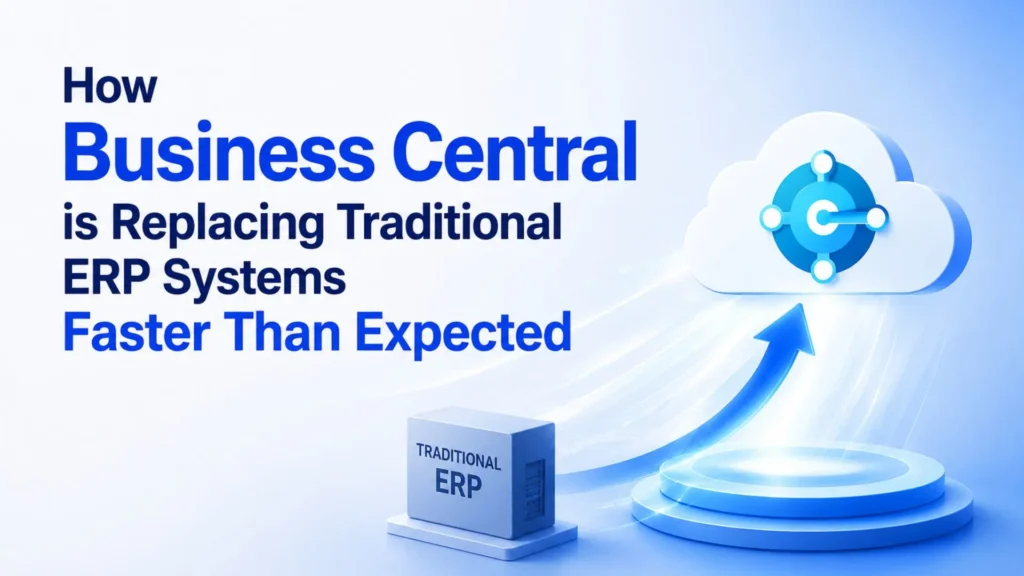
In today’s rapidly evolving digital economy, businesses can no longer afford to rely on outdated enterprise resource planning (ERP) systems that limit agility and innovation. Organizations across manufacturing, retail, distribution, healthcare, professional services, and finance are embracing cloud technology to improve efficiency, reduce operational costs, and gain real-time visibility into their operations. As a result, Microsoft Dynamics 365 Business Central has emerged as one of the fastest-growing ERP solutions, replacing traditional ERP systems much sooner than industry experts predicted. Unlike legacy ERP software that often requires expensive hardware, lengthy upgrade cycles, and significant IT resources, Business Central provides a modern cloud-based platform that integrates finance, supply chain, inventory, sales, purchasing, customer service, and reporting into a single, intelligent solution. Its seamless integration with Microsoft applications, built-in artificial intelligence (AI), and continuous updates make it an ideal ERP platform for organizations preparing for long-term digital transformation. Businesses looking to modernize their operations are increasingly partnering with an experienced Microsoft Dynamics 365 partner to implement Business Central efficiently and maximize the value of their ERP investment. Why Traditional ERP Systems Are Losing Their Competitive Edge For many years, traditional ERP systems played a vital role in helping organizations manage accounting, inventory, procurement, and operational processes. However, business requirements have changed dramatically. Modern organizations demand real-time data, remote accessibility, automation, and scalability—capabilities that many legacy ERP solutions struggle to provide. Older ERP platforms typically require costly on-premises servers, frequent hardware upgrades, manual software updates, and extensive IT maintenance. They are often difficult to customize and integrate with modern productivity tools, resulting in disconnected workflows and delayed decision-making. As businesses continue to adopt hybrid work models and digital-first strategies, these limitations become increasingly significant. Business Central addresses these challenges by offering a cloud-native ERP solution that is always up to date, highly secure, and accessible from anywhere, enabling organizations to remain competitive in a rapidly changing marketplace. Cloud Technology Is Accelerating ERP Modernization One of the biggest reasons businesses are replacing traditional ERP systems is the widespread adoption of cloud computing. Organizations are recognizing that cloud ERP eliminates many of the operational and financial burdens associated with maintaining on-premises infrastructure. With Microsoft Dynamics 365 Business Central, businesses no longer need to invest in expensive servers or dedicate large IT teams to maintaining their ERP environment. Microsoft manages system availability, security updates, backups, and software enhancements through its Azure cloud infrastructure, allowing companies to focus on strategic growth rather than technology maintenance. The cloud also enables employees to securely access business information from virtually anywhere, improving collaboration between departments and supporting remote and hybrid work environments. This flexibility has become an essential requirement for organizations seeking greater operational resilience. Artificial Intelligence Is Transforming Business Operations Artificial intelligence is no longer a future concept—it is now a practical business tool that helps organizations improve productivity and make smarter decisions. Business Central integrates Microsoft’s AI capabilities directly into everyday business processes, enabling users to automate repetitive tasks and gain predictive insights. Instead of manually analyzing spreadsheets or waiting for end-of-month reports, finance teams can forecast cash flow more accurately, purchasing managers can optimize inventory levels, and sales teams can identify new revenue opportunities using AI-driven recommendations. Microsoft Copilot further enhances user productivity by simplifying reporting, generating summaries, and assisting employees with everyday tasks. These intelligent capabilities reduce manual effort while enabling leadership teams to respond more quickly to changing market conditions, making Business Central significantly more valuable than traditional ERP systems. Faster ERP Implementation Reduces Business Risk Historically, ERP implementation projects were known for being lengthy, expensive, and complex. Many organizations spent more than a year deploying legacy ERP software before realizing measurable business value. Today, professional MS Dynamics 365 implementation services have transformed this process. Experienced implementation partners use proven methodologies, industry best practices, and Microsoft deployment frameworks to significantly reduce implementation timelines. Rather than spending months configuring infrastructure and installing software, organizations can focus on optimizing business processes and training employees. Faster implementation means businesses begin benefiting from improved efficiency, automation, and reporting much sooner while reducing project risk and implementation costs. Seamless Integration Creates a Connected Business Modern organizations rely on multiple software applications to manage daily operations. One of Business Central’s greatest strengths is its ability to connect seamlessly with the Microsoft ecosystem, creating a unified digital workplace. Employees can manage customer communications through Outlook, analyze financial data in Excel, collaborate in Microsoft Teams, automate repetitive workflows using Power Automate, and visualize business performance through Power BI—all while working within the same ERP environment. This level of integration eliminates duplicate data entry, reduces human error, and improves collaboration across departments. Instead of operating separate systems for finance, sales, inventory, and reporting, organizations benefit from a single source of truth that improves productivity and decision-making. D365 Migration Services Make ERP Modernization Easier Many businesses hesitate to replace their legacy ERP systems because they believe migration will be disruptive or risky. However, modern D365 migration services have considerably simplified the transition process. Migration specialists begin by evaluating the existing ERP environment and identifying which business data, processes, and integrations should be transferred to Business Central. They then cleanse outdated data, migrate essential records, validate system accuracy, and conduct comprehensive testing before deployment. This structured migration approach minimizes operational disruption while ensuring organizations retain critical business information. User training and post-deployment assistance further help employees adapt quickly to the new system, resulting in higher user adoption and faster business benefits. Continuous Microsoft Dynamics 365 Support Services Ensure Long-Term Success Implementing an ERP system is only the beginning of the digital transformation journey. As business requirements evolve, organizations require continuous support to maintain system performance, improve processes, and adopt new Microsoft innovations. Professional Microsoft Dynamics 365 Support Services help businesses resolve technical issues, optimize workflows, manage Microsoft updates, improve security, and introduce new functionality as organizational needs change. Ongoing support also ensures companies remain compliant with changing regulations while maximizing the value of their Business Central investment. Instead of treating ERP as a one-time implementation project, organizations benefit

How Business Central is Replacing Traditional ERP Systems Faster Than Expected Read More »

how-ai-is-improving-microsoft-dynamics-365-support-services

How AI is Improving Microsoft Dynamics 365 Support Services

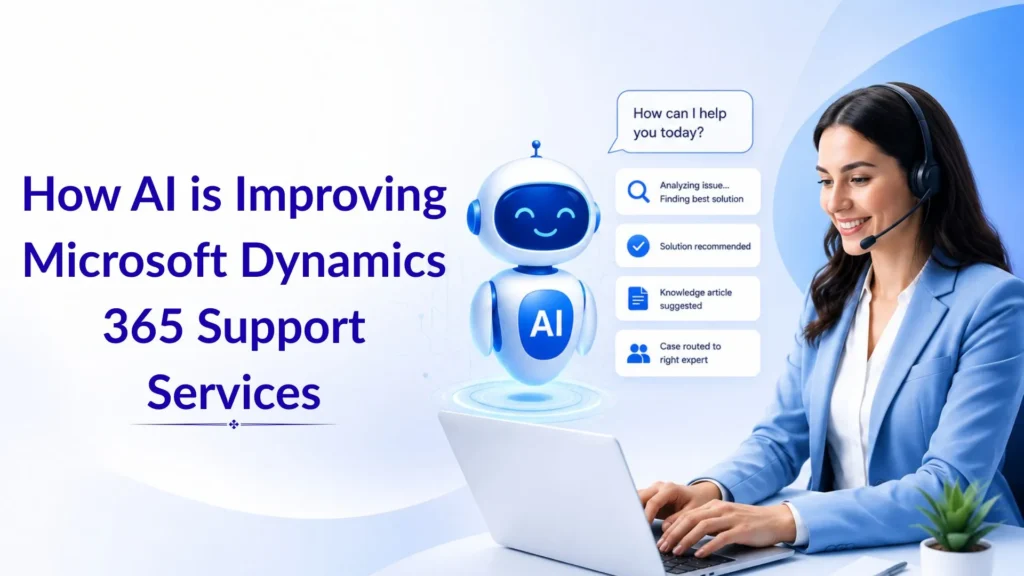
Artificial Intelligence (AI) is transforming the way businesses manage, optimize, and support their ERP systems. As organizations increasingly rely on Microsoft Dynamics 365 to streamline operations, AI-powered technologies are becoming an essential part of support services. From predictive issue detection to automated troubleshooting, AI is helping businesses improve efficiency, reduce downtime, and enhance user experiences. Companies working with a Microsoft Dynamics 365 partner in Texas, USA, are discovering that AI-driven support solutions can significantly improve system performance while lowering operational costs. Rather than waiting for issues to occur, AI enables businesses to take a proactive approach to system management and support. The Evolution of Dynamics 365 Support Services Traditional ERP support models are often reactive. Users report problems, support teams investigate the issue, and solutions are implemented after disruptions have already occurred. While this approach has worked for years, modern businesses require faster and more intelligent support solutions. This is where Microsoft Dynamics 365 Support Services in Texas, USA, are evolving. AI technologies can continuously monitor system performance, analyze data patterns, and identify potential problems before they impact business operations. As a result, organizations experience fewer disruptions and improved operational stability. Faster Issue Resolution Through AI One of the most significant advantages of AI is its ability to process large amounts of data in seconds. AI-powered tools can identify unusual system behavior, analyze historical incidents, and automatically recommend solutions. For organizations using Microsoft Dynamics 365 Business Central in Texas, USA, this means support teams can resolve issues more quickly and accurately. Instead of manually reviewing logs and reports, AI provides actionable insights that help technical teams identify root causes and implement solutions faster. This reduces downtime and ensures employees can continue working without unnecessary interruptions. Predictive Support and Proactive Monitoring AI is changing support services from reactive to predictive. By continuously monitoring ERP environments, AI can detect warning signs long before a system failure occurs. This proactive approach allows businesses to address potential issues before they affect productivity. Some of the key benefits of AI-powered monitoring include: Businesses that invest in Microsoft Dynamics consulting services in Texas, USA, can leverage these capabilities to maintain optimal system performance and improve operational reliability. Improving User Experience and Productivity Another area where AI is making a major impact is user support. Intelligent virtual assistants and AI-powered chatbots can provide instant answers to common user questions, reducing the workload on support teams. Employees can quickly find information, troubleshoot minor issues, and complete routine tasks without waiting for technical assistance. This improved user experience leads to higher productivity and better adoption of Microsoft Dynamics 365 across the organization. Employees spend less time searching for solutions and more time focusing on strategic business activities. AI in Implementation and Migration Projects AI is also playing an increasingly important role in MS Dynamics 365 implementation services in Texas, USA. During implementation projects, AI can analyze business processes, identify inefficiencies, and recommend workflow improvements. This helps organizations deploy Dynamics 365 more effectively and achieve faster returns on investment. Similarly, businesses planning D365 migration services in Texas, USA, can benefit from AI-driven data analysis and validation tools. AI helps identify duplicate records, data inconsistencies, and potential migration risks before the migration process begins. This results in smoother transitions and minimizes disruptions during system upgrades. Driving Continuous Improvement One of the greatest strengths of AI is its ability to learn and improve over time. AI-powered analytics can uncover trends in support requests, system usage, and operational performance. These insights help businesses continuously optimize their Dynamics 365 environment and make informed decisions about future improvements. A trusted Microsoft Dynamics 365 partner in Texas, USA, can use AI-generated insights to recommend enhancements, improve workflows, and ensure organizations maximize the value of their ERP investment. Conclusion AI is revolutionizing the future of Dynamics 365 support by making services more proactive, intelligent, and efficient. From predictive monitoring and automated issue resolution to enhanced user assistance and smarter migration strategies, AI is helping organizations get more value from their ERP systems. Businesses seeking Microsoft Dynamics 365 support services in Texas, USA; MS Dynamics 365 implementation services in Texas, USA; D365 migration services in Texas, USA; or Microsoft Dynamics consulting services in Texas, USA, should consider partnering with experienced experts who leverage AI-driven technologies. By combining advanced AI capabilities with industry expertise, organizations can improve performance, reduce costs, and achieve long-term business success. FAQs Q1. How does AI improve Microsoft Dynamics 365 support services? Ans: AI helps automate issue detection, predictive monitoring, troubleshooting, and support processes, resulting in faster resolution times and improved system performance. Q2. Can AI reduce downtime in Dynamics 365 environments? Ans: Yes. AI continuously monitors system activity and identifies potential issues before they become major problems, helping reduce downtime and operational disruptions. Q3. How does AI assist during Dynamics 365 implementation? Ans: AI analyzes business processes, identifies inefficiencies, validates data, and helps implementation teams optimize workflows during deployment. Q4. Is AI beneficial for Microsoft Dynamics 365 Business Central users? Ans: Absolutely. AI enhances reporting, forecasting, automation, and support capabilities, helping organizations using Microsoft Dynamics 365 Business Central in Texas, USA, improve productivity and decision-making. Q5. How does AI support D365 migration projects? Ans: AI assists with data cleansing, validation, risk assessment, and migration planning, making ERP migration projects more accurate and efficient.

How AI is Improving Microsoft Dynamics 365 Support Services Read More »

the-future-of-retail-how-ls-central-and-ai-are-transforming-store-operations

The Future of Retail: How LS Central and AI Are Transforming Store Operations

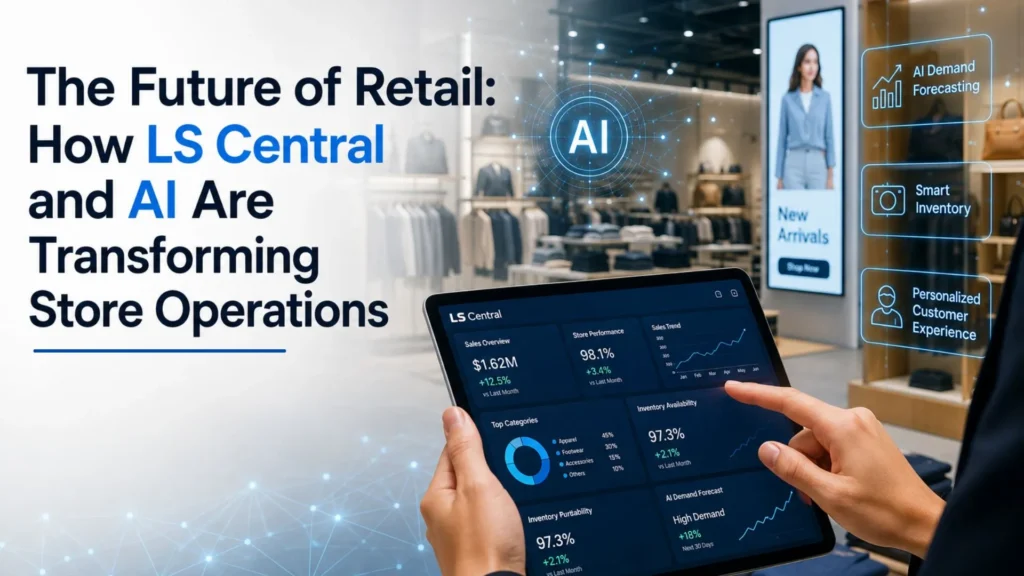
The retail industry is undergoing one of the most significant transformations in its history. Consumer expectations continue to rise as shoppers demand personalized experiences, faster service, accurate product availability, and seamless interactions across both digital and physical channels. To remain competitive, retailers must embrace technologies that improve operational efficiency while enhancing customer satisfaction. This is where artificial intelligence (AI) and LS Central are making a profound impact. Built on Microsoft Dynamics 365 Business Central, LS Central provides retailers with a unified platform to manage sales, inventory, finance, customer engagement, and business operations. When combined with AI-powered capabilities, the solution enables retailers to make smarter decisions, automate routine tasks, and create exceptional shopping experiences. Businesses looking to modernize their operations are increasingly partnering with a trusted Microsoft Dynamics 365 partner in Texas, USA, to implement intelligent retail solutions that support long-term growth and profitability. The Retail Industry’s Shift Toward Digital Transformation Retail businesses have traditionally relied on multiple disconnected systems to manage different aspects of their operations. Inventory management, point-of-sale transactions, financial reporting, customer data, and supply chain activities often operate independently, creating inefficiencies and limiting visibility across the organization. Today’s retailers need a centralized solution that provides real-time information and supports data-driven decision-making. This growing demand has led many organizations to adopt Microsoft Dynamics 365 Business Central in Texas, USA, along with LS Central to create a connected retail ecosystem. By bringing all business functions together within a single platform, retailers gain complete visibility into their operations and can respond more quickly to changing market conditions. Understanding LS Central LS Central is a comprehensive retail management solution designed specifically for retailers, supermarkets, specialty stores, restaurants, and hospitality businesses. Built directly on Microsoft Dynamics 365 Business Central, it combines core business operations into one integrated system. Unlike traditional retail software that requires multiple third-party applications, LS Central enables organizations to manage their entire business from a single database. This unified approach improves accuracy, reduces operational complexity, and provides a consistent flow of information throughout the organization. Retailers working with providers offering MS Dynamics 365 implementation services in Texas, USA, can customize LS Central according to their unique business requirements and growth objectives. How AI Is Reshaping Retail Operations Artificial intelligence has evolved from an emerging technology into a critical business tool. Modern retailers generate enormous amounts of data every day, but without intelligent systems, much of this information remains underutilized. AI enables retailers to analyze customer behavior, predict future demand, optimize inventory levels, and automate decision-making processes. By leveraging machine learning algorithms and predictive analytics, businesses can identify trends before they impact operations. When integrated with LS Central, AI transforms raw data into valuable business insights that help retailers operate more efficiently and serve customers more effectively. Improving Demand Forecasting and Inventory Management One of the most valuable applications of AI in retail is demand forecasting. Predicting customer demand accurately has always been challenging because consumer preferences, seasonal trends, economic conditions, and promotional activities constantly change. AI-powered forecasting tools analyze historical sales patterns and market trends to generate more accurate predictions. This allows retailers to maintain optimal inventory levels while reducing both overstocking and stock shortages. With LS Central, retailers gain real-time inventory visibility across all stores, warehouses, and distribution centers. Managers can quickly identify inventory imbalances and make informed purchasing decisions before problems arise. As a result, businesses experience lower inventory carrying costs, improved stock availability, and increased customer satisfaction. Delivering Personalized Customer Experiences Modern customers expect retailers to understand their preferences and provide relevant recommendations. Generic marketing campaigns are becoming less effective as consumers increasingly seek personalized interactions. AI helps retailers analyze customer purchase history, shopping habits, and engagement patterns to create individualized experiences. Retailers can deliver targeted promotions, customized product recommendations, and loyalty rewards that align with customer interests. LS Central centralizes customer information, making it easier for businesses to create meaningful interactions across all channels. Whether a customer shops online, through a mobile application, or in a physical store, retailers can maintain a consistent and personalized experience. This level of personalization not only improves customer satisfaction but also increases customer loyalty and lifetime value. Enhancing Operational Efficiency Store managers often spend a significant amount of time on administrative activities such as inventory monitoring, reporting, workforce planning, and performance analysis. AI helps automate many of these routine tasks, allowing employees to focus on higher-value activities. With intelligent automation, retailers can improve workforce productivity, reduce manual errors, and accelerate decision-making processes. Automated reporting provides managers with instant access to key performance indicators, eliminating the need for time-consuming data collection and analysis. Organizations utilizing Microsoft Dynamics consulting services in Texas, USA, frequently implement AI-driven automation strategies to streamline operations and improve overall business performance. Creating Seamless Omnichannel Experiences Consumers no longer distinguish between online and offline shopping. They expect a unified experience regardless of how they interact with a brand. LS Central enables retailers to create seamless omnichannel experiences by connecting all sales channels through a single platform. Customers can browse products online, check inventory availability, purchase through multiple channels, and receive consistent service throughout their shopping journey. Some of the key omnichannel capabilities include: These capabilities help retailers increase customer convenience while improving operational efficiency. AI and Microsoft Copilot: The Next Generation of Retail Intelligence The introduction of Microsoft Copilot has further accelerated digital transformation within retail organizations. Copilot leverages AI to assist users with reporting, data analysis, forecasting, and business process automation. When combined with LS Central and Microsoft Dynamics 365 Business Central, Copilot helps retailers gain deeper insights into business performance while reducing the time required for routine administrative tasks. Managers can generate reports faster, identify emerging trends more easily, and make strategic decisions based on real-time data. This level of intelligence allows retailers to remain agile and competitive in an increasingly complex marketplace. Businesses supported by Microsoft Dynamics 365 Support Services in Texas, USA, can continuously optimize these AI capabilities and ensure they deliver maximum value. Supporting Retail Modernization Through Migration Many retailers continue to

The Future of Retail: How LS Central and AI Are Transforming Store Operations Read More »

how-business-central-copilot-helps-teams-finish-reports-in-minutes-instead-of-hours

How Business Central Copilot Helps Teams Finish Reports in Minutes Instead of Hours

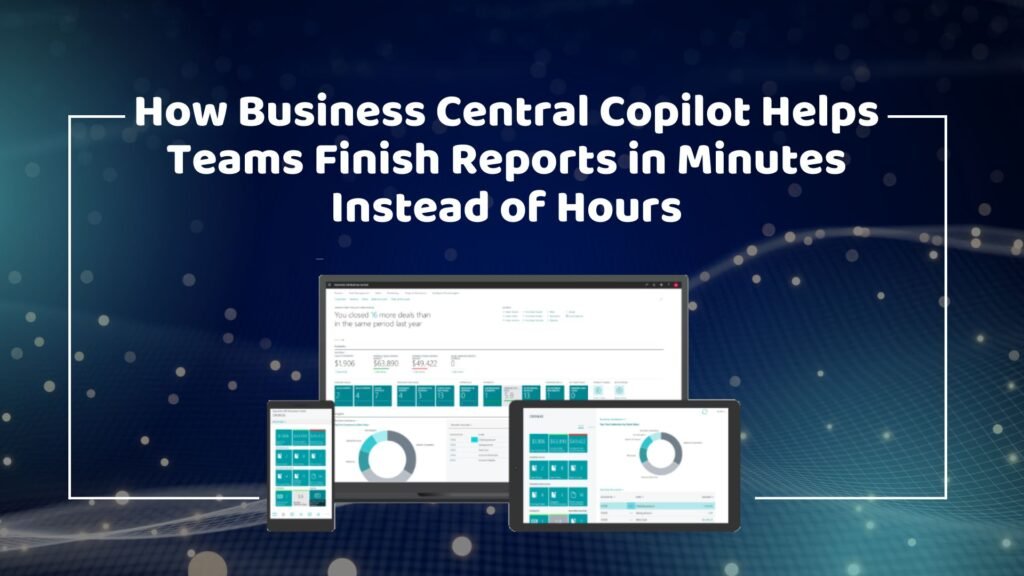
Businesses today operate in an increasingly data-driven environment where timely access to information is critical for success. Every department, from finance and sales to operations and inventory management, relies on accurate reports to make informed decisions. However, creating these reports has traditionally been a time-consuming process that often requires employees to gather data from multiple sources, verify information, and compile reports manually. As organizations grow, reporting demands become even more complex, consuming valuable employee time and slowing decision-making. This is where Microsoft Dynamics 365 Business Central Copilot is transforming the way organizations work. By integrating artificial intelligence directly into the ERP system, Copilot enables users to generate reports, analyze data, and gain insights in a fraction of the time previously required. Instead of spending hours manually building reports, teams can now create meaningful business reports in minutes. For companies seeking digital transformation through a trusted Microsoft Dynamics 365 partner in Texas, USA, Business Central Copilot offers a powerful solution that increases productivity, improves reporting accuracy, and supports faster business decisions. The Traditional Reporting Challenge Many organizations still struggle with manual reporting processes. Employees often spend significant amounts of time extracting data from various systems, organizing spreadsheets, and ensuring information accuracy before a report can be shared with stakeholders. Even when businesses have modern ERP solutions, reporting workflows may still involve manual steps that create bottlenecks. Some of the most common reporting challenges include: These challenges not only reduce productivity but also impact the speed and quality of decision-making. In competitive industries, waiting hours or days for reports can result in missed opportunities and slower responses to market changes. Understanding Business Central Copilot Business Central Copilot is Microsoft’s AI-powered assistant built into Dynamics 365 Business Central. It uses advanced artificial intelligence and natural language processing to help users complete tasks more efficiently and interact with business data in a simpler way. Rather than requiring users to navigate complex menus or configure detailed reporting parameters, Copilot allows them to request information using everyday language. Users can ask questions, generate summaries, analyze trends, and create reports directly within the ERP system. This innovative capability significantly reduces the effort required to access business information while making reporting accessible to users across all departments. Organizations implementing Microsoft Dynamics 365 Business Central in texas usa are increasingly leveraging Copilot to improve operational efficiency and gain faster access to valuable business insights. Accelerating Report Creation with AI One of the most significant advantages of Business Central Copilot is its ability to dramatically reduce report preparation time. Traditionally, employees might spend several hours gathering information, filtering data, and formatting reports. Copilot automates much of this work by analyzing data within the ERP system and generating relevant reports almost instantly. For example, a sales manager can request a quarterly sales performance report, and Copilot can compile the necessary information within minutes. Similarly, finance teams can generate financial summaries, cash flow reports, and profitability analyses without manually combining data from different sources. This automation enables employees to focus more on interpreting information and making strategic decisions rather than spending time on administrative tasks. Businesses working with providers of MS Dynamics 365 implementation services in Texas, USA, often discover that AI-powered reporting becomes one of the most valuable productivity enhancements following implementation. Real-Time Access to Business Information In today’s business environment, outdated information can be as problematic as having no information at all. Organizations need real-time visibility into operations, finances, and customer activity to respond quickly to changing conditions. Business Central Copilot enables users to access current data whenever they need it. Instead of waiting for scheduled reports or relying on manually updated spreadsheets, managers can generate real-time insights directly from the ERP system. This capability benefits every department. Finance teams can monitor cash flow and outstanding receivables in real time. Sales managers can track performance against targets and identify emerging opportunities. Inventory managers can review stock levels and demand patterns instantly. Executives can gain an immediate overview of organizational performance without waiting for reports from multiple departments. The result is faster, more informed decision-making throughout the organization. Improving Accuracy and Consistency Manual reporting processes often introduce errors that can negatively impact business decisions. Incorrect formulas, duplicate entries, missing records, and outdated spreadsheets can all compromise the reliability of reports. Business Central Copilot helps eliminate these issues by working directly with ERP data. Since information is pulled from a centralized system, users can trust that reports reflect the most current and accurate information available. This improved accuracy is particularly important for financial reporting, regulatory compliance, and executive decision-making. When leaders rely on business reports to allocate resources, forecast growth, or evaluate performance, confidence in data quality becomes essential. Companies utilizing Microsoft Dynamics 365 Support Services in texas usa frequently prioritize reporting accuracy as a key objective, and Copilot helps achieve this goal by reducing manual intervention throughout the reporting process. Enhancing Productivity Across Departments The benefits of Business Central Copilot extend well beyond finance teams. Reporting and data analysis are critical functions across the entire organization, and Copilot improves productivity in virtually every department. Finance professionals can generate financial statements, cash flow analyses, budget comparisons, and expense reports more efficiently. Rather than dedicating large portions of their workday to report preparation, they can focus on financial planning and business strategy. Sales teams benefit from rapid access to revenue data, customer trends, and performance metrics. Managers can identify opportunities and address challenges more quickly because they no longer need to wait for manually prepared reports. Operations and inventory teams gain improved visibility into stock levels, procurement activities, and supply chain performance. Copilot can help identify inventory shortages, excess stock, and purchasing trends, enabling more proactive management. Executives and business leaders also benefit significantly. Instead of reviewing multiple spreadsheets and reports from different departments, they can access concise summaries and actionable insights generated by Copilot, making strategic decision-making faster and more effective. Supporting Faster Financial Close Processes Month-end and year-end closing activities often create significant workloads for finance departments. Teams must reconcile

How Business Central Copilot Helps Teams Finish Reports in Minutes Instead of Hours Read More »