Trident Information Systems

how-ls-central-helps-retailers-manage-inventory-more-efficiently

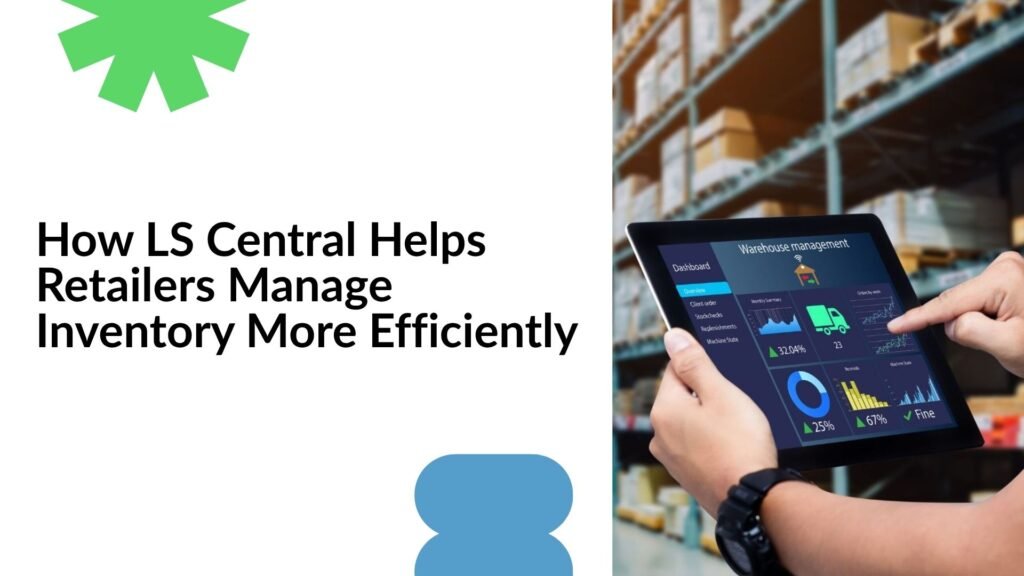
How LS Central Helps Retailers Manage Inventory More Efficiently

In today’s highly competitive retail environment, inventory management plays a crucial role in determining business success. Customers expect products to be available whenever and wherever they want to purchase them. At the same time, retailers must avoid carrying excessive inventory that increases storage costs and ties up working capital. Balancing these competing priorities requires advanced technology capable of providing real-time visibility, accurate forecasting, and streamlined operations. Many retailers still struggle with disconnected systems, manual inventory tracking, and limited visibility across multiple sales channels. These challenges often result in stock shortages, overstock situations, inaccurate inventory records, and lost sales opportunities. To overcome these obstacles, retailers are increasingly adopting intelligent retail management solutions that integrate inventory management with other critical business processes. LS Central, built on Microsoft Dynamics 365 Business Central, is one such solution that has transformed inventory management for retailers around the world. By combining retail operations, inventory control, point-of-sale functionality, finance, purchasing, warehousing, and customer management into a single platform, LS Central helps businesses improve efficiency, reduce costs, and deliver exceptional customer experiences. For organizations seeking to modernize their retail operations, partnering with a trusted Microsoft Dynamics 365 partner in Texas, USA, can help ensure a successful implementation and maximize the value of LS Central and Microsoft Dynamics 365 technologies. The Growing Complexity of Retail Inventory Management Retail inventory management has evolved significantly over the past decade. Businesses are no longer managing inventory solely within physical stores. Today’s retailers often operate across multiple channels, including brick-and-mortar locations, eCommerce websites, mobile applications, and online marketplaces. Each channel generates inventory transactions that must be accurately tracked and synchronized in real time. Without a centralized system, retailers often struggle to maintain accurate inventory records. One location may have excess stock while another experiences shortages. Inventory data may become outdated, leading to poor purchasing decisions and customer dissatisfaction. Additionally, changing customer preferences and seasonal demand fluctuations make inventory planning increasingly difficult. These challenges highlight the importance of having a modern retail management system that provides complete visibility into inventory levels and automates critical processes. LS Central addresses these issues by creating a unified environment where all inventory-related information is available in real time. Understanding LS Central LS Central is a comprehensive retail and hospitality management solution designed to simplify and optimize retail operations. Built directly on Microsoft Dynamics 365 Business Central, LS Central eliminates the need for multiple disconnected systems and provides retailers with a single source of truth for all business data. The platform combines inventory management, purchasing, warehousing, point-of-sale operations, financial management, customer loyalty programs, reporting, and analytics into one integrated solution. Because all business functions operate within the same system, retailers can improve collaboration, reduce errors, and make better decisions based on accurate information. Organizations implementing Microsoft Dynamics 365 Business Central in Texas, USA, often choose LS Central because it extends Business Central’s capabilities with advanced retail-specific functionality while maintaining seamless integration across all business processes. Real-Time Inventory Visibility One of the most significant advantages of LS Central is its real-time inventory visibility. Traditional inventory systems often rely on manual updates or periodic synchronization, which can result in inaccurate stock information. LS Central continuously updates inventory records whenever products are received, transferred, sold, or returned. This real-time visibility enables retailers to monitor stock levels across all locations and respond quickly to changing business conditions. Managers can identify low-stock items before shortages occur, track inventory movement, and make informed replenishment decisions based on current data rather than outdated reports. Accurate inventory information also enhances customer service. Store associates can instantly check product availability and provide customers with reliable information regarding stock levels, alternative locations, or expected replenishment dates. Centralized Inventory Management Across Multiple Locations Retailers operating multiple stores often face challenges related to inventory balancing and stock distribution. Managing inventory separately for each location can create inefficiencies, resulting in excess stock at some stores and shortages at others. LS Central addresses this challenge by providing centralized inventory management across all locations. Retail managers can view inventory availability from a single dashboard and make strategic decisions regarding stock allocation. Products can be transferred between stores or warehouses based on demand, helping businesses maximize inventory utilization and reduce unnecessary purchasing. This centralized approach improves operational efficiency while ensuring that inventory is available where it is needed most. Retail chains, franchise operations, and multi-location businesses particularly benefit from this capability. Automated Replenishment for Improved Efficiency Manual replenishment processes often require significant time and effort. Buyers must analyze inventory levels, review sales trends, and manually determine reorder quantities. This approach can be prone to human error and may not respond quickly enough to changing demand patterns. LS Central automates replenishment planning by analyzing historical sales data, current stock levels, supplier lead times, and demand trends. The system generates purchase recommendations designed to maintain optimal inventory levels while minimizing excess stock. Automated replenishment helps retailers improve purchasing accuracy, reduce administrative workload, and ensure product availability. By replacing guesswork with data-driven recommendations, businesses can improve inventory performance and support sustainable growth. Demand Forecasting and Inventory Optimization Accurate demand forecasting is essential for effective inventory management. Retailers must anticipate future demand to avoid both stock shortages and overstock situations. LS Central provides advanced forecasting capabilities that help businesses understand purchasing patterns and predict future sales requirements. The system analyzes historical sales performance, seasonal trends, and inventory movements to generate valuable insights. Retailers can use this information to prepare for promotional campaigns, holiday seasons, and other periods of increased demand. Better forecasting enables organizations to maintain optimal inventory levels while reducing carrying costs and inventory waste. Companies utilizing Microsoft Dynamics 365 Support Services in Texas, USA, often leverage forecasting tools within LS Central to continuously improve inventory planning and operational efficiency. Better Supplier and Purchasing Management Inventory management extends beyond stock control and includes effective supplier relationships. Reliable suppliers play a critical role in ensuring products arrive on time and meet quality expectations. LS Central provides retailers with detailed supplier management capabilities that help evaluate vendor performance and

How LS Central Helps Retailers Manage Inventory More Efficiently Read More »
how-ai-forecastin- helps-food-businesses-manage-Inventory-better

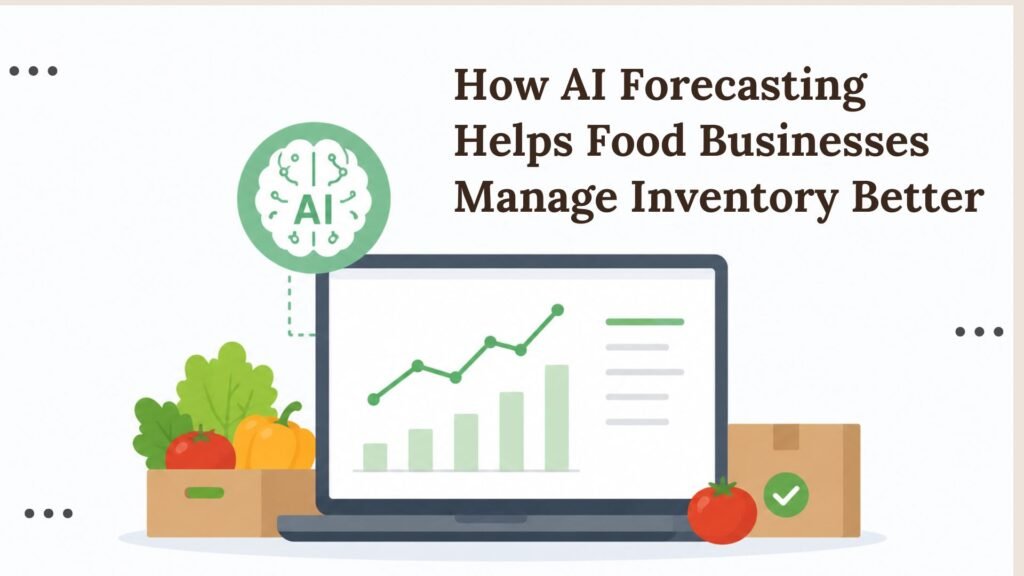
How AI Forecasting Helps Food Businesses Manage Inventory Better

Inventory management is one of the most critical aspects of running a successful food business. Whether a company operates in food manufacturing, distribution, retail, catering, or restaurant services, maintaining the right inventory levels directly impacts profitability, customer satisfaction, and operational efficiency. Food businesses face unique challenges because many products are perishable, customer demand fluctuates frequently, and supply chain disruptions can occur without warning. Traditional inventory management methods often rely on historical data, spreadsheets, and manual forecasting. While these approaches may have worked in the past, they are increasingly insufficient in today’s fast-paced and data-driven market. Businesses need smarter ways to predict demand, optimize purchasing decisions, and reduce waste. This is where artificial intelligence (AI) forecasting is transforming inventory management. AI-powered forecasting tools can analyze vast amounts of data, identify patterns, and generate highly accurate demand predictions. When integrated with modern ERP solutions such as Microsoft Dynamics 365 Business Central, AI forecasting enables food businesses to make informed inventory decisions, reduce costs, and improve overall performance. Organizations that partner with an experienced Microsoft Dynamics 365 partner can leverage AI capabilities to streamline operations and gain a competitive advantage in the food industry. Understanding the Inventory Challenges in the Food Industry Food businesses operate in one of the most complex inventory environments. Unlike other industries, food products often have limited shelf lives, making inventory accuracy extremely important. Overstocking can lead to spoilage and waste, while understocking can result in lost sales and dissatisfied customers. Some of the most common inventory challenges include: These challenges make accurate forecasting essential for maintaining profitability and ensuring products are available when customers need them. For example, a grocery store may experience a sudden increase in demand before a holiday season, while a restaurant may encounter unpredictable customer traffic due to weather conditions or local events. Without accurate forecasting tools, businesses often struggle to balance inventory levels effectively. What Is AI Forecasting? AI forecasting refers to the use of artificial intelligence and machine learning algorithms to predict future demand based on historical and real-time data. Unlike traditional forecasting methods, AI can process large volumes of information from multiple sources simultaneously and identify patterns that may not be visible to human analysts. AI forecasting systems continuously learn from new data and improve their predictions over time. This makes them significantly more accurate than manual forecasting approaches. In the food industry, AI forecasting can analyze sales history, customer purchasing behavior, seasonal trends, promotional activities, supplier performance, market conditions, and external factors such as weather forecasts. By evaluating these variables together, AI creates highly reliable demand forecasts that help businesses make better inventory decisions. The result is improved inventory accuracy, reduced waste, and more efficient operations across the organization. Why Accurate Inventory Forecasting Matters Inventory forecasting affects nearly every aspect of a food business. Poor forecasting can lead to excessive inventory costs, product spoilage, and lost revenue opportunities. On the other hand, accurate forecasting supports better planning and improved operational performance. One of the biggest advantages of accurate forecasting is waste reduction. Food waste remains a major challenge for businesses worldwide. Excess inventory often expires before it can be sold, resulting in financial losses and environmental concerns. AI forecasting helps businesses purchase inventory according to expected demand, significantly reducing spoilage. Another important benefit is product availability. Customers expect products to be available when they visit a store or place an order. Frequent stock shortages can damage customer trust and encourage shoppers to choose competitors. AI forecasting improves product availability by ensuring that inventory levels align with anticipated demand. Accurate forecasting also supports stronger financial performance. Businesses can reduce carrying costs, improve cash flow, and maximize profitability by maintaining optimal inventory levels. How AI Forecasting Works The AI forecasting process begins with data collection. Modern forecasting systems gather information from multiple sources throughout the organization. This data may include sales transactions, inventory records, supplier information, customer purchasing patterns, seasonal trends, and market conditions. Once data is collected, machine learning algorithms analyze historical patterns and identify relationships between different variables. For example, the system may recognize that demand for certain products increases during specific holidays or weather conditions. After analyzing historical and real-time information, the AI model generates demand forecasts for future periods. These forecasts can cover daily, weekly, monthly, or seasonal demand projections. One of the most valuable aspects of AI forecasting is continuous learning. As new information becomes available, the system automatically updates its models and improves prediction accuracy. This allows businesses to adapt quickly to changing market conditions and customer behaviors. The Role of Microsoft Dynamics 365 Business Central in Inventory Management Modern ERP systems play a crucial role in supporting AI-driven forecasting. Microsoft Dynamics 365 Business Central provides a comprehensive platform that connects finance, sales, purchasing, inventory, and operations within a single solution. By integrating inventory management with forecasting tools, Microsoft Dynamics 365 Business Central enables businesses to gain real-time visibility into stock levels, purchasing requirements, and future demand. The platform helps businesses monitor inventory across multiple warehouses, automate replenishment processes, and generate intelligent purchasing recommendations. Decision-makers can access detailed reports and dashboards that provide valuable insights into inventory performance. When implemented correctly, Business Central becomes the foundation for a data-driven inventory management strategy that supports growth and profitability. Benefits of AI Forecasting for Food Businesses AI forecasting delivers measurable benefits across every stage of inventory management. Companies that adopt AI-driven forecasting often experience significant improvements in operational efficiency and financial performance. Key benefits include the following: Beyond these advantages, AI forecasting enables businesses to improve procurement planning, optimize warehouse utilization, and strengthen supplier relationships. More accurate demand predictions allow purchasing teams to negotiate better agreements with suppliers and schedule deliveries more efficiently. This reduces the risk of emergency purchases, which are often more expensive and disruptive. Additionally, managers can make faster and more confident decisions because they have access to real-time forecasting insights rather than relying on assumptions or outdated reports. Reducing Food Waste Through AI Forecasting Food waste represents one of the highest hidden costs

How AI Forecasting Helps Food Businesses Manage Inventory Better Read More »

how-resource-augmentation-helps-businesses-complete-erp-projects-faster

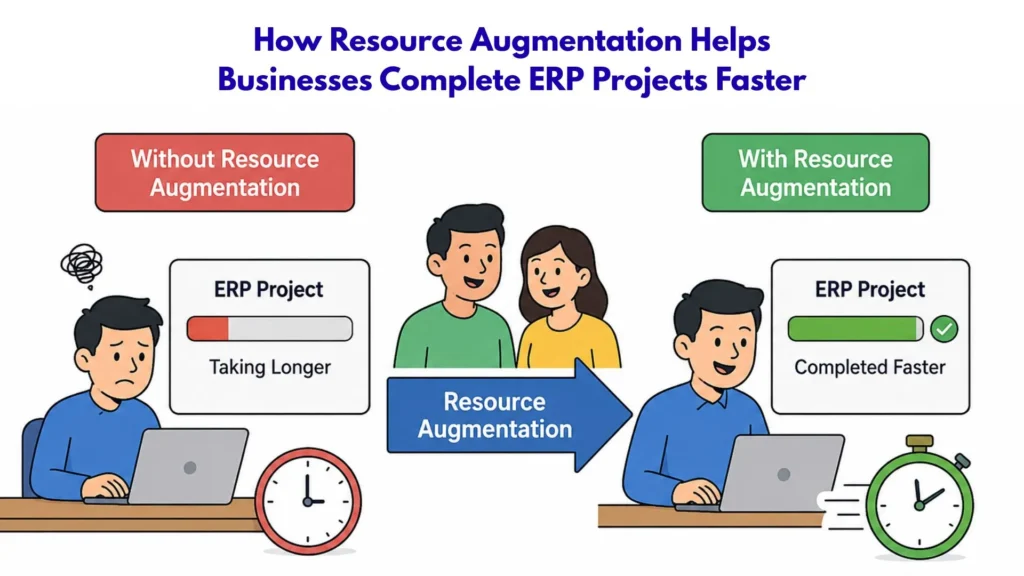
How Resource Augmentation Helps Businesses Complete ERP Projects Faster

Enterprise Resource Planning (ERP) systems have become the backbone of modern business operations. They help organizations streamline processes, improve productivity, enhance decision-making, and create better visibility across departments. However, implementing or upgrading an ERP solution is rarely a simple undertaking. ERP projects often involve multiple stakeholders, complex workflows, data migration activities, integrations, customizations, and extensive testing. As a result, many businesses struggle to complete ERP projects on time and within budget. One of the most common reasons for project delays is the lack of skilled resources. Organizations frequently find themselves short of experienced ERP consultants, developers, business analysts, and project managers at critical stages of implementation. Hiring full-time specialists can be costly and time-consuming, particularly when the requirement is temporary and project-specific. This is where resource augmentation plays a vital role. Resource augmentation enables organizations to add experienced professionals to their existing teams, providing immediate access to specialized expertise without the long-term commitment of permanent hiring. Businesses working with a Microsoft Dynamics 365 partner in Texas, USA, increasingly rely on resource augmentation to accelerate ERP implementations, reduce project risks, and maximize return on investment. In today’s competitive business environment, organizations need flexible staffing models that allow them to scale quickly and respond effectively to changing project demands. Resource augmentation offers that flexibility while ensuring ERP initiatives remain on track. Understanding Resource Augmentation Resource augmentation is a business strategy that allows organizations to temporarily extend their workforce by engaging skilled professionals with expertise in specific technologies, industries, or business functions. Unlike traditional outsourcing, resource augmentation enables businesses to retain complete control over project management while leveraging external talent to fill skill gaps. In ERP projects, augmented resources work alongside internal teams and contribute directly to project activities. These professionals may include ERP consultants, solution architects, developers, data migration specialists, quality assurance experts, trainers, and project managers. The primary objective of resource augmentation is to provide businesses with the expertise they need exactly when they need it. Instead of spending months recruiting and onboarding new employees, organizations can quickly integrate experienced professionals into ongoing projects and immediately benefit from their expertise. This approach is particularly valuable for organizations implementing Microsoft Dynamics solutions, where specialized expertise can significantly influence project success. Why ERP Projects Often Experience Delays ERP projects are complex by nature and require coordination between multiple departments, systems, and stakeholders. Even well-planned implementations can encounter challenges that affect timelines and budgets. Some of the most common causes of ERP project delays include: When organizations lack the necessary expertise, critical tasks often take longer than expected. Team members may spend valuable time learning new technologies, troubleshooting issues, or correcting mistakes that experienced consultants could have avoided. Resource augmentation addresses these challenges by introducing skilled professionals who can contribute immediately and keep projects moving forward. How Resource Augmentation Accelerates ERP Project Completion Immediate Access to Specialized Skills One of the biggest advantages of resource augmentation is the ability to gain immediate access to specialized ERP expertise. Organizations no longer need to spend months searching for qualified candidates, conducting interviews, and providing training before project work can begin. Experienced ERP professionals can join the project quickly and start contributing from day one. Their familiarity with implementation methodologies, business processes, and technical requirements allows them to perform tasks efficiently and minimize delays. For businesses working with a Microsoft Dynamics 365 partner in Texas, USA, resource augmentation provides access to professionals who understand Microsoft technologies, implementation best practices, and industry-specific requirements. This expertise helps organizations avoid common pitfalls and accelerate project delivery. Increased Project Capacity Many ERP projects fail to meet deadlines because internal teams simply do not have enough capacity to handle the workload. Employees often balance project responsibilities alongside their regular operational duties, creating bottlenecks that slow progress. Resource augmentation increases project capacity by adding qualified professionals to support key activities. Additional resources can manage configuration, development, testing, documentation, training, and support tasks, allowing internal teams to focus on strategic decision-making and business operations. As project workloads increase, organizations can scale their augmented workforce accordingly. This flexibility helps maintain project momentum without overwhelming existing employees. Faster Decision-Making and Problem Resolution ERP projects inevitably encounter challenges, whether related to system configuration, business process alignment, integrations, or data quality issues. Inexperienced teams may require significant time to identify and resolve these problems. Augmented professionals bring valuable experience gained from previous ERP implementations. They can quickly assess issues, recommend solutions, and implement corrective actions before problems escalate. Their expertise often results in faster decision-making and more efficient project execution. Organizations investing in MS Dynamics 365 implementation services in Texas, USA, frequently benefit from consultants who have completed similar projects across multiple industries. Their practical knowledge helps accelerate project progress and improve overall implementation quality. Enhanced Data Migration Efficiency Data migration is one of the most challenging aspects of any ERP implementation. Businesses must transfer large volumes of information from legacy systems while ensuring accuracy, completeness, and consistency. Without experienced migration specialists, organizations often encounter data quality issues, mapping errors, and extended testing cycles that delay project timelines. Resource augmentation provides access to professionals who specialize in migration planning, execution, validation, and optimization. Companies utilizing D365 migration services in Texas, USA, often rely on augmented experts to streamline migration activities and ensure a smooth transition to modern ERP platforms. These specialists understand migration tools, data structures, and validation techniques that help reduce risks and improve efficiency. Improved Project Governance Effective governance is critical for ERP project success. Organizations need clear communication, accountability, risk management, and performance monitoring throughout the implementation process. Experienced augmented-reality professionals contribute to stronger governance by helping establish project frameworks, monitoring progress, and identifying potential issues before they impact timelines. Their structured approach improves visibility and ensures stakeholders remain aligned with project objectives. When combined with internal leadership and external implementation expertise, resource augmentation creates a balanced project environment that supports timely and successful delivery. Resource Augmentation and Microsoft Dynamics 365 Microsoft Dynamics 365 has become one of the most popular ERP platforms for

How Resource Augmentation Helps Businesses Complete ERP Projects Faster Read More »

how-digital-retail-platforms-like-ls-central-are-revolutionizing-demand-forecasting

How Digital Retail Platforms Like LS Central Are Revolutionizing Demand Forecasting

The retail industry is experiencing a major transformation driven by digital technologies, artificial intelligence, and data analytics. Today’s retailers operate in a highly competitive environment where customer expectations change rapidly, market trends evolve quickly, and supply chain disruptions can impact profitability. To remain competitive, businesses need accurate demand forecasting to anticipate customer needs and optimize inventory levels. This is where digital retail platforms like LS Central are making a significant difference. Built on Microsoft Dynamics 365 Business Central, LS Central provides retailers with an integrated solution that combines point-of-sale (POS), inventory management, customer insights, and advanced reporting capabilities. By centralizing data and leveraging intelligent analytics, retailers can forecast demand more accurately and make informed business decisions. Many organizations working with a trusted Microsoft Dynamics 365 partner in Texas, USA, are adopting LS Central to modernize their retail operations and gain better visibility into customer demand patterns. Understanding Demand Forecasting in Retail Demand forecasting is the process of predicting future customer demand based on historical sales data, seasonal trends, customer behavior, market conditions, and other business factors. Accurate forecasting helps retailers maintain the right inventory levels while reducing excess stock and stockouts. Traditional forecasting methods often relied on spreadsheets and manual calculations. While these approaches may have worked in the past, they struggle to keep up with the complexity of modern retail operations. Retailers now need real-time data and predictive analytics to respond effectively to changing market conditions. Digital retail platforms provide the tools necessary to collect, analyze, and interpret large volumes of business data, enabling more accurate forecasting and better planning. What is LS Central? LS Central is a unified retail management solution designed specifically for retailers, restaurants, pharmacies, hospitality businesses, and specialty stores. Built on Microsoft Dynamics 365 Business Central in Texas, USA, LS Central combines multiple business functions into a single platform. Instead of managing separate systems for POS, inventory, customer loyalty, purchasing, and financial management, businesses can manage everything through a single centralized solution. This unified approach creates a single source of truth for retail data, making demand forecasting more accurate and actionable. The Growing Importance of Digital Retail Platforms Modern retailers generate enormous amounts of data every day. Every transaction, customer interaction, inventory movement, and promotional campaign creates valuable information. Without the right tools, much of this data remains underutilized. Digital retail platforms transform raw data into meaningful business insights by providing the following: These capabilities help retailers make proactive decisions rather than reactive ones. How LS Central Improves Demand Forecasting Centralized Data Management One of the biggest challenges retailers face is fragmented data spread across multiple systems. LS Central consolidates sales, inventory, purchasing, customer, and financial information into a single platform. When all business data is connected, retailers gain a complete view of customer behavior and purchasing trends. This centralized approach improves forecast accuracy because decisions are based on comprehensive and up-to-date information. Businesses working with Microsoft Dynamics consulting services in Texas, USA, often identify data silos as a major obstacle to effective forecasting. LS Central helps eliminate these barriers. Real-Time Sales Visibility Demand forecasting depends heavily on accurate sales data. LS Central provides real-time sales visibility across all retail locations and channels. Retail managers can monitor the following: With access to current information, businesses can quickly adjust purchasing plans and inventory strategies before shortages or overstock situations occur. Advanced Inventory Intelligence Inventory optimization is closely connected to demand forecasting. Excess inventory increases carrying costs, while insufficient inventory leads to lost sales. LS Central enables retailers to monitor stock levels continuously and identify patterns that impact future demand. The platform provides automated replenishment recommendations based on sales history, inventory turnover, and forecasted demand. This intelligence allows retailers to maintain optimal stock levels while improving customer satisfaction. AI and Predictive Analytics in Demand Forecasting Artificial intelligence is changing the way retailers forecast demand. Traditional forecasting models rely heavily on historical data, while AI-powered forecasting incorporates multiple variables to generate more accurate predictions. LS Central, integrated with Microsoft technologies, can analyze the following: AI-driven forecasting helps businesses identify opportunities and risks before they affect operations. Organizations utilizing Microsoft Dynamics 365 Support Services in Texas, USA, often leverage AI-powered analytics to improve forecasting accuracy and enhance decision-making capabilities. Omnichannel Retail and Demand Forecasting Today’s customers shop through multiple channels, including physical stores, eCommerce platforms, mobile applications, and social media marketplaces. This omnichannel environment creates additional forecasting challenges because demand patterns vary across channels. LS Central provides a unified view of customer activity across all touchpoints. Retailers can analyze purchasing behavior regardless of where transactions occur. This comprehensive visibility improves forecasting by ensuring that demand predictions reflect the entire customer journey rather than isolated sales channels. Seasonal Demand Management Retail demand often fluctuates based on seasons, holidays, and special events. Predicting these fluctuations accurately is essential for maximizing sales opportunities. LS Central enables retailers to analyze historical seasonal trends and compare performance across multiple years. For example, retailers can: By understanding seasonal patterns, retailers can avoid stock shortages during peak periods while minimizing excess inventory during slower seasons. Customer Behavior Analysis Demand forecasting is not only about products—it is also about customers. LS Central provides detailed customer insights that help retailers understand purchasing preferences, buying frequency, and shopping habits. Retailers can identify: These insights help businesses predict future demand more accurately and develop targeted marketing strategies that drive revenue growth. Improved Supply Chain Planning Demand forecasting directly impacts supply chain efficiency. When forecasts are inaccurate, businesses may experience delayed shipments, excess inventory, or missed sales opportunities. LS Central improves supply chain planning by providing greater visibility into inventory levels, supplier performance, and purchasing requirements. Retailers can collaborate more effectively with suppliers and make informed procurement decisions based on forecasted demand. Companies implementing MS Dynamics 365 implementation services in Texas, USA, frequently use LS Central to strengthen supply chain operations and improve inventory planning processes. Data-Driven Decision Making Retail success increasingly depends on the ability to make data-driven decisions. LS Central provides dashboards, reports, and analytics tools that transform

How Digital Retail Platforms Like LS Central Are Revolutionizing Demand Forecasting Read More »

why-logistics-companies-are-investing-in-ai-driven-erp-solution

Why Logistics Companies Are Investing in AI-Driven ERP Solutions

The logistics industry is going through a major digital transformation. Rising customer expectations, supply chain disruptions, increasing fuel costs, and the need for real-time visibility are pushing logistics companies to modernize their operations. Traditional ERP systems are no longer enough to manage the growing complexity of transportation, warehousing, inventory, and customer service. This is why many businesses are now investing in AI-driven ERP solutions powered by platforms like Microsoft Dynamics 365 Business Central and other intelligent enterprise applications. AI-driven ERP systems combine automation, predictive analytics, machine learning, and real-time data insights to help logistics companies improve operational efficiency and make smarter business decisions. Organizations that rely on a reliable Microsoft ecosystem and a trusted Microsoft Dynamics 365 Partner are gaining a competitive advantage through digital transformation. The Growing Challenges in the Logistics Industry Logistics companies operate in a highly dynamic environment. They face multiple operational challenges every day, including delayed shipments, fluctuating demand, warehouse inefficiencies, inventory inaccuracies, and rising transportation costs. Managing these processes manually or with outdated systems can lead to operational bottlenecks and poor customer experiences. Modern logistics companies also need better visibility across their supply chains. Customers now expect real-time shipment tracking, faster deliveries, and proactive communication. At the same time, businesses must control costs while maintaining service quality. AI-driven ERP solutions address these challenges by integrating intelligent technologies into core business operations. This is one reason why organizations are increasingly investing in Microsoft Dynamics 365 Business Central and advanced ERP platforms supported by professional Microsoft Dynamics consulting service providers. What Is an AI-Driven ERP Solution? An AI-driven ERP solution is an enterprise resource planning system enhanced with artificial intelligence capabilities. These systems can analyze large amounts of business data, identify patterns, automate repetitive tasks, and provide predictive insights for decision-making. Unlike traditional ERP systems, AI-powered ERP platforms can: Solutions such as Microsoft Dynamics 365 Business Central help logistics companies streamline operations while improving agility and scalability. Why Logistics Companies Are Choosing AI-Driven ERP Solutions 1. Improved Supply Chain Visibility One of the biggest reasons logistics companies are investing in AI-driven ERP systems is the need for complete supply chain visibility. Logistics managers need accurate real-time information about inventory, shipments, suppliers, and warehouse operations. AI-enabled ERP systems collect and process data from multiple sources to provide centralized visibility across the organization. This allows businesses to monitor shipments in real time, identify delays early, and make faster operational decisions. A reliable Microsoft Dynamics 365 partner can help organizations implement dashboards and analytics tools that improve operational transparency. 2. Predictive Demand Forecasting Demand fluctuations can create serious operational challenges in logistics. Overstocking increases storage costs, while understocking leads to delays and customer dissatisfaction. AI-driven ERP platforms use historical data, market trends, and customer behavior to predict future demand more accurately. This helps logistics companies optimize inventory levels and improve warehouse planning. Businesses investing in MS Dynamics 365 implementation services often gain access to advanced forecasting tools that reduce waste and improve profitability. 3. Route Optimization and Transportation Efficiency Transportation costs are one of the largest expenses for logistics companies. AI-powered ERP systems can optimize delivery routes by analyzing traffic conditions, weather data, fuel consumption, and delivery schedules. Smart route optimization helps companies: Companies leveraging Microsoft Dynamics Consulting Services can integrate AI capabilities that improve transportation planning and fleet management. 4. Warehouse Automation and Inventory Management Warehouse operations are becoming increasingly complex due to growing order volumes and customer expectations. AI-driven ERP systems automate many warehouse processes, including inventory tracking, order picking, and stock replenishment. These intelligent systems reduce manual errors and improve operational efficiency. Real-time inventory visibility also helps businesses avoid stock shortages and excess inventory. With the support of Microsoft Dynamics 365 Support Services, logistics companies can maintain smooth warehouse operations and quickly resolve technical issues. 5. Better Customer Experience Customer expectations in the logistics industry have changed significantly. Businesses now expect accurate delivery timelines, real-time shipment tracking, and fast issue resolution. AI-powered ERP systems improve customer experiences by providing better communication, predictive delivery estimates, and automated customer service workflows. Chatbots and AI-based support tools can handle customer inquiries more efficiently. Organizations using Microsoft Dynamics 365 Business Central can create customer-centric logistics operations that improve satisfaction and loyalty. 6. Reduced Operational Costs Cost reduction is one of the biggest advantages of AI-driven ERP systems. Automation minimizes manual work, improves productivity, and reduces errors across operations. AI also helps businesses identify inefficiencies in supply chain processes, inventory management, and transportation operations. These insights allow logistics companies to optimize resources and reduce unnecessary expenses. A trusted Microsoft Dynamics 365 Partner can help organizations maximize ERP ROI through customized implementation strategies. 7. Faster and Smarter Decision-Making Traditional reporting methods often provide delayed or incomplete information. AI-powered ERP systems deliver real-time analytics and predictive insights that support faster decision-making. Managers can quickly analyze operational performance, identify risks, and respond to changing business conditions. This agility is especially important in the logistics industry, where delays and disruptions can impact customer relationships and profitability. Companies investing in Microsoft Dynamics consulting services gain access to data-driven business intelligence tools that support long-term growth. The Role of Microsoft Dynamics 365 in Logistics Transformation Microsoft Dynamics 365 Business Central has become one of the most popular ERP platforms for logistics and supply chain companies. The platform offers integrated capabilities for finance, inventory management, warehousing, purchasing, sales, and customer service. When combined with AI technologies, the platform provides powerful automation and analytics features that help logistics businesses improve operational performance. Key benefits include the following: Working with an experienced Microsoft Dynamics 365 Partner ensures successful ERP deployment and customization based on business needs. Why Cloud-Based ERP Is Important for Logistics Companies Cloud ERP solutions are becoming increasingly important in logistics because they provide flexibility, scalability, and remote accessibility. Logistics operations often involve multiple warehouses, transportation hubs, and teams working across different locations. Cloud-based AI ERP systems enable employees to access real-time data from anywhere. This improves collaboration and operational responsiveness. Cloud ERP platforms also reduce infrastructure costs

Why Logistics Companies Are Investing in AI-Driven ERP Solutions Read More »

How AI in Dynamics 365 is Transforming Logistics-Operations

How AI in Dynamics 365 is Transforming Logistics Operations

The logistics industry is evolving rapidly as businesses face increasing pressure to deliver goods faster, reduce operational costs, and improve supply chain visibility. Traditional logistics systems often struggle to manage growing operational complexity, which is why many organizations are now investing in AI-powered ERP solutions. One of the most effective platforms helping businesses modernize logistics operations is Microsoft Dynamics 365. AI capabilities within Microsoft Dynamics 365 Business Central are transforming how logistics companies manage inventory, transportation, warehousing, customer service, and demand forecasting. By combining automation, predictive analytics, and real-time business intelligence, organizations can make smarter decisions while improving operational efficiency. This article explores how AI in Dynamics 365 is reshaping logistics operations and why businesses are increasingly working with a trusted Microsoft Dynamics 365 partner to implement and optimize these intelligent solutions. The Growing Role of AI in Logistics The logistics industry handles a massive amount of operational data every day. Managing deliveries, supplier coordination, warehouse operations, and customer expectations manually can create delays, errors, and rising operational costs. AI helps solve these challenges by automating repetitive tasks and delivering predictive insights that improve decision-making. Modern logistics companies are using AI-powered ERP systems to streamline operations, reduce human error, and gain complete visibility into their supply chains. AI can analyze historical trends, monitor real-time operations, and identify patterns that help businesses respond faster to changing market conditions. As competition increases, companies are relying on advanced ERP platforms and experienced Microsoft Dynamics consulting service providers to build smarter and more scalable logistics processes. What is AI in Dynamics 365? AI in Dynamics 365 combines machine learning, automation, cloud technology, and advanced analytics to help businesses improve operational performance. These intelligent capabilities are integrated across finance, supply chain, inventory management, customer service, and warehouse operations. Within Microsoft Dynamics 365 Business Central, AI helps logistics businesses forecast demand, automate workflows, improve shipment planning, and optimize inventory management. Instead of relying on manual reporting and reactive processes, organizations can use real-time insights to make proactive business decisions. AI also improves collaboration between departments by centralizing operational data into a single connected system. This creates better transparency across the supply chain and helps logistics teams respond quickly to disruptions. Predictive Demand Forecasting Demand forecasting is one of the most important functions in logistics operations. Inaccurate forecasting can lead to inventory shortages, overstocking, delayed deliveries, and unnecessary operational expenses. AI-powered forecasting tools in Dynamics 365 analyze historical sales trends, customer purchasing behavior, seasonal demand patterns, and market conditions to generate more accurate forecasts. This allows logistics businesses to maintain optimal stock levels while reducing waste and storage costs. Companies working with experienced MS Dynamics 365 implementation service providers can customize forecasting models according to their business requirements and industry-specific operational needs. Improved forecasting also helps businesses strengthen supplier relationships because procurement teams can plan inventory requirements more effectively. This results in smoother operations and improved customer satisfaction. Intelligent Inventory Management Inventory management becomes far more efficient when AI is integrated into ERP systems. AI-powered inventory tools within Dynamics 365 provide real-time visibility into stock levels, warehouse movement, and replenishment requirements. Instead of manually tracking inventory, businesses can automate stock monitoring and receive alerts when inventory reaches predefined thresholds. AI also identifies slow-moving products, reduces excess inventory, and improves order fulfillment accuracy. For logistics companies managing large warehouses or multiple distribution centers, this level of automation significantly improves operational efficiency. With the help of Microsoft Dynamics 365 Business Central, businesses can reduce carrying costs while improving delivery performance. Route Optimization and Fleet Efficiency Transportation costs are one of the largest operational expenses for logistics companies. Fuel consumption, delivery delays, and inefficient route planning can directly impact profitability. AI in Dynamics 365 helps businesses optimize delivery routes by analyzing traffic conditions, weather data, fuel usage, and delivery schedules in real time. This allows logistics companies to select the most efficient routes and improve delivery performance. Better route optimization reduces transportation costs while helping businesses improve customer satisfaction through faster and more reliable deliveries. AI also helps organizations improve fleet utilization and reduce vehicle downtime. Companies implementing intelligent transportation workflows through professional MS Dynamics 365 implementation services can achieve significant operational savings over time. Real-Time Supply Chain Visibility Supply chain disruptions have become increasingly common due to global economic uncertainty, labor shortages, transportation delays, and changing customer demands. Businesses now require complete real-time visibility into their operations to manage these challenges effectively. AI-powered dashboards in Dynamics 365 provide logistics companies with real-time monitoring of inventory movement, supplier performance, shipment status, and warehouse activities. Managers can identify bottlenecks quickly and make informed decisions before problems escalate. This level of visibility allows organizations to become more proactive instead of reactive. Businesses working with a reliable Microsoft Dynamics 365 partner can configure customized dashboards and reporting tools that align with their operational goals and KPIs. Warehouse Automation Warehouse operations involve multiple repetitive tasks that consume time and increase the risk of human error. AI-powered warehouse automation in Dynamics 365 helps businesses improve efficiency by automating processes such as inventory tracking, barcode scanning, picking, packing, and shipment scheduling. AI also helps optimize warehouse space utilization by analyzing product movement patterns and storage requirements. This improves operational productivity while reducing delays in order fulfillment. As logistics operations continue to scale, warehouse automation becomes essential for maintaining accuracy and operational efficiency. Businesses leveraging Microsoft Dynamics 365 Support Services can continuously optimize warehouse performance and adapt workflows based on operational changes. Predictive Maintenance for Fleet Vehicles Unexpected vehicle breakdowns can disrupt logistics operations and lead to missed delivery deadlines. AI-driven predictive maintenance capabilities within Dynamics 365 help businesses monitor vehicle performance and identify maintenance issues before failures occur. By analyzing engine performance, fuel usage, maintenance history, and sensor data, AI can predict when maintenance is required. This proactive approach reduces downtime, lowers repair costs, and improves fleet reliability. Predictive maintenance also helps logistics companies extend vehicle lifespan and maintain consistent delivery schedules. This creates a more dependable transportation network while improving overall operational efficiency. Enhanced

How AI in Dynamics 365 is Transforming Logistics Operations Read More »

Why-Flexible-ERP-Teams-Are-the-Future-of-Digital-transformation

Why Flexible ERP Teams Are the Future of Digital Transformation

In today’s rapidly changing business environment, organizations are under constant pressure to innovate, adapt, and scale faster than ever before. Digital transformation is no longer a long-term vision — it has become a business necessity. Companies across industries are investing in cloud technologies, automation, artificial intelligence, and enterprise solutions to stay competitive. At the center of this transformation lie ERP systems, especially platforms like Microsoft Dynamics 365 and Microsoft Dynamics 365 Business Central. However, technology alone does not guarantee success. Businesses also need skilled, agile, and flexible ERP teams that can adapt quickly to changing business needs. Traditional fixed IT teams often struggle to keep pace with modern digital demands. This is why flexible ERP teams are becoming the future of digital transformation. Organizations are now increasingly relying on scalable ERP experts, remote consultants, implementation specialists, and managed support teams to accelerate transformation projects while reducing operational costs. Whether it is cloud migration, ERP upgrades, or process automation, flexible ERP teams provide businesses with the expertise and scalability they need. The Shift Toward Flexible ERP Teams For years, companies depended heavily on in-house IT departments to manage ERP systems. While this model worked in the past, modern digital transformation projects require specialized expertise across multiple domains such as cloud computing, integrations, cybersecurity, analytics, and automation. Hiring permanent employees for every ERP function can be expensive and time-consuming. Moreover, digital transformation projects often require temporary specialized skills that may not be needed long-term. This is where flexible ERP teams create value. Flexible ERP teams allow businesses to: Businesses working with a trusted Microsoft ecosystem partner or a reliable Microsoft Dynamics 365 partner can quickly access experienced consultants, developers, support specialists, and project managers without long recruitment cycles. Why Digital Transformation Requires Agility Digital transformation projects are dynamic by nature. Requirements change frequently due to evolving market trends, customer expectations, and technology advancements. Companies need ERP teams that can respond quickly to these changes. Traditional ERP models are often rigid and slow. Flexible ERP teams, on the other hand, offer agility and responsiveness. They can adapt to new business priorities, integrate emerging technologies, and optimize processes continuously. For example, a manufacturing company implementing Microsoft Dynamics 365 Business Central may initially focus on finance and inventory management. Later, they may decide to add AI-driven forecasting, warehouse automation, or CRM integrations. Flexible ERP teams can seamlessly expand the project scope without major disruptions. This adaptability is one of the key reasons why businesses increasingly invest in Microsoft Dynamics consulting services and cloud ERP specialists. The Growing Importance of Microsoft Dynamics 365 Modern organizations require ERP systems that support scalability, remote work, automation, and data-driven decision-making. Microsoft Dynamics 365 has emerged as one of the leading ERP and CRM platforms because it combines flexibility, intelligence, and cloud capabilities. Businesses implementing Microsoft Dynamics 365 Business Central can centralize operations, improve productivity, and gain real-time business visibility. However, successful ERP implementation depends heavily on having the right team. A skilled Microsoft Dynamics 365 partner helps organizations: Flexible ERP teams make these services more accessible and cost-effective for businesses of all sizes. Benefits of Flexible ERP Teams 1. Faster ERP Implementations One of the biggest challenges businesses face during ERP implementation is project delays. Traditional hiring processes slow down project execution because finding skilled ERP professionals takes time. Flexible ERP teams provide immediate access to experienced consultants and developers, accelerating deployment timelines. Businesses can start projects quickly and reduce downtime. Organizations using MS Dynamics 365 implementation services often benefit from faster onboarding, streamlined workflows, and reduced implementation risks when working with scalable ERP teams. 2. Access to Specialized Expertise Digital transformation projects require expertise in multiple areas, including: Instead of maintaining a large in-house team, businesses can access specialists only when needed. Flexible ERP teams allow organizations to bring in experts for specific phases of the project. For example, companies using D365 migration services may require temporary migration specialists during system upgrades but not afterward. Flexible staffing models eliminate unnecessary long-term costs. 3. Reduced Operational Costs Hiring full-time ERP professionals can be expensive, especially for small and mid-sized businesses. Flexible ERP teams reduce overhead costs related to: Businesses only pay for the expertise they need, making digital transformation more affordable and scalable. Many companies now prefer outsourcing Microsoft Dynamics 365 support rather than maintaining large in-house support departments. 4. Improved Business Continuity ERP systems are critical for daily business operations. Downtime or technical issues can lead to revenue loss and productivity disruptions. Flexible ERP teams provide continuous support and proactive monitoring to ensure system stability. Businesses can access remote ERP experts across different time zones, enabling faster issue resolution and improved operational continuity. A reliable Microsoft Dynamics 365 partner ensures that ERP systems remain secure, optimized, and fully functional even during business expansion or system upgrades. 5. Easier Cloud Migration Cloud ERP adoption continues to grow because it offers scalability, flexibility, and remote accessibility. However, cloud migration can be complex without the right expertise. Flexible ERP teams simplify migration processes by providing skilled consultants experienced in: Organizations investing in D365 migration services can minimize migration risks and ensure smooth transitions to cloud-based ERP environments. Flexible ERP Teams and Remote Work Culture The rise of hybrid and remote work models has further increased the demand for flexible ERP teams. Modern businesses need ERP professionals who can collaborate virtually and support distributed teams. Cloud-based platforms like Microsoft Dynamics 365 allow ERP consultants, developers, and support teams to work remotely while maintaining productivity and collaboration. Remote ERP teams offer several advantages: This flexibility enables businesses to remain agile and competitive in an increasingly digital economy. The Role of Automation in Flexible ERP Teams Automation is transforming how ERP systems operate. Businesses are increasingly using AI-powered workflows, robotic process automation, and predictive analytics to improve efficiency. Flexible ERP teams help organizations implement automation strategies more effectively. Experienced consultants can identify repetitive processes and integrate intelligent automation solutions into ERP systems. Some common automation areas include: Organizations leveraging Microsoft Dynamics consulting services

Why Flexible ERP Teams Are the Future of Digital Transformation Read More »

what-businesses-should-know-before-migrating-from-gp-to-business-central

What Businesses Should Know Before Migrating from GP to Business Central

In today’s fast-changing business environment, organizations are rapidly moving toward cloud-based ERP solutions that offer flexibility, automation, scalability, and real-time insights. One of the most common transitions happening across industries is the migration from Microsoft Dynamics GP to Microsoft Dynamics 365 Business Central. Businesses that have relied on Dynamics GP for years are now realizing the benefits of a modern cloud ERP platform that supports digital transformation and long-term growth. For companies planning to modernize their ERP infrastructure, understanding the migration process is critical. Whether you are a manufacturing company, retailer, distributor, or service provider, moving from GP to Business Central requires proper planning, technical expertise, and the right implementation partner. Organizations searching for a reliable Microsoft Dynamics 365 partner in Texas, USA, are increasingly investing in cloud ERP migration to improve operational efficiency, reduce maintenance costs, and gain access to advanced AI-driven capabilities. Why Businesses Are Moving from Dynamics GP to Business Central Microsoft Dynamics GP has served businesses well for decades. However, modern businesses now require cloud accessibility, remote collaboration, automation, and seamless integration with Microsoft tools like Microsoft 365, Teams, Power BI, and Copilot AI. This is where Microsoft Dynamics 365 Business Central in Texas, USA, becomes a game-changing solution. Business Central is Microsoft’s all-in-one cloud ERP designed for small and medium-sized businesses that want the following: Unlike legacy ERP systems, Business Central allows organizations to operate from anywhere while maintaining secure and centralized business operations. Understanding the Difference Between GP and Business Central Before starting the migration journey, businesses should understand how these two ERP systems differ. Dynamics GP Business Central Companies working with a trusted Microsoft Dynamics consulting services provider in Texas, USA, can evaluate the best migration approach based on their operational needs. Key Things Businesses Should Know Before Migrating Migrating from GP to Business Central is not simply a software upgrade. It is a complete business transformation process. Organizations must prepare strategically to ensure a smooth transition. 1. Evaluate Your Existing ERP Environment Before migration begins, businesses should conduct a full assessment of their current Dynamics GP system. This assessment should include: Many businesses discover outdated customizations or unused modules that can be eliminated during migration. A professional D365 migration services provider in Texas, USA, can help identify inefficiencies and recommend improvements. 2. Clean and Organize Your Data Data migration is one of the most important stages of the ERP transition process. Businesses often accumulate years of duplicate, outdated, or incomplete data inside Dynamics GP. Migrating poor-quality data into Business Central can create long-term operational issues. Before migration: A clean database ensures better reporting accuracy and smoother implementation. 3. Understand Customization Requirements Many GP users rely heavily on customized workflows and third-party add-ons. During migration, businesses should determine: One major advantage of Business Central is that many processes previously requiring custom development are now built into the platform. Experienced providers offering MS Dynamics 365 implementation services in Texas, USA, can redesign workflows to reduce complexity and improve efficiency. 4. Plan for Employee Training ERP migration impacts multiple departments, including finance, operations, sales, purchasing, inventory, and customer service. Even though Business Central has a modern and user-friendly interface, employees still need proper training. Training should cover the following: Businesses that invest in training typically experience faster adoption and improved productivity. 5. Choose the Right Migration Strategy There is no one-size-fits-all approach when migrating from GP to Business Central. The right strategy depends on: Common migration approaches include: Full Migration: Transfers all historical data and processes into Business Central. Phased Migration: Moves departments or modules gradually over time. Hybrid Migration: Combines cloud and on-premise environments temporarily. A qualified Microsoft Dynamics 365 partner in Texas, USA, can help businesses determine the most effective migration strategy. 6. Understand Integration Capabilities Modern businesses rely on multiple software platforms. Business Central integrates seamlessly with: These integrations improve collaboration and automate manual tasks. Businesses using Microsoft Dynamics consulting services in Texas, USA, can build an ERP ecosystem that supports long-term growth. 7. Budget Beyond Software Costs ERP migration involves more than software licensing. Businesses should also budget for: Working with a reliable provider offering Microsoft Dynamics 365 support services in Texas, USA, helps organizations avoid unexpected costs and implementation delays. Benefits of Migrating to Business Central Once the migration is complete, businesses can experience significant operational improvements. Improved Financial Visibility Business Central provides real-time financial insights through dashboards and analytics. Businesses can: Executives gain better decision-making capabilities with live business intelligence. Enhanced Automation Manual processes consume time and increase the risk of human error. Business Central automates: Automation reduces administrative workload and improves efficiency. Better Inventory and Supply Chain Management Inventory management is one of the biggest reasons businesses move to Business Central. Features include: Companies can reduce stock shortages and improve customer satisfaction. Scalability for Growing Businesses As businesses grow, their ERP needs become more complex. Business Central offers scalability without requiring expensive infrastructure upgrades. Organizations can easily add the following: This flexibility makes Business Central ideal for growing organizations. Cloud Accessibility and Remote Work Support Modern work environments demand flexibility. Business Central enables employees to: This cloud capability is especially valuable for multi-location businesses. AI and Advanced Analytics Business Central integrates with Microsoft AI technologies and Power BI to deliver predictive insights. Businesses can: AI-driven ERP systems help organizations make smarter business decisions. Common Challenges During Migration While migration offers many benefits, businesses should also prepare for potential challenges. Data Migration Complexity Transferring years of historical data can be technically challenging. Common issues include: Professional D365 migration services providers in Texas, USA, help minimize these risks through structured migration planning. Resistance to Change Employees may hesitate to adopt new systems and workflows. Strong communication and proper training are essential for successful ERP adoption. Integration Issues Older third-party applications may require redevelopment or replacement. Businesses should review all software dependencies before migration begins. Project Timeline Delays ERP implementations often take longer than expected due to: Clear project management and experienced consultants can reduce implementation risks. Importance of Choosing

What Businesses Should Know Before Migrating from GP to Business Central Read More »

Why-business-Central-is-Becoming-the-Preferred-ERP-for-growing-US-businesses

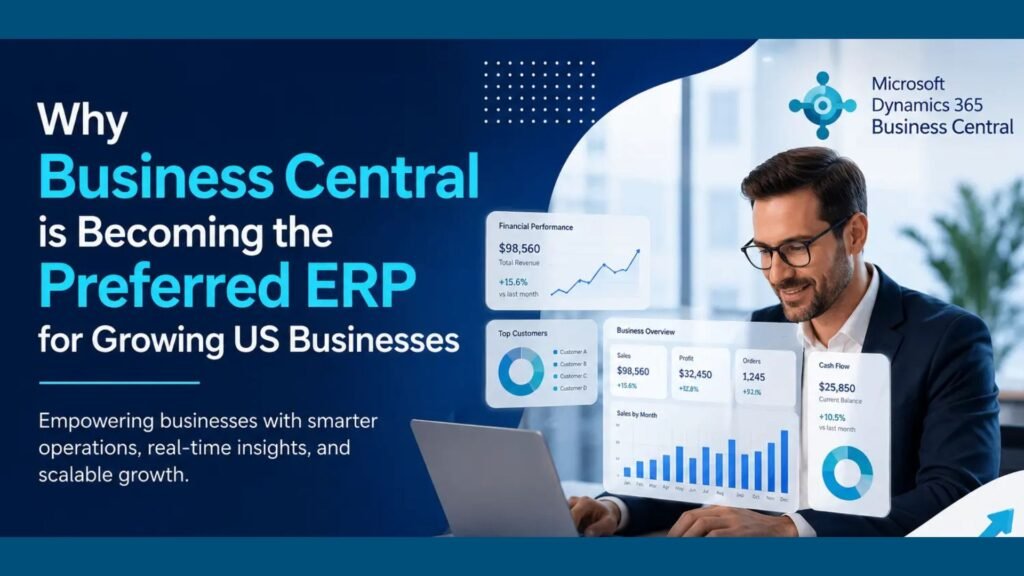
Why Business Central Is Becoming the Preferred ERP for Growing US Businesses

Modern businesses in the United States are rapidly transforming the way they operate. From finance and inventory management to customer service and analytics, organizations are looking for intelligent systems that can help them scale efficiently while reducing operational complexity. Traditional software solutions often fail to support growing business needs, which is why many companies are moving toward cloud-based ERP platforms. One solution that continues to gain popularity among small and mid-sized businesses is Microsoft Dynamics 365 Business Central. Known for its flexibility, automation capabilities, and seamless integration with Microsoft tools, Business Central is helping organizations streamline operations and improve decision-making. Today, businesses in Texas, USA, searching for a reliable Microsoft Dynamics 365 partner are increasingly choosing Business Central to modernize operations, improve productivity, and prepare for long-term growth. Understanding Microsoft Dynamics 365 Business Central Microsoft Dynamics 365 Business Central is a comprehensive enterprise resource planning (ERP) solution designed to unify core business processes within a single platform. It combines finance, supply chain management, sales, purchasing, inventory, reporting, and customer relationship management into one connected system. Unlike traditional ERP systems that require expensive hardware and complex maintenance, Business Central operates in the cloud. This enables organizations to access critical business information securely from anywhere while reducing IT infrastructure costs. Growing companies often choose Microsoft Dynamics 365 Business Central in Texas, USA, because the platform supports scalability, automation, and digital transformation without requiring large enterprise budgets. Why Growing US Businesses Need Modern ERP Solutions As businesses expand, operational challenges also increase. Managing disconnected software systems, spreadsheets, manual reporting, and outdated processes can slow growth and reduce efficiency. Many organizations struggle with: Modern ERP systems solve these problems by centralizing business data and automating workflows. Business Central has become one of the preferred ERP platforms because it allows businesses to simplify operations while improving agility and decision-making. Cloud ERP Is Driving Digital Transformation Cloud technology has fundamentally changed how businesses operate. Companies no longer want complex on-premise systems that require costly upgrades and maintenance. Business Central provides a cloud-first environment that offers: For organizations looking for MS Dynamics 365 implementation services in Texas, USA, cloud ERP adoption offers significant operational and financial advantages. Businesses can access their ERP system anytime using laptops, smartphones, or tablets, making it ideal for remote and hybrid work environments. Seamless Integration with Microsoft Ecosystem One of the strongest advantages of Business Central is its seamless integration with Microsoft applications. Businesses can connect Business Central with: This integration improves collaboration and productivity because employees can work within familiar tools while accessing real-time business data. For example: Companies searching for Microsoft Dynamics consulting services in Texas, USA, often prioritize this integration capability because it improves workflow efficiency across departments. Financial Management Made Easier Financial management is one of the most critical areas for growing businesses. Business Central helps organizations improve financial visibility and automate accounting processes. Key financial management features include the following: Automation reduces manual data entry and minimizes errors, allowing finance teams to focus on strategic planning rather than repetitive tasks. Real-time financial reporting helps businesses make faster decisions and respond quickly to market changes. Organizations requiring Microsoft Dynamics 365 Support Services in Texas, USA, often use Business Central to improve accounting accuracy and financial control. Inventory and Supply Chain Optimization Inventory management becomes increasingly complex as businesses grow. Overstocking and stock shortages can negatively impact profitability and customer satisfaction. Business Central helps businesses optimize supply chain operations through: Manufacturers, distributors, and retailers benefit significantly from improved inventory visibility and automation. Businesses implementing Business Central can reduce operational delays while improving order fulfillment accuracy. Scalability Supports Long-Term Growth One major reason businesses choose Business Central is scalability. Many traditional ERP systems become difficult to manage as organizations expand. Business Central supports growth by allowing companies to: This flexibility ensures businesses can continue using the same ERP platform as they grow without requiring expensive system replacements. Companies seeking D365 migration services in Texas, USA, often migrate from outdated ERP systems because Business Central offers a scalable and future-ready solution. Automation Improves Operational Efficiency Manual processes consume time and increase the likelihood of errors. Business Central automates repetitive business tasks, helping organizations improve efficiency and productivity. Automation features include the following: By automating routine operations, employees can focus on customer engagement, strategic initiatives, and business growth. Automation also helps reduce operational costs while improving overall service quality. Real-Time Data and Business Intelligence Modern businesses rely heavily on accurate data to make informed decisions. Business Central provides real-time reporting and analytics capabilities that help organizations monitor performance effectively. Users can access: Integration with Power BI enables businesses to create advanced visual dashboards and customized reports. This level of visibility supports proactive decision-making and helps leadership teams identify opportunities for improvement. Enhanced Customer Relationship Management Customer expectations continue to rise, making customer relationship management more important than ever. Business Central helps businesses improve customer experiences through: Sales and service teams gain better visibility into customer interactions, enabling faster response times and personalized engagement. Improved customer management ultimately leads to stronger customer retention and higher revenue growth. Cost-Effective ERP Solution for SMBs Large enterprise ERP systems are often expensive and difficult to maintain. Business Central offers a cost-effective alternative designed specifically for small and mid-sized businesses. Benefits include: Because the platform operates in the cloud, businesses avoid major upfront investments while still accessing enterprise-grade functionality. For businesses evaluating Microsoft Dynamics 365 Business Central in Texas, USA, affordability is often a major advantage. Strong Security and Compliance Features Data security is a top priority for modern organizations. Business Central benefits from Microsoft’s advanced cloud security infrastructure. Security features include the following: These security capabilities help businesses protect sensitive financial and operational information while meeting regulatory requirements. Faster ERP Deployment and Implementation Traditional ERP implementations can take years to complete. Business Central offers faster implementation timelines, especially when businesses work with experienced ERP consultants. Professional implementation services typically include: Organizations seeking MS Dynamics 365 implementation services in Texas, USA, often prefer Business Central because

Why Business Central Is Becoming the Preferred ERP for Growing US Businesses Read More »

top-challenges-in-erp-implementation-and-how-to-overcome-them

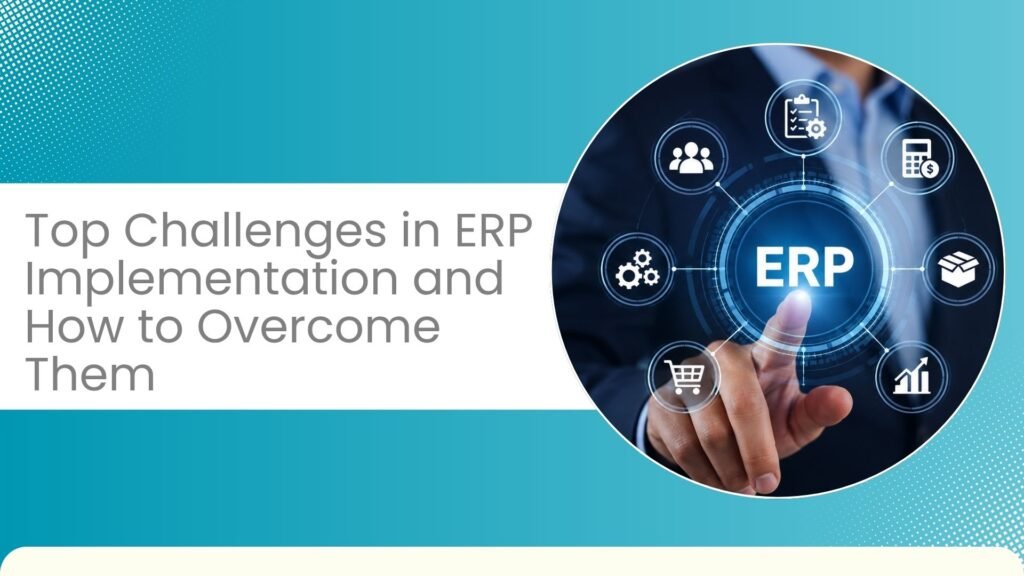
Top Challenges in ERP Implementation and How to Overcome Them

Implementing an Enterprise Resource Planning (ERP) system is a major step toward digital transformation. It helps businesses unify operations, improve efficiency, and gain real-time insights across departments. However, ERP implementation is not just a technical upgrade—it’s a strategic shift that impacts people, processes, and technology. Solutions like Microsoft Dynamics 365 have made ERP more flexible and scalable, but organizations still face several challenges during implementation. Whether you’re planning a new deployment or upgrading an existing system, understanding these challenges can help you avoid costly mistakes. In this blog, we explore the most common ERP implementation challenges and how to overcome them effectively. 1. Unclear Business Goals One of the most common reasons ERP projects fail is the lack of clearly defined objectives. Without a clear vision, businesses struggle to measure success or align the system with their operational needs. How to overcome it:Start by identifying your business goals—whether it’s improving reporting, reducing costs, or enhancing productivity. Define KPIs and ensure your ERP solution supports these objectives. Working with an experienced Microsoft Dynamics 365 partner in Texas, USA, can help you create a structured implementation roadmap. 2. Resistance to Change ERP systems often require employees to adopt new workflows and processes. This can lead to resistance, especially if users are not properly trained or informed. How to overcome it:Focus on change management from the beginning. Communicate the benefits of the new system clearly and involve employees in the implementation process. Provide hands-on training and continuous support to ease the transition. Businesses that invest in Microsoft Dynamics 365 Support Services in Texas, USA, often achieve better adoption rates. 3. Poor Planning and Budget Issues ERP implementations can quickly exceed budgets if not planned carefully. Hidden costs, scope changes, and delays can impact the overall success of the project. How to overcome it:Create a detailed project plan that includes timelines, budgets, and milestones. Break the implementation into phases and allocate contingency funds. Choosing reliable MS Dynamics 365 implementation services in Texas, USA, can help minimize risks and keep your project on track. 4. Data Migration Challenges Migrating data from legacy systems to a new ERP platform is often complex. Poor data quality or incomplete migration can lead to inaccurate reporting and operational issues. How to overcome it:Before migration, audit and clean your data. Remove duplicates, standardize formats, and ensure consistency. Using expert D365 migration services in texas usa can make the process smoother and more accurate. 5. Lack of Skilled Resources ERP implementation requires specialized knowledge, which many organizations may not have in-house. How to overcome it:Consider hiring experienced consultants or using resource augmentation services. Partnering with experts in Microsoft Dynamics consulting services in texas usa ensures that your implementation is handled efficiently and professionally. 6. Over-Customization While customization can make ERP systems more tailored, excessive modifications can increase complexity and maintenance costs. How to overcome it:Use standard features wherever possible and customize only when necessary. Solutions like Microsoft Dynamics 365 Business Central in Texas, USA, offer built-in functionalities that meet most business needs without heavy customization. 7. Integration Issues ERP systems need to integrate with existing tools like CRM, HR software, and third-party applications. Poor integration can create data silos. How to overcome it:Identify integration requirements early in the project. Use APIs and middleware to ensure seamless connectivity. Thorough testing is essential to ensure smooth data flow across systems. 8. Unrealistic Timelines: Many organizations underestimate the time required for ERP implementation, leading to rushed deployments and errors. How to overcome it:Set realistic timelines based on project scope and complexity. Use a phased approach and allow enough time for testing, training, and adjustments. 9. Inadequate Testing: Skipping testing or rushing through it can result in system failures after go-live. How to overcome it:Conduct multiple testing phases, including user acceptance testing. Simulate real business scenarios and involve end-users to ensure the system works as expected. 10. Lack of Post-Implementation Support: ERP implementation doesn’t end at go-live. Without ongoing support, businesses may struggle to resolve issues or optimize performance. How to overcome it:Invest in continuous support and maintenance. Regular updates, monitoring, and training ensure your ERP system continues to deliver value over time. Final Thoughts ERP implementation is a transformative journey that requires careful planning, the right expertise, and a clear strategy. While challenges are inevitable, they can be effectively managed with the right approach. By working with experienced professionals and leveraging reliable services, businesses can ensure a smooth transition and maximize the benefits of their ERP investment. A well-implemented ERP system not only improves efficiency but also sets the foundation for long-term growth and innovation. FAQs Q1. What is the biggest challenge in ERP implementation? Ans: The biggest challenge is usually a lack of clear goals and poor planning, which can lead to delays and budget overruns. Q2. How long does ERP implementation take? Ans: It depends on the size and complexity of the business, but most projects take several months to a year. Q3. Why is data migration important? Ans: Data migration ensures that all existing business information is accurately transferred to the new system without errors. Q4. Can small businesses benefit from ERP? Ans: Yes, modern ERP solutions are scalable and help small businesses improve efficiency and manage growth. Q5. What is the role of ERP support services? Ans: Support services help maintain system performance, resolve issues, and ensure continuous improvement after implementation.

Top Challenges in ERP Implementation and How to Overcome Them Read More »