AX to D365 Upgrade

ax-to-dynamics-365-f-and-migration-costs-timeline-and-strategy

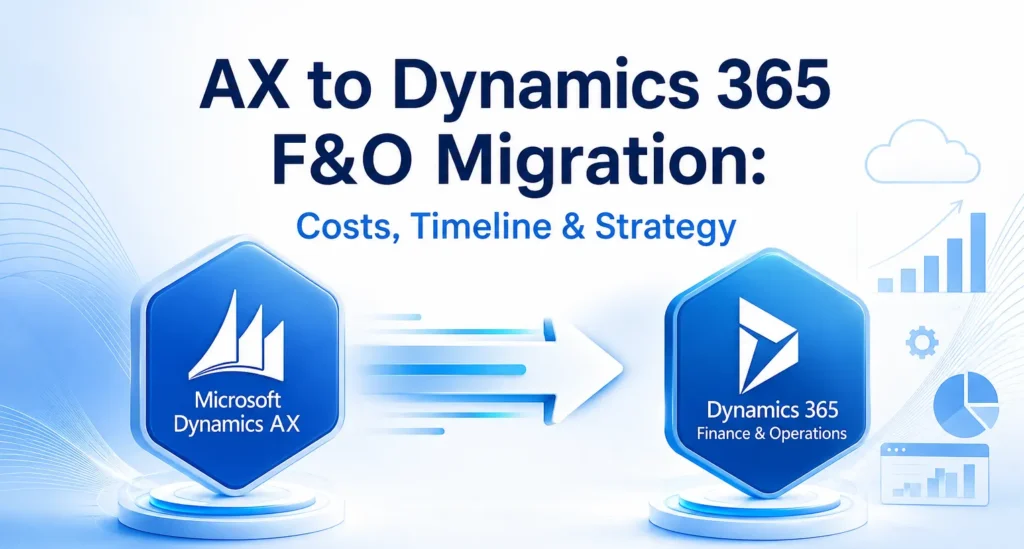
AX to Dynamics 365 F&O Migration: Costs, Timeline & Strategy

Businesses using Microsoft Dynamics AX have benefited from a reliable ERP system for many years. However, as technology evolves and organisations increasingly adopt cloud-first strategies, many are choosing to migrate to Microsoft Dynamics 365 Finance & Operations (Dynamics 365 F&O). This modern ERP solution provides greater flexibility, enhanced security, AI-powered capabilities, and continuous updates that help businesses stay competitive in an increasingly digital world. Migrating from Dynamics AX is more than simply upgrading software. It is an opportunity to modernise business processes, improve operational efficiency, and create a scalable platform that supports long-term growth. Whether you are planning your first ERP migration or evaluating your options, understanding the costs, timeline, and implementation strategy is essential for a successful transition. Why Upgrade from Dynamics AX to Dynamics 365 F&O? Microsoft Dynamics AX was designed for on-premises environments and has served thousands of organisations worldwide. However, maintaining legacy infrastructure, managing customisations, and handling manual upgrades have become increasingly expensive and time-consuming. Dynamics 365 F&O addresses these challenges with a cloud-based architecture that delivers continuous innovation and better performance. The platform offers advanced financial management, intelligent supply chain capabilities, automated workflows, real-time reporting, and seamless integration with Microsoft 365, Power Platform, and Azure services. Businesses also gain access to AI-driven insights that support faster and more informed decision-making. Working with an experienced Microsoft Dynamics 365 partner helps organisations make the transition smoothly while reducing risks associated with complex ERP migrations. Understanding the Cost of Migration One of the first questions businesses ask is, “How much does an AX to Dynamics 365 F&O migration cost?” There is no fixed answer because every organisation’s ERP environment is different. The overall investment depends on several factors, including the size of the business, the complexity of existing processes, and the amount of customisation required. Organisations running older versions such as Dynamics AX 2009 or AX 2012 often require additional planning because these systems typically contain outdated customisations, legacy integrations, and inconsistent data. Businesses with multiple locations, international operations, or high transaction volumes may also require more extensive implementation efforts. Another important cost factor is data migration. Customer records, vendor information, inventory data, financial transactions, and historical reports all need to be reviewed and validated before being transferred into the new system. The cleaner the existing data, the smoother and more cost-effective the migration process becomes. Training employees and preparing them for the new system should also be included in the overall project budget. Investing in user adoption ensures employees can quickly take advantage of the platform’s new features and capabilities. Typical Migration Timeline The duration of an AX to Dynamics 365 F&O migration depends on project complexity. Small businesses with straightforward business processes can often complete migration within a few months, while large enterprises with multiple legal entities and extensive integrations require a longer implementation schedule. A standard migration project generally includes assessment, solution design, system configuration, data migration, testing, user training, and go-live support. Each phase requires careful planning to minimise disruption to daily business operations. Rather than rushing implementation, organisations should focus on completing each stage thoroughly. Proper testing and user acceptance significantly reduce the likelihood of issues after deployment and contribute to a smoother transition. Building an Effective Migration Strategy A successful migration starts with a detailed assessment of the existing Dynamics AX environment. This involves reviewing current business processes, identifying customisations, evaluating integrations, and understanding reporting requirements. The goal is not simply to recreate the existing system but to identify opportunities for improvement. Once the assessment is complete, organisations can begin designing their future ERP environment. During this phase, business requirements are aligned with the capabilities available in Dynamics 365 F&O. Many businesses also evaluate Microsoft Dynamics 365 Business Central for smaller subsidiaries or regional offices while using Dynamics 365 F&O for enterprise-wide operations. This combination allows organisations to build a connected Microsoft ecosystem that supports different business needs. Data preparation is another critical step. Before migration begins, duplicate records should be removed, outdated information archived, and financial data validated. Clean and accurate data reduces migration errors and improves system performance after deployment. Testing plays a crucial role throughout the implementation process. Every workflow, integration, and report should be validated before the new system goes live. User acceptance testing allows employees to become familiar with the new environment while identifying any remaining issues. Common Migration Challenges Although every migration project is unique, organisations often encounter similar challenges. Legacy customisations are among the most common obstacles. Many Dynamics AX systems have been modified over several years to meet specific business requirements. During migration, these customisations should be carefully evaluated to determine whether they are still necessary or whether standard Dynamics 365 functionality can achieve the same outcome. Data quality is another common concern. Incomplete customer records, duplicate vendors, inconsistent product information, and outdated financial data can slow implementation and increase project costs. Beginning data cleansing early in the project significantly improves migration success. Employee adoption also deserves careful attention. Even the most advanced ERP solution will not deliver its full value if users are uncomfortable with the new system. Providing comprehensive training and communicating the benefits of the migration helps employees embrace new processes more confidently. Best Practices for a Successful Migration Organizations that experience successful ERP migrations typically follow a structured approach rather than treating migration as a simple technical upgrade. They establish clear business objectives, involve key stakeholders throughout the project, and prioritise business process improvements over replicating outdated workflows. While every implementation is different, several practices consistently contribute to success: Following these principles helps organisations reduce implementation risks while maximizing the return on their ERP investment. Benefits After Migrating to Dynamics 365 F&O Businesses that successfully migrate to Dynamics 365 F&O often experience improvements across finance, operations, manufacturing, procurement, and supply chain management. Real-time dashboards provide better visibility into business performance, allowing leaders to make faster and more informed decisions. Automation reduces repetitive manual tasks, enabling employees to focus on higher-value activities. Continuous Microsoft updates ensure the ERP platform remains

AX to Dynamics 365 F&O Migration: Costs, Timeline & Strategy Read More »
business-central-vs-finance-operations

Business Central vs. Finance & Operations: Choosing the Right Dynamics ERP

When it comes to digital transformation, businesses in the United States are increasingly investing in ERP (Enterprise Resource Planning) solutions to streamline operations, improve decision-making, and drive growth. Among Microsoft’s robust ERP offerings, two solutions stand out—Dynamics 365 Business Central and Dynamics 365 Finance & Operations (F&O). Choosing between these two platforms can be challenging. Both are powerful, cloud-based solutions designed to unify business processes, but they cater to different organizational sizes, industries, and complexities. To make the right choice, businesses must evaluate their goals, processes, and future scalability. This article provides a detailed comparison of Business Central and Finance & Operations, highlights their features, and explains how working with a trusted Microsoft Dynamics 365 partner in USA can help businesses successfully implement the right ERP solution. Why ERP Choice Matters for U.S. Businesses The right ERP is not just a technology investment—it’s a strategic decision that shapes how a business operates. A poorly chosen ERP can lead to inefficiencies, wasted investments, and employee frustration. On the other hand, selecting the right solution with expert ERP implementation services in USA ensures long-term scalability, compliance, and competitive advantage. Overview: Dynamics 365 Business Central Business Central is Microsoft’s ERP designed primarily for small to mid-sized businesses (SMBs). It evolved from Dynamics NAV and offers a streamlined, all-in-one solution that covers core business processes. Key Features of Business Central Ideal for: Overview: Dynamics 365 Finance & Operations Finance & Operations (F&O), also known as Dynamics 365 Finance and Dynamics 365 Supply Chain Management, is built for large enterprises and global organizations with complex operations. Key Features of Finance & Operations Ideal for: Business Central vs. Finance & Operations: A Feature Comparison Feature Business Central Finance & Operations Target Audience SMBs and mid-sized companies Large enterprises & multinational corporations Deployment Cloud-first (with some hybrid options) Cloud (Azure) Financials Strong, but focused on SMB needs Advanced financials with multi-company, global compliance Supply Chain Inventory & basic warehouse management Advanced supply chain with manufacturing, logistics, IoT integration Scalability Suitable for mid-market growth Enterprise-level scalability Cost Lower licensing and implementation cost Higher cost, but more advanced capabilities Implementation Timeline 2–6 months (faster rollout) 6–18 months (complex rollout) Customization Flexible, but lighter compared to F&O Highly customizable for large enterprises Integration Microsoft 365, Power Platform Microsoft 365, Power Platform, Azure AI, IoT Key Considerations When Choosing Between Business Central and Finance & Operations 1. Company Size & Complexity 2. Budget & Total Cost of Ownership (TCO) 3. Industry Requirements 4. Growth Plans Role of a Microsoft Dynamics 365 Partner in USA Choosing between Business Central and Finance & Operations is only the first step. To ensure a successful ERP journey, businesses need the expertise of a certified Microsoft Dynamics 365 partner in USA. How a Partner Helps: Working with an experienced partner reduces risk, ensures faster ROI, and aligns ERP investments with business goals. Microsoft Dynamics 365 Implementation in USA: What to Expect Whether you choose Business Central or Finance & Operations, the implementation journey is critical. Here’s what U.S. businesses can expect from professional Microsoft Dynamics 365 implementation in USA: This structured approach ensures businesses not only implement ERP but also maximize its value. Microsoft Dynamics Services in USA: Beyond Implementation ERP is not a one-time project; it’s an ongoing journey. That’s why companies need long-term Microsoft Dynamics services in USA to support their ERP ecosystem. Key Services Include: Partnering with experts ensures ERP evolves with your business, rather than becoming outdated. Real-World Example A mid-sized distribution company in Texas was struggling with QuickBooks and manual inventory tracking. They partnered with a Microsoft Dynamics 365 partner in USA and migrated to Business Central. Meanwhile, a global automotive manufacturer in Michigan needed a system to handle complex supply chains across multiple continents. By implementing Dynamics 365 Finance & Operations: This comparison illustrates how Business Central and F&O serve different organizational needs. Benefits of Choosing the Right ERP with Expert Support Conclusion Both Dynamics 365 Business Central and Dynamics 365 Finance & Operations are powerful ERP platforms—but they serve different needs. Business Central is best suited for small to mid-sized businesses seeking affordability and simplicity, while Finance & Operations is built for large enterprises with complex, global operations. To make the right choice, businesses must carefully evaluate size, industry requirements, and growth plans. Most importantly, partnering with an experienced Microsoft Dynamics 365 partner in USA ensures a smooth implementation and long-term ERP success. With the right guidance, Microsoft Dynamics 365 implementation in USA delivers not only streamlined operations but also strategic advantages that fuel business growth. Supported by expert Microsoft Dynamics services in USA and ERP implementation services in USA, companies can future-proof their operations and stay ahead in an increasingly competitive market. Frequently Asked Questions (FAQs) Q 1. What is the main difference between Business Central and Finance & Operations?Ans: Business Central is tailored for SMBs with simpler operations, while Finance & Operations is designed for large enterprises with complex global operations. Q 2. Which ERP is more cost-effective for U.S. businesses?Ans: Business Central has lower licensing and faster implementation costs, making it more cost-effective for SMBs. Q 3. How long does a Dynamics 365 implementation in USA take?Ans: Business Central implementations can take 2–6 months, while Finance & Operations may take 6–18 months due to complexity. Q 4. Why should I work with a Microsoft Dynamics 365 partner in USA?Ans: A partner provides expertise in ERP implementation, customization, training, and ongoing support—ensuring higher success rates and ROI. Q 5. What industries benefit most from Finance & Operations?Ans: Industries such as manufacturing, logistics, retail, and large-scale finance benefit the most due to F&O’s advanced capabilities.

Business Central vs. Finance & Operations: Choosing the Right Dynamics ERP Read More »

NAV-to-Dynamics-365

Upgrade or Re-Implement? Choosing the Right Path from AX/NAV to Dynamics 365

In today’s competitive digital landscape, businesses are under constant pressure to modernize their enterprise resource planning (ERP) systems. Companies that have relied on Microsoft Dynamics AX or Microsoft Dynamics NAV for years now face a crucial decision: should they upgrade to Dynamics 365, or should they re-implement from scratch? Both approaches come with their own benefits, challenges, and costs. For organizations across North America, making the right decision often requires working with a trusted Microsoft Dynamics 365 partner in Canada and USA who understands both legacy systems and the Dynamics 365 ecosystem. In this article, we’ll explore the differences between an upgrade and a re-implementation, the factors influencing the decision, and how to choose the right path for your business. The Shift from AX/NAV to Dynamics 365 Microsoft has been gradually moving businesses from on-premises ERP systems like Dynamics AX and Dynamics NAV toward its cloud-first platform—Microsoft Dynamics 365. This evolution offers significant benefits such as real-time analytics, AI-driven automation, seamless updates, and scalability. Businesses in Canada and the USA are increasingly considering either a NAV to Microsoft Dynamics 365 Business Central Upgrade in Canada and USA or an AX to D365 F&O Upgrade in Canada and USA to stay competitive. Upgrade vs. Re-Implement: Understanding the Difference Upgrade An upgrade involves moving your existing NAV or AX system, including data, configurations, and in some cases, customizations, to Dynamics 365. It’s essentially a technical transition that modernizes your current ERP without rebuilding everything. Pros of Upgrading: Cons of Upgrading: Re-Implementation Re-implementation means starting fresh with Dynamics 365. Instead of transferring all data and customizations, businesses take the opportunity to redesign their ERP environment, import only necessary data, and rebuild processes in a more modern and efficient way. Pros of Re-Implementing: Cons of Re-Implementing: Factors to Consider When Choosing Between Upgrade and Re-Implementation The right decision depends on several factors. With the guidance of a Microsoft Dynamics 365 partner in Canada and USA, businesses can analyze their specific situation. Key considerations include: 1. System Complexity 2. Data Quality 3. Process Efficiency 4. Budget and Timeline 5. Future Scalability Benefits of Moving to Dynamics 365 Whether through upgrade or re-implementation, moving to Dynamics 365 provides significant advantages for businesses in Canada and the USA: A reliable Microsoft Dynamics 365 Support Services in Canada provider ensures these benefits are continuously realized. Role of a Microsoft Dynamics 365 Partner Choosing the right partner is critical to success. A certified Microsoft Dynamics 365 partner in Canada and USA provides: Case Scenarios Scenario 1: Upgrade is the Right Choice A mid-sized Canadian manufacturing company using Dynamics NAV 2016 with minimal customizations chooses an upgrade to Dynamics 365 Business Central. Since their processes are already optimized, the upgrade allows them to retain historical data while gaining the benefits of the cloud. Scenario 2: Re-Implementation is the Better Path A large U.S.-based retail chain running Dynamics AX 2012 with heavy customizations and outdated workflows opts for a re-implementation to D365 Finance & Operations. They redesign processes, clean up data, and leverage AI-driven automation, setting a strong foundation for future scalability. Common Challenges in the Transition Even with expert support, businesses may face challenges such as: Working closely with an experienced Microsoft Dynamics 365 partner in Canada and USA helps overcome these issues. FAQs: Choosing Between Upgrade and Re-Implementation Q1. How do I know whether to upgrade or re-implement?Ans: A detailed system assessment by a Microsoft Dynamics 365 partner in Canada and USA can help determine whether your business should go for an upgrade or re-implementation. Q2. Is data migration possible in both approaches?Ans: Yes, but the method differs. Upgrading retains most historical data, while re-implementation allows selective migration of only clean and relevant data. Q3. Which is more cost-effective—upgrade or re-implementation?Ans: Upgrading is generally less expensive and quicker. However, re-implementation may deliver greater long-term ROI by modernizing workflows and eliminating technical debt. Q4. Can we migrate directly from Dynamics AX to Dynamics 365 F&O?Ans: Yes, with expert assistance, an AX to D365 F&O Upgrade in Canada and USA is possible, though the process can be complex depending on your AX version and customizations. Q5. What about NAV users?Ans: Businesses running NAV can perform a NAV to Microsoft Dynamics 365 Business Central Upgrade in Canada and USA to modernize operations and move to a cloud-based ERP. Q6. What support is available after migration?Ans: You can rely on Microsoft Dynamics 365 Support Services in Canada for continuous system monitoring, updates, performance optimization, and issue resolution. Q7. Will employees need training after moving to Dynamics 365?Ans: Yes. Whether upgrading or re-implementing, training is essential for user adoption. Most partners provide structured training and change management programs. Conclusion Deciding between upgrading and re-implementing from AX or NAV to Dynamics 365 is a pivotal choice for businesses in Canada and the USA. An upgrade offers speed and cost efficiency, while re-implementation provides a fresh start with long-term flexibility. The right path depends on your data quality, business processes, customization levels, and future goals. Partnering with a trusted Microsoft Dynamics 365 partner in Canada and USA ensures that your transition—whether a NAV to Microsoft Dynamics 365 Business Central Upgrade in Canada and USA or an AX to D365 F&O Upgrade in Canada and USA—is smooth, strategic, and successful.

Upgrade or Re-Implement? Choosing the Right Path from AX/NAV to Dynamics 365 Read More »

AX-to-dynamics-365-finance-and-operations

AX to Dynamics 365 Finance & Operations: What US Manufacturers Must Know Before Upgrading

In the competitive world of manufacturing, legacy ERP systems like Microsoft Dynamics AX are no longer sufficient to meet the demands of modern supply chains, financial processes, and operational agility. As a result, many manufacturers across the United States and Canada are now exploring the AX to D365 Finance & Operations Upgrade in the USA and Canada to modernize their businesses and stay ahead of the curve. With Microsoft ending mainstream support for Dynamics AX, upgrading to Dynamics 365 Finance & Operations (D365 F&O) is not just an upgrade—it’s a strategic move toward digital transformation, cloud adoption, and future-proofing your business operations. This article explores why the AX to D365 F&O Upgrade in the USA is essential for manufacturers, what benefits it brings, key considerations, and how to plan a successful transition. The End of Dynamics AX: Why It Matters Microsoft Dynamics AX has been a trusted ERP solution for manufacturers for over a decade. However, with Microsoft ending mainstream support for AX 2009 and AX 2012, companies are now left with systems that: These issues are significant, especially for manufacturers looking to embrace innovation, automation, and global expansion. Why Manufacturers Are Upgrading to D365 Finance & Operations 1. Cloud-First Architecture D365 F&O is a cloud-native solution hosted on Microsoft Azure. This means it offers: 2. Modern User Experience The interface in D365 F&O is intuitive and user-friendly, with role-based dashboards, workflows, and Microsoft 365 integration (Excel, Outlook, Teams). This enhances productivity and shortens the learning curve. 3. Integrated Business Intelligence With embedded Power BI and AI-driven insights, manufacturers can analyze data in real time, spot inefficiencies, and make faster, smarter decisions across finance, operations, and supply chain functions. 4. Better Compliance and Security D365 offers advanced data encryption, identity management, audit trails, and compliance tools—crucial for US manufacturers dealing with industry regulations such as FDA, ITAR, or ISO standards. AX to D365 Finance & Operations Upgrade in USA and Canada Manufacturers across both the United States and Canada face similar challenges—aging infrastructure, siloed data, and increasing pressure to optimize operations. Upgrading from AX to D365 F&O helps both US and Canadian manufacturers: Whether you’re a manufacturer in Texas or Ontario, the AX to D365 Finance & Operations Upgrade in the USA and Canada provides a flexible, scalable, and cloud-ready ERP that supports international growth and modern business models. Business Benefits of D365 F&O for Manufacturers 1. Unified Operations D365 F&O connects finance, production, inventory, procurement, and HR in a single platform. This end-to-end visibility allows better planning, budgeting, and decision-making. 2. Real-Time Supply Chain Management Predict demand, optimize stock levels, automate replenishments, and track deliveries in real time with built-in supply chain intelligence and IoT integration. 3. Improved Financial Control The system helps manage multi-entity, multi-currency, and multi-country financial operations. It automates reconciliation, budgeting, compliance, and forecasting. 4. Maintenance and Asset Management D365’s asset management module enables manufacturers to track equipment performance and schedule preventive maintenance, reducing downtime and increasing asset life. 5. Cost Savings and Efficiency Eliminating legacy infrastructure, reducing custom code, and automating manual processes all contribute to long-term cost savings and operational efficiency. Key Considerations Before Starting Your Upgrade A successful AX to D365 F&O Upgrade in the USA requires careful planning. Here are some points manufacturers should keep in mind: 1. Assess Current System Usage List all modules in use, third-party integrations, and customizations. Determine which ones are still relevant, which can be replaced with out-of-the-box D365 features, and which need to be rebuilt. 2. Clean and Map Your Data Data quality is crucial. Remove redundant data, standardize naming conventions, and map AX fields to D365 data entities. This will ensure smooth migration and accurate reporting post-upgrade. 3. Understand Licensing Changes D365 F&O follows a subscription-based model, unlike the perpetual license in AX. Understand the impact of this on your budgeting and ROI. 4. Choose the Right Implementation Partner Work with a Microsoft-certified partner who specializes in AX to D365 Finance & Operations Upgrade in the USA. They’ll bring domain experience, technical knowledge, and proven methodologies for successful migration. Upgrade Paths: Reimplementation vs. Data Migration Depending on your AX environment, you can choose from two major upgrade paths: 1. Reimplementation This is recommended for heavily customized systems. You start with a fresh D365 implementation and migrate only the necessary data. It helps eliminate outdated processes and adopt modern best practices. 2. In-Place Upgrade (Data Migration) If your system has minimal customizations and is running on AX 2012 R3 CU13 or later, Microsoft provides tools to migrate data directly into D365. This path may be faster but less flexible. Step-by-Step Upgrade Process Step 1: Discovery and Planning: Define project goals, assign internal stakeholders, assess the existing system, and prepare a roadmap. Step 2: Data Preparation: Clean, archive, and map your data according to D365 standards. Step 3: Build and Configure: Customize the D365 environment based on your business needs and configure workflows, reports, and dashboards. Step 4: Testing and Training: Conduct user acceptance testing (UAT), train end-users, and validate system readiness. Step 5: Go Live: Migrate live data, switch operations to D365, and monitor performance. Have support ready to resolve issues during the transition. Step 6: Post-Go-Live Support: Continue training, fix bugs, and gradually roll out advanced features to maximize ROI. Common Challenges (And How to Overcome Them) ➤ Resistance to Change Solution: Conduct regular communication and hands-on training to involve employees early. ➤ Data Complexity Solution: Use automated migration tools and involve data experts to ensure data accuracy. ➤ Custom Code Migration Solution: Simplify where possible. Rebuild essential customizations using D365’s extensions framework to stay upgrade-friendly. Future-Proofing with D365 F&O The AX to D365 F&O upgrade is not just about getting the latest technology—it’s about setting your business up for long-term success. With D365, manufacturers can: Why Now is the Right Time to Upgrade Manufacturing is becoming increasingly digital, competitive, and customer-centric. By staying on Dynamics AX, you’re not just running outdated software—you’re limiting your potential to grow and innovate. The AX to D365

AX to Dynamics 365 Finance & Operations: What US Manufacturers Must Know Before Upgrading Read More »