
dynamics business central partners

microsoft-erp-support

What’s Included in a World-Class Microsoft ERP Support SLA

In today’s fast-paced business environment, ERP downtime is more than just a technical inconvenience—it’s a direct hit to productivity, revenue, and customer satisfaction. For organizations running Microsoft Dynamics 365, Business Central, Finance & Operations, or older versions like GP, NAV, or AX, having a robust support framework isn’t optional—it’s mission-critical. That’s where a world-class Microsoft ERP Support SLA (Service Level Agreement) comes in. A powerful SLA defines not only response times, but also responsibility, transparency, accountability, and strategic value. Whether your provider is an in-house team or an external Microsoft Dynamics Partner in USA, understanding what’s included in a high-quality ERP support agreement can help you make smarter IT decisions. In this article, we’ll break down: What Is an ERP Support SLA and Why Does It Matter? An ERP Support SLA is a contractual agreement between your organization and your support provider defining how quickly and effectively issues will be resolved. It sets expectations on: Without an SLA, support becomes arbitrary and reactive. But with a structured SLA, your Microsoft ERP environment remains secure, optimized, and evolving with your business needs. Core Components of a World-Class Microsoft ERP Support SLA Let’s explore the key elements you should expect from premium ERP Support Services in USA or any leading Microsoft Dynamics Partner in USA. 1. Clearly Defined Support Tiers & Issue Categories Every ERP issue is not equal. A simple “How do I update a record?” query should not receive the same priority as a financial posting failure during month-end closing. A good SLA includes: Priority Level Example Issue Expected Response Time P1 – Critical System down, data corruption, failed transactions < 1 Hour P2 – High Major feature not functioning but workarounds exist < 4 Hours P3 – Medium Performance lag or integration interruption < 1 Business Day P4 – Low User queries or enhancement requests < 2 Business Days Leading Microsoft Dynamics Consultancy Services in USA follow ITIL-aligned ticketing structures to ensure fair prioritization across departments. 2. Guaranteed Response & Resolution Timelines Response time is when your support provider acknowledges the issue—resolution time is when they actually fix it. A world-class SLA clearly commits to both. ✅ Example Commitment from Top ERP Support Services in USA: If your provider only mentions “response time,” they may leave you waiting for actual fixes. Always insist on both. 3. 24/7 Support Availability (If Needed) If your operations span multiple time zones or include eCommerce, logistics, or manufacturing workflows, round-the-clock support is non-negotiable. A future-ready SLA includes: Many Microsoft Dynamics Partners in USA offer follow-the-sun support models to ensure continuous availability. 4. Proactive System Monitoring & Preventive Maintenance Reactive support alone is outdated. World-class SLAs now include: ✔ Automated health checks✔ Patch & update management✔ Integration monitoring✔ Security audits and threat response Rather than waiting for something to break, leading Microsoft Dynamics Consultancy Services in USA actively prevent incidents before they impact business. 5. Functional & Technical Support (Not Just Bug Fixing) True ERP optimization requires more than resolving technical errors. Your SLA should also cover: Not all ERP Implementation Services in USA provide functional consulting under support—double-check before signing. 6. Dedicated Account Manager & Escalation Matrix Fast issue resolution requires accountability. Your SLA must include: This structure ensures transparency and continuous improvement rather than transactional support. 7. Customization & Change Request Management Most organizations customize Microsoft ERP at some level. Therefore, the SLA must define: Top-tier Microsoft Dynamics Partners in USA often provide bundled enhancement hours with premium SLA tiers. 8. SLA Penalties & Performance Reporting A strong SLA includes measurable KPIs like: You should receive monthly or quarterly performance reports. Some elite providers even include penalty clauses if SLA targets are consistently missed. 9. Strategic Advisory & Roadmap Planning A world-class SLA goes beyond break-fix services. It helps future-proof your ERP investment by including: The best Microsoft Dynamics Consultancy Services in USA operate as long-term partners—not just support vendors. Comparing Support Options: In-House vs. Microsoft Dynamics Partner in USA Criteria In-House IT Team External Microsoft Dynamics Partner in USA Cost High (recruitment, training, infrastructure) Scalable and subscription-based Expertise Limited to internal exposure Cross-industry best practices Scalability Challenging during peak loads On-demand resource expansion Upgrades & Innovation Slow adoption Faster access to new features Most mid-sized and enterprise businesses choose hybrid or fully outsourced ERP support models for efficiency and flexibility. How ERP Implementation Services in USA Bundle Support with Deployment Smart organizations negotiate support before the implementation begins. Many ERP Implementation Services in USA offer tiered support extensions such as: Be cautious: Some low-cost implementers provide minimal support post-launch, forcing businesses to scramble later. Always demand official SLA documentation before signing any implementation contract. Q 1: What is the difference between response time and resolution time in an ERP SLA?Ans: Response time is how quickly the support team acknowledges your issue, while resolution time is how long it takes to fix or mitigate the problem. Q2: Do all Microsoft ERP SLAs include proactive monitoring?Ans: Not necessarily. World-class SLAs include automated health checks, patch management, and preventive measures, while basic SLAs may only offer reactive support. Q3: Can an ERP support SLA cover functional consulting?Ans: Yes. Premium Microsoft Dynamics Consultancy Services in USA include functional support like workflow assistance, user training, and business process optimization. Qns4: Are SLAs only for critical issues?Ans: No. SLAs categorize issues by priority (Critical, High, Medium, Low), ensuring response times and resolution expectations for all types of incidents. Q5: How do SLAs help during ERP upgrades or migrations?Ans: SLAs often include support for system upgrades, migrations, and new feature adoption, ensuring minimal downtime and smoother transitions. Q6: What happens if the provider fails to meet SLA commitments?Ans: Many top-tier ERP Support Services in USA include penalties, credits, or corrective action plans if SLA targets are consistently missed. Q7: Is 24/7 support necessary for all businesses?Ans: Not always. If your operations are limited to one region and normal business hours, extended hours may be optional. Global operations or critical systems usually require 24/7 coverage. Final Thoughts A

What’s Included in a World-Class Microsoft ERP Support SLA Read More »

Managed-Services-Reduce-ERP-TCO

How Our Managed Services Reduce ERP TCO for USA & Canadian Companies

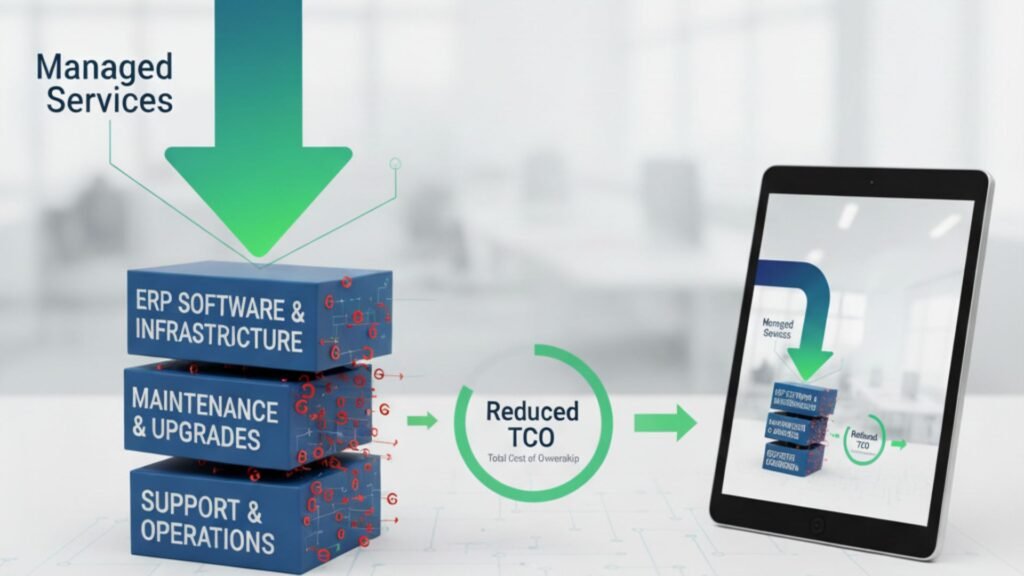
In today’s competitive market, businesses in the USA and Canada are constantly looking for ways to optimize operations, reduce costs, and improve performance. Enterprise Resource Planning (ERP) systems like Microsoft Dynamics 365 play a pivotal role in achieving these goals. However, one of the most overlooked factors in ERP success is the total cost of ownership (TCO). The initial investment in ERP software is just the beginning. Ongoing support, upgrades, integration, staff training, and downtime costs can significantly increase TCO if not managed properly. That’s where managed services come into play. By partnering with a trusted Microsoft Dynamics 365 partner in USA and Canada, companies can unlock predictable costs, improved efficiency, and long-term ROI. In this article, we’ll explore how our managed services help businesses reduce ERP TCO while ensuring reliability, scalability, and compliance. Understanding ERP TCO Before we dive into cost reduction strategies, let’s clarify what ERP TCO (Total Cost of Ownership) includes. It covers: Without structured support, these expenses can spiral out of control. Managed services provide a proactive approach to keep ERP costs predictable and aligned with business outcomes. How Managed Services Reduce ERP TCO 1. Proactive Monitoring & Issue Resolution Unplanned downtime is one of the biggest hidden ERP costs. A single hour of downtime in industries like manufacturing, retail, or hospitality can cost thousands of dollars. With our Microsoft Dynamics 365 Support Services in USA and Canada, we proactively monitor your ERP environment 24/7. This reduces operational disruptions, leading to lower indirect ERP costs. 2. Predictable Cost Structure Traditional ERP support is reactive, often involving costly emergency fixes. Our managed services replace this uncertainty with predictable, subscription-based pricing models. Instead of unpredictable bills for system outages or upgrade delays, businesses benefit from: For companies seeking ERP Implementation Services in USA and Canada, predictable costs make budgeting easier and more reliable. 3. Optimized ERP Performance ERP systems require regular optimization to align with changing business needs. Our managed services ensure Dynamics 365 runs at peak efficiency by: An optimized ERP reduces processing times, improves employee productivity, and lowers operational costs over time. 4. Scalable Support for Growing Businesses As businesses expand across the USA and Canada, their ERP requirements evolve. Without proper planning, scaling can lead to expensive re-implementations. By partnering with a trusted Microsoft Dynamics 365 partner in USA and Canada, companies benefit from: Scalable ERP support avoids costly system overhauls and keeps TCO under control. 5. Improved Security & Compliance Cybersecurity breaches and compliance penalties can drastically increase ERP costs. Our Microsoft Dynamics 365 Support Services in USA and Canada include: Stronger security reduces risk exposure and eliminates unexpected compliance costs. 6. Faster Upgrades & Migration ERP upgrades and migrations are often time-consuming and expensive if mishandled. We specialize in ERP Migration Services in USA and Canada, ensuring a smooth transition from legacy systems to Microsoft Dynamics 365. Key benefits include: Our approach significantly reduces the time and cost associated with upgrades and migrations. 7. Enhanced User Training & Adoption Poor adoption is another hidden driver of high ERP TCO. Many organizations underestimate the cost of retraining employees or handling productivity losses due to lack of knowledge. As part of our managed services, we provide: This maximizes ERP utilization and ensures companies get the full return on their Dynamics 365 investment. Why Choose Us as Your Microsoft Dynamics 365 Partner in USA and Canada Choosing the right partner is critical for reducing ERP TCO. We go beyond traditional support by delivering: With us as your Microsoft Dynamics 365 partner in USA and Canada, you don’t just get technical support—you get a strategic partner committed to driving long-term value. Business Impact: How Managed Services Lower ERP TCO Let’s break down the tangible benefits: Cost Driver Without Managed Services With Managed Services Downtime High, unpredictable Minimal due to proactive monitoring Support Costs Unplanned, reactive Predictable monthly/annual plans Upgrades & Migrations Expensive, high-risk Streamlined, automated, faster Security & Compliance Reactive, risk-prone Continuous audits, reduced fines User Adoption Poor, retraining needed Strong training support Scalability Costly re-implementations Flexible, cloud-ready growth The result? A significantly lower ERP TCO and a higher ROI on your Dynamics 365 investment. Conclusion ERP systems like Microsoft Dynamics 365 are essential for modern enterprises, but without proper management, the total cost of ownership can escalate quickly. Our managed services offer a structured, proactive, and scalable approach that keeps ERP costs predictable and controlled. Whether you are considering ERP Implementation Services in USA and Canada, planning a migration, or seeking ongoing Microsoft Dynamics 365 Support Services in USA and Canada, partnering with us ensures you achieve maximum value at the lowest possible TCO. If you’re ready to transform ERP from a cost center into a growth enabler, it’s time to work with a Microsoft Dynamics 365 partner in USA and Canada who understands your challenges and delivers solutions tailored to your business.

How Our Managed Services Reduce ERP TCO for USA & Canadian Companies Read More »

microsoft-dynamics-support-partner

5 Questions to Ask Before Hiring a Microsoft Dynamics Support Partner

Microsoft Dynamics 365 has become a cornerstone solution for organizations across industries looking to streamline processes, improve productivity, and enhance customer engagement. However, implementing, maintaining, and optimizing Dynamics 365 is not always straightforward. Businesses require the expertise of a reliable Microsoft Dynamics Support Partner to ensure seamless operations and ongoing success. If your business is based in the U.S., particularly in Texas, finding the right Microsoft Dynamics 365 partners in Texas, USA is crucial. With so many providers offering MS Dynamics Implementation Services in Texas, USA, the decision can feel overwhelming. The key is to ask the right questions before committing to a partnership. This article outlines five critical questions you should ask when hiring a Microsoft Dynamics Support Partner in Texas, USA. 1. What Experience Do You Have in My Industry? Every industry—from manufacturing and retail to professional services—has unique needs. While most support partners claim they can manage Dynamics 365, the level of expertise varies greatly. By asking about industry-specific experience, you’ll uncover whether a potential partner has successfully handled businesses similar to yours. For example, manufacturers often require complex inventory and production tracking capabilities, while service providers need strong project management and customer engagement modules. A skilled Dynamics 365 Business Central Partner in Texas, USA with proven experience in your sector can configure, customize, and optimize the platform to align with your business objectives. What to look for: 2. What Support Models Do You Offer? Support needs vary from company to company. Some businesses require 24/7 support, while others might only need standard business-hour coverage. Understanding the partner’s support model is essential to ensure it aligns with your operational needs. A dependable Microsoft Dynamics Support Partner in Texas, USA should provide flexible options such as: Additionally, confirm whether support is offered remotely, on-site, or through a hybrid model. This ensures you can count on them in both routine and urgent scenarios. 3. Are You Certified Microsoft Dynamics 365 Partners? Microsoft certifications are a strong indicator of credibility and expertise. Certified partners undergo rigorous training and testing to prove their proficiency with Microsoft Dynamics 365 solutions. When evaluating Microsoft Dynamics 365 partners in Texas, USA, ask if they are officially recognized as a Microsoft Gold or Solutions Partner. This certification guarantees that the partner is up to date with the latest Dynamics 365 updates, tools, and best practices. Why it matters: Working with a certified partner provides peace of mind and ensures you’re getting the most value from your MS Dynamics Implementation Services in Texas, USA. 4. How Do You Approach Customization and Integration? Every business is unique, and “one-size-fits-all” solutions rarely deliver maximum value. The ability to customize Dynamics 365 and integrate it with other business applications is a must-have. A trusted Dynamics 365 Business Central Partner in Texas, USA will carefully analyze your processes and design solutions tailored to your needs. Whether it’s integrating Dynamics 365 with your ERP, CRM, e-commerce platform, or third-party apps, customization ensures that the system works seamlessly for you. Questions to ask here: Partners who can confidently answer these questions are more likely to help you unlock the full potential of your Dynamics investment. 5. What Is Your Long-Term Partnership Approach? Dynamics 365 is not a one-time implementation—it’s a long-term business enabler. You’ll need continuous support, upgrades, and guidance to adapt to evolving business challenges. The best Microsoft Dynamics Support Partner in Texas, USA won’t just provide technical assistance; they will become a trusted advisor. Look for a partner who: Their ability to align with your strategic vision ensures that Dynamics 365 continues to deliver value year after year. Benefits of Hiring the Right Microsoft Dynamics Support Partner Partnering with the right provider offers significant advantages: Why Texas Businesses Need a Reliable Dynamics Partner Texas is home to diverse industries—oil & gas, healthcare, manufacturing, technology, and retail—all of which require agile, data-driven solutions. Choosing the right MS Dynamics Implementation Services in Texas, USA means gaining a partner who understands local business landscapes, compliance rules, and growth opportunities. A Texas-based Dynamics 365 Business Central Partner in Texas, USA can provide tailored solutions that fit your market demands while ensuring fast, reliable support. Whether you’re migrating from legacy systems or optimizing existing Dynamics deployments, local expertise is invaluable. FAQs Q 1: Why should I choose a Microsoft Dynamics Support Partner in Texas, USA instead of offshore providers?Ans: A local partner ensures faster response times, a better understanding of U.S. business regulations, and face-to-face collaboration opportunities that offshore providers may not always offer. Q 2: What’s the difference between Microsoft Dynamics Support and Implementation Services?Ans: Implementation services focus on setting up Dynamics 365 for your business, while support services ensure ongoing optimization, troubleshooting, and upgrades after deployment. Q 3: How do I know if a partner is the right fit for my company?Ans: Look for certifications, proven industry experience, client references, and flexible support models. A good partner should align with your business goals and growth plans. Q 4: Can Dynamics 365 Business Central be customized for small businesses in Texas?Ans: Yes, Business Central is highly scalable. A reliable Dynamics 365 Business Central Partner in Texas, USA can tailor the system to fit the needs of both small and large enterprises. Q 5: How often should my Dynamics 365 system be updated?Ans: Microsoft regularly rolls out updates. A strong support partner will ensure your system stays current, secure, and optimized for performance. Conclusion Hiring the right Microsoft Dynamics support partner can make or break your Dynamics 365 journey. By asking the five key questions—about industry experience, support models, certifications, customization, and long-term partnership—you’ll be able to identify the best provider for your business. For Texas-based businesses, partnering with Microsoft Dynamics 365 partners in Texas, USA offers not only technical expertise but also local insights and quicker support. Whether you’re seeking MS Dynamics Implementation Services in Texas, USA or ongoing optimization with a trusted Microsoft Dynamics Support Partner in Texas, USA, making the right choice ensures your Dynamics 365 system becomes a true driver

5 Questions to Ask Before Hiring a Microsoft Dynamics Support Partner Read More »

5-Step Roadmap to Migrate Dynamics GP to Business Central

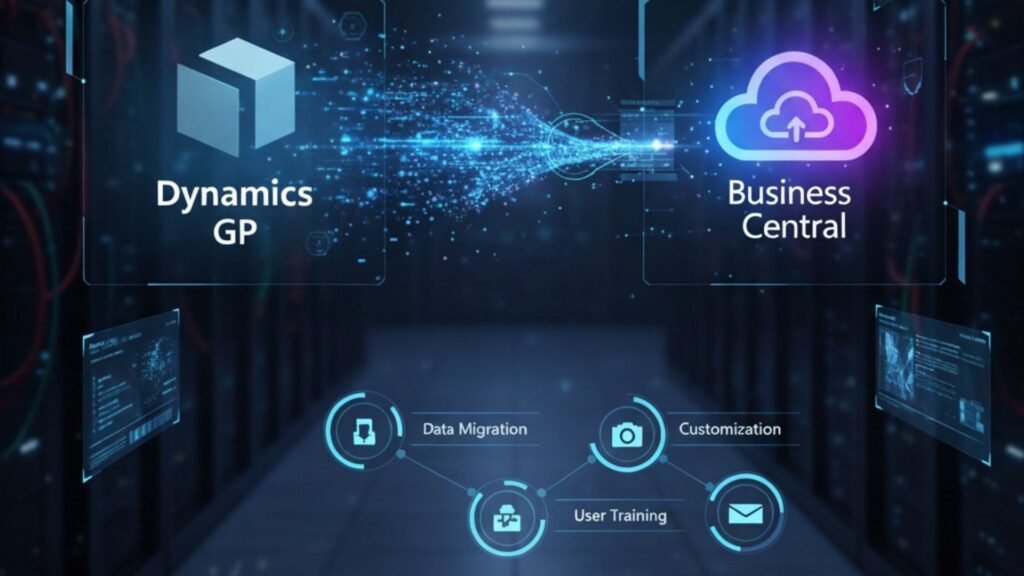
Migrating from Microsoft Dynamics GP to Business Central is more than a software upgrade—it’s a strategic move toward cloud-based efficiency, modern business processes, and future-ready operations. For companies in Canada and the USA, making this transition offers a chance to enhance flexibility, scalability, and integration with the full Microsoft ecosystem. Whether you’re planning to migrate Dynamics GP to Business Central in Canada and the USA or considering a broader transformation, working with experienced Microsoft D365 F&O implementation partners in Canada and the USA can help ensure your migration is smooth, cost-effective, and risk-free. In this article, we’ll explore a 5-step roadmap to upgrade Dynamics GP to Business Central in Canada and the USA, as well as provide important tips for businesses transitioning from NAV to the Microsoft Dynamics 365 Business Central upgrade in Canada and the USA. Why Businesses Are Moving from Dynamics GP to Business Central Microsoft Dynamics GP has served thousands of organizations for decades, but its architecture and deployment model no longer match today’s fast-paced, cloud-first business environment. Microsoft’s innovation focus is now on Dynamics 365 Business Central, which offers: This makes it a natural choice for organizations looking to upgrade Dynamics GP to Business Central in Canada and the USA. The 5-Step Roadmap to a Successful GP-to-BC Migration Step 1: Assess and Plan Every successful migration begins with a detailed assessment. This involves: For companies also considering a NAV to Microsoft Dynamics 365 Business Central upgrade in Canada and the USA, this step ensures a clear understanding of both technical requirements and business objectives. Pro Tip: Partner with experienced Microsoft D365 F&O implementation partners in Canada and the USA to perform a migration readiness check. Step 2: Clean and Prepare Your Data Migrating outdated or inaccurate data can cause problems in your new ERP environment. A thorough data cleanup ensures only relevant, accurate, and properly formatted data moves to Business Central. Key tasks include: If you plan to migrate Dynamics GP to Business Central in Canada and USA, this step is critical for ensuring a smooth and error-free transition. Step 3: Choose the Right Migration Tools and Method Microsoft provides specialized tools for GP-to-BC migrations, including: You’ll need to decide between: For NAV to Microsoft Dynamics 365 Business Central upgrades in Canada and the USA, similar tools and methods apply, but NAV migrations often require additional mapping for custom modules. Step 4: Configure and Test Business Central Once data migration is planned, your Business Central environment needs to be set up and tested. This includes: Before going live, conduct User Acceptance Testing (UAT) to ensure processes run as expected and reports deliver accurate results. Pro Tip: Your Microsoft D365 F&O implementation partners in Canada and the USA can create a sandbox environment for testing before full deployment. Step 5: Go Live and Optimize With testing complete and your team trained, it’s time to go live. However, migration doesn’t end at deployment—ongoing optimization is key. Post-migration steps include: If you’re making the jump from Dynamics GP to Business Central in Canada and the USA, continuous monitoring ensures your investment delivers long-term value. Additional Considerations for NAV to Business Central Upgrades For businesses still on Microsoft Dynamics NAV, the migration path is slightly different from GP: Engaging a partner skilled in NAV to Microsoft Dynamics 365 Business Central upgrades in Canada and the USA can help streamline the process. Benefits of Migrating to Business Central Why Work with a Microsoft D365 Partner The complexity of ERP migration demands specialized expertise. Experienced Microsoft D365 F&O implementation partners in Canada and the USA bring: Whether you’re planning to migrate Dynamics GP to Business Central in Canada and the USA or upgrade from NAV, the right partner ensures a seamless transition. Conclusion Migrating from Dynamics GP—or even NAV—to Business Central is a strategic move that positions your business for greater agility, efficiency, and innovation. By following this 5-step roadmap and working with skilled Microsoft D365 F&O implementation partners in Canada and the USA, you can reduce risks, avoid downtime, and unlock the full potential of Microsoft’s modern ERP platform. Whether your goal is to upgrade Dynamics GP to Business Central in Canada and the USA or embark on a NAV to Microsoft Dynamics 365 Business Central upgrade in Canada and the USA, careful planning, expert guidance, and a structured approach will set you up for long-term success. FAQs 1. How long does it take to migrate from Dynamics GP to Business Central?Ans: Migration timelines vary based on data volume, complexity, and business requirements. Small to medium businesses often complete the process in 2–4 months. 2. Can we keep historical data during migration?Ans: Yes. Businesses can choose to migrate all historical data or only the most recent records for efficiency. 3. What happens to my GP licenses after migration?Ans: Once you move to Business Central, your GP licenses will no longer be required, though you may maintain GP access for historical reference. 4. Is it possible to migrate from NAV directly to Business Central cloud?Ans: Yes. The process may require reworking customizations, but experienced Microsoft D365 F&O implementation partners in Canada and the USA can make it seamless. 5. Do I need to retrain my team for Business Central?Ans: Yes. While there are similarities, Business Central offers many new capabilities, and user training ensures faster adoption.

5-Step Roadmap to Migrate Dynamics GP to Business Central Read More »