dynamics nav 365 business central

the-most-practical-ai-features-businesses-are-using-in-dynamics-365-today

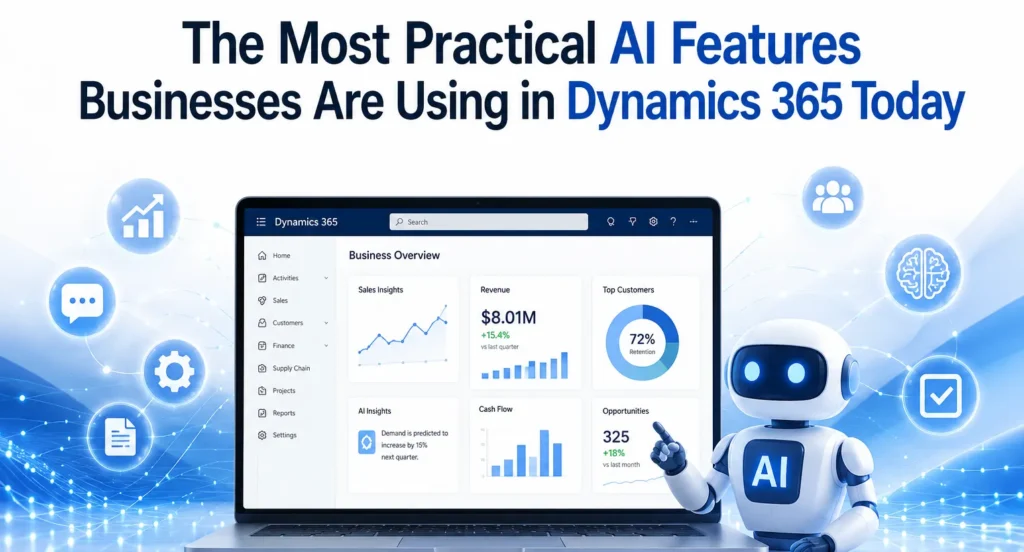
The Most Practical AI Features Businesses Are Using in Dynamics 365 Today

Artificial Intelligence (AI) has evolved from being a futuristic concept into a practical business tool that delivers measurable value. Organizations across manufacturing, retail, finance, healthcare, logistics, and professional services are no longer experimenting with AI—they are integrating it into their daily operations to improve productivity, automate repetitive tasks, and make faster business decisions. One platform leading this transformation is Microsoft Dynamics 365. With built-in AI capabilities and Microsoft Copilot, Dynamics 365 helps businesses simplify complex processes without requiring advanced technical expertise. Whether it’s generating financial reports, predicting customer demand, automating customer service responses, or improving inventory planning, AI is making enterprise resource planning (ERP) and customer relationship management (CRM) smarter than ever. Businesses working with an experienced Microsoft Dynamics 365 partner can implement these AI capabilities effectively, ensuring they align with organizational goals while maximizing return on investment. Why AI Matters in Dynamics 365 Traditional ERP systems were designed primarily to store and process business data. Modern Dynamics 365 solutions go much further by interpreting data, identifying patterns, and providing intelligent recommendations. Instead of manually analysing thousands of transactions or customer interactions, AI can instantly highlight trends, detect anomalies, and recommend actions. This allows employees to focus on strategic work rather than repetitive administrative tasks. As organizations continue their digital transformation journey, AI has become one of the biggest competitive advantages available within the Microsoft ecosystem. Microsoft Copilot: The Everyday AI Assistant Microsoft Copilot is perhaps the most practical AI feature currently available across Dynamics 365 applications. Rather than replacing employees, Copilot assists them by automating routine work. Users can create reports, summarize meetings, draft emails, generate customer responses, and analyse business data using simple natural language prompts. For finance teams, Copilot helps generate financial summaries and variance analyses. Sales teams receive AI-generated customer insights, while customer service agents can quickly access suggested solutions based on previous support cases. Within Microsoft Dynamics 365 Business Central, Copilot simplifies accounting tasks, purchasing processes, inventory management, and financial reporting, making ERP more accessible for users without technical expertise. AI-Powered Financial Management Finance departments spend countless hours reconciling accounts, preparing reports, reviewing invoices, and forecasting cash flow. AI dramatically reduces this workload. Dynamics 365 can automatically: Instead of spending days preparing month-end reports, finance teams can focus on analysing business performance and identifying growth opportunities. Organizations using professional Microsoft Dynamics 365 Support Services also benefit from continuous optimization as Microsoft regularly introduces new AI capabilities and enhancements. Intelligent Demand Forecasting Inventory planning has traditionally relied on historical sales and manual estimates. AI transforms this process by analysing multiple variables simultaneously. Dynamics 365 evaluates: The result is more accurate inventory forecasting, helping businesses reduce excess stock while avoiding costly stock shortages. Manufacturers and retailers especially benefit from AI-driven forecasting because it improves procurement decisions and production planning. Smarter Customer Service Customer expectations continue to rise, and businesses must deliver faster, more personalized support. AI within Dynamics 365 Customer Service enables organizations to: Support agents spend less time searching for information and more time resolving customer issues. Companies implementing these capabilities through experienced MS Dynamics 365 Implementation services often see improvements in customer satisfaction while reducing service costs. Sales Intelligence That Improves Conversions Sales professionals often struggle to identify which opportunities deserve immediate attention. Dynamics 365 Sales uses AI to prioritize leads based on customer behaviour, purchasing history, communication frequency, and engagement levels. Sales representatives receive recommendations such as: Instead of relying solely on instinct, sales teams can make data-driven decisions that improve conversion rates and increase revenue. AI in Supply Chain Management Supply chain disruptions have become increasingly common. AI helps businesses anticipate potential issues before they become serious problems. Dynamics 365 Supply Chain Management uses AI to: These predictive capabilities help organizations maintain business continuity while reducing operational costs. Businesses planning D365 migration services from legacy ERP systems often prioritize these AI-enabled supply chain features because they deliver immediate operational improvements. Automated Business Insights One of AI’s greatest strengths is transforming raw data into actionable insights. Executives no longer need to wait for manually prepared reports. Instead, AI continuously monitors business performance and alerts decision-makers about significant changes. Examples include: This proactive approach enables faster decision-making and more effective strategic planning. AI-Driven Purchasing and Procurement Procurement teams benefit from AI through improved supplier analysis and purchasing recommendations. Dynamics 365 can evaluate supplier performance, compare historical pricing, identify purchasing trends, and recommend optimal reorder quantities. This reduces procurement costs while improving supplier relationships and ensuring consistent product availability. Document Automation Businesses process thousands of documents every year, including invoices, purchase orders, contracts, receipts, and shipping documents. AI helps automate document processing by: This significantly reduces administrative work while minimizing human error. Predictive Maintenance Manufacturing companies using Dynamics 365 can leverage AI for predictive maintenance. Instead of repairing equipment after failure, AI analyses machine data to predict maintenance requirements before breakdowns occur. Benefits include reduced downtime, lower maintenance costs, longer equipment life, and improved production efficiency. Why Expert Implementation Matters Although Dynamics 365 includes powerful AI capabilities, achieving successful outcomes requires proper planning, customization, and integration. Working with experienced Microsoft Dynamics consulting services ensures businesses configure AI features according to their industry requirements, business processes, and long-term objectives. Professional consultants also help organizations integrate Microsoft 365, Power Platform, Azure AI, and other Microsoft technologies to create a connected digital ecosystem. Preparing for the Future Microsoft continues investing heavily in AI innovation across Dynamics 365. As Copilot evolves, businesses can expect even greater automation, more accurate predictions, and deeper business insights. Organizations that begin adopting AI today will be better positioned to respond to changing customer expectations, market conditions, and competitive pressures. Whether improving finance, supply chain, customer service, or sales, practical AI within Dynamics 365 is already delivering measurable business value across industries. Companies that embrace these capabilities with the guidance of a trusted implementation partner can achieve higher productivity, smarter decision-making, and sustainable long-term growth. Conclusion AI is no longer an optional technology for forward-thinking organizations. It has become a practical tool that improves

The Most Practical AI Features Businesses Are Using in Dynamics 365 Today Read More »

ax-to-dynamics-365-f-and-migration-costs-timeline-and-strategy

AX to Dynamics 365 F&O Migration: Costs, Timeline & Strategy

Businesses using Microsoft Dynamics AX have benefited from a reliable ERP system for many years. However, as technology evolves and organisations increasingly adopt cloud-first strategies, many are choosing to migrate to Microsoft Dynamics 365 Finance & Operations (Dynamics 365 F&O). This modern ERP solution provides greater flexibility, enhanced security, AI-powered capabilities, and continuous updates that help businesses stay competitive in an increasingly digital world. Migrating from Dynamics AX is more than simply upgrading software. It is an opportunity to modernise business processes, improve operational efficiency, and create a scalable platform that supports long-term growth. Whether you are planning your first ERP migration or evaluating your options, understanding the costs, timeline, and implementation strategy is essential for a successful transition. Why Upgrade from Dynamics AX to Dynamics 365 F&O? Microsoft Dynamics AX was designed for on-premises environments and has served thousands of organisations worldwide. However, maintaining legacy infrastructure, managing customisations, and handling manual upgrades have become increasingly expensive and time-consuming. Dynamics 365 F&O addresses these challenges with a cloud-based architecture that delivers continuous innovation and better performance. The platform offers advanced financial management, intelligent supply chain capabilities, automated workflows, real-time reporting, and seamless integration with Microsoft 365, Power Platform, and Azure services. Businesses also gain access to AI-driven insights that support faster and more informed decision-making. Working with an experienced Microsoft Dynamics 365 partner helps organisations make the transition smoothly while reducing risks associated with complex ERP migrations. Understanding the Cost of Migration One of the first questions businesses ask is, “How much does an AX to Dynamics 365 F&O migration cost?” There is no fixed answer because every organisation’s ERP environment is different. The overall investment depends on several factors, including the size of the business, the complexity of existing processes, and the amount of customisation required. Organisations running older versions such as Dynamics AX 2009 or AX 2012 often require additional planning because these systems typically contain outdated customisations, legacy integrations, and inconsistent data. Businesses with multiple locations, international operations, or high transaction volumes may also require more extensive implementation efforts. Another important cost factor is data migration. Customer records, vendor information, inventory data, financial transactions, and historical reports all need to be reviewed and validated before being transferred into the new system. The cleaner the existing data, the smoother and more cost-effective the migration process becomes. Training employees and preparing them for the new system should also be included in the overall project budget. Investing in user adoption ensures employees can quickly take advantage of the platform’s new features and capabilities. Typical Migration Timeline The duration of an AX to Dynamics 365 F&O migration depends on project complexity. Small businesses with straightforward business processes can often complete migration within a few months, while large enterprises with multiple legal entities and extensive integrations require a longer implementation schedule. A standard migration project generally includes assessment, solution design, system configuration, data migration, testing, user training, and go-live support. Each phase requires careful planning to minimise disruption to daily business operations. Rather than rushing implementation, organisations should focus on completing each stage thoroughly. Proper testing and user acceptance significantly reduce the likelihood of issues after deployment and contribute to a smoother transition. Building an Effective Migration Strategy A successful migration starts with a detailed assessment of the existing Dynamics AX environment. This involves reviewing current business processes, identifying customisations, evaluating integrations, and understanding reporting requirements. The goal is not simply to recreate the existing system but to identify opportunities for improvement. Once the assessment is complete, organisations can begin designing their future ERP environment. During this phase, business requirements are aligned with the capabilities available in Dynamics 365 F&O. Many businesses also evaluate Microsoft Dynamics 365 Business Central for smaller subsidiaries or regional offices while using Dynamics 365 F&O for enterprise-wide operations. This combination allows organisations to build a connected Microsoft ecosystem that supports different business needs. Data preparation is another critical step. Before migration begins, duplicate records should be removed, outdated information archived, and financial data validated. Clean and accurate data reduces migration errors and improves system performance after deployment. Testing plays a crucial role throughout the implementation process. Every workflow, integration, and report should be validated before the new system goes live. User acceptance testing allows employees to become familiar with the new environment while identifying any remaining issues. Common Migration Challenges Although every migration project is unique, organisations often encounter similar challenges. Legacy customisations are among the most common obstacles. Many Dynamics AX systems have been modified over several years to meet specific business requirements. During migration, these customisations should be carefully evaluated to determine whether they are still necessary or whether standard Dynamics 365 functionality can achieve the same outcome. Data quality is another common concern. Incomplete customer records, duplicate vendors, inconsistent product information, and outdated financial data can slow implementation and increase project costs. Beginning data cleansing early in the project significantly improves migration success. Employee adoption also deserves careful attention. Even the most advanced ERP solution will not deliver its full value if users are uncomfortable with the new system. Providing comprehensive training and communicating the benefits of the migration helps employees embrace new processes more confidently. Best Practices for a Successful Migration Organizations that experience successful ERP migrations typically follow a structured approach rather than treating migration as a simple technical upgrade. They establish clear business objectives, involve key stakeholders throughout the project, and prioritise business process improvements over replicating outdated workflows. While every implementation is different, several practices consistently contribute to success: Following these principles helps organisations reduce implementation risks while maximizing the return on their ERP investment. Benefits After Migrating to Dynamics 365 F&O Businesses that successfully migrate to Dynamics 365 F&O often experience improvements across finance, operations, manufacturing, procurement, and supply chain management. Real-time dashboards provide better visibility into business performance, allowing leaders to make faster and more informed decisions. Automation reduces repetitive manual tasks, enabling employees to focus on higher-value activities. Continuous Microsoft updates ensure the ERP platform remains

AX to Dynamics 365 F&O Migration: Costs, Timeline & Strategy Read More »

microsoft-dynamics-365-business-central-the-foundation-for-ai-driven-business-success

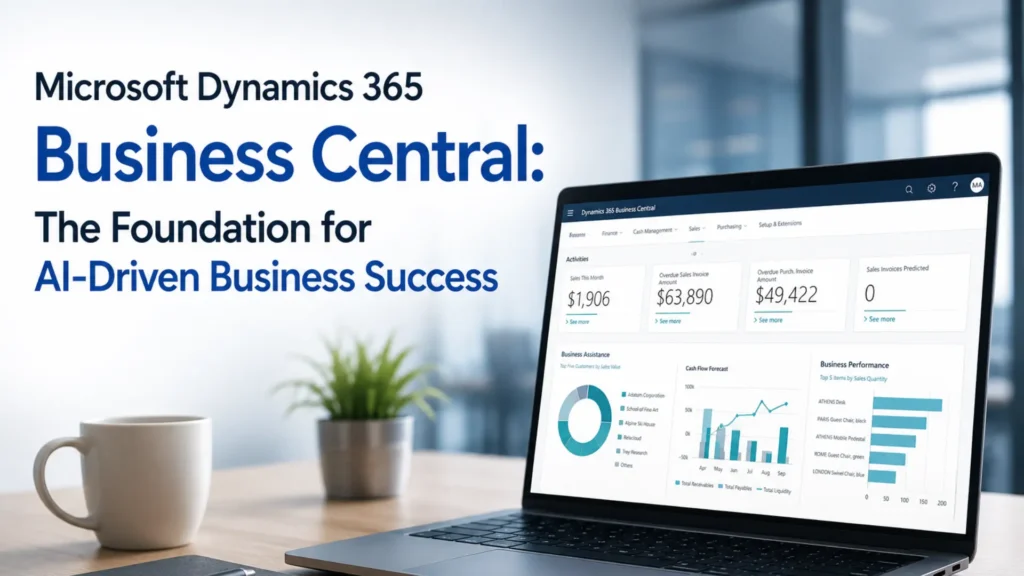
Microsoft Dynamics 365 Business Central: The Foundation for AI-Driven Business Success

Artificial Intelligence (AI) is no longer a futuristic concept—it has become an essential driver of business growth, innovation, and operational efficiency. Organizations across industries are investing in AI technologies to automate processes, improve decision-making, and deliver exceptional customer experiences. However, the success of AI depends on one critical factor: access to accurate, centralized, and real-time business data. This is where Microsoft Dynamics 365 Business Central plays a vital role. As Microsoft’s comprehensive cloud-based ERP solution, Business Central provides businesses with a unified platform to manage finance, sales, purchasing, inventory, operations, and customer information. When combined with Microsoft’s AI capabilities, including Copilot and advanced analytics, it becomes the foundation for smarter business decisions and sustainable growth. Whether you are a growing business looking to modernize operations or an established enterprise planning digital transformation, working with an experienced Microsoft Dynamics 365 partner can help you unlock the full potential of Business Central and AI-driven business solutions. Why AI Needs a Modern ERP Platform Artificial intelligence relies on high-quality business data to generate meaningful insights. Unfortunately, many organizations still use disconnected systems where financial data, inventory records, customer information, and operational reports are stored separately. This makes it difficult for AI to provide accurate recommendations. Microsoft Dynamics 365 Business Central eliminates these silos by bringing all business functions together in a single cloud platform. With centralized data, businesses can leverage AI to identify trends, forecast demand, optimize inventory, and improve financial planning. Instead of spending hours compiling reports from multiple systems, decision-makers gain instant access to reliable insights that help them respond quickly to changing market conditions. Key AI Capabilities in Microsoft Dynamics 365 Business Central Microsoft continues to enhance Business Central with intelligent features that improve productivity and simplify business operations. These AI-powered capabilities help organizations automate routine tasks while enabling employees to focus on strategic activities. Some of the most valuable AI-driven features include: These capabilities help businesses make informed decisions while reducing manual work and operational costs. How Business Central Improves Business Performance One of the biggest advantages of Business Central is its ability to connect every department within a single ERP system. Finance teams gain better visibility into cash flow and profitability, sales teams can track customer interactions more effectively, and inventory managers can monitor stock levels in real time. This connected approach improves collaboration across departments and enables AI to generate more accurate business insights. Business Central also integrates seamlessly with Microsoft applications such as Microsoft 365, Teams, Outlook, Excel, and Power BI. Employees can access business information directly from the tools they already use every day, improving efficiency and reducing the need to switch between multiple applications. For organizations embracing AI, this integration creates a powerful digital ecosystem where data flows automatically across business processes, allowing teams to work faster and make smarter decisions. Microsoft Copilot: Bringing AI into Everyday Work Microsoft Copilot is transforming the way businesses interact with ERP systems. Rather than manually searching for reports or entering repetitive information, users can ask questions in natural language and receive instant responses based on real-time business data. For example, finance managers can quickly generate financial summaries, sales teams can create product descriptions, and business leaders can analyze operational performance without spending hours preparing reports. Copilot reduces administrative workloads while helping employees focus on activities that create greater value for the organization. As Microsoft continues to invest in AI innovation, Copilot will become an even more powerful assistant within Microsoft Dynamics 365 Business Central, making everyday business operations more efficient and intelligent. The Importance of Professional Implementation and Support Implementing an ERP solution involves much more than installing software. Every organization has unique business processes, reporting requirements, and operational goals. Choosing the right Microsoft Dynamics 365 partner ensures your Business Central implementation is tailored to your specific needs. Professional MS Dynamics 365 implementation services help businesses configure the system correctly, migrate existing data, integrate third-party applications, train employees, and support a smooth go-live process. A well-planned implementation minimizes business disruption and helps organizations achieve faster returns on their ERP investment. After deployment, ongoing Microsoft Dynamics 365 support services play an equally important role. Regular updates, technical assistance, performance optimization, and user support ensure that the system continues to deliver maximum value as business requirements evolve. Why D365 Migration Services Matter Many organizations still rely on outdated ERP systems that limit business growth and make AI adoption difficult. Upgrading to Business Central enables businesses to take advantage of cloud technology, automation, and advanced analytics. Professional D365 migration services help organizations move securely from legacy systems such as Microsoft Dynamics NAV, Dynamics GP, or other ERP platforms. The migration process typically includes data cleansing, system configuration, testing, and user training to ensure a seamless transition with minimal downtime. Migrating to Business Central also provides businesses with a scalable platform that supports future innovation and continuous Microsoft updates without the complexity of maintaining legacy infrastructure. The Value of Microsoft Dynamics Consulting Services Every organization has different goals, challenges, and growth strategies. This is why expert Microsoft Dynamics consulting services are essential for maximizing the benefits of Business Central. Experienced consultants evaluate existing business processes, identify improvement opportunities, and recommend solutions that align with organizational objectives. Consulting services also help businesses adopt AI strategically by identifying automation opportunities, improving reporting capabilities, and ensuring the ERP system supports long-term business growth. With expert guidance, organizations can make better technology investments and accelerate their digital transformation journey. Benefits of Using Microsoft Dynamics 365 Business Central Businesses implementing Business Central often experience measurable improvements across their operations. Some of the key benefits include: These advantages help organizations improve efficiency, reduce costs, and remain competitive in an increasingly digital marketplace. Conclusion Artificial intelligence is transforming the future of business, but its success depends on having the right technology foundation. Microsoft Dynamics 365 Business Central provides that foundation by bringing together financial management, operations, inventory, sales, and customer information into a single intelligent ERP platform. Combined with Microsoft Copilot and advanced AI capabilities, Business Central

Microsoft Dynamics 365 Business Central: The Foundation for AI-Driven Business Success Read More »

how-business-central-is-replacing-traditional-erp-systems-faster-than-expected

How Business Central is Replacing Traditional ERP Systems Faster Than Expected

In today’s rapidly evolving digital economy, businesses can no longer afford to rely on outdated enterprise resource planning (ERP) systems that limit agility and innovation. Organizations across manufacturing, retail, distribution, healthcare, professional services, and finance are embracing cloud technology to improve efficiency, reduce operational costs, and gain real-time visibility into their operations. As a result, Microsoft Dynamics 365 Business Central has emerged as one of the fastest-growing ERP solutions, replacing traditional ERP systems much sooner than industry experts predicted. Unlike legacy ERP software that often requires expensive hardware, lengthy upgrade cycles, and significant IT resources, Business Central provides a modern cloud-based platform that integrates finance, supply chain, inventory, sales, purchasing, customer service, and reporting into a single, intelligent solution. Its seamless integration with Microsoft applications, built-in artificial intelligence (AI), and continuous updates make it an ideal ERP platform for organizations preparing for long-term digital transformation. Businesses looking to modernize their operations are increasingly partnering with an experienced Microsoft Dynamics 365 partner to implement Business Central efficiently and maximize the value of their ERP investment. Why Traditional ERP Systems Are Losing Their Competitive Edge For many years, traditional ERP systems played a vital role in helping organizations manage accounting, inventory, procurement, and operational processes. However, business requirements have changed dramatically. Modern organizations demand real-time data, remote accessibility, automation, and scalability—capabilities that many legacy ERP solutions struggle to provide. Older ERP platforms typically require costly on-premises servers, frequent hardware upgrades, manual software updates, and extensive IT maintenance. They are often difficult to customize and integrate with modern productivity tools, resulting in disconnected workflows and delayed decision-making. As businesses continue to adopt hybrid work models and digital-first strategies, these limitations become increasingly significant. Business Central addresses these challenges by offering a cloud-native ERP solution that is always up to date, highly secure, and accessible from anywhere, enabling organizations to remain competitive in a rapidly changing marketplace. Cloud Technology Is Accelerating ERP Modernization One of the biggest reasons businesses are replacing traditional ERP systems is the widespread adoption of cloud computing. Organizations are recognizing that cloud ERP eliminates many of the operational and financial burdens associated with maintaining on-premises infrastructure. With Microsoft Dynamics 365 Business Central, businesses no longer need to invest in expensive servers or dedicate large IT teams to maintaining their ERP environment. Microsoft manages system availability, security updates, backups, and software enhancements through its Azure cloud infrastructure, allowing companies to focus on strategic growth rather than technology maintenance. The cloud also enables employees to securely access business information from virtually anywhere, improving collaboration between departments and supporting remote and hybrid work environments. This flexibility has become an essential requirement for organizations seeking greater operational resilience. Artificial Intelligence Is Transforming Business Operations Artificial intelligence is no longer a future concept—it is now a practical business tool that helps organizations improve productivity and make smarter decisions. Business Central integrates Microsoft’s AI capabilities directly into everyday business processes, enabling users to automate repetitive tasks and gain predictive insights. Instead of manually analyzing spreadsheets or waiting for end-of-month reports, finance teams can forecast cash flow more accurately, purchasing managers can optimize inventory levels, and sales teams can identify new revenue opportunities using AI-driven recommendations. Microsoft Copilot further enhances user productivity by simplifying reporting, generating summaries, and assisting employees with everyday tasks. These intelligent capabilities reduce manual effort while enabling leadership teams to respond more quickly to changing market conditions, making Business Central significantly more valuable than traditional ERP systems. Faster ERP Implementation Reduces Business Risk Historically, ERP implementation projects were known for being lengthy, expensive, and complex. Many organizations spent more than a year deploying legacy ERP software before realizing measurable business value. Today, professional MS Dynamics 365 implementation services have transformed this process. Experienced implementation partners use proven methodologies, industry best practices, and Microsoft deployment frameworks to significantly reduce implementation timelines. Rather than spending months configuring infrastructure and installing software, organizations can focus on optimizing business processes and training employees. Faster implementation means businesses begin benefiting from improved efficiency, automation, and reporting much sooner while reducing project risk and implementation costs. Seamless Integration Creates a Connected Business Modern organizations rely on multiple software applications to manage daily operations. One of Business Central’s greatest strengths is its ability to connect seamlessly with the Microsoft ecosystem, creating a unified digital workplace. Employees can manage customer communications through Outlook, analyze financial data in Excel, collaborate in Microsoft Teams, automate repetitive workflows using Power Automate, and visualize business performance through Power BI—all while working within the same ERP environment. This level of integration eliminates duplicate data entry, reduces human error, and improves collaboration across departments. Instead of operating separate systems for finance, sales, inventory, and reporting, organizations benefit from a single source of truth that improves productivity and decision-making. D365 Migration Services Make ERP Modernization Easier Many businesses hesitate to replace their legacy ERP systems because they believe migration will be disruptive or risky. However, modern D365 migration services have considerably simplified the transition process. Migration specialists begin by evaluating the existing ERP environment and identifying which business data, processes, and integrations should be transferred to Business Central. They then cleanse outdated data, migrate essential records, validate system accuracy, and conduct comprehensive testing before deployment. This structured migration approach minimizes operational disruption while ensuring organizations retain critical business information. User training and post-deployment assistance further help employees adapt quickly to the new system, resulting in higher user adoption and faster business benefits. Continuous Microsoft Dynamics 365 Support Services Ensure Long-Term Success Implementing an ERP system is only the beginning of the digital transformation journey. As business requirements evolve, organizations require continuous support to maintain system performance, improve processes, and adopt new Microsoft innovations. Professional Microsoft Dynamics 365 Support Services help businesses resolve technical issues, optimize workflows, manage Microsoft updates, improve security, and introduce new functionality as organizational needs change. Ongoing support also ensures companies remain compliant with changing regulations while maximizing the value of their Business Central investment. Instead of treating ERP as a one-time implementation project, organizations benefit

How Business Central is Replacing Traditional ERP Systems Faster Than Expected Read More »

how-digital-retail-platforms-like-ls-central-are-revolutionizing-demand-forecasting

How Digital Retail Platforms Like LS Central Are Revolutionizing Demand Forecasting

The retail industry is experiencing a major transformation driven by digital technologies, artificial intelligence, and data analytics. Today’s retailers operate in a highly competitive environment where customer expectations change rapidly, market trends evolve quickly, and supply chain disruptions can impact profitability. To remain competitive, businesses need accurate demand forecasting to anticipate customer needs and optimize inventory levels. This is where digital retail platforms like LS Central are making a significant difference. Built on Microsoft Dynamics 365 Business Central, LS Central provides retailers with an integrated solution that combines point-of-sale (POS), inventory management, customer insights, and advanced reporting capabilities. By centralizing data and leveraging intelligent analytics, retailers can forecast demand more accurately and make informed business decisions. Many organizations working with a trusted Microsoft Dynamics 365 partner in Texas, USA, are adopting LS Central to modernize their retail operations and gain better visibility into customer demand patterns. Understanding Demand Forecasting in Retail Demand forecasting is the process of predicting future customer demand based on historical sales data, seasonal trends, customer behavior, market conditions, and other business factors. Accurate forecasting helps retailers maintain the right inventory levels while reducing excess stock and stockouts. Traditional forecasting methods often relied on spreadsheets and manual calculations. While these approaches may have worked in the past, they struggle to keep up with the complexity of modern retail operations. Retailers now need real-time data and predictive analytics to respond effectively to changing market conditions. Digital retail platforms provide the tools necessary to collect, analyze, and interpret large volumes of business data, enabling more accurate forecasting and better planning. What is LS Central? LS Central is a unified retail management solution designed specifically for retailers, restaurants, pharmacies, hospitality businesses, and specialty stores. Built on Microsoft Dynamics 365 Business Central in Texas, USA, LS Central combines multiple business functions into a single platform. Instead of managing separate systems for POS, inventory, customer loyalty, purchasing, and financial management, businesses can manage everything through a single centralized solution. This unified approach creates a single source of truth for retail data, making demand forecasting more accurate and actionable. The Growing Importance of Digital Retail Platforms Modern retailers generate enormous amounts of data every day. Every transaction, customer interaction, inventory movement, and promotional campaign creates valuable information. Without the right tools, much of this data remains underutilized. Digital retail platforms transform raw data into meaningful business insights by providing the following: These capabilities help retailers make proactive decisions rather than reactive ones. How LS Central Improves Demand Forecasting Centralized Data Management One of the biggest challenges retailers face is fragmented data spread across multiple systems. LS Central consolidates sales, inventory, purchasing, customer, and financial information into a single platform. When all business data is connected, retailers gain a complete view of customer behavior and purchasing trends. This centralized approach improves forecast accuracy because decisions are based on comprehensive and up-to-date information. Businesses working with Microsoft Dynamics consulting services in Texas, USA, often identify data silos as a major obstacle to effective forecasting. LS Central helps eliminate these barriers. Real-Time Sales Visibility Demand forecasting depends heavily on accurate sales data. LS Central provides real-time sales visibility across all retail locations and channels. Retail managers can monitor the following: With access to current information, businesses can quickly adjust purchasing plans and inventory strategies before shortages or overstock situations occur. Advanced Inventory Intelligence Inventory optimization is closely connected to demand forecasting. Excess inventory increases carrying costs, while insufficient inventory leads to lost sales. LS Central enables retailers to monitor stock levels continuously and identify patterns that impact future demand. The platform provides automated replenishment recommendations based on sales history, inventory turnover, and forecasted demand. This intelligence allows retailers to maintain optimal stock levels while improving customer satisfaction. AI and Predictive Analytics in Demand Forecasting Artificial intelligence is changing the way retailers forecast demand. Traditional forecasting models rely heavily on historical data, while AI-powered forecasting incorporates multiple variables to generate more accurate predictions. LS Central, integrated with Microsoft technologies, can analyze the following: AI-driven forecasting helps businesses identify opportunities and risks before they affect operations. Organizations utilizing Microsoft Dynamics 365 Support Services in Texas, USA, often leverage AI-powered analytics to improve forecasting accuracy and enhance decision-making capabilities. Omnichannel Retail and Demand Forecasting Today’s customers shop through multiple channels, including physical stores, eCommerce platforms, mobile applications, and social media marketplaces. This omnichannel environment creates additional forecasting challenges because demand patterns vary across channels. LS Central provides a unified view of customer activity across all touchpoints. Retailers can analyze purchasing behavior regardless of where transactions occur. This comprehensive visibility improves forecasting by ensuring that demand predictions reflect the entire customer journey rather than isolated sales channels. Seasonal Demand Management Retail demand often fluctuates based on seasons, holidays, and special events. Predicting these fluctuations accurately is essential for maximizing sales opportunities. LS Central enables retailers to analyze historical seasonal trends and compare performance across multiple years. For example, retailers can: By understanding seasonal patterns, retailers can avoid stock shortages during peak periods while minimizing excess inventory during slower seasons. Customer Behavior Analysis Demand forecasting is not only about products—it is also about customers. LS Central provides detailed customer insights that help retailers understand purchasing preferences, buying frequency, and shopping habits. Retailers can identify: These insights help businesses predict future demand more accurately and develop targeted marketing strategies that drive revenue growth. Improved Supply Chain Planning Demand forecasting directly impacts supply chain efficiency. When forecasts are inaccurate, businesses may experience delayed shipments, excess inventory, or missed sales opportunities. LS Central improves supply chain planning by providing greater visibility into inventory levels, supplier performance, and purchasing requirements. Retailers can collaborate more effectively with suppliers and make informed procurement decisions based on forecasted demand. Companies implementing MS Dynamics 365 implementation services in Texas, USA, frequently use LS Central to strengthen supply chain operations and improve inventory planning processes. Data-Driven Decision Making Retail success increasingly depends on the ability to make data-driven decisions. LS Central provides dashboards, reports, and analytics tools that transform

How Digital Retail Platforms Like LS Central Are Revolutionizing Demand Forecasting Read More »

complete-guide-to-migrating-from-dynamics-nav-to-business-central

Complete Guide to Migrating from Dynamics NAV to Business Central

In today’s fast-evolving digital landscape, businesses relying on legacy ERP systems are increasingly shifting toward modern, cloud-based solutions. One of the most significant transitions happening globally is the migration from Microsoft Dynamics NAV to Microsoft Dynamics 365 Business Central. Why Businesses Are Moving from Dynamics NAV to Business Central Microsoft has officially shifted its focus to cloud-first solutions under Microsoft Dynamics 365. While Dynamics NAV served businesses well for years, it lacks the agility and scalability modern organizations need. Key Reasons for Migration Businesses working with a Microsoft Dynamics 365 partner in Texas, USA, often accelerate this transition with minimal disruption and maximum ROI. What is Microsoft Dynamics 365 Business Central? Microsoft Dynamics 365 Business Central is a next-generation, all-in-one ERP solution designed for small to mid-sized businesses. It combines finance, operations, sales, and customer service into a unified platform. Core Features Companies leveraging Microsoft Dynamics 365 Business Central in Texas, USA, gain a competitive advantage through automation and real-time decision-making. NAV vs Business Central: Key Differences Feature Dynamics NAV Business Central Deployment On-premise Cloud & Hybrid Updates Manual Automatic Scalability Limited Highly scalable Integration Basic Advanced (Power Platform, AI) User Experience Traditional Modern & intuitive Benefits of Migrating to Business Central 1. Cloud-Based Flexibility: Access your ERP system anytime, anywhere. 2. Lower IT Costs: No need for expensive infrastructure or maintenance. 3. Enhanced Productivity: Automation reduces manual tasks and errors. 4. Real-Time Insights: Built-in analytics improve decision-making. 5. Seamless Integration: Connect easily with Microsoft ecosystem tools. Businesses opting for D365 migration services in Texas, USA, often report faster ROI and improved operational efficiency. Challenges in NAV to Business Central Migration Migration isn’t without hurdles. Common challenges include: This is why partnering with experts offering Microsoft Dynamics 365 support services in Texas, USA, is essential for smooth execution. Step-by-Step Migration Process 1. Assessment & Planning 2. Choose the Right Migration Strategy A reliable Microsoft Dynamics consulting services provider in Texas, USA, helps determine the best approach. 3. Data Migration 4. Customization & Integration 5. Testing Phase 6. Go-Live & Support Engaging MS Dynamics 365 implementation services in Texas, USA, ensures a seamless go-live experience. Cost of Migration Migration costs vary depending on the following: Estimated Cost Breakdown Working with a trusted Microsoft Dynamics 365 partner in Texas, USA, helps optimize costs and avoid hidden expenses. Best Practices for Successful Migration Plan Early: Start planning at least 6–12 months. Clean Your Data: Remove redundant or outdated data before migration. Choose the Right Partner: A certified partner ensures efficiency and compliance. Train Your Team: User adoption is critical for success. Test Thoroughly: Never skip testing phases. How Migration Improves Business Performance After migrating to Business Central, companies typically experience: Organizations leveraging Microsoft Dynamics 365 Support Services in Texas, USA, also benefit from continuous system optimization. Industry Use Cases Manufacturing Retail Services Why Choose a Dynamics Partner in Texas? Working with a local Microsoft Dynamics 365 partner in Texas, USA, offers the following: Future of ERP: Why Business Central is the Right Choice The future of ERP lies in the following: Microsoft Dynamics 365 continues to lead innovation, making Business Central a future-proof investment. Frequently Asked Questions (FAQs) Q1. What is the difference between Dynamics NAV and Business Central? Ans: Dynamics NAV is an on-premise ERP, while Business Central is a cloud-based, modern ERP with advanced capabilities. Q2. How long does migration take? Ans: Typically, 3 to 12 months, depending on complexity and data size. Q3. Is data migration safe? Ans: Yes, when handled by experts offering D365 migration services in Texas, USA, data integrity and security are ensured. Q4. What are the costs involved? Ans: Costs depend on customization, data volume, and implementation scope. Q5. Can I keep my NAV customizations? Ans: Some can be migrated, but many require redevelopment in Business Central. Q6. Do I need training after migration? Ans: Yes, user training is essential for smooth adoption. Q7. Why choose Business Central over other ERPs? Ans: It offers seamless Microsoft integration, scalability, and cost efficiency. Q8. What support is available after migration? Ans: Ongoing Microsoft Dynamics 365 support services in Texas, USA, ensure system stability and updates. Conclusion Migrating from Microsoft Dynamics NAV to Microsoft Dynamics 365 Business Central is no longer just an upgrade—it’s a strategic move toward digital transformation. With the right approach, tools, and expert guidance from a trusted Microsoft Dynamics 365 partner in Texas, USA, businesses can unlock new levels of efficiency, scalability, and innovation. Whether you’re planning a simple upgrade or a complete ERP transformation, investing in MS Dynamics 365 implementation services in Texas, USA, and Microsoft Dynamics consulting services in Texas, USA, ensures long-term success.

Complete Guide to Migrating from Dynamics NAV to Business Central Read More »

common-dynamics-365-issues-and-how-support-teams-fix-them

Common Dynamics 365 Issues and How Support Teams Fix Them

Modern businesses depend on Microsoft Dynamics 365 to manage operations, customer relationships, finance, and supply chains in one unified ecosystem. While the platform offers powerful capabilities, organizations often face technical and operational challenges that can impact productivity. The difference between struggling with these issues and turning them into opportunities lies in having the right support strategy. In this guide, we’ll explore the most common Dynamics 365 issues and how expert teams resolve them efficiently. 1. System Performance and Slow Response One of the most frequent complaints users have is slow system performance. This can affect reporting, transaction processing, and overall user experience. Why it happen: How support teams fix it: Experts analyze system performance using diagnostic tools, optimize database queries, and streamline customizations. In many cases, businesses working with a Microsoft Dynamics 365 partner in Texas, USA, benefit from proactive monitoring that prevents these issues before they escalate. 2. Integration Issues with External Systems Dynamics 365 is often connected with CRM platforms, eCommerce tools, and third-party applications. When integrations fail, it can disrupt workflows and create data silos. Common causes: Resolution: Support specialists implement secure APIs, use middleware solutions, and perform regular testing. Providers offering Microsoft Dynamics consulting services in Texas, USA, ensure that integrations remain stable and scalable. 3. Data Migration Challenges Migrating data from legacy systems or older ERP platforms can be complex. Errors during this process may lead to data loss or duplication. Key issues: How experts handle it: Teams providing D365 migration services in Texas, USA, typically start with data audits, followed by cleansing and validation. Automated tools and post-migration testing ensure accuracy and reliability. 4. Low User Adoption Even the most advanced system fails if employees don’t use it effectively. Many organizations struggle with user adoption after implementation. Signs of poor adoption: Fix: Support teams conduct role-based training, simplify interfaces, and provide ongoing assistance. Companies using Microsoft Dynamics 365 Business Central in Texas, USA, often see improved adoption when workflows are tailored to user needs. 5. Customization and Update Conflicts Customization is essential for aligning the platform with business processes. However, excessive or poorly managed modifications can create problems during updates. Causes: Solution: Professionals delivering MS Dynamics 365 implementation services in Texas, USA, follow best practices such as using extensions instead of altering core code. They also test updates in sandbox environments to avoid disruptions. 6. Security and Compliance Risks With sensitive business data stored in the system, security is a top concern. Common risks: How support teams mitigate risks: They implement role-based access, enable multi-factor authentication, and conduct regular audits. Reliable Microsoft Dynamics 365 support services in Texas, USA, also ensure compliance with industry standards. 7. Reporting and Analytics Limitations Businesses rely on accurate insights for decision-making. Poor reporting setups can lead to delays or incorrect data interpretation. Issues include: Fix: Support teams optimize reporting frameworks and integrate tools like Microsoft Power BI to deliver actionable insights. 8. Licensing and Cost Optimization Many organizations overspend due to inefficient license management. Challenges: Solution: A trusted Microsoft Dynamics 365 partner in Texas, USA, conducts license audits and aligns subscriptions with actual business needs, helping reduce unnecessary costs. 9. Workflow and Automation Failures Automation is a major advantage of Dynamics 365, but poorly configured workflows can lead to operational issues. Causes: Resolution: Support teams debug workflows, optimize logic, and continuously monitor automation processes to ensure consistency. 10. Lack of Ongoing Support and Maintenance Without continuous monitoring, systems can become outdated and inefficient over time. Solution: Businesses benefit from ongoing support that includes: Organizations leveraging Microsoft Dynamics 365 support services in Texas, USA, often experience improved system stability and long-term efficiency. Why Professional Support Matters Working with experienced experts provides long-term advantages beyond just fixing issues. Key benefits: A reliable Microsoft Dynamics 365 partner in Texas, USA, not only solves problems but also helps businesses scale effectively. Conclusion Microsoft Dynamics 365 is a robust platform that can transform business operations, but it requires proper management to deliver its full value. From performance bottlenecks to integration challenges and user adoption issues, these problems are common—but solvable. By working with experts offering services such as: Businesses can ensure smooth operations and sustained growth without disruptions. FAQs Q1. What are the most common Dynamics 365 problems? Ans: Performance issues, integration errors, data migration challenges, and low user adoption are among the most common problems. Q2. How can I improve system performance? Ans: Optimizing databases, reducing unnecessary customizations, and using expert support services can significantly improve performance. Q3. Why is migration to Dynamics 365 complex? Ans: It involves handling large datasets, ensuring accuracy, and maintaining data integrity, which requires specialized tools and expertise. Q4. How do consultants help with integration? Ans: They design scalable integration frameworks, configure APIs, and ensure consistent data flow between systems. Q5. Is customization recommended? Ans: Yes, but it should follow best practices to avoid issues during system updates. Q6. How important is ongoing support? Ans: Continuous support ensures system stability, security, and performance optimization over time. Q7. Can Dynamics 365 scale with business growth? Ans: Yes, it is highly scalable and can adapt to changing business needs across industries. Q8. What tools enhance reporting in Dynamics 365? Ans: Tools like Microsoft Power BI provide advanced analytics and real-time insights.

Common Dynamics 365 Issues and How Support Teams Fix Them Read More »

7-game-changing-copilot-capabilities-in-busness-central-that-most-teams-overlook

7 Game-Changing Copilot Capabilities in Business Central That Most Teams Overlook

Artificial intelligence is redefining how modern ERP systems operate, and one of the most impactful innovations is Copilot in Microsoft Dynamics 365 Business Central. While many businesses already use Business Central to manage finance, operations, and supply chains, many still underutilize its AI-powered Copilot capabilities. Instead of simply automating tasks, Copilot acts as a strategic assistant, helping organizations make smarter decisions, streamline workflows, and uncover insights hidden within their data. In this article, we’ll explore seven powerful Copilot capabilities that are often overlooked—and how businesses working with a reliable Microsoft Dynamics partner in Texas can take full advantage of them. 1. AI-Driven Financial Forecasting Traditional financial forecasting relies heavily on historical data and manual calculations. Copilot enhances this process by introducing predictive intelligence. It analyzes patterns, detects anomalies, and generates forecasts that help finance teams anticipate future outcomes more accurately. Why it matters: Organizations using Microsoft Dynamics 365 Business Central in Texas, USA, can leverage this feature to stay ahead in financial planning. 2. Instant Report Generation with Natural Language Creating reports manually can take hours. With Copilot, users can type what they need—just like asking a question. For example: Copilot instantly delivers structured reports with clear insights. Key advantages: This is especially useful for businesses relying on Microsoft Dynamics 365 support services in Texas, USA, to streamline operations. 3. Smart Data Entry and Journal Automation Manual data entry is not only time-consuming but also prone to errors. Copilot simplifies this by automating repetitive accounting tasks. It can: Business impact: Companies implementing ERP systems through MS Dynamics 365 implementation services in Texas, USA, often see immediate productivity gains from this feature. 4. Intelligent Sales and Customer Insights Copilot goes beyond finance—it helps sales teams understand customer behavior and make better decisions. By analyzing transaction history and engagement patterns, it can recommend: Why this matters: Businesses leveraging Microsoft Dynamics consulting services in Texas, USA, can use these insights to create more personalized strategies. 5. Natural Language Data Exploration One of Copilot’s most powerful capabilities is the ability to interact with data using everyday language. Instead of navigating complex dashboards, users can simply ask: Benefits: This feature becomes particularly valuable for organizations undergoing ERP upgrades through D365 migration services in Texas, USA, as it simplifies the transition for users. 6. AI-Powered Inventory Optimization Ans: Inventory management can be complex, especially for growing businesses. Copilot introduces predictive intelligence to help maintain optimal stock levels. It can: Results: For companies using Microsoft Dynamics 365 Business Central in Texas, USA, this capability can significantly enhance operational performance. 7. Workflow Automation and Process Optimization Copilot continuously analyzes business processes and suggests ways to improve them. It can: Impact: Working with an experienced Microsoft Dynamics partner in Texas ensures these workflows are configured correctly for maximum benefit. Why These Features Are Often Overlooked Despite their value, many businesses don’t fully utilize Copilot. Common reasons include: This highlights the importance of working with experts who provide Microsoft Dynamics 365 support services in Texas, USA, to ensure continuous optimization. How to Maximize Copilot in Business Central To unlock the full potential of Copilot, businesses should focus on a strategic approach: Best practices: Partnering with providers offering Microsoft Dynamics consulting services in Texas, USA, can help ensure long-term success. The Importance of Implementation and Migration A successful ERP journey starts with proper implementation and migration. Implementation ensures: Migration helps: Businesses adopting solutions through MS Dynamics 365 implementation services in Texas, USA, and D365 migration services in Texas, USA, are better positioned to leverage AI capabilities like Copilot. The Future of AI in Business Central Copilot is just the beginning. As AI continues to evolve, ERP systems will become more intelligent and autonomous. What to expect: Organizations working with a trusted Microsoft Dynamics partner in Texas will be able to stay ahead of these innovations. Conclusion Copilot in Microsoft Dynamics 365 Business Central is transforming how businesses interact with their ERP systems. From financial forecasting to workflow automation, its capabilities go far beyond basic assistance. However, the real value lies in how effectively these features are implemented and used. By focusing on training, optimization, and expert guidance, businesses can unlock significant efficiency gains and competitive advantages. FAQs Q1. What is Copilot in Business Central? Ans: Copilot is an AI-powered assistant within Microsoft Dynamics 365 Business Central that helps automate tasks, generate insights, and improve decision-making. Q2. How does Copilot benefit businesses? Ans: It enhances productivity, reduces manual work, and provides real-time insights for better decision-making. Q3. Is Copilot suitable for small and mid-sized businesses? Ans: Yes, it is designed to help SMBs improve efficiency without requiring advanced technical expertise. Q4. Do I need a partner to implement Business Central? Ans: While not mandatory, working with an experienced Microsoft Dynamics partner ensures proper setup, customization, and support. Q5. Can Copilot improve financial management? Ans: Yes, it provides predictive insights, automates reporting, and enhances financial accuracy.

7 Game-Changing Copilot Capabilities in Business Central That Most Teams Overlook Read More »

ten-hidden-copilot-features-in-business-central-youre-probably-not-using-yet

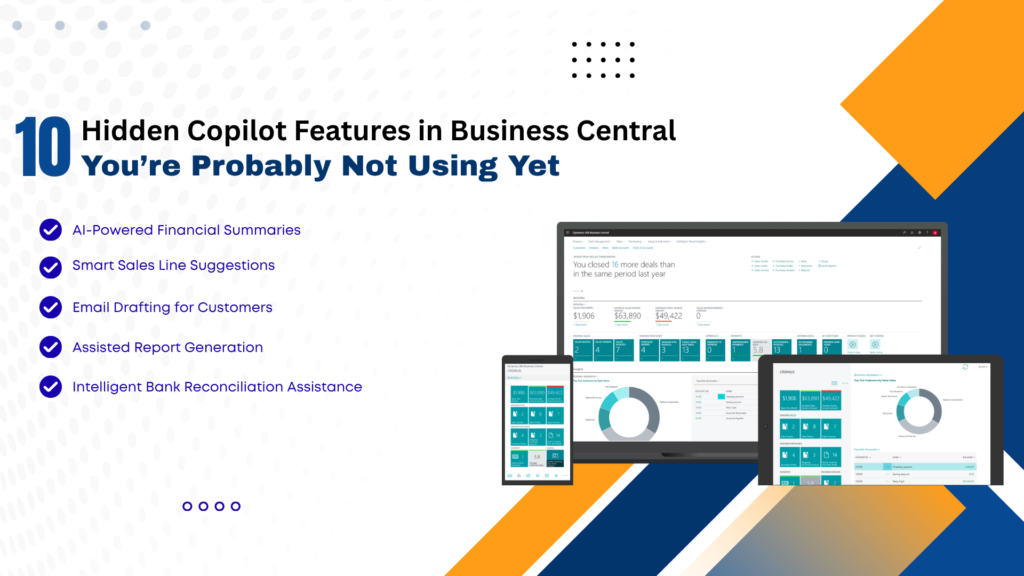
10 Hidden Copilot Features in Business Central You’re Probably Not Using Yet

In today’s fast-evolving digital landscape, businesses are constantly seeking smarter ways to streamline operations, reduce manual work, and improve decision-making. With the integration of AI-powered tools like Copilot in Microsoft Dynamics 365 Business Central, organizations now have access to intelligent automation that goes far beyond traditional ERP capabilities. While many users are aware of basic Copilot functionalities, several powerful features remain underutilized. These hidden capabilities can significantly enhance productivity, improve accuracy, and transform how businesses operate. In this comprehensive guide, we’ll uncover 10 hidden Copilot features in Business Central that you’re probably not using yet—and explain how partnering with a Microsoft Dynamics 365 partner in Texas, USA, or leveraging Microsoft Dynamics consulting services in Texas, USA, can help you unlock their full potential. What is Copilot in Business Central? Copilot is an AI-powered assistant embedded within Business Central that uses natural language processing and machine learning to assist users with tasks such as data entry, reporting, forecasting, and decision-making. It enables users to: With proper implementation through MS Dynamics 365 implementation services in Texas, USA, businesses can maximize Copilot’s capabilities and drive real value. 1. AI-Powered Product Description Generation One of the most overlooked features is Copilot’s ability to generate product descriptions automatically. How it helps: This is especially beneficial for e-commerce and retail businesses using Microsoft Dynamics 365 Business Central in Texas, USA. 2. Intelligent Sales Line Suggestions Copilot can analyze historical sales data and suggest relevant products during order creation. Benefits: Businesses working with Microsoft Dynamics consulting services in Texas, USA, can fine-tune these suggestions for better accuracy. 3. Automated Email Drafting Copilot can generate professional email drafts directly within Business Central. Use cases: This reduces manual effort and ensures consistent communication. 4. Natural Language Data Queries Instead of running complex reports, users can simply ask questions like the following: Copilot converts these queries into actionable insights. Advantages: 5. Smart Financial Forecasting Copilot leverages AI to predict financial trends based on historical data. Key benefits: Organizations using Microsoft Dynamics 365 Support Services in Texas, USA, can continuously refine forecasting models. 6. Automated Data Entry and Cleanup Manual data entry is one of the most time-consuming ERP tasks. Copilot automates this process by: Result: 7. AI-Assisted Inventory Management Copilot helps businesses optimize inventory by analyzing demand patterns and stock levels. Features include: When combined with D365 migration services in Texas, USA, businesses can modernize their inventory systems and gain better control. 8. Report Summarization Instead of going through lengthy reports, Copilot can summarize key insights in seconds. Benefits: This is particularly useful for leadership teams who need quick insights. 9. Guided User Assistance Copilot acts as a built-in assistant, guiding users through complex workflows. Examples: This reduces training time and improves user adoption—especially when implemented via MS Dynamics 365 implementation services in Texas, USA. 10. AI-Driven Demand Forecasting One of the most powerful yet underused features is AI-driven demand forecasting. Capabilities: Businesses partnering with a Microsoft Dynamics 365 partner in Texas, USA, can customize forecasting models for industry-specific needs. Why Businesses Are Not Using These Features Despite their benefits, many organizations fail to utilize these features due to: This is where Microsoft Dynamics Consulting Services in Texas, USA, play a crucial role in bridging the gap. The Role of Implementation and Support To fully leverage Copilot features, businesses must focus on the following: 1. Proper Implementation Using MS Dynamics 365 implementation services in Texas, USA, ensures the following: 2. Ongoing Support With Microsoft Dynamics 365 Support Services in Texas, USA, businesses can: 3. Migration to Modern Systems Legacy systems often limit AI capabilities.D365 migration services in Texas, USA, help businesses: Business Benefits of Using Copilot 1. Increased Productivity: Automation reduces manual work and speeds up operations. 2. Better Decision-Making: AI insights enable data-driven strategies. 3. Cost Savings: Reduced errors and improved efficiency, lowering operational costs. 4. Enhanced Customer Experience: Faster responses and personalized interactions improve satisfaction. 5. Competitive Advantage: Businesses using AI-powered ERP systems stay ahead of competitors. Real-World Impact A mid-sized distribution company in Texas implemented Copilot with the help of a Microsoft Dynamics 365 partner in Texas, USA, and achieved the following: This demonstrates the transformative power of hidden Copilot features when properly utilized. Best Practices to Maximize Copilot FAQs: Hidden Copilot Features in Business Central Q1. What is Copilot in Business Central? Ans: Copilot is an AI-powered assistant in Microsoft Dynamics 365 Business Central that automates tasks, generates insights, and improves productivity. Q2. Are Copilot features available by default? Ans: Some features are enabled by default, but many require proper configuration through MS Dynamics 365 implementation services in Texas, USA. Q3. Can Copilot improve sales performance? Ans: Yes, features like intelligent sales suggestions and automated communication can significantly boost sales efficiency. Q4. Is Copilot suitable for small businesses? Ans: Absolutely. Businesses using Microsoft Dynamics 365 Business Central in Texas, USA, can benefit from scalable AI features tailored for SMBs. Q5. How can I enable advanced Copilot features? Ans: You can work with a Microsoft Dynamics 365 partner in Texas, USA, or use Microsoft Dynamics consulting services there to unlock advanced capabilities. Q6. Does Copilot help in financial management? Ans: Yes, it provides forecasting, reporting, and financial insights that improve budgeting and cash flow management. Q7. What role does migration play in using Copilot? Ans: Modern ERP systems are required for AI features. D365 migration services in Texas, USA, help businesses upgrade and enable Copilot functionalities. Q8. Is ongoing support necessary? Ans: Yes, Microsoft Dynamics 365 Support Services in Texas, USA, ensure smooth operation and continuous optimization. Conclusion Copilot in Microsoft Dynamics 365 Business Central is more than just an AI assistant—it’s a game-changer for modern businesses. While many organizations use basic features, the hidden capabilities discussed in this article can unlock unprecedented efficiency, accuracy, and growth. From AI-driven forecasting and automated data entry to intelligent sales suggestions and report summarization, these features can transform your ERP experience. However, to fully realize these benefits, businesses must invest in proper implementation, migration, and ongoing support. By partnering

10 Hidden Copilot Features in Business Central You’re Probably Not Using Yet Read More »

how-demand-forecasting-in-d365-f-o-is-reshaping-the-automotive-supply-chain

How Demand Forecasting in D365 F&O is Reshaping the Automotive Supply Chain

In today’s fast-evolving automotive industry, supply chain efficiency is no longer optional—it’s a competitive necessity. With fluctuating customer demand, global disruptions, and complex supplier networks, manufacturers need intelligent systems that go beyond traditional planning. This case study explores how a mid-sized automotive components manufacturer transformed its supply chain using Microsoft Dynamics 365 Finance & Operations (D365 F&O), leveraging advanced demand forecasting capabilities to drive efficiency, accuracy, and growth. Client Overview The client is a rapidly growing automotive parts manufacturer supplying OEMs and aftermarket distributors. With operations across multiple regions, the company faced increasing pressure to optimize inventory, reduce lead times, and improve service levels. Business Challenges Before implementing D365 F&O, the company struggled with: Solution Implemented To address these challenges, the company implemented Microsoft Dynamics 365 Finance & Operations with a strong focus on demand forecasting and supply chain optimization. Key Features Deployed Implementation Approach The implementation followed a structured and phased approach: Results & Business Impact: After implementing D365 F&O, the company achieved significant improvements: 1. Improved Forecast Accuracy 2. Optimized Inventory Management 3. Faster Decision-Making 4. Enhanced Supplier Collaboration 5. Increased Customer Satisfaction Key Use Case: Handling Seasonal Demand One of the biggest breakthroughs came during peak seasonal demand. Previously, the company either overproduced or faced shortages. With D365 F&O: This resulted in zero stockouts during peak season—a first for the company. Why Demand Forecasting Matters in Automotive Supply Chains The automotive sector is uniquely complex due to: By leveraging advanced forecasting in Microsoft Dynamics 365 Finance & Operations, businesses can: Lessons Learned From this transformation, several key insights emerged: Conclusion Demand forecasting is no longer just a planning tool—it’s a strategic enabler. This case study demonstrates how implementing Microsoft Dynamics 365 Finance & Operations can revolutionize automotive supply chains by improving accuracy, agility, and efficiency. Organizations that embrace intelligent forecasting are better equipped to navigate uncertainty, meet customer expectations, and achieve sustainable growth. FAQs Q1. What makes D365 F&O demand forecasting different from traditional methods?Ans: It uses AI and machine learning to analyze multiple variables, providing more accurate and dynamic forecasts. Q2. Can demand forecasting reduce inventory costs?Ans: Yes, by aligning stock levels with actual demand, it minimizes overstocking and stockouts. Q3. Is D365 F&O suitable for mid-sized automotive companies?Ans: Absolutely. It is scalable and can be tailored to meet the needs of growing businesses. Q4. How long does it take to implement demand forecasting in D365 F&O?Ans: Typically, it depends on data readiness and customization needs, but most implementations range from a few months to a year.

How Demand Forecasting in D365 F&O is Reshaping the Automotive Supply Chain Read More »