microsoft dynamics 365 business central pricing

ten-hidden-copilot-features-in-business-central-youre-probably-not-using-yet

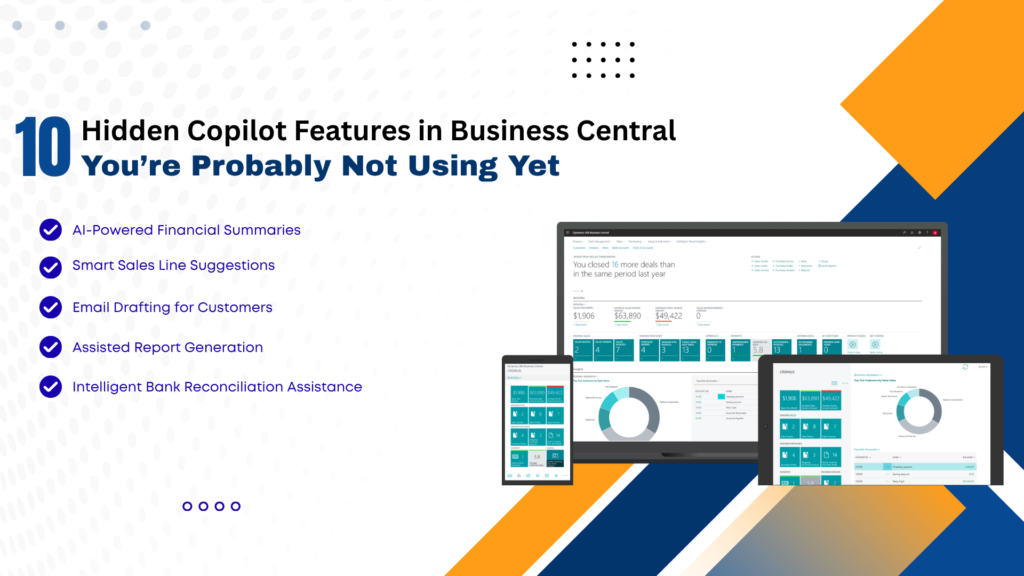
10 Hidden Copilot Features in Business Central You’re Probably Not Using Yet

In today’s fast-evolving digital landscape, businesses are constantly seeking smarter ways to streamline operations, reduce manual work, and improve decision-making. With the integration of AI-powered tools like Copilot in Microsoft Dynamics 365 Business Central, organizations now have access to intelligent automation that goes far beyond traditional ERP capabilities. While many users are aware of basic Copilot functionalities, several powerful features remain underutilized. These hidden capabilities can significantly enhance productivity, improve accuracy, and transform how businesses operate. In this comprehensive guide, we’ll uncover 10 hidden Copilot features in Business Central that you’re probably not using yet—and explain how partnering with a Microsoft Dynamics 365 partner in Texas, USA, or leveraging Microsoft Dynamics consulting services in Texas, USA, can help you unlock their full potential. What is Copilot in Business Central? Copilot is an AI-powered assistant embedded within Business Central that uses natural language processing and machine learning to assist users with tasks such as data entry, reporting, forecasting, and decision-making. It enables users to: With proper implementation through MS Dynamics 365 implementation services in Texas, USA, businesses can maximize Copilot’s capabilities and drive real value. 1. AI-Powered Product Description Generation One of the most overlooked features is Copilot’s ability to generate product descriptions automatically. How it helps: This is especially beneficial for e-commerce and retail businesses using Microsoft Dynamics 365 Business Central in Texas, USA. 2. Intelligent Sales Line Suggestions Copilot can analyze historical sales data and suggest relevant products during order creation. Benefits: Businesses working with Microsoft Dynamics consulting services in Texas, USA, can fine-tune these suggestions for better accuracy. 3. Automated Email Drafting Copilot can generate professional email drafts directly within Business Central. Use cases: This reduces manual effort and ensures consistent communication. 4. Natural Language Data Queries Instead of running complex reports, users can simply ask questions like the following: Copilot converts these queries into actionable insights. Advantages: 5. Smart Financial Forecasting Copilot leverages AI to predict financial trends based on historical data. Key benefits: Organizations using Microsoft Dynamics 365 Support Services in Texas, USA, can continuously refine forecasting models. 6. Automated Data Entry and Cleanup Manual data entry is one of the most time-consuming ERP tasks. Copilot automates this process by: Result: 7. AI-Assisted Inventory Management Copilot helps businesses optimize inventory by analyzing demand patterns and stock levels. Features include: When combined with D365 migration services in Texas, USA, businesses can modernize their inventory systems and gain better control. 8. Report Summarization Instead of going through lengthy reports, Copilot can summarize key insights in seconds. Benefits: This is particularly useful for leadership teams who need quick insights. 9. Guided User Assistance Copilot acts as a built-in assistant, guiding users through complex workflows. Examples: This reduces training time and improves user adoption—especially when implemented via MS Dynamics 365 implementation services in Texas, USA. 10. AI-Driven Demand Forecasting One of the most powerful yet underused features is AI-driven demand forecasting. Capabilities: Businesses partnering with a Microsoft Dynamics 365 partner in Texas, USA, can customize forecasting models for industry-specific needs. Why Businesses Are Not Using These Features Despite their benefits, many organizations fail to utilize these features due to: This is where Microsoft Dynamics Consulting Services in Texas, USA, play a crucial role in bridging the gap. The Role of Implementation and Support To fully leverage Copilot features, businesses must focus on the following: 1. Proper Implementation Using MS Dynamics 365 implementation services in Texas, USA, ensures the following: 2. Ongoing Support With Microsoft Dynamics 365 Support Services in Texas, USA, businesses can: 3. Migration to Modern Systems Legacy systems often limit AI capabilities.D365 migration services in Texas, USA, help businesses: Business Benefits of Using Copilot 1. Increased Productivity: Automation reduces manual work and speeds up operations. 2. Better Decision-Making: AI insights enable data-driven strategies. 3. Cost Savings: Reduced errors and improved efficiency, lowering operational costs. 4. Enhanced Customer Experience: Faster responses and personalized interactions improve satisfaction. 5. Competitive Advantage: Businesses using AI-powered ERP systems stay ahead of competitors. Real-World Impact A mid-sized distribution company in Texas implemented Copilot with the help of a Microsoft Dynamics 365 partner in Texas, USA, and achieved the following: This demonstrates the transformative power of hidden Copilot features when properly utilized. Best Practices to Maximize Copilot FAQs: Hidden Copilot Features in Business Central Q1. What is Copilot in Business Central? Ans: Copilot is an AI-powered assistant in Microsoft Dynamics 365 Business Central that automates tasks, generates insights, and improves productivity. Q2. Are Copilot features available by default? Ans: Some features are enabled by default, but many require proper configuration through MS Dynamics 365 implementation services in Texas, USA. Q3. Can Copilot improve sales performance? Ans: Yes, features like intelligent sales suggestions and automated communication can significantly boost sales efficiency. Q4. Is Copilot suitable for small businesses? Ans: Absolutely. Businesses using Microsoft Dynamics 365 Business Central in Texas, USA, can benefit from scalable AI features tailored for SMBs. Q5. How can I enable advanced Copilot features? Ans: You can work with a Microsoft Dynamics 365 partner in Texas, USA, or use Microsoft Dynamics consulting services there to unlock advanced capabilities. Q6. Does Copilot help in financial management? Ans: Yes, it provides forecasting, reporting, and financial insights that improve budgeting and cash flow management. Q7. What role does migration play in using Copilot? Ans: Modern ERP systems are required for AI features. D365 migration services in Texas, USA, help businesses upgrade and enable Copilot functionalities. Q8. Is ongoing support necessary? Ans: Yes, Microsoft Dynamics 365 Support Services in Texas, USA, ensure smooth operation and continuous optimization. Conclusion Copilot in Microsoft Dynamics 365 Business Central is more than just an AI assistant—it’s a game-changer for modern businesses. While many organizations use basic features, the hidden capabilities discussed in this article can unlock unprecedented efficiency, accuracy, and growth. From AI-driven forecasting and automated data entry to intelligent sales suggestions and report summarization, these features can transform your ERP experience. However, to fully realize these benefits, businesses must invest in proper implementation, migration, and ongoing support. By partnering

10 Hidden Copilot Features in Business Central You’re Probably Not Using Yet Read More »

t the-real-cost-of-ignoring-erp-support -and-maintenance

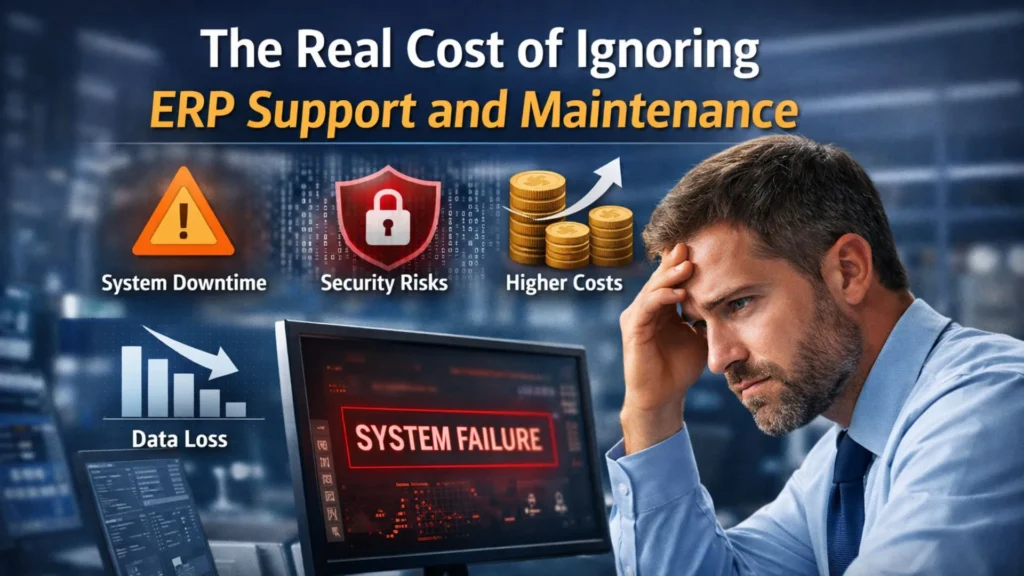
The Real Cost of Ignoring ERP Support and Maintenance

In today’s fast-paced digital economy, Enterprise Resource Planning (ERP) systems are the backbone of business operations. From finance and supply chain to customer relationship management, ERP platforms ensure seamless integration across departments. Among the leading solutions, Microsoft Dynamics 365 has become a preferred choice for businesses seeking scalability, intelligence, and operational efficiency. However, while companies invest significantly in ERP implementation, many overlook one critical aspect—ongoing support and maintenance. Ignoring ERP support might seem like a cost-saving strategy in the short term, but it can lead to severe operational, financial, and strategic consequences over time. This article explores the real cost of neglecting ERP support and maintenance, especially for organizations relying on Microsoft Dynamics 365 Business Central in Texas, USA, and related services. We’ll also discuss how partnering with a reliable Microsoft Dynamics 365 partner in Texas, USA, can safeguard your investment and drive long-term success. Understanding ERP Support and Maintenance ERP support and maintenance involve a wide range of activities designed to keep your system running smoothly, including: Businesses that leverage Microsoft Dynamics 365 Support Services in Texas, USA, benefit from continuous improvements, enhanced performance, and reduced risk of downtime. The Hidden Costs of Ignoring ERP Support 1. Increased System Downtime One of the most immediate consequences of neglecting ERP support is system downtime. Without proactive monitoring and maintenance, small issues can escalate into major failures. Impact: For companies using MS Dynamics 365 Implementation services in Texas, USA, downtime can directly affect customer satisfaction and brand reputation. 2. Security Vulnerabilities Cybersecurity threats are constantly evolving. ERP systems store sensitive business data, including financial records, customer information, and supply chain data. Without regular updates and patches: A trusted Microsoft Dynamics 365 partner in Texas, USA, ensures your system stays secure with timely updates and proactive monitoring. 3. Higher Long-Term Costs Skipping maintenance might reduce short-term expenses, but it often leads to higher long-term costs due to: Investing in Microsoft Dynamics consulting services in Texas, USA, ensures preventive maintenance, which is far more cost-effective than reactive fixes. 4. Poor System Performance An ERP system that isn’t regularly maintained can become slow and inefficient. Common issues include: Businesses in Texas, USA, relying on Microsoft Dynamics 365 Business Central need optimized performance to manage financials, inventory, and operations effectively. 5. Lack of Scalability As your business grows, your ERP system must evolve. Without proper support: With professional D365 migration services in Texas, USA, businesses can scale their ERP systems seamlessly and adapt to changing needs. 6. Data Inaccuracy and Loss ERP systems depend on accurate data to generate insights and reports. Lack of maintenance can result in: Regular support ensures data integrity, helping organizations make informed strategic decisions. 7. Compliance Risks Industries such as manufacturing, healthcare, and finance must comply with strict regulations. Ignoring ERP updates can lead to: A reliable Microsoft Dynamics 365 Support Services provider in Texas, USA, ensures your system remains compliant with industry standards. 8. Reduced User Adoption If your ERP system is difficult to use or frequently experiences issues, employees may avoid using it altogether. Consequences include: Proper training and ongoing support from a Microsoft Dynamics consulting service in Texas, USA, can significantly improve user adoption. 9. Missed Innovation Opportunities ERP platforms like Microsoft Dynamics 365 Business Central continuously evolve with new features such as AI-driven insights, automation, and advanced analytics. Without regular updates: 10. Integration Challenges Modern businesses rely on multiple tools and systems. ERP integration is essential for seamless operations. Without maintenance: Partnering with experts in MS Dynamics 365 Implementation services in Texas, USA, ensures smooth integrations and system compatibility. The Role of a Microsoft Dynamics 365 Partner Working with a certified Microsoft Dynamics 365 partner in Texas, USA, provides several advantages: 1. Proactive Monitoring: Continuous monitoring helps detect and resolve issues before they impact operations. 2. Regular Updates: Ensure your ERP system is always up-to-date with the latest features and security patches. 3. Customization Support: Tailor your ERP system to meet specific business needs. 4. Expert Guidance: Gain insights into best practices and industry trends. 5. Cost Optimization: Reduce long-term costs through preventive maintenance and strategic planning. Why Businesses in Texas Need ERP Support Texas is home to a diverse range of industries, including manufacturing, oil & gas, retail, and technology. Businesses in this region require robust ERP systems to stay competitive. By leveraging: Organizations can streamline operations, enhance productivity, and drive growth. Best Practices for ERP Support and Maintenance To maximize the value of your ERP system, follow these best practices: 1. Schedule Regular System Audits: Identify potential issues and optimize system performance. 2. Invest in Training: Ensure employees are well-trained to use the system effectively. 3. Monitor Performance Metrics: Track KPIs to evaluate system efficiency. 4. Implement Security Measures: Regularly update security protocols to prevent cyber threats. 5. Partner with Experts: Work with a trusted Microsoft Dynamics 365 partner in Texas, USA, for ongoing support. Real-World Example Consider a manufacturing company in Texas using Microsoft Dynamics 365 Business Central. Without proper support: After partnering with a provider offering Microsoft Dynamics 365 Support Services in Texas, USA: This highlights the importance of continuous ERP support. FAQs: ERP Support and Maintenance Q1. Why is ERP support important? Ans: ERP support ensures your system runs efficiently, remains secure, and adapts to changing business needs. Q2. What happens if I don’t maintain my ERP system? Ans: Ignoring maintenance can lead to downtime, security risks, data loss, and higher long-term costs. Q3. How often should ERP systems be updated? Ans: ERP systems should be updated regularly, typically with monthly patches and periodic major upgrades. Q4. What are the benefits of Microsoft Dynamics 365 Support Services in Texas, USA? Ans: These services provide proactive monitoring, issue resolution, system optimization, and expert guidance. Q5. How can a Microsoft Dynamics 365 partner in Texas, USA, help? Ans: They offer implementation, customization, support, and strategic consulting to maximize your ERP investment. Q6. What is included in D365 migration services in Texas, USA? Ans: Migration services include data transfer, system configuration, testing, and

The Real Cost of Ignoring ERP Support and Maintenance Read More »

connected-factories-using-d365-to-optimize-production-efficiency

Connected Factories: Using D365 to Optimize Production Efficiency

Microsoft Dynamics 365 (D365) transforms traditional factories into connected, intelligent operations by integrating ERP, real-time data analytics, and AI-driven insights. This article explores how D365 optimizes production efficiency, highlights key services like Microsoft Dynamics 365 partner in Texas USA, and addresses common implementation needs for manufacturers. The Rise of Connected Factories Connected factories leverage IoT sensors, cloud computing, and unified data platforms to create seamless production environments. D365 serves as the backbone, uniting supply chain management, finance, and operations into a single ecosystem. Manufacturers using D365 report up to 30% gains in production efficiency through real-time visibility into assets and workflows. By synchronizing physical machines with digital twins, downtime is reduced significantly, enabling predictive maintenance. This shift empowers Texas-based factories to compete globally, especially with localized Microsoft Dynamics 365 Business Central in Texas, USA deployments tailored for regional compliance and scalability. D365’s Core Modules for Manufacturing D365 Supply Chain Management handles production planning, inventory, and quality control with advanced tools like mixed reality guides. Business Central offers a lightweight ERP for small to mid-sized factories, focusing on affordability and quick setup. Key features include bills of materials (BOMs), routings, and production orders that automate scheduling. Integration with Power BI provides dashboards for monitoring KPIs like overall equipment effectiveness (OEE). For Texas manufacturers, Microsoft Dynamics 365 Support Services in Texas, USA ensure 24/7 uptime, critical for high-volume sectors like aerospace and automotive. Optimizing Production with Real-Time Asset Management D365 creates a ‘connected factory’ by streaming IoT data from machines to the cloud, enabling proactive issue resolution. Streamlined asset management tracks equipment health, preventing breakdowns before they impact output. Factories gain visibility into maintenance schedules, spare parts inventory, and performance trends. This reduces unplanned downtime by 20-50%, directly boosting throughput. Microsoft Dynamics 365 partners in Texas, USA, firms specialize in customizing these features for local industries, integrating with legacy PLC systems common in Texas oil and manufacturing hubs. Streamlining Supply Chain and Inventory D365 unifies procurement, warehousing, and production, minimizing stockouts and overstock. Demand forecasting powered by AI analyzes historical data and market trends for precise planning. Warehouse management tools support RFID and barcode scanning for real-time inventory accuracy. This connectivity extends to suppliers, fostering collaborative planning. In Texas, MS Dynamics 365 Implementation services in Texas USA accelerate these integrations, often completing projects in 3-6 months for mid-sized operations. Enhancing Quality Control and Compliance Production efficiency hinges on quality. D365’s quality management module automates inspections, non-conformance tracking, and corrective actions. Integration with Dynamics 365 Guides uses mixed reality for worker training, reducing errors. Compliance reporting for FDA, ISO, or Texas-specific regulations becomes automated, with audit trails embedded in every transaction. This ensures factories meet stringent standards without manual overhead. D365 migration services in Texas USA help legacy users transition smoothly, preserving data integrity during upgrades. AI and Predictive Analytics in Action Copilot in D365 applies generative AI to suggest optimizations, like rerouting production based on machine learning predictions. Sales and operations planning (S&OP) aligns forecasts with capacity in real-time. For connected factories, this means adaptive scheduling that responds to disruptions like supply delays. Texas consultants excel in embedding these AI tools into custom workflows. Microsoft Dynamics consulting services in Texas USA often bundle AI training, ensuring teams maximize tools like Customer Insights for demand sensing. Cost Savings and ROI Metrics Implementing D365 yields measurable ROI: 15-25% inventory reduction, 10-20% faster cycle times, and lower operational costs. Cloud scalability eliminates CapEx on hardware, with pay-as-you-go licensing. Texas manufacturers benefit from a regional Microsoft Dynamics 365 partner in Texas, USA, and incentives, including subsidies for digital transformation initiatives. Metric Pre-D365 Average Post-D365 Improvement Downtime 10-15% of shifts Reduced by 40% ​ Inventory Costs $500K/year 25% lower Production Speed Baseline 20% faster OEE Score 75% Up to 90% Texas-Specific D365 Ecosystem Texas hosts a robust network of certified partners specializing in manufacturing. Microsoft Dynamics 365 Business Central in Texas USA is popular for its mid-market fit, supporting discrete and process manufacturing. Firms offer end-to-end services, from initial audits to post-go-live optimization. Proximity reduces travel costs and enables on-site support. Microsoft Dynamics 365 Support Services in Texas USA include managed services for peak seasons, vital for energy and food processing sectors. Implementation Roadmap Successful D365 rollout follows phases: assessment, design, build, test, deploy, and optimize. MS Dynamics 365 Implementation services in Texas USA streamline this, leveraging local expertise for faster value realization. Case Studies: Texas Manufacturers A Houston discrete manufacturer adopted D365 Supply Chain, cutting lead times by 35% via connected factory IoT integrations. Another in Dallas used Business Central for mixed-mode production, achieving 28% efficiency gains. These successes highlight D365 migration services in Texas, USA, where partners handle complex data transfers from SAP or older ERPs. Microsoft Dynamics consulting services in Texas, USA, provided the roadmap, including custom Power Automate flows for approvals. Challenges and Mitigation Strategies Common hurdles include change resistance and integration complexity. Address with phased adoption and executive sponsorship. Data quality issues pre-migration require cleansing tools. Texas partners offer pre-implementation audits to de-risk projects. Ongoing Microsoft Dynamics 365 Support Services in Texas USA provide helpdesk and proactive monitoring. Future-Proofing with Extensibility D365’s low-code platform allows custom apps via Power Platform. Fabric integration brings advanced analytics for GenAI-driven insights. Texas factories are preparing for Industry 5.0 by extending D365 to edge devices to ensure long-term scalability. Related FAQs Q1. What is a connected factory in D365?Ans: A connected factory uses D365 to link IoT devices, ERP data, and AI for real-time optimization, reducing downtime and enhancing visibility.​ Q2. How does Microsoft Dynamics 365 Business Central support manufacturing?Ans: It handles BOMs, routings, production orders, and integrates with Power BI for insights, ideal for mid-sized Texas operations.​ Q3. Differences between D365 and Microsoft 365?Ans: D365 focuses on ERP/CRM, like Finance and Sales; Microsoft 365 is productivity tools like Office apps. They integrate seamlessly via Azure.​ Q4. What services do Microsoft Dynamics 365 partners in Texas USA offer?Ans: Implementation, migration, support, consulting, and custom development for local compliance and efficiency.​ Q5. How long does D365 implementation

Connected Factories: Using D365 to Optimize Production Efficiency Read More »

NAV-to-Dynamics-365

Upgrade or Re-Implement? Choosing the Right Path from AX/NAV to Dynamics 365

In today’s competitive digital landscape, businesses are under constant pressure to modernize their enterprise resource planning (ERP) systems. Companies that have relied on Microsoft Dynamics AX or Microsoft Dynamics NAV for years now face a crucial decision: should they upgrade to Dynamics 365, or should they re-implement from scratch? Both approaches come with their own benefits, challenges, and costs. For organizations across North America, making the right decision often requires working with a trusted Microsoft Dynamics 365 partner in Canada and USA who understands both legacy systems and the Dynamics 365 ecosystem. In this article, we’ll explore the differences between an upgrade and a re-implementation, the factors influencing the decision, and how to choose the right path for your business. The Shift from AX/NAV to Dynamics 365 Microsoft has been gradually moving businesses from on-premises ERP systems like Dynamics AX and Dynamics NAV toward its cloud-first platform—Microsoft Dynamics 365. This evolution offers significant benefits such as real-time analytics, AI-driven automation, seamless updates, and scalability. Businesses in Canada and the USA are increasingly considering either a NAV to Microsoft Dynamics 365 Business Central Upgrade in Canada and USA or an AX to D365 F&O Upgrade in Canada and USA to stay competitive. Upgrade vs. Re-Implement: Understanding the Difference Upgrade An upgrade involves moving your existing NAV or AX system, including data, configurations, and in some cases, customizations, to Dynamics 365. It’s essentially a technical transition that modernizes your current ERP without rebuilding everything. Pros of Upgrading: Cons of Upgrading: Re-Implementation Re-implementation means starting fresh with Dynamics 365. Instead of transferring all data and customizations, businesses take the opportunity to redesign their ERP environment, import only necessary data, and rebuild processes in a more modern and efficient way. Pros of Re-Implementing: Cons of Re-Implementing: Factors to Consider When Choosing Between Upgrade and Re-Implementation The right decision depends on several factors. With the guidance of a Microsoft Dynamics 365 partner in Canada and USA, businesses can analyze their specific situation. Key considerations include: 1. System Complexity 2. Data Quality 3. Process Efficiency 4. Budget and Timeline 5. Future Scalability Benefits of Moving to Dynamics 365 Whether through upgrade or re-implementation, moving to Dynamics 365 provides significant advantages for businesses in Canada and the USA: A reliable Microsoft Dynamics 365 Support Services in Canada provider ensures these benefits are continuously realized. Role of a Microsoft Dynamics 365 Partner Choosing the right partner is critical to success. A certified Microsoft Dynamics 365 partner in Canada and USA provides: Case Scenarios Scenario 1: Upgrade is the Right Choice A mid-sized Canadian manufacturing company using Dynamics NAV 2016 with minimal customizations chooses an upgrade to Dynamics 365 Business Central. Since their processes are already optimized, the upgrade allows them to retain historical data while gaining the benefits of the cloud. Scenario 2: Re-Implementation is the Better Path A large U.S.-based retail chain running Dynamics AX 2012 with heavy customizations and outdated workflows opts for a re-implementation to D365 Finance & Operations. They redesign processes, clean up data, and leverage AI-driven automation, setting a strong foundation for future scalability. Common Challenges in the Transition Even with expert support, businesses may face challenges such as: Working closely with an experienced Microsoft Dynamics 365 partner in Canada and USA helps overcome these issues. FAQs: Choosing Between Upgrade and Re-Implementation Q1. How do I know whether to upgrade or re-implement?Ans: A detailed system assessment by a Microsoft Dynamics 365 partner in Canada and USA can help determine whether your business should go for an upgrade or re-implementation. Q2. Is data migration possible in both approaches?Ans: Yes, but the method differs. Upgrading retains most historical data, while re-implementation allows selective migration of only clean and relevant data. Q3. Which is more cost-effective—upgrade or re-implementation?Ans: Upgrading is generally less expensive and quicker. However, re-implementation may deliver greater long-term ROI by modernizing workflows and eliminating technical debt. Q4. Can we migrate directly from Dynamics AX to Dynamics 365 F&O?Ans: Yes, with expert assistance, an AX to D365 F&O Upgrade in Canada and USA is possible, though the process can be complex depending on your AX version and customizations. Q5. What about NAV users?Ans: Businesses running NAV can perform a NAV to Microsoft Dynamics 365 Business Central Upgrade in Canada and USA to modernize operations and move to a cloud-based ERP. Q6. What support is available after migration?Ans: You can rely on Microsoft Dynamics 365 Support Services in Canada for continuous system monitoring, updates, performance optimization, and issue resolution. Q7. Will employees need training after moving to Dynamics 365?Ans: Yes. Whether upgrading or re-implementing, training is essential for user adoption. Most partners provide structured training and change management programs. Conclusion Deciding between upgrading and re-implementing from AX or NAV to Dynamics 365 is a pivotal choice for businesses in Canada and the USA. An upgrade offers speed and cost efficiency, while re-implementation provides a fresh start with long-term flexibility. The right path depends on your data quality, business processes, customization levels, and future goals. Partnering with a trusted Microsoft Dynamics 365 partner in Canada and USA ensures that your transition—whether a NAV to Microsoft Dynamics 365 Business Central Upgrade in Canada and USA or an AX to D365 F&O Upgrade in Canada and USA—is smooth, strategic, and successful.

Upgrade or Re-Implement? Choosing the Right Path from AX/NAV to Dynamics 365 Read More »

erp-supports

Outsourced ERP Support: A Game-Changer for Mid-Sized Enterprises

For mid-sized enterprises, agility, efficiency, and scalability are not just buzzwords — they are survival strategies in an increasingly competitive market. Enterprise Resource Planning (ERP) systems like Microsoft Dynamics 365 Business Central and Dynamics 365 Finance & Operations have become essential tools for streamlining operations, enhancing productivity, and driving data-driven decision-making. However, managing ERP systems in-house can be challenging and costly. From ongoing maintenance to upgrades, troubleshooting, and user training, ERP demands specialized expertise. This is where outsourced ERP support steps in as a true game-changer. In states like Texas, where manufacturing, distribution, and professional services industries are thriving, mid-sized businesses are increasingly turning to a Microsoft Dynamics 365 partner in Texas, USA to ensure their ERP systems deliver maximum value — without overburdening internal IT teams. What is Outsourced ERP Support? Outsourced ERP support involves partnering with a third-party provider, often a certified Microsoft Dynamics 365 partner in Texas, USA, to manage, maintain, and optimize your ERP system. This can include: Instead of relying solely on in-house resources, businesses can leverage the expertise of seasoned ERP specialists who have worked across multiple industries and project scales. Why Mid-Sized Enterprises Benefit from Outsourced ERP Support 1. Cost Efficiency Hiring a full-time ERP support team can be expensive, especially for mid-sized companies. Outsourcing allows businesses to pay only for the services they need, avoiding the overhead costs of full-time staff. 2. Access to Expertise ERP systems like Dynamics 365 are powerful but complex. A certified Microsoft Dynamics 365 partner in Texas, USA, brings deep technical knowledge and best practices, ensuring your system is configured and maintained for optimal performance. 3. Faster Problem Resolution Downtime can be costly. With outsourced ERP support, issues are addressed quickly by experienced professionals who can diagnose and resolve problems efficiently. 4. Scalability As your business grows, your ERP needs will evolve. Outsourced providers can scale their services to match your growth — whether you’re expanding into new markets, adding users, or implementing new modules. 5. Strategic Focus By outsourcing ERP support, your internal teams can focus on strategic initiatives rather than day-to-day troubleshooting and maintenance. ERP Migration & Implementation: Key Areas Where Outsourced Support Shines ERP Migration Services in Texas, USA ERP migration is one of the most complex projects a mid-sized enterprise can undertake. Whether you’re moving from on-premises to cloud or upgrading from a legacy system, outsourced experts can handle: With professional ERP Migration Services in Texas, USA, businesses can avoid common pitfalls such as data loss, extended downtime, and budget overruns. ERP Implementation Services in Texas, USA When implementing a new ERP system, precision and planning are critical. Outsourced providers offer: By using ERP Implementation Services in Texas, USA, mid-sized enterprises can go live faster, reduce disruptions, and ensure user adoption from day one. Outsourcing in Action: Dynamics GP to Business Central Upgrades Many businesses across the USA are still running older versions of Microsoft Dynamics GP. While GP has served companies well for decades, it lacks the modern features, mobility, and AI capabilities of Dynamics 365 Business Central. Outsourced ERP partners specializing in Dynamics GP to Dynamics 365 Business Central Upgrade in the USA can manage the entire process: This ensures a smooth transition, minimal downtime, and immediate ROI through improved efficiency and capabilities. How Outsourced ERP Support Improves ROI Outsourcing is not just about cost savings — it’s about maximizing return on investment. Benefits include: Choosing the Right Microsoft Dynamics 365 Partner in Texas, USA Not all ERP support providers are created equal. When selecting a partner, look for: Case Study: A Texas Manufacturer’s ERP Transformation A mid-sized manufacturer in Dallas, Texas, struggled with outdated ERP processes using Dynamics GP. They partnered with a Microsoft Dynamics 365 partner in Texas, USA, for a full Dynamics GP to Dynamics 365 Business Central Upgrade in the USA. Results: The Future of ERP Support: Hybrid Models Some mid-sized enterprises opt for a hybrid model — maintaining a small in-house ERP team while outsourcing specialized or high-level tasks to a partner. This approach combines in-house control with external expertise, giving businesses flexibility and control over costs. Conclusion For mid-sized enterprises, outsourced ERP support offers a winning combination of expertise, cost savings, and scalability. Whether you’re planning a Dynamics GP to Dynamics 365 Business Central Upgrade in the USA, need ERP Migration Services in Texas, USA, or are starting fresh with ERP Implementation Services in Texas, USA, partnering with an experienced Microsoft Dynamics 365 partner in Texas, USA can transform your ERP from a basic tool into a strategic asset. By outsourcing, businesses can focus on what they do best — innovating, serving customers, and growing — while leaving the complexities of ERP management to the experts. FAQs Q1: What are the main advantages of outsourcing ERP support?Ans: Outsourcing provides cost efficiency, access to expert knowledge, faster issue resolution, scalability, and allows internal teams to focus on core business activities. Q 2: How long does a Dynamics GP to Business Central upgrade take?Ans: On average, the process takes 2–6 months, depending on data complexity, customizations, and user training requirements. Q 3: Is ERP migration risky for mid-sized companies?Ans: ERP migration can be risky if not managed properly. Partnering with a certified provider offering ERP Migration Services in Texas, USA, minimizes these risks. Q 4: What industries benefit most from outsourced ERP support?Ans: Manufacturing, distribution, retail, professional services, and healthcare sectors often see the most value. Q5: Can I outsource just part of my ERP support?Ans: Yes. Many businesses use a hybrid model, keeping some support functions in-house while outsourcing more complex tasks.

Outsourced ERP Support: A Game-Changer for Mid-Sized Enterprises Read More »

dynamics-nav-to-business-central

Why 2025 Is the Right Time to Migrate from Dynamics NAV to Business Central in North America

In today’s fast-changing business environment, staying competitive means using the most advanced, flexible, and future-ready ERP solutions. If your company is still relying on Microsoft Dynamics NAV, now is the perfect time to consider a move to Microsoft Dynamics 365 Business Central. Especially for organizations in North America, 2025 presents a key opportunity to modernize operations, improve scalability, and reduce costs by upgrading from NAV to Business Central. In this article, we explore why 2025 is the right time for a NAV to Microsoft Dynamics 365 Business Central upgrade, how businesses in Texas and across North America can benefit, and how partnering with a trusted Microsoft Dynamics 365 partner in Austin, Texas, USA, can ensure a smooth transition. The Urgency for NAV Users Many businesses across North America have relied on Microsoft Dynamics NAV for years. However, with the rapid evolution of technology and changing customer expectations, legacy systems like NAV are starting to limit business agility. Key reasons why businesses are considering a NAV to Business Central upgrade in 2025 include: Benefits of Migrating to Business Central Choosing to move from NAV to Microsoft Dynamics 365 Business Central in 2025 brings multiple advantages: 1️⃣ . Future-proof your ERP: Business Central is continuously updated and improved by Microsoft, ensuring your ERP remains aligned with industry standards and regulatory requirements. 2️⃣ Cost savings: By migrating to the cloud, companies can eliminate expensive hardware maintenance, reduce IT overhead, and move to predictable subscription-based pricing. 3️⃣ Improved scalability: Whether you’re a small manufacturer or a growing service provider, Business Central scales easily as your needs evolve. 4️⃣ Enhanced reporting and analytics: Business Central’s integration with Power BI delivers powerful reporting capabilities, allowing decision-makers to gain insights in real time. 5️⃣ Better user experience: Business Central offers a modern, intuitive interface that simplifies processes and boosts user productivity. Why 2025 Is the Ideal Year for the Upgrade Many North American businesses, particularly in Texas, are planning their NAV to Business Central migration in 2025. Here’s why: ✅ Plenty of time for planning: Businesses have the opportunity to create a migration strategy that minimizes disruption. Starting in 2025 allows you to plan for data migration, user training, and system testing. ✅ Favorable economic conditions: As the economy stabilizes post-pandemic, many companies are reinvesting in digital transformation. ✅ Availability of experienced partners: With demand rising, now is the time to engage with a reliable Microsoft Dynamics 365 partner in Austin, Texas, USA, before partner schedules fill up. ✅ Competitive advantage: Companies that upgrade early will benefit from faster processes, improved data accuracy, and better decision-making — gaining a head start over competitors that delay. How a Microsoft Dynamics 365 Partner Can Help Working with an experienced Microsoft Dynamics 365 partner in Austin, Texas, USA, is essential for a successful migration. These partners provide: Whether you need full-scale implementation or assistance with specific modules like finance, supply chain, or manufacturing, a trusted partner in Texas can guide you every step of the way. Considerations for Businesses in Texas and North America If your company operates in Texas or across North America, consider these key points when planning your upgrade: Steps to Start Your NAV to Business Central Upgrade Here’s how to begin: 1️⃣ . Evaluate your current NAV system – Identify pain points, limitations, and what’s working well.2️⃣ . Engage a Microsoft Dynamics 365 partner in Austin, Texas, USA – Get expert advice on planning and budgeting.3️⃣ . Design your future solution – Decide on deployment type (cloud, on-premises, or hybrid), customizations, and integrations.4️⃣ . Plan data migration – Ensure data integrity, security, and compliance.5️⃣ . Test, train, and go live – Make sure your team is ready before full deployment. Frequently Asked Questions (FAQs) Q 1. Why should I upgrade from NAV to Microsoft Dynamics 365 Business Central in 2025? Ans: 2025 is the ideal time to upgrade as older versions of NAV are losing support, cloud adoption is accelerating, and businesses need modern ERP systems to stay competitive. Upgrading in 2025 allows for proper planning and minimizes risk. Q 2. What’s the difference between NAV and Business Central? Ans: Business Central is the evolution of NAV. It offers cloud deployment, better integration with Microsoft tools (like Teams, Power BI, and Microsoft 365), more frequent updates, and an improved user interface. Q 3. How long does a typical NAV to Business Central upgrade take? Ans: The timeline varies depending on the complexity of your NAV system, customizations, and data volume. On average, upgrades can take between 3 to 9 months. A Microsoft Dynamics 365 partner in Austin, Texas, USA can provide a tailored timeline. Q 4. Do I have to move to the cloud when upgrading? Ans: No. While Business Central is cloud-first, it also supports on-premises and hybrid deployments. Your Microsoft Dynamics 365 implementation partner can help you choose the best option for your business. Q 5.  How do I choose the right Microsoft Dynamics 365 partner for my upgrade? Ans: Look for a partner with proven experience in NAV to Microsoft Dynamics 365 Business Central upgrades, strong references in your industry, and the ability to provide Microsoft ERP & CRM services in Manchester in the Texas USA and other key locations. Don’t Delay, Secure Your Business Future Today 2025 offers businesses across North America, especially in Texas, the right window to make a strategic move from NAV to Business Central. By working with a Trusted Microsoft Dynamics 365 partner in Austin, Texas, USA, you can future-proof your operations, reduce costs, and gain the flexibility needed to thrive in a competitive market. Whether you’re looking for a NAV to Microsoft Dynamics 365 Business Central upgrade in Texas USA, or need reliable Microsoft ERP & CRM services in Manchester in the Texas USA, now is the time to act. Don’t wait for outdated systems to slow your growth — begin your upgrade journey today.

Why 2025 Is the Right Time to Migrate from Dynamics NAV to Business Central in North America Read More »