Dynamics 365 Contract Staffing

ls-central-enables-unified-commerce-for-modern-retailers

How LS Central Enables Unified Commerce for Modern Retailers

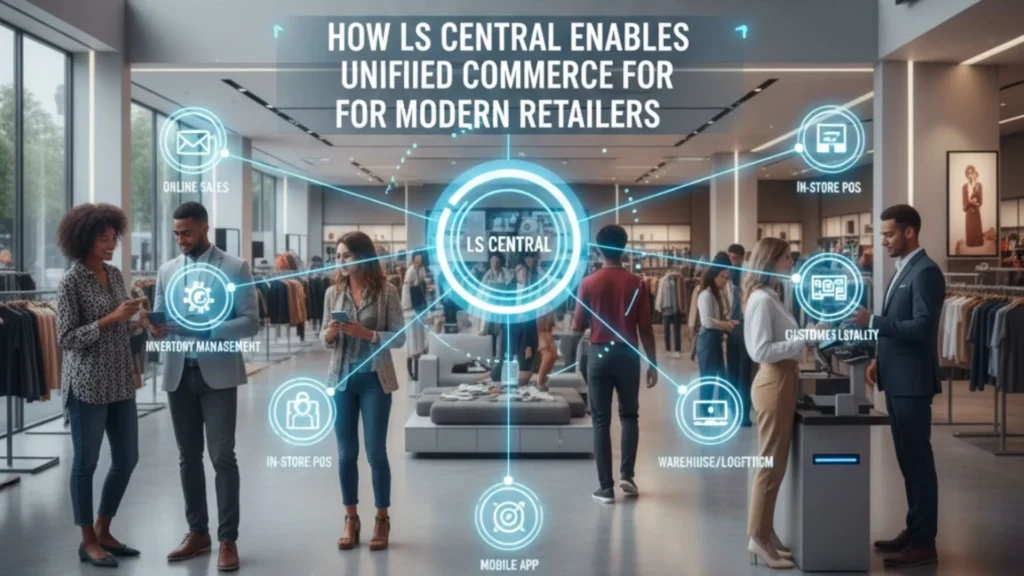
Retail is undergoing a massive transformation. The days when customers relied only on physical stores are long gone. Today’s shoppers browse online, compare prices on mobile, check stock availability on websites, visit stores to try products, and expect fast, flexible fulfillment options. They want a unified, seamless experience across every touchpoint. To meet these elevated expectations, retailers need unified commerce—a modern approach that connects all channels, systems, and data into one centralized platform. LS Central, built on Microsoft Dynamics 365 Business Central, has emerged as one of the most powerful unified commerce solutions for retailers of all sizes. For businesses working with a Microsoft Dynamics 365 Partner in Texas, USA, LS Central provides end-to-end retail management, real-time inventory visibility, integrated POS, and complete operational control. Paired with Microsoft Dynamics 365 Business Central in Texas, USA, it offers financials, supply chain, sales, procurement, warehousing, and retail operations inside a single ecosystem. This comprehensive article explains how LS Central enables unified commerce, why it’s essential for modern retail, and how businesses can leverage D365 services such as Microsoft Dynamics 365 Support Services in Texas, USA, MS Dynamics 365 Implementation Services in Texas, USA, and D365 Migration Services in Texas, USA to deploy LS Central successfully 1. The Shift From Omnichannel to Unified Commerce Omnichannel retail was once the gold standard because it allowed customers to shop across multiple channels. But retailers soon realized that omnichannel still created fragmented systems and data silos. Unified commerce goes a step further by consolidating every piece of data — inventory, orders, payments, promotions, and customer profiles — into one platform. This shift is driven by growing customer demands such as: Unified commerce eliminates channel-based barriers so customers enjoy a fluid, uninterrupted shopping journey. 2. What Is LS Central? LS Central is an all-in-one retail ERP solution built on Microsoft Dynamics 365 Business Central. It connects every part of a retail business, including: Instead of juggling multiple systems, retailers manage their entire operation from one unified platform. This results in improved accuracy, faster decision-making, lower costs, and a superior customer experience. 3. Why LS Central Is Critical for Modern Retailers Today’s retail operations face multiple challenges: LS Central solves all these issues by giving retailers a single version of the truth. Whether a shopper is browsing online or scanning a product in-store, they receive consistent and accurate information. Retailers working with a Microsoft Dynamics 365 Partner in Texas, USA gain access to tailored LS Central implementations that meet their business processes, workflows, and industry requirements. 4. How LS Central Enables Unified Commerce Below are the core capabilities that empower LS Central to unify retail operations end-to-end. 1. Unified POS That Works Everywhere LS Central offers a powerful POS system that supports: Every POS terminal is connected to the central database. This ensures: Retailers especially benefit from cloud-enabled POS systems that continue running even when offline. 2. Complete Inventory Visibility Across All Channels Inventory mistakes are costly. Customers expect accurate availability before they drive to a store or make an online purchase. LS Central provides: With Microsoft Dynamics 365 Business Central in Texas, USA, retailers also gain access to powerful warehouse and supply chain capabilities. Together, this ensures: 3. Seamless Omnichannel Order Fulfillment Retailers can offer modern fulfillment experiences such as: Order routing is automated based on: This leads to faster delivery, higher customer satisfaction, and optimized inventory usage. 4. Intelligent Customer Insights & Personalization LS Central includes built-in CRM features that store rich customer profiles, including: This unified profile enables: Whether a customer buys online or in-store, their benefits and history travel with them. 5. Powerful E-Commerce Integration Modern retailers operate across physical and digital channels, and LS Central seamlessly integrates with major e-commerce platforms like: Benefits include: As online sales continue to grow, this integration ensures flawless channel synchronization. 6. Centralized Financials and Reporting Because LS Central is built on Business Central, it provides: Retailers gain a complete understanding of performance across stores, channels, and product categories. 7. Scalable Architecture for Retail Growth Whether a retailer has 5 locations or 500, LS Central scales effortlessly. Cloud deployment ensures: With the support of Microsoft Dynamics 365 Support Services in Texas, USA, retailers ensure smooth daily operations and system optimization. 5. Benefits of LS Central for Retailers 1. True Unified Commerce A single platform for POS, ERP, inventory, CRM, e-commerce, supply chain, and financials. 2. Greater Customer Satisfaction Real-time information, personalized promotions, and flexible fulfillment. 3. Higher Sales & Conversions Better product availability + targeted offers = more purchases. 4. Lower Operational Costs No need for multiple systems or costly integrations. 5. Faster Decision-Making Access to real-time insights across the entire retail ecosystem. 6. Future-Ready Retail Cloud systems, AI insights, mobile POS, and smart forecasting ensure longevity. 6. LS Central Implementation Strategy Working with a qualified Microsoft Dynamics 365 Partner in Texas, USA ensures a structured and smooth deployment journey. Step 1: Discovery & Process Assessment Partners analyze: Step 2: Solution Blueprint LS Central is mapped to business needs, including store setup, pricing, promotions, fulfillment rules, and merchandising. Step 3: Customization Custom modules, dashboards, or POS workflows are developed if required. Step 4: Data Migration Handled via D365 Migration Services in Texas, USA, ensuring accurate transfer of: Step 5: User Training Staff receive hands-on training for: Step 6: Go-Live Stores begin operations on LS Central with support from MS Dynamics 365 Implementation Services in Texas, USA. Step 7: Post-Go-Live Support Ongoing assistance is provided through Microsoft Dynamics 365 Support Services in Texas, USA. 7. Why Retailers in Texas Prefer LS Central + Dynamics 365 Retail in Texas is growing rapidly, and businesses require scalable, modern systems. LS Central is preferred because it provides: With the help of a trusted Microsoft partner, Texas retailers build strong, future-ready operations that support growth. FAQs Q 1. What is LS Central used for in retail? Ans: LS Central is used to manage POS, inventory, merchandising, loyalty, e-commerce, financials, and store operations on a single platform. Q 2. How does LS Central

How LS Central Enables Unified Commerce for Modern Retailers Read More »

microsoft-erp-support

What’s Included in a World-Class Microsoft ERP Support SLA

In today’s fast-paced business environment, ERP downtime is more than just a technical inconvenience—it’s a direct hit to productivity, revenue, and customer satisfaction. For organizations running Microsoft Dynamics 365, Business Central, Finance & Operations, or older versions like GP, NAV, or AX, having a robust support framework isn’t optional—it’s mission-critical. That’s where a world-class Microsoft ERP Support SLA (Service Level Agreement) comes in. A powerful SLA defines not only response times, but also responsibility, transparency, accountability, and strategic value. Whether your provider is an in-house team or an external Microsoft Dynamics Partner in USA, understanding what’s included in a high-quality ERP support agreement can help you make smarter IT decisions. In this article, we’ll break down: What Is an ERP Support SLA and Why Does It Matter? An ERP Support SLA is a contractual agreement between your organization and your support provider defining how quickly and effectively issues will be resolved. It sets expectations on: Without an SLA, support becomes arbitrary and reactive. But with a structured SLA, your Microsoft ERP environment remains secure, optimized, and evolving with your business needs. Core Components of a World-Class Microsoft ERP Support SLA Let’s explore the key elements you should expect from premium ERP Support Services in USA or any leading Microsoft Dynamics Partner in USA. 1. Clearly Defined Support Tiers & Issue Categories Every ERP issue is not equal. A simple “How do I update a record?” query should not receive the same priority as a financial posting failure during month-end closing. A good SLA includes: Priority Level Example Issue Expected Response Time P1 – Critical System down, data corruption, failed transactions < 1 Hour P2 – High Major feature not functioning but workarounds exist < 4 Hours P3 – Medium Performance lag or integration interruption < 1 Business Day P4 – Low User queries or enhancement requests < 2 Business Days Leading Microsoft Dynamics Consultancy Services in USA follow ITIL-aligned ticketing structures to ensure fair prioritization across departments. 2. Guaranteed Response & Resolution Timelines Response time is when your support provider acknowledges the issue—resolution time is when they actually fix it. A world-class SLA clearly commits to both. ✅ Example Commitment from Top ERP Support Services in USA: If your provider only mentions “response time,” they may leave you waiting for actual fixes. Always insist on both. 3. 24/7 Support Availability (If Needed) If your operations span multiple time zones or include eCommerce, logistics, or manufacturing workflows, round-the-clock support is non-negotiable. A future-ready SLA includes: Many Microsoft Dynamics Partners in USA offer follow-the-sun support models to ensure continuous availability. 4. Proactive System Monitoring & Preventive Maintenance Reactive support alone is outdated. World-class SLAs now include: ✔ Automated health checks✔ Patch & update management✔ Integration monitoring✔ Security audits and threat response Rather than waiting for something to break, leading Microsoft Dynamics Consultancy Services in USA actively prevent incidents before they impact business. 5. Functional & Technical Support (Not Just Bug Fixing) True ERP optimization requires more than resolving technical errors. Your SLA should also cover: Not all ERP Implementation Services in USA provide functional consulting under support—double-check before signing. 6. Dedicated Account Manager & Escalation Matrix Fast issue resolution requires accountability. Your SLA must include: This structure ensures transparency and continuous improvement rather than transactional support. 7. Customization & Change Request Management Most organizations customize Microsoft ERP at some level. Therefore, the SLA must define: Top-tier Microsoft Dynamics Partners in USA often provide bundled enhancement hours with premium SLA tiers. 8. SLA Penalties & Performance Reporting A strong SLA includes measurable KPIs like: You should receive monthly or quarterly performance reports. Some elite providers even include penalty clauses if SLA targets are consistently missed. 9. Strategic Advisory & Roadmap Planning A world-class SLA goes beyond break-fix services. It helps future-proof your ERP investment by including: The best Microsoft Dynamics Consultancy Services in USA operate as long-term partners—not just support vendors. Comparing Support Options: In-House vs. Microsoft Dynamics Partner in USA Criteria In-House IT Team External Microsoft Dynamics Partner in USA Cost High (recruitment, training, infrastructure) Scalable and subscription-based Expertise Limited to internal exposure Cross-industry best practices Scalability Challenging during peak loads On-demand resource expansion Upgrades & Innovation Slow adoption Faster access to new features Most mid-sized and enterprise businesses choose hybrid or fully outsourced ERP support models for efficiency and flexibility. How ERP Implementation Services in USA Bundle Support with Deployment Smart organizations negotiate support before the implementation begins. Many ERP Implementation Services in USA offer tiered support extensions such as: Be cautious: Some low-cost implementers provide minimal support post-launch, forcing businesses to scramble later. Always demand official SLA documentation before signing any implementation contract. Q 1: What is the difference between response time and resolution time in an ERP SLA?Ans: Response time is how quickly the support team acknowledges your issue, while resolution time is how long it takes to fix or mitigate the problem. Q2: Do all Microsoft ERP SLAs include proactive monitoring?Ans: Not necessarily. World-class SLAs include automated health checks, patch management, and preventive measures, while basic SLAs may only offer reactive support. Q3: Can an ERP support SLA cover functional consulting?Ans: Yes. Premium Microsoft Dynamics Consultancy Services in USA include functional support like workflow assistance, user training, and business process optimization. Qns4: Are SLAs only for critical issues?Ans: No. SLAs categorize issues by priority (Critical, High, Medium, Low), ensuring response times and resolution expectations for all types of incidents. Q5: How do SLAs help during ERP upgrades or migrations?Ans: SLAs often include support for system upgrades, migrations, and new feature adoption, ensuring minimal downtime and smoother transitions. Q6: What happens if the provider fails to meet SLA commitments?Ans: Many top-tier ERP Support Services in USA include penalties, credits, or corrective action plans if SLA targets are consistently missed. Q7: Is 24/7 support necessary for all businesses?Ans: Not always. If your operations are limited to one region and normal business hours, extended hours may be optional. Global operations or critical systems usually require 24/7 coverage. Final Thoughts A

What’s Included in a World-Class Microsoft ERP Support SLA Read More »

Managed-Services-Reduce-ERP-TCO

How Our Managed Services Reduce ERP TCO for USA & Canadian Companies

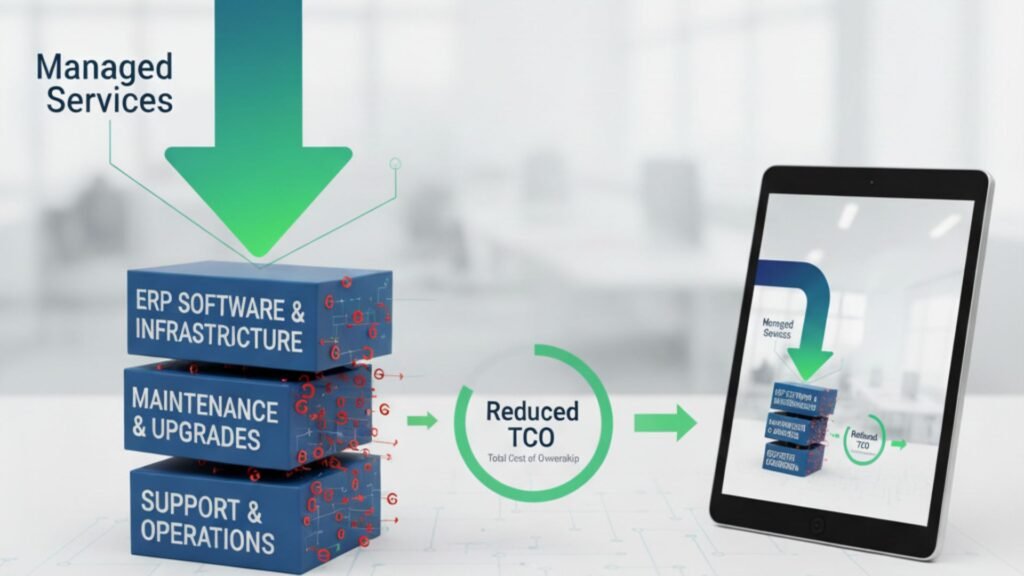
In today’s competitive market, businesses in the USA and Canada are constantly looking for ways to optimize operations, reduce costs, and improve performance. Enterprise Resource Planning (ERP) systems like Microsoft Dynamics 365 play a pivotal role in achieving these goals. However, one of the most overlooked factors in ERP success is the total cost of ownership (TCO). The initial investment in ERP software is just the beginning. Ongoing support, upgrades, integration, staff training, and downtime costs can significantly increase TCO if not managed properly. That’s where managed services come into play. By partnering with a trusted Microsoft Dynamics 365 partner in USA and Canada, companies can unlock predictable costs, improved efficiency, and long-term ROI. In this article, we’ll explore how our managed services help businesses reduce ERP TCO while ensuring reliability, scalability, and compliance. Understanding ERP TCO Before we dive into cost reduction strategies, let’s clarify what ERP TCO (Total Cost of Ownership) includes. It covers: Without structured support, these expenses can spiral out of control. Managed services provide a proactive approach to keep ERP costs predictable and aligned with business outcomes. How Managed Services Reduce ERP TCO 1. Proactive Monitoring & Issue Resolution Unplanned downtime is one of the biggest hidden ERP costs. A single hour of downtime in industries like manufacturing, retail, or hospitality can cost thousands of dollars. With our Microsoft Dynamics 365 Support Services in USA and Canada, we proactively monitor your ERP environment 24/7. This reduces operational disruptions, leading to lower indirect ERP costs. 2. Predictable Cost Structure Traditional ERP support is reactive, often involving costly emergency fixes. Our managed services replace this uncertainty with predictable, subscription-based pricing models. Instead of unpredictable bills for system outages or upgrade delays, businesses benefit from: For companies seeking ERP Implementation Services in USA and Canada, predictable costs make budgeting easier and more reliable. 3. Optimized ERP Performance ERP systems require regular optimization to align with changing business needs. Our managed services ensure Dynamics 365 runs at peak efficiency by: An optimized ERP reduces processing times, improves employee productivity, and lowers operational costs over time. 4. Scalable Support for Growing Businesses As businesses expand across the USA and Canada, their ERP requirements evolve. Without proper planning, scaling can lead to expensive re-implementations. By partnering with a trusted Microsoft Dynamics 365 partner in USA and Canada, companies benefit from: Scalable ERP support avoids costly system overhauls and keeps TCO under control. 5. Improved Security & Compliance Cybersecurity breaches and compliance penalties can drastically increase ERP costs. Our Microsoft Dynamics 365 Support Services in USA and Canada include: Stronger security reduces risk exposure and eliminates unexpected compliance costs. 6. Faster Upgrades & Migration ERP upgrades and migrations are often time-consuming and expensive if mishandled. We specialize in ERP Migration Services in USA and Canada, ensuring a smooth transition from legacy systems to Microsoft Dynamics 365. Key benefits include: Our approach significantly reduces the time and cost associated with upgrades and migrations. 7. Enhanced User Training & Adoption Poor adoption is another hidden driver of high ERP TCO. Many organizations underestimate the cost of retraining employees or handling productivity losses due to lack of knowledge. As part of our managed services, we provide: This maximizes ERP utilization and ensures companies get the full return on their Dynamics 365 investment. Why Choose Us as Your Microsoft Dynamics 365 Partner in USA and Canada Choosing the right partner is critical for reducing ERP TCO. We go beyond traditional support by delivering: With us as your Microsoft Dynamics 365 partner in USA and Canada, you don’t just get technical support—you get a strategic partner committed to driving long-term value. Business Impact: How Managed Services Lower ERP TCO Let’s break down the tangible benefits: Cost Driver Without Managed Services With Managed Services Downtime High, unpredictable Minimal due to proactive monitoring Support Costs Unplanned, reactive Predictable monthly/annual plans Upgrades & Migrations Expensive, high-risk Streamlined, automated, faster Security & Compliance Reactive, risk-prone Continuous audits, reduced fines User Adoption Poor, retraining needed Strong training support Scalability Costly re-implementations Flexible, cloud-ready growth The result? A significantly lower ERP TCO and a higher ROI on your Dynamics 365 investment. Conclusion ERP systems like Microsoft Dynamics 365 are essential for modern enterprises, but without proper management, the total cost of ownership can escalate quickly. Our managed services offer a structured, proactive, and scalable approach that keeps ERP costs predictable and controlled. Whether you are considering ERP Implementation Services in USA and Canada, planning a migration, or seeking ongoing Microsoft Dynamics 365 Support Services in USA and Canada, partnering with us ensures you achieve maximum value at the lowest possible TCO. If you’re ready to transform ERP from a cost center into a growth enabler, it’s time to work with a Microsoft Dynamics 365 partner in USA and Canada who understands your challenges and delivers solutions tailored to your business.

How Our Managed Services Reduce ERP TCO for USA & Canadian Companies Read More »

NAV-to-Dynamics-365

Upgrade or Re-Implement? Choosing the Right Path from AX/NAV to Dynamics 365

In today’s competitive digital landscape, businesses are under constant pressure to modernize their enterprise resource planning (ERP) systems. Companies that have relied on Microsoft Dynamics AX or Microsoft Dynamics NAV for years now face a crucial decision: should they upgrade to Dynamics 365, or should they re-implement from scratch? Both approaches come with their own benefits, challenges, and costs. For organizations across North America, making the right decision often requires working with a trusted Microsoft Dynamics 365 partner in Canada and USA who understands both legacy systems and the Dynamics 365 ecosystem. In this article, we’ll explore the differences between an upgrade and a re-implementation, the factors influencing the decision, and how to choose the right path for your business. The Shift from AX/NAV to Dynamics 365 Microsoft has been gradually moving businesses from on-premises ERP systems like Dynamics AX and Dynamics NAV toward its cloud-first platform—Microsoft Dynamics 365. This evolution offers significant benefits such as real-time analytics, AI-driven automation, seamless updates, and scalability. Businesses in Canada and the USA are increasingly considering either a NAV to Microsoft Dynamics 365 Business Central Upgrade in Canada and USA or an AX to D365 F&O Upgrade in Canada and USA to stay competitive. Upgrade vs. Re-Implement: Understanding the Difference Upgrade An upgrade involves moving your existing NAV or AX system, including data, configurations, and in some cases, customizations, to Dynamics 365. It’s essentially a technical transition that modernizes your current ERP without rebuilding everything. Pros of Upgrading: Cons of Upgrading: Re-Implementation Re-implementation means starting fresh with Dynamics 365. Instead of transferring all data and customizations, businesses take the opportunity to redesign their ERP environment, import only necessary data, and rebuild processes in a more modern and efficient way. Pros of Re-Implementing: Cons of Re-Implementing: Factors to Consider When Choosing Between Upgrade and Re-Implementation The right decision depends on several factors. With the guidance of a Microsoft Dynamics 365 partner in Canada and USA, businesses can analyze their specific situation. Key considerations include: 1. System Complexity 2. Data Quality 3. Process Efficiency 4. Budget and Timeline 5. Future Scalability Benefits of Moving to Dynamics 365 Whether through upgrade or re-implementation, moving to Dynamics 365 provides significant advantages for businesses in Canada and the USA: A reliable Microsoft Dynamics 365 Support Services in Canada provider ensures these benefits are continuously realized. Role of a Microsoft Dynamics 365 Partner Choosing the right partner is critical to success. A certified Microsoft Dynamics 365 partner in Canada and USA provides: Case Scenarios Scenario 1: Upgrade is the Right Choice A mid-sized Canadian manufacturing company using Dynamics NAV 2016 with minimal customizations chooses an upgrade to Dynamics 365 Business Central. Since their processes are already optimized, the upgrade allows them to retain historical data while gaining the benefits of the cloud. Scenario 2: Re-Implementation is the Better Path A large U.S.-based retail chain running Dynamics AX 2012 with heavy customizations and outdated workflows opts for a re-implementation to D365 Finance & Operations. They redesign processes, clean up data, and leverage AI-driven automation, setting a strong foundation for future scalability. Common Challenges in the Transition Even with expert support, businesses may face challenges such as: Working closely with an experienced Microsoft Dynamics 365 partner in Canada and USA helps overcome these issues. FAQs: Choosing Between Upgrade and Re-Implementation Q1. How do I know whether to upgrade or re-implement?Ans: A detailed system assessment by a Microsoft Dynamics 365 partner in Canada and USA can help determine whether your business should go for an upgrade or re-implementation. Q2. Is data migration possible in both approaches?Ans: Yes, but the method differs. Upgrading retains most historical data, while re-implementation allows selective migration of only clean and relevant data. Q3. Which is more cost-effective—upgrade or re-implementation?Ans: Upgrading is generally less expensive and quicker. However, re-implementation may deliver greater long-term ROI by modernizing workflows and eliminating technical debt. Q4. Can we migrate directly from Dynamics AX to Dynamics 365 F&O?Ans: Yes, with expert assistance, an AX to D365 F&O Upgrade in Canada and USA is possible, though the process can be complex depending on your AX version and customizations. Q5. What about NAV users?Ans: Businesses running NAV can perform a NAV to Microsoft Dynamics 365 Business Central Upgrade in Canada and USA to modernize operations and move to a cloud-based ERP. Q6. What support is available after migration?Ans: You can rely on Microsoft Dynamics 365 Support Services in Canada for continuous system monitoring, updates, performance optimization, and issue resolution. Q7. Will employees need training after moving to Dynamics 365?Ans: Yes. Whether upgrading or re-implementing, training is essential for user adoption. Most partners provide structured training and change management programs. Conclusion Deciding between upgrading and re-implementing from AX or NAV to Dynamics 365 is a pivotal choice for businesses in Canada and the USA. An upgrade offers speed and cost efficiency, while re-implementation provides a fresh start with long-term flexibility. The right path depends on your data quality, business processes, customization levels, and future goals. Partnering with a trusted Microsoft Dynamics 365 partner in Canada and USA ensures that your transition—whether a NAV to Microsoft Dynamics 365 Business Central Upgrade in Canada and USA or an AX to D365 F&O Upgrade in Canada and USA—is smooth, strategic, and successful.

Upgrade or Re-Implement? Choosing the Right Path from AX/NAV to Dynamics 365 Read More »