Dynamics 365 Development Services

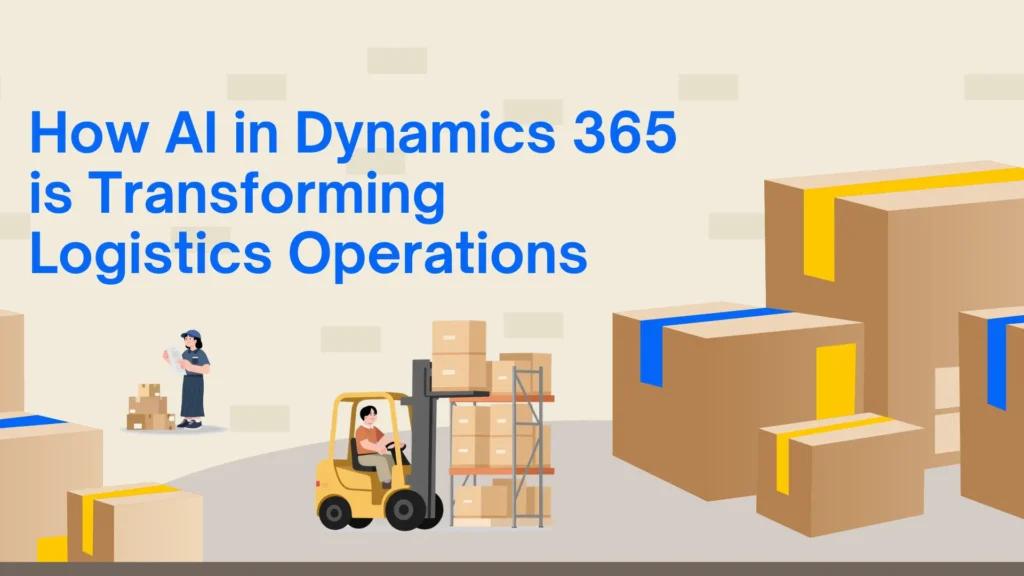
How AI in Dynamics 365 is Transforming Logistics-Operations

How AI in Dynamics 365 is Transforming Logistics Operations

The logistics industry is evolving rapidly as businesses face increasing pressure to deliver goods faster, reduce operational costs, and improve supply chain visibility. Traditional logistics systems often struggle to manage growing operational complexity, which is why many organizations are now investing in AI-powered ERP solutions. One of the most effective platforms helping businesses modernize logistics operations is Microsoft Dynamics 365. AI capabilities within Microsoft Dynamics 365 Business Central are transforming how logistics companies manage inventory, transportation, warehousing, customer service, and demand forecasting. By combining automation, predictive analytics, and real-time business intelligence, organizations can make smarter decisions while improving operational efficiency. This article explores how AI in Dynamics 365 is reshaping logistics operations and why businesses are increasingly working with a trusted Microsoft Dynamics 365 partner to implement and optimize these intelligent solutions. The Growing Role of AI in Logistics The logistics industry handles a massive amount of operational data every day. Managing deliveries, supplier coordination, warehouse operations, and customer expectations manually can create delays, errors, and rising operational costs. AI helps solve these challenges by automating repetitive tasks and delivering predictive insights that improve decision-making. Modern logistics companies are using AI-powered ERP systems to streamline operations, reduce human error, and gain complete visibility into their supply chains. AI can analyze historical trends, monitor real-time operations, and identify patterns that help businesses respond faster to changing market conditions. As competition increases, companies are relying on advanced ERP platforms and experienced Microsoft Dynamics consulting service providers to build smarter and more scalable logistics processes. What is AI in Dynamics 365? AI in Dynamics 365 combines machine learning, automation, cloud technology, and advanced analytics to help businesses improve operational performance. These intelligent capabilities are integrated across finance, supply chain, inventory management, customer service, and warehouse operations. Within Microsoft Dynamics 365 Business Central, AI helps logistics businesses forecast demand, automate workflows, improve shipment planning, and optimize inventory management. Instead of relying on manual reporting and reactive processes, organizations can use real-time insights to make proactive business decisions. AI also improves collaboration between departments by centralizing operational data into a single connected system. This creates better transparency across the supply chain and helps logistics teams respond quickly to disruptions. Predictive Demand Forecasting Demand forecasting is one of the most important functions in logistics operations. Inaccurate forecasting can lead to inventory shortages, overstocking, delayed deliveries, and unnecessary operational expenses. AI-powered forecasting tools in Dynamics 365 analyze historical sales trends, customer purchasing behavior, seasonal demand patterns, and market conditions to generate more accurate forecasts. This allows logistics businesses to maintain optimal stock levels while reducing waste and storage costs. Companies working with experienced MS Dynamics 365 implementation service providers can customize forecasting models according to their business requirements and industry-specific operational needs. Improved forecasting also helps businesses strengthen supplier relationships because procurement teams can plan inventory requirements more effectively. This results in smoother operations and improved customer satisfaction. Intelligent Inventory Management Inventory management becomes far more efficient when AI is integrated into ERP systems. AI-powered inventory tools within Dynamics 365 provide real-time visibility into stock levels, warehouse movement, and replenishment requirements. Instead of manually tracking inventory, businesses can automate stock monitoring and receive alerts when inventory reaches predefined thresholds. AI also identifies slow-moving products, reduces excess inventory, and improves order fulfillment accuracy. For logistics companies managing large warehouses or multiple distribution centers, this level of automation significantly improves operational efficiency. With the help of Microsoft Dynamics 365 Business Central, businesses can reduce carrying costs while improving delivery performance. Route Optimization and Fleet Efficiency Transportation costs are one of the largest operational expenses for logistics companies. Fuel consumption, delivery delays, and inefficient route planning can directly impact profitability. AI in Dynamics 365 helps businesses optimize delivery routes by analyzing traffic conditions, weather data, fuel usage, and delivery schedules in real time. This allows logistics companies to select the most efficient routes and improve delivery performance. Better route optimization reduces transportation costs while helping businesses improve customer satisfaction through faster and more reliable deliveries. AI also helps organizations improve fleet utilization and reduce vehicle downtime. Companies implementing intelligent transportation workflows through professional MS Dynamics 365 implementation services can achieve significant operational savings over time. Real-Time Supply Chain Visibility Supply chain disruptions have become increasingly common due to global economic uncertainty, labor shortages, transportation delays, and changing customer demands. Businesses now require complete real-time visibility into their operations to manage these challenges effectively. AI-powered dashboards in Dynamics 365 provide logistics companies with real-time monitoring of inventory movement, supplier performance, shipment status, and warehouse activities. Managers can identify bottlenecks quickly and make informed decisions before problems escalate. This level of visibility allows organizations to become more proactive instead of reactive. Businesses working with a reliable Microsoft Dynamics 365 partner can configure customized dashboards and reporting tools that align with their operational goals and KPIs. Warehouse Automation Warehouse operations involve multiple repetitive tasks that consume time and increase the risk of human error. AI-powered warehouse automation in Dynamics 365 helps businesses improve efficiency by automating processes such as inventory tracking, barcode scanning, picking, packing, and shipment scheduling. AI also helps optimize warehouse space utilization by analyzing product movement patterns and storage requirements. This improves operational productivity while reducing delays in order fulfillment. As logistics operations continue to scale, warehouse automation becomes essential for maintaining accuracy and operational efficiency. Businesses leveraging Microsoft Dynamics 365 Support Services can continuously optimize warehouse performance and adapt workflows based on operational changes. Predictive Maintenance for Fleet Vehicles Unexpected vehicle breakdowns can disrupt logistics operations and lead to missed delivery deadlines. AI-driven predictive maintenance capabilities within Dynamics 365 help businesses monitor vehicle performance and identify maintenance issues before failures occur. By analyzing engine performance, fuel usage, maintenance history, and sensor data, AI can predict when maintenance is required. This proactive approach reduces downtime, lowers repair costs, and improves fleet reliability. Predictive maintenance also helps logistics companies extend vehicle lifespan and maintain consistent delivery schedules. This creates a more dependable transportation network while improving overall operational efficiency. Enhanced

How AI in Dynamics 365 is Transforming Logistics Operations Read More »

Why-Flexible-ERP-Teams-Are-the-Future-of-Digital-transformation

Why Flexible ERP Teams Are the Future of Digital Transformation

In today’s rapidly changing business environment, organizations are under constant pressure to innovate, adapt, and scale faster than ever before. Digital transformation is no longer a long-term vision — it has become a business necessity. Companies across industries are investing in cloud technologies, automation, artificial intelligence, and enterprise solutions to stay competitive. At the center of this transformation lie ERP systems, especially platforms like Microsoft Dynamics 365 and Microsoft Dynamics 365 Business Central. However, technology alone does not guarantee success. Businesses also need skilled, agile, and flexible ERP teams that can adapt quickly to changing business needs. Traditional fixed IT teams often struggle to keep pace with modern digital demands. This is why flexible ERP teams are becoming the future of digital transformation. Organizations are now increasingly relying on scalable ERP experts, remote consultants, implementation specialists, and managed support teams to accelerate transformation projects while reducing operational costs. Whether it is cloud migration, ERP upgrades, or process automation, flexible ERP teams provide businesses with the expertise and scalability they need. The Shift Toward Flexible ERP Teams For years, companies depended heavily on in-house IT departments to manage ERP systems. While this model worked in the past, modern digital transformation projects require specialized expertise across multiple domains such as cloud computing, integrations, cybersecurity, analytics, and automation. Hiring permanent employees for every ERP function can be expensive and time-consuming. Moreover, digital transformation projects often require temporary specialized skills that may not be needed long-term. This is where flexible ERP teams create value. Flexible ERP teams allow businesses to: Businesses working with a trusted Microsoft ecosystem partner or a reliable Microsoft Dynamics 365 partner can quickly access experienced consultants, developers, support specialists, and project managers without long recruitment cycles. Why Digital Transformation Requires Agility Digital transformation projects are dynamic by nature. Requirements change frequently due to evolving market trends, customer expectations, and technology advancements. Companies need ERP teams that can respond quickly to these changes. Traditional ERP models are often rigid and slow. Flexible ERP teams, on the other hand, offer agility and responsiveness. They can adapt to new business priorities, integrate emerging technologies, and optimize processes continuously. For example, a manufacturing company implementing Microsoft Dynamics 365 Business Central may initially focus on finance and inventory management. Later, they may decide to add AI-driven forecasting, warehouse automation, or CRM integrations. Flexible ERP teams can seamlessly expand the project scope without major disruptions. This adaptability is one of the key reasons why businesses increasingly invest in Microsoft Dynamics consulting services and cloud ERP specialists. The Growing Importance of Microsoft Dynamics 365 Modern organizations require ERP systems that support scalability, remote work, automation, and data-driven decision-making. Microsoft Dynamics 365 has emerged as one of the leading ERP and CRM platforms because it combines flexibility, intelligence, and cloud capabilities. Businesses implementing Microsoft Dynamics 365 Business Central can centralize operations, improve productivity, and gain real-time business visibility. However, successful ERP implementation depends heavily on having the right team. A skilled Microsoft Dynamics 365 partner helps organizations: Flexible ERP teams make these services more accessible and cost-effective for businesses of all sizes. Benefits of Flexible ERP Teams 1. Faster ERP Implementations One of the biggest challenges businesses face during ERP implementation is project delays. Traditional hiring processes slow down project execution because finding skilled ERP professionals takes time. Flexible ERP teams provide immediate access to experienced consultants and developers, accelerating deployment timelines. Businesses can start projects quickly and reduce downtime. Organizations using MS Dynamics 365 implementation services often benefit from faster onboarding, streamlined workflows, and reduced implementation risks when working with scalable ERP teams. 2. Access to Specialized Expertise Digital transformation projects require expertise in multiple areas, including: Instead of maintaining a large in-house team, businesses can access specialists only when needed. Flexible ERP teams allow organizations to bring in experts for specific phases of the project. For example, companies using D365 migration services may require temporary migration specialists during system upgrades but not afterward. Flexible staffing models eliminate unnecessary long-term costs. 3. Reduced Operational Costs Hiring full-time ERP professionals can be expensive, especially for small and mid-sized businesses. Flexible ERP teams reduce overhead costs related to: Businesses only pay for the expertise they need, making digital transformation more affordable and scalable. Many companies now prefer outsourcing Microsoft Dynamics 365 support rather than maintaining large in-house support departments. 4. Improved Business Continuity ERP systems are critical for daily business operations. Downtime or technical issues can lead to revenue loss and productivity disruptions. Flexible ERP teams provide continuous support and proactive monitoring to ensure system stability. Businesses can access remote ERP experts across different time zones, enabling faster issue resolution and improved operational continuity. A reliable Microsoft Dynamics 365 partner ensures that ERP systems remain secure, optimized, and fully functional even during business expansion or system upgrades. 5. Easier Cloud Migration Cloud ERP adoption continues to grow because it offers scalability, flexibility, and remote accessibility. However, cloud migration can be complex without the right expertise. Flexible ERP teams simplify migration processes by providing skilled consultants experienced in: Organizations investing in D365 migration services can minimize migration risks and ensure smooth transitions to cloud-based ERP environments. Flexible ERP Teams and Remote Work Culture The rise of hybrid and remote work models has further increased the demand for flexible ERP teams. Modern businesses need ERP professionals who can collaborate virtually and support distributed teams. Cloud-based platforms like Microsoft Dynamics 365 allow ERP consultants, developers, and support teams to work remotely while maintaining productivity and collaboration. Remote ERP teams offer several advantages: This flexibility enables businesses to remain agile and competitive in an increasingly digital economy. The Role of Automation in Flexible ERP Teams Automation is transforming how ERP systems operate. Businesses are increasingly using AI-powered workflows, robotic process automation, and predictive analytics to improve efficiency. Flexible ERP teams help organizations implement automation strategies more effectively. Experienced consultants can identify repetitive processes and integrate intelligent automation solutions into ERP systems. Some common automation areas include: Organizations leveraging Microsoft Dynamics consulting services

Why Flexible ERP Teams Are the Future of Digital Transformation Read More »

Why-business-Central-is-Becoming-the-Preferred-ERP-for-growing-US-businesses

Why Business Central Is Becoming the Preferred ERP for Growing US Businesses

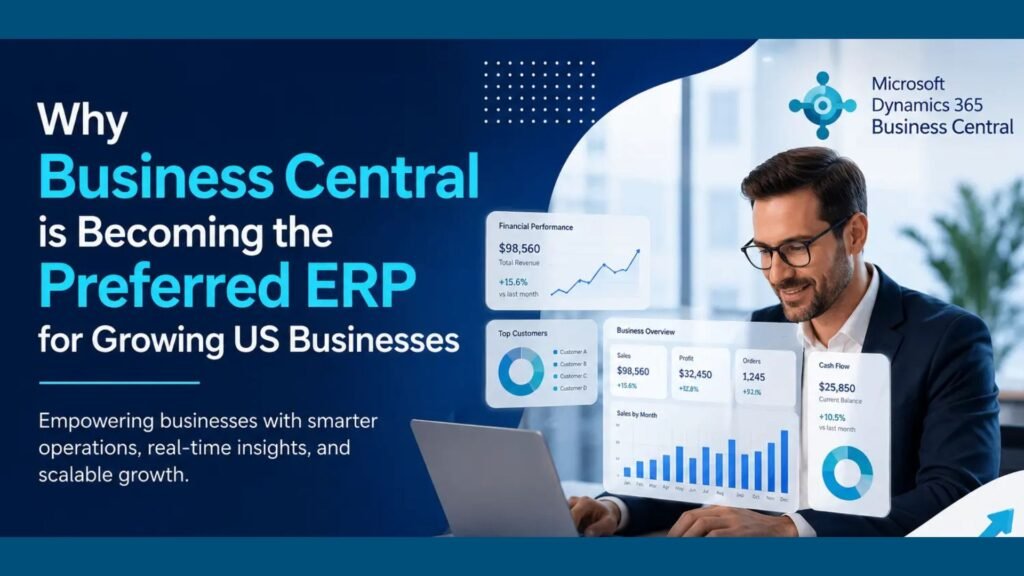
Modern businesses in the United States are rapidly transforming the way they operate. From finance and inventory management to customer service and analytics, organizations are looking for intelligent systems that can help them scale efficiently while reducing operational complexity. Traditional software solutions often fail to support growing business needs, which is why many companies are moving toward cloud-based ERP platforms. One solution that continues to gain popularity among small and mid-sized businesses is Microsoft Dynamics 365 Business Central. Known for its flexibility, automation capabilities, and seamless integration with Microsoft tools, Business Central is helping organizations streamline operations and improve decision-making. Today, businesses in Texas, USA, searching for a reliable Microsoft Dynamics 365 partner are increasingly choosing Business Central to modernize operations, improve productivity, and prepare for long-term growth. Understanding Microsoft Dynamics 365 Business Central Microsoft Dynamics 365 Business Central is a comprehensive enterprise resource planning (ERP) solution designed to unify core business processes within a single platform. It combines finance, supply chain management, sales, purchasing, inventory, reporting, and customer relationship management into one connected system. Unlike traditional ERP systems that require expensive hardware and complex maintenance, Business Central operates in the cloud. This enables organizations to access critical business information securely from anywhere while reducing IT infrastructure costs. Growing companies often choose Microsoft Dynamics 365 Business Central in Texas, USA, because the platform supports scalability, automation, and digital transformation without requiring large enterprise budgets. Why Growing US Businesses Need Modern ERP Solutions As businesses expand, operational challenges also increase. Managing disconnected software systems, spreadsheets, manual reporting, and outdated processes can slow growth and reduce efficiency. Many organizations struggle with: Modern ERP systems solve these problems by centralizing business data and automating workflows. Business Central has become one of the preferred ERP platforms because it allows businesses to simplify operations while improving agility and decision-making. Cloud ERP Is Driving Digital Transformation Cloud technology has fundamentally changed how businesses operate. Companies no longer want complex on-premise systems that require costly upgrades and maintenance. Business Central provides a cloud-first environment that offers: For organizations looking for MS Dynamics 365 implementation services in Texas, USA, cloud ERP adoption offers significant operational and financial advantages. Businesses can access their ERP system anytime using laptops, smartphones, or tablets, making it ideal for remote and hybrid work environments. Seamless Integration with Microsoft Ecosystem One of the strongest advantages of Business Central is its seamless integration with Microsoft applications. Businesses can connect Business Central with: This integration improves collaboration and productivity because employees can work within familiar tools while accessing real-time business data. For example: Companies searching for Microsoft Dynamics consulting services in Texas, USA, often prioritize this integration capability because it improves workflow efficiency across departments. Financial Management Made Easier Financial management is one of the most critical areas for growing businesses. Business Central helps organizations improve financial visibility and automate accounting processes. Key financial management features include the following: Automation reduces manual data entry and minimizes errors, allowing finance teams to focus on strategic planning rather than repetitive tasks. Real-time financial reporting helps businesses make faster decisions and respond quickly to market changes. Organizations requiring Microsoft Dynamics 365 Support Services in Texas, USA, often use Business Central to improve accounting accuracy and financial control. Inventory and Supply Chain Optimization Inventory management becomes increasingly complex as businesses grow. Overstocking and stock shortages can negatively impact profitability and customer satisfaction. Business Central helps businesses optimize supply chain operations through: Manufacturers, distributors, and retailers benefit significantly from improved inventory visibility and automation. Businesses implementing Business Central can reduce operational delays while improving order fulfillment accuracy. Scalability Supports Long-Term Growth One major reason businesses choose Business Central is scalability. Many traditional ERP systems become difficult to manage as organizations expand. Business Central supports growth by allowing companies to: This flexibility ensures businesses can continue using the same ERP platform as they grow without requiring expensive system replacements. Companies seeking D365 migration services in Texas, USA, often migrate from outdated ERP systems because Business Central offers a scalable and future-ready solution. Automation Improves Operational Efficiency Manual processes consume time and increase the likelihood of errors. Business Central automates repetitive business tasks, helping organizations improve efficiency and productivity. Automation features include the following: By automating routine operations, employees can focus on customer engagement, strategic initiatives, and business growth. Automation also helps reduce operational costs while improving overall service quality. Real-Time Data and Business Intelligence Modern businesses rely heavily on accurate data to make informed decisions. Business Central provides real-time reporting and analytics capabilities that help organizations monitor performance effectively. Users can access: Integration with Power BI enables businesses to create advanced visual dashboards and customized reports. This level of visibility supports proactive decision-making and helps leadership teams identify opportunities for improvement. Enhanced Customer Relationship Management Customer expectations continue to rise, making customer relationship management more important than ever. Business Central helps businesses improve customer experiences through: Sales and service teams gain better visibility into customer interactions, enabling faster response times and personalized engagement. Improved customer management ultimately leads to stronger customer retention and higher revenue growth. Cost-Effective ERP Solution for SMBs Large enterprise ERP systems are often expensive and difficult to maintain. Business Central offers a cost-effective alternative designed specifically for small and mid-sized businesses. Benefits include: Because the platform operates in the cloud, businesses avoid major upfront investments while still accessing enterprise-grade functionality. For businesses evaluating Microsoft Dynamics 365 Business Central in Texas, USA, affordability is often a major advantage. Strong Security and Compliance Features Data security is a top priority for modern organizations. Business Central benefits from Microsoft’s advanced cloud security infrastructure. Security features include the following: These security capabilities help businesses protect sensitive financial and operational information while meeting regulatory requirements. Faster ERP Deployment and Implementation Traditional ERP implementations can take years to complete. Business Central offers faster implementation timelines, especially when businesses work with experienced ERP consultants. Professional implementation services typically include: Organizations seeking MS Dynamics 365 implementation services in Texas, USA, often prefer Business Central because

Why Business Central Is Becoming the Preferred ERP for Growing US Businesses Read More »

ls-central-enables-unified-commerce-for-modern-retailers

How LS Central Enables Unified Commerce for Modern Retailers

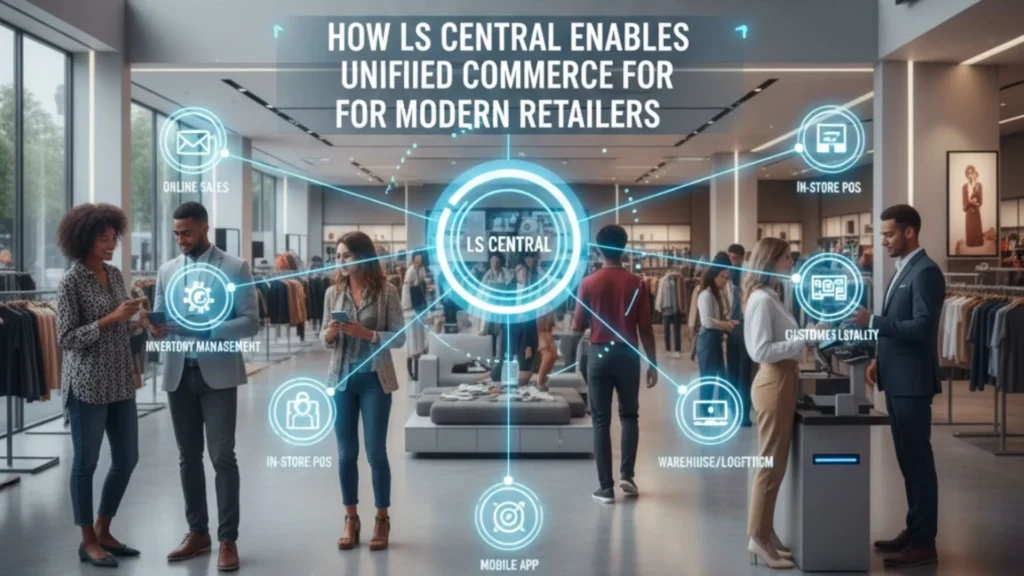
Retail is undergoing a massive transformation. The days when customers relied only on physical stores are long gone. Today’s shoppers browse online, compare prices on mobile, check stock availability on websites, visit stores to try products, and expect fast, flexible fulfillment options. They want a unified, seamless experience across every touchpoint. To meet these elevated expectations, retailers need unified commerce—a modern approach that connects all channels, systems, and data into one centralized platform. LS Central, built on Microsoft Dynamics 365 Business Central, has emerged as one of the most powerful unified commerce solutions for retailers of all sizes. For businesses working with a Microsoft Dynamics 365 Partner in Texas, USA, LS Central provides end-to-end retail management, real-time inventory visibility, integrated POS, and complete operational control. Paired with Microsoft Dynamics 365 Business Central in Texas, USA, it offers financials, supply chain, sales, procurement, warehousing, and retail operations inside a single ecosystem. This comprehensive article explains how LS Central enables unified commerce, why it’s essential for modern retail, and how businesses can leverage D365 services such as Microsoft Dynamics 365 Support Services in Texas, USA, MS Dynamics 365 Implementation Services in Texas, USA, and D365 Migration Services in Texas, USA to deploy LS Central successfully 1. The Shift From Omnichannel to Unified Commerce Omnichannel retail was once the gold standard because it allowed customers to shop across multiple channels. But retailers soon realized that omnichannel still created fragmented systems and data silos. Unified commerce goes a step further by consolidating every piece of data — inventory, orders, payments, promotions, and customer profiles — into one platform. This shift is driven by growing customer demands such as: Unified commerce eliminates channel-based barriers so customers enjoy a fluid, uninterrupted shopping journey. 2. What Is LS Central? LS Central is an all-in-one retail ERP solution built on Microsoft Dynamics 365 Business Central. It connects every part of a retail business, including: Instead of juggling multiple systems, retailers manage their entire operation from one unified platform. This results in improved accuracy, faster decision-making, lower costs, and a superior customer experience. 3. Why LS Central Is Critical for Modern Retailers Today’s retail operations face multiple challenges: LS Central solves all these issues by giving retailers a single version of the truth. Whether a shopper is browsing online or scanning a product in-store, they receive consistent and accurate information. Retailers working with a Microsoft Dynamics 365 Partner in Texas, USA gain access to tailored LS Central implementations that meet their business processes, workflows, and industry requirements. 4. How LS Central Enables Unified Commerce Below are the core capabilities that empower LS Central to unify retail operations end-to-end. 1. Unified POS That Works Everywhere LS Central offers a powerful POS system that supports: Every POS terminal is connected to the central database. This ensures: Retailers especially benefit from cloud-enabled POS systems that continue running even when offline. 2. Complete Inventory Visibility Across All Channels Inventory mistakes are costly. Customers expect accurate availability before they drive to a store or make an online purchase. LS Central provides: With Microsoft Dynamics 365 Business Central in Texas, USA, retailers also gain access to powerful warehouse and supply chain capabilities. Together, this ensures: 3. Seamless Omnichannel Order Fulfillment Retailers can offer modern fulfillment experiences such as: Order routing is automated based on: This leads to faster delivery, higher customer satisfaction, and optimized inventory usage. 4. Intelligent Customer Insights & Personalization LS Central includes built-in CRM features that store rich customer profiles, including: This unified profile enables: Whether a customer buys online or in-store, their benefits and history travel with them. 5. Powerful E-Commerce Integration Modern retailers operate across physical and digital channels, and LS Central seamlessly integrates with major e-commerce platforms like: Benefits include: As online sales continue to grow, this integration ensures flawless channel synchronization. 6. Centralized Financials and Reporting Because LS Central is built on Business Central, it provides: Retailers gain a complete understanding of performance across stores, channels, and product categories. 7. Scalable Architecture for Retail Growth Whether a retailer has 5 locations or 500, LS Central scales effortlessly. Cloud deployment ensures: With the support of Microsoft Dynamics 365 Support Services in Texas, USA, retailers ensure smooth daily operations and system optimization. 5. Benefits of LS Central for Retailers 1. True Unified Commerce A single platform for POS, ERP, inventory, CRM, e-commerce, supply chain, and financials. 2. Greater Customer Satisfaction Real-time information, personalized promotions, and flexible fulfillment. 3. Higher Sales & Conversions Better product availability + targeted offers = more purchases. 4. Lower Operational Costs No need for multiple systems or costly integrations. 5. Faster Decision-Making Access to real-time insights across the entire retail ecosystem. 6. Future-Ready Retail Cloud systems, AI insights, mobile POS, and smart forecasting ensure longevity. 6. LS Central Implementation Strategy Working with a qualified Microsoft Dynamics 365 Partner in Texas, USA ensures a structured and smooth deployment journey. Step 1: Discovery & Process Assessment Partners analyze: Step 2: Solution Blueprint LS Central is mapped to business needs, including store setup, pricing, promotions, fulfillment rules, and merchandising. Step 3: Customization Custom modules, dashboards, or POS workflows are developed if required. Step 4: Data Migration Handled via D365 Migration Services in Texas, USA, ensuring accurate transfer of: Step 5: User Training Staff receive hands-on training for: Step 6: Go-Live Stores begin operations on LS Central with support from MS Dynamics 365 Implementation Services in Texas, USA. Step 7: Post-Go-Live Support Ongoing assistance is provided through Microsoft Dynamics 365 Support Services in Texas, USA. 7. Why Retailers in Texas Prefer LS Central + Dynamics 365 Retail in Texas is growing rapidly, and businesses require scalable, modern systems. LS Central is preferred because it provides: With the help of a trusted Microsoft partner, Texas retailers build strong, future-ready operations that support growth. FAQs Q 1. What is LS Central used for in retail? Ans: LS Central is used to manage POS, inventory, merchandising, loyalty, e-commerce, financials, and store operations on a single platform. Q 2. How does LS Central

How LS Central Enables Unified Commerce for Modern Retailers Read More »

microsoft-erp-support

What’s Included in a World-Class Microsoft ERP Support SLA

In today’s fast-paced business environment, ERP downtime is more than just a technical inconvenience—it’s a direct hit to productivity, revenue, and customer satisfaction. For organizations running Microsoft Dynamics 365, Business Central, Finance & Operations, or older versions like GP, NAV, or AX, having a robust support framework isn’t optional—it’s mission-critical. That’s where a world-class Microsoft ERP Support SLA (Service Level Agreement) comes in. A powerful SLA defines not only response times, but also responsibility, transparency, accountability, and strategic value. Whether your provider is an in-house team or an external Microsoft Dynamics Partner in USA, understanding what’s included in a high-quality ERP support agreement can help you make smarter IT decisions. In this article, we’ll break down: What Is an ERP Support SLA and Why Does It Matter? An ERP Support SLA is a contractual agreement between your organization and your support provider defining how quickly and effectively issues will be resolved. It sets expectations on: Without an SLA, support becomes arbitrary and reactive. But with a structured SLA, your Microsoft ERP environment remains secure, optimized, and evolving with your business needs. Core Components of a World-Class Microsoft ERP Support SLA Let’s explore the key elements you should expect from premium ERP Support Services in USA or any leading Microsoft Dynamics Partner in USA. 1. Clearly Defined Support Tiers & Issue Categories Every ERP issue is not equal. A simple “How do I update a record?” query should not receive the same priority as a financial posting failure during month-end closing. A good SLA includes: Priority Level Example Issue Expected Response Time P1 – Critical System down, data corruption, failed transactions < 1 Hour P2 – High Major feature not functioning but workarounds exist < 4 Hours P3 – Medium Performance lag or integration interruption < 1 Business Day P4 – Low User queries or enhancement requests < 2 Business Days Leading Microsoft Dynamics Consultancy Services in USA follow ITIL-aligned ticketing structures to ensure fair prioritization across departments. 2. Guaranteed Response & Resolution Timelines Response time is when your support provider acknowledges the issue—resolution time is when they actually fix it. A world-class SLA clearly commits to both. ✅ Example Commitment from Top ERP Support Services in USA: If your provider only mentions “response time,” they may leave you waiting for actual fixes. Always insist on both. 3. 24/7 Support Availability (If Needed) If your operations span multiple time zones or include eCommerce, logistics, or manufacturing workflows, round-the-clock support is non-negotiable. A future-ready SLA includes: Many Microsoft Dynamics Partners in USA offer follow-the-sun support models to ensure continuous availability. 4. Proactive System Monitoring & Preventive Maintenance Reactive support alone is outdated. World-class SLAs now include: ✔ Automated health checks✔ Patch & update management✔ Integration monitoring✔ Security audits and threat response Rather than waiting for something to break, leading Microsoft Dynamics Consultancy Services in USA actively prevent incidents before they impact business. 5. Functional & Technical Support (Not Just Bug Fixing) True ERP optimization requires more than resolving technical errors. Your SLA should also cover: Not all ERP Implementation Services in USA provide functional consulting under support—double-check before signing. 6. Dedicated Account Manager & Escalation Matrix Fast issue resolution requires accountability. Your SLA must include: This structure ensures transparency and continuous improvement rather than transactional support. 7. Customization & Change Request Management Most organizations customize Microsoft ERP at some level. Therefore, the SLA must define: Top-tier Microsoft Dynamics Partners in USA often provide bundled enhancement hours with premium SLA tiers. 8. SLA Penalties & Performance Reporting A strong SLA includes measurable KPIs like: You should receive monthly or quarterly performance reports. Some elite providers even include penalty clauses if SLA targets are consistently missed. 9. Strategic Advisory & Roadmap Planning A world-class SLA goes beyond break-fix services. It helps future-proof your ERP investment by including: The best Microsoft Dynamics Consultancy Services in USA operate as long-term partners—not just support vendors. Comparing Support Options: In-House vs. Microsoft Dynamics Partner in USA Criteria In-House IT Team External Microsoft Dynamics Partner in USA Cost High (recruitment, training, infrastructure) Scalable and subscription-based Expertise Limited to internal exposure Cross-industry best practices Scalability Challenging during peak loads On-demand resource expansion Upgrades & Innovation Slow adoption Faster access to new features Most mid-sized and enterprise businesses choose hybrid or fully outsourced ERP support models for efficiency and flexibility. How ERP Implementation Services in USA Bundle Support with Deployment Smart organizations negotiate support before the implementation begins. Many ERP Implementation Services in USA offer tiered support extensions such as: Be cautious: Some low-cost implementers provide minimal support post-launch, forcing businesses to scramble later. Always demand official SLA documentation before signing any implementation contract. Q 1: What is the difference between response time and resolution time in an ERP SLA?Ans: Response time is how quickly the support team acknowledges your issue, while resolution time is how long it takes to fix or mitigate the problem. Q2: Do all Microsoft ERP SLAs include proactive monitoring?Ans: Not necessarily. World-class SLAs include automated health checks, patch management, and preventive measures, while basic SLAs may only offer reactive support. Q3: Can an ERP support SLA cover functional consulting?Ans: Yes. Premium Microsoft Dynamics Consultancy Services in USA include functional support like workflow assistance, user training, and business process optimization. Qns4: Are SLAs only for critical issues?Ans: No. SLAs categorize issues by priority (Critical, High, Medium, Low), ensuring response times and resolution expectations for all types of incidents. Q5: How do SLAs help during ERP upgrades or migrations?Ans: SLAs often include support for system upgrades, migrations, and new feature adoption, ensuring minimal downtime and smoother transitions. Q6: What happens if the provider fails to meet SLA commitments?Ans: Many top-tier ERP Support Services in USA include penalties, credits, or corrective action plans if SLA targets are consistently missed. Q7: Is 24/7 support necessary for all businesses?Ans: Not always. If your operations are limited to one region and normal business hours, extended hours may be optional. Global operations or critical systems usually require 24/7 coverage. Final Thoughts A

What’s Included in a World-Class Microsoft ERP Support SLA Read More »

Managed-Services-Reduce-ERP-TCO

How Our Managed Services Reduce ERP TCO for USA & Canadian Companies

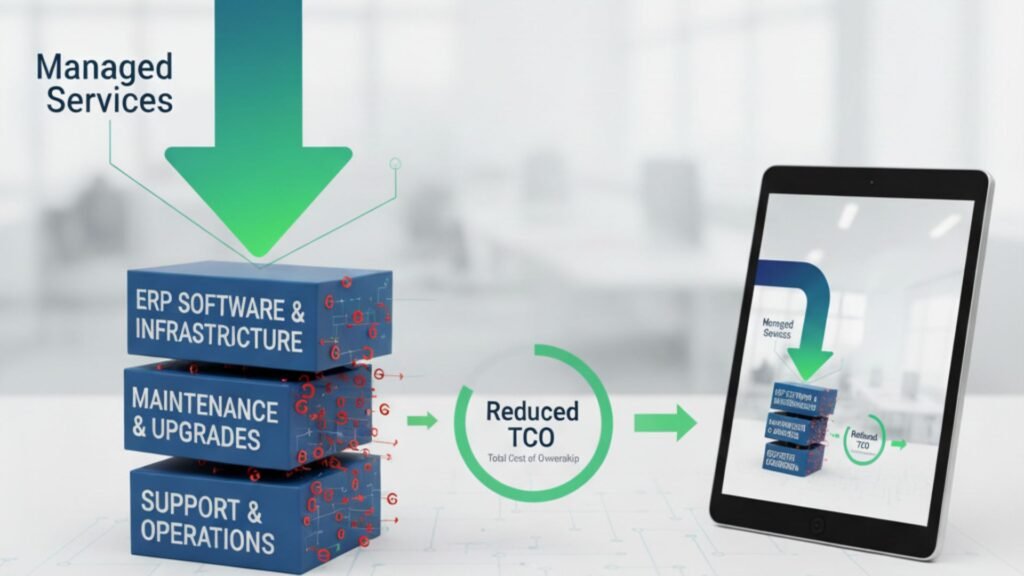
In today’s competitive market, businesses in the USA and Canada are constantly looking for ways to optimize operations, reduce costs, and improve performance. Enterprise Resource Planning (ERP) systems like Microsoft Dynamics 365 play a pivotal role in achieving these goals. However, one of the most overlooked factors in ERP success is the total cost of ownership (TCO). The initial investment in ERP software is just the beginning. Ongoing support, upgrades, integration, staff training, and downtime costs can significantly increase TCO if not managed properly. That’s where managed services come into play. By partnering with a trusted Microsoft Dynamics 365 partner in USA and Canada, companies can unlock predictable costs, improved efficiency, and long-term ROI. In this article, we’ll explore how our managed services help businesses reduce ERP TCO while ensuring reliability, scalability, and compliance. Understanding ERP TCO Before we dive into cost reduction strategies, let’s clarify what ERP TCO (Total Cost of Ownership) includes. It covers: Without structured support, these expenses can spiral out of control. Managed services provide a proactive approach to keep ERP costs predictable and aligned with business outcomes. How Managed Services Reduce ERP TCO 1. Proactive Monitoring & Issue Resolution Unplanned downtime is one of the biggest hidden ERP costs. A single hour of downtime in industries like manufacturing, retail, or hospitality can cost thousands of dollars. With our Microsoft Dynamics 365 Support Services in USA and Canada, we proactively monitor your ERP environment 24/7. This reduces operational disruptions, leading to lower indirect ERP costs. 2. Predictable Cost Structure Traditional ERP support is reactive, often involving costly emergency fixes. Our managed services replace this uncertainty with predictable, subscription-based pricing models. Instead of unpredictable bills for system outages or upgrade delays, businesses benefit from: For companies seeking ERP Implementation Services in USA and Canada, predictable costs make budgeting easier and more reliable. 3. Optimized ERP Performance ERP systems require regular optimization to align with changing business needs. Our managed services ensure Dynamics 365 runs at peak efficiency by: An optimized ERP reduces processing times, improves employee productivity, and lowers operational costs over time. 4. Scalable Support for Growing Businesses As businesses expand across the USA and Canada, their ERP requirements evolve. Without proper planning, scaling can lead to expensive re-implementations. By partnering with a trusted Microsoft Dynamics 365 partner in USA and Canada, companies benefit from: Scalable ERP support avoids costly system overhauls and keeps TCO under control. 5. Improved Security & Compliance Cybersecurity breaches and compliance penalties can drastically increase ERP costs. Our Microsoft Dynamics 365 Support Services in USA and Canada include: Stronger security reduces risk exposure and eliminates unexpected compliance costs. 6. Faster Upgrades & Migration ERP upgrades and migrations are often time-consuming and expensive if mishandled. We specialize in ERP Migration Services in USA and Canada, ensuring a smooth transition from legacy systems to Microsoft Dynamics 365. Key benefits include: Our approach significantly reduces the time and cost associated with upgrades and migrations. 7. Enhanced User Training & Adoption Poor adoption is another hidden driver of high ERP TCO. Many organizations underestimate the cost of retraining employees or handling productivity losses due to lack of knowledge. As part of our managed services, we provide: This maximizes ERP utilization and ensures companies get the full return on their Dynamics 365 investment. Why Choose Us as Your Microsoft Dynamics 365 Partner in USA and Canada Choosing the right partner is critical for reducing ERP TCO. We go beyond traditional support by delivering: With us as your Microsoft Dynamics 365 partner in USA and Canada, you don’t just get technical support—you get a strategic partner committed to driving long-term value. Business Impact: How Managed Services Lower ERP TCO Let’s break down the tangible benefits: Cost Driver Without Managed Services With Managed Services Downtime High, unpredictable Minimal due to proactive monitoring Support Costs Unplanned, reactive Predictable monthly/annual plans Upgrades & Migrations Expensive, high-risk Streamlined, automated, faster Security & Compliance Reactive, risk-prone Continuous audits, reduced fines User Adoption Poor, retraining needed Strong training support Scalability Costly re-implementations Flexible, cloud-ready growth The result? A significantly lower ERP TCO and a higher ROI on your Dynamics 365 investment. Conclusion ERP systems like Microsoft Dynamics 365 are essential for modern enterprises, but without proper management, the total cost of ownership can escalate quickly. Our managed services offer a structured, proactive, and scalable approach that keeps ERP costs predictable and controlled. Whether you are considering ERP Implementation Services in USA and Canada, planning a migration, or seeking ongoing Microsoft Dynamics 365 Support Services in USA and Canada, partnering with us ensures you achieve maximum value at the lowest possible TCO. If you’re ready to transform ERP from a cost center into a growth enabler, it’s time to work with a Microsoft Dynamics 365 partner in USA and Canada who understands your challenges and delivers solutions tailored to your business.

How Our Managed Services Reduce ERP TCO for USA & Canadian Companies Read More »

NAV-to-Dynamics-365

Upgrade or Re-Implement? Choosing the Right Path from AX/NAV to Dynamics 365

In today’s competitive digital landscape, businesses are under constant pressure to modernize their enterprise resource planning (ERP) systems. Companies that have relied on Microsoft Dynamics AX or Microsoft Dynamics NAV for years now face a crucial decision: should they upgrade to Dynamics 365, or should they re-implement from scratch? Both approaches come with their own benefits, challenges, and costs. For organizations across North America, making the right decision often requires working with a trusted Microsoft Dynamics 365 partner in Canada and USA who understands both legacy systems and the Dynamics 365 ecosystem. In this article, we’ll explore the differences between an upgrade and a re-implementation, the factors influencing the decision, and how to choose the right path for your business. The Shift from AX/NAV to Dynamics 365 Microsoft has been gradually moving businesses from on-premises ERP systems like Dynamics AX and Dynamics NAV toward its cloud-first platform—Microsoft Dynamics 365. This evolution offers significant benefits such as real-time analytics, AI-driven automation, seamless updates, and scalability. Businesses in Canada and the USA are increasingly considering either a NAV to Microsoft Dynamics 365 Business Central Upgrade in Canada and USA or an AX to D365 F&O Upgrade in Canada and USA to stay competitive. Upgrade vs. Re-Implement: Understanding the Difference Upgrade An upgrade involves moving your existing NAV or AX system, including data, configurations, and in some cases, customizations, to Dynamics 365. It’s essentially a technical transition that modernizes your current ERP without rebuilding everything. Pros of Upgrading: Cons of Upgrading: Re-Implementation Re-implementation means starting fresh with Dynamics 365. Instead of transferring all data and customizations, businesses take the opportunity to redesign their ERP environment, import only necessary data, and rebuild processes in a more modern and efficient way. Pros of Re-Implementing: Cons of Re-Implementing: Factors to Consider When Choosing Between Upgrade and Re-Implementation The right decision depends on several factors. With the guidance of a Microsoft Dynamics 365 partner in Canada and USA, businesses can analyze their specific situation. Key considerations include: 1. System Complexity 2. Data Quality 3. Process Efficiency 4. Budget and Timeline 5. Future Scalability Benefits of Moving to Dynamics 365 Whether through upgrade or re-implementation, moving to Dynamics 365 provides significant advantages for businesses in Canada and the USA: A reliable Microsoft Dynamics 365 Support Services in Canada provider ensures these benefits are continuously realized. Role of a Microsoft Dynamics 365 Partner Choosing the right partner is critical to success. A certified Microsoft Dynamics 365 partner in Canada and USA provides: Case Scenarios Scenario 1: Upgrade is the Right Choice A mid-sized Canadian manufacturing company using Dynamics NAV 2016 with minimal customizations chooses an upgrade to Dynamics 365 Business Central. Since their processes are already optimized, the upgrade allows them to retain historical data while gaining the benefits of the cloud. Scenario 2: Re-Implementation is the Better Path A large U.S.-based retail chain running Dynamics AX 2012 with heavy customizations and outdated workflows opts for a re-implementation to D365 Finance & Operations. They redesign processes, clean up data, and leverage AI-driven automation, setting a strong foundation for future scalability. Common Challenges in the Transition Even with expert support, businesses may face challenges such as: Working closely with an experienced Microsoft Dynamics 365 partner in Canada and USA helps overcome these issues. FAQs: Choosing Between Upgrade and Re-Implementation Q1. How do I know whether to upgrade or re-implement?Ans: A detailed system assessment by a Microsoft Dynamics 365 partner in Canada and USA can help determine whether your business should go for an upgrade or re-implementation. Q2. Is data migration possible in both approaches?Ans: Yes, but the method differs. Upgrading retains most historical data, while re-implementation allows selective migration of only clean and relevant data. Q3. Which is more cost-effective—upgrade or re-implementation?Ans: Upgrading is generally less expensive and quicker. However, re-implementation may deliver greater long-term ROI by modernizing workflows and eliminating technical debt. Q4. Can we migrate directly from Dynamics AX to Dynamics 365 F&O?Ans: Yes, with expert assistance, an AX to D365 F&O Upgrade in Canada and USA is possible, though the process can be complex depending on your AX version and customizations. Q5. What about NAV users?Ans: Businesses running NAV can perform a NAV to Microsoft Dynamics 365 Business Central Upgrade in Canada and USA to modernize operations and move to a cloud-based ERP. Q6. What support is available after migration?Ans: You can rely on Microsoft Dynamics 365 Support Services in Canada for continuous system monitoring, updates, performance optimization, and issue resolution. Q7. Will employees need training after moving to Dynamics 365?Ans: Yes. Whether upgrading or re-implementing, training is essential for user adoption. Most partners provide structured training and change management programs. Conclusion Deciding between upgrading and re-implementing from AX or NAV to Dynamics 365 is a pivotal choice for businesses in Canada and the USA. An upgrade offers speed and cost efficiency, while re-implementation provides a fresh start with long-term flexibility. The right path depends on your data quality, business processes, customization levels, and future goals. Partnering with a trusted Microsoft Dynamics 365 partner in Canada and USA ensures that your transition—whether a NAV to Microsoft Dynamics 365 Business Central Upgrade in Canada and USA or an AX to D365 F&O Upgrade in Canada and USA—is smooth, strategic, and successful.

Upgrade or Re-Implement? Choosing the Right Path from AX/NAV to Dynamics 365 Read More »